

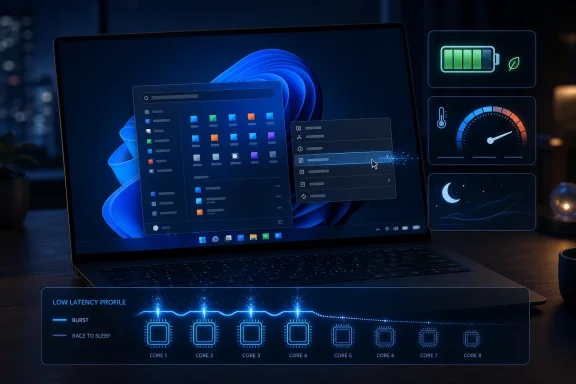
Microsoft is testing a Windows 11 feature known as Low Latency Profile that briefly raises CPU frequency during interactive actions such as opening apps, menus, and system flyouts, and Microsoft’s Scott Hanselman has pushed back against claims that the technique is a lazy workaround for poor optimization. The dispute matters because it turns a dry scheduler-and-power-management feature into a referendum on Windows 11 itself. Microsoft is not wrong that modern operating systems already use aggressive boosting to make computers feel fast. But the backlash is not really about CPU clocks; it is about whether Windows users still trust Microsoft to fix latency without adding another layer of clever machinery on top of old mistakes.
The Windows 11 performance debate has reached the point where even a plausible engineering improvement is received as an indictment. Low Latency Profile, as currently described in reporting and early testing, is not a magic “make Windows fast” switch. It is a policy layer that appears to identify short, user-visible tasks and tells the processor to wake up quickly, run hard briefly, and then go back to sleep.
That is not exotic. It is the everyday physics of modern laptops, phones, tablets, and desktops. The machines on our desks are not fixed-frequency appliances; they are dynamic systems constantly trading latency, battery life, heat, fan noise, and task priority.
The problem is that Windows 11 has spent years training users to expect the worst interpretation. A Start menu that hesitates, a context menu that redraws in two stages, a Settings page that feels heavier than its job requires, and a File Explorer window that sometimes behaves like a web app with a file browser attached all create an emotional baseline. When Microsoft says it has a performance feature, many users hear: we found a way to paper over it.
Hanselman’s intervention on X was unusually direct because the criticism was unusually revealing. The loudest complaint was not merely that Windows should be optimized. It was that boosting the CPU for a menu is fake performance, a kind of benchmark trick for the desktop.
That argument sounds intuitive. It is also technically weak. Computers feel fast when the work triggered by the user is completed before the user notices the wait, and the operating system’s job is to make that happen without wasting power elsewhere.
That does not absolve Microsoft of overbuilding the thing. It does explain why a comparison to Windows 95 or Windows XP is both emotionally valid and technically incomplete. Those systems could feel instant because they were doing radically less.
Older Start menus were closer to pre-rendered launch panels. They did not have to account for modern display scaling, cloud files, Microsoft account state, web search integration, enterprise policy, live recommendations, accessibility surfaces, security boundaries, and whatever else the Windows shell team has layered in over decades.
A user is still right to say, “I clicked a menu; why did it pause?” That complaint is the only metric that really matters. But the engineering answer cannot be “never boost,” because modern processors are designed to boost.
Intel, AMD, Qualcomm, and Apple silicon all live in a world of fast transitions. The OS scheduler, firmware, silicon power controller, and application priority model cooperate to decide whether a core should wake, how fast it should run, which core should take the task, and how soon the system can return to idle. Pretending that “good software” means never asking the hardware to sprint is nostalgia dressed as engineering.
There are fair reasons for that asymmetry. Apple controls more of the stack, ships fewer hardware combinations, and has spent years teaching users that smoothness is part of the product. Microsoft supports an enormous range of machines, peripherals, drivers, firmware implementations, enterprise configurations, legacy apps, and vendor utilities that can ruin the best intentions of the Windows team.
But the mechanism itself is not disqualifying. macOS uses priority classes, energy policies, and Apple silicon’s fast performance-state transitions to keep foreground work feeling responsive. Linux desktops rely on scheduler behavior, CPU frequency governors, kernel heuristics, and compositors that prioritize interactive tasks. Android has developed elaborate frameworks for telling the system when a workload needs a burst.
The difference is not that Windows is cheating while everyone else is pure. The difference is that Windows has more visible latency in places users touch dozens of times per day.
That is why Microsoft’s messaging has to be careful. If it announces Low Latency Profile as though it has discovered responsiveness, it will invite ridicule. If it treats it as one part of a broader latency campaign, it has a defensible case.
This is counterintuitive if you think of performance only as power draw at a single instant. A CPU boosting to a high frequency looks wasteful on a graph. But the area under the curve matters: how much power was used across the whole task, how long the rest of the system had to stay awake, and how quickly the platform returned to low-power operation.
That is why the “CPU spike bad” argument is incomplete. A spike lasting one to three seconds during an app launch or shell interaction may be exactly the right trade if it shortens the visible delay and lets the processor idle sooner. The challenge is not whether boosting is legitimate; the challenge is whether Microsoft can target it precisely enough that it improves responsiveness without creating heat, noise, battery drain, or priority inversion.
Low Latency Profile appears to be aimed at latency-bound foreground interactions rather than sustained workloads. That distinction matters. A short burst for a context menu is very different from pinning a laptop CPU at high clocks during background indexing or telemetry processing.
If Microsoft gets the targeting wrong, users will notice. Thin-and-light laptops will spin fans. Battery estimates will wobble. Thermal headroom for real work will shrink. But if Microsoft gets the targeting right, many users will not think about the feature at all; they will simply stop noticing the little pauses that have made Windows 11 feel heavier than it should.
That is also where Microsoft’s ambitions are clearest. The company does not simply want Windows on Arm to be compatible; it wants it to feel premium. Battery life and app compatibility matter, but so does the moment-to-moment feel of clicking, launching, switching, searching, and waking.
Apple proved with M-series Macs that responsiveness is a product feature, not just a benchmark outcome. The MacBook Air is not beloved because every workload is fastest in every test. It is beloved because the machine feels ready, quiet, and immediate under the kinds of interactions most people perform all day.
Windows on Snapdragon has to compete on that same emotional terrain. If Low Latency Profile can make the shell feel less hesitant, it becomes part of the Windows-on-Arm sales pitch even if Microsoft never advertises it that way.
The risk is that Arm also raises expectations. Users who buy modern Snapdragon laptops will not be forgiving if native Windows surfaces still stutter. They will compare the experience not only with old Windows laptops, but with iPads, phones, and Apple Silicon Macs that have normalized instant-feeling UI.
There is truth buried inside the exaggeration. Windows 11 often does too much in places where the user expects almost nothing. A menu should not feel like a portal. A right-click should not feel like a negotiation. A file manager should not need to remind you that it has ambitions beyond managing files.
But old Windows was not fast because it had discovered a moral law of software simplicity. It was fast in part because the job was smaller, the UI model was simpler, the security model was less demanding, the display stack was less complex, the shell had fewer service integrations, and the expectations of connected computing were radically different.
This is not a defense of every modern Windows design choice. It is a reminder that “make it like 1995” is not an implementable engineering plan.
The better lesson from old Windows is not that modern systems should avoid boosting. It is that interactive surfaces should be ruthless about doing less work on the critical path. Show the thing. Defer what can be deferred. Cache what can be cached. Avoid network dependencies. Do not make the user wait for the operating system to assemble a business model.
A faster scheduler policy cannot fix an overcomplicated shell by itself. It cannot make a web-heavy component feel native if the component is still waiting on too many layers. It cannot rescue a File Explorer extension that blocks the UI thread. It cannot make a cloud-backed recommendations panel feel local if the interaction path keeps depending on remote state.
That is why Hanselman’s “do both” answer matters. The correct strategy is not optimization or boosting. It is optimization and boosting. Microsoft should strip unnecessary work from Start, File Explorer, Settings, search, and shell surfaces while also teaching Windows to allocate silicon more aggressively when the user is waiting.
In practice, the best responsiveness work is often invisible. It means moving work off the UI thread, precomputing layout, avoiding synchronous calls, collapsing layers, caching intelligently, prioritizing foreground input, and cutting features that do not earn their latency budget. It means measuring not just how long an app takes to launch, but how long before the user can act.
Low Latency Profile can help with the last mile. It cannot be the whole road.
Microsoft has repeatedly complicated Start by turning it into more than a launcher. Search, recommendations, documents, cloud hooks, account services, web results, advertising-adjacent nudges, and layout experiments have all passed through or near that surface. Each individual addition may have had a product rationale. Together they made Start feel less like infrastructure and more like a contested space.
That history is why users are suspicious. When Microsoft says it is making Start faster, power users wonder whether it is making Start simpler or merely making the existing complexity arrive sooner.
The distinction matters. A bloated feature that opens faster is still bloated. A streamlined feature that also benefits from better CPU scheduling is progress.
If Microsoft is moving more shell work toward native Windows UI frameworks and away from heavier web components, that is the kind of change users should welcome. But Microsoft has to prove it in builds, not blog posts. The test is not whether the company can describe a latency initiative; it is whether a midrange laptop in balanced power mode feels better after Patch Tuesday than it did before.
Enterprise IT will want to know whether Low Latency Profile is configurable, observable, and compatible with existing power policies. They will want telemetry that distinguishes foreground responsiveness from background churn. They will want to know whether the feature behaves differently on AC power and battery, whether it respects device thermal limits, and whether OEM firmware quality changes the experience.
That is not cynicism. It is deployment reality.
A scheduler feature that makes a consumer laptop feel snappier may still need guardrails in a hospital, trading floor, call center, classroom, or virtualized environment. The same burst that feels harmless on a cool desktop could matter on a fanless device near its thermal ceiling. The same policy that helps Start launch faster could be irrelevant inside a locked-down kiosk where Start barely exists.
Microsoft should not treat these concerns as resistance to progress. They are the price of being Windows.
Yes, modern operating systems boost and prioritize interactive work. Yes, Windows 11 has too many user-visible surfaces that feel heavier than they should. Yes, “CPU spike” is a poor proxy for waste. Yes, Microsoft’s history of adding services, recommendations, and cloud hooks to local UI makes users skeptical of performance promises.
The real question is whether Microsoft is using Low Latency Profile to reduce perceived latency while also reducing actual work. If so, it is good engineering. If not, it is merely a faster treadmill.
The best version of Windows 11’s performance future is not a system that maxes the CPU every time the user breathes near the mouse. It is a system that knows which tasks deserve urgency, keeps unnecessary work away from the critical path, and returns the machine to quiet efficiency as soon as possible.
That is a hard problem. It is also exactly the problem an operating system vendor is supposed to solve.
Those are the places where a one-second hesitation becomes part of the user’s mental model of Windows. People do not say, “The scheduler selected a suboptimal frequency state.” They say, “This computer is slow.”
If Microsoft can make those systems feel more immediate without burning battery or cooking laps, the win will be real. Perceived performance is not fake performance. It is the performance that most users actually experience.
Still, Microsoft should resist the temptation to oversell percentage gains. “Up to 70 percent faster” claims have a way of aging badly once they meet drivers, OEM images, third-party shell extensions, security agents, and real-world clutter. The more responsible pitch is simpler: Windows is trying to respond faster when you ask it to do something.
That is less glamorous. It is also more believable.
That is the right battlefield for Windows 11. The operating system does not need another vibes-based debate about whether Microsoft cares. It needs repeatable evidence that common actions feel better on common hardware.
A few practical conclusions follow from the early picture:
Source: Windows Latest Microsoft denies Windows 11 CPU boost trick is a lazy fix, says Apple does this and you love it
 Microsoft’s Performance Problem Has Become a Trust Problem
The Windows 11 performance debate has reached the point where even a plausible engineering improvement is received as an indictment. Low Latency Profile, as currently described in reporting and early testing, is not a magic “make Windows fast” switch. It is a policy layer that appears to identify short, user-visible tasks and tells the processor to wake up quickly, run hard briefly, and then go back to sleep.That is not exotic. It is the everyday physics of modern laptops, phones, tablets, and desktops. The machines on our desks are not fixed-frequency appliances; they are dynamic systems constantly trading latency, battery life, heat, fan noise, and task priority.
The problem is that Windows 11 has spent years training users to expect the worst interpretation. A Start menu that hesitates, a context menu that redraws in two stages, a Settings page that feels heavier than its job requires, and a File Explorer window that sometimes behaves like a web app with a file browser attached all create an emotional baseline. When Microsoft says it has a performance feature, many users hear: we found a way to paper over it.
Hanselman’s intervention on X was unusually direct because the criticism was unusually revealing. The loudest complaint was not merely that Windows should be optimized. It was that boosting the CPU for a menu is fake performance, a kind of benchmark trick for the desktop.
That argument sounds intuitive. It is also technically weak. Computers feel fast when the work triggered by the user is completed before the user notices the wait, and the operating system’s job is to make that happen without wasting power elsewhere.
The CPU Spike Is Not the Scandal
A short CPU spike is not evidence that software has failed. It is evidence that a system has work to do and is trying to finish that work inside a narrow human-perception window. The Start menu is not a philosophical object; it is a process, a compositor interaction, a storage lookup, a search surface, a recommendations panel, an input target, and in modern Windows, sometimes a cloud-connected experience.That does not absolve Microsoft of overbuilding the thing. It does explain why a comparison to Windows 95 or Windows XP is both emotionally valid and technically incomplete. Those systems could feel instant because they were doing radically less.
Older Start menus were closer to pre-rendered launch panels. They did not have to account for modern display scaling, cloud files, Microsoft account state, web search integration, enterprise policy, live recommendations, accessibility surfaces, security boundaries, and whatever else the Windows shell team has layered in over decades.
A user is still right to say, “I clicked a menu; why did it pause?” That complaint is the only metric that really matters. But the engineering answer cannot be “never boost,” because modern processors are designed to boost.
Intel, AMD, Qualcomm, and Apple silicon all live in a world of fast transitions. The OS scheduler, firmware, silicon power controller, and application priority model cooperate to decide whether a core should wake, how fast it should run, which core should take the task, and how soon the system can return to idle. Pretending that “good software” means never asking the hardware to sprint is nostalgia dressed as engineering.
Apple Gets Credit for the Same Trick Windows Gets Mocked For
Hanselman’s “Apple does this and you love it” line landed because it cuts to a cultural truth in platform debates. Apple’s responsiveness is often treated as evidence of taste and engineering discipline. Windows responsiveness improvements are often treated as evidence that Microsoft is hiding something.There are fair reasons for that asymmetry. Apple controls more of the stack, ships fewer hardware combinations, and has spent years teaching users that smoothness is part of the product. Microsoft supports an enormous range of machines, peripherals, drivers, firmware implementations, enterprise configurations, legacy apps, and vendor utilities that can ruin the best intentions of the Windows team.
But the mechanism itself is not disqualifying. macOS uses priority classes, energy policies, and Apple silicon’s fast performance-state transitions to keep foreground work feeling responsive. Linux desktops rely on scheduler behavior, CPU frequency governors, kernel heuristics, and compositors that prioritize interactive tasks. Android has developed elaborate frameworks for telling the system when a workload needs a burst.
The difference is not that Windows is cheating while everyone else is pure. The difference is that Windows has more visible latency in places users touch dozens of times per day.
That is why Microsoft’s messaging has to be careful. If it announces Low Latency Profile as though it has discovered responsiveness, it will invite ridicule. If it treats it as one part of a broader latency campaign, it has a defensible case.
“Race to Sleep” Is the Boring Idea That Makes the Feature Sensible
The most important concept in this debate is not maximum frequency. It is race to sleep. A processor that finishes a short task quickly and returns to a deep idle state can, in many cases, be more efficient than a processor that limps through the same task at a lower frequency for longer.This is counterintuitive if you think of performance only as power draw at a single instant. A CPU boosting to a high frequency looks wasteful on a graph. But the area under the curve matters: how much power was used across the whole task, how long the rest of the system had to stay awake, and how quickly the platform returned to low-power operation.
That is why the “CPU spike bad” argument is incomplete. A spike lasting one to three seconds during an app launch or shell interaction may be exactly the right trade if it shortens the visible delay and lets the processor idle sooner. The challenge is not whether boosting is legitimate; the challenge is whether Microsoft can target it precisely enough that it improves responsiveness without creating heat, noise, battery drain, or priority inversion.
Low Latency Profile appears to be aimed at latency-bound foreground interactions rather than sustained workloads. That distinction matters. A short burst for a context menu is very different from pinning a laptop CPU at high clocks during background indexing or telemetry processing.
If Microsoft gets the targeting wrong, users will notice. Thin-and-light laptops will spin fans. Battery estimates will wobble. Thermal headroom for real work will shrink. But if Microsoft gets the targeting right, many users will not think about the feature at all; they will simply stop noticing the little pauses that have made Windows 11 feel heavier than it should.
Snapdragon PCs May Be the Real Test Bed
The feature may matter most on the new generation of Arm-based Windows PCs, especially Snapdragon X systems. Those chips are built around quick state changes, efficient cores, and a mobile-derived expectation that the machine should wake fast, respond fast, and disappear back into low-power mode. A latency feature that looks marginal on an older x86 desktop could feel transformative on a modern Arm laptop.That is also where Microsoft’s ambitions are clearest. The company does not simply want Windows on Arm to be compatible; it wants it to feel premium. Battery life and app compatibility matter, but so does the moment-to-moment feel of clicking, launching, switching, searching, and waking.
Apple proved with M-series Macs that responsiveness is a product feature, not just a benchmark outcome. The MacBook Air is not beloved because every workload is fastest in every test. It is beloved because the machine feels ready, quiet, and immediate under the kinds of interactions most people perform all day.
Windows on Snapdragon has to compete on that same emotional terrain. If Low Latency Profile can make the shell feel less hesitant, it becomes part of the Windows-on-Arm sales pitch even if Microsoft never advertises it that way.
The risk is that Arm also raises expectations. Users who buy modern Snapdragon laptops will not be forgiving if native Windows surfaces still stutter. They will compare the experience not only with old Windows laptops, but with iPads, phones, and Apple Silicon Macs that have normalized instant-feeling UI.
The Windows 95 Comparison Is Wrong, but the Frustration Is Right
Every Windows performance argument eventually summons Windows 95, Windows XP, or Windows 7 as a witness for the prosecution. The claim is familiar: old PCs had tiny fractions of today’s compute power, yet menus opened instantly. Therefore, modern Windows must be bloated beyond excuse.There is truth buried inside the exaggeration. Windows 11 often does too much in places where the user expects almost nothing. A menu should not feel like a portal. A right-click should not feel like a negotiation. A file manager should not need to remind you that it has ambitions beyond managing files.
But old Windows was not fast because it had discovered a moral law of software simplicity. It was fast in part because the job was smaller, the UI model was simpler, the security model was less demanding, the display stack was less complex, the shell had fewer service integrations, and the expectations of connected computing were radically different.
This is not a defense of every modern Windows design choice. It is a reminder that “make it like 1995” is not an implementable engineering plan.
The better lesson from old Windows is not that modern systems should avoid boosting. It is that interactive surfaces should be ruthless about doing less work on the critical path. Show the thing. Defer what can be deferred. Cache what can be cached. Avoid network dependencies. Do not make the user wait for the operating system to assemble a business model.
Microsoft Has to Optimize the Code and the Path to the Code
The strongest version of the criticism is not “CPU boosting is fake.” It is “CPU boosting must not become an excuse.” On that point, Windows skeptics are right to keep pressure on Microsoft.A faster scheduler policy cannot fix an overcomplicated shell by itself. It cannot make a web-heavy component feel native if the component is still waiting on too many layers. It cannot rescue a File Explorer extension that blocks the UI thread. It cannot make a cloud-backed recommendations panel feel local if the interaction path keeps depending on remote state.
That is why Hanselman’s “do both” answer matters. The correct strategy is not optimization or boosting. It is optimization and boosting. Microsoft should strip unnecessary work from Start, File Explorer, Settings, search, and shell surfaces while also teaching Windows to allocate silicon more aggressively when the user is waiting.
In practice, the best responsiveness work is often invisible. It means moving work off the UI thread, precomputing layout, avoiding synchronous calls, collapsing layers, caching intelligently, prioritizing foreground input, and cutting features that do not earn their latency budget. It means measuring not just how long an app takes to launch, but how long before the user can act.
Low Latency Profile can help with the last mile. It cannot be the whole road.
The Start Menu Is the Symbol Because Everyone Touches It
The Start menu keeps appearing in this debate because it is the front door of Windows. If it feels slow, the whole OS feels slow. If it feels immediate, users are more willing to forgive rougher edges elsewhere.Microsoft has repeatedly complicated Start by turning it into more than a launcher. Search, recommendations, documents, cloud hooks, account services, web results, advertising-adjacent nudges, and layout experiments have all passed through or near that surface. Each individual addition may have had a product rationale. Together they made Start feel less like infrastructure and more like a contested space.
That history is why users are suspicious. When Microsoft says it is making Start faster, power users wonder whether it is making Start simpler or merely making the existing complexity arrive sooner.
The distinction matters. A bloated feature that opens faster is still bloated. A streamlined feature that also benefits from better CPU scheduling is progress.
If Microsoft is moving more shell work toward native Windows UI frameworks and away from heavier web components, that is the kind of change users should welcome. But Microsoft has to prove it in builds, not blog posts. The test is not whether the company can describe a latency initiative; it is whether a midrange laptop in balanced power mode feels better after Patch Tuesday than it did before.
The Enterprise View Is Less Romantic and More Useful
For administrators, the debate is less about whether Microsoft has been unfairly criticized and more about predictability. A corporate fleet contains premium laptops, bargain desktops, aging thin clients, thermal-constrained convertibles, virtual desktops, and machines burdened by endpoint agents. A feature that improves responsiveness on one class of device can create strange effects on another.Enterprise IT will want to know whether Low Latency Profile is configurable, observable, and compatible with existing power policies. They will want telemetry that distinguishes foreground responsiveness from background churn. They will want to know whether the feature behaves differently on AC power and battery, whether it respects device thermal limits, and whether OEM firmware quality changes the experience.
That is not cynicism. It is deployment reality.
A scheduler feature that makes a consumer laptop feel snappier may still need guardrails in a hospital, trading floor, call center, classroom, or virtualized environment. The same burst that feels harmless on a cool desktop could matter on a fanless device near its thermal ceiling. The same policy that helps Start launch faster could be irrelevant inside a locked-down kiosk where Start barely exists.
Microsoft should not treat these concerns as resistance to progress. They are the price of being Windows.
The Internet Argument Flattened a Real Engineering Tradeoff
The online reaction to Low Latency Profile shows how performance debates often collapse into slogans. One side says Windows is bloated and Microsoft is cheating. The other says every modern OS does this and critics do not understand computers. Both statements contain enough truth to be useful and enough exaggeration to be annoying.Yes, modern operating systems boost and prioritize interactive work. Yes, Windows 11 has too many user-visible surfaces that feel heavier than they should. Yes, “CPU spike” is a poor proxy for waste. Yes, Microsoft’s history of adding services, recommendations, and cloud hooks to local UI makes users skeptical of performance promises.
The real question is whether Microsoft is using Low Latency Profile to reduce perceived latency while also reducing actual work. If so, it is good engineering. If not, it is merely a faster treadmill.
The best version of Windows 11’s performance future is not a system that maxes the CPU every time the user breathes near the mouse. It is a system that knows which tasks deserve urgency, keeps unnecessary work away from the critical path, and returns the machine to quiet efficiency as soon as possible.
That is a hard problem. It is also exactly the problem an operating system vendor is supposed to solve.
The Fix Will Be Judged by the Cheapest Laptops, Not the Loudest Threads
The most interesting promise of Low Latency Profile is not what it does for a high-end desktop. A powerful machine already has enough headroom to hide many sins. The real test is the budget laptop, the classroom device, the VM, the older ultrabook, and the corporate machine running security software that insists on inspecting everything twice.Those are the places where a one-second hesitation becomes part of the user’s mental model of Windows. People do not say, “The scheduler selected a suboptimal frequency state.” They say, “This computer is slow.”
If Microsoft can make those systems feel more immediate without burning battery or cooking laps, the win will be real. Perceived performance is not fake performance. It is the performance that most users actually experience.
Still, Microsoft should resist the temptation to oversell percentage gains. “Up to 70 percent faster” claims have a way of aging badly once they meet drivers, OEM images, third-party shell extensions, security agents, and real-world clutter. The more responsible pitch is simpler: Windows is trying to respond faster when you ask it to do something.
That is less glamorous. It is also more believable.
The Windows 11 Latency Fight Now Has Receipts
The Low Latency Profile argument is useful because it forces the discussion onto measurable ground. Instead of vague complaints about “bloat” and equally vague promises about “quality,” users and reviewers can test whether specific actions complete faster, whether battery life changes, whether thermals worsen, and whether improvements survive outside pristine Insider builds.That is the right battlefield for Windows 11. The operating system does not need another vibes-based debate about whether Microsoft cares. It needs repeatable evidence that common actions feel better on common hardware.
A few practical conclusions follow from the early picture:
- Low Latency Profile appears to be a targeted responsiveness feature, not a general-purpose overclocking mode.
- Short CPU boosts are normal in modern operating systems and are not, by themselves, evidence of bad engineering.
- Microsoft still needs to reduce the amount of work performed by Start, File Explorer, Settings, and other core shell surfaces.
- Snapdragon and other modern mobile-style platforms may benefit disproportionately if Windows can exploit fast power-state transitions well.
- Enterprises will need policy controls, documentation, and predictable behavior before treating the feature as more than a consumer responsiveness tweak.
- The feature will succeed only if users notice fewer pauses, not if Microsoft wins an argument on social media.
Source: Windows Latest Microsoft denies Windows 11 CPU boost trick is a lazy fix, says Apple does this and you love it
