

Microsoft is testing a Windows 11 “Low Latency Profile” that temporarily boosts CPU frequency for brief, high-priority interactions such as launching apps, opening Start, and invoking menus, with early reports claiming substantial responsiveness gains in Insider builds as part of its broader K2 performance push. That is the plain answer; the more uncomfortable one is that Windows is learning to sprint because too many parts of the desktop have forgotten how to walk quickly. The feature may well make Windows 11 feel better, especially on hardware where a few seconds of sluggishness shape the entire impression of a PC. But it also captures the central tension of modern Windows engineering: Microsoft is improving the experience partly by spending more silicon, not always by removing the work that made the experience slow.
The reported Low Latency Profile is not a magic “make Windows fast” switch. It is closer to a scheduler-level nudge that tells the system, for a very short window, to stop behaving like a polite power manager and start behaving like a machine that knows the user is waiting.
According to recent reporting, the profile can push the CPU toward maximum frequency for roughly one to three seconds when Windows detects certain foreground actions. Those actions reportedly include opening apps, invoking the Start menu, launching system flyouts, and interacting with other interface elements where perceived delay matters more than background efficiency.
That distinction is important. Windows does not need every background sync client, telemetry process, updater, and tray utility to run as though it were compiling Chromium. What it does need is for the thing the user just clicked to feel like it has priority, because users judge performance emotionally before they judge it numerically.
In that narrow sense, Microsoft’s idea is defensible. Desktop responsiveness has always depended on cheating the clock a little: prefetching, caching, speculative loading, timer coalescing, priority boosts, GPU composition, and dozens of other tricks are part of why modern operating systems feel interactive instead of purely sequential.
The problem is not that Microsoft is using a trick. The problem is that Windows 11 increasingly seems to need tricks for its most ordinary rituals.
If a low-latency burst makes a heavyweight creative app open faster, most users will simply call that optimization. If the same burst is needed to make Start feel snappy, it raises a different question: why is a menu, on a modern multi-core machine with fast storage and gigabytes of memory, still a place where latency hides?
Windows 11’s interface has carried this criticism since launch. The shell is more visually coherent than late Windows 10 in some areas, but it often feels layered: XAML here, legacy Win32 there, web-backed experiences elsewhere, with cloud hooks and account prompts stitched into places that used to be brutally local.
That layering is not automatically bad. Modern UI frameworks exist for accessibility, scaling, theming, animation, and developer productivity. But each abstraction has a cost, and the user pays that cost every time an interface element waits for its own scaffolding to wake up.
The Start menu is a perfect symbol because it is both simple and not simple. To the user, it is a launcher. To Microsoft, it is a surface for search, recommendations, identity, policies, app indexing, cloud files, enterprise controls, and promotional real estate. The performance problem is therefore not just technical; it is architectural and commercial.
When the answer is to briefly push the CPU harder, Windows may feel faster. But the user is still left wondering why the shell needed a little turbocharger to open the front door.
That matters because File Explorer is not a lifestyle app. It is infrastructure with a window. It is where sysadmins triage logs, developers move builds, photographers sort folders, office workers find attachments, and ordinary users discover whether their computer feels responsive or swampy.
Microsoft’s earlier experiment with preloading File Explorer in the background revealed the same philosophy now visible in the Low Latency Profile discussion. If launch is slow, keep more of the thing warmed up. If first interaction feels delayed, spend memory before the click or spend CPU immediately after it.
Preloading is not inherently illegitimate. Operating systems have long used idle resources to make likely future actions faster, and unused RAM is not sacred. A system that can predict common user actions and prepare for them can deliver a better experience than one that waits passively for every request.
But File Explorer is also exactly where users expect restraint. If a file manager needs background preloading to feel modern, it suggests the modernization project has accumulated enough weight that Windows must now compensate for itself.
There is truth in that critique. Many modern apps behave as if the machine is a budget data center that exists to host frameworks, web runtimes, analytics, updaters, and sync layers before it does the user’s task. The Windows desktop has not been immune to that cultural drift.
Still, calling the Low Latency Profile merely lazy undersells the engineering. Detecting the right user-initiated moments, coordinating boosts with modern CPU power states, avoiding battery damage, and ensuring the system does not become noisier or hotter under normal use are not trivial problems. Scheduler work is real work.
The stronger critique is not that Microsoft’s engineers are taking an easy path. It is that they are being asked to solve a product problem at the layer where the product can avoid admitting how much latency it has designed into itself.
A short CPU burst can hide delay. It cannot explain why the delay exists, whether the work was necessary, or whether the same interface could have been made leaner in the first place.
A user does not care whether Outlook’s cold-start path shaved milliseconds from a database query, a framework initialization, a network handshake, or a CPU frequency ramp. The user cares whether the app appears when summoned and whether it accepts input without the little pause that makes a fast PC feel strangely reluctant.
Operating systems have always been built around this psychological truth. Animations can make waits feel smoother. Progressive rendering can make an app feel alive before it is fully ready. Priority boosts can make the foreground task seem blessed by the machine.
The Low Latency Profile fits this tradition. Modern CPUs are designed to change frequency aggressively, and operating systems already make policy decisions about responsiveness versus efficiency. If Microsoft can identify the exact moments where a small burst buys a large improvement, users will benefit.
The risk is that perceived performance becomes a substitute for performance discipline. Once a platform vendor can mask sluggishness centrally, individual teams may feel less pressure to remove waste locally. The bill still comes due; it just arrives as heat, battery drain, fan noise, memory pressure, or a shorter useful life for older hardware.
The best version of this feature is a bridge. The worst version is a permission slip.
Windows 11 arrived with a design argument: fewer hard edges, calmer visuals, centered defaults, simplified surfaces, and a more modern shell. The trouble is that simplification sometimes meant removing useful affordances while adding hidden complexity. Users noticed the missing taskbar features faster than they appreciated the architecture behind the new look.
Performance complaints became part of that trust problem. When a newer OS feels slower at everyday tasks than the one it replaces, the user does not care that the codebase is dealing with modern security requirements, richer UI composition, cloud integration, and backward compatibility. The user sees a regression.
K2, if it is real in the form being reported, sounds like Microsoft acknowledging that Windows 11 cannot simply wait for newer hardware and annual feature updates to solve the perception gap. The company needs to make the OS feel less hesitant on the machines people already own.
That makes Low Latency Profile both promising and suspicious. It is promising because Microsoft is attacking responsiveness where users feel it. It is suspicious because it is easier to boost the system around a slow path than to simplify the slow path itself.
Windows 11 already sharpened that anxiety with its hardware requirements, especially TPM 2.0 and supported CPU lists. Even when those requirements were rooted in security goals, they created a visible line between machines Microsoft considered part of the future and machines it did not.
Performance work that leans on bursty CPU behavior can feel like another version of that line. Newer processors with better boost behavior, more cores, more efficient performance states, and stronger thermal designs will absorb the trick more gracefully. Older or lower-end PCs may see less benefit, or may experience the benefit with more obvious trade-offs.
That does not mean Microsoft is conspiring to sell CPUs. It does mean the modern Windows ecosystem has a structural bias toward solving software complexity with hardware abundance. OEMs like that world. Users with aging laptops do not.
The danger is subtle. If Windows 11 feels acceptable only when the scheduler is aggressive, RAM is plentiful, storage is fast, and the CPU can burst without complaint, then the OS has become less portable across the range of machines it claims to support.
For IT departments, that matters more than a benchmark headline. Fleet machines are not gaming desktops with generous cooling and fresh silicon. They are often four-year-old laptops, docked under monitors, running endpoint security, VPN clients, Teams, Outlook, browser tabs, device management agents, and line-of-business software at the same time.
Short bursts can be efficient if they complete work quickly and let the CPU return to a lower power state. This is the familiar “race to idle” argument, and it is often valid. A processor that finishes a foreground task in half the time at higher frequency may not necessarily consume more energy than one that lingers at a lower state.
But Windows laptops are messy. Thermal limits vary. Firmware quality varies. OEM power profiles vary. Background load varies wildly. A feature that behaves elegantly on a reference platform can feel different on a thin laptop with a clogged fan curve, an aging battery, and corporate security software inspecting every file and process.
The hard part is not making a burst happen. The hard part is making sure the burst is reserved for interactions that deserve it, that it does not stack badly with background chaos, and that it does not become another reason some laptops feel warm while doing nothing obvious.
Microsoft must also handle expectations. If users hear “up to 70 percent faster” and then see no meaningful improvement on their device, the feature becomes another Windows promise filtered through hardware lottery. If they do see improvement but lose standby time or fan silence, the win becomes negotiable.
The right metric is not just launch time. It is responsiveness per watt, responsiveness per degree, and responsiveness per year of hardware life.
The incentive problem is especially acute because many Windows apps are now cross-platform, web-heavy, or framework-heavy by default. Electron, WebView2, React Native, .NET, WinUI, and other stacks all have legitimate uses, but they also make it easier for teams to ship experiences that feel larger than their function.
Microsoft cannot credibly lecture developers about lean apps if its own flagship surfaces require preloading, boosting, or both to feel right. The company’s first-party software sets the cultural baseline. When Outlook, Teams, Edge-adjacent surfaces, Start, and Explorer feel heavy, the ecosystem receives the message.
That is why this is bigger than one hidden profile. Microsoft is not merely optimizing Windows; it is modeling what kind of optimization counts. If the answer is “the platform will make your slow launch less noticeable,” developers will hear one thing. If the answer is “the platform will help, but first-party apps must remove unnecessary work,” they will hear another.
The healthiest version of K2 would combine both. Use scheduler boosts where the physics of modern CPUs can improve responsiveness, but also publish and enforce stricter internal performance budgets for inbox apps and shell components.
Windows needs a culture where a slow menu is treated as a bug, not as a candidate for a bigger burst.
Enterprise environments amplify edge cases. A desktop action that is simple on a clean consumer laptop may trigger credential providers, shell extensions, redirected folders, network drives, endpoint detection hooks, group policies, cloud storage overlays, and accessibility tooling. File Explorer in a managed environment is often not just File Explorer.
That is where a CPU burst could help. If Windows can prioritize the user-visible interaction through the thicket of enterprise add-ons, it may reduce the daily micro-friction that makes managed PCs feel worse than personal machines with similar hardware.
But IT will want controls, documentation, and telemetry. Admins need to know whether the profile is enabled, whether it can be governed by policy, how it interacts with existing power plans, and whether it changes behavior on battery versus AC power. They will also want to know whether performance improvements are consistent across device classes.
The worst outcome would be another opaque Windows behavior that appears in Insider builds, arrives gradually through cumulative updates, and leaves administrators reverse-engineering why laptops behave differently after patch Tuesday.
If Microsoft wants this to be trusted outside enthusiast circles, it should treat Low Latency Profile as part of manageability, not just polish.
For years, hardware improvement made that bargain easier. A new CPU generation could bury old inefficiencies. SSDs disguised storage assumptions from the hard drive era. More RAM made background services less visible. GPUs made compositing and animation feel cheap.
Now the bargain is more strained. Users expect all-day battery life, silent laptops, instant wake, fast search, secure defaults, cloud integration, AI features, and compatibility with old software. Every layer competes for the same thermal and cognitive budget.
The Low Latency Profile is a rational response to that environment. It says: when the user is waiting, spend the machine’s resources decisively. That is not foolish. In fact, it is how interactive systems should behave.
But the old bargain fails if Windows uses resource bursts to excuse bloat rather than to complement efficiency. Compatibility explains some weight. Security explains some weight. Cloud features explain some weight. None of them explain why users so often feel that basic shell interactions have become less immediate than they were in older versions.
The OS does not get infinite sympathy just because its job is hard.
The real Windows 11 benchmark is a midrange laptop after three years of use. It has dozens of startup entries, a browser profile with too many extensions, a partially full SSD, OEM utilities, a battery that no longer holds its original charge, and a user who just wants File Explorer to open without theatrical hesitation.
On that machine, a short CPU burst may be a genuine kindness. It may make the difference between “this laptop is getting old” and “this is fine.” We should not dismiss that. Most users do not benefit from ideological purity if the practical result is a slower PC.
But if the same machine feels better only because Windows is flooring the accelerator at every common interaction, the victory is fragile. The next wave of heavier features can consume the margin. The next corporate agent can erase the gain. The next UI rewrite can bring back the pause.
Sustainable performance comes from reducing the amount of work needed to satisfy the click. Opportunistic performance comes from doing the same work harder and sooner. Windows needs both, but only one of them compounds in the user’s favor.
File Explorer should launch quickly because its startup path is disciplined. Start should open instantly because it is treated as core shell infrastructure, not as a content surface that happens to include app icons. Outlook should feel responsive because its local architecture respects the user’s foreground intent, not because the CPU briefly rescues it.
Microsoft has advantages third-party developers do not. It owns the OS, the app frameworks, the telemetry, the inbox apps, the scheduler, the power stack, and the design language. If any company can align all those layers around responsiveness, it is Microsoft.
That is why excuses land poorly. Users can accept that Windows is complicated. They are less forgiving when the company that controls the whole stack appears to patch over sluggishness with yet another layer of cleverness.
The company should frame Low Latency Profile as an assist, not a solution. The feature should buy time for deeper cleanup, not become the headline accomplishment.
If Microsoft wants to change the story, it needs to make the fastest path the default path, not the boosted path.
A short burst of CPU performance is acceptable when it serves the user’s immediate intent. It becomes suspect when it papers over work that should never have been on the critical path.
Source: Neowin Windows 11 is getting faster the lazy way
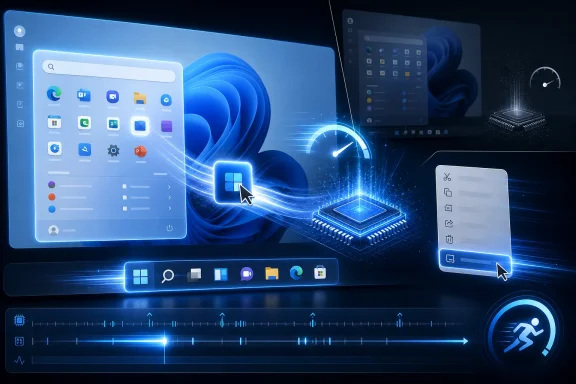 Microsoft Has Found a Shortcut Through the Scheduler
The reported Low Latency Profile is not a magic “make Windows fast” switch. It is closer to a scheduler-level nudge that tells the system, for a very short window, to stop behaving like a polite power manager and start behaving like a machine that knows the user is waiting.According to recent reporting, the profile can push the CPU toward maximum frequency for roughly one to three seconds when Windows detects certain foreground actions. Those actions reportedly include opening apps, invoking the Start menu, launching system flyouts, and interacting with other interface elements where perceived delay matters more than background efficiency.
That distinction is important. Windows does not need every background sync client, telemetry process, updater, and tray utility to run as though it were compiling Chromium. What it does need is for the thing the user just clicked to feel like it has priority, because users judge performance emotionally before they judge it numerically.
In that narrow sense, Microsoft’s idea is defensible. Desktop responsiveness has always depended on cheating the clock a little: prefetching, caching, speculative loading, timer coalescing, priority boosts, GPU composition, and dozens of other tricks are part of why modern operating systems feel interactive instead of purely sequential.
The problem is not that Microsoft is using a trick. The problem is that Windows 11 increasingly seems to need tricks for its most ordinary rituals.
A Faster Start Menu Is Still an Indictment of the Start Menu
The most damning examples are not exotic developer workloads or bloated third-party suites. They are the Start menu, File Explorer, Outlook, Edge, and context menus — the furniture of daily Windows life.If a low-latency burst makes a heavyweight creative app open faster, most users will simply call that optimization. If the same burst is needed to make Start feel snappy, it raises a different question: why is a menu, on a modern multi-core machine with fast storage and gigabytes of memory, still a place where latency hides?
Windows 11’s interface has carried this criticism since launch. The shell is more visually coherent than late Windows 10 in some areas, but it often feels layered: XAML here, legacy Win32 there, web-backed experiences elsewhere, with cloud hooks and account prompts stitched into places that used to be brutally local.
That layering is not automatically bad. Modern UI frameworks exist for accessibility, scaling, theming, animation, and developer productivity. But each abstraction has a cost, and the user pays that cost every time an interface element waits for its own scaffolding to wake up.
The Start menu is a perfect symbol because it is both simple and not simple. To the user, it is a launcher. To Microsoft, it is a surface for search, recommendations, identity, policies, app indexing, cloud files, enterprise controls, and promotional real estate. The performance problem is therefore not just technical; it is architectural and commercial.
When the answer is to briefly push the CPU harder, Windows may feel faster. But the user is still left wondering why the shell needed a little turbocharger to open the front door.
File Explorer Became the Case Study Microsoft Could Not Avoid
File Explorer has been the more visible embarrassment. Microsoft has spent years modernizing the Windows 11 file manager, adding tabs, visual updates, redesigned command bars, cloud integration, gallery views, and other niceties. Yet the core complaint from power users has remained stubbornly familiar: it can feel slower than it should.That matters because File Explorer is not a lifestyle app. It is infrastructure with a window. It is where sysadmins triage logs, developers move builds, photographers sort folders, office workers find attachments, and ordinary users discover whether their computer feels responsive or swampy.
Microsoft’s earlier experiment with preloading File Explorer in the background revealed the same philosophy now visible in the Low Latency Profile discussion. If launch is slow, keep more of the thing warmed up. If first interaction feels delayed, spend memory before the click or spend CPU immediately after it.
Preloading is not inherently illegitimate. Operating systems have long used idle resources to make likely future actions faster, and unused RAM is not sacred. A system that can predict common user actions and prepare for them can deliver a better experience than one that waits passively for every request.
But File Explorer is also exactly where users expect restraint. If a file manager needs background preloading to feel modern, it suggests the modernization project has accumulated enough weight that Windows must now compensate for itself.
The “Lazy Way” Critique Is Right, but Not Complete
The Neowin argument that this is a lazy way to make Windows faster lands because it speaks to a real frustration: hardware has become the escape hatch for software excess. Faster CPUs, faster SSDs, more RAM, and more capable GPUs have allowed desktop software to become more layered, more network-aware, more instrumented, and often more tolerant of inefficiency.There is truth in that critique. Many modern apps behave as if the machine is a budget data center that exists to host frameworks, web runtimes, analytics, updaters, and sync layers before it does the user’s task. The Windows desktop has not been immune to that cultural drift.
Still, calling the Low Latency Profile merely lazy undersells the engineering. Detecting the right user-initiated moments, coordinating boosts with modern CPU power states, avoiding battery damage, and ensuring the system does not become noisier or hotter under normal use are not trivial problems. Scheduler work is real work.
The stronger critique is not that Microsoft’s engineers are taking an easy path. It is that they are being asked to solve a product problem at the layer where the product can avoid admitting how much latency it has designed into itself.
A short CPU burst can hide delay. It cannot explain why the delay exists, whether the work was necessary, or whether the same interface could have been made leaner in the first place.
Perceived Performance Is Not Fake Performance
There is a temptation among enthusiasts to dismiss “perceived performance” as marketing language. That is a mistake. Perceived performance is the performance most people actually experience.A user does not care whether Outlook’s cold-start path shaved milliseconds from a database query, a framework initialization, a network handshake, or a CPU frequency ramp. The user cares whether the app appears when summoned and whether it accepts input without the little pause that makes a fast PC feel strangely reluctant.
Operating systems have always been built around this psychological truth. Animations can make waits feel smoother. Progressive rendering can make an app feel alive before it is fully ready. Priority boosts can make the foreground task seem blessed by the machine.
The Low Latency Profile fits this tradition. Modern CPUs are designed to change frequency aggressively, and operating systems already make policy decisions about responsiveness versus efficiency. If Microsoft can identify the exact moments where a small burst buys a large improvement, users will benefit.
The risk is that perceived performance becomes a substitute for performance discipline. Once a platform vendor can mask sluggishness centrally, individual teams may feel less pressure to remove waste locally. The bill still comes due; it just arrives as heat, battery drain, fan noise, memory pressure, or a shorter useful life for older hardware.
The best version of this feature is a bridge. The worst version is a permission slip.
Windows K2 Sounds Like a Reckoning, Not a Tune-Up
Microsoft’s reported K2 effort appears to be broader than one CPU-boosting feature. The company has been signaling renewed attention to Windows 11 reliability, responsiveness, File Explorer performance, and shell polish. That is welcome, because the platform needs something more ambitious than another round of visual refinements.Windows 11 arrived with a design argument: fewer hard edges, calmer visuals, centered defaults, simplified surfaces, and a more modern shell. The trouble is that simplification sometimes meant removing useful affordances while adding hidden complexity. Users noticed the missing taskbar features faster than they appreciated the architecture behind the new look.
Performance complaints became part of that trust problem. When a newer OS feels slower at everyday tasks than the one it replaces, the user does not care that the codebase is dealing with modern security requirements, richer UI composition, cloud integration, and backward compatibility. The user sees a regression.
K2, if it is real in the form being reported, sounds like Microsoft acknowledging that Windows 11 cannot simply wait for newer hardware and annual feature updates to solve the perception gap. The company needs to make the OS feel less hesitant on the machines people already own.
That makes Low Latency Profile both promising and suspicious. It is promising because Microsoft is attacking responsiveness where users feel it. It is suspicious because it is easier to boost the system around a slow path than to simplify the slow path itself.
The Hardware Industry Quietly Benefits from Software Heaviness
One reason this debate resonates is that users have lived through the ratchet effect. Every few years, yesterday’s perfectly capable machine starts to feel slightly out of step, not because the user’s needs changed dramatically, but because the baseline software environment became heavier.Windows 11 already sharpened that anxiety with its hardware requirements, especially TPM 2.0 and supported CPU lists. Even when those requirements were rooted in security goals, they created a visible line between machines Microsoft considered part of the future and machines it did not.
Performance work that leans on bursty CPU behavior can feel like another version of that line. Newer processors with better boost behavior, more cores, more efficient performance states, and stronger thermal designs will absorb the trick more gracefully. Older or lower-end PCs may see less benefit, or may experience the benefit with more obvious trade-offs.
That does not mean Microsoft is conspiring to sell CPUs. It does mean the modern Windows ecosystem has a structural bias toward solving software complexity with hardware abundance. OEMs like that world. Users with aging laptops do not.
The danger is subtle. If Windows 11 feels acceptable only when the scheduler is aggressive, RAM is plentiful, storage is fast, and the CPU can burst without complaint, then the OS has become less portable across the range of machines it claims to support.
For IT departments, that matters more than a benchmark headline. Fleet machines are not gaming desktops with generous cooling and fresh silicon. They are often four-year-old laptops, docked under monitors, running endpoint security, VPN clients, Teams, Outlook, browser tabs, device management agents, and line-of-business software at the same time.
Battery Life Is the Trade-Off Microsoft Must Prove, Not Promise
Early reports suggest the Low Latency Profile does not create obvious battery-life harm in testing. That is encouraging, but it is not the same as proving the trade-off across the Windows ecosystem.Short bursts can be efficient if they complete work quickly and let the CPU return to a lower power state. This is the familiar “race to idle” argument, and it is often valid. A processor that finishes a foreground task in half the time at higher frequency may not necessarily consume more energy than one that lingers at a lower state.
But Windows laptops are messy. Thermal limits vary. Firmware quality varies. OEM power profiles vary. Background load varies wildly. A feature that behaves elegantly on a reference platform can feel different on a thin laptop with a clogged fan curve, an aging battery, and corporate security software inspecting every file and process.
The hard part is not making a burst happen. The hard part is making sure the burst is reserved for interactions that deserve it, that it does not stack badly with background chaos, and that it does not become another reason some laptops feel warm while doing nothing obvious.
Microsoft must also handle expectations. If users hear “up to 70 percent faster” and then see no meaningful improvement on their device, the feature becomes another Windows promise filtered through hardware lottery. If they do see improvement but lose standby time or fan silence, the win becomes negotiable.
The right metric is not just launch time. It is responsiveness per watt, responsiveness per degree, and responsiveness per year of hardware life.
Developers Will Read the Signal Microsoft Sends
Platform behavior shapes developer behavior. If Windows increasingly absorbs latency centrally, some developers will take the gift and keep shipping heavy startup paths. Others will use the same feature as a safety net while they optimize real bottlenecks.The incentive problem is especially acute because many Windows apps are now cross-platform, web-heavy, or framework-heavy by default. Electron, WebView2, React Native, .NET, WinUI, and other stacks all have legitimate uses, but they also make it easier for teams to ship experiences that feel larger than their function.
Microsoft cannot credibly lecture developers about lean apps if its own flagship surfaces require preloading, boosting, or both to feel right. The company’s first-party software sets the cultural baseline. When Outlook, Teams, Edge-adjacent surfaces, Start, and Explorer feel heavy, the ecosystem receives the message.
That is why this is bigger than one hidden profile. Microsoft is not merely optimizing Windows; it is modeling what kind of optimization counts. If the answer is “the platform will make your slow launch less noticeable,” developers will hear one thing. If the answer is “the platform will help, but first-party apps must remove unnecessary work,” they will hear another.
The healthiest version of K2 would combine both. Use scheduler boosts where the physics of modern CPUs can improve responsiveness, but also publish and enforce stricter internal performance budgets for inbox apps and shell components.
Windows needs a culture where a slow menu is treated as a bug, not as a candidate for a bigger burst.
Enterprise IT Cares Less About Magic and More About Predictability
For enthusiasts, the Low Latency Profile debate is philosophical. For administrators, it is operational. Anything that changes CPU behavior during common actions becomes part of the fleet’s performance and power profile, whether Microsoft brands it as a user-experience improvement or not.Enterprise environments amplify edge cases. A desktop action that is simple on a clean consumer laptop may trigger credential providers, shell extensions, redirected folders, network drives, endpoint detection hooks, group policies, cloud storage overlays, and accessibility tooling. File Explorer in a managed environment is often not just File Explorer.
That is where a CPU burst could help. If Windows can prioritize the user-visible interaction through the thicket of enterprise add-ons, it may reduce the daily micro-friction that makes managed PCs feel worse than personal machines with similar hardware.
But IT will want controls, documentation, and telemetry. Admins need to know whether the profile is enabled, whether it can be governed by policy, how it interacts with existing power plans, and whether it changes behavior on battery versus AC power. They will also want to know whether performance improvements are consistent across device classes.
The worst outcome would be another opaque Windows behavior that appears in Insider builds, arrives gradually through cumulative updates, and leaves administrators reverse-engineering why laptops behave differently after patch Tuesday.
If Microsoft wants this to be trusted outside enthusiast circles, it should treat Low Latency Profile as part of manageability, not just polish.
The Old Windows Bargain Is Under Strain
Windows has always been a compromise between backward compatibility and forward motion. That compromise is why ancient business apps still run, why hardware ecosystems remain broad, and why the OS carries decades of decisions that no clean-sheet platform would choose.For years, hardware improvement made that bargain easier. A new CPU generation could bury old inefficiencies. SSDs disguised storage assumptions from the hard drive era. More RAM made background services less visible. GPUs made compositing and animation feel cheap.
Now the bargain is more strained. Users expect all-day battery life, silent laptops, instant wake, fast search, secure defaults, cloud integration, AI features, and compatibility with old software. Every layer competes for the same thermal and cognitive budget.
The Low Latency Profile is a rational response to that environment. It says: when the user is waiting, spend the machine’s resources decisively. That is not foolish. In fact, it is how interactive systems should behave.
But the old bargain fails if Windows uses resource bursts to excuse bloat rather than to complement efficiency. Compatibility explains some weight. Security explains some weight. Cloud features explain some weight. None of them explain why users so often feel that basic shell interactions have become less immediate than they were in older versions.
The OS does not get infinite sympathy just because its job is hard.
The Real Benchmark Is the PC That Does Not Feel New
Performance stories often orbit the wrong machines. Reviewers and enthusiasts tend to test on clean installs, fast SSDs, recent CPUs, and systems maintained by people who know what Task Manager is telling them. That is not where Windows earns or loses its reputation.The real Windows 11 benchmark is a midrange laptop after three years of use. It has dozens of startup entries, a browser profile with too many extensions, a partially full SSD, OEM utilities, a battery that no longer holds its original charge, and a user who just wants File Explorer to open without theatrical hesitation.
On that machine, a short CPU burst may be a genuine kindness. It may make the difference between “this laptop is getting old” and “this is fine.” We should not dismiss that. Most users do not benefit from ideological purity if the practical result is a slower PC.
But if the same machine feels better only because Windows is flooring the accelerator at every common interaction, the victory is fragile. The next wave of heavier features can consume the margin. The next corporate agent can erase the gain. The next UI rewrite can bring back the pause.
Sustainable performance comes from reducing the amount of work needed to satisfy the click. Opportunistic performance comes from doing the same work harder and sooner. Windows needs both, but only one of them compounds in the user’s favor.
Microsoft’s First-Party Apps Must Become the Proof
The credibility test for K2 will not be whether a hidden feature produces impressive early deltas in synthetic or semi-controlled tests. It will be whether Microsoft’s own apps and shell components become visibly leaner over time.File Explorer should launch quickly because its startup path is disciplined. Start should open instantly because it is treated as core shell infrastructure, not as a content surface that happens to include app icons. Outlook should feel responsive because its local architecture respects the user’s foreground intent, not because the CPU briefly rescues it.
Microsoft has advantages third-party developers do not. It owns the OS, the app frameworks, the telemetry, the inbox apps, the scheduler, the power stack, and the design language. If any company can align all those layers around responsiveness, it is Microsoft.
That is why excuses land poorly. Users can accept that Windows is complicated. They are less forgiving when the company that controls the whole stack appears to patch over sluggishness with yet another layer of cleverness.
The company should frame Low Latency Profile as an assist, not a solution. The feature should buy time for deeper cleanup, not become the headline accomplishment.
If Microsoft wants to change the story, it needs to make the fastest path the default path, not the boosted path.
The Small Print Behind the Speed Boost
The most concrete read on the Low Latency Profile is neither panic nor applause. It is conditional optimism. The feature could be good Windows engineering while still reflecting a bad Windows habit.A short burst of CPU performance is acceptable when it serves the user’s immediate intent. It becomes suspect when it papers over work that should never have been on the critical path.
- Microsoft is reportedly testing a Low Latency Profile for Windows 11 that briefly boosts CPU frequency during high-priority foreground actions such as app launches and shell interactions.
- Early reports claim large responsiveness gains in some areas, including inbox apps and interface surfaces like Start and context menus.
- The feature fits within a broader push to improve Windows 11 performance and reliability, but it also echoes earlier experiments such as File Explorer preloading.
- The benefit will likely vary by hardware, firmware, thermal design, power state, and the amount of background software running on a given PC.
- The feature should be judged not only by launch-time improvements, but by battery impact, heat, fan behavior, manageability, and whether Microsoft also removes unnecessary work from its own code.
- The real risk is cultural: if the platform masks latency too well, developers may feel less pressure to build software that is fast without help.
Source: Neowin Windows 11 is getting faster the lazy way
