

Microsoft is reportedly testing a Windows 11 feature called Low Latency Profile that briefly drives a PC’s CPU to maximum frequency when launching apps, menus, and other priority interface elements, with early reports claiming app launches up to 40 percent faster and some interface actions up to 70 percent faster. The idea is simple enough to sound almost suspicious: spend a little more power at the exact moment users are waiting, then back off before the battery or fan curve notices. If the reports hold up, this is not just a performance tweak; it is Microsoft admitting that Windows 11’s biggest problem has often been feel, not features. The operating system does not merely need more capabilities. It needs to stop making fast computers feel oddly hesitant.
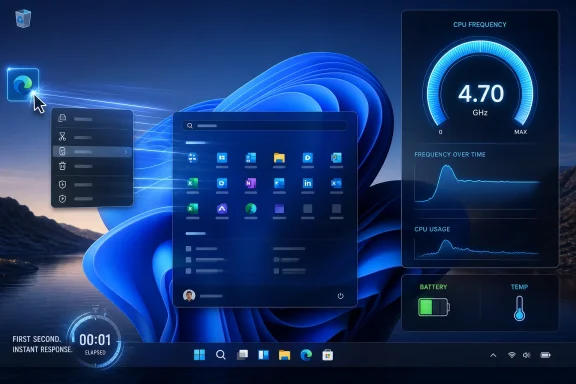
The most interesting thing about Low Latency Profile is not that it makes benchmark-friendly promises. It is that it targets the first second of interaction, the psychological interval where users decide whether a machine feels responsive or sluggish. App launch time, Start menu animation, context menu appearance, and shell flyouts are not glamorous engineering problems, but they are the places where trust in an operating system is either built or eroded.
According to the reporting, the feature works by temporarily pushing the CPU to its highest frequency for short bursts, typically one to three seconds, when Windows detects a high-priority action. That could mean opening Edge or Outlook, invoking the Start menu, or launching certain third-party applications. The user does not flip a switch, choose a profile, or stare at a new tray icon. Windows simply intervenes at the moment latency is most visible.
That design matters because Windows 11’s performance reputation has never been solely about raw throughput. Many modern PCs are more than capable of compiling code, rendering video, or running several browser profiles at once. The complaint has been more subtle: the shell sometimes feels late to the conversation. Menus pause. Apps hesitate. UI surfaces arrive with a fraction-of-a-second delay that should not exist on hardware with absurd amounts of CPU headroom.
This is the right target for Microsoft because responsiveness is not the same thing as speed. A system that completes a workload quickly can still feel bad if it stalls at the point of human input. Low Latency Profile appears to be an attempt to optimize around perception, which is exactly where Windows 11 has ceded ground to both older Windows expectations and rival platforms.
That is a smarter way to think about performance in 2026. Most PCs spend enormous amounts of time doing very little, interrupted by short bursts of user intent. Opening a menu, spawning a process, rendering a pane, or waking a web-heavy app is not a sustained workload. It is a latency-sensitive event. Treating those events like miniature emergencies may be more efficient than leaving a device in an aggressive performance mode all afternoon.
The risk, of course, is that automatic boosting can become another layer of invisible Windows magic. Users and administrators generally like performance improvements, but they like predictability too. If a laptop suddenly runs warmer during what appears to be light use, the fact that each boost lasts only a few seconds may not comfort someone trying to explain battery drain across a fleet.
Still, the reported design has a certain elegance. Rather than asking users to understand scheduler behavior, CPU frequency scaling, and shell priorities, Microsoft can move the optimization into the platform. If it works, the experience is simply that Windows stops feeling sleepy when summoned.
That has not always been the case. Windows 11’s redesign brought visual polish, but also a sense that parts of the interface had been rebuilt while others were still being translated from older assumptions. Context menus were simplified and layered. Settings continued its long migration away from Control Panel. Some shell components felt modern; others felt like wrappers around legacy machinery.
This is why a 70 percent improvement in interface launch time, if accurate and broadly reproducible, is more than a nice metric. It points to the exact class of annoyance that made Windows 11 feel less crisp than it should. A Start menu that opens faster is not a new feature, but it changes the emotional texture of the system. A context menu that appears immediately does more for confidence than another promotional pane for cloud services.
Microsoft’s reported Windows K2 effort seems to recognize this. The company has spent years adding AI hooks, account integration, widgets, Teams remnants, Copilot branding, and new settings surfaces. But the lesson from reluctant adopters has been less exotic: make the OS feel fast, coherent, and respectful. Responsiveness is not a bonus feature. It is the floor.
That is a harder pitch than Microsoft may have expected. Windows 10 spent years becoming the default environment for hundreds of millions of people and businesses. Its interface may be less fashionable, but it is familiar, mature, and widely understood. Windows 11, by contrast, has often felt like a forced migration justified by security requirements and lifecycle deadlines more than by overwhelming user demand.
The adoption story is complicated by time. Windows 10 reached the end of ordinary support on October 14, 2025, pushing consumers and organizations toward Windows 11, Extended Security Updates, replacement hardware, or alternative platforms. That should have been the cleanest possible forcing function. Yet the continued presence of a large Windows 10 installed base after support ended shows how stubborn operating system transitions can be when hardware requirements, application compatibility, budgets, and user preference collide.
That context makes performance work politically useful inside Microsoft. A faster Windows 11 gives the company a positive argument to make, not just a security warning. It lets Microsoft say, in effect, that the new OS is not only the future but also less annoying in the present. For a platform that has spent too much time defending itself against complaints about friction, that distinction matters.
That can work very well. CPU frequency matters most when a task is briefly compute-bound and the user is waiting directly on the result. Launching an app often involves a messy chain of process creation, file access, framework initialization, security checks, rendering, and network calls. Not every part of that chain benefits equally from CPU frequency, but enough of it can that a short boost may shave off perceptible delay.
The harder question is consistency. A performance gain measured on Microsoft apps and shell elements may not translate evenly across the software universe. Electron apps, legacy Win32 tools, UWP leftovers, browsers, management consoles, security agents, and enterprise line-of-business applications all launch differently. Some are constrained by storage. Some are waiting on the network. Some are slowed by plug-ins, policy, or antivirus inspection. A CPU burst helps most when the CPU is the bottleneck.
There is also the matter of hardware diversity. Windows runs on premium ultrabooks, gaming towers, fanless tablets, mini PCs, corporate laptops with conservative firmware, and aging machines that barely cleared the Windows 11 compatibility bar. A feature that feels magical on one system may be barely noticeable on another, especially if thermal limits, background processes, or OEM power settings intervene.
Microsoft’s reported claim that the impact on battery life and thermals is minimal is plausible, but it deserves scrutiny once the feature reaches broader testing. One-to-three-second boosts sound harmless in isolation. Hundreds of them across a day of multitasking may still be fine, but the answer depends on implementation, workload, and hardware.
The worst version is invisible in the wrong way. If there is no toggle, no clear documentation, and no administrative surface, then diagnosing edge cases becomes harder. A sysadmin looking at sporadic thermal spikes, fan noise complaints, or inconsistent app launch behavior may have one more hidden system behavior to consider. Enthusiasts, meanwhile, will immediately want to know whether the feature can be measured, disabled, forced, or tuned.
The reported lack of a user-facing toggle is therefore both defensible and contentious. Defensible, because exposing every scheduler and power hint to ordinary users would turn Windows into a cockpit of placebo switches. Contentious, because Windows users have learned that “automatic” often means “Microsoft decides, and you find out later.”
Enterprise IT will care less about the marketing name and more about manageability. Can the behavior be controlled through policy? Will it interact cleanly with existing power profiles? Does it affect devices on battery differently from devices on AC power? Will it be enabled uniformly across editions, regions, and hardware classes? These are the questions that determine whether a neat client feature becomes operationally boring or operationally suspicious.
Microsoft has a path through this: make the feature automatic for consumers, but document it clearly for administrators. A performance improvement does not need a consumer toggle to be trustworthy. It does need enough transparency that professionals can explain what is happening when the fleet behaves differently after an update.
That creates a strange burden for every Windows 11 update. Microsoft is not just improving a product; it is litigating the migration. A faster Start menu becomes evidence in a broader argument that the upgrade is worthwhile. A smoother Outlook launch becomes part of the case for leaving behind an operating system that many users still consider “good enough.”
Security is the hard edge of that argument. Once Windows 10’s ordinary support ended, the safest long-term options narrowed. Extended Security Updates buy time, especially for organizations and consumers not yet ready to move, but they do not make Windows 10 a forever platform. The longer an unsupported or minimally supported OS remains widely used, the more attractive it becomes as a target.
Yet Microsoft cannot scare everyone into a better experience. It also has to earn the migration. That means the company must treat performance as a first-order feature, not a cleanup item behind AI integration and subscription prompts. Low Latency Profile is promising because it seems aimed at something users can feel without needing a demo script.
A machine that can summarize documents but pauses before opening a menu feels absurd. An operating system that promotes intelligent assistance while taking too long to launch its own apps invites mockery. The more Microsoft talks about ambient computing and AI productivity, the more it must make the underlying desktop feel effortless.
Low Latency Profile fits that need because it focuses on the substrate. It does not require users to change workflows or trust a new assistant. It simply tries to remove delay from familiar actions. That is less glamorous than generative AI, but it may do more to improve daily satisfaction.
There is also a strategic point here. AI features are often unevenly distributed across hardware, regions, accounts, licensing tiers, and privacy settings. Responsiveness, by contrast, is universal. Everyone understands a faster app launch. Everyone understands a menu that appears when clicked. If Microsoft wants goodwill, shaving latency is a cleaner bet than adding another sidebar.
The ambiguity around which third-party applications count as high-priority tasks is therefore important. Windows needs some method of deciding what deserves a boost. That could involve process launch events, foreground activity, app identity, heuristics, or explicit developer signals. Each approach has trade-offs. Too narrow, and the feature feels selective. Too broad, and it risks boosting work that does not need it.
Developers will also want clarity. If there are APIs, manifests, or performance guidelines that help applications participate responsibly, Microsoft should say so. If the feature is entirely heuristic, developers may have little to do except test whether their apps benefit. Either way, the ecosystem should not be left guessing about what Windows now considers latency-sensitive.
There is a security angle as well. Any system that prioritizes certain tasks invites questions about abuse, even if the practical risk is low. Malware already tries to hide, persist, and evade detection; it does not need a special Windows blessing to consume CPU. Still, Microsoft will need to ensure that priority boosting does not become another signal attackers can manipulate or another path that complicates endpoint monitoring.
The most meaningful tests will not be synthetic. They will measure cold and warm app launches, Start menu and context menu latency, Settings page load times, File Explorer responsiveness, battery drain during realistic workflows, and fan behavior under repeated interactions. A 40 percent improvement in a controlled app launch test is interesting. A Windows session that feels consistently more immediate after six hours of real work is more important.
Reviewers should also watch for regressions. Performance features can move bottlenecks rather than eliminate them. If launch feels faster but background indexing, security scanning, or UI thread contention shows up elsewhere, users will notice. Windows performance is a system-level property, not a single number.
For Microsoft, the best outcome would be boring praise. Not “this changes everything,” but “Windows 11 feels less laggy now.” That may sound modest, but it is exactly the kind of improvement operating systems need after years of visual redesigns and platform churn.
A corporate laptop fleet is not a collection of pristine demo machines. It has endpoint detection agents, VPN clients, compliance tools, browser extensions, mapped drives, startup scripts, policy restrictions, and users who never reboot until forced. In that environment, app launch latency may be influenced by far more than CPU frequency. Low Latency Profile might help, but it will not erase the accumulated reality of enterprise Windows.
Administrators will also think about thermal policies and battery guarantees. A field worker’s laptop, a call-center thin-and-light, and a developer workstation do not have the same performance priorities. If Microsoft exposes policy controls, IT can decide whether the feature belongs everywhere. If it does not, administrators will have to trust Microsoft’s judgment and OEM firmware behavior.
There is a deployment question too. Windows features now often arrive through a mixture of cumulative updates, controlled feature rollouts, Insider testing, and staged enablement. That makes it harder for organizations to know exactly when a behavior changed. If Low Latency Profile ships as part of a broader performance wave, Microsoft should be precise about build numbers, eligibility, and management options.
A speed boost does not solve those issues. It does not make unsupported hardware compatible. It does not restore every Windows 10 behavior. It does not remove advertising-like prompts, account nudges, or the sense that Microsoft sometimes treats the desktop as a distribution channel for services.
But performance is one of the few problems Microsoft can improve for nearly everyone without asking them to relearn the OS. It is also one of the few changes that can make Windows 11 feel better immediately after an update. That gives it unusual leverage.
The company should resist the temptation to oversell. Users do not need a heroic claim that Windows has been reinvented. They need the OS to respond when clicked. If Low Latency Profile contributes to that, it is meaningful even if it is not revolutionary.
Source: CNET Microsoft's Next Windows 11 Update Could Come With a Big Speed Boost
 Microsoft Is Trying to Win the First Second
The most interesting thing about Low Latency Profile is not that it makes benchmark-friendly promises. It is that it targets the first second of interaction, the psychological interval where users decide whether a machine feels responsive or sluggish. App launch time, Start menu animation, context menu appearance, and shell flyouts are not glamorous engineering problems, but they are the places where trust in an operating system is either built or eroded.According to the reporting, the feature works by temporarily pushing the CPU to its highest frequency for short bursts, typically one to three seconds, when Windows detects a high-priority action. That could mean opening Edge or Outlook, invoking the Start menu, or launching certain third-party applications. The user does not flip a switch, choose a profile, or stare at a new tray icon. Windows simply intervenes at the moment latency is most visible.
That design matters because Windows 11’s performance reputation has never been solely about raw throughput. Many modern PCs are more than capable of compiling code, rendering video, or running several browser profiles at once. The complaint has been more subtle: the shell sometimes feels late to the conversation. Menus pause. Apps hesitate. UI surfaces arrive with a fraction-of-a-second delay that should not exist on hardware with absurd amounts of CPU headroom.
This is the right target for Microsoft because responsiveness is not the same thing as speed. A system that completes a workload quickly can still feel bad if it stalls at the point of human input. Low Latency Profile appears to be an attempt to optimize around perception, which is exactly where Windows 11 has ceded ground to both older Windows expectations and rival platforms.
The Old Power Plan Model Was Too Blunt for Modern Windows
Windows has long exposed power modes that let users bias a machine toward performance or efficiency. High performance modes, balanced plans, vendor utilities, gaming overlays, and OEM thermal profiles all orbit the same premise: if you want more speed, you accept more power draw and heat. Low Latency Profile sounds different because it is not a lifestyle choice for the entire machine. It is a tactical strike.That is a smarter way to think about performance in 2026. Most PCs spend enormous amounts of time doing very little, interrupted by short bursts of user intent. Opening a menu, spawning a process, rendering a pane, or waking a web-heavy app is not a sustained workload. It is a latency-sensitive event. Treating those events like miniature emergencies may be more efficient than leaving a device in an aggressive performance mode all afternoon.
The risk, of course, is that automatic boosting can become another layer of invisible Windows magic. Users and administrators generally like performance improvements, but they like predictability too. If a laptop suddenly runs warmer during what appears to be light use, the fact that each boost lasts only a few seconds may not comfort someone trying to explain battery drain across a fleet.
Still, the reported design has a certain elegance. Rather than asking users to understand scheduler behavior, CPU frequency scaling, and shell priorities, Microsoft can move the optimization into the platform. If it works, the experience is simply that Windows stops feeling sleepy when summoned.
Windows 11’s Problem Has Been the Gap Between Modern Hardware and Everyday Delay
Windows 11 arrived with stricter hardware requirements and a promise, implicit if not always stated, that newer PCs would deliver a more modern Windows experience. For many users, that made any lingering sluggishness more irritating. If the operating system requires newer CPUs, TPM support, Secure Boot, and a relatively recent platform baseline, then the shell had better feel immediate.That has not always been the case. Windows 11’s redesign brought visual polish, but also a sense that parts of the interface had been rebuilt while others were still being translated from older assumptions. Context menus were simplified and layered. Settings continued its long migration away from Control Panel. Some shell components felt modern; others felt like wrappers around legacy machinery.
This is why a 70 percent improvement in interface launch time, if accurate and broadly reproducible, is more than a nice metric. It points to the exact class of annoyance that made Windows 11 feel less crisp than it should. A Start menu that opens faster is not a new feature, but it changes the emotional texture of the system. A context menu that appears immediately does more for confidence than another promotional pane for cloud services.
Microsoft’s reported Windows K2 effort seems to recognize this. The company has spent years adding AI hooks, account integration, widgets, Teams remnants, Copilot branding, and new settings surfaces. But the lesson from reluctant adopters has been less exotic: make the OS feel fast, coherent, and respectful. Responsiveness is not a bonus feature. It is the floor.
The K2 Effort Sounds Like a Performance Campaign Wrapped in a Credibility Problem
Windows K2, as described in recent reporting, appears to be Microsoft’s broader push to improve Windows 11 performance and responsiveness. That framing is important because Low Latency Profile should not be treated as an isolated trick. It is part of a larger attempt to convince users that Windows 11 is not merely the supported version of Windows, but the better one.That is a harder pitch than Microsoft may have expected. Windows 10 spent years becoming the default environment for hundreds of millions of people and businesses. Its interface may be less fashionable, but it is familiar, mature, and widely understood. Windows 11, by contrast, has often felt like a forced migration justified by security requirements and lifecycle deadlines more than by overwhelming user demand.
The adoption story is complicated by time. Windows 10 reached the end of ordinary support on October 14, 2025, pushing consumers and organizations toward Windows 11, Extended Security Updates, replacement hardware, or alternative platforms. That should have been the cleanest possible forcing function. Yet the continued presence of a large Windows 10 installed base after support ended shows how stubborn operating system transitions can be when hardware requirements, application compatibility, budgets, and user preference collide.
That context makes performance work politically useful inside Microsoft. A faster Windows 11 gives the company a positive argument to make, not just a security warning. It lets Microsoft say, in effect, that the new OS is not only the future but also less annoying in the present. For a platform that has spent too much time defending itself against complaints about friction, that distinction matters.
Short CPU Bursts Are a Sensible Fix, but They Are Not Free
The reported mechanism behind Low Latency Profile is familiar in spirit: raise frequency when latency matters, then return to a lower-power state. Modern processors already perform complex boosting based on thermal headroom, power limits, workload characteristics, and operating system hints. The novelty here is Windows allegedly becoming more deliberate about telling the system which moments deserve urgency.That can work very well. CPU frequency matters most when a task is briefly compute-bound and the user is waiting directly on the result. Launching an app often involves a messy chain of process creation, file access, framework initialization, security checks, rendering, and network calls. Not every part of that chain benefits equally from CPU frequency, but enough of it can that a short boost may shave off perceptible delay.
The harder question is consistency. A performance gain measured on Microsoft apps and shell elements may not translate evenly across the software universe. Electron apps, legacy Win32 tools, UWP leftovers, browsers, management consoles, security agents, and enterprise line-of-business applications all launch differently. Some are constrained by storage. Some are waiting on the network. Some are slowed by plug-ins, policy, or antivirus inspection. A CPU burst helps most when the CPU is the bottleneck.
There is also the matter of hardware diversity. Windows runs on premium ultrabooks, gaming towers, fanless tablets, mini PCs, corporate laptops with conservative firmware, and aging machines that barely cleared the Windows 11 compatibility bar. A feature that feels magical on one system may be barely noticeable on another, especially if thermal limits, background processes, or OEM power settings intervene.
Microsoft’s reported claim that the impact on battery life and thermals is minimal is plausible, but it deserves scrutiny once the feature reaches broader testing. One-to-three-second boosts sound harmless in isolation. Hundreds of them across a day of multitasking may still be fine, but the answer depends on implementation, workload, and hardware.
The Best Version of This Feature Is Invisible; the Worst Version Is Undebuggable
Automatic performance management is attractive because users should not have to babysit their operating system. The best version of Low Latency Profile is invisible in exactly the right way: apps open faster, menus feel snappier, battery life remains roughly unchanged, and no one needs to know why. That is good platform engineering.The worst version is invisible in the wrong way. If there is no toggle, no clear documentation, and no administrative surface, then diagnosing edge cases becomes harder. A sysadmin looking at sporadic thermal spikes, fan noise complaints, or inconsistent app launch behavior may have one more hidden system behavior to consider. Enthusiasts, meanwhile, will immediately want to know whether the feature can be measured, disabled, forced, or tuned.
The reported lack of a user-facing toggle is therefore both defensible and contentious. Defensible, because exposing every scheduler and power hint to ordinary users would turn Windows into a cockpit of placebo switches. Contentious, because Windows users have learned that “automatic” often means “Microsoft decides, and you find out later.”
Enterprise IT will care less about the marketing name and more about manageability. Can the behavior be controlled through policy? Will it interact cleanly with existing power profiles? Does it affect devices on battery differently from devices on AC power? Will it be enabled uniformly across editions, regions, and hardware classes? These are the questions that determine whether a neat client feature becomes operationally boring or operationally suspicious.
Microsoft has a path through this: make the feature automatic for consumers, but document it clearly for administrators. A performance improvement does not need a consumer toggle to be trustworthy. It does need enough transparency that professionals can explain what is happening when the fleet behaves differently after an update.
Windows 10’s Shadow Makes Every Windows 11 Improvement Feel Like a Campaign Promise
The timing of this reported work is impossible to separate from Windows 10’s long goodbye. The old OS is no longer the mainstream-supported default, but it remains emotionally and operationally present. Some users are staying because their hardware cannot upgrade. Some businesses are still moving through validation. Some people simply prefer Windows 10’s interface and see little reason to accept Windows 11’s changes unless security forces the issue.That creates a strange burden for every Windows 11 update. Microsoft is not just improving a product; it is litigating the migration. A faster Start menu becomes evidence in a broader argument that the upgrade is worthwhile. A smoother Outlook launch becomes part of the case for leaving behind an operating system that many users still consider “good enough.”
Security is the hard edge of that argument. Once Windows 10’s ordinary support ended, the safest long-term options narrowed. Extended Security Updates buy time, especially for organizations and consumers not yet ready to move, but they do not make Windows 10 a forever platform. The longer an unsupported or minimally supported OS remains widely used, the more attractive it becomes as a target.
Yet Microsoft cannot scare everyone into a better experience. It also has to earn the migration. That means the company must treat performance as a first-order feature, not a cleanup item behind AI integration and subscription prompts. Low Latency Profile is promising because it seems aimed at something users can feel without needing a demo script.
The AI Era Has Made Basic Responsiveness More Important, Not Less
Microsoft has spent the last several years attaching Copilot and AI-adjacent features to nearly every part of its product strategy. Some of that work may prove useful. Some of it has felt premature, intrusive, or confusing. But the emphasis on AI has sharpened an old truth: users are less forgiving of futuristic features when the basic interface hesitates.A machine that can summarize documents but pauses before opening a menu feels absurd. An operating system that promotes intelligent assistance while taking too long to launch its own apps invites mockery. The more Microsoft talks about ambient computing and AI productivity, the more it must make the underlying desktop feel effortless.
Low Latency Profile fits that need because it focuses on the substrate. It does not require users to change workflows or trust a new assistant. It simply tries to remove delay from familiar actions. That is less glamorous than generative AI, but it may do more to improve daily satisfaction.
There is also a strategic point here. AI features are often unevenly distributed across hardware, regions, accounts, licensing tiers, and privacy settings. Responsiveness, by contrast, is universal. Everyone understands a faster app launch. Everyone understands a menu that appears when clicked. If Microsoft wants goodwill, shaving latency is a cleaner bet than adding another sidebar.
The Real Test Will Be Third-Party Software, Not Edge and Outlook
The early numbers reportedly include Microsoft applications such as Edge and Outlook, along with shell flyouts and some third-party apps. That is a useful starting point, but Windows is judged by the messy pile of software users actually run. If Low Latency Profile mainly improves Microsoft-controlled paths, it will be welcomed but limited. If it improves the broader Windows app ecosystem, it could change the feel of the OS in a more durable way.The ambiguity around which third-party applications count as high-priority tasks is therefore important. Windows needs some method of deciding what deserves a boost. That could involve process launch events, foreground activity, app identity, heuristics, or explicit developer signals. Each approach has trade-offs. Too narrow, and the feature feels selective. Too broad, and it risks boosting work that does not need it.
Developers will also want clarity. If there are APIs, manifests, or performance guidelines that help applications participate responsibly, Microsoft should say so. If the feature is entirely heuristic, developers may have little to do except test whether their apps benefit. Either way, the ecosystem should not be left guessing about what Windows now considers latency-sensitive.
There is a security angle as well. Any system that prioritizes certain tasks invites questions about abuse, even if the practical risk is low. Malware already tries to hide, persist, and evade detection; it does not need a special Windows blessing to consume CPU. Still, Microsoft will need to ensure that priority boosting does not become another signal attackers can manipulate or another path that complicates endpoint monitoring.
Enthusiasts Will Measure What Microsoft Markets
If this feature reaches a public Windows release, the enthusiast community will immediately benchmark it. That is healthy. Microsoft’s reported figures are attention-grabbing, but performance claims need independent testing across CPU vendors, laptop classes, desktop configurations, power states, and application types.The most meaningful tests will not be synthetic. They will measure cold and warm app launches, Start menu and context menu latency, Settings page load times, File Explorer responsiveness, battery drain during realistic workflows, and fan behavior under repeated interactions. A 40 percent improvement in a controlled app launch test is interesting. A Windows session that feels consistently more immediate after six hours of real work is more important.
Reviewers should also watch for regressions. Performance features can move bottlenecks rather than eliminate them. If launch feels faster but background indexing, security scanning, or UI thread contention shows up elsewhere, users will notice. Windows performance is a system-level property, not a single number.
For Microsoft, the best outcome would be boring praise. Not “this changes everything,” but “Windows 11 feels less laggy now.” That may sound modest, but it is exactly the kind of improvement operating systems need after years of visual redesigns and platform churn.
IT Departments Will Ask Whether Faster Also Means More Predictable
For consumers, the question is whether the PC feels better. For IT departments, the question is whether the change introduces variance. Performance improvements are welcome in managed environments, but invisible behavioral shifts can complicate support if they are not documented and controllable.A corporate laptop fleet is not a collection of pristine demo machines. It has endpoint detection agents, VPN clients, compliance tools, browser extensions, mapped drives, startup scripts, policy restrictions, and users who never reboot until forced. In that environment, app launch latency may be influenced by far more than CPU frequency. Low Latency Profile might help, but it will not erase the accumulated reality of enterprise Windows.
Administrators will also think about thermal policies and battery guarantees. A field worker’s laptop, a call-center thin-and-light, and a developer workstation do not have the same performance priorities. If Microsoft exposes policy controls, IT can decide whether the feature belongs everywhere. If it does not, administrators will have to trust Microsoft’s judgment and OEM firmware behavior.
There is a deployment question too. Windows features now often arrive through a mixture of cumulative updates, controlled feature rollouts, Insider testing, and staged enablement. That makes it harder for organizations to know exactly when a behavior changed. If Low Latency Profile ships as part of a broader performance wave, Microsoft should be precise about build numbers, eligibility, and management options.
A Faster Start Menu Will Not Fix Every Reason People Avoid Windows 11
It would be easy to overstate what Low Latency Profile can accomplish. Windows 11 adoption has been slowed by more than performance. Hardware requirements excluded otherwise functional PCs. Interface changes alienated some users. Businesses had to test applications and workflows. Consumers saw little urgency until Windows 10’s support deadline made the decision harder to ignore.A speed boost does not solve those issues. It does not make unsupported hardware compatible. It does not restore every Windows 10 behavior. It does not remove advertising-like prompts, account nudges, or the sense that Microsoft sometimes treats the desktop as a distribution channel for services.
But performance is one of the few problems Microsoft can improve for nearly everyone without asking them to relearn the OS. It is also one of the few changes that can make Windows 11 feel better immediately after an update. That gives it unusual leverage.
The company should resist the temptation to oversell. Users do not need a heroic claim that Windows has been reinvented. They need the OS to respond when clicked. If Low Latency Profile contributes to that, it is meaningful even if it is not revolutionary.
Microsoft’s Latency Bet Leaves a Few Hard Numbers to Watch
The reported Low Latency Profile work is still best treated as an emerging feature rather than a guaranteed shipping promise. But it points to the right engineering priority, and it gives Windows users a concrete set of expectations to test if and when it reaches broader builds.- Microsoft is reportedly testing short CPU boost bursts for app launches, shell flyouts, menus, and other priority interface actions in Windows 11.
- Early reports claim app launch improvements of up to 40 percent and interface launch improvements of up to 70 percent, though those figures will need independent testing across real hardware.
- The feature is said to be automatic and invisible, with no current user-facing toggle for Windows Insider testers.
- Battery and thermal impact is reportedly minimal because the boosts last only a few seconds, but fleet-scale and laptop testing will matter.
- The biggest practical question is whether third-party apps benefit broadly or whether the largest gains remain concentrated in Microsoft apps and shell components.
- For Windows 10 holdouts, a snappier Windows 11 strengthens the upgrade case, but it does not erase compatibility, hardware, or preference concerns.
Source: CNET Microsoft's Next Windows 11 Update Could Come With a Big Speed Boost
