

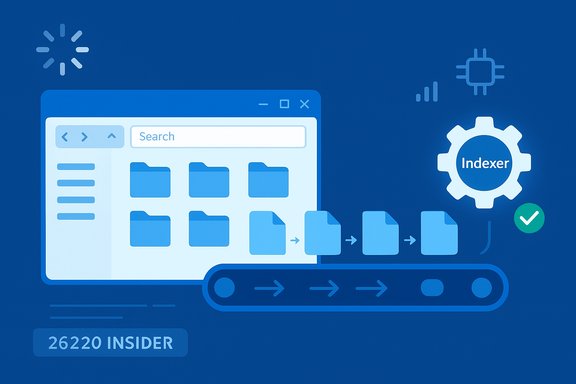
Microsoft’s latest Insider work on File Explorer is unglamorous but consequential: engineers have pushed a targeted change to the Windows Search indexer that stops duplicate file indexing operations, and that optimization — tested in the Windows 11 Insider Preview 26220 stream — is already showing measurable reductions in RAM, CPU and I/O pressure during searches while other concurrent experiments (preloading and a decluttered context menu) change the perceived responsiveness of Explorer.
File Explorer remains the single most‑used graphical surface on Windows, and small inefficiencies in its search pipeline amplify into everyday frustration for millions of users. Microsoft’s recent Insider notes for the 26220. build explicitly describe a change as “Made some improvements to File Explorer search performance by eliminating duplicate file indexing operations,” a short but precise engineering statement that targets the Windows Search indexer rather than a front‑end rewrite of Explorer. At the same time, Microsoft is experimenting with two companion changes: an optional background preloading* of Explorer to make first opens feel instant, and a reworked right‑click context menu that groups seldom‑used commands into a Manage file flyout. Those are being delivered as staged experiments to Windows Insiders and will be tuned with telemetry and Feedback Hub input before any general availability rollout. These moves reflect a pragmatic engineering posture: fix real bottlenecks where they’re cheapest to change (the indexer) while offering UX tweaks that improve day‑to‑day perception. But the tradeoffs — notably memory vs. perceived speed for preloading and compatibility risks for context‑menu reorganization — are real and deserve careful vetting by IT teams and power users.
Benefits:
Ultimately, the 26220.* stream’s deduplication is a welcome correction to a subtle but impactful inefficiency in the Windows Search indexer; combined with cautious adoption of preloading and a tidied context menu, it could make File Explorer feel faster and lighter for many users — so long as the rollout remains measured, telemetry‑driven, and transparent about tradeoffs.
Source: WebProNews Microsoft Optimizes Windows 11 File Explorer to Slash RAM Usage
 Background / Overview
File Explorer remains the single most‑used graphical surface on Windows, and small inefficiencies in its search pipeline amplify into everyday frustration for millions of users. Microsoft’s recent Insider notes for the 26220. build explicitly describe a change as “Made some improvements to File Explorer search performance by eliminating duplicate file indexing operations,” a short but precise engineering statement that targets the Windows Search indexer rather than a front‑end rewrite of Explorer. At the same time, Microsoft is experimenting with two companion changes: an optional background preloading* of Explorer to make first opens feel instant, and a reworked right‑click context menu that groups seldom‑used commands into a Manage file flyout. Those are being delivered as staged experiments to Windows Insiders and will be tuned with telemetry and Feedback Hub input before any general availability rollout. These moves reflect a pragmatic engineering posture: fix real bottlenecks where they’re cheapest to change (the indexer) while offering UX tweaks that improve day‑to‑day perception. But the tradeoffs — notably memory vs. perceived speed for preloading and compatibility risks for context‑menu reorganization — are real and deserve careful vetting by IT teams and power users.What Microsoft actually changed
The precise statement from Microsoft
Microsoft’s Insider release notes for the 26220. builds include the line: “Made some improvements to File Explorer search performance by eliminating duplicate file indexing operations, which should result in faster searches and reduced system resource usage during file operations.”* That sentence is the authoritative description of the change and anchors what to expect: an indexer‑side deduplication, not a new Explorer search engine.What that means technically (short version)
- The Windows Search indexer will avoid scheduling and reprocessing the same file objects multiple times.
- The indexer will coalesce concurrent requests, canonicalize file targets where possible (symlinks, reparse points, cloud placeholders), and add defensive checks around transient mounts and cloud placeholder churn.
- The practical outcome is fewer concurrent indexing workers, reduced disk reads, and smaller transient memory allocations during heavy indexing or broad search queries.
Why duplicate indexing happens (and why dedupe helps)
Duplicate indexing is not a theoretical bug; it’s the consequence of real‑world file system complexity:- Multiple logical paths can reference the same physical file (junctions, symlinks, mountpoints). Without canonicalization, the indexer treats each path independently.
- Cloud placeholders (OneDrive, third‑party providers) and transient network shares can appear/disappear, triggering repeated enqueue operations.
- Multiple subsystems or third‑party integrations (backup agents, antivirus, shell extensions) may spur concurrent index updates for the same target.
- Poor coalescing logic in work queues can spawn parallel indexing jobs for the same file.
Measured impact so far — what testing shows (and what is still anecdotal)
Early hands‑on reports and community traces show consistent, if variable, gains.- Multiple independent outlets and Insider forum testers reported that the deduplication note appears in builds in the 26220 stream and that early measurements show smoother search behavior and lower transient memory spikes when the indexer would previously duplicate work.
- Community posts and forum threads suggest the RAM reduction during intensive search sessions can be meaningful, with several early benchmark threads reporting average reductions in the 20–30% range under specific workloads. Treat that as a practical, workload‑dependent observation rather than a universal, device‑agnostic guarantee.
- Other numbers circulating in social posts are anecdotal and unverifiable: a claimed 69% memory reduction after disabling certain WinUI elements was an unofficial tweak outside the official change and should be treated as experimental and not representative of Microsoft’s indexer work. Flag these as unverified.
The user experience changes: preloading and context‑menu declutter
Preloading — what it does and where to toggle it
Microsoft is experimenting with background preloading of a lightweight Explorer skeleton so the first visible paint feels instant. The feature appears as a Folder Options checkbox labeled “Enable window preloading for faster launch times.” It is optional in Insider builds and subject to telemetry‑driven rollouts.Benefits:
- Faster cold‑start perception, especially on slower storage or lower‑end hardware.
- Fewer visible stutters when Explorer is invoked for the first time in a session.
- A measurable idle RAM increase (community tests report tens of megabytes).
- Potential battery/CPU wake‑ups during idle cycles depending on implementation.
- Does not fix interaction‑time stalls caused by slow shell extensions, thumbnailing, or remote network enumeration.
Context menu declutter
Microsoft reorganized seldom‑used verbs into a Manage file flyout and grouped cloud provider actions into provider submenus. The goals are shorter, more scannable top‑level menus and fewer dynamic queries when right‑clicking. This improves discoverability and reduces the chance of long context‑menu render times when many third‑party extensions are present. These UI changes are also experimental and being tested in the 26220 Insider stream.Practical implications for consumers and IT
For consumers and enthusiasts
- If you are in the Insider rings and care about perceived speed, try the preloading toggle and monitor the memory delta in Task Manager to see the real cost on your hardware. Remember that preloading helps cold starts but won’t solve slow folder enumeration caused by cloud placeholders or poorly behaving shell extensions.
- If search performance during heavy queries or broad scans has been a pain point, the indexer dedupe change is likely to help immediately, especially on machines with limited RAM or mechanical storage. Confirm by measuring SearchIndexer.exe memory and CPU during a representative search workload before and after the update.
For IT admins and enterprise fleets
- Treat the 26220. experiments as pilot* features. Validate on a representative sample of devices before broad deployment.
- Watch for third‑party shell extension regressions: timing changes (preloading) can expose latent bugs in poorly maintained extensions. Run a short compatibility sweep for enterprise overlays (antivirus, backup, document management, cloud sync).
- If devices operate in constrained environments (4–8 GB RAM), expect the indexer dedupe to be a net win but preloading may need to be disabled by policy on the most constrained endpoints. Microsoft’s opt‑out toggle can be controlled by Group Policy or MDM if a blanket choice is required. Flag the timeline: these are Insider experiments and not yet guaranteed to ship to stable channels on a fixed date.
How to validate and measure the change on your PC — a concise checklist
- Confirm build: Settings → Windows Update → Windows Insider Program — ensure your device is running a 26220.* Insider build that includes the indexed change.
- Baseline measurement:
- Open Task Manager and record memory and CPU for SearchIndexer.exe, SearchProtocolHost.exe and explorer.exe.
- Run a representative search workload (large photo folder, nested Documents, or a “This PC” search if that matches your real use).
- Update to the Insider build and repeat the workload.
- Compare:
- Peak and average memory for indexer processes.
- Disk I/O spikes during indexing windows.
- Real user latency for search queries (time to first result).
- For preloading: toggle Folder Options → View → “Enable window preloading for faster launch times” and measure explorer.exe idle footprint and cold‑start time gains.
Strengths, limitations and potential risks
Strengths
- The indexing deduplication is a classic engineering fix: targeted, low risk, and broadly beneficial without changing external APIs or user workflows.
- Reducing redundant indexer work benefits not only Explorer searches but any system component relying on the Windows Search index.
- The staged Insider approach gives Microsoft telemetry and real‑world feedback while keeping rollback straightforward.
Limitations
- Gains are workload‑dependent. Heavy image or document libraries with many symlinks/placeholder files will see larger benefits; single‑drive, minimal‑file systems may see little change.
- Preloading is a perception fix, not a cure for deeper runtime jank in Explorer interactions; many frustrating delays come from third‑party handlers and remote enumerations, which remain unchanged.
Risks and caution
- Preloading increases baseline memory; if Microsoft enables this by default without careful telemetry thresholds, multi‑feature preloads across the OS could accumulate into meaningful memory overhead on constrained systems.
- Timing changes can reveal latent bugs in shell extensions and enterprise overlays; administrators should validate existing integrations under the new timing profile.
- Many headline numbers floating on social platforms are anecdotal; treat any specific percent claim as provisional until reproducible lab tests or official telemetry are published.
How this fits into Microsoft’s broader strategy
Microsoft’s current approach is iterative: incremental, telemetry‑driven fixes to core shell components while continuing to invest in richer, cloud‑ and AI‑driven search capabilities tied to Copilot and semantic indexing trials. The deduplication change is a pragmatic, low‑surface‑area improvement that dovetails with longer‑term initiatives (semantic search, local model acceleration) by making the underlying plumbing more efficient. If these small wins compound, they can reduce resource contention that would otherwise make heavier AI features impractical on lower‑end devices. That said, integration with Copilot and semantic indexing remains speculative until Microsoft publishes concrete engineering notes or ships those features to production.Bottom line and recommended next steps
Microsoft’s indexer deduplication in the Windows 11 Insider 26220 stream is an important, verifiable engineering fix that addresses a real cause of search‑time memory and I/O spikes. It is modest in scope but potentially high in practical value for users on constrained hardware and for enterprises that manage large file fleets or heavy cloud sync usage. Recommended actions:- If you run Insider builds: test the dedupe change against representative workloads and measure SearchIndexer.exe before and after.
- If you manage enterprise fleets: pilot the build on a representative sample, validate third‑party shell extensions, and plan policy controls for the preloading toggle where needed.
- For all users: treat percentage claims as workload‑specific until independent labs publish reproducible benchmarks; rely on measured telemetry from your own systems to inform decisions.
Ultimately, the 26220.* stream’s deduplication is a welcome correction to a subtle but impactful inefficiency in the Windows Search indexer; combined with cautious adoption of preloading and a tidied context menu, it could make File Explorer feel faster and lighter for many users — so long as the rollout remains measured, telemetry‑driven, and transparent about tradeoffs.
Source: WebProNews Microsoft Optimizes Windows 11 File Explorer to Slash RAM Usage
