

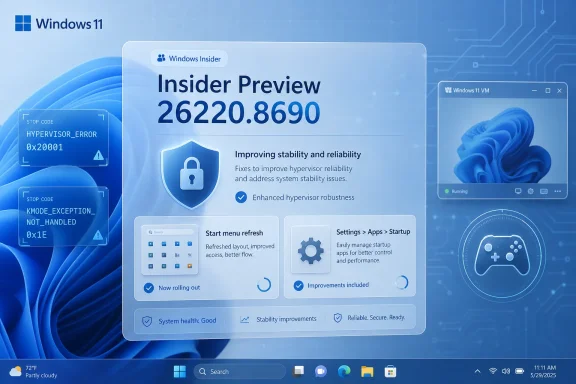
Microsoft released Windows 11 Insider Preview Build 26220.8690 to the Beta Channel on June 19, 2026, delivering fixes for HYPERVISOR_ERROR and KMODE_EXCEPTION_NOT_HANDLED crashes, plus reliability improvements for the Start menu and the Settings app’s Startup page for testers running current 25H2-era Insider flights. This is not a flashy build, and that is precisely why it matters. Microsoft’s most important Insider work this week is not another AI button or visual polish pass, but a set of fixes aimed at the places where Windows cannot afford to be theatrical: the kernel, virtualization, app discovery, and startup configuration.
Build 26220.8690 lands in the Beta Channel as one of those Windows Insider releases that looks minor if you only scan for new features. There is no headline redesign, no sweeping Copilot integration, no major Settings migration, and no obvious consumer-facing novelty. Instead, the build is mostly a repair job.
That repair job is more consequential than it first appears. Microsoft says the update addresses bugchecks citing HYPERVISOR_ERROR, with stop code 0x20001, and KMODE_EXCEPTION_NOT_HANDLED, with stop code 0x1E. Those are not cosmetic failures; they are the sort of crashes that turn a preview build from “a little rough” into “not safe for my daily machine.”
The affected scenarios make the fix especially important. Microsoft tied the crashes to restarts, virtual machine operations, and some gaming applications after recent Insider flights. That triangle covers a surprisingly large part of the Windows enthusiast and IT-pro audience: Hyper-V users, Windows Subsystem for Linux users, lab admins, security researchers, developers, and gamers running stacks that increasingly lean on virtualization-based security or anti-cheat components.
The build also improves how quickly the Start menu reflects newly installed or removed applications, and it adds reliability work for Settings > Apps > Startup. Those sound like housekeeping fixes, but Windows is an operating system where small inconsistencies accumulate into distrust. If Start does not show the app you just installed, or Startup hangs when you need to tame boot-time clutter, the machine feels less deterministic than it should.
That matters because virtualization is no longer a niche feature reserved for server admins. On modern Windows 11 systems, the hypervisor can sit underneath far more than a manually launched Hyper-V virtual machine. It may be involved in virtualization-based security, Windows Sandbox, WSL 2, Credential Guard, memory integrity features, Android-adjacent development workflows, and test labs that sysadmins run locally before touching production.
Gaming adds another layer of complexity. Some anti-cheat systems and game protections interact uncomfortably with kernel security features, drivers, and virtualization boundaries. When Microsoft says some gaming applications could be involved in these bugchecks, it is a reminder that the consumer Windows stack and the enterprise Windows stack are no longer cleanly separated.
The real concern for testers was not merely that a machine might crash. It was that the crash could arrive during restart or VM activity, two moments when users expect Windows to be boringly predictable. A preview build can get away with a broken icon, a misaligned flyout, or a flaky animation. A preview build that crashes when rebooting or running a VM invites users to leave the channel entirely.
Beta Channel users are not supposed to be living on the same edge as Canary or Experimental channel testers. The modern Insider taxonomy has shifted over time, but the expectation remains that Beta is closer to plausible daily-driver territory than the wilder branches of Windows development. A Beta build that repeatedly produces hypervisor and kernel-mode crashes threatens that implicit hierarchy.
That is why Build 26220.8690 reads less like a routine servicing update and more like Microsoft re-establishing the floor. The message is not “look at this new thing.” The message is “the machines that broke in recent flights should stop breaking this way.” For administrators and power users, that is often the more valuable promise.
There is also a broader Windows engineering lesson here. Microsoft’s release cadence now depends on controlled rollouts, enablement packages, feature flags, and channel-specific servicing. That machinery lets the company move faster, but it also creates more combinations of features, drivers, security settings, and hardware states that must be validated. Hypervisor-related crashes are exactly the kind of defect that can hide in the seams between those combinations.
WSL 2 made Linux-on-Windows development feel normal. Windows Sandbox made disposable desktops a built-in security convenience. Virtualization-based security pushed hypervisor concepts into the default posture of many modern PCs. Even if a user never opens Hyper-V Manager, the hypervisor may still be part of the story.
That makes a HYPERVISOR_ERROR bugcheck more than a specialist concern. A developer using WSL, a security-minded user testing suspicious files in Sandbox, or an admin validating a Group Policy change in a local VM all need the same thing: confidence that Windows will not fall over when the virtualization layer is exercised. Build 26220.8690 is important because it acknowledges that this confidence had been shaken in recent flights.
The gaming angle is equally revealing. PC gaming has become a stress test for Windows internals, not simply for GPUs and drivers. Anti-cheat systems, overlays, kernel drivers, virtualization toggles, and security protections can produce edge cases that traditional enterprise validation might never hit. If an Insider build breaks in gaming workloads, Microsoft hears about it quickly because gamers are unusually good at noticing regressions that change performance or stability overnight.
The lesson for IT is not that gaming applications belong in enterprise validation. The lesson is that Windows is a shared substrate. A bug exposed by a game may still illuminate a failure path in kernel-mode behavior, driver interaction, or virtualization state that matters in professional environments too.
The Start menu is supposed to be the map of what is installed. When that map lags behind reality, users start to suspect the installation failed, the Store is stuck, the app package is broken, indexing is delayed, or Windows simply needs the old cure-all of signing out and back in. None of those are good experiences in 2026.
This is especially true because Microsoft has spent years trying to modernize app deployment. Store apps, Win32 apps, packaged apps, enterprise-managed apps, winget installs, and Microsoft 365 components all coexist on the same system. The Start menu has to make sense of that messy reality quickly enough that users do not care what packaging technology was involved.
For admins, this also matters during provisioning and testing. If a freshly installed app does not surface promptly, it complicates validation scripts, support instructions, and user onboarding. “Install the app, then sign out if it does not appear” is the sort of workaround that sounds harmless until it appears in hundreds of help-desk tickets.
The reliability fix does not mean Start is suddenly perfect. It means Microsoft is still sanding down the rough edges of the Windows 11 shell at a point when many users expected the Start menu story to be settled. That, too, is revealing: Windows 11’s interface modernization remains an ongoing engineering project, not a finished chapter.
Startup management is a trust interface. Users go there when the system feels slow, when an app behaves aggressively, or when they want to understand why a supposedly clean installation already has a crowd of background processes. If that page is unresponsive or inconsistent, Windows makes it harder for users to police the software ecosystem around it.
The page also reflects Microsoft’s broader Settings migration. For years, Windows has been moving administrative and configuration surfaces out of legacy Control Panel-era tools and into the modern Settings app. That transition has improved discoverability in some places and introduced ambiguity in others, especially when old and new surfaces overlap.
Startup apps used to be a Task Manager destination for many power users. The Settings version is more approachable, but it has to be reliable enough to earn the same confidence. If Microsoft wants Settings to be the canonical place for everyday configuration, pages like Startup cannot feel like decorative wrappers over more dependable legacy tools.
For managed environments, startup behavior has security and performance implications. Unwanted startup entries can slow boot, increase attack surface, create persistence footholds, or simply irritate users into disabling things they should not. Reliability work on this page is small, but it belongs to a much larger project: making Windows configuration legible without requiring every user to become a sysinternals hobbyist.
A Beta build is where Microsoft’s ambitions meet real hardware in meaningful volume. It is where driver combinations, OEM firmware, gaming stacks, virtualization settings, enterprise policies, and consumer habits collide. No internal lab can fully reproduce that diversity.
This is why the Insider Program remains valuable even after Windows became a continuously serviced product. Microsoft can ship features behind flags and ramp them gradually, but the real test is not whether a feature compiles. The real test is whether it behaves on machines whose histories include three GPU driver branches, an old VPN client, a disabled security toggle, a corporate management agent, a half-removed game anti-cheat driver, and a user who has not clean-installed Windows since 2021.
Build 26220.8690 is therefore a reminder of what the Beta Channel is for. It is not merely a showroom. It is a pressure chamber. The point is to find failures before they reach broader Windows populations, and then fix them quickly enough that testers keep trusting the process.
The speed of that response matters. When a crash appears in recent flights and is called out directly in a subsequent build, Microsoft signals that feedback channels are not ornamental. For users who filed reports, collected dumps, or simply endured repeated green screens, seeing the failure named in release notes is part of the bargain being honored.
There are understandable reasons for that restraint. Insider release notes are not kernel postmortems. Microsoft may not want to overstate causality if multiple issues produced similar bugchecks. The company may also avoid naming specific vendors, drivers, or workloads before it has complete confidence in the full failure matrix.
Still, the lack of detail leaves power users guessing. If a system crashed under Hyper-V, should the user re-enable memory integrity? Should they retry WSL 2 workloads? Should they trust gaming anti-cheat combinations again? Should they remove a workaround they applied after the previous flight?
This is where Microsoft’s Insider communication still has room to improve. The company does not need to publish a dissertation for every bugcheck. But for stability fixes touching the hypervisor and kernel-mode failures, even a few extra words about scope would help testers make better decisions.
The same applies to Settings > Apps > Startup. “Improved reliability” is a familiar Windows phrase, but it is not always actionable. Did the page crash? Did toggles fail to persist? Did startup impact values misreport? Did the UI hang while enumerating entries? These distinctions matter to the people who test Windows precisely because they notice and report such differences.
Anyone running Hyper-V, WSL 2, Windows Sandbox, or local test VMs should still treat the first reboot after updating as a validation step, not a formality. If the machine previously crashed during VM activity, reproduce the workload deliberately and watch for recurrence. If you disabled features to stabilize the system, re-enable them one at a time rather than assuming the build magically cures every related instability.
Gamers in the Beta Channel should take a similar approach. If a particular title or anti-cheat stack triggered crashes, test that combination after the update, but keep expectations realistic. Windows bugchecks can share stop codes while having different underlying causes, and gaming workloads are notoriously dependent on driver versions, overlays, firmware, and security settings.
For users who mostly care about the Start menu and Startup page, the upgrade is less dramatic but still welcome. The ability to install or remove apps without waiting for Start to catch up is the sort of improvement that reduces friction. A more reliable Startup page makes Windows feel less like a system that hides its boot behavior behind layers of legacy plumbing.
For IT pros, the usual Insider caveat still applies: Beta is not production. But Beta is often where future production headaches become visible early. If your organization relies heavily on virtualization-based security, developer workstations, local VMs, or managed startup configurations, this build is worth tracking because it touches precisely those areas.
Build 26220.8690 is a case study in that reality. A hypervisor crash fix does not sell a PC. A Start menu refresh bug does not headline a keynote. A more reliable Startup settings page will not trend on social media. Yet these are the fixes that determine whether people trust their machines enough to keep testing.
The most concrete read of this build is straightforward:
 Microsoft Ships a Small Build With a Big Stability Subtext
Build 26220.8690 lands in the Beta Channel as one of those Windows Insider releases that looks minor if you only scan for new features. There is no headline redesign, no sweeping Copilot integration, no major Settings migration, and no obvious consumer-facing novelty. Instead, the build is mostly a repair job.That repair job is more consequential than it first appears. Microsoft says the update addresses bugchecks citing HYPERVISOR_ERROR, with stop code 0x20001, and KMODE_EXCEPTION_NOT_HANDLED, with stop code 0x1E. Those are not cosmetic failures; they are the sort of crashes that turn a preview build from “a little rough” into “not safe for my daily machine.”
The affected scenarios make the fix especially important. Microsoft tied the crashes to restarts, virtual machine operations, and some gaming applications after recent Insider flights. That triangle covers a surprisingly large part of the Windows enthusiast and IT-pro audience: Hyper-V users, Windows Subsystem for Linux users, lab admins, security researchers, developers, and gamers running stacks that increasingly lean on virtualization-based security or anti-cheat components.
The build also improves how quickly the Start menu reflects newly installed or removed applications, and it adds reliability work for Settings > Apps > Startup. Those sound like housekeeping fixes, but Windows is an operating system where small inconsistencies accumulate into distrust. If Start does not show the app you just installed, or Startup hangs when you need to tame boot-time clutter, the machine feels less deterministic than it should.
The Hypervisor Fix Is the Real Headline
The most important sentence in Microsoft’s release notes is the one about bugchecks. HYPERVISOR_ERROR indicates a failure path involving the Windows hypervisor layer, while KMODE_EXCEPTION_NOT_HANDLED is a broader kernel-mode crash class that often leaves users with little to diagnose beyond a stop code and a dump file. In an Insider build, either one can be tolerable as an isolated regression; together, across restarts, VM operations, and gaming workloads, they suggest a deeper interaction problem.That matters because virtualization is no longer a niche feature reserved for server admins. On modern Windows 11 systems, the hypervisor can sit underneath far more than a manually launched Hyper-V virtual machine. It may be involved in virtualization-based security, Windows Sandbox, WSL 2, Credential Guard, memory integrity features, Android-adjacent development workflows, and test labs that sysadmins run locally before touching production.
Gaming adds another layer of complexity. Some anti-cheat systems and game protections interact uncomfortably with kernel security features, drivers, and virtualization boundaries. When Microsoft says some gaming applications could be involved in these bugchecks, it is a reminder that the consumer Windows stack and the enterprise Windows stack are no longer cleanly separated.
The real concern for testers was not merely that a machine might crash. It was that the crash could arrive during restart or VM activity, two moments when users expect Windows to be boringly predictable. A preview build can get away with a broken icon, a misaligned flyout, or a flaky animation. A preview build that crashes when rebooting or running a VM invites users to leave the channel entirely.
Insider Builds Live or Die by Trust, Not Novelty
Microsoft’s Insider Program has always traded polish for early access. Users accept that bargain because the reward is meaningful: a look at the operating system before the rest of the world gets it, and a chance to influence the shape of Windows through feedback. But there is an invisible boundary in that bargain, and kernel-level instability crosses it quickly.Beta Channel users are not supposed to be living on the same edge as Canary or Experimental channel testers. The modern Insider taxonomy has shifted over time, but the expectation remains that Beta is closer to plausible daily-driver territory than the wilder branches of Windows development. A Beta build that repeatedly produces hypervisor and kernel-mode crashes threatens that implicit hierarchy.
That is why Build 26220.8690 reads less like a routine servicing update and more like Microsoft re-establishing the floor. The message is not “look at this new thing.” The message is “the machines that broke in recent flights should stop breaking this way.” For administrators and power users, that is often the more valuable promise.
There is also a broader Windows engineering lesson here. Microsoft’s release cadence now depends on controlled rollouts, enablement packages, feature flags, and channel-specific servicing. That machinery lets the company move faster, but it also creates more combinations of features, drivers, security settings, and hardware states that must be validated. Hypervisor-related crashes are exactly the kind of defect that can hide in the seams between those combinations.
Virtual Machines Are No Longer a Side Quest
For years, Windows virtualization was something many home users could ignore. Hyper-V was a professional feature, VMware and VirtualBox were enthusiast tools, and most consumer workflows did not require a local VM. Windows 11 changed that environment, not because every user now launches virtual machines, but because more Windows features assume virtualization can be part of the platform.WSL 2 made Linux-on-Windows development feel normal. Windows Sandbox made disposable desktops a built-in security convenience. Virtualization-based security pushed hypervisor concepts into the default posture of many modern PCs. Even if a user never opens Hyper-V Manager, the hypervisor may still be part of the story.
That makes a HYPERVISOR_ERROR bugcheck more than a specialist concern. A developer using WSL, a security-minded user testing suspicious files in Sandbox, or an admin validating a Group Policy change in a local VM all need the same thing: confidence that Windows will not fall over when the virtualization layer is exercised. Build 26220.8690 is important because it acknowledges that this confidence had been shaken in recent flights.
The gaming angle is equally revealing. PC gaming has become a stress test for Windows internals, not simply for GPUs and drivers. Anti-cheat systems, overlays, kernel drivers, virtualization toggles, and security protections can produce edge cases that traditional enterprise validation might never hit. If an Insider build breaks in gaming workloads, Microsoft hears about it quickly because gamers are unusually good at noticing regressions that change performance or stability overnight.
The lesson for IT is not that gaming applications belong in enterprise validation. The lesson is that Windows is a shared substrate. A bug exposed by a game may still illuminate a failure path in kernel-mode behavior, driver interaction, or virtualization state that matters in professional environments too.
The Start Menu Fix Is About Consistency, Not Convenience
The Start menu improvement sounds smaller: newly installed or removed applications should now appear more reliably without requiring sign-out or restart. On paper, that is a quality-of-life fix. In practice, it touches one of the most visible contracts Windows has with the user.The Start menu is supposed to be the map of what is installed. When that map lags behind reality, users start to suspect the installation failed, the Store is stuck, the app package is broken, indexing is delayed, or Windows simply needs the old cure-all of signing out and back in. None of those are good experiences in 2026.
This is especially true because Microsoft has spent years trying to modernize app deployment. Store apps, Win32 apps, packaged apps, enterprise-managed apps, winget installs, and Microsoft 365 components all coexist on the same system. The Start menu has to make sense of that messy reality quickly enough that users do not care what packaging technology was involved.
For admins, this also matters during provisioning and testing. If a freshly installed app does not surface promptly, it complicates validation scripts, support instructions, and user onboarding. “Install the app, then sign out if it does not appear” is the sort of workaround that sounds harmless until it appears in hundreds of help-desk tickets.
The reliability fix does not mean Start is suddenly perfect. It means Microsoft is still sanding down the rough edges of the Windows 11 shell at a point when many users expected the Start menu story to be settled. That, too, is revealing: Windows 11’s interface modernization remains an ongoing engineering project, not a finished chapter.
Startup Settings Are Where Performance Anxiety Becomes Policy
The Settings > Apps > Startup page is not glamorous, but it is one of the few places where ordinary users and administrators meet the same Windows problem: too many things want to run when the machine boots. Microsoft says Build 26220.8690 improves reliability on that page, without giving much technical detail. The lack of detail is frustrating, but the target is sensible.Startup management is a trust interface. Users go there when the system feels slow, when an app behaves aggressively, or when they want to understand why a supposedly clean installation already has a crowd of background processes. If that page is unresponsive or inconsistent, Windows makes it harder for users to police the software ecosystem around it.
The page also reflects Microsoft’s broader Settings migration. For years, Windows has been moving administrative and configuration surfaces out of legacy Control Panel-era tools and into the modern Settings app. That transition has improved discoverability in some places and introduced ambiguity in others, especially when old and new surfaces overlap.
Startup apps used to be a Task Manager destination for many power users. The Settings version is more approachable, but it has to be reliable enough to earn the same confidence. If Microsoft wants Settings to be the canonical place for everyday configuration, pages like Startup cannot feel like decorative wrappers over more dependable legacy tools.
For managed environments, startup behavior has security and performance implications. Unwanted startup entries can slow boot, increase attack surface, create persistence footholds, or simply irritate users into disabling things they should not. Reliability work on this page is small, but it belongs to a much larger project: making Windows configuration legible without requiring every user to become a sysinternals hobbyist.
The Beta Channel Is Becoming Microsoft’s Reality Check
The broader context is Microsoft’s ongoing reshaping of the Insider Program. The company has been moving users toward a cleaner channel model, with Beta and Experimental carrying different expectations about risk and feature exposure. That transition makes builds like 26220.8690 more important than their changelog length suggests.A Beta build is where Microsoft’s ambitions meet real hardware in meaningful volume. It is where driver combinations, OEM firmware, gaming stacks, virtualization settings, enterprise policies, and consumer habits collide. No internal lab can fully reproduce that diversity.
This is why the Insider Program remains valuable even after Windows became a continuously serviced product. Microsoft can ship features behind flags and ramp them gradually, but the real test is not whether a feature compiles. The real test is whether it behaves on machines whose histories include three GPU driver branches, an old VPN client, a disabled security toggle, a corporate management agent, a half-removed game anti-cheat driver, and a user who has not clean-installed Windows since 2021.
Build 26220.8690 is therefore a reminder of what the Beta Channel is for. It is not merely a showroom. It is a pressure chamber. The point is to find failures before they reach broader Windows populations, and then fix them quickly enough that testers keep trusting the process.
The speed of that response matters. When a crash appears in recent flights and is called out directly in a subsequent build, Microsoft signals that feedback channels are not ornamental. For users who filed reports, collected dumps, or simply endured repeated green screens, seeing the failure named in release notes is part of the bargain being honored.
Microsoft’s Changelog Leaves Too Much Unsaid
The release notes for Build 26220.8690 are useful, but they are also sparse. Microsoft identifies the stop codes and affected scenarios, which is better than a vague “improved reliability” entry. But it does not explain the root cause, the affected hardware patterns, the driver classes involved, or whether the fix changes hypervisor behavior, kernel exception handling, scheduling, memory management, or a specific feature interaction.There are understandable reasons for that restraint. Insider release notes are not kernel postmortems. Microsoft may not want to overstate causality if multiple issues produced similar bugchecks. The company may also avoid naming specific vendors, drivers, or workloads before it has complete confidence in the full failure matrix.
Still, the lack of detail leaves power users guessing. If a system crashed under Hyper-V, should the user re-enable memory integrity? Should they retry WSL 2 workloads? Should they trust gaming anti-cheat combinations again? Should they remove a workaround they applied after the previous flight?
This is where Microsoft’s Insider communication still has room to improve. The company does not need to publish a dissertation for every bugcheck. But for stability fixes touching the hypervisor and kernel-mode failures, even a few extra words about scope would help testers make better decisions.
The same applies to Settings > Apps > Startup. “Improved reliability” is a familiar Windows phrase, but it is not always actionable. Did the page crash? Did toggles fail to persist? Did startup impact values misreport? Did the UI hang while enumerating entries? These distinctions matter to the people who test Windows precisely because they notice and report such differences.
The Practical Advice Is Cautious Optimism
For Beta Channel users who hit HYPERVISOR_ERROR or KMODE_EXCEPTION_NOT_HANDLED after recent flights, Build 26220.8690 is the update to take seriously. It directly targets those symptoms, and Microsoft’s wording suggests the fix is meant for the affected restart, VM, and gaming scenarios rather than a generic stability sweep. That does not guarantee every crash with those stop codes is solved, but it narrows the field.Anyone running Hyper-V, WSL 2, Windows Sandbox, or local test VMs should still treat the first reboot after updating as a validation step, not a formality. If the machine previously crashed during VM activity, reproduce the workload deliberately and watch for recurrence. If you disabled features to stabilize the system, re-enable them one at a time rather than assuming the build magically cures every related instability.
Gamers in the Beta Channel should take a similar approach. If a particular title or anti-cheat stack triggered crashes, test that combination after the update, but keep expectations realistic. Windows bugchecks can share stop codes while having different underlying causes, and gaming workloads are notoriously dependent on driver versions, overlays, firmware, and security settings.
For users who mostly care about the Start menu and Startup page, the upgrade is less dramatic but still welcome. The ability to install or remove apps without waiting for Start to catch up is the sort of improvement that reduces friction. A more reliable Startup page makes Windows feel less like a system that hides its boot behavior behind layers of legacy plumbing.
For IT pros, the usual Insider caveat still applies: Beta is not production. But Beta is often where future production headaches become visible early. If your organization relies heavily on virtualization-based security, developer workstations, local VMs, or managed startup configurations, this build is worth tracking because it touches precisely those areas.
The 26220.8690 Lesson Is That Boring Fixes Protect the Platform
There is a temptation to judge Windows Insider builds by how much new surface area they expose. That is understandable; new UI and features are easier to screenshot, easier to debate, and easier to turn into product narratives. But Windows survives on the less photogenic work.Build 26220.8690 is a case study in that reality. A hypervisor crash fix does not sell a PC. A Start menu refresh bug does not headline a keynote. A more reliable Startup settings page will not trend on social media. Yet these are the fixes that determine whether people trust their machines enough to keep testing.
The most concrete read of this build is straightforward:
- Beta Channel testers should install Build 26220.8690 if they were affected by recent HYPERVISOR_ERROR or KMODE_EXCEPTION_NOT_HANDLED crashes.
- The fix is especially relevant to systems using Hyper-V, virtual machines, WSL-related workflows, Windows Sandbox, or gaming workloads that interact with low-level security and driver components.
- The Start menu should now more reliably reflect app installs and removals without requiring a sign-out or restart.
- The Settings > Apps > Startup page receives reliability improvements, which matters for users trying to control boot-time behavior.
- This build is better understood as a stabilization release than a feature release, and that makes it more important for daily usability than its short changelog suggests.
- Users who applied workarounds after earlier crashes should undo them methodically and verify the affected workload before assuming the issue is fully gone.
References
- Primary source: Windows Report
Published: 2026-06-19T18:10:14.006714
Latest Windows 11 Beta Build Fixes Hypervisor and KMODE Crashes, Improves Start Menu & Settings
Windows 11 Insider Beta Preview Build 26220.8690 fixes Hypervisor and KMODE crashes while improving Start menu and Settings reliability. windowsreport.com
- Official source: techcommunity.microsoft.com
Start Menu Not Opening - Windows 11 Dev | Microsoft Community Hub
My start menu isn't working. I've tried restarting the computer, restarting windows explorer and checking my disk for errors but nothing seems to... techcommunity.microsoft.com
- Official source: blogs.windows.com
Announcing Windows 11 Insider Preview Build 26220.6690 (Dev Channel)
Hello Windows Insiders, today we are releasing Windows 11 Insider Preview Build 26220.6690 (KB5065786) to the Dev Channel for Windows Insiders on Windows 11, version 25H2. Changes in Dev Channel buiblogs.windows.com - Related coverage: pureinfotech.com
Builds 26200.5641 and 26120.4250 for Windows 11 adds Start menu redesign (Dev and Beta) - Pureinfotech
Builds 26200.5641 (KB5060824) and 26120.4250 (KB5060820) for Windows 11 adds new Start menu, Widgets customization, and Search settings. pureinfotech.com
