Microsoft says a small but practical change to File Explorer’s search pipeline in Windows 11 Insider Preview Build 26220.7523 should reduce redundant work in the indexer, leading to faster searches and lower transient RAM use when hunting for files across multiple folders and drives.
Microsoft has been iterating on Windows Search and File Explorer across multiple Insider builds during the past year, experimenting with both performance tweaks and AI-driven search features. The December preview notes for the 26220.x stream list a terse but important improvement: the File Explorer search path will avoid duplicate file indexing operations. Microsoft frames this as a reliability and performance fix that is being gradually rolled out to Insiders who opt into certain toggles, not as an immediate change for all users.
This is part of a broader set of File Explorer experiments that have included preloading Explorer in the background to reduce launch latency and early trials of semantic (AI) search on Copilot+ devices. Those changes have produced mixed feedback: some preloading experiments improved perceived launch times but increased background memory use, while the indexer deduplication aims specifically to cut unnecessary resource consumption during search and indexing activity.
On systems with many files, multiple drives, or cloud-sync placeholders (OneDrive, provider storage), that redundancy can be measurable: users notice spikes in memory or CPU when performing wide searches or when background indexing runs.
It is important to note the implementation details — e.g., whether deduping is done by path canonicalization, file ID, hash, or cache deduplication — are not described in the short release note. Those specifics remain an implementation detail inside Microsoft’s indexer and are not publicly documented in the preview notes.
However, it also highlights a broader truth: perceived sluggishness and inflated memory use in Windows 11 come from multiple sources. UI choices (WinUI/XAML elements), optional preloading experiments, third‑party shell extensions, complex cloud sync behavior, and powerful but memory-hungry AI features all affect the overall experience. This difference in scope helps explain why the community continues to see mixed results: some changes decrease resource usage in one area while others increase it in another.
That said, it’s not a silver bullet. Implementation details remain private, the change is experimental and gated, and other concurrent File Explorer experiments can offset or mask the benefits on any individual system. Users and administrators should test on representative workloads, use standard Windows performance tooling to validate impact, and file reproducible Feedback Hub reports when they find regressions or unexpected results.
Expect this kind of focused optimization to continue: Microsoft is balancing feature innovation (AI search, enhanced UI, Copilot integrations) with steady performance work, and the success of this change will depend on how it interacts with the broader set of Explorer experiments as they move from Insider rings to production releases.
Source: Wccftech Microsoft Rolling Out An Update To Reduce RAM Usage In Windows 11 File Explorer Search Feature
 Background
Microsoft has been iterating on Windows Search and File Explorer across multiple Insider builds during the past year, experimenting with both performance tweaks and AI-driven search features. The December preview notes for the 26220.x stream list a terse but important improvement: the File Explorer search path will avoid duplicate file indexing operations. Microsoft frames this as a reliability and performance fix that is being gradually rolled out to Insiders who opt into certain toggles, not as an immediate change for all users.This is part of a broader set of File Explorer experiments that have included preloading Explorer in the background to reduce launch latency and early trials of semantic (AI) search on Copilot+ devices. Those changes have produced mixed feedback: some preloading experiments improved perceived launch times but increased background memory use, while the indexer deduplication aims specifically to cut unnecessary resource consumption during search and indexing activity.
What Microsoft changed in Build 26220.7523
- The release notes for Windows 11 Insider Preview Build 26220.7523 list an update under File Explorer: “Made some improvements to File Explorer search performance by eliminating duplicate file indexing operations, which should result in faster searches and reduced system resource usage during file operations.”
- The change is being deployed as a controlled experiment — available to Insiders who have chosen the “get the latest updates” toggle — and is not yet flipped on by default for all channels.
- The update is targeted at the Windows Search Indexer pipeline that File Explorer uses; it’s not a separate search engine inside Explorer, but an optimization to the existing indexing and query path used system-wide.
Why duplicate indexing matters
The problem in plain terms
File search and indexing are not just simple name lookups; they involve scanning file metadata and content (when enabled), maintaining index structures, and keeping those structures up to date as storage changes. When the indexer performs the same work more than once — for example, encountering identical file paths, reprocessing symlinked or mirrored entries, or redundantly indexing files across multiple locations — it wastes CPU time, produces extra disk activity, and temporarily inflates memory usage.On systems with many files, multiple drives, or cloud-sync placeholders (OneDrive, provider storage), that redundancy can be measurable: users notice spikes in memory or CPU when performing wide searches or when background indexing runs.
What deduplication likely does
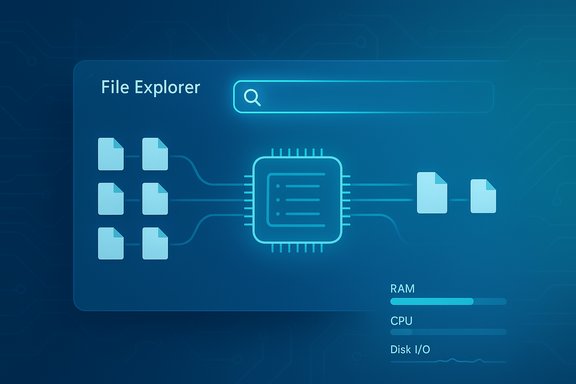
The release note uses the phrase “eliminating duplicate file indexing operations.” That strongly suggests the indexer now performs some form of detection or canonicalization to avoid re-indexing the exact same file object multiple times. Practically speaking, this can reduce transient RAM pressure during indexing and when File Explorer executes wide queries, because fewer indexing tasks run in parallel and the indexer has fewer duplicate entries to manage in memory.It is important to note the implementation details — e.g., whether deduping is done by path canonicalization, file ID, hash, or cache deduplication — are not described in the short release note. Those specifics remain an implementation detail inside Microsoft’s indexer and are not publicly documented in the preview notes.
How this fits with other File Explorer experiments
Microsoft has been testing multiple, concurrent File Explorer improvements in Insider builds:- Preloading File Explorer in the background to reduce launch latency. This can make Explorer appear faster to open but increases baseline RAM use because parts of Explorer stay resident in memory.
- AI/semantic search on Copilot+ PCs, which introduces semantic indexing and local NPU-accelerated models that index document and image content differently. That effort focuses on richer search capabilities rather than raw memory optimization.
- Context-menu and UI experiments, including new AI actions and redesigned menus, which affect perceived responsiveness but not necessarily indexer memory usage.
What users (and admins) should expect
- Modest, targeted improvement: The change aims to reduce redundant indexer work and should result in faster search queries and lower transient resource usage while indexing or running file searches. Expect incremental rather than dramatic differences on most systems.
- Gradual rollout: The feature is being deployed as an experiment for Windows Insiders who have enabled the “get the latest updates” toggle. It will be further validated with telemetry and Feedback Hub input before broader release.
- Not a complete cure for Explorer memory complaints: File Explorer’s RAM footprint and responsiveness are influenced by a range of factors — UI framework choices, preloading settings, extensions, shell extensions, cloud providers, and other concurrent experiments. This indexing change addresses one specific source of inefficiency.
- Behavior may vary by setup: Systems with many mirrored or duplicated file paths (for example, heavy use of libraries, junctions, or cloud placeholders) may see a larger benefit. Conversely, systems with simple folder layouts may see little measurable change.
Practical testing and validation (how to measure the impact)
For power users, IT pros, and testers who want to evaluate whether deduplication helps on their machines, here are practical steps and tools to validate the impact:- Confirm build and experiment status:
- Open Win + R → type winver to confirm you’re on Build 26220.x (or newer).
- Ensure you are enrolled in Windows Insider Program (Settings > Windows Update > Windows Insider Program) and toggled to receive the latest experimental updates if you want the staged changes.
- Reproduce a baseline:
- Use a representative workload — e.g., a large folder tree with many files or a workspace synchronized with OneDrive — and run a wide search from File Explorer (searching by extension or broad terms).
- Record baseline metrics using Task Manager or Resource Monitor for memory, CPU, and disk I/O during indexing or search.
- Use advanced tracing for precise results:
- For deep measurement, use Windows Performance Recorder (WPR) to capture search/indexer activity and analyze with Windows Performance Analyzer (WPA). Capture traces during indexing and wide searches before and after the change.
- Look at memory allocations attributed to SearchIndexer.exe or SearchHost.exe processes; also monitor disk I/O patterns and CPU threads created by indexer tasks.
- Compare results:
- Note differences in peak memory, average CPU during indexing/search, duration to return results, and disk IOPS.
- Share reproducible traces and observations through the Feedback Hub (WIN + F) under Files Folders and Online Storage > File Explorer Search.
Benefits and strengths
- Focused optimization: Targeting duplicate indexing is an efficient way to cut wasted work; removing redundancy is a low-risk, high-return engineering pattern.
- Potentially lower transient RAM use: By avoiding parallel duplicate index operations, the change can reduce memory pressure spikes during large searches or when indexing multiple paths.
- Faster search results in many scenarios: Systems with many mirrored or duplicated file paths should see reduced latencies for wide queries because the indexer performs fewer redundant passes.
- Telemetry-driven rollout: Microsoft’s staged experiment approach lets the company measure real-world impact and rollback or adjust behavior before flipping defaults widely.
Risks, limitations, and unresolved questions
- Implementation details are undisclosed: The release note does not specify how duplicate operations are detected or canonicalized. That leaves open edge-case behavior questions, such as how network shares, symlinks, junctions, or provider placeholders are treated.
- Possible incompatibility with some storage scenarios: Systems using unconventional filesystems, third-party storage providers, or complex mount setups could surface edge cases where de-duplication introduces missed updates or stale index entries if canonicalization is imperfect.
- Interaction with other experiments: Because Microsoft is concurrently testing Explorer preloading and semantic search, total memory use and perceived performance will depend on which experiments are active. Users may see mixed results if multiple experiments interact in unexpected ways.
- Limited immediate effect for many users: On devices without duplicate indexing patterns, the benefit will be small to non-existent. Also, the feature is experimental and gated, so wide user impact will only appear after broader rollout — if Microsoft chooses to enable it by default.
- No instant fix for long-standing Explorer criticisms: Observations from community tests show File Explorer may still feel sluggish in navigation or context menus, and some UI-driven memory increases (from preloading or WinUI elements) are separate concerns that this fix does not address.
How to enable, test, and give feedback (Insider instructions)
- Join the Windows Insider Program if you’re not already enrolled: Settings > Windows Update > Windows Insider Program. Choose the Dev or Beta channel as applicable.
- Ensure you have the latest preview build installed and that the Insider toggle is enabled for receiving the newest staged updates.
- Verify your build via Winver; the new indexing behavior appears in the 26220.x build family (Build 26220.7523 is the preview that first listed the change).
- To examine or adjust what’s indexed on your machine: Settings > Privacy & security > Searching Windows. Use the “Enhanced” indexing option to index the whole PC or specify custom locations if you want targeted indexing.
- File feedback in Feedback Hub (WIN + F) under Files Folders and Online Storage > File Explorer Search with reproducible steps and performance traces if possible.
Enterprise considerations and admin guidance
For IT administrators managing fleets, the change is notable but not disruptive by itself. Because it’s an indexer optimization:- Expect no changes to core file access semantics or permissions; this is an indexer-side optimization, not a change to file ACLs or storage APIs.
- Test on pilot groups before broad deployment. Validate search reliability across network shares, DFS namespaces, and cloud-enabled folders used in the organization.
- If you run managed devices that do not participate in the Insider program, you will not see this experimental change until it rolls into production channels.
- Keep an eye on telemetry for search-related errors and index corruption reports; if unusual behaviors appear after the change, gather Feedback Hub reports and WPR traces.
What this means for the broader Windows 11 performance conversation
The deduplication update demonstrates a practical, incremental approach to performance — addressing a specific, measurable inefficiency in the indexing pipeline rather than attempting sweeping UI or architectural changes. That engineering approach has advantages: it reduces risk, is easier to validate, and typically delivers predictable improvements.However, it also highlights a broader truth: perceived sluggishness and inflated memory use in Windows 11 come from multiple sources. UI choices (WinUI/XAML elements), optional preloading experiments, third‑party shell extensions, complex cloud sync behavior, and powerful but memory-hungry AI features all affect the overall experience. This difference in scope helps explain why the community continues to see mixed results: some changes decrease resource usage in one area while others increase it in another.
Bottom line
Microsoft’s indexer deduplication in Windows 11 Insider Preview Build 26220.7523 is a pragmatic, low-risk optimization that should reduce redundant indexing work and trim transient RAM and CPU pressure during searches and indexing. For many users — particularly those with complex folder setups, mirrored paths, or heavy cloud sync activity — the change may produce noticeably faster searches and lower spikes in resource consumption.That said, it’s not a silver bullet. Implementation details remain private, the change is experimental and gated, and other concurrent File Explorer experiments can offset or mask the benefits on any individual system. Users and administrators should test on representative workloads, use standard Windows performance tooling to validate impact, and file reproducible Feedback Hub reports when they find regressions or unexpected results.
Expect this kind of focused optimization to continue: Microsoft is balancing feature innovation (AI search, enhanced UI, Copilot integrations) with steady performance work, and the success of this change will depend on how it interacts with the broader set of Explorer experiments as they move from Insider rings to production releases.
Source: Wccftech Microsoft Rolling Out An Update To Reduce RAM Usage In Windows 11 File Explorer Search Feature