

Microsoft has pushed a small but meaningful update to the Dev Channel today: Windows 11 Insider Preview Build 26300.7965 (KB 5079385) lands as an enablement-package-based flight targeted at early testers, reintroducing a security hardening called Administrator protection and rolling out a handful of user-facing refinements to sharing and File Explorer behavior. This is a measured, controlled release — delivered via the enablement/Controlled Feature Rollout model Microsoft has used for recent 25H2/26300-series preview builds — and it’s worth unpacking what changed, why it matters to both enthusiasts and IT teams, and what to watch for as these pieces ramp up to broader availability. (blogs.windows.com)
The Dev Channel has been operating on the 26300 build series since Microsoft shifted its early development work into this numbering. These releases are being delivered on top of Windows 11, version 25H2 as enablement packages that flip feature gates and update the servicing baseline rather than shipping a full, monolithic feature update. That same enablement + Controlled Feature Rollout approach is used for incremental test-and-observe rollouts where Microsoft flips server-side flags for subsets of Insiders, monitors reliability and telemetry, then expands the rollout if things look healthy. That delivery model is explicitly reiterated in today’s blog post announcing Build 26300.7965. (blogs.windows.com)
The package released today is small in scope on the surface — a re-enable of Administrator protection plus specific File Explorernts — but each change fits into broader engineering signals we’ve seen across recent Dev flights: more aggressive platform hardening, a tighter focus on security by default for privileged accounts, and UX polishing where testers repeatedly report friction points. Those patterns have been consistent in the 26300-series rollout and the surrounding community analysis.
To cross-check the Administrator protection claims and configuration guidance, I reviewed Microsoft’s documentation and product-team guidance on Administrator protection: Microsoft’s Learn docs and technical community posts describe the feature’s design intent (least privilege with just-in-time admin elevation) and explicit management paths, including Intune (Settings catalog or OMA-URI) and Group Policy — matching the blog’s claim that the feature is off by default and manageable at enterprise scale. These resources also document earlier pauses and staged rollouts of Admin protection, showing Microsoft’s cautious approach to broad deployment.
I also used Flight Hub and recent community reporting to confirm that the 26300-series remains grounded on a 25H2 enablement package and that Microsoft is continuing the pattern of small enablement packages + controlled server-side rollouts for 25H2/26300-based preview builds. That broader release engineering pattern helps explain why today’s update is described as an enablement-style package and why some features appear as “gradually rolling” rather than immediately available to every Dev Channel device.
Note on KB support pages: while Microsoft’s blog lists KB 5079385 as the cumulative/quality identifier for the flight, I could not find a separate, dedicated Knowledge Base article with deep servicing notes for KB 5079385 at the time of writing. That can happen for small preview KBs; the blog remains the canonical announcement for Insiders while the formal support article may appear later. Readers should watch the Windows Insider blog and Flight Hub for any post-release clarifications. (blogs.windows.com)
The File Explorer and sharing refinements are pragmatic and user-centered; they won’t make headlines like new AI features, but they materially improve the day-to-day experience for many users. Delivered via the enablement/Controlled Feature Rollout model, these features will appear asymmetrically across Insiders — by design — so patience and staged testing are the best paths forward.
If you’re an Insider: enable the “get the latest” toggle and try the new behaviors, but be prepared to file Feedback Hub reports if you encounter inconsistencies.
If you’re an IT admin: plan a pilot, audit your automation and elevation-heavy workflows, coordinate Group Policy/Intune settings, and keep an eye on vendor advisories and the forthcoming formal KB documentation for enterprise patching details.
Microsoft’s incremental, signal-driven approach to shipping Windows updates remains intact: small, reversible steps that prioritize telemetry, pilot feedback, and conservative rollouts over blanket changes. Build 26300.7965 fits that pattern — technically modest, strategically meaningful, and an early indicator of how Microsoft will push security-first admin controls into mainstream Windows 11 over the coming months. (blogs.windows.com)
Source: Microsoft - Windows Insiders Blog Announcing Windows 11 Insider Preview Build 26300.7965 (Dev Channel)
 Background / Overview
The Dev Channel has been operating on the 26300 build series since Microsoft shifted its early development work into this numbering. These releases are being delivered on top of Windows 11, version 25H2 as enablement packages that flip feature gates and update the servicing baseline rather than shipping a full, monolithic feature update. That same enablement + Controlled Feature Rollout approach is used for incremental test-and-observe rollouts where Microsoft flips server-side flags for subsets of Insiders, monitors reliability and telemetry, then expands the rollout if things look healthy. That delivery model is explicitly reiterated in today’s blog post announcing Build 26300.7965. (blogs.windows.com)The package released today is small in scope on the surface — a re-enable of Administrator protection plus specific File Explorernts — but each change fits into broader engineering signals we’ve seen across recent Dev flights: more aggressive platform hardening, a tighter focus on security by default for privileged accounts, and UX polishing where testers repeatedly report friction points. Those patterns have been consistent in the 26300-series rollout and the surrounding community analysis.
What Microsoft shipped in Build 26300.7965
Re-enabled: Administrator protection (gradual rollout)
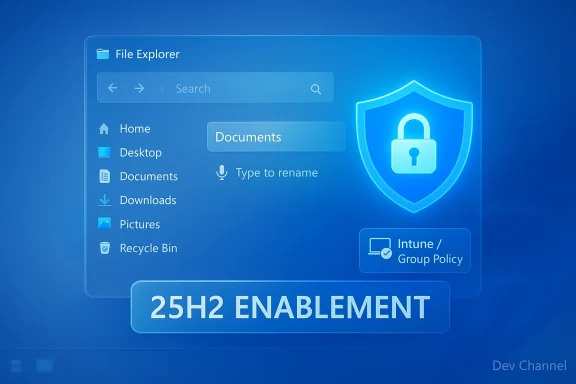
- Microsoft states Administrator protection is being re-enabled in this flight. The feature is intended to reduce the risks of “free-floating” admin rights by requiring just-in-time elevation for real administrative work, typically pairing an admin action with local verification (for example, Windows Hello) before granting elevated tokens. The feature is off by default and, crucially for IT, can be enabled via OMA-URI in Microsoft Intune or via Group Policy for managed fleets. (blogs.windows.com)
File Explorer tweaks (gradual rollout)
- Voice typing (WIN + H) can now be used when renaming files in File Explorer. This lowers friction for hands-free workflows and accessibility use cases.
- Microsoft removed white flashes that previously appeared when launching new File Explorer windows or tabs set to open to This PC, and also when resizing File Explorer elements.
- Improved reliability when unblocking files downloaded from the internet so those files can be previewed reliably inside File Explorer’s preview pane. (blogs.windows.com)
Sharing UX: Drag tray refinement (gradual rollout)
- The sharing drag tray’s peek view has been reduced in size to minimize accidental invocation and to make dismissal easier when interacting near the top of the screen. This is a response to hands-on feedback from Insiders. (blogs.windows.com)
Reminders and rollout mechanics
- Microsoft reiterates that updates for the Dev Channel builds are based on Windows 11, version 25H2 via an enablement package and that many features are staged using Controlled Feature Rollout technology (server-side gating to subsets of Insiders). The watermark on Dev builds is normal. Insiders who want to be the first to see features must turn on the “get the latest updates as they are available” toggle in Settings > Windows Update; otherwise, features will trickle out over time. (blogs.windows.com)
Technical verification and cross-checks
I verified Microsoft’s published notes for Build 26300.7965 directly from the Windows Insider blog post announcing the flight. The blog lists the build number (26300.7965) and KB identifier (KB 5079385) in the release header and outlines the same feature and improvement bullets summarized above. (blogs.windows.com)To cross-check the Administrator protection claims and configuration guidance, I reviewed Microsoft’s documentation and product-team guidance on Administrator protection: Microsoft’s Learn docs and technical community posts describe the feature’s design intent (least privilege with just-in-time admin elevation) and explicit management paths, including Intune (Settings catalog or OMA-URI) and Group Policy — matching the blog’s claim that the feature is off by default and manageable at enterprise scale. These resources also document earlier pauses and staged rollouts of Admin protection, showing Microsoft’s cautious approach to broad deployment.
I also used Flight Hub and recent community reporting to confirm that the 26300-series remains grounded on a 25H2 enablement package and that Microsoft is continuing the pattern of small enablement packages + controlled server-side rollouts for 25H2/26300-based preview builds. That broader release engineering pattern helps explain why today’s update is described as an enablement-style package and why some features appear as “gradually rolling” rather than immediately available to every Dev Channel device.
Note on KB support pages: while Microsoft’s blog lists KB 5079385 as the cumulative/quality identifier for the flight, I could not find a separate, dedicated Knowledge Base article with deep servicing notes for KB 5079385 at the time of writing. That can happen for small preview KBs; the blog remains the canonical announcement for Insiders while the formal support article may appear later. Readers should watch the Windows Insider blog and Flight Hub for any post-release clarifications. (blogs.windows.com)
Critical analysis — strengths, risks, and what this update signals
Strengths and positives
- Security-first direction for admin accounts. Re-introducing Administrator protection — and doing so with enterprise management controls — is a net positive. It aligns Windows with modern least-privilege practices and reduces the blast radius when administrator credentials are misused or exploited. Delivering this via Intune OMA-URI and Group Policy lets IT teams pilot the change in a controlled manner, preventing surprises for production systems. (blogs.windows.com)
- Solid polish for everyday UX. Removing white flashes in File Explorer and enabling voice typing for rename operations are user-facing improvements that show Microsoft still values polish and accessibility tuning, not just big headline features. These changes improve perceived responsiveness and reduce friction for users with accessibility needs. (blogs.windows.com)
- Measured rollout model reduces blast radius. The enablement + Controlled Feature Rollout model allows Microsoft to ramp features slowly, observe telemetry, and roll back or adjust behavior server-side if problems appear. For Insiders and IT, this provides a middle ground between “ship everything at once” and “never test widely.”
Risks, caveats, and downsides
- Potential friction for scripts and automation. Administrator protection changes how elevation is requested and validated. Scripts, silent installers, or automation tools that relied on free-floating admin tokens may break or require rework (for example using scheduled tasks or service-run accounts rather than interactive elevation), especially in environments that depend on unattended installs. IT teams should audit critical automation and deployment tooling against Admin protection in a test ring.
- Risk of misconfiguration at scale. Because Admin protection is configurable via OMA-URI and Group Policy, there’s a risk of inconsistent policies across hybrid environments (on-prem Group Policy vs. cloud Intune). A poorly staged or partially applied policy could create disparate user experiences and support burdens. IT teams must synchronize management approaches before enabling the feature broadly. (blogs.windows.com)
- Limited public documentation for preview KBs. As noted, the blog post references KB 5079385, but the traditional support KB page with deep servicing notes may not be available immediately. That makes it harder for admins to find precise servicing metadata and official package checksums right away. Microsoft has historically added deeper KB support pages after initial Insider flights; expect that here as well. (blogs.windows.com)
- Fragmented visibility for staged features. Controlled Feature Rollout is powerful, but it can be confusing: two Insiders on the same exact build may have different experiences if server-side flags differ. Testers and admins need to accept that behavior inconsistency is part of the Insider experience, and that some reported bugs may be tied to feature flags rather than the underlying binary. (blogs.windows.com)
Practical guidance — what users, Insiders, and admins should do next
For enthusiasts and Insiders (Dev Channel users)
- If you want to see the re-enabled features as soon as available, turn on the toggle in Settings > Windows Update to “get the latest updates as they are available.” This effectively opts you into the Controlled Feature Rollout subsets. (blogs.windows.com)
- Keep in mind that features are gated server-side; not seeing a feature doesn’t mean your device is broken — it may simply be waiting for a rollout wave. Reboot and check Windows Update > Pause/Resume if you suspect update issues. (blogs.windows.com)
- File Explorer polish and voice typing are low risk; try them out and file feedback in Feedback Hub under Files, Folders, and Online Storage if anything behaves oddly. Microsoft actively monitors Insider feedback to guide rollouts. (blogs.windows.com)
For IT administrators and engineers
- Treat Administrator protection as a policy change with potential compatibility impact. Don’t flip it across your fleet immediately. Create a pilot group (a narrow security group in Intune or a dedicated OU for Group Policy) and enable the feature there first. Validate all critical install workflows, management tooling, and automation.
- Audit automation and elevation-dependent processes. Look for:
- Silent or unattended installers that use interactive elevation.
- Legacy management tools that assume persistent admin tokens.
- Remote support and agent-based systems that perform elevation in non-interactive contexts.
Update these systems to use managed service accounts, scheduled tasks, or documented elevation flows that interact with Admin protection mechanisms. - Coordinate policy hosts. If you use both Group Policy and Intune, define a clear policy precedence and rollout plan so that devices don’t receive conflicting Admin protection policies. Document expected behavior for helpdesk teams so they can triage elevation-related support calls quickly.
- Staged deployment is your friend. Use Microsoft Intune’s assignment rings or Group Policy OUs to roll the setting out in phases. Monitor telemetry for authentication-related failures or elevation prompts generating unexpected UAC behavior.
Diagnostics & reporting
- Use Event Viewer and Windows Security logs to detect failed elevation attempts or unexpected denials.
- Encourage internal users to file Feedback Hub items with reproducible steps; include repro strings, timestamped screenshots, and environment details (managed/unmanaged, MDM/GP, SKU). Microsoft leans on Feedback Hub signals during controlled rollouts. (blogs.windows.com)
What to watch next — signals that will matter
- Adoption signals for Administrator protection: monitor both telemetry (where available) and public reports to see whether admin workflows are being disrupted or whether the feature behaves smoothly in mixed environments. Expect early patches or guidance if popular admin tools run afoul of the new elevation model.
- KB support page and deeper servicing notes for KB 5079385: Microsoft frequently publishes a full Knowledge Base entry for cumulative updates after the initial Insider blog; a KB with package info, resolved issues, and known issues would be useful for enterprise patch control. As of this writing, the blog announces the build and KB identifier but the typical support article may appear later. (blogs.windows.com)
- Wider rollout of the File Explorer UX and sharing adjustments: because these improvements are being ramped via Controlled Feature Rollout, community reports and Insider feedback threads will show whether the smaller drag-tray peek and voice-typing in rename fields actually reduce accidental invocations and improve discoverability. (blogs.windows.com)
- Any compatibility advisories on automation tools and device management suites: vendors for common enterprise tooling (e.g., imaging and patching tools, endpoint security management) may publish notes if they need to change how they request elevation. Keep an eye on vendor advisories and community forums.
Quick reference — what changed in Build 26300.7965
- Re-enabled Administrator protection (OFF by default). Manageable by Intune OMA-URI or Group Policy. (blogs.windows.com)
- File Explorer:
- Voice typing works in rename fields (WIN + H).
- White flashes removed when opening File Explorer windows/tabs set to "This PC" and when resizing elements.
- Improved reliability unblocking Internet-downloaded files for preview.
- UX polish and accessibility fixes. (blogs.windows.com)
- Sharing: Drag tray peek view reduced to avoid accidental invocation. (blogs.windows.com)
- Build is delivered as an enablement package for Windows 11, version 25H2 and many features are staged via Controlled Feature Rollout. Dev-channel desktop watermark remains normal for Insider previews. (blogs.windows.com)
Final assessment
Build 26300.7965 is a conservative, sensible update that reinforces two important themes: a push toward stronger default administrative security and continued attention to everyday polish in the shell. Re-enabling Administrator protection signals Microsoft’s continued focus on least-privilege practices and safer elevation flows — a welcome direction, but one that requires planning from IT teams to avoid automation and compatibility pain.The File Explorer and sharing refinements are pragmatic and user-centered; they won’t make headlines like new AI features, but they materially improve the day-to-day experience for many users. Delivered via the enablement/Controlled Feature Rollout model, these features will appear asymmetrically across Insiders — by design — so patience and staged testing are the best paths forward.
If you’re an Insider: enable the “get the latest” toggle and try the new behaviors, but be prepared to file Feedback Hub reports if you encounter inconsistencies.
If you’re an IT admin: plan a pilot, audit your automation and elevation-heavy workflows, coordinate Group Policy/Intune settings, and keep an eye on vendor advisories and the forthcoming formal KB documentation for enterprise patching details.
Microsoft’s incremental, signal-driven approach to shipping Windows updates remains intact: small, reversible steps that prioritize telemetry, pilot feedback, and conservative rollouts over blanket changes. Build 26300.7965 fits that pattern — technically modest, strategically meaningful, and an early indicator of how Microsoft will push security-first admin controls into mainstream Windows 11 over the coming months. (blogs.windows.com)
Source: Microsoft - Windows Insiders Blog Announcing Windows 11 Insider Preview Build 26300.7965 (Dev Channel)
