• Thread Author
Today’s Dev-channel update moves the Windows 11 Insider preview forward: Microsoft has shipped Windows 11 Insider Preview Build 26300.7674 (KB5074170) to the Dev Channel, advancing the Dev stream into the 26300-series and closing the immediate window that allowed Insiders to migrate from Dev to Beta once this build is installed. This release is effectively a platform-number bump: Build 26300.7674 contains the same user-facing features and fixes formerly documented in Build 26220.7653, while introducing behind‑the‑scenes platform changes and a new servicing baseline tied to Windows 11, version 25H2 via an enablement package. For Insiders and IT pros, that mix raises practical questions about channel stability, switching windows, and testing priorities — and those are the topics I’ll unpack in depth below.

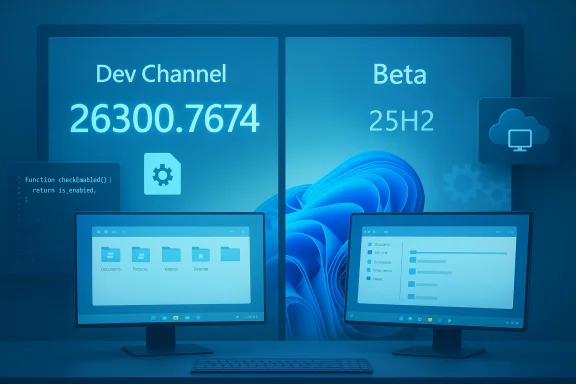
Dual monitors on a desk display Dev Channel and Beta build numbers with icons.Background / Overview​

Microsoft’s Windows Insider program splits previewing work into multiple channels: Canary (very early), Dev (active development), Beta (more stable preview), and Release Preview (near-final). Over the past year Microsoft has been shipping many Dev-channel updates built on Windows 11, version 25H2, often using enablement packages that increment build numbers without changing the core OS image. In the latest change, Dev has “jumped ahead” to the 26300 series, and Build 26300.7674 is the first publicly announced release in that series.
This particular release is noteworthy for two practical reasons:
  • It marks a channel-number transition: installing Build 26300.7674 closes the short-term opportunity for Dev Insiders to switch to Beta without extra steps.
  • It is intentionally aligned with the 25H2 servicing model (enablement package), meaning Dev builds will continue to carry many of the same 25H2 features as Beta builds while Microsoft performs incremental platform changes in the higher build number stream.
Microsoft’s official announcement (published January 27, 2026) lists the same set of fixes and known issues carried forward from the 26220.x builds, and reiterates the Controlled Feature Rollout behavior that governs who sees what and when.

What’s in Build 26300.7674 (at a glance)​

The announcement emphasizes that Build 26300.7674 “contains the same features and improvements as Build 26220.7653.” That translates to a targeted set of fixes plus a handful of active known issues. Highlights called out by Microsoft include:
  • Fixes (being gradually rolled out to Insiders who have the “get the latest updates as soon as they’re available” toggle ON):
  • File Explorer: Restored the “Extract All” command when browsing non‑ZIP archive folders.
  • Start menu: Addressed an issue where hiding the mobile device side panel didn’t persist for some Insiders.
  • Search: Replaced a broken Search process icon (X) with the expected magnifying-glass icon.
  • Settings: Under‑the‑hood improvements to reduce slow loading on the Settings Home page.
  • Display & graphics: Fixed a problem causing some secondary monitors to show black screens after recent updates.
  • Other: Resolved an underlying issue that could cause sign-in failures in Azure Virtual Desktop and Windows 365; addressed a rare SYSTEM_SERVICE_EXCEPTION bug check seen in recent flights.
  • Known issues called out explicitly:
  • Start menu (Categories view): Clicking to show more apps in a category may not work.
  • File Explorer: Some Insiders may see all open File Explorer windows/tabs jump unexpectedly to Desktop or Home.
  • Xbox Full Screen Experience (FSE): Some apps that depend on fixed window sizes or additional windows may misbehave.
  • Taskbar & system tray: Apps may fail to appear in the system tray for some users.
  • Click to Do / Microsoft 365 Copilot: The Copilot prompt on selected images may not function unless the Microsoft 365 Copilot app is running.
Microsoft also reiterated the usual Insider reminders: the desktop watermark is expected on preview builds, feature rollouts are controlled and gradual, and some preview features may never ship publicly.

Why this channel jump matters​

1. The switching window is closing​

Microsoft’s note is explicit: once Dev devices update to 26300.7674, those systems lose the immediate, simple option to switch from Dev to Beta. The practical implication for Insiders is straightforward: if you’re in Dev today and prefer Beta’s more conservative preview state, you must take action before the 26300 build installs.
  • Recommended last‑minute procedure (as described by Microsoft): when Build 26300.7674 is offered, pause updates in Settings > Windows Update, then change your Insider channel to Beta, and then un-pause updates. Pausing prevents the build from installing while you change your channel.
  • If you install 26300.7674 and later decide you want Beta, switching back will likely require reinstallation or an alternate recovery path; the immediate “switch” window is closed by the build-number divergence.
This behavior is consistent with past Dev/Beta transitions where Microsoft intentionally blocks direct channel movement when the Dev branch moves ahead to avoid mixing servicing baselines.

2. Platform-level differences will cause divergent known issues​

Microsoft plainly warns that as the Dev channel advances with behind‑the‑scenes platform changes, Dev builds will likely present different known issues than Beta builds — even if the outward feature set is currently the same. That’s an important distinction: the same user-visible function can be backed by different underlying binaries and servicing paths, which affects crash surface area, driver interactions, and virtualization or enterprise scenarios. For testers and IT professionals, that means:
  • Expect variability: regressions could appear in Dev that are not present in Beta (and vice versa).
  • Sanity-check drivers and virtualization stacks carefully if you jump channels.
  • Report issues with diagnostic data via Feedback Hub to help engineers prioritize fixes.

The enablement package and Windows 11, version 25H2 — what that means​

Build 26300.7674 is being shipped “based on Windows 11, version 25H2 via an enablement package.” Put plainly:
  • An enablement package is a tiny update that flips a switch in an existing OS image to enable new features and increment the reported build number without performing a full feature-update reimage.
  • Microsoft has used this approach in the Insider program to deliver feature-update-like changes while keeping installation size and time reduced for previewers and managed devices.
  • In practice, that means Dev builds in the 26300 series are still built on the 25H2 image, but Microsoft is incrementing the build baseline with an enablement package for servicing and experimentation.
Why this matters: enablement packages make it easy to target feature gates and roll out controlled experiments, but they also mean that two devices on different build-number streams can be functionally similar yet serviced differently — which affects update flows, rollback, and troubleshooting.

Deep dive: fixes, known issues, and real-world risk assessment​

Notable fixes (and why they matter)​

  • Display & Graphics fix for secondary monitors: Black-screen behavior on secondary displays is one of those high-impact regressions that can disrupt developers, creators, and multi-monitor power users. The fact Microsoft called this out and pushed a fix is positive — but the initial regression itself is a reminder that multi-monitor and GPU stack changes remain an elevated risk in preview flights.
  • Azure Virtual Desktop / Windows 365 sign-in reliability: Fixing unexpected sign-in failures in cloud-hosted desktop scenarios has real implications for enterprise Insiders who validate VDIs or Windows 365 provisioning. Authentication edge cases in virtualized or cloud-provided Windows images can be complex because they interact with identity, networking, and hypervisor layers.
  • SYSTEM_SERVICE_EXCEPTION bug check remediation: Kernel-mode crashes are severe; addressing a recent pattern of that stop code reduces the chance of data loss or repeated reboots for Insiders.

Known issues that demand attention​

  • All File Explorer windows jumping to Desktop/Home: This is disruptive to productivity — imagine working with multiple Explorer windows and tabs and having them all jump away unexpectedly. Until a fix is out, power users should be cautious about using File Explorer extensively in mission-critical workflows on this build.
  • Start Menu Categories view glitch: If you organize apps heavily, Categories view is a usability touchpoint. A broken “show more apps” action is an annoyance that could obscure workflow.
  • System tray visibility issues: Missing tray icons can be confusing and impair background apps that rely on tray interactions (VPN clients, security agents, backup tools). For enterprise testers, this could affect how software behaves under update conditions and should be validated.

Practical risk rating (for different user types)​

  • Casual Insiders / hobbyists: Low-to-moderate risk. Most issues are annoying but usually recoverable with a reboot or workaround.
  • Power users / developers who depend on multi-monitor or File Explorer workflows: Moderate risk. The File Explorer and display issues could materially impact workflows.
  • IT pros / enterprise testers: Moderate-to-high risk. Edge cases with Azure Virtual Desktop, sign-in, and system tray visibility could interfere with validation and remote support; treat this build as a test artifact, not production-ready.

What Insiders should do now — step-by-step guidance​

If you’re on the Dev Channel and want to avoid being moved into the 26300 stream (or if you want to control when/if you move):
  • Open Settings > Windows Update and pause updates before the new build begins installing.
  • Go to Settings > Windows Update > Windows Insider Program and change your channel to Beta.
  • Return to Windows Update and un‑pause updates. Your device should then receive Beta-targeted updates rather than the new Dev 26300 flight.
  • If you already installed 26300.7674 and want to move to Beta, prepare for one of these approaches:
  • Use a full reinstall to restore a Beta-based image (clean install or in-place reinstall of a Beta image).
  • Use recovery options if you have a system image or restore point available. Note: direct channel rollback is not guaranteed.
Best-practice checklist before switching or installing preview builds:
  • Back up important data (use cloud sync, external backup, or system image).
  • Snapshot or export virtual machines before upgrading.
  • For managed devices, verify group policy and update rings to avoid unintended installs.
  • If you rely on specific drivers (GPU, display, VPN, security), check vendor support forums for compatibility notes.

Developer and enterprise implications​

For software vendors, ISVs, and IT departments that validate apps against Insider builds, the 26300 jump signals a couple of operational changes:
  • Expect variant behavior: Dev builds may be the first to show regressions introduced by platform changes. That makes Dev a valuable place to find and report early issues, but not a safe space for broad compatibility certification.
  • Prioritize test cases: Focus on display drivers, windowing models, Explorer APIs, and authentication flows (Azure AD/Windows Hello/VDI sign-in), because those subsystems are explicitly mentioned in the release notes.
  • Communicate to end users: If you operate an Insider program or early-adopter cohort inside an organization, notify participants that Dev is moving ahead and that they should pause updates or switch channels if they want a more stable preview cadence.

The Controlled Feature Rollout trade-off​

Microsoft’s Controlled Feature Rollout approach is intended to limit blast radius: new features are gradually exposed to subsets of Insiders, enabling telemetry-driven decisions before a wider roll. That’s good engineering hygiene — but the approach has trade-offs:
  • Pros:
  • Helps catch high-impact issues before full release.
  • Enables rapid iteration with a smaller user base.
  • Reduces the chance of mass regressions in Beta or production channels.
  • Cons:
  • Creates fragmentation: two devices on the same channel may look different if one is included in a controlled rollout and the other is not.
  • Troubleshooting is harder: when only some users see a bug, reproducing and triaging it becomes more complex.
  • Messaging burden: Insiders need clear documentation (and sometimes can be confused when features appear or disappear).
For Insiders who like to be first, the toggle in Settings > Windows Update remains the lever: turn ON to be eligible for the earliest rollouts, or keep it OFF to receive new features more conservatively.

What to watch next​

  • Microsoft’s follow-up fixes: The blog lists several “we’re working on” items. Track subsequent Dev-channel announcements for targeted fixes to File Explorer, Start categories, and system tray behavior.
  • Expanded telemetry on platform changes: As Microsoft performs behind‑the‑scenes updates in the 26300 series, watch for notes on broader system behaviors — memory usage, process crashes, and driver interactions are common areas to change.
  • Beta vs Dev divergence: Observe how quickly Beta receives features and whether Microsoft will continue to mirror some Dev releases to Beta for a period. The duration of overlap matters if you plan to move channels.
  • Third-party validation: Driver vendors and major ISVs will typically publish compatibility notes; look for those updates before rolling any preview build into a larger test matrix.

Critical analysis — strengths, risks, and the long view​

Strengths
  • Microsoft’s transparency is solid: the release notes clearly enumerate both fixes and known issues, and they explain the channel-switching mechanics in plain language.
  • Fixes for high-impact areas like display black screens and VDI sign-in reliability indicate that engineering priorities align with real-world usage patterns (multi-monitor setups and cloud VDI are common in modern workplaces).
  • The enablement-package model keeps installs fast and reduces infrastructure overhead while allowing feature gates to be toggled — a practical approach for rolling out yearly feature updates.
Risks and concerns
  • Channel jump surprises: closing the Dev→Beta switching window with the installation of a build is necessary from an engineering standpoint, but it can catch users unprepared. Microsoft’s guidance to pause updates is helpful, but many Insiders rely on automatic updates and may miss the brief window.
  • Regressions introduced by “behind-the-scenes” platform work: while user-visible features may be identical between 26220 and 26300, the underlying platform differences can produce hard-to-diagnose crashes or driver incompatibilities. That makes Dev builds a poor choice for mission-critical tasks.
  • Controlled Feature Rollout opacity: while the mechanism is useful, limited visibility into whether a given device is included in a specific rollout complicates troubleshooting and reduces reproducibility of reported bugs.
Unverifiable or cautionary points
  • Third‑party coverage and independent testing results for Build 26300.7674 are limited immediately after release. Until additional community and vendor reports surface, some real-world impact assessments (for example, third‑party GPU driver compatibility or specific enterprise application behavior) will remain provisional.
  • The KB number (KB5074170) is referenced in Microsoft’s announcement as the servicing label for the flight; in several past flights Microsoft has used KB identifiers as tracking labels before full Support documentation appears. If you rely on Support knowledge‑base references, expect that full KB articles may be published or updated slightly later than the blog post.

Final verdict — who should install, who should wait​

  • Install (if you are comfortable with preview risk):
  • Hobbyists and enthusiasts who primarily experiment and can tolerate occasional regressions.
  • Developers who need to validate app behavior against upcoming platform changes and who can provide diagnostic feedback.
  • IT pros running isolated test environments or virtual machines specifically for Insider testing.
  • Wait (if you need stability or mission-critical tooling):
  • Production users and business desktops that need consistent, reliable behavior.
  • Creators and power users who depend on multi-monitor stability or consistent File Explorer behavior.
  • Anyone who is not prepared to troubleshoot or roll back changes (unless they have a recovery plan).

Closing thoughts​

Build 26300.7674 is a pragmatic, incremental step in Microsoft’s Insider cadence: a build-number jump that preserves user-facing parity with recent 26220 releases while opening a new platform testing lane. For Insiders the message is clear — be mindful about channel selection and pausing updates if you don’t want to be moved into the new Dev stream. For developers and enterprise testers the build represents an opportunity to validate against early platform changes, but it’s also a reminder that the Dev channel is an environment for discovery and instability by design.
If you’re planning to test this build, make a backup, isolate the environment, and file thorough Feedback Hub reports for any new or regressing behavior. Microsoft’s engineering teams are watching the telemetry and feedback from these flights closely; the faster actionable reports arrive, the faster the fixes will follow.

Source: Microsoft - Windows Insiders Blog Announcing Windows 11 Insider Preview Build 26300.7674 (Dev Channel)
 

Microsoft has released Windows 11 Insider Preview Build 26300.7674 to the Dev Channel, a platform-number jump that carries forward a focused set of fixes for Start, File Explorer, Search, Settings, and display/graphics issues while also closing the simple path for many Insiders to switch directly from Dev to Beta once the build installs. This flight is effectively an enablement/servicing baseline move tied to the 25H2 platform and contains the same user-facing fixes as prior 26220-series flights, but its platform-level change alters channel mobility and testing characteristics.

Repeating dark UI panels showing Azure Virtual Desktop and Windows 365 with Channel Switch.Background / Overview​

Microsoft has been delivering many of the latest Insider changes to the Windows 11, version 25H2 stream as enablement packages. That model lets Microsoft flip on features or change servicing baselines without pushing a full feature-update reimage, keeping installation size and time smaller for preview participants. Build 26300.7674 is the first publicly announced Dev build in the 26300 series and is explicitly aligned with the 25H2 enablement approach — meaning the outward feature set mirrors previous 26220.x releases even as the underlying platform baseline advances.
This transition matters for two practical reasons. First, when the Dev channel advances its baseline, Microsoft typically restricts direct, simple switching between Dev and Beta to avoid mixing servicing baselines; devices that install 26300.7674 will lose the immediate one-click ability to move back to Beta without extra steps. Second, the platform jump can lead to divergent known issues between Dev and Beta builds even when feature lists match — a consequence of differing underlying binaries, driver interactions, and telemetry states. Both of these factors change how testers, enthusiasts, and IT administrators should approach Insider enrollment and validation.

What Microsoft says is fixed in Build 26300.7674​

Microsoft’s public notes for the flight emphasize a practical, targeted list of reliability and UX fixes. Highlights called out include:
  • File Explorer: Restored the “Extract All” command when browsing non‑ZIP archive folders and several other Explorer stability and UX corrections.
  • Start: Fixed a problem where hiding the mobile-device side panel didn’t persist for some Insiders; other Start-related glitches rolled forward from 26220-series notes.
  • Search: Replaced a broken Search process icon (an “X”) with the expected magnifying-glass icon.
  • Settings: Under‑the‑hood improvements to reduce slow loading on the Settings Home page.
  • Display & graphics: Fixed a regression that could cause certain secondary monitors to show black screens after recent updates.
  • Enterprise scenarios: Resolved a cause of sign-in failures in Azure Virtual Desktop and Windows 365 and addressed a rare SYSTEM_SERVICE_EXCEPTION bug check in recent flights.
These fixes are pragmatic and consistent with Microsoft’s recent focus on addressing high-frequency regressions that directly impede daily workflows for power users and enterprise testers.

Known issues you need to watch for​

Even with the fixes, Microsoft lists several active known issues that Insiders and IT pros should treat as material:
  • Start menu (Categories view): Clicking to “show more apps” within a category may not work reliably.
  • File Explorer: Some Insiders may see all open File Explorer windows or tabs unexpectedly jump to Desktop or Home. This is a disruptive behavior for multi‑window or tabbed workflows.
  • Xbox Full-Screen Experience (FSE): Apps that depend on fixed window sizes or create additional windows may misbehave.
  • System tray / Taskbar: Some apps may fail to appear in the system tray for affected users, complicating background service interactions (VPN clients, security agents, backup tools).
  • Click to Do / Microsoft 365 Copilot: The Copilot prompt on selected images may not function unless the Microsoft 365 Copilot app is running, reflecting dependency on companion services and gating.
These known issues are prominent enough to affect power users, developers, and administrators who rely on stable multi-monitor, File Explorer, or virtualization workflows. Microsoft continues to mark several of these as “in progress” while delivering fixes via controlled rollouts.

Why the channel jump matters — practical implications for Insiders​

This build’s significance isn’t solely the bug fixes; it’s the behavioral and governance change that comes with moving Dev to a new servicing baseline.
  • Switching window closing: If you’re an Insider on Dev and prefer the more conservative Beta track, you should act before 26300.7674 installs. Microsoft explicitly recommends pausing updates, switching your Insider channel to Beta in Settings, then unpausing updates to avoid being moved into the new Dev baseline unintentionally. If you install 26300.7674 and later want Beta, a simple in-place channel switch may not be available — reinstallation or recovery may be required.
  • Testing divergence: Because Dev is now running on a different platform baseline, issues in Dev may not appear in Beta and vice versa. That makes side‑by‑side validation and driver/VM testing more important; the same user-visible feature can behave differently due to underlying binary or servicing differences.
  • Controlled Feature Rollout (CFR): Microsoft continues to gate many fixes and experiences behind server-side flags and the “Get the latest updates as soon as they’re available” toggle. Enabling that toggle may place a device earlier in the CFR curve, exposing fixes and features earlier — but with slightly higher risk.
If you value stability over being first, this build’s arrival is the exact moment to evaluate whether your device should remain in Dev at all.

Technical deep dive: File Explorer and Start — why these fixes matter​

File Explorer and Start are among the highest‑touch components in Windows. Small regressions there generate outsized user frustration because they’re part of nearly every daily task.

File Explorer​

  • Restoring the Extract All command for non‑ZIP archive folders fixes a tangible productivity regression for users who rely on the command bar. More critically, the bug that causes open Explorer windows to “jump” to Desktop or Home creates a severe interruption, particularly for users with many windows/tabs open or those using Explorer as a part of scripting or development workflows. Until Microsoft ships a fix, heavy Explorer use on this build is riskier than usual.
  • Past Explorer experiments (preloading to speed launches and reorganized context menus) show Microsoft’s intent to improve perceived responsiveness and reduce clutter, but those experiments live behind toggles and require telemetry to validate their benefits. That cautious rollout approach makes sense from an engineering perspective but can lead to inconsistent user experiences across machines.

Start​

  • Fixes to Start’s mobile-device side panel persistence and pinned‑folder visibility address high‑impact daily annoyances. Start layout state bugs (invisible pinned folders, non-persistent hide/show settings) directly affect discoverability and can cause repeated user work (re‑pinning, re‑configuring) — a poor experience for both casual and power users. The persistence fix is thus a relatively high-value correction, even if some categories‑view issues remain.

Copilot, Click to Do, and feature gating — what to expect​

Microsoft’s increasingly AI-centric features (Click to Do, Copilot prompts) are not always fully functional unless companion services or apps are present and enabled. For instance, the Copilot prompt for image selection may require the Microsoft 365 Copilot app to be running; otherwise, the UI affordance might be present but non-functional. This reflects Microsoft’s layered rollout model where on-device capabilities, cloud services, licensing, and app distribution all interact to determine feature availability. Treat Copilot and similar experiences as gated rather than universally present.
From a privacy and governance standpoint, organizations should evaluate these features carefully. Controlled rollouts and per-device toggles help mitigate enterprise risk, but centralized policies and clear user consent flows remain vital to ensure data doesn’t flow to services or subsystems unexpectedly during testing. If your environment has compliance constraints, test on isolated devices and validate data flows before enabling Copilot-era features broadly.

Enterprise and IT pro implications​

This build includes fixes that specifically target enterprise scenarios — sign-in reliability for Azure Virtual Desktop and Windows 365, and remediation of a rare SYSTEM_SERVICE_EXCEPTION bug check. Those changes are meaningful for organizations validating cloud‑hosted Windows images and remote desktop provisioning. However, the parallel known issues (system tray visibility, file explorer jumps, multi-monitor black screens) are exactly the sorts of regressions that can break day‑to‑day operations for remote workers and service agents. The net implication:
  • Treat Dev-channel images as test artifacts; do not use them for production validation without containment.
  • Validate VPN, security agent, backup, and monitoring tool interactions with the new build; missing system tray icons can break operational workflows.
  • Rehearse recovery and reimaging procedures before moving client cohorts to this build; direct rollback to Beta may not be available without reinstallation.

Recommended checklist for Insiders and IT teams​

If you’re considering or already received Build 26300.7674, follow this practical checklist:
  • Back up important data now — cloud sync, external backups, or full system images are all valid.
  • Pause Windows Update before making an Insider channel change (Settings > Windows Update > Pause updates). This prevents the build from installing mid-change.
  • If you want to move from Dev to Beta before the build installs: pause updates, change the Insider channel to Beta, then unpause updates.
  • If you already installed 26300.7674 and need Beta-level stability, prepare a recovery or reinstallation path (clean install or in-place repair using a Beta image). Direct channel rollback may be blocked.
  • Test your critical apps (multi‑monitor workflows, File Explorer-heavy operations, AVD/Windows 365 sign-in flows, VPN and security agents) on a non-production device before wider deployment.
  • Enable the Feedback Hub and file detailed reports (include repro steps, logs, and system details) for any unique or blocking issues. Microsoft prioritizes high‑quality diagnostic data.

Risk assessment — who should run this build?​

  • Hobbyists and casual Insiders: Acceptable if you enjoy testing and can tolerate occasional regressions. The build fixes many annoying UX issues but introduces some disruptive known issues.
  • Power users / Developers: Use caution. If you rely on multi-monitor setups, heavy File Explorer usage, or system-tray tools (VPN/Security), wait until Microsoft resolves known issues or validate in a controlled VM.
  • IT teams / Enterprise testers: Deploy only in isolated test rings. The build includes enterprise-focused fixes, but the channel move and residual known issues represent a non-trivial validation burden for production workloads.

What this release signals about Microsoft’s update strategy​

Build 26300.7674 reflects a pattern Microsoft has used throughout the Insider program in recent years: incremental, telemetry-driven fixes and smaller, iterative UX experiments shipped via enablement packages and controlled feature rollouts rather than monolithic feature updates. This method reduces update size and speeds iteration, but it also increases the chance that devices on the same build will exhibit different behaviors due to server-side gating and hardware entitlements.
Two strategic threads are visible:
  • Prioritize fixing high-frequency UX regressions (Start, Explorer, Search) over shipping large new features in Dev, which improves day‑to‑day quality for Insiders.
  • Continue experimenting with AI/collaboration features (Copilot, Click to Do) while gating them carefully behind companion apps, licensing checks, and server flags — a cautious approach that balances rollout velocity with enterprise manageability.
For the ecosystem — ISVs, driver vendors, and enterprise admins — the important signal is this: test surfaces are moving and may diverge across channels; keep validation cycles short but thorough and ensure telemetry and feedback flows are in place to catch regressions early.

Caveats and unverifiable items​

Most of the public notes for this build are verifiable through Microsoft’s Insider announcements and community trackers; however, some rollout details are inherently server-side and therefore unverifiable from a remote vantage point. Examples include:
  • The exact subset of Insiders who will receive gated fixes early via the CFR toggle cannot be externally validated without telemetry access. Treat any claims about “which devices will see which fix” as approximate unless verified by your device’s own Windows Update behavior.
  • Timing and regional availability of Copilot or Click to Do experiences are frequently adjusted server-side; if a feature is described as “rolling out,” expect variability across accounts and devices until Microsoft explicitly broadens availability.
I flag these as cautionary points because they affect test planning: assume gated features may not appear consistently and design validation steps accordingly.

Final assessment and recommendations​

Build 26300.7674 is a pragmatic maintenance flight with an outsized operational significance because it advances the Dev channel into a new servicing baseline tied to 25H2 enablement. The fixes address tangible daily pain points in File Explorer, Start, Search, and Settings, and they include important enterprise reliability corrections for AVD/Windows 365 sign-in and a kernel bug check. At the same time, active known issues — especially the File Explorer window jumping and system tray visibility problems — are serious enough to warrant caution for anyone relying on those workflows.
If you’re an Insider who prefers stability, follow the pausing-and-switching steps now to avoid being moved; if you’re an IT pro, run the build in a controlled test ring, validate your core workloads (including virtualization, display stacks, and monitoring agents), and prepare recovery paths. Report detailed diagnostics to Feedback Hub to help engineers prioritize the remaining fixes. Above all, treat Dev-channel builds as a place to test and report, not as a staging environment for production deployments.
Conclusion: Build 26300.7674 is a meaningful quality-focused update that doubles as a structural pivot in Microsoft’s Insider servicing strategy. The fixes are welcome, the channel implications are material, and the outstanding known issues are reminders that preview builds — even those that fix glaring regressions — require careful, measured testing before being relied on for day‑to‑day productivity.

Source: Neowin https://www.neowin.net/news/windows...-fixes-for-start-menu-file-explorer-and-more/
Source: Neowin https://www.neowin.net/news/windows...atures-and-useful-fixes-in-the-latest-builds/
 

Microsoft has quietly moved the Windows 11 Insider Dev Channel forward to a new build series — 26300 — signaling a fresh round of platform-level changes that will shape how feature work, driver compatibility, and OEM enablement land across the ecosystem later this year.

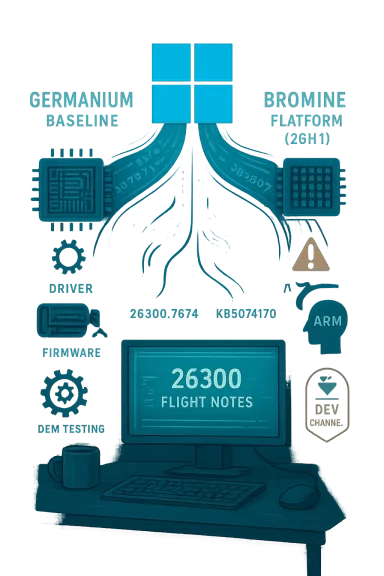
Teal-toned tech diagram of a desk computer showing “26300 Flight Notes” with labeled chips and test icons.Background / Overview​

Microsoft’s Windows Insider Program has long separated experimental platform work from user-facing feature rollouts by using distinct Insider channels (Canary, Dev, Beta) and internal platform baselines. The Dev Channel’s jump to the 26300 family (delivered initially as Build 26300.7674, KB5074170) explicitly positions that channel "ahead" of the current production baseline and cautions that the window to move from Dev back to Beta closes once the new build installs. That means anyone who installs Build 26300 on a device must follow Microsoft’s channel guidance carefully to avoid being stuck on a higher-numbered Dev stream.
This new Dev push is intentionally aligned with the already-tested 26220 family (which continues in Beta), but Microsoft warned that behind-the-scenes platform changes will be made in each 26300 build. Those changes can create different known issues versus the Beta channel because the Dev stream is being used to evolve plumbing and binary baselines rather than only surface features.
  • What landed first: Build 26300.7674 (KB5074170), which Microsoft says contains the same visible features as Build 26220.7653 but will act as the starting point for incremental platform work.

What “platform changes” mean in practice​

When Microsoft talks about platform changes it usually refers to low-level, foundational updates that affect kernel scheduling, driver models, power/thermal behavior, binary baselines, hardware enablement and servicing pipelines. These changes are not necessarily visible as new UI elements, but they are precisely the work that enables new devices, new silicon or large architectural improvements.
Two immediate implications:
  • Different known‑issue footprints. Because Dev will receive platform-level tweaks, you can expect regressions or behavior that differ from the Beta/Release Preview channels. Microsoft states this explicitly.
  • Impact on drivers and agents. Platform changes can alter assumptions driver and system‑agent authors made about OS internals; that raises the need for testing and updated drivers from OEMs and ISVs.

How this fits into Microsoft’s recent platform strategy​

Over the last 18 months Microsoft has separated Windows 11’s visible feature release cadence from platform baselines used to enable new silicon. Two codenames and release patterns matter here:
  • Germanium: the platform baseline that underpinned Windows 11 versions 24H2 and 25H2. The 26300 series is still described as being released via an enablement package on top of Windows 11 version 25H2 (the Germanium baseline) for servicing and feature compatibility reasons.
  • Bromine: a newer internal platform Microsoft developed to enable upcoming next‑gen Arm silicon (Snapdragon X2 family, NVIDIA N1X and similar devices). That platform is the foundation of a separate, hardware‑focused release denoted 26H1 (builds in the 28000 range) that Microsoft is treating as a platform release for specific silicon and not a general-purpose user feature update. Independent outlets and Microsoft documentation indicate Bromine/26H1 is primarily for OEMs and hardware partners and will initially ship on a small number of Arm devices in early 2026.
The practical upshot: Microsoft is running multiple baselines in parallel — Germanium for mainstream feature work and Bromine for early hardware enablement — and that dual-track creates complexity for testers, OEMs and enterprises that depend on consistent servicing and compatibility.

New Windows 11 builds in development: what to expect from 26300​

Microsoft’s Dev announcement clarifies two near-term expectations:
  • Feature parity with 26220: The initial 26300 build contains the same visible features and improvements as 26220.7653; the difference will be the incremental platform work Microsoft layers on in subsequent 26300.* flights.
  • Controlled Feature Rollout behavior remains active: Many UI and Copilot-connected experiences are still gated server-side and rolled out gradually even after the update is applied, so installing the build doesn’t guarantee immediate feature visibility.
Key, load-bearing technical facts you need to know now (verified against Microsoft’s blog and community analysis):
  • Build identifier: 26300.7674 (KB5074170) was published to the Dev Channel on January 27, 2026.
  • The Dev Channel’s move to 26300 closes the simple channel-switch path to Beta once the build installs; Microsoft provides a pause-and-switch workaround but warns about the consequences.

History and why this matters: Germanium’s rollout lessons​

Platform transitions are rarely purely technical. When Microsoft moved to the Germanium baseline in previous cycles, insiders and some mainstream users experienced broader and more visible reliability issues than Microsoft would have liked. That history is worth unpacking because it shapes how Microsoft and partners will handle Bromine and later 26H2:
  • The Germanium-centered releases introduced architectural shifts that required OEM and driver updates; those shifts coincided with a wave of post‑release bugs and staged rollouts. Observers have suggested the platform change increased complexity for broad rollouts. Expect Microsoft to be cautious and to rely on staged CFR and insider telemetry to manage risk.
  • Microsoft’s choice to keep most visible feature work on the older Germanium baseline while letting Bromine evolve in Canary/partner channels is intentional: it avoids destabilizing the broad user base while enabling OEMs to certify new hardware. But it also fragments testing surfaces.

Versions to track: 26H1 and 26H2 explained​

The current public roadmap — as understood from Microsoft’s Insider announcements and independent reporting — looks like this:
  • Version 26H1 (Spring release) — A platform-only release built on the Bromine baseline aimed at enabling next‑gen Arm silicon (builds in the 28000 range). It is not a consumer-targe the general install base; it is intended primarily to ship with new hardware or to be used by partners fo. ([windowscentral.com](https://www.windowscentral.com/microsoft/windows-11/windows-11-version-26h1-faq2. Version 26H2 (Fall release) — The anticipated user-facing feature update later in the year that will like feature work and may be based on the Germanium baseline if Microsoft continues the seasonal pattern. The 26300 series in Dev is widely expected to feed into the broader 26H2 effort, but Microsoft has not explicitly mapped each internal build series to public version labels. Treat any direct mapping (e.g., “26300 will become 26H2”) as plausible but not confirmed unless Microsoft states it.
Caution: several outlets and community trackers have flagged that while version numbers and internal codenames are helpful, Microsoft’s final shipping decisions (what appears on consumer PCs and when) depend on partner readiness, telemetry, and testing outcomes. Treat press speculation and leaked build numbers as informative but not definitive.

Who should install Dev‑channel 26300 builds — and how to prepare​

Installing Dev-channel platform flights should be a deliberate choice. If you’re considering it, follow a risk-aware plan:
  • Back up everything. Create full system images and offline copies of critical data.
  • Use dedicated test hardware or clean VMs. Do not install Dev-channel builds on a primary productivity machine.
  • Expect functional differences. Some apps, drivers and management agents may misbehave until vendors ship updated drivers or Microsoft stabilizes the platform.
  • Use the Feedback Hub. Problems you encounter help Microsoft prioritize and roll back or fix issues.
A practical lab checklist for IT/OEM teams (short form):
  • Validate multi‑monitor GPU behavior, particularly virtualization and remote display drivers.
  • Test security agents (endpoint AV, VPN, disk encryption) for system-tray/agent visibility regressions.
  • Run driver/firmware certification so, fingerprint readers and virtualization.
  • Validate Copilot+, Windows Hello ESS, Cross‑Device Resume and related device/OEM experiences where relevant.
If you simply want to preview features but avoid platform exposure, the Beta Channel remains the safer choice; it will continue receiving the 26220-series updates and be closer to the shipping baseline.

Step-by-step: how to join the Dev Channel (safely)​

  • Open Settings > Windows Update > Windows Insider Program.
  • Choose to enroll the device and select the Dev Channel.
  • Turn on “Get the latest updates as soon as they're available” if you want the earliest pushes (this also increases exposure to unfinished features).
  • Check for updates in Windows Update and install when Build 26300.7674 appears. Note: once this build installs, switching to Beta without a clean install is not straightforward; Microsoft documented a process involving pausing updates before the flight if you want to revert channels.

Risks, trade-offs, and what can go wrong​

No platform transition is risk-free. The primary risks are:
  • Driver regressions and OEM dependencies. Platform shifts change kernel/driver interaction surfaces; older drivers or poorly maintained vendor agents can cause black screens, missing system tray icons, authentication regressions and virtualization issues. This was observed in prior Germanium rollouts and is broadly anticipated again.
  • Fragmented testing surface. Parallel baselines (Bromine vs Germanium) mean developers must test across multiple platform branches to ensure behavior parity. That increases QA overhead and time‑to‑market friction.
  • User confusion and servicing complexity. Controlled Feature Rollout, toggles that gate features and multiple channel-specific baselines increase the chance that two devices with the same build number won’t present identical behavior. This complicates troubleshooting for helpdesks and enterprise management.
  • Potential for larger regressions. Even minor-seeming platform fixes can cascade into unexpected behavior (e.g., authentication, remote desktop, virtualization, or audio workflows). Enterprises relying on these services should pilot widely before broad deployment.

Why Microsoft is doing this — the rationale​

Microsoft’s rationale is pragmatic:
  • OEMs and silicon partners need a stable platform baseline early so they can ship hardware with certified drivers and validated firmware. A platform-first release model (Bromine/26H1) lets device makers certify hardware sooner while keeping broad feature work on the existing production baseline.
  • Controlled Feature Rollout allows Microsoft to decouple binary deployment from feature visibility. That helps Microsoft deliver fixes and security updates without enabling features that require gating or additional partner readiness.
  • The Dev Channel’s periodic jumps forward provide a playground for deep plumbing work that would be risky to ship directly into Beta or Release Preview without extra telemetry and early feedback.

Recommendations for administrators, OEMs and developers​

  • Administrators: treat Dev-channel 26300 builds as early warning telemetry. Pilots should be isolated and run for specific scenarios (GPU, virtualization, authentication, Windows Hello and Copilot flows). Maintain rollback images and a documented reimaging plan.
  • OEMs and driver vendors: accelerate compatibility testing against both Germanium-based 25H2 flows and the Bromine/26H1 Canary branch if you plan to ship Arm devices in H1. Prioritize GPU, audio, fingerprint and virtualization drivers.
  • Independent software vendors (ISVs): ensure agents and services that integrate into the system tray or depend on low-level APIs are validated against the new Dev baseline; user-mode-only fixes may be insufficient if the platform changes affect IPC or session isolation.
  • Enthusiasts: run Dev builds on spare hardware or virtual machines; file clear, reproducible Feedback Hub items when you encounter issues and include repro steps and diagnostics.

What to watch next (calendar and signals)​

  • Short term (weeks): incremental 26300.* flights in Dev with incremental platform tweaks and known‑issue lists updated on the Windows Insider blog. Expect Microsoft to publish additional fixes and controlled rollouts.
  • Spring (H1): 26H1/Bromine‑based hardware starts shipping on next‑gen Arm devices; Canary/partner channels will show the Bromine baseline. This is a hardware enablement release rather than a mass feature rollout.
  • Fall (H2): 26H2 is the likely timeframe for the next broadly distributed feature update; whether it consolidates Bromine or remains Germanium-based will depend on partner readiness and testing outcomes. Independent reporting suggests Microsoft plans a normal H2 user-facing update, but the platform mapping is subject to change.

Conclusion — measured optimism with operational discipline​

Microsoft’s decision to push the Dev Channel forward to the 26300 series is not a surprise: it is the natural continuation of a multi-baseline strategy that separates platform enablement from mass feature rollouts. For enthusiasts and developers, this is an exciting time to test the plumbing that will enable next‑gen silicon and new experiences. For enterprises, OEMs and ISVs, it raises a clear operational imperative: test early, isolate broadly, and prepare for driver and agent updates.
The advantages are tangible — faster hardware enablement, more controlled feature deployments, and the ability for Microsoft to iterate on core platform plumbing — but so are the trade-offs: fragmented baselines, higher QA overhead and the ever-present chance of user‑facing regressions if compatibility gaps aren’t caught early. If you plan to participate, follow the safety checklist: use dedicated test hardware, back up images, sign and file high‑quality Feedback Hub reports, and coordinate with OEMs and driver vendors to validate critical scenarios.
Ultimately, 26300 is a reminder that Windows is both a product and a platform — and that managing the intersection of software, silicon and firmware requires a careful, incremental approach. Expect more updates in the Dev Channel over the coming weeks, and treat this period as an opportunity to help Microsoft and its partners harden the foundation for the Windows releases that will ship to customers this year.

Source: filmogaz.com Microsoft Begins Testing New Windows 11 Platform Enhancements
 

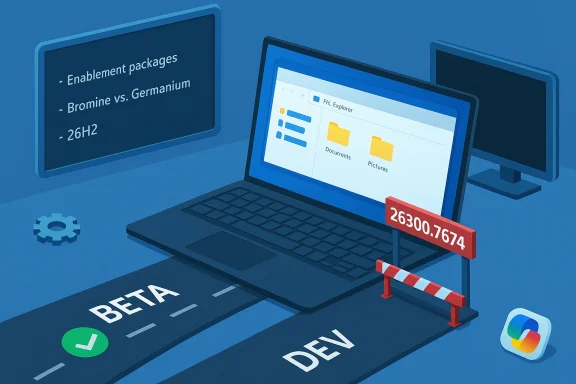
Blue isometric scene of a laptop with folders, beta and dev lanes, and a gated checkpoint.
Microsoft has pushed the Dev Channel forward: Windows 11 Insider Preview Build 26300.7674 (KB5074170) is now live as the first publicly announced build in the new 26300 series, and with it comes an important change in how Insiders can move between Dev and Beta—installing this build effectively closes the simple switch-back path to Beta unless you act before the update installs.

Background / Overview​

Microsoft’s Insider program continues its iterative approach: features and fixes are shipped as enablement packages on top of Windows 11 version 25H2, while platform‑level work advances in parallel. Build 26300.7674 is presented as an enablement/servicing baseline update for the Dev Channel that carries the same visible user-facing changes as the recently released 26220-series builds, but with platform-level changes that will diverge Dev from Beta going forward.
Why that matters: Microsoft explicitly warns that once your Dev machine installs 26300.7674 you lose the easy option to switch to the Betaer a more conservative preview experience, you must pause updates and change channels before 26300 installs; otherwise, reverting will be more involved. That behavioral shift—closing the “one-click” switch—reflects a servicing decision intended to avoid mixing devices across different platform baselines.

What’s in Build 26300.7674: Fixes and Known Issues​

Fixes and quality improvements​

This flight is not about flashy new features; it’s a quality and platform‑stability update. Microsoft lists the following fixes as being gradually rolled out to Insiders who enable the “get the latest updates as soon as they’re available” toggle:
  • File Explorer: restored the “Extract All” command in the command bar when browsing non‑ZIP archive folders.
  • Start menu: fixed an issue where the mobile device side panel’s “hide this pane” button didn’t always follow through.
  • Search: replaced an incorrect Search process icon (an X) with the expected magnifying glass.
  • Settings: underlying changes to address slow loading of the Settings Home page.
  • Display & Graphics: addressed a bug that could cause secondary monitors to present black screens for some Insiders after recent updates.
  • Azure Virtual Desktop / Windows 365: fixed an underlying sign‑in failure that surfaced in the previous flight.
  • Stability: mitigated a rare SYSTEM_SERVICE_EXCEPTION bug check that affected a subset of users.
These items are consistent with Build 26220.* fixes that Microsoft has been iterating on; the initial 26300 build copies that payload while shifting the servicing baseline.

Known issues called out by Microsoft​

Microsoft also publishes an explicit list of known issues in this build. Highlights to watch for:
  • Start menu (Categories view): clicking to show more apps in a category might not expand correctly.
  • File Explorer: open windows or tabs can sometimes jump unexpectedly to Desktop or Home.
  • Xbox Full Screen Experience (FSE): some apps that expect fixed sizes or additional windows may behave unexpectedly.
  • Taskbar & System Tray: some apps might not show in the system tray when they should.
  • Click to Do / Microsoft 365 Copilot: Copilot’s prompt on selected images may not function unless the Microsoft 365 Copilot app is running.
These known issues are non-trivial for power users, multi‑monitor setups, virtualization environments, and anyone relying on Copilot-connected workflows.

The Channel Need to Know Now​

The immediate practical impact​

  • If you currently run a Dev‑channel PC and want to move to Beta, do it before Build 26300.7674 installs. Microsoft’s recommended workaround is simple but must be timed correctly: when the 26300 update is offered in Windows Update, pause updates, change your Insider Channel to Beta in Settings > Windows Update > Advanced options > Insider settings, and then un‑pause updates so your PC will receive the Beta stream instead of installing 26300.
  • If you do install 26300.7674 and later regret it, switching back to Beta will likely require more invasive steps such as OS reinstallation, image-based recovery, or other remediation—there is no longer a straightforward one‑click channel swap for those devices. Community analysis and forum discussion emphasize the operational consequence: Dev and Beta will diverge in servicing baselines and therefore cannot be mixed casually.

A short, actionable checklist for Insiders​

  • If you want to remain on Beta, pause updates before 26300.7674 appears.
  • Switch channel to Beta in Settings > Windows Update > Insider settings.
  • Un‑pause updates and confirm you see Beta‑channel builds.
  • If you’re comfortable testing platform work and driver interactions, keep Dev—but be prepared for platform-level regressions.
These steps reduce the risk of being “stuck” on the new Dev baseline.

Technical Context: Enablement Packages, Plath​

Enablement packages and the 25H2 baseline​

Microsoft continues to deliver many preview updates as enablement packages on top of a stable OS image—in this case, Windows 11, version 25H2. An enablement package flips features on or adjusts servicing without pushing a full OS image, whicher and deployment simpler for both Insiders and OEMs. Build 26300.7674 is presented as an enablement/servicing update on the 25H2 baseline: same user‑facing features, but moved to a new build number to enable platform-level engineering going forward.

Parallel platform tracks: Germanium and Bromine (what the community is saying)​

Independent analysis and forum reporting highlight a broader Microsoft strategy: maintain the Germanium baseline (the mainstream servicing baseline used across 24H2/25H2) for broad feature work while running a parallel platform baseline—internally referred to as Bromine—tion Arm silicon and NPU‑centric hardware. Bromine builds use higher build numbers (the 28xxx range was reported in Canary previews) and are intended primarily for device partners and OEM factory images. That dual‑baseline model explains why Microsoft needs to keep certain channels on different build numbers and why direct switching between them would be problematic.
Put plainly: Microsoft is separating mainstream feature rollout from hardware enablement work to avoid destabilizing the large existing Windows installed base while still enabling OEMs to ship validated images for new silicon. The trade‑off is increased complexity for testers and IT admins.

Strengths, Risks, and What to Watch​

Strengths — why this approach makes engineering sense​

  • Controlled risk: By advancing Dev to a new servicing baseline while keeping Beta aligned with the 26220 family, Microsoft reduces the chance that platform-level changes intended for new hardware will affect the broader preview population prematurely. This protects stability for Beta Insiders and enterprises evaluating near‑release builds.
  • Faster OEM enablement: New Arm SoCs and associated NPU runtimes often require deep kernel, HAL, and driver changes. A separate platform branch (Bromine/26H1) and higher-numbered Dev series allow Microsoft and hardware partners to iterate quickly without disrupting mainstream servicing.
  • Predictable rollout mechanics: The enablement-package model keeps update sizes small and lets Microsoft toggle server-side rollouts (Controlled Feature Rollout) for individual features, minimizing mass outages.

Risks and downsides Insiders and enterprises should weigh​

  • Fragmentation and confusion: The split baseline strategy can confuse end users and administrators who expect one uniform Windows experience. Devices shipping with different baselines (26H1 Bromine factory images vs. 26H2 mainstream updates) will require clear OEM labeling and documentation. Community discussion warns this is a communications risk that must be managed.
  • Driver and compatibility headaches: Platform-level changes often surface as driver regressions. The known issues list already includes display/graphics and system-tray problems; OEMs and ISVs will need to validate drivers across the diverging baselines. Expect an uptick in driver support requests and early patches.
  • Reduced channel mobility: Closing the easy Dev→Beta switch means Insiders who accidentally install the 26300 build may face reinstallation or recovery processes to revert. That adds friction for hobbyist testers and enterprise pilots who value easy toggling between rings.
  • Feature visibility versus node stability: Many user-facing features remain gated via server-side flags (Controlled Feature Rollout). Installing the build alone doesn’t guare, yet the platform-level changes can cause stability issues even for Insiders who don’t see new features. This mismatch complicates how testers interpret regressions.

Recommendations: How Insiders, OEMs, and IT Pros Should Prepare​

For Insiders who value stability​

  • Pause updates and switch to Beta before 26300 installs if you want the more conservative preview track; follow Microsoft’s explicit pause‑switch‑unpause sequence.
  • If you already installed 26300 and need to return to Beta, plan for a reimage or recovery. Keep current system backups and a recovery USB on hand.

For testers and power users who want to stay on Dev​

  • Expect to see platform-level regressions that differ from Beta; broaden your test matrix to include multi‑monitor setups, virtualization (Azure Virtual Desktop / Windows 365), and any apps that expect fixed window behavior (some Xbox FSE apps).
  • Turn on the “get the latest updates as soon as they’re available” toggle if you want to be in early Controlled Feature Rollout waves, but be prepared for more frequent changes and on‑device instability.

For OEMs, ISVs, and enterprise IT​

  • Start validating drivers and agents against the 26300 baseline right away. Pay special attention to graphics drivers, GPU firmware, and virtualization agents. The display black screens reported in previous flights are an early signal that driver interactions matter. ([pureinfotech.com](https://pureinfotech.com/kb5074170-build-26300-7674-windows-11/?utUpdate onboarding and procurement docs: if you plan to evaluate new Arm‑based devices shipping with Bromine/26H1 images, treat those images as OEM‑specific factory baselines and validate manageability tools accordingly. Community reporting stresses this as a procurement and lifecycle management concern.
  • For enterprise pd rings and test the full management stack (driver distribution, endpoint management agents, monitoring, recovery) against both Beta/25H2 and Dev/26300 baselines.

Controlled Feature Rollout and Copilot: The UX and Policy Angle​

Microsoft continues to gate many experiences behind server-side flags and entitlement checks. That means the presence of a build does not guarantee you will see Copilot features or other Copilot+ experiences immediately. The 26300 release notes specifically call out a Copilot-related issue: the Microsoft 365 Copilot prompt on selected images may not function unless the Microsoft 365 Copilot app is running—an important detail for anyone testing Copilot integrations or accessibility features.
From a policy and governance standpoint, enterprise admins should recognize that feature exposure and telemetry may vary across devices even within a single channel—Controlled Feature Rollout can expose a feature to a subset of devices based on signals Microsoft controls. If governance demands consistent availability or demonstrable data residency, make sure pilots are structured around fully controlled deployments rather than relying on CFR behavior.

What This Tells Us About 26H2 (and the 2026 Windows Roadmap)​

Although Build 26300 is part of the “26300 series” and carries the 25H2 enablement package, Microsoft’s statements and community analysis confirm that the next broad consumer feature update—26H2—remains the anchor for mainstream feature delivery later in the year. The 26300-series Dev flight prepares the platform for those future changes while Microsoft concurrently evolves a separate platform track (26H1/Bromine) for new har6H1 (Bromine) = platform enablement for specific Arm silicon and OEM factory images.
  • 26H2 = mainstream feature update expected in H2 and the release most end users will experience.
Community and forum analysis recommend watching how Microsoft migrates Bromine-enabled capabilities into the mainstream 26H2 stream (if at all), and whether OEMs provide clear labeling for devices that ship with Bromine/26H1 images. Without that clarity, enterprises risk procurement confusion and compatibility headaches.

Testing Playbook: Practical Steps to Validate 26300 on a Test Fleet​

  • Prepare backups and a recovery image for every test device before installing 26300.7674.
  • Run a baseline telemetry capture and application inventory to trace regressions.
  • Validate multi‑monitor behavior and GPU driver stability—test sleep/wake, hotplug, and full-screen apps. ([pureinfotech.com](https://pureinfotech.com/kb5074170-build-26300-7674-windows-11/?utm_source=opeExplorer scenarios that involve archive browsing and tabs; confirm the “Extract All” command shows where expected.
  • Verify virtual desktop sign‑ins (Azure Virtual Desktop and Windows 365) to reproduce or rule out prior sign-in failures.
  • Assess Copilot flows: run Click to Do on sample images and validate whether Microsoft 365 Copilot is required and how its absence affects functionality.
This playbook reduces the likelihood that a single, untested device becomes a service desk incident during a wider pilot.

Final Assessment: What to Expect Over the Next Weeks​

Build 26300.7674 is the starting point of a platform-level dev stream. Expect subsequent 26300-series updates to increasingly diverge from Beta as Microsoft layers in deeper plumbing and hardware enablement work. The user-facing feature set in this first build mirrors previous 26220 releases, but the operational story is where the impact lies: channel mobility has changed, testing needs to be broader, and OEM/ISV coordination becomes more important.
If you’re an Insider who likes to be first and wants to help shape future Windows behavior, staying in Dev will give you access to platform work—just accept the tradeoff of increased instability. If you prefer predictable behavior and easier rollbacks, move to Beta before 26300 installs and treat Beta as your safer preview ring.

Conclusion​

Windows 11 Build 26300.7674 (KB5074170) is less about new UI bells and whistles and more about where Windows is going architecturally. By advancing the Dev Channel into the 26300 series, Microsoft is signaling that platform enablement and servicing flexibility have become top priorities—especially as the company prepares for hardware-centric branches and the next mainstream feature update, 26H2. The change is pragmatic from an engineering standpoint, but it also raises real operational consequences for Insiders, OEMs, developers, and IT teams.
If you participate in the Insider Program, make your choice deliberately: pause updates and switch to Beta if you want stability; stay in Dev if you want to test platform evolution and help catch low-level regressions. Either way, back up your systems, validate drivers, and expect targeted fixes and further adjustments as Microsoft iterates on the 26300 stream.

Source: thewincentral.com First Windows 11 26H2 (26HE) Build Released: 26300.7674 Arrives
 

Back
Top