

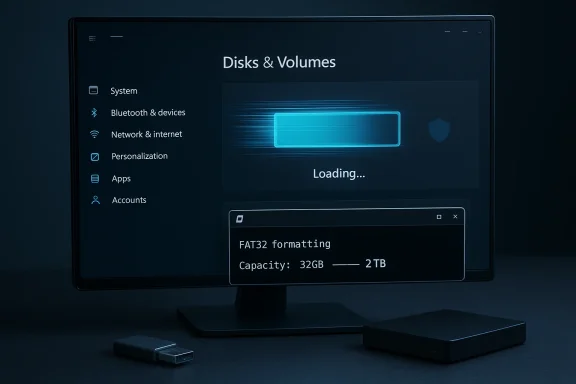
Windows 11 is finally shaving real time off one of its most annoying modern-admin tasks: opening storage details on large drives. In the latest Insider builds, Microsoft also lifted a long-standing artificial FAT32 formatting cap from 32GB to 2TB when using command-line tools, a change that matters more than the headline suggests. Together, the updates point to a broader effort to make Windows 11 feel less like a patchwork of old and new subsystems and more like a platform willing to retire inherited friction.
For years, Windows users have lived with a curious split personality in storage management. The old tools, like Disk Management and command-line utilities, felt immediate and utilitarian, while the modern Settings app often seemed cleaner but slower, especially when it had to interrogate multiple partitions or large disks. That mismatch mattered less on small SSDs and more on systems with spinning hard drives, external disks, or multi-terabyte storage pools.
Microsoft has been gradually moving storage and device management out of legacy control surfaces and into the Settings app for several Windows generations. The goal has always been obvious: create a friendlier, more consistent interface that can scale into the future. The problem, as many Windows power users have discovered, is that modern presentation alone does not guarantee modern performance.
At the same time, FAT32 has remained an awkward survivor from an earlier era. It persists because compatibility still matters, and sometimes compatibility is more valuable than sophistication. A motherboard firmware update, a recovery stick, a media device, or a console may demand FAT32 even when exFAT or NTFS would be more practical, and that makes Windows’ old 32GB formatting ceiling feel increasingly arbitrary.
Microsoft’s new Insider changes therefore land in a particularly interesting place. They are not flashy features in the consumer sense, but they address two deeply practical issues that have shaped how people interact with Windows: how fast storage settings open and how much freedom the operating system gives you when formatting removable media. The first is about user experience, while the second is about removing an old constraint that never matched the file system’s real capabilities.
The timing is also notable. Windows 11 has spent much of its life under pressure to prove that the modern interface is not merely a cosmetic rewrite. Every time the company trims a delay, reduces a prompt, or makes a classic workflow less painful, it strengthens the case that the newer shell can eventually replace the old one without making users pay a performance penalty.
The change is especially important because the Settings app is increasingly where Microsoft wants users to go. If the app remains slow on larger storage configurations, the company undercuts its own migration away from older utilities. Fixing that bottleneck is not a luxury; it is a prerequisite for the modern Windows management experience.
This matters because FAT32 still shows up everywhere. It is not the best general-purpose file system in 2026, but it remains one of the most universally recognized. By lifting the cap, Microsoft is acknowledging that Windows users should not need awkward workarounds just to prepare a large flash drive for an old device or a firmware process.
This matters because over-prompting is one of Windows’ most exhausting habits. Users tolerate security prompts when they are clearly tied to a risky action. They resent them when they appear before they have even done anything meaningful.
If the interface waits for multiple background queries to finish before presenting anything useful, it effectively punishes the user for having larger or more complex disks. That is why the slowdown was more noticeable on HDDs and multi-partition systems than on simple SSD setups. The issue was not merely hardware speed; it was the interaction between hardware complexity and how the Settings app staged its work.
That is likely why the change feels so dramatic in practice. When Microsoft shortens the path between opening the page and seeing a usable result, the system no longer feels like it is thinking about your storage for far too long. The improvement may be technical under the hood, but the user impact is immediately visible.
Even so, Microsoft cannot rely forever on the argument that the old tools exist for anyone who wants speed. The whole point of modernization is to make the new path attractive enough that people will actually use it. Faster storage pages are a necessary step toward that goal.
That is why firmware flash drives, boot media, some consoles, and older embedded devices still ask for it. In those cases, the file system is not being chosen for performance or durability. It is being chosen because everything is more likely to recognize it.
That was understandable in the era when the limit was introduced. But over time the restriction stopped feeling intentional and started feeling arbitrary. Users did not care why Microsoft wanted to steer them elsewhere; they cared that the operating system was refusing to do something the file system itself could handle. The new 2TB cap brings Windows back into line with the practical expectation many users have held for years.
That distinction is important. The update is about removing an unnecessary ceiling, not endorsing FAT32 as a best-in-class file system. In other words, Microsoft is giving users room to use the right tool for the right compatibility job.
Delaying the prompt until the user reaches an actually privileged area is a better design choice. It matches the mental model most people have: first look, then act. That sequencing matters because it reduces the impression that Windows is constantly second-guessing normal behavior.
When the operating system distinguishes between inquiry and intervention, it feels more mature. The user can gather information without crossing a permission boundary too early, and that makes the entire settings flow feel cleaner.
Windows has often struggled with that balance. Too much friction frustrates users; too little can feel unsafe. This change suggests Microsoft is trying to move that balance a little closer to sanity.
This is especially true in environments that still use mixed storage hardware. Mechanical drives, encrypted volumes, external USB disks, and vendor-specific recovery partitions all increase the odds that the storage UI has to work harder. Faster navigation in Settings therefore has practical value even if it never makes a keynote slide.
That does not mean enterprises will abandon PowerShell, DiskPart, or dedicated management suites. It does mean Windows is inching toward a less combative admin experience, which is good for both supportability and user training.
That is particularly important for laptops and desktops with larger drives, where people are more likely to inspect space usage because they are managing photos, game libraries, downloads, or backups. A delay in that exact workflow is more noticeable than a delay in some obscure admin pane.
That reduction in complexity is not glamorous, but it is important. Windows users should not have to search the web for a workaround when the built-in system is already capable of doing the job.
By fixing storage latency, Microsoft strengthens the argument for continuing to move functionality into the newer interface. That helps the company rationalize its long-term UI consolidation strategy.
This is the kind of change that does not dramatically expand Windows’ capabilities, but it does improve the perception that Windows can handle what people need without extra baggage. In platform terms, that is worth a lot.
The most encouraging part of this update is not that Microsoft removed one limit or shaved a few seconds off a page load. It is that the company seems willing, at last, to treat small frustrations as first-class product issues. That is how Windows becomes easier to live with: not through one grand reinvention, but through a steady campaign against the old annoyances that trained users not to trust the interface in the first place.
Source: Windows Latest Tested: Windows 11 just fixed slow storage management and removed a 30-year FAT32 limit
 Background
For years, Windows users have lived with a curious split personality in storage management. The old tools, like Disk Management and command-line utilities, felt immediate and utilitarian, while the modern Settings app often seemed cleaner but slower, especially when it had to interrogate multiple partitions or large disks. That mismatch mattered less on small SSDs and more on systems with spinning hard drives, external disks, or multi-terabyte storage pools.Microsoft has been gradually moving storage and device management out of legacy control surfaces and into the Settings app for several Windows generations. The goal has always been obvious: create a friendlier, more consistent interface that can scale into the future. The problem, as many Windows power users have discovered, is that modern presentation alone does not guarantee modern performance.
At the same time, FAT32 has remained an awkward survivor from an earlier era. It persists because compatibility still matters, and sometimes compatibility is more valuable than sophistication. A motherboard firmware update, a recovery stick, a media device, or a console may demand FAT32 even when exFAT or NTFS would be more practical, and that makes Windows’ old 32GB formatting ceiling feel increasingly arbitrary.
Microsoft’s new Insider changes therefore land in a particularly interesting place. They are not flashy features in the consumer sense, but they address two deeply practical issues that have shaped how people interact with Windows: how fast storage settings open and how much freedom the operating system gives you when formatting removable media. The first is about user experience, while the second is about removing an old constraint that never matched the file system’s real capabilities.
The timing is also notable. Windows 11 has spent much of its life under pressure to prove that the modern interface is not merely a cosmetic rewrite. Every time the company trims a delay, reduces a prompt, or makes a classic workflow less painful, it strengthens the case that the newer shell can eventually replace the old one without making users pay a performance penalty.
What Microsoft Changed in the Insider Builds
Microsoft’s latest Dev and Beta updates are not wide-ranging storage overhauls. They are targeted refinements, but they are meaningful ones. The company says it has improved performance when navigating to storage on large volumes through Settings > System > Storage > Advanced Storage Settings > Disks & Volumes, and it has increased the command-line FAT32 formatting limit from 32GB to 2TB. Those two notes may look small in the changelog, but they hit recurring pain points for advanced users.Faster Storage Navigation
The biggest win is responsiveness. Users opening drive properties in the Settings app on large or busy volumes no longer have to wait nearly as long for the page to populate, which is exactly the kind of delay that quietly trains people to avoid a feature. If the interface feels sluggish every time you inspect a disk, the interface becomes decorative rather than useful.The change is especially important because the Settings app is increasingly where Microsoft wants users to go. If the app remains slow on larger storage configurations, the company undercuts its own migration away from older utilities. Fixing that bottleneck is not a luxury; it is a prerequisite for the modern Windows management experience.
FAT32 Formatting Limit Raised
The second change removes an old 32GB formatting ceiling for FAT32 when using the command line. That cap was never a true file system limit in the broad sense; it was a Windows limitation that lived on long after the original rationale faded. Microsoft now allows FAT32 formatting up to 2TB, which is much closer to FAT32’s actual capabilities and much more useful in real-world compatibility scenarios.This matters because FAT32 still shows up everywhere. It is not the best general-purpose file system in 2026, but it remains one of the most universally recognized. By lifting the cap, Microsoft is acknowledging that Windows users should not need awkward workarounds just to prepare a large flash drive for an old device or a firmware process.
UAC Prompt Behavior Adjusted
Microsoft also appears to have refined how Storage settings interact with permissions. Instead of triggering a User Account Control prompt immediately when you open the page, the prompt now appears later, only when you access an area that truly needs elevated rights, such as temporary file management. That is a subtle change, but it improves the sense that Settings respects the distinction between viewing data and changing data.This matters because over-prompting is one of Windows’ most exhausting habits. Users tolerate security prompts when they are clearly tied to a risky action. They resent them when they appear before they have even done anything meaningful.
Why These Fixes Matter Together
The updates are related because they both address friction in routine storage workflows. One change reduces waiting, while the other reduces unnecessary restrictions. Together, they suggest Microsoft is trying to make Windows 11’s storage stack feel more coherent and less like a compromise between old assumptions and new UI design.- Less waiting when browsing large volumes
- Fewer unnecessary prompts during read-only inspection
- More flexibility for FAT32 formatting tasks
- Better alignment between policy and actual file system capability
Why Storage Settings Felt So Slow
The storage delay in Settings was not just an annoyance; it was a trust problem. When a supposedly simple page takes 10 or 15 seconds to render basic drive information, users infer that something is wrong, even if the system is technically working. That delay makes the app feel heavier than it should, especially when compared with legacy tools that open instantly.The Modern UI Tax
Modern Windows UI layers often trade directness for abstraction. That can be the right trade if it enables better visuals, easier scaling, or safer background processing. But it becomes a bad trade when the system does too much work before showing the first meaningful pixel. In storage settings, the user usually wants quick facts: capacity, partitions, file system type, and perhaps a few management options.If the interface waits for multiple background queries to finish before presenting anything useful, it effectively punishes the user for having larger or more complex disks. That is why the slowdown was more noticeable on HDDs and multi-partition systems than on simple SSD setups. The issue was not merely hardware speed; it was the interaction between hardware complexity and how the Settings app staged its work.
Metadata Is Cheap Until It Isn’t
Drive properties are not just numbers on a screen. To render them, Windows may need to query file system metadata, partition information, usage data, and other storage descriptors. On a large disk, especially one with several partitions, those lookups can add up. If the software handles them synchronously or inefficiently, the UI becomes blocked by the data-fetching process.That is likely why the change feels so dramatic in practice. When Microsoft shortens the path between opening the page and seeing a usable result, the system no longer feels like it is thinking about your storage for far too long. The improvement may be technical under the hood, but the user impact is immediately visible.
Disk Management Still Has a Role
Power users still have their preferred tools, and Disk Management remains one of the most dependable. It looks old because it is old, but it does the job with minimal ceremony. That longevity explains why many users instinctively reach for Win+X and jump into the classic utility instead of trusting Settings.Even so, Microsoft cannot rely forever on the argument that the old tools exist for anyone who wants speed. The whole point of modernization is to make the new path attractive enough that people will actually use it. Faster storage pages are a necessary step toward that goal.
FAT32’s Strange Second Life
The FAT32 change is arguably the most symbolically important part of the update. On paper it is a small formatting tweak. In practice, it removes a mismatch that has annoyed Windows users for years and forced workarounds for scenarios where FAT32 was still the correct choice.A Legacy File System That Refuses to Die
FAT32 survives because it is widely supported, simple, and familiar. It is not elegant by modern standards, and it lacks features like journaling that make NTFS more resilient for internal drives. But it remains excellent at one thing: interoperability. If a device needs to read a small, universally recognized drive, FAT32 is often the safest bet.That is why firmware flash drives, boot media, some consoles, and older embedded devices still ask for it. In those cases, the file system is not being chosen for performance or durability. It is being chosen because everything is more likely to recognize it.
Why the Old 32GB Limit Was Artificial
The 32GB ceiling in Windows was never a hard FAT32 truth in the way users often assumed. FAT32 supports much larger volumes than Windows historically allowed through its built-in formatting tools. Microsoft had effectively made a policy choice that pushed users toward NTFS or exFAT for larger drives, while keeping FAT32 limited enough to discourage casual use.That was understandable in the era when the limit was introduced. But over time the restriction stopped feeling intentional and started feeling arbitrary. Users did not care why Microsoft wanted to steer them elsewhere; they cared that the operating system was refusing to do something the file system itself could handle. The new 2TB cap brings Windows back into line with the practical expectation many users have held for years.
The 4GB File Limit Still Matters
This change does not magically make FAT32 modern. The format still has a 4GB per-file limit, which is the real reason it is unsuitable for many current workloads. Large video files, disk images, game assets, and backups can easily exceed that threshold. So while Windows is now more permissive about volume size, it is not suggesting that FAT32 should replace NTFS or exFAT.That distinction is important. The update is about removing an unnecessary ceiling, not endorsing FAT32 as a best-in-class file system. In other words, Microsoft is giving users room to use the right tool for the right compatibility job.
Practical Use Cases
For many users, this change will be invisible most of the time and invaluable some of the time. That is usually the mark of a good systems fix. You may not format a 500GB FAT32 disk every week, but when you need to prepare a drive for a specific device, you will be glad Windows no longer says “no” for historical reasons.- BIOS or UEFI update media
- Older gaming hardware
- Consumer electronics with narrow file system support
- Embedded devices
- Compatibility testing in labs
- Recovery workflows that depend on FAT32 readability
UAC and the Principle of Frictionless Viewing
One of the quieter improvements in the storage area is the reduced prompting behavior. Windows now waits longer before asking for elevation, which makes the storage page feel more like a dashboard and less like a guarded vault.Viewing Should Not Feel Like Editing
A read-only action should not feel dangerous. If a user opens Storage settings just to inspect capacity or partition information, an immediate UAC prompt can feel like the operating system is misclassifying intent. It creates a small moment of distrust, because the user is not doing anything that obviously requires administrative power.Delaying the prompt until the user reaches an actually privileged area is a better design choice. It matches the mental model most people have: first look, then act. That sequencing matters because it reduces the impression that Windows is constantly second-guessing normal behavior.
Better Separation of Concerns
The new behavior also suggests Microsoft is trying to separate informational surfaces from management surfaces. That is an important design principle in enterprise software, where an administrator might need to inspect many systems quickly without pausing for avoidable confirmation steps. It is also useful for consumers who just want to see what their disks are doing.When the operating system distinguishes between inquiry and intervention, it feels more mature. The user can gather information without crossing a permission boundary too early, and that makes the entire settings flow feel cleaner.
Security Still Has a Role
It is worth emphasizing that reducing prompts is not the same as weakening security. Properly implemented, delayed elevation can still protect sensitive actions while keeping low-risk views accessible. The trick is to avoid making security so eager that it becomes a productivity tax.Windows has often struggled with that balance. Too much friction frustrates users; too little can feel unsafe. This change suggests Microsoft is trying to move that balance a little closer to sanity.
Enterprise Impact: Quiet but Real
These changes will not dominate enterprise procurement conversations, but they can still matter in managed fleets. Enterprises spend a lot of time dealing with storage visibility, removable media policies, and administrative workflows that become painful at scale.Faster Diagnostics for IT Teams
IT staff regularly inspect partitions, removable drives, and storage status on endpoints. If those views are slow, support work slows too. Even a few seconds saved per machine can matter when multiplied across thousands of endpoints or repeated troubleshooting sessions.This is especially true in environments that still use mixed storage hardware. Mechanical drives, encrypted volumes, external USB disks, and vendor-specific recovery partitions all increase the odds that the storage UI has to work harder. Faster navigation in Settings therefore has practical value even if it never makes a keynote slide.
Less Administrative Friction
UAC behavior also matters in enterprise environments because every extra prompt can interrupt workflows or increase the temptation to switch to command-line alternatives. If Settings behaves more intelligently about elevation, administrators may be more willing to use the built-in interface instead of relying on older or custom tools.That does not mean enterprises will abandon PowerShell, DiskPart, or dedicated management suites. It does mean Windows is inching toward a less combative admin experience, which is good for both supportability and user training.
FAT32 Compatibility Still Has Corporate Use Cases
Enterprises still run into FAT32 when preparing bootable drives, firmware-update USB sticks, or devices with strict firmware requirements. The new 2TB command-line cap will not transform enterprise storage strategy, but it removes a limitation that could complicate provisioning or lab workflows. For a helpdesk technician or deployment engineer, fewer artificial limits always help.- Image deployment media
- Firmware update drives
- Device compatibility testing
- Recovery tooling
- Legacy hardware support
- Lab environments with mixed formats
Consumer Impact: Faster, Simpler, Less Confusing
For consumers, the biggest win is psychological as much as technical. Windows is once again making a commonly used screen feel lighter and more predictable, which improves how the whole operating system feels in day-to-day use.Ordinary Users Notice Waiting
Most people do not care what Storage settings is called or how the data is fetched. They care that it opens quickly. If a simple click turns into a pause, the app feels broken even when it is not. The new behavior helps Windows recover some of the immediacy users expect from a modern operating system.That is particularly important for laptops and desktops with larger drives, where people are more likely to inspect space usage because they are managing photos, game libraries, downloads, or backups. A delay in that exact workflow is more noticeable than a delay in some obscure admin pane.
Better for Removable Media
Consumers are also the ones most likely to run into FAT32 needs without understanding the underlying reason. They may be creating a recovery stick, preparing a console drive, or formatting media for a device that refuses exFAT. Giving them a bigger FAT32 ceiling removes the need to hunt for third-party tools.That reduction in complexity is not glamorous, but it is important. Windows users should not have to search the web for a workaround when the built-in system is already capable of doing the job.
The Old and New Windows Gap Shrinks
There is a subtle cultural effect here too. Many Windows users still see modern Settings as a polished layer sitting atop a more dependable older core. Every improvement that makes the new layer faster or less intrusive shrinks that gap. It makes the modern interface feel less like a compromise and more like progress.Competitive Implications and Platform Strategy
This update also says something about Microsoft’s broader platform strategy. Windows 11 is competing not only with macOS and Linux in the abstract, but with the expectations set by simpler, more streamlined operating environments.Making the Modern Shell Worth Using
Microsoft has spent years encouraging users to prefer Settings over legacy Control Panel surfaces. That only works if Settings is not merely prettier but also sufficiently responsive. Storage is a perfect test case because it is a concrete, everyday task that reveals whether the modern shell is genuinely efficient.By fixing storage latency, Microsoft strengthens the argument for continuing to move functionality into the newer interface. That helps the company rationalize its long-term UI consolidation strategy.
Reducing the Need for Third-Party Tools
The FAT32 change has a different strategic angle. If Windows can natively format large FAT32 volumes, some users will no longer need third-party utilities for niche compatibility tasks. That matters because convenience keeps users inside the ecosystem, while friction pushes them to outside tools.This is the kind of change that does not dramatically expand Windows’ capabilities, but it does improve the perception that Windows can handle what people need without extra baggage. In platform terms, that is worth a lot.
A Small Step Toward a Less Fractured Windows
The deeper implication is that Microsoft is still trying to reconcile a huge compatibility base with a more modern user model. Every time it removes an old limit or accelerates a legacy-adjacent workflow, it makes the operating system feel a little less fragmented. That is the real story here more than the specific numbers in the build notes.Strengths and Opportunities
Microsoft deserves credit for targeting practical pain points rather than chasing purely cosmetic wins. The changes are narrow, but they address things users actually feel in daily use, and that is often the best kind of Windows improvement.- Meaningful speed gains in a previously sluggish Settings path
- Better modern-shell credibility for Microsoft’s storage strategy
- Less unnecessary elevation friction for routine inspection
- Greater FAT32 flexibility without third-party utilities
- Improved compatibility for firmware and legacy devices
- Positive signal for Insiders that feedback is landing
- Potential enterprise productivity gains during troubleshooting and deployment
Risks and Concerns
The updates are promising, but they also highlight areas where Microsoft still has to prove it can keep the experience consistent across hardware and channel tiers. Insider improvements are encouraging, but they are not the same as a stable broad rollout.- Insider-only availability means most users cannot benefit yet
- Feature rollout may be staggered, creating inconsistent experiences
- FAT32’s 4GB file limit remains, so confusion could persist
- Command-line-only formatting limits usefulness for casual users
- Older hardware behavior may vary, especially on complex multi-partition systems
- Performance fixes could regress if the loading path changes again
- Users may overestimate FAT32’s modernity and choose it for the wrong workloads
What to Watch Next
The immediate question is whether these improvements survive the transition from Insider testing to stable Windows 11 releases. Microsoft has a good record of shipping many Insider changes broadly, but the company also knows that storage and file-system changes are the kind of features that can expose edge cases quickly.The Main Things to Monitor
- Whether the storage speedup holds on stable builds with different disk types and controller setups.
- Whether the FAT32 increase stays command-line only or eventually reaches a broader UI path.
- Whether Microsoft documents the new behavior clearly enough to prevent user confusion.
- Whether UAC prompt timing remains consistent across the storage workflow.
- Whether other Settings pages receive similar performance tuning once Microsoft validates the approach here.
The most encouraging part of this update is not that Microsoft removed one limit or shaved a few seconds off a page load. It is that the company seems willing, at last, to treat small frustrations as first-class product issues. That is how Windows becomes easier to live with: not through one grand reinvention, but through a steady campaign against the old annoyances that trained users not to trust the interface in the first place.
Source: Windows Latest Tested: Windows 11 just fixed slow storage management and removed a 30-year FAT32 limit
Last edited:
