

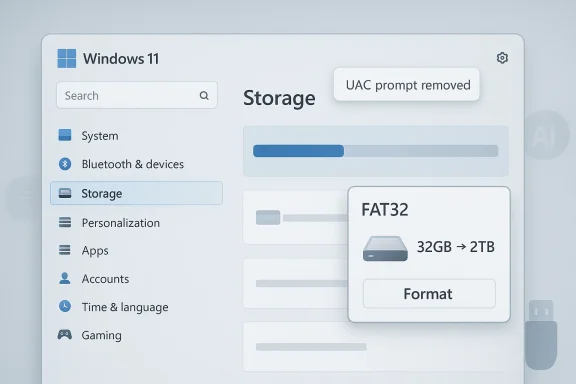
Microsoft’s latest Windows 11 Insider builds show a subtle but important shift in how the company is approaching the operating system: less hype, more housekeeping. The headline changes are practical rather than flashy, led by a FAT32 formatting limit that now reaches 2TB from the long-standing 32GB ceiling, plus a Storage settings tweak that removes a UAC prompt and makes the page load faster. These updates arrive alongside Microsoft’s newly stated focus on trimming back unnecessary Copilot entry points and tightening the overall feel of Windows 11. That combination matters because it suggests the company is finally trying to fix the parts of Windows users actually touch every day.
For the better part of the Windows 11 era, Microsoft has balanced two competing ambitions: to push the platform toward an AI-first future while also repairing the everyday friction that has frustrated users for years. The result has often been uneven. Microsoft has added Copilot hooks, AI-powered app features, and new settings pages, yet users still encounter sluggish system menus, duplicate control panels, and legacy limits that feel oddly out of place in a modern operating system.
The latest course correction became visible in Microsoft’s March 20, 2026 commitment to Windows quality, where the company explicitly said it would reduce unnecessary Copilot entry points in apps such as Snipping Tool, Photos, Widgets, and Notepad. Microsoft also promised faster and more dependable File Explorer, less disruptive updates, and a more carefully designed use of AI across the OS. That language is notable because it signals a strategic pivot: not fewer AI features overall, but fewer AI features that feel bolted on.
At the same time, Microsoft continued to refine its Insider cadence. Build 26100.8313 and 26200.8313, released to the Release Preview Channel on April 17, 2026, includes a cluster of polish items spanning storage, taskbar reliability, Windows Hello, and driver policy changes. In other words, the company is no longer limiting “quality” work to bug fixes; it is extending that effort into core usability surfaces that affect both consumers and IT administrators.
The FAT32 change is especially striking because it addresses a constraint that had persisted for decades. Microsoft had previously capped Windows’ FAT32 formatting behavior at 32GB, even though the file system itself has a 4GB maximum file size limit that still remains. Increasing the volume size limit to 2TB does not modernize FAT32 into a new mainstream format, but it does make Windows more practical for legacy hardware, removable media workflows, and edge-case compatibility scenarios where FAT32 is still required.
Just as importantly, Microsoft is also trying to undo some of the friction it created in Settings. The Storage menu improvement in the new build is described as a performance tweak for navigating large volumes, and Microsoft says the experience is faster and more responsive after removing the UAC prompt. That sounds small, but system dialogs are often the difference between a tool that feels native and one that feels like it was built by committee.
This does not change the actual FAT32 file-size limit, which remains 4GB minus 1 byte per file. That distinction is important because some coverage can make the change sound larger than it is. What Microsoft changed is the maximum volume size Windows will create with FAT32, not the maximum size of files stored on that volume. So yes, the format can now scale to 2TB, but no, it still will not make FAT32 a substitute for exFAT or NTFS in modern general-purpose use.
The practical value is compatibility. FAT32 persists in legacy devices, embedded hardware, cameras, boot media, industrial systems, and certain consumer electronics that never embraced newer file systems with the same consistency. In those environments, a 32GB ceiling was an artificial burden. Raising the cap reduces one more reason for users to reach for third-party utilities when Windows itself should be able to do the job.
For everyday consumers, the effect is less dramatic but still real. A user who needs a legacy-compatible drive for a device that insists on FAT32 will no longer be boxed into a 32GB ceiling inside Windows. That is a more polite answer from the OS, and it prevents a class of annoying detours through third-party formatters. That is not transformational, but it is useful.
There is also an institutional explanation. Windows has spent decades prioritizing backward compatibility, and FAT32 remains one of the most conservative file-system choices in the platform’s toolbox. By loosening the formatting limit without changing the broader model, Microsoft gets a small usability win without destabilizing the parts of Windows that still depend on legacy assumptions. That is classic Microsoft engineering: incremental, cautious, and long overdue.
Settings pages that trigger unnecessary elevation prompts tend to signal either poor design or an overly defensive security model. In this case, Microsoft appears to be correcting a rough edge that got in the way of simple inspection tasks. If users are merely checking drive information, they should not have to pause, confirm, and wait for a permission interstitial unless a truly privileged action is involved.
That matters even more on systems with multiple drives or large volumes. Microsoft specifically notes improved responsiveness when navigating storage on large volumes, which suggests the page was struggling under the weight of modern consumer and enthusiast configurations. This is one of those cases where a “small” fix may be a proxy for broader UI cleanup underneath the hood.
This also aligns with Microsoft’s broader promise to make File Explorer and related system experiences more responsive. The company has said it wants faster launch times, lower latency, and more reliable navigation in everyday file tasks. Storage settings may not be as visible as Start or Explorer, but they are part of the same trust equation: the operating system should not feel busy just because the user wants information.
This is not a rejection of Copilot. It is an attempt to right-size it. Microsoft still sees AI as a core differentiator, but it appears to have concluded that not every native app should present the same conversational layer, especially if the result makes the app feel less direct or less useful. That is a mature move, and it likely reflects user feedback about clutter, discoverability, and task focus.
The timeline also shows a broader recalibration. Microsoft had already been turning Copilot into a native Windows app, replacing the earlier PWA-style implementation, and it introduced quick access features like Alt + Space. But now the company is selectively pulling back visible touchpoints inside inbox apps. In practical terms, that means less aggressive surface-level promotion and more emphasis on where AI actually improves the workflow.
That is especially important in productivity apps like Notepad, where the charm has always been simplicity. If Microsoft wants AI to coexist with classic Windows utilities, it needs to make the AI feel optional, composable, and genuinely useful. A cleaner UI may ultimately do more for Copilot adoption than a dozen extra buttons ever could. That is the paradox of product design: less can sometimes convert better than more.
So the retrenchment is smart. Microsoft can keep AI in the product mix while dialing back the visual noise, which may be the only sustainable way to ship new intelligence features without making Windows feel crowded. The lesson is obvious, even if Microsoft took a while to reach it: a tool becomes more valuable when it gets out of the way.
The company’s roadmap mentions faster system responsiveness, better memory efficiency, improved File Explorer behavior, more dependable updates, and a cleaner Insider experience. That matters because it places mundane polish alongside headline features, and that is exactly where Windows needs the most help. Users rarely complain that Windows is missing one more AI hook; they complain that the OS can feel busy, inconsistent, and hesitant.
The Release Preview build reinforces that message by bundling storage improvements with taskbar reliability, Windows Hello fixes, startup performance, and explorer.exe stability work. In aggregate, these changes are meant to make Windows feel less brittle. They do not rewrite the narrative overnight, but they do show that Microsoft is finally investing in the substrate rather than just the skin.
The broader implication is that Microsoft may be trying to rebuild goodwill before pushing harder on the next wave of AI-enabled Windows features. If the company can make the core OS feel dependable again, users may become more receptive to the additions layered on top. If not, even good features risk being judged through a lens of fatigue and skepticism. Trust is cumulative, and Windows has some catching up to do.
The Storage menu fix is the more visible consumer gain. The Settings app is where ordinary users go to check drive space, understand what is filling storage, and figure out why their PC seems slower than it should. If that page is faster and less interrupted by prompts, Windows feels more helpful in the exact moment users are already frustrated.
Copilot’s reduced presence could also be welcomed by users who have been lukewarm on the feature. Microsoft has invested heavily in AI branding, but a lot of mainstream users still prefer straightforward apps that open fast and do one thing well. Reducing “why is this button here?” moments may be more effective than trying to sell everyone on an assistant they didn’t ask for.
The Storage menu improvement may also reduce support noise. Fewer unnecessary UAC prompts means fewer tickets from users who think something is broken when in reality they are just facing an avoidable privilege check. These are the sorts of details that matter at scale, where minor usability hiccups multiply across thousands of endpoints.
Microsoft’s wider quality push is even more relevant in enterprise, where reliability, update predictability, and app behavior are tightly linked to productivity and support costs. The company’s stated goals around fewer automatic restarts, clearer update control, and more dependable core experiences are all aligned with the needs of IT departments that want less surprise and more standardization. That is enterprise language, not consumer theater.
For IT teams, the key question is whether these improvements keep arriving in coherent clusters or remain scattered across Insider notes. Consistency is everything in enterprise Windows. If Microsoft can deliver cleaner storage behavior, less disruptive permissions, and stronger policy control in the same release cadence, adoption confidence will improve.
The decision to scale back Copilot integration in some apps is especially revealing from a market perspective. Microsoft clearly still believes in AI as a differentiator, but the company seems to be acknowledging that ubiquity is not the same thing as usefulness. In a market where users are already saturated with AI branding, restraint can become a competitive advantage.
There is also a subtle signal here for the broader Windows ecosystem. By improving basic shell behavior, storage surfaces, and app responsiveness, Microsoft is implicitly raising the bar for OEMs and software partners. If the platform itself feels tighter, third-party apps and services become easier to judge—and harder to excuse when they are slow or messy.
What to watch next is whether the same logic reaches more parts of the OS. File Explorer, the Start menu, update behavior, and Settings are all areas where polish can translate directly into user confidence. If Microsoft keeps removing unnecessary prompts and reducing visual or interaction clutter, the difference will become more noticeable than any single feature announcement.
Microsoft’s latest Windows 11 updates are not glamorous, but they are the right kind of boring. They reduce unnecessary friction, acknowledge legacy realities, and make room for a more restrained AI strategy. If the company can keep shipping improvements with this level of focus, Windows 11 may yet become the version of the OS that users have been waiting for all along.
Source: TweakTown Microsoft continues to improve Windows 11 with storage menu fixes and changes to FAT32
 Background
For the better part of the Windows 11 era, Microsoft has balanced two competing ambitions: to push the platform toward an AI-first future while also repairing the everyday friction that has frustrated users for years. The result has often been uneven. Microsoft has added Copilot hooks, AI-powered app features, and new settings pages, yet users still encounter sluggish system menus, duplicate control panels, and legacy limits that feel oddly out of place in a modern operating system.The latest course correction became visible in Microsoft’s March 20, 2026 commitment to Windows quality, where the company explicitly said it would reduce unnecessary Copilot entry points in apps such as Snipping Tool, Photos, Widgets, and Notepad. Microsoft also promised faster and more dependable File Explorer, less disruptive updates, and a more carefully designed use of AI across the OS. That language is notable because it signals a strategic pivot: not fewer AI features overall, but fewer AI features that feel bolted on.
At the same time, Microsoft continued to refine its Insider cadence. Build 26100.8313 and 26200.8313, released to the Release Preview Channel on April 17, 2026, includes a cluster of polish items spanning storage, taskbar reliability, Windows Hello, and driver policy changes. In other words, the company is no longer limiting “quality” work to bug fixes; it is extending that effort into core usability surfaces that affect both consumers and IT administrators.
The FAT32 change is especially striking because it addresses a constraint that had persisted for decades. Microsoft had previously capped Windows’ FAT32 formatting behavior at 32GB, even though the file system itself has a 4GB maximum file size limit that still remains. Increasing the volume size limit to 2TB does not modernize FAT32 into a new mainstream format, but it does make Windows more practical for legacy hardware, removable media workflows, and edge-case compatibility scenarios where FAT32 is still required.
Just as importantly, Microsoft is also trying to undo some of the friction it created in Settings. The Storage menu improvement in the new build is described as a performance tweak for navigating large volumes, and Microsoft says the experience is faster and more responsive after removing the UAC prompt. That sounds small, but system dialogs are often the difference between a tool that feels native and one that feels like it was built by committee.
Why this matters now
Windows users have spent years watching Microsoft introduce new layers of abstraction while leaving old pain points untouched. The company’s latest messaging suggests it understands that craft is becoming just as important as capability. That matters for trust, because users tend to forgive missing features more readily than they forgive sluggishness, confusion, and avoidable interruptions.FAT32 Gets a Long-Awaited Breather
The biggest technical headline is Microsoft’s decision to raise the FAT32 formatting ceiling from 32GB to 2TB in Windows 11’s command-line formatting tools. Microsoft made that change explicit in the April 17 Release Preview notes, and it is the sort of update that looks tiny until you remember how many years users had been told to work around it.This does not change the actual FAT32 file-size limit, which remains 4GB minus 1 byte per file. That distinction is important because some coverage can make the change sound larger than it is. What Microsoft changed is the maximum volume size Windows will create with FAT32, not the maximum size of files stored on that volume. So yes, the format can now scale to 2TB, but no, it still will not make FAT32 a substitute for exFAT or NTFS in modern general-purpose use.
The practical value is compatibility. FAT32 persists in legacy devices, embedded hardware, cameras, boot media, industrial systems, and certain consumer electronics that never embraced newer file systems with the same consistency. In those environments, a 32GB ceiling was an artificial burden. Raising the cap reduces one more reason for users to reach for third-party utilities when Windows itself should be able to do the job.
What Microsoft actually changed
Microsoft’s wording is precise: the size limit for formatting FAT32 volumes via the command line now reaches 2TB. That implies the change is rooted in Windows’ formatting behavior rather than a wholesale redesign of FAT32 semantics. It also means the update is likely to matter most to power users, technicians, and administrators who still create removable media or recovery volumes from the command line.For everyday consumers, the effect is less dramatic but still real. A user who needs a legacy-compatible drive for a device that insists on FAT32 will no longer be boxed into a 32GB ceiling inside Windows. That is a more polite answer from the OS, and it prevents a class of annoying detours through third-party formatters. That is not transformational, but it is useful.
- The 2TB limit applies to volume formatting, not individual files.
- The 4GB per-file limit still remains.
- The change is most valuable for legacy and compatibility workflows.
- Third-party FAT32 formatting tools become less necessary for large removable media.
- ExFAT and NTFS remain better choices for most modern use cases.
Why this limit lingered so long
The old 32GB cap always felt arbitrary because it was. Microsoft’s own implementation had long outgrown the need for such a restrictive ceiling, but the company left the limit in place while the ecosystem moved on. That created a frustrating gap between what Windows could theoretically support and what it would actually let users do.There is also an institutional explanation. Windows has spent decades prioritizing backward compatibility, and FAT32 remains one of the most conservative file-system choices in the platform’s toolbox. By loosening the formatting limit without changing the broader model, Microsoft gets a small usability win without destabilizing the parts of Windows that still depend on legacy assumptions. That is classic Microsoft engineering: incremental, cautious, and long overdue.
Storage Settings Finally Feels Less Friction-Filled
The second major change in the build is the Storage menu refresh. Microsoft says it has improved performance when navigating to storage details through Settings > System > Storage > Advanced Storage Settings > Disks & volumes, and the company has also removed the UAC prompt that previously appeared when opening the page. That may sound like a tiny usability polish item, but it is the sort of thing users feel immediately.Settings pages that trigger unnecessary elevation prompts tend to signal either poor design or an overly defensive security model. In this case, Microsoft appears to be correcting a rough edge that got in the way of simple inspection tasks. If users are merely checking drive information, they should not have to pause, confirm, and wait for a permission interstitial unless a truly privileged action is involved.
That matters even more on systems with multiple drives or large volumes. Microsoft specifically notes improved responsiveness when navigating storage on large volumes, which suggests the page was struggling under the weight of modern consumer and enthusiast configurations. This is one of those cases where a “small” fix may be a proxy for broader UI cleanup underneath the hood.
A better Settings experience needs fewer surprises
Windows 11 has spent years migrating functions away from Control Panel and into Settings, but the transition has often been inconsistent. Some pages feel modern and fluid; others still behave like old administrative utilities wrapped in new visuals. By reducing the storage page’s overhead and eliminating an unnecessary permission hurdle, Microsoft is inching the platform toward a more coherent operating rhythm.This also aligns with Microsoft’s broader promise to make File Explorer and related system experiences more responsive. The company has said it wants faster launch times, lower latency, and more reliable navigation in everyday file tasks. Storage settings may not be as visible as Start or Explorer, but they are part of the same trust equation: the operating system should not feel busy just because the user wants information.
- Faster storage page loading improves basic troubleshooting.
- Removing UAC for passive viewing reduces unnecessary interruption.
- Large-volume systems benefit the most from the navigation fix.
- Cleaner Settings behavior supports the move away from Control Panel.
- Better responsiveness helps Windows 11 feel more coherent and less layered.
Why this matters for power users
Power users often notice polish defects first because they spend more time inside admin surfaces. A single prompt that appears when it should not can make the whole OS feel less predictable. Removing that prompt does not make Windows 11 fundamentally different, but it does make the platform feel more deliberate and less obstructive. That is a meaningful quality gain even if it is not a headline feature.Microsoft’s Copilot Retrenchment Is Real
Another major thread running through these changes is Microsoft’s more restrained approach to Copilot. In its March 20 Windows quality note, the company said it is “reducing unnecessary Copilot entry points,” specifically naming Snipping Tool, Photos, Widgets, and Notepad. That is a notable shift from the earlier phase of Windows 11, when Copilot seemed destined to appear everywhere Microsoft could reasonably attach it.This is not a rejection of Copilot. It is an attempt to right-size it. Microsoft still sees AI as a core differentiator, but it appears to have concluded that not every native app should present the same conversational layer, especially if the result makes the app feel less direct or less useful. That is a mature move, and it likely reflects user feedback about clutter, discoverability, and task focus.
The timeline also shows a broader recalibration. Microsoft had already been turning Copilot into a native Windows app, replacing the earlier PWA-style implementation, and it introduced quick access features like Alt + Space. But now the company is selectively pulling back visible touchpoints inside inbox apps. In practical terms, that means less aggressive surface-level promotion and more emphasis on where AI actually improves the workflow.
From everywhere to where it helps
This shift matters because users can distinguish between assistance and intrusion. When AI sits too close to the foreground, it can feel like marketing wearing a product skin. Microsoft’s latest direction suggests it wants Copilot to behave less like a banner ad and more like a tool that appears at the right time, in the right context, and only when the task justifies it.That is especially important in productivity apps like Notepad, where the charm has always been simplicity. If Microsoft wants AI to coexist with classic Windows utilities, it needs to make the AI feel optional, composable, and genuinely useful. A cleaner UI may ultimately do more for Copilot adoption than a dozen extra buttons ever could. That is the paradox of product design: less can sometimes convert better than more.
- Copilot is being de-emphasized in certain inbox apps.
- Microsoft is shifting toward contextual usefulness rather than constant presence.
- The change may reflect user fatigue with AI overlays.
- Simpler app surfaces can improve productivity and trust.
- This is a refinement, not an abandonment, of Microsoft’s AI strategy.
Notepad is the clearest signal
Notepad is the most revealing example because it sits at the intersection of tradition and reinvention. Microsoft has experimented with rewrite, summarize, and other AI-assisted features in Notepad, but the app’s core value still comes from being immediate and unobtrusive. If Copilot makes that experience feel heavier, Microsoft risks alienating the very users who still open Notepad for speed and simplicity.So the retrenchment is smart. Microsoft can keep AI in the product mix while dialing back the visual noise, which may be the only sustainable way to ship new intelligence features without making Windows feel crowded. The lesson is obvious, even if Microsoft took a while to reach it: a tool becomes more valuable when it gets out of the way.
The Quality Push Behind the Changes
These storage and AI adjustments do not exist in isolation. They are part of Microsoft’s broader campaign to restore confidence in Windows quality, a theme the company emphasized in March 2026. The language in that post is unusually direct for Microsoft: performance, reliability, and craft are now treated as first-class priorities, not as secondary benefits.The company’s roadmap mentions faster system responsiveness, better memory efficiency, improved File Explorer behavior, more dependable updates, and a cleaner Insider experience. That matters because it places mundane polish alongside headline features, and that is exactly where Windows needs the most help. Users rarely complain that Windows is missing one more AI hook; they complain that the OS can feel busy, inconsistent, and hesitant.
The Release Preview build reinforces that message by bundling storage improvements with taskbar reliability, Windows Hello fixes, startup performance, and explorer.exe stability work. In aggregate, these changes are meant to make Windows feel less brittle. They do not rewrite the narrative overnight, but they do show that Microsoft is finally investing in the substrate rather than just the skin.
Windows quality is becoming a product strategy
That phrase sounds corporate, but it is actually important. For years, Windows quality felt like an internal engineering concern that only surfaced after problems became visible to users. Now Microsoft is framing quality itself as part of the product story, which is exactly what a mature desktop platform should do.The broader implication is that Microsoft may be trying to rebuild goodwill before pushing harder on the next wave of AI-enabled Windows features. If the company can make the core OS feel dependable again, users may become more receptive to the additions layered on top. If not, even good features risk being judged through a lens of fatigue and skepticism. Trust is cumulative, and Windows has some catching up to do.
- Performance and reliability are now being discussed as core Windows goals.
- File Explorer and Settings are receiving priority attention.
- Copilot changes are being framed as craft improvements, not retreats.
- The Insider Program is being used to validate quality before broad release.
- Microsoft appears to be rebuilding the foundation before expanding the top layer.
Why the sequencing matters
The order here is telling. Microsoft is not just shipping one giant redesign; it is layering fixes across systems, apps, and administrative surfaces. That is a slower approach, but it is also the only one likely to work in an operating system that serves consumers, enterprise administrators, creators, developers, and legacy device owners all at once.Consumer Impact: Small Fixes, Real Relief
For consumers, the immediate win is not a new marquee feature but a reduction in annoyance. Most users will never deliberately format a 2TB FAT32 volume, but many will appreciate that Windows is shedding arbitrary friction and becoming easier to live with. That matters because the average Windows complaint is not usually about one missing feature; it is about a thousand little interruptions that add up.The Storage menu fix is the more visible consumer gain. The Settings app is where ordinary users go to check drive space, understand what is filling storage, and figure out why their PC seems slower than it should. If that page is faster and less interrupted by prompts, Windows feels more helpful in the exact moment users are already frustrated.
Copilot’s reduced presence could also be welcomed by users who have been lukewarm on the feature. Microsoft has invested heavily in AI branding, but a lot of mainstream users still prefer straightforward apps that open fast and do one thing well. Reducing “why is this button here?” moments may be more effective than trying to sell everyone on an assistant they didn’t ask for.
The consumer story in one sentence
This update set is less about making Windows 11 feel futuristic and more about making it feel finished. That is an important distinction, because consumers generally reward software that respects their time far more than software that keeps reminding them it has new tricks.- Fewer prompts make routine settings tasks less annoying.
- Legacy file-system support improves compatibility for niche home users.
- Cleaner app surfaces reduce visual clutter.
- Faster navigation improves perceived responsiveness.
- Less Copilot noise may help users focus on actual work.
Enterprise and IT Implications
For enterprise customers, the changes are less about convenience and more about control. FAT32 is still relevant in managed environments where removable media must interoperate with older hardware, appliances, or specialized devices. Expanding the formatting limit to 2TB broadens Windows’ usefulness in these edge cases, even if most enterprise storage strategies will continue to favor NTFS, ReFS, or exFAT depending on the workload.The Storage menu improvement may also reduce support noise. Fewer unnecessary UAC prompts means fewer tickets from users who think something is broken when in reality they are just facing an avoidable privilege check. These are the sorts of details that matter at scale, where minor usability hiccups multiply across thousands of endpoints.
Microsoft’s wider quality push is even more relevant in enterprise, where reliability, update predictability, and app behavior are tightly linked to productivity and support costs. The company’s stated goals around fewer automatic restarts, clearer update control, and more dependable core experiences are all aligned with the needs of IT departments that want less surprise and more standardization. That is enterprise language, not consumer theater.
Administrators will care about the pattern, not just the patch
The April build also includes policy-related changes for Windows Enterprise and Education, including a dynamic app removal list and improved control over scripts and batch files. That broader context matters because it shows Microsoft is adjusting Windows in a way that affects management, security posture, and compliance—not just UI polish.For IT teams, the key question is whether these improvements keep arriving in coherent clusters or remain scattered across Insider notes. Consistency is everything in enterprise Windows. If Microsoft can deliver cleaner storage behavior, less disruptive permissions, and stronger policy control in the same release cadence, adoption confidence will improve.
- Legacy device compatibility remains valuable in regulated or specialized environments.
- Reduced prompts can lower help desk friction.
- Better Settings responsiveness can reduce admin overhead.
- Policy-based app control continues to mature.
- Update and reliability messaging is increasingly enterprise-focused.
A cautious but positive signal
The enterprise takeaway is not that FAT32 suddenly matters again in a broad sense. Rather, Microsoft appears willing to keep long-tail compatibility alive without making it the user’s problem. That is a sensible approach for a platform that still has to serve decades of hardware and workflow diversity.Competitive Context and Broader Market Signals
Microsoft’s Windows quality push also reflects competitive pressure, even if the company does not say so directly. PC users now judge operating systems not only by feature count but by polish, predictability, and the quality of native apps. In that environment, rough edges in Windows are more visible than they used to be, especially when rivals promote streamlined user experiences.The decision to scale back Copilot integration in some apps is especially revealing from a market perspective. Microsoft clearly still believes in AI as a differentiator, but the company seems to be acknowledging that ubiquity is not the same thing as usefulness. In a market where users are already saturated with AI branding, restraint can become a competitive advantage.
There is also a subtle signal here for the broader Windows ecosystem. By improving basic shell behavior, storage surfaces, and app responsiveness, Microsoft is implicitly raising the bar for OEMs and software partners. If the platform itself feels tighter, third-party apps and services become easier to judge—and harder to excuse when they are slow or messy.
Better basics create better headroom for AI
If Windows is going to be a serious AI platform, it needs to stop tripping over itself first. That is the unspoken competitive logic behind these changes. Microsoft is not just adding intelligence; it is trying to make the operating system stable enough that intelligence feels additive rather than compensatory.- A cleaner OS makes AI features easier to sell.
- Less clutter improves brand perception.
- Better responsiveness strengthens Windows’ default advantage.
- More careful AI placement may reduce user backlash.
- Core quality improvements can outperform flashy feature launches over time.
Strengths and Opportunities
Microsoft’s current approach has real upside because it tackles visible pain points while preserving room for future innovation. If the company stays disciplined, Windows 11 could start to feel noticeably better without forcing users to relearn the platform. The most promising part of this shift is that it combines technical cleanup with a clearer product philosophy.- Less arbitrary friction in Windows tools and settings.
- Better legacy support for FAT32-dependent devices.
- Faster storage navigation on large volumes.
- Cleaner Copilot placement that may improve user acceptance.
- Stronger trust signals for consumer and enterprise users.
- Improved platform craft without a disruptive redesign.
- A more credible quality narrative for Windows 11 overall.
Risks and Concerns
The biggest risk is that these improvements will feel too incremental to reset public opinion. Windows criticism tends to come from accumulated frustration, and small fixes can be drowned out if users still encounter unrelated bugs, inconsistent UI behavior, or feature bloat elsewhere in the system. Microsoft needs continuity, not just isolated wins.- The FAT32 change may be overhyped relative to its actual everyday impact.
- Copilot reductions could be seen as an admission of earlier overreach.
- Users may not notice the Storage menu gains unless they are actively troubleshooting.
- Windows quality improvements can be undermined by other regressions.
- Enterprise admins may want clearer documentation on deployment impacts.
- AI feature placement still risks confusing users if it is not consistently handled.
- Legacy compatibility changes may create false expectations about broader file-system limits.
Looking Ahead
The next few Insider flights will show whether Microsoft is serious about turning this into a sustained quality campaign or whether April’s changes are just a lucky cluster of practical fixes. The company has already said the work will continue throughout the year, and that matters because Windows users judge quality not by speeches but by repeated consistency. If the improvements stick, they could become the foundation for a calmer, more coherent Windows 11.What to watch next is whether the same logic reaches more parts of the OS. File Explorer, the Start menu, update behavior, and Settings are all areas where polish can translate directly into user confidence. If Microsoft keeps removing unnecessary prompts and reducing visual or interaction clutter, the difference will become more noticeable than any single feature announcement.
- Further reductions in unnecessary Copilot entry points.
- More Settings pages moving away from legacy permission friction.
- Additional File Explorer performance gains.
- More Storage and disk-management polish in future builds.
- Expanded reliability work in Windows Hello, updates, and system navigation.
- Ongoing refinement of how Windows handles legacy compatibility features.
Microsoft’s latest Windows 11 updates are not glamorous, but they are the right kind of boring. They reduce unnecessary friction, acknowledge legacy realities, and make room for a more restrained AI strategy. If the company can keep shipping improvements with this level of focus, Windows 11 may yet become the version of the OS that users have been waiting for all along.
Source: TweakTown Microsoft continues to improve Windows 11 with storage menu fixes and changes to FAT32
