

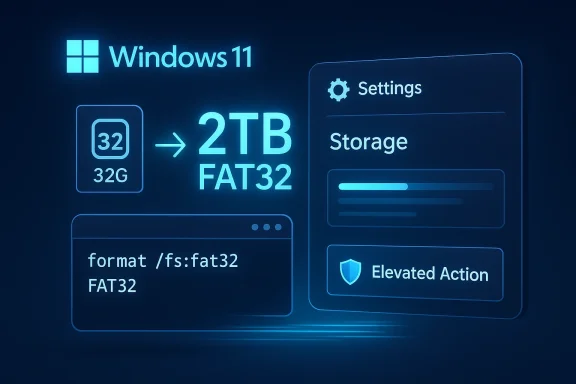
Windows 11 is finally removing one of the most annoying relics in its storage stack: the long-standing 32GB FAT32 formatting cap. In the latest Insider builds, Microsoft is also making Storage settings faster and less intrusive, which suggests this is more than a file-system tweak — it is part of a broader cleanup of Windows 11’s everyday administration experience. The change matters because FAT32 is still widely needed for firmware media, boot sticks, consoles, and older embedded devices, even though most users now prefer exFAT or NTFS for general storage. The new 2TB ceiling brings Windows much closer to what FAT32 can actually do, while exposing how much friction Microsoft has been carrying forward for compatibility’s sake.
For years, Windows users have lived with a strange contradiction: FAT32 remained supported everywhere, but the built-in formatting tools pretended the format was far more limited than it really was. Microsoft’s historical 32GB cap was not a hard technical ceiling of FAT32 itself; it was an operating-system policy choice that nudged users toward NTFS or exFAT for larger drives. That made some sense when the limit was introduced, because Microsoft wanted to discourage casual FAT32 use on larger volumes and steer people toward more modern file systems. Over time, though, that restriction stopped feeling like guidance and started feeling like artificial drag.
That distinction matters because FAT32 never really vanished. It survived precisely because compatibility keeps winning arguments in the real world. Firmware flash drives, boot media, recovery sticks, gaming consoles, and older embedded devices still ask for FAT32 because it is broadly recognized and easy to parse across platforms. In other words, FAT32 is not loved for its elegance; it is tolerated because it is reliably understood. That is a very Windows-like reason for a file system to persist in 2026.
Microsoft’s latest Insider work also appears to be tackling another long-standing complaint: sluggish Storage pages in the modern Settings app. On large or complex disks, especially systems with multiple partitions or slower drives, opening Storage information could take long enough to make users fall back to older tools. The new Insider behavior reduces that wait, which is important because Microsoft has spent years trying to make Settings feel like the primary control surface for Windows. If the modern UI is slow, users will simply keep using the old one.
There is also a quieter design shift underneath the headline changes. Microsoft appears to be delaying UAC prompts until users reach an action that genuinely needs elevation, instead of interrupting them merely for opening a page that contains management functions. That may sound small, but it changes the emotional tone of the experience. A storage dashboard should feel like a dashboard first and a locked cabinet second. When Windows gets that balance right, it feels less defensive and more competent.
The broader context is that Microsoft keeps trying to reconcile two different Windows identities. One is the legacy OS built for deep compatibility and decades of accumulated workflows. The other is the modern shell that promises simplicity, responsiveness, and consistency. FAT32’s 2TB expansion and the Storage app speedup both fit that reconciliation effort. They do not reinvent Windows, but they do make it feel less like a compromise machine.
The second change is just as important for daily use, even if it is less dramatic on paper. Microsoft says Storage navigation in Settings is now faster on large volumes, which should reduce the lag that made the page feel heavy or unreliable. That matters because interface latency shapes behavior: if users expect a page to stall, they stop trusting it and go elsewhere. Fixing that friction is not cosmetic polish; it is a prerequisite for making Settings the default management path.
A third tweak changes when elevation prompts appear. Instead of being confronted with UAC as soon as they open Storage settings, users are prompted later, when they actually touch a task requiring privileged access. That separation between viewing and changing information is one of the cleanest things Microsoft could do in a modern admin interface. It reduces noise without removing protection.
The format’s limitations remain real, and that is the key caveat. FAT32 still has a 4GB per-file limit, which means it remains a poor fit for modern video libraries, large disk images, backups, and many game assets. So the expansion does not mean Microsoft is endorsing FAT32 as a replacement for NTFS or exFAT. It means Windows is no longer imposing a smaller-size restriction on top of a format that already has a more fundamental one.
That distinction matters because users often confuse volume size with file suitability. A 2TB FAT32 partition may now be possible, but that does not mean it is sensible for everyday data storage. Microsoft is restoring flexibility, not rewriting the rules of storage best practice. For admins and power users, that is exactly the right kind of restraint.
That matters more in Windows 11 than in earlier eras because Microsoft has spent so much effort telling users to use Settings instead of older administrative utilities. If the modern path is slower than the classic path, the migration story weakens immediately. The old Control Panel ecosystem may be dated, but it still earns loyalty through speed and familiarity. Microsoft cannot ask users to move forward if the destination feels heavier than the starting point.
The new behavior suggests Microsoft has finally accepted that the visual polish of Settings is not enough. Users evaluate a control surface by how quickly it answers basic questions. Capacity, partitions, file system type, and available actions are not advanced requests; they are the exact things the page should render fastest. Fixing that is not optional if Microsoft wants to continue consolidating system management into the modern shell.
The Storage performance work matters even more in managed fleets. IT staff routinely inspect partitions, storage usage, and device status across many machines, and shaving seconds off a common workflow adds up quickly. It is the kind of improvement that does not make a marketing slide but quietly saves hours across a team. In enterprise computing, those are the fixes that actually earn goodwill.
The UAC timing adjustment also reflects an enterprise-friendly philosophy. Administrators need to inspect systems more often than they need to change them, so delaying prompts until the elevated action is real is an operational improvement. It reduces interruptions without removing the permission boundary that keeps sensitive actions protected. That is a healthier balance than the usual Windows habit of treating every management page like an immediate risk.
The FAT32 expansion also reduces the chance that a normal user gets pushed into search-engine troubleshooting for a simple formatting job. Plenty of consumers still need FAT32 for recovery sticks, game consoles, or devices that refuse more modern formats. A built-in way to create a larger FAT32 volume lowers friction and keeps the user inside Windows instead of sending them to a third-party formatter. That is a better experience, even if users never know why it improved.
This is also one of those changes that narrows the emotional gap between old and new Windows. Many people still view Settings as a stylish layer with inconsistent behavior hiding over the more dependable legacy core. Each time Microsoft makes the modern layer quicker and less intrusive, it chips away at that skepticism. In consumer computing, feel often matters as much as feature count.
The FAT32 change has a different competitive angle. If Windows can natively handle a larger FAT32 formatting job, some users will no longer need outside utilities for niche compatibility tasks. That keeps those users inside the Windows ecosystem, which is always strategically useful. Small conveniences like this do not make headlines for long, but they help shape whether a platform feels complete.
There is also a broader message here for the industry: compatibility features still matter when they are paired with modern UX. Microsoft’s long-term challenge is not merely to preserve old workflows, but to make those workflows feel less archaic. If it can keep doing that, Windows remains credible not only to consumers but also to power users and IT teams who live in the system every day.
There is also a danger in confusing larger-capacity FAT32 with better FAT32. The 4GB file limit remains, which means many people will still be better served by exFAT or NTFS. If Microsoft does not communicate that clearly, some users may make poor file-system choices just because the old artificial cap disappeared.
The performance gains in Settings also need to survive real-world variation. Large disks, exotic controllers, and mixed storage configurations are exactly the kinds of environments that can expose regression risk. A fix that works well in Insider testing is still not a guarantee of stable behavior across every machine family.
What to watch next is not just whether the features ship, but how they are documented and surfaced. If Microsoft explains the limits clearly, keeps the new Storage behavior stable, and preserves the separation between viewing and privileged actions, this could become a model for future Settings improvements. If not, the company risks turning a smart cleanup into one more Windows footnote.
Source: PCWorld Windows 11 is finally removing the 32GB FAT32 capacity limit
Source: National Today Microsoft Expands FAT32 Partition Limit to 2 TB in Windows 11 Beta - Redmond Today
 Background
For years, Windows users have lived with a strange contradiction: FAT32 remained supported everywhere, but the built-in formatting tools pretended the format was far more limited than it really was. Microsoft’s historical 32GB cap was not a hard technical ceiling of FAT32 itself; it was an operating-system policy choice that nudged users toward NTFS or exFAT for larger drives. That made some sense when the limit was introduced, because Microsoft wanted to discourage casual FAT32 use on larger volumes and steer people toward more modern file systems. Over time, though, that restriction stopped feeling like guidance and started feeling like artificial drag.That distinction matters because FAT32 never really vanished. It survived precisely because compatibility keeps winning arguments in the real world. Firmware flash drives, boot media, recovery sticks, gaming consoles, and older embedded devices still ask for FAT32 because it is broadly recognized and easy to parse across platforms. In other words, FAT32 is not loved for its elegance; it is tolerated because it is reliably understood. That is a very Windows-like reason for a file system to persist in 2026.
Microsoft’s latest Insider work also appears to be tackling another long-standing complaint: sluggish Storage pages in the modern Settings app. On large or complex disks, especially systems with multiple partitions or slower drives, opening Storage information could take long enough to make users fall back to older tools. The new Insider behavior reduces that wait, which is important because Microsoft has spent years trying to make Settings feel like the primary control surface for Windows. If the modern UI is slow, users will simply keep using the old one.
There is also a quieter design shift underneath the headline changes. Microsoft appears to be delaying UAC prompts until users reach an action that genuinely needs elevation, instead of interrupting them merely for opening a page that contains management functions. That may sound small, but it changes the emotional tone of the experience. A storage dashboard should feel like a dashboard first and a locked cabinet second. When Windows gets that balance right, it feels less defensive and more competent.
The broader context is that Microsoft keeps trying to reconcile two different Windows identities. One is the legacy OS built for deep compatibility and decades of accumulated workflows. The other is the modern shell that promises simplicity, responsiveness, and consistency. FAT32’s 2TB expansion and the Storage app speedup both fit that reconciliation effort. They do not reinvent Windows, but they do make it feel less like a compromise machine.
What Microsoft Changed
The headline change is easy to state: Windows 11 Insider builds now permit FAT32 formatting up to 2TB through command-line tools, rather than the old 32GB cap. That is a major symbolic correction because it removes a Windows-imposed barrier that had little relationship to the file system’s actual practical range. It does not magically make FAT32 modern, but it does make Windows less arbitrary about how it treats FAT32 volumes.The second change is just as important for daily use, even if it is less dramatic on paper. Microsoft says Storage navigation in Settings is now faster on large volumes, which should reduce the lag that made the page feel heavy or unreliable. That matters because interface latency shapes behavior: if users expect a page to stall, they stop trusting it and go elsewhere. Fixing that friction is not cosmetic polish; it is a prerequisite for making Settings the default management path.
A third tweak changes when elevation prompts appear. Instead of being confronted with UAC as soon as they open Storage settings, users are prompted later, when they actually touch a task requiring privileged access. That separation between viewing and changing information is one of the cleanest things Microsoft could do in a modern admin interface. It reduces noise without removing protection.
Why the 2TB number is the real story
The 2TB ceiling is not about making FAT32 the best general-purpose file system. It is about restoring common sense to a compatibility format that has remained more useful than its reputation suggests. Windows users often run into FAT32 in situations where the file system is the safest shared denominator, not the most advanced choice. Raising the cap simply acknowledges that reality.Why the Storage changes matter just as much
Microsoft can only retire legacy tools if the modern alternatives feel fast enough to trust. Settings has long had the right visual design but not always the right performance characteristics. By cutting the latency on large disks, Microsoft is improving the credibility of its own modernization story. That is a subtle but strategic move.Why UAC timing is a design signal
Prompting too early makes Windows feel suspicious of ordinary viewing. Prompting too late can weaken protection. The new behavior suggests Microsoft is trying to thread that needle more carefully. It is a small change with a big psychological payoff because it aligns security with user intent rather than with interface structure.Why FAT32 Still Matters
FAT32 survives because the computing world still contains a lot of devices that are not interested in elegance. They want something readable, predictable, and extremely common. That makes FAT32 indispensable in areas like firmware updates, bootable media, and certain consumer electronics that still expect this older format. Windows lifting the formatting cap to 2TB is therefore less about nostalgia than about acknowledging how much old compatibility still shapes modern workflows.The format’s limitations remain real, and that is the key caveat. FAT32 still has a 4GB per-file limit, which means it remains a poor fit for modern video libraries, large disk images, backups, and many game assets. So the expansion does not mean Microsoft is endorsing FAT32 as a replacement for NTFS or exFAT. It means Windows is no longer imposing a smaller-size restriction on top of a format that already has a more fundamental one.
That distinction matters because users often confuse volume size with file suitability. A 2TB FAT32 partition may now be possible, but that does not mean it is sensible for everyday data storage. Microsoft is restoring flexibility, not rewriting the rules of storage best practice. For admins and power users, that is exactly the right kind of restraint.
Compatibility first, performance second
FAT32 was never about speed or resilience. It is about being understood by almost everything. That makes it ideal for the awkward middle ground of device interoperability, where file-system sophistication is less important than the fact that the device actually boots, flashes, or reads the media. Windows is wisely preserving that role.The old ceiling was policy, not physics
One of the most frustrating things about the 32GB limit was that it felt like Windows was telling users “no” for historical reasons. The file system itself could do more; the operating system simply refused to let ordinary formatting tools go further. Removing that policy constraint is one of those fixes that makes a platform feel less paternalistic.The 4GB caveat still rules the day
Even with a 2TB partition cap, FAT32 still cannot handle large individual files. That limitation will keep it out of the center of most personal and enterprise storage planning. So the update is practical, but it is not transformative in the way a new file system would be. It is an acknowledgment of reality, not a revolution.Why Storage Settings Felt Broken
Windows Settings has often struggled with a simple expectation: if a page is supposed to show information, it should feel instant. Storage was particularly prone to delay because large disks, multiple partitions, and various metadata lookups could slow the response time enough to be noticeable. The problem was not just technical latency; it was trust erosion. When a page hangs long enough, users assume the system is confused or overloaded.That matters more in Windows 11 than in earlier eras because Microsoft has spent so much effort telling users to use Settings instead of older administrative utilities. If the modern path is slower than the classic path, the migration story weakens immediately. The old Control Panel ecosystem may be dated, but it still earns loyalty through speed and familiarity. Microsoft cannot ask users to move forward if the destination feels heavier than the starting point.
The new behavior suggests Microsoft has finally accepted that the visual polish of Settings is not enough. Users evaluate a control surface by how quickly it answers basic questions. Capacity, partitions, file system type, and available actions are not advanced requests; they are the exact things the page should render fastest. Fixing that is not optional if Microsoft wants to continue consolidating system management into the modern shell.
Metadata is cheap until it is not
A single drive inquiry is trivial. A large disk with several partitions, complex storage descriptors, or slower media can make those same queries add up. If the app fetches data inefficiently or waits synchronously on too many results, the user sees a blank or sluggish interface instead of a useful dashboard. That is the kind of design flaw that power users notice instantly.Classic tools still have the advantage of immediacy
Disk Management remains popular precisely because it feels direct. It may not be beautiful, but it opens quickly and does its job without a lot of ceremony. That old-school reliability is a high bar for Settings to clear, and the new Insider changes are a sign that Microsoft knows it.Slow UI becomes a behavior problem
Once users learn that a page is slow, they stop using it unless they have to. That is how performance problems become product problems. In Windows, where multiple overlapping management surfaces already exist, a sluggish modern page almost guarantees that users will retreat to the classic one.Enterprise Impact
Enterprises will not celebrate a FAT32 cap increase at the same scale as a security patch or deployment-policy overhaul, but they will still benefit from it. Helpdesk workflows, recovery media, firmware update sticks, and lab testing can all run into FAT32 requirements in ways that are annoying only because the old limit was so arbitrary. A larger built-in ceiling reduces the need for third-party utilities and the risk that technicians will improvise around an operating-system restriction.The Storage performance work matters even more in managed fleets. IT staff routinely inspect partitions, storage usage, and device status across many machines, and shaving seconds off a common workflow adds up quickly. It is the kind of improvement that does not make a marketing slide but quietly saves hours across a team. In enterprise computing, those are the fixes that actually earn goodwill.
The UAC timing adjustment also reflects an enterprise-friendly philosophy. Administrators need to inspect systems more often than they need to change them, so delaying prompts until the elevated action is real is an operational improvement. It reduces interruptions without removing the permission boundary that keeps sensitive actions protected. That is a healthier balance than the usual Windows habit of treating every management page like an immediate risk.
Deployment and recovery gains
FAT32 is still part of the tooling chain for boot media, imaging, and recovery in many shops. The bigger cap will not replace more modern formats, but it will simplify edge cases where FAT32 remains the safest shared denominator. Those are precisely the sort of scenarios where fewer artificial limits make life easier.Reduced dependence on outside tools
When Windows can handle a niche compatibility job itself, admins are less likely to reach for random third-party utilities. That improves consistency and supportability, especially in environments where software provenance matters. It is also a small but real win for policy compliance.A better admin experience helps adoption
If Microsoft wants administrators to embrace the modern shell, it has to feel efficient under pressure. Storage is one of the most common administrative surfaces, so a faster, less intrusive experience there can have outsized psychological value. That may not be flashy, but it is strategically useful.Consumer Impact
For most consumers, the biggest improvement is simply that Windows should feel less annoying in everyday storage tasks. Opening Storage settings should no longer feel like waiting for the operating system to collect its thoughts. That is important because ordinary users remember delays more vividly than technical explanations. If a page feels sluggish, they assume the system is old, even when the real issue is just poor UI staging.The FAT32 expansion also reduces the chance that a normal user gets pushed into search-engine troubleshooting for a simple formatting job. Plenty of consumers still need FAT32 for recovery sticks, game consoles, or devices that refuse more modern formats. A built-in way to create a larger FAT32 volume lowers friction and keeps the user inside Windows instead of sending them to a third-party formatter. That is a better experience, even if users never know why it improved.
This is also one of those changes that narrows the emotional gap between old and new Windows. Many people still view Settings as a stylish layer with inconsistent behavior hiding over the more dependable legacy core. Each time Microsoft makes the modern layer quicker and less intrusive, it chips away at that skepticism. In consumer computing, feel often matters as much as feature count.
Less confusion, less hunting
When Windows says no to a task that seems ordinary, users typically assume they need a workaround. By removing the artificial 32GB wall, Microsoft reduces that confusion. That is good design in the most practical sense: fewer users need to wonder whether the operating system is the problem.Better for odd jobs and one-off tasks
Most people will not format a giant FAT32 volume every week. But when they do need to create boot media or prep a compatibility drive, they want the path to be obvious and built in. That is exactly the kind of occasional task where convenience matters most.More respect for the user’s time
Delaying unnecessary prompts and speeding up common pages both send the same message: Windows should not make users wait without reason. That is a valuable signal because modern operating systems increasingly win or lose on convenience, not just on raw capability.Competitive Implications
Microsoft is not just cleaning up a file-system quirk; it is competing on coherence. Windows 11 has to justify its modern interface against the old Windows habits that still work well enough for many users. If Settings becomes faster and less annoying, Microsoft strengthens the argument that the new shell is more than a cosmetic layer. That matters in a market where users compare operating systems as much on feel as on features.The FAT32 change has a different competitive angle. If Windows can natively handle a larger FAT32 formatting job, some users will no longer need outside utilities for niche compatibility tasks. That keeps those users inside the Windows ecosystem, which is always strategically useful. Small conveniences like this do not make headlines for long, but they help shape whether a platform feels complete.
There is also a broader message here for the industry: compatibility features still matter when they are paired with modern UX. Microsoft’s long-term challenge is not merely to preserve old workflows, but to make those workflows feel less archaic. If it can keep doing that, Windows remains credible not only to consumers but also to power users and IT teams who live in the system every day.
The modern shell has to earn its place
Windows has spent years encouraging users to leave classic tools behind. That strategy only works if the newer alternatives are not just prettier, but equally responsive and more pleasant to use. Storage is the kind of everyday task that exposes whether Microsoft has actually closed the gap.Convenience is ecosystem retention
When users can solve a problem without downloading a tool or hunting through forums, they are less likely to leave the platform’s native workflow. That is a small but important form of ecosystem stickiness. It also reduces support friction, which benefits everyone.Coherence is the real competitive win
The point is not that Windows suddenly became dramatically more powerful. The point is that it feels more internally consistent. In operating systems, consistency is a competitive feature because it lowers cognitive load and increases trust.Strengths and Opportunities
Microsoft deserves credit for focusing on practical friction instead of flashy novelty. These changes are small enough to look humble, but they touch tasks that users and administrators actually perform, which makes them far more valuable than a cosmetic refresh. The combination of faster Storage settings, lighter UAC behavior, and a much less arbitrary FAT32 limit shows that Windows 11 is still being refined with real-world workflows in mind.- Removes an artificial file-system ceiling that no longer made sense.
- Improves the credibility of the modern Settings app.
- Reduces unnecessary UAC interruptions during simple inspection tasks.
- Makes compatibility workflows easier for IT and consumers.
- Helps Windows feel more responsive on large or complex drives.
- Lowers reliance on third-party formatting tools.
- Reinforces Microsoft’s long-term push toward a cleaner admin model.
The best part is how ordinary it is
The strongest Windows improvements are often the ones that disappear into the background. If users stop thinking about delays, prompts, or workarounds, that is usually a sign the engineering team fixed something fundamental. This update has that quality.The update also improves credibility
Every time Microsoft removes a weird historical restriction, it makes Windows seem less arbitrary. That matters because users are more forgiving of complexity than they are of inconsistency. A coherent platform earns more patience.Risks and Concerns
The biggest risk is overreading the change as a broad modernization victory when it is still an Insider-only improvement. Preview features can shift, regress, or roll out unevenly across builds and channels. Users should be careful not to assume that every machine will behave the same way immediately.There is also a danger in confusing larger-capacity FAT32 with better FAT32. The 4GB file limit remains, which means many people will still be better served by exFAT or NTFS. If Microsoft does not communicate that clearly, some users may make poor file-system choices just because the old artificial cap disappeared.
The performance gains in Settings also need to survive real-world variation. Large disks, exotic controllers, and mixed storage configurations are exactly the kinds of environments that can expose regression risk. A fix that works well in Insider testing is still not a guarantee of stable behavior across every machine family.
- Insider availability does not equal broad release.
- FAT32 still has a hard 4GB-per-file ceiling.
- Command-line formatting may limit casual adoption.
- Edge-case storage hardware could behave differently.
- Users may misunderstand where FAT32 is still appropriate.
- UI and permission changes can regress in future builds.
- Slower rollout could make experiences inconsistent across systems.
Communication will matter
Microsoft needs to explain the change carefully so users understand that larger FAT32 support is about compatibility, not a recommendation for all large drives. Without that context, the fix could create new confusion even as it removes old friction. That would be a classic Windows problem: solving one annoyance while accidentally teaching a new one.Security balance still matters
Reducing prompts can improve flow, but it must not weaken the boundary between inspection and modification. If the company pushes the “less friction” idea too far, it risks reintroducing the very trust issues it is trying to solve. Windows has to remain careful here.Preview build optimism should stay modest
Insider builds are useful because they show direction, not because they guarantee final quality. The most sensible reading is that Microsoft has identified a real problem and is testing a better answer. That is good news, but it is still not the same as a full platform victory.Looking Ahead
The real question is whether Microsoft keeps pushing these kinds of fixes beyond Insider builds. If the Storage improvements and FAT32 expansion make it into stable Windows 11 releases, they will mark another small but meaningful step toward a more coherent operating system. More importantly, they will show that Microsoft is still willing to retire inherited friction when it gets in the way of daily usefulness.What to watch next is not just whether the features ship, but how they are documented and surfaced. If Microsoft explains the limits clearly, keeps the new Storage behavior stable, and preserves the separation between viewing and privileged actions, this could become a model for future Settings improvements. If not, the company risks turning a smart cleanup into one more Windows footnote.
- Stable rollout timing for the Storage speed improvements.
- Whether the FAT32 cap change stays command-line only.
- Clear Microsoft documentation on the 4GB file-size limit.
- Consistency of UAC prompt timing across Storage pages.
- Any similar performance tuning in other Settings areas.
- Support for more complex multi-partition and large-volume setups.
Source: PCWorld Windows 11 is finally removing the 32GB FAT32 capacity limit
Source: National Today Microsoft Expands FAT32 Partition Limit to 2 TB in Windows 11 Beta - Redmond Today
