

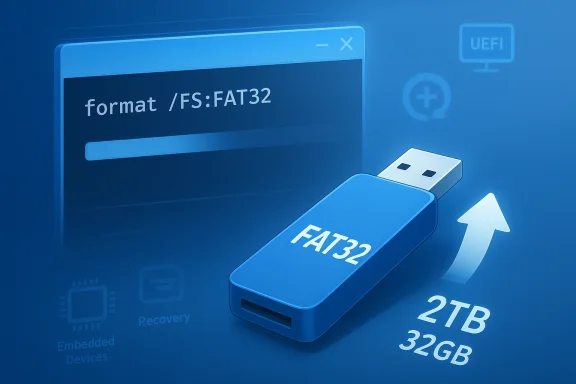
Microsoft is finally removing one of Windows’ oldest storage oddities: the artificial 32GB formatting cap for FAT32. In the latest Windows 11 Insider Preview Build 26300.8170, Microsoft says it is raising the command-line FAT32 formatting limit to 2TB, a change that feels overdue precisely because FAT32 itself never truly deserved the smaller ceiling. The catch, for now, is that the change is still limited to Insider builds and still appears to apply only through the command line, not the graphical interface. That means this is a real policy shift, but not yet a universal one.
FAT32 has survived far longer than many people expected, not because it is elegant, but because it is useful in exactly the places where elegance matters least. It remains a compatibility workhorse for boot media, firmware updates, older embedded systems, and a wide range of devices that care far more about readability than modern file-system features. Microsoft’s own Insider announcement makes the change sound simple, but the significance is broader: the company is undoing a long-standing Windows limitation that had more to do with old tooling choices than with FAT32’s actual structure.
The timing is also interesting. Microsoft first previewed a similar move in Insider channels in 2024, and the new Dev Channel note suggests the company is still moving it through the pipeline rather than treating it as a one-off experiment. That matters because storage behavior often sits at the intersection of compatibility, UX, and supportability. Changes like this do not just alter what Windows can do; they alter what users, admins, and documentation teams can reasonably expect Windows to do without third-party tools.
At a technical level, the headline is easy to misread. This is not Microsoft “upgrading” FAT32 into a modern file system, and it is not removing FAT32’s better-known 4GB per-file limit. It is simply lifting the operating-system-imposed ceiling on volume formatting. That distinction is critical, because the new 2TB cap expands where FAT32 can be used, but it does not change the format’s suitability for large files, backups, or media libraries.
For Windows, the broader lesson is that old constraints often linger long after their original rationale disappears. Microsoft has spent years trying to make Windows 11 feel less like a compromise between legacy tools and a modern shell. Faster storage navigation in Settings, less intrusive UAC timing, and a higher FAT32 formatting limit all point in the same direction: make the platform feel less arbitrary, especially in the places where users feel friction most acutely.
Microsoft’s own documentation around large disks helps frame the issue. Windows support content on disks above 2TB shows that Microsoft has long been thinking in terms of sector counts, partition schemes, and modern large-storage behavior rather than the quaint storage assumptions of the 1990s. Once you get into 512-byte sectors and 32-bit sector-count fields, FAT32’s practical limits become understandable, but the old 32GB formatting cap in Windows becomes much harder to defend as anything other than an inherited restriction.
The result was a long-running mismatch. Users could run into FAT32 requirements in very ordinary contexts — UEFI boot media, recovery drives, firmware utilities, older hardware, or devices that insist on FAT32 for maximum interoperability — and then discover that Windows itself would not easily format a suitably large volume. That pushed people toward third-party tools or awkward workarounds, even though the built-in operating system already understood enough to support the use case.
The new 2TB ceiling is therefore less about adding a feature than about removing a paper cut. That may sound modest, but paper cuts are exactly the kind of annoyance that shape how users perceive Windows over time. A thousand tiny frictions can do more damage to confidence than a handful of large failures. This is why the change resonates beyond file systems and into the larger debate over how much legacy baggage Windows should carry forward.
This is why the FAT32 story remains relevant in 2026. The format survives not because it is glamorous, but because the real world still includes a lot of systems that are more concerned with “can I read it?” than with “is this state of the art?” That is especially true in recovery workflows and firmware update environments, where broad recognition is more important than modern metadata features.
That path also reflects Microsoft’s broader product posture. The company has become more willing to let Windows evolve in small, additive ways that remove old assumptions without breaking established compatibility layers. The FAT32 change fits that pattern neatly. It is not a dramatic reimagining of storage, but it is a clear signal that Microsoft is willing to revisit old decisions when they no longer serve a practical purpose.
This is a formatting-policy update, not a new file-system implementation. FAT32 remains FAT32, which means the 4GB file-size ceiling stays in place. For anyone using large disk images, modern video files, or big software assets, the format is still limited in exactly the ways that have made it a compatibility tool rather than a modern primary storage option.
The command-line detail is also important because it tells you who this change is really for. Casual users typically format drives through graphical tools or settings flows. Power users, IT staff, and automation scripts are far more likely to touch the command line directly. That makes the new behavior especially relevant to administrators and technicians who need predictable workflows more than pretty interfaces.
It also means the change is likely to stay invisible to many home users until they need it. That is not a weakness; it is a sign of a sensible systems fix. The best platform changes often do their job quietly and only reveal themselves when the old workaround would have become a pain point.
This is why the announcement should not be interpreted as Microsoft endorsing FAT32 over NTFS or exFAT. NTFS remains the mainstream Windows choice for internal storage, and exFAT often makes more sense for cross-platform removable media. FAT32’s new flexibility just makes it more practical for the specific compatibility cases where it was already the right answer.
That alignment matters because it reduces confusion. Users no longer have to wonder whether Windows is blocking something the format itself can handle. When operating-system policy and technical possibility diverge too far, users assume the platform is being capricious. This change helps close that gap.
That is why this change has value even for people who would never choose FAT32 for their personal external drive. Compatibility formats are invisible until they suddenly become the only thing standing between you and a successful boot or update. By making larger FAT32 volumes easier to create, Microsoft is reducing one more reason users have to leave the Windows toolbox for niche utilities.
The broader point is that compatibility is still a feature. In modern consumer computing, platform vendors often emphasize speed, aesthetics, and AI-assisted workflows. Those are important, but in the enterprise and maker worlds, support for older devices and odd workflows is often more valuable than flashy novelty. FAT32’s endurance is proof that the “old” answers are not always obsolete.
That also explains why IT staff tend to care disproportionately about this change. Standardized recovery workflows depend on predictable formatting behavior. If Windows can now create the right kind of FAT32 media without third-party intervention, administrators can keep more of the process inside native tooling and documentation. That lowers friction and reduces support variability.
That reality makes Microsoft’s new limit more than a convenience tweak. It acknowledges that Windows still serves as the bridge between modern PCs and an ecosystem of older devices that are not going away. In that sense, the change is as much about interoperability policy as it is about storage.
That is why the old 32GB cap was so frustrating. It did not stop FAT32 from being used; it just made the legitimate use cases harder to reach. Removing the cap does not make FAT32 the default answer. It just makes it less painful when it is the correct answer.
The performance improvement is not glamorous, but it is strategically important. If Microsoft wants users to treat Settings as the primary place for storage management, that page has to answer quickly. A storage dashboard that stalls on large or complex disks teaches users to avoid it, and once that trust is gone, old habits are hard to break.
There is also an interface-design angle here. The build reduces some unnecessary elevation friction by delaying UAC prompts until users actually touch a privileged action. That makes the page feel less like a guarded vault and more like an informational dashboard first. For any modern administration UI, that distinction is huge.
That user experience problem has consequences beyond annoyance. When a page takes too long to load, users assume the interface is not trustworthy or not finished. They then reach for older tools or third-party utilities, which undermines Microsoft’s broader effort to modernize the Windows management experience.
That sequencing matters especially in enterprise contexts, where administrators often need to inspect systems at scale. It also matters for consumers, who tend to interpret repeated prompts as friction rather than protection. The more Windows can align prompts with intent, the more competent it feels.
The good news is that Microsoft appears to understand the problem more clearly than it once did. It is not enough to make an interface look modern. It has to behave like a modern tool, especially when the task is as basic as checking storage. That is the standard Windows 11 is being held to now.
That is especially relevant in a market where operating systems compete as much on feel as on feature checklists. When Windows makes a small task easier, faster, and less arbitrary, it improves its own credibility. That matters because users often decide what platform feels “finished” based on these micro-frictions, not on headline features alone.
This also has a subtle enterprise implication. IT teams hate undocumented exceptions and third-party workarounds because they complicate support. If Windows provides a native path for large FAT32 formatting, that path becomes easier to standardize, script, and document. Standardization is not glamorous, but it is a serious competitive advantage in managed environments.
By raising the FAT32 ceiling, Microsoft is reclaiming a piece of that authority. The company is saying that native Windows tools should be good enough for the weird compatibility jobs users still need to do. That is a better competitive posture than forcing people to solve basic tasks outside the OS.
That helps Microsoft compete on coherence. A coherent operating system is one that behaves consistently across old and new workflows. If the modern path is also the practical path, users are more likely to trust the platform’s direction.
That is often how Microsoft’s best platform fixes work. They do not create a new category. They remove a barrier that had been accepted for too long, and by doing so they make Windows feel a little more rational. In platform competition, rational is a feature.
The wider opportunity is that this kind of cleanup can ripple into support docs, deployment scripts, recovery media workflows, and storage administration habits. In other words, one small formatter change can improve a lot of adjacent processes. That is the kind of systems win that quietly pays dividends for years.
The faster Storage settings also give Microsoft a stronger argument for keeping more management tasks inside the modern shell. If that page is fast enough to trust, the company can continue migrating users away from older tools without feeling like it is making them pay a performance tax.
There is also the classic Insider risk: not every preview feature survives intact to a stable release. Microsoft has been clear that Insider features can change, disappear, or roll out gradually. So while the change is encouraging, users should still treat it as preview behavior until it lands broadly.
A third concern is documentation lag. Microsoft’s older guidance has historically referenced the 32GB ceiling in some deployment contexts, and it can take time for scripts, support pages, and admin playbooks to catch up. That lag can create confusion even after the software changes.
That means communication will matter as much as engineering. If Microsoft eventually ships this publicly, it will need to ensure the distinction between volume size and file size is clear enough that ordinary users do not make bad storage decisions. The technical fix is solid; the user education burden is still real.
Microsoft’s challenge is not just to fix isolated annoyances, but to make the overall experience feel coherent. The FAT32 change helps, but coherence requires a wider pattern of cleanup. Users notice when the company is moving in the right direction, and they notice just as quickly when the old friction remains elsewhere.
It will also be worth watching whether Microsoft eventually exposes the change in the graphical workflow, or whether it remains a command-line-only capability. The latter would still be useful, especially for IT and scripting, but a broader UI path would make the feature easier for casual users to discover. Either way, the current direction is clear: Microsoft is trying to reduce the gap between what Windows can do and what its built-in tools allow.
The more interesting broader trend is that Microsoft seems willing to keep chipping away at inherited friction. Faster Storage settings, delayed UAC prompts, and a higher FAT32 cap all point to the same product philosophy: small annoyances matter, and the company is finally acting like they do. That is a healthy sign for a platform that still has to balance legacy compatibility with modern usability.
Source: TechSpot https://www.techspot.com/news/112058-microsoft-removing-32gb-size-limit-fat32-volumes-time.html
 Overview
FAT32 has survived far longer than many people expected, not because it is elegant, but because it is useful in exactly the places where elegance matters least. It remains a compatibility workhorse for boot media, firmware updates, older embedded systems, and a wide range of devices that care far more about readability than modern file-system features. Microsoft’s own Insider announcement makes the change sound simple, but the significance is broader: the company is undoing a long-standing Windows limitation that had more to do with old tooling choices than with FAT32’s actual structure.The timing is also interesting. Microsoft first previewed a similar move in Insider channels in 2024, and the new Dev Channel note suggests the company is still moving it through the pipeline rather than treating it as a one-off experiment. That matters because storage behavior often sits at the intersection of compatibility, UX, and supportability. Changes like this do not just alter what Windows can do; they alter what users, admins, and documentation teams can reasonably expect Windows to do without third-party tools.
At a technical level, the headline is easy to misread. This is not Microsoft “upgrading” FAT32 into a modern file system, and it is not removing FAT32’s better-known 4GB per-file limit. It is simply lifting the operating-system-imposed ceiling on volume formatting. That distinction is critical, because the new 2TB cap expands where FAT32 can be used, but it does not change the format’s suitability for large files, backups, or media libraries.
For Windows, the broader lesson is that old constraints often linger long after their original rationale disappears. Microsoft has spent years trying to make Windows 11 feel less like a compromise between legacy tools and a modern shell. Faster storage navigation in Settings, less intrusive UAC timing, and a higher FAT32 formatting limit all point in the same direction: make the platform feel less arbitrary, especially in the places where users feel friction most acutely.
Background
To understand why this matters, you have to separate FAT32’s actual design from Windows’ historical behavior. FAT32 as a file system has long been capable of working with volumes much larger than 32GB, but Microsoft’s built-in formatting tools imposed a lower practical ceiling. In other words, the restriction was not a hard law of the file system so much as a policy decision in Windows’ tooling. That made sense in the era when Microsoft wanted to discourage casual FAT32 use on bigger drives, but over time it began to look less like guidance and more like needless friction.Microsoft’s own documentation around large disks helps frame the issue. Windows support content on disks above 2TB shows that Microsoft has long been thinking in terms of sector counts, partition schemes, and modern large-storage behavior rather than the quaint storage assumptions of the 1990s. Once you get into 512-byte sectors and 32-bit sector-count fields, FAT32’s practical limits become understandable, but the old 32GB formatting cap in Windows becomes much harder to defend as anything other than an inherited restriction.
The result was a long-running mismatch. Users could run into FAT32 requirements in very ordinary contexts — UEFI boot media, recovery drives, firmware utilities, older hardware, or devices that insist on FAT32 for maximum interoperability — and then discover that Windows itself would not easily format a suitably large volume. That pushed people toward third-party tools or awkward workarounds, even though the built-in operating system already understood enough to support the use case.
Why the old cap annoyed people
The reason the old cap became so frustrating is that it felt artificial. Users did not encounter it because the format was genuinely incapable; they encountered it because Windows chose to draw an administrative line in the sand. That distinction matters in platform trust. When the OS says “no” for historical reasons, users stop thinking in terms of capability and start thinking in terms of workarounds.The new 2TB ceiling is therefore less about adding a feature than about removing a paper cut. That may sound modest, but paper cuts are exactly the kind of annoyance that shape how users perceive Windows over time. A thousand tiny frictions can do more damage to confidence than a handful of large failures. This is why the change resonates beyond file systems and into the larger debate over how much legacy baggage Windows should carry forward.
Why FAT32 never really died
FAT32 persists because it is the file system equivalent of a universal adapter. It is not the best choice for general-purpose internal storage, and it is not meant to be. But it is broadly recognized, easy for firmware and older hardware to parse, and often the safest shared denominator when you need a drive to boot, flash, or be seen by a wide mix of devices. That kind of compatibility is boring until it becomes indispensable.This is why the FAT32 story remains relevant in 2026. The format survives not because it is glamorous, but because the real world still includes a lot of systems that are more concerned with “can I read it?” than with “is this state of the art?” That is especially true in recovery workflows and firmware update environments, where broad recognition is more important than modern metadata features.
How Microsoft got here
Microsoft actually teased this direction earlier, and that history matters because it suggests the company has already validated the idea internally and in Insider channels. The 2024 preview showed this was not a random one-off thought, while the new 2026 note indicates the feature is now progressing further through the rollout process. That is usually how Windows changes mature: first as an experiment, then as a controlled Insider rollout, and only later as something ordinary users may eventually take for granted.That path also reflects Microsoft’s broader product posture. The company has become more willing to let Windows evolve in small, additive ways that remove old assumptions without breaking established compatibility layers. The FAT32 change fits that pattern neatly. It is not a dramatic reimagining of storage, but it is a clear signal that Microsoft is willing to revisit old decisions when they no longer serve a practical purpose.
What Microsoft Changed
The core change is straightforward: Windows 11 Insider Preview Build 26300.8170 increases the FAT32 formatting limit from 32GB to 2TB when using the command line. Microsoft’s wording is precise enough to matter, because it says “formatting FAT32 volumes via the command line,” not “redesigning FAT32” or “lifting all FAT32 constraints.” That precision prevents overreading the announcement.This is a formatting-policy update, not a new file-system implementation. FAT32 remains FAT32, which means the 4GB file-size ceiling stays in place. For anyone using large disk images, modern video files, or big software assets, the format is still limited in exactly the ways that have made it a compatibility tool rather than a modern primary storage option.
The command-line detail is also important because it tells you who this change is really for. Casual users typically format drives through graphical tools or settings flows. Power users, IT staff, and automation scripts are far more likely to touch the command line directly. That makes the new behavior especially relevant to administrators and technicians who need predictable workflows more than pretty interfaces.
Why the command line matters
The command line is where Windows still exposes some of its most useful low-level behavior. If Microsoft wants storage workflows to be scriptable and reproducible, the command-line path matters much more than a toggle buried in Settings. In practice, that means the new FAT32 ceiling will be most valuable in imaging, repair, deployment, and lab environments.It also means the change is likely to stay invisible to many home users until they need it. That is not a weakness; it is a sign of a sensible systems fix. The best platform changes often do their job quietly and only reveal themselves when the old workaround would have become a pain point.
What stays the same
The most important thing that does not change is FAT32’s 4GB per-file limit. That limitation is the reason FAT32 is still unsuitable for a wide range of modern workloads, no matter how large a volume it can now format. A 2TB FAT32 partition may now be possible, but that does not mean it is wise for large media collections or mixed-purpose external storage.This is why the announcement should not be interpreted as Microsoft endorsing FAT32 over NTFS or exFAT. NTFS remains the mainstream Windows choice for internal storage, and exFAT often makes more sense for cross-platform removable media. FAT32’s new flexibility just makes it more practical for the specific compatibility cases where it was already the right answer.
The significance of 2TB
The 2TB number is meaningful because it lines up with long-standing storage boundaries in Microsoft’s ecosystem. It is not a magical threshold, but it is a familiar one, and it reflects the realities of sector-based storage limits and older boot/recovery assumptions. In practical terms, Microsoft is aligning the formatter with the file system’s real-world usefulness rather than an outdated convenience barrier.That alignment matters because it reduces confusion. Users no longer have to wonder whether Windows is blocking something the format itself can handle. When operating-system policy and technical possibility diverge too far, users assume the platform is being capricious. This change helps close that gap.
Why FAT32 Still Matters
FAT32 remains a surprisingly durable compatibility layer because a lot of hardware does not care about modern file-system sophistication. Firmware update sticks, bootable recovery media, some consoles, certain cameras, and older embedded devices may all prefer or require FAT32. In those cases, the question is not whether FAT32 is best in the abstract; it is whether the target device recognizes it reliably.That is why this change has value even for people who would never choose FAT32 for their personal external drive. Compatibility formats are invisible until they suddenly become the only thing standing between you and a successful boot or update. By making larger FAT32 volumes easier to create, Microsoft is reducing one more reason users have to leave the Windows toolbox for niche utilities.
The broader point is that compatibility is still a feature. In modern consumer computing, platform vendors often emphasize speed, aesthetics, and AI-assisted workflows. Those are important, but in the enterprise and maker worlds, support for older devices and odd workflows is often more valuable than flashy novelty. FAT32’s endurance is proof that the “old” answers are not always obsolete.
Boot media and recovery workflows
One of FAT32’s strongest remaining use cases is boot media. UEFI environments often rely on FAT32 recognition, and recovery sticks still need to be readable by minimal firmware environments that are not interested in NTFS richness. The file system’s simplicity is a weakness on a laptop’s internal SSD, but a strength when you want nearly anything to recognize a USB stick.That also explains why IT staff tend to care disproportionately about this change. Standardized recovery workflows depend on predictable formatting behavior. If Windows can now create the right kind of FAT32 media without third-party intervention, administrators can keep more of the process inside native tooling and documentation. That lowers friction and reduces support variability.
Legacy hardware and niche devices
There is also a long tail of hardware that simply behaves better with FAT32. Older electronics, legacy industrial gear, and embedded systems often favor straightforward file systems because they were designed with minimal firmware parsers in mind. For these devices, FAT32’s old-school simplicity is not a flaw; it is a feature.That reality makes Microsoft’s new limit more than a convenience tweak. It acknowledges that Windows still serves as the bridge between modern PCs and an ecosystem of older devices that are not going away. In that sense, the change is as much about interoperability policy as it is about storage.
Why exFAT and NTFS do not make FAT32 irrelevant
It is tempting to assume exFAT and NTFS should have made FAT32 irrelevant by now, but real-world usage does not work that cleanly. NTFS is richer and better suited for internal Windows storage, while exFAT is often the friendlier choice for removable cross-platform drives. FAT32 remains the lowest-common-denominator choice when you need something very old, very simple, and very broadly recognized.That is why the old 32GB cap was so frustrating. It did not stop FAT32 from being used; it just made the legitimate use cases harder to reach. Removing the cap does not make FAT32 the default answer. It just makes it less painful when it is the correct answer.
Storage Experience in Windows 11
Microsoft did not tuck the FAT32 change into the Insider build alone. The same release also improves navigation performance in Settings for large volumes and makes other storage interactions feel less clumsy. That matters because Windows has long struggled to make its modern Settings app feel as immediate as the old control surfaces power users still trust.The performance improvement is not glamorous, but it is strategically important. If Microsoft wants users to treat Settings as the primary place for storage management, that page has to answer quickly. A storage dashboard that stalls on large or complex disks teaches users to avoid it, and once that trust is gone, old habits are hard to break.
There is also an interface-design angle here. The build reduces some unnecessary elevation friction by delaying UAC prompts until users actually touch a privileged action. That makes the page feel less like a guarded vault and more like an informational dashboard first. For any modern administration UI, that distinction is huge.
Why storage pages felt slow
Storage pages can be slow because they have to query a lot of information: partition details, capacity, usage, file-system type, and disk metadata. On a simple machine, that may not matter. On a system with multiple partitions, large disks, or slower storage media, those queries can add enough latency to make the UI feel heavy or unreliable.That user experience problem has consequences beyond annoyance. When a page takes too long to load, users assume the interface is not trustworthy or not finished. They then reach for older tools or third-party utilities, which undermines Microsoft’s broader effort to modernize the Windows management experience.
Why UAC timing is not trivial
The change to UAC timing may sound small, but it is actually a strong design signal. Viewing storage information should not feel the same as editing or deleting something, and a prompt that appears too early creates a sense of suspicion before the user has done anything risky. By moving the prompt later, Microsoft is separating observation from intervention in a more sensible way.That sequencing matters especially in enterprise contexts, where administrators often need to inspect systems at scale. It also matters for consumers, who tend to interpret repeated prompts as friction rather than protection. The more Windows can align prompts with intent, the more competent it feels.
Why the Settings app still has work to do
These changes are encouraging, but they also remind us how much baggage remains in Windows’ modern UI. Users still judge Settings against the speed and predictability of legacy tools. The fact that a disk properties page needs “fixing” to feel quick enough says a lot about the long transition Microsoft is still trying to complete.The good news is that Microsoft appears to understand the problem more clearly than it once did. It is not enough to make an interface look modern. It has to behave like a modern tool, especially when the task is as basic as checking storage. That is the standard Windows 11 is being held to now.
Competitive Implications
On the surface, a FAT32 formatting limit might sound too small to matter in the broader operating-system market. In reality, tiny compatibility wins are often the stuff that keeps advanced users, IT departments, and repair workflows anchored to a platform. If Windows can handle oddball storage tasks natively, it reduces the incentive to reach for outside tools or alternative environments.That is especially relevant in a market where operating systems compete as much on feel as on feature checklists. When Windows makes a small task easier, faster, and less arbitrary, it improves its own credibility. That matters because users often decide what platform feels “finished” based on these micro-frictions, not on headline features alone.
This also has a subtle enterprise implication. IT teams hate undocumented exceptions and third-party workarounds because they complicate support. If Windows provides a native path for large FAT32 formatting, that path becomes easier to standardize, script, and document. Standardization is not glamorous, but it is a serious competitive advantage in managed environments.
Windows versus workaround culture
For years, the answer to “Can Windows do this?” was often “Yes, but not easily.” That is a dangerous place for a platform to be, because users tend to remember friction more vividly than capability. When the default tool says no and a random third-party utility says yes, the platform loses a small but meaningful amount of authority.By raising the FAT32 ceiling, Microsoft is reclaiming a piece of that authority. The company is saying that native Windows tools should be good enough for the weird compatibility jobs users still need to do. That is a better competitive posture than forcing people to solve basic tasks outside the OS.
Why this helps Microsoft’s modernization story
Windows 11 has spent years trying to prove that the new interface is not merely a prettier wrapper on top of old habits. Every time Microsoft trims wait time or removes an arbitrary restriction, it makes that story easier to believe. The FAT32 change is especially useful because it affects a visible, practical task rather than an abstract benchmark.That helps Microsoft compete on coherence. A coherent operating system is one that behaves consistently across old and new workflows. If the modern path is also the practical path, users are more likely to trust the platform’s direction.
Why the change won’t change the whole market
This is still not a game-changing storage announcement. Most consumers will never format a giant FAT32 volume, and most general-purpose drives should not be FAT32 in the first place. So the market impact is narrow. But narrow does not mean trivial; the users who need this will notice it immediately, and their workflows are exactly the sort that shape system-administration culture.That is often how Microsoft’s best platform fixes work. They do not create a new category. They remove a barrier that had been accepted for too long, and by doing so they make Windows feel a little more rational. In platform competition, rational is a feature.
Strengths and Opportunities
Microsoft deserves credit for targeting a pain point that is small on paper but meaningful in practice. The best part of the change is not just that FAT32 can now be formatted larger; it is that Windows is finally treating a legacy compatibility format with more respect. That makes the platform feel less arbitrary and more internally consistent.The wider opportunity is that this kind of cleanup can ripple into support docs, deployment scripts, recovery media workflows, and storage administration habits. In other words, one small formatter change can improve a lot of adjacent processes. That is the kind of systems win that quietly pays dividends for years.
- Native support reduces reliance on third-party formatting tools.
- Command-line availability makes the feature script-friendly for IT.
- Compatibility workflows become easier to document and standardize.
- The change improves Windows’ credibility in legacy-device scenarios.
- Faster storage navigation strengthens the modern Settings app.
- Delayed UAC prompts make the UI feel less defensive.
- The 2TB cap aligns Windows with FAT32’s practical range.
Why the opportunity is bigger than the headline
A formatter fix may seem minor, but product teams know that small frictions often shape user sentiment more than grand features do. If users trust Windows to handle odd storage jobs cleanly, they are more likely to trust it for more important administrative tasks too. That makes the change strategically useful even if it never headlines a consumer launch.The faster Storage settings also give Microsoft a stronger argument for keeping more management tasks inside the modern shell. If that page is fast enough to trust, the company can continue migrating users away from older tools without feeling like it is making them pay a performance tax.
Risks and Concerns
The biggest risk is confusion. Some users will read “2TB FAT32” and assume FAT32 has somehow become a modern general-purpose file system, which is not true. The 4GB file-size cap still exists, and that means FAT32 remains unsuitable for a lot of workloads that casual users might still try to store on it.There is also the classic Insider risk: not every preview feature survives intact to a stable release. Microsoft has been clear that Insider features can change, disappear, or roll out gradually. So while the change is encouraging, users should still treat it as preview behavior until it lands broadly.
A third concern is documentation lag. Microsoft’s older guidance has historically referenced the 32GB ceiling in some deployment contexts, and it can take time for scripts, support pages, and admin playbooks to catch up. That lag can create confusion even after the software changes.
- Users may confuse volume size with file-size capability.
- Insiders may see the feature before stable-channel users do.
- Documentation may lag behind the implementation.
- Command-line-only access limits casual discoverability.
- FAT32 could be misused where exFAT or NTFS are better.
- Future Insider builds could alter the behavior again.
- Edge-case storage hardware may not behave identically everywhere.
The danger of overreading the fix
The temptation is to treat this as a symbolic modernization of FAT32 itself. It is not. It is a Windows formatting-policy correction, and that distinction matters because it sets realistic expectations. The last thing Microsoft needs is for users to discover the 4GB file cap the hard way after assuming the new 2TB limit means FAT32 is suddenly “better.”That means communication will matter as much as engineering. If Microsoft eventually ships this publicly, it will need to ensure the distinction between volume size and file size is clear enough that ordinary users do not make bad storage decisions. The technical fix is solid; the user education burden is still real.
The risk of half-modernization
There is also a broader strategic risk in making only part of a workflow feel modern. If Storage settings get faster but other management surfaces still lag, or if the command line gets the new FAT32 ceiling while the GUI still behaves conservatively, Windows may continue to feel split between two eras. That kind of inconsistency can dilute the value of otherwise good changes.Microsoft’s challenge is not just to fix isolated annoyances, but to make the overall experience feel coherent. The FAT32 change helps, but coherence requires a wider pattern of cleanup. Users notice when the company is moving in the right direction, and they notice just as quickly when the old friction remains elsewhere.
Looking Ahead
The real question now is whether this change survives the Insider pipeline and reaches ordinary Windows 11 users in stable form. Microsoft’s note suggests gradual rollout, which is consistent with how the company now ships many Windows features. That means the feature is real, but it is still in the proving phase.It will also be worth watching whether Microsoft eventually exposes the change in the graphical workflow, or whether it remains a command-line-only capability. The latter would still be useful, especially for IT and scripting, but a broader UI path would make the feature easier for casual users to discover. Either way, the current direction is clear: Microsoft is trying to reduce the gap between what Windows can do and what its built-in tools allow.
The more interesting broader trend is that Microsoft seems willing to keep chipping away at inherited friction. Faster Storage settings, delayed UAC prompts, and a higher FAT32 cap all point to the same product philosophy: small annoyances matter, and the company is finally acting like they do. That is a healthy sign for a platform that still has to balance legacy compatibility with modern usability.
- Watch whether the feature appears in a future Beta or Release Preview build.
- Watch whether the command-line-only restriction remains in place.
- Watch whether Microsoft updates its storage documentation accordingly.
- Watch whether the 4GB file-size limit is communicated clearly enough.
- Watch whether related storage UI improvements continue in Settings.
Source: TechSpot https://www.techspot.com/news/112058-microsoft-removing-32gb-size-limit-fat32-volumes-time.html
Last edited:
