

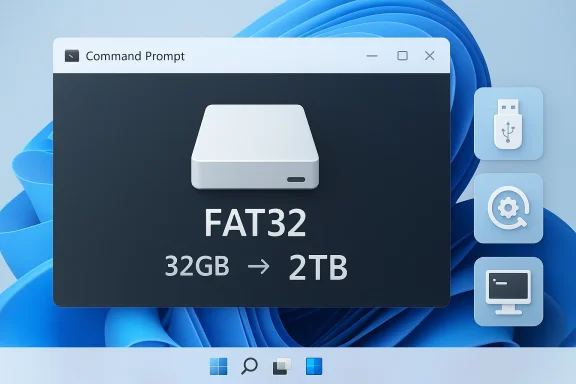
Microsoft is finally removing one of Windows’ oldest storage oddities: the artificial 32GB formatting cap for FAT32. In the latest Windows 11 Insider Preview Build 26300.8170, Microsoft says it is raising the command-line FAT32 formatting limit to 2TB, a change that feels overdue precisely because FAT32 itself never truly deserved the smaller ceiling. The catch, for now, is that the change is still limited to Insider builds and still appears to apply only through the command line, not the graphical disk tools. Even so, this is a meaningful cleanup of a legacy rule that has long frustrated power users, IT admins, and anyone who still needs FAT32 for compatibility.
For most of Windows history, FAT32 has occupied a strange middle ground between indispensability and obsolescence. It is not the file system most people want for day-to-day storage, but it is the one that quietly keeps old devices, firmware utilities, recovery media, and some cross-platform workflows alive. That is why a format limitation that looked harmless on paper became so annoying in practice. Windows could read and write FAT32 volumes far larger than 32GB, but its built-in formatting tools refused to create them. Microsoft had turned a compatibility file system into a compatibility headache.
That tension matters because FAT32 is one of those legacy technologies that refuses to disappear. It persists in boot sticks, maintenance media, embedded devices, game consoles, and firmware update scenarios where broad recognition matters more than modern features. The 4GB file-size ceiling remains the real architectural constraint, but the 32GB volume-size ceiling was mostly a Windows policy choice. In other words, users were hitting an arbitrary software rule, not a fundamental truth of the file system.
Microsoft’s own Insider notes now explicitly call out the change. The Windows 11 Insider Preview Blog for build 26300.8170 says Microsoft is “increasing the size limit for formatting FAT32 volumes via the command line from 32GB to 2TB.” That language is precise, and it is important: this is not a new FAT32 format, nor a rewrite of the file system itself. It is a change to Windows’ formatting behavior.
The rollout also fits a broader pattern in Windows 11 development. Microsoft has spent the last several years trying to make the Settings app and other modern interfaces fast enough, consistent enough, and low-friction enough to replace older utility surfaces. The same Insider build that raises the FAT32 limit also improves performance when navigating large storage volumes in Settings. That combination suggests Microsoft is not merely polishing a corner case; it is trying to make storage management feel less like a relic.
There is history here too. Insider builds had already previewed larger FAT32 formatting in earlier flights, which means this is not a sudden philosophical pivot. Microsoft has clearly been testing the idea for some time, and its presence in a later Dev build and now in a Beta-era rollout suggests the company is moving from experimentation toward broader adoption. That progression matters because it shows the change is being treated as a real platform improvement rather than a one-off patch.
The fact that the graphical disk tools still behave conservatively is telling. Microsoft appears to be updating the underlying formatter logic before it updates the user-facing surface area. That is classic Windows: the plumbing changes first, the polish comes later, and sometimes the polish never fully catches up.
The practical result is that the feature is useful immediately for technical users, but still invisible to casual ones. That is not a bad compromise. It prevents Microsoft from overhauling interface behavior too abruptly while still removing a long-standing restriction for those who need it. The only downside is that many users will hear “2TB FAT32” and assume the whole experience changed, when in fact only one path through Windows has been updated.
There is also an important symbolic dimension. Windows is essentially admitting that the old ceiling had become a paper cut so familiar that many users stopped questioning it. Fixing those paper cuts is not glamorous, but it is exactly what mature platform software should do. Microsoft is not trying to make FAT32 the best file system; it is trying to stop punishing people for using it in the narrow situations where it still makes sense.
That is why this is a compatibility story more than a capacity story. FAT32 still exists because it remains the lowest common denominator in some hardware and firmware ecosystems. By making the formatting path match that reality, Microsoft reduces the number of times users have to leave Windows to solve a basic task.
IT departments also care about this because native tooling is easier to standardize. If a built-in Windows command can create the media they need, that is one less dependency, one less download, and one less thing to audit. In an enterprise workflow, those savings accumulate quickly. The change may be narrow, but it is operationally meaningful.
Microsoft’s change also helps with another subtle issue: trust in the platform. When Windows refuses to format a volume that FAT32 can conceptually support, it feels like the operating system is making arbitrary decisions on the user’s behalf. Removing that ceiling makes Windows feel a little less paternalistic and a little more aligned with how technical users think.
That distinction is vital because it prevents a lot of bad advice from spreading. A larger FAT32 volume does not mean a better FAT32 volume. It just means users can now create larger compatibility partitions without needing awkward third-party tools or command-line workarounds. That is a real improvement, but it is not a new recommendation to use FAT32 everywhere.
That is the deeper story here. Windows has accumulated many such legacy behaviors, and some of them only make sense if you remember the environment in which they were born. The problem is that users do not live in the past. They live in the present, where a 128GB flash drive can be as mundane as a 16GB one once was. In that world, a 32GB formatter limit feels absurd.
Microsoft also had third-party pressure valves available. Utilities such as GUIFormat and similar tools already let users create larger FAT32 partitions. That meant the restriction was never truly impossible to bypass; it was just inconvenient. The existence of workarounds made the Windows limitation look less like engineering necessity and more like avoidable friction.
That also improves supportability. When a platform makes a task hard, users improvise. When users improvise, documentation fragments. When documentation fragments, troubleshooting gets messy. By restoring this capability natively, Microsoft reduces the likelihood of scattered advice and unapproved tools drifting through workplaces and forums alike.
It also helps field support teams. If a technician needs to prepare a drive for a specific device, using built-in Windows commands is faster and less error-prone than hunting for external software. The fewer moving parts in a support workflow, the easier it is to replicate under pressure. That matters in real-world IT environments where speed and consistency beat cleverness.
That is also why the update deserves more attention than its low drama suggests. A good OS is not just one that does headline-grabbing things. It is one that removes needless obstacles from ordinary technical work. Microsoft is doing that here in a small but real way.
There is a consumer education issue, though. A lot of people will misunderstand the headline and think FAT32 has become more capable in general than it really has. It has not. The 4GB file limit still dominates the decision-making process, and users should continue to choose NTFS or exFAT when they need large files or broad modern storage features.
That makes the change useful without being seductive. It solves a specific problem cleanly and avoids pretending that old technology has suddenly become modern. That kind of honesty is refreshing in software.
By fixing the issue, Microsoft slightly strengthens its case that Windows remains the most convenient general-purpose desktop operating system. The gain is subtle, but it matters in the aggregate. Every small annoyance that disappears makes the platform feel more finished.
That kind of goodwill is hard to quantify, but it matters. Power users remember when Windows gets in the way, and they also remember when Microsoft quietly clears the obstacle. This update belongs to the second category.
The opportunity is bigger than the headline implies. Native support for larger FAT32 volumes can simplify imaging workflows, firmware prep, support documentation, and lab testing. It also gives Microsoft a better story about Windows 11’s modern storage stack, especially when paired with faster Storage settings navigation.
Another concern is rollout uncertainty. This remains an Insider feature, and Microsoft is explicit that preview features can change or disappear before broad release. There is also the practical risk that documentation, training material, and older guides continue to mention the 32GB ceiling long after the code changes land. That lag can create confusion, especially in enterprise environments.
A second question is whether the graphical tools will eventually catch up. The command-line path is valuable for technical users, but the broader utility of the change would increase if Windows’ visual formatting surfaces recognized the larger limit too. That would make the feature feel fully integrated rather than half-hidden. It would also help consumers who will never open Terminal but still need the capability occasionally.
Source: Technetbook Microsoft FAT32 Formatting Limit Increased to 2 TB in Windows 11 for Better Compatibility
 Background
For most of Windows history, FAT32 has occupied a strange middle ground between indispensability and obsolescence. It is not the file system most people want for day-to-day storage, but it is the one that quietly keeps old devices, firmware utilities, recovery media, and some cross-platform workflows alive. That is why a format limitation that looked harmless on paper became so annoying in practice. Windows could read and write FAT32 volumes far larger than 32GB, but its built-in formatting tools refused to create them. Microsoft had turned a compatibility file system into a compatibility headache.That tension matters because FAT32 is one of those legacy technologies that refuses to disappear. It persists in boot sticks, maintenance media, embedded devices, game consoles, and firmware update scenarios where broad recognition matters more than modern features. The 4GB file-size ceiling remains the real architectural constraint, but the 32GB volume-size ceiling was mostly a Windows policy choice. In other words, users were hitting an arbitrary software rule, not a fundamental truth of the file system.
Microsoft’s own Insider notes now explicitly call out the change. The Windows 11 Insider Preview Blog for build 26300.8170 says Microsoft is “increasing the size limit for formatting FAT32 volumes via the command line from 32GB to 2TB.” That language is precise, and it is important: this is not a new FAT32 format, nor a rewrite of the file system itself. It is a change to Windows’ formatting behavior.
The rollout also fits a broader pattern in Windows 11 development. Microsoft has spent the last several years trying to make the Settings app and other modern interfaces fast enough, consistent enough, and low-friction enough to replace older utility surfaces. The same Insider build that raises the FAT32 limit also improves performance when navigating large storage volumes in Settings. That combination suggests Microsoft is not merely polishing a corner case; it is trying to make storage management feel less like a relic.
There is history here too. Insider builds had already previewed larger FAT32 formatting in earlier flights, which means this is not a sudden philosophical pivot. Microsoft has clearly been testing the idea for some time, and its presence in a later Dev build and now in a Beta-era rollout suggests the company is moving from experimentation toward broader adoption. That progression matters because it shows the change is being treated as a real platform improvement rather than a one-off patch.
What Microsoft Actually Changed
The headline is straightforward: Windows 11 Insider Preview Build 26300.8170 raises the FAT32 formatting limit from 32GB to 2TB, but only when using the command line. Microsoft’s own notes make clear that the command-line tool is the entry point for the new behavior, which means the old visual interfaces may still present the familiar 32GB ceiling. That distinction will matter a great deal for ordinary users, who are far more likely to open a wizard than a terminal.Command line first, GUI later, maybe
This is one of those changes that looks bigger than it is until you think about who actually benefits. Most home users do not format FAT32 partitions by hand very often. Power users, IT administrators, imaging engineers, and anyone building boot media do. For them, a command-line change is valuable because it can be scripted, repeated, and documented. In enterprise environments, repeatability is often more important than convenience.The fact that the graphical disk tools still behave conservatively is telling. Microsoft appears to be updating the underlying formatter logic before it updates the user-facing surface area. That is classic Windows: the plumbing changes first, the polish comes later, and sometimes the polish never fully catches up.
The practical result is that the feature is useful immediately for technical users, but still invisible to casual ones. That is not a bad compromise. It prevents Microsoft from overhauling interface behavior too abruptly while still removing a long-standing restriction for those who need it. The only downside is that many users will hear “2TB FAT32” and assume the whole experience changed, when in fact only one path through Windows has been updated.
- The new limit applies to command-line FAT32 formatting.
- The old 32GB ceiling still appears in some graphical workflows.
- The change is part of a gradual Insider rollout.
- The file system’s 4GB per-file limit remains unchanged.
- The update improves compatibility, not general-purpose storage performance.
Why 2TB is the right headline number
The 2TB figure matters because it aligns Windows’ formatting behavior much more closely with FAT32’s practical range. That does not mean FAT32 is suddenly modern, but it does mean Microsoft is no longer pretending the file system should be artificially confined to a tiny size class. The old cap was a product decision, not a technical inevitability. Removing it restores consistency between Windows’ tools and the storage landscape users actually live in.There is also an important symbolic dimension. Windows is essentially admitting that the old ceiling had become a paper cut so familiar that many users stopped questioning it. Fixing those paper cuts is not glamorous, but it is exactly what mature platform software should do. Microsoft is not trying to make FAT32 the best file system; it is trying to stop punishing people for using it in the narrow situations where it still makes sense.
That is why this is a compatibility story more than a capacity story. FAT32 still exists because it remains the lowest common denominator in some hardware and firmware ecosystems. By making the formatting path match that reality, Microsoft reduces the number of times users have to leave Windows to solve a basic task.
Why FAT32 Still Matters
FAT32 survives because compatibility still matters, and compatibility is often more valuable than sophistication. That may sound quaint in an era of NVMe SSDs, cloud sync, and enterprise endpoint management, but the storage world still contains a huge amount of old firmware, embedded hardware, and quirky cross-platform gear. When a USB stick has to be readable by a camera, a router, a console, or a motherboard update utility, FAT32 is still the safest bet.The compatibility use cases are real
This is where the new limit matters most. A large removable drive used for recovery media or firmware updates may need FAT32 even if no one would choose FAT32 for their personal documents or media library. The same goes for some consoles and older devices that remain stubbornly specific about what they will accept. In those scenarios, the file system is not chosen for elegance; it is chosen because the device will actually read it.IT departments also care about this because native tooling is easier to standardize. If a built-in Windows command can create the media they need, that is one less dependency, one less download, and one less thing to audit. In an enterprise workflow, those savings accumulate quickly. The change may be narrow, but it is operationally meaningful.
Microsoft’s change also helps with another subtle issue: trust in the platform. When Windows refuses to format a volume that FAT32 can conceptually support, it feels like the operating system is making arbitrary decisions on the user’s behalf. Removing that ceiling makes Windows feel a little less paternalistic and a little more aligned with how technical users think.
- Firmware update sticks often still require FAT32.
- UEFI boot media frequently depends on FAT32 readability.
- Embedded devices may reject NTFS or exFAT.
- Consoles and media devices often prefer FAT32 for compatibility.
- Labs and imaging teams benefit from native scripting support.
FAT32 is still not a general-purpose winner
The change does not make FAT32 competitive with NTFS or exFAT for everyday storage. The 4GB file-size ceiling still exists, and that is the real reason FAT32 is unsuitable for many modern workloads. Large video files, disk images, backups, and modern software packages can easily exceed that threshold. So while the partition can now be bigger, the files on it still live under the same old constraint.That distinction is vital because it prevents a lot of bad advice from spreading. A larger FAT32 volume does not mean a better FAT32 volume. It just means users can now create larger compatibility partitions without needing awkward third-party tools or command-line workarounds. That is a real improvement, but it is not a new recommendation to use FAT32 everywhere.
Why Microsoft Kept the Restriction So Long
The obvious question is why this took so long. Part of the answer is historical inertia. Windows has always been reluctant to break or rewrite behavior that might affect legacy hardware, boot workflows, or recovery paths. FAT32 sits directly in that danger zone, so Microsoft likely preferred not to touch it unless there was a strong reason. This is the sort of technical debt that survives because it is easier to ignore than to revisit.Legacy behavior outlives its original rationale
When the 32GB ceiling was introduced, it may have made sense as a product decision. Microsoft wanted to push users toward NTFS or exFAT for larger volumes, and limiting FAT32 formatting on Windows was a simple way to do that. Over time, though, the policy stopped looking like sensible guidance and started looking like an artifact. Users no longer saw a protective limit; they saw friction.That is the deeper story here. Windows has accumulated many such legacy behaviors, and some of them only make sense if you remember the environment in which they were born. The problem is that users do not live in the past. They live in the present, where a 128GB flash drive can be as mundane as a 16GB one once was. In that world, a 32GB formatter limit feels absurd.
Microsoft also had third-party pressure valves available. Utilities such as GUIFormat and similar tools already let users create larger FAT32 partitions. That meant the restriction was never truly impossible to bypass; it was just inconvenient. The existence of workarounds made the Windows limitation look less like engineering necessity and more like avoidable friction.
The third-party escape hatch was never enough
There is a big difference between “you can work around it” and “the OS should support it.” Administrators know this better than anyone. If a platform-native command can accomplish a task, it is easier to script, audit, and repeat than if everyone must rely on a random helper utility from the internet. Microsoft’s change matters because it brings a common edge case back inside the supported Windows surface area.That also improves supportability. When a platform makes a task hard, users improvise. When users improvise, documentation fragments. When documentation fragments, troubleshooting gets messy. By restoring this capability natively, Microsoft reduces the likelihood of scattered advice and unapproved tools drifting through workplaces and forums alike.
The Enterprise Angle
For enterprises, this change is small but useful in exactly the way infrastructure fixes should be. It will not drive a migration plan or redefine endpoint management, but it can simplify many annoying little tasks. The strongest benefit is standardization. If an IT team can prepare FAT32 media using native Windows tooling, it can keep the process inside approved workflows instead of depending on outside utilities.Imaging, recovery, and field support
Bootable and recovery media are the obvious beneficiaries. Microsoft’s deployment guidance has long treated FAT32 as important in UEFI and WinPE-style workflows, even when practical limits made that awkward. A 2TB formatting limit removes one more reason for admins to reach for third-party tools when preparing larger removable media. That can save time, reduce training overhead, and make documentation cleaner.It also helps field support teams. If a technician needs to prepare a drive for a specific device, using built-in Windows commands is faster and less error-prone than hunting for external software. The fewer moving parts in a support workflow, the easier it is to replicate under pressure. That matters in real-world IT environments where speed and consistency beat cleverness.
Why this is still not a storage strategy
Enterprises should not misread this as a reason to embrace FAT32 more broadly. It remains a compatibility format, not a modern storage strategy. NTFS and exFAT still make more sense for most managed deployments because they avoid FAT32’s major limitations. The new limit simply makes one niche task less annoying.- Better scripting inside standardized admin workflows.
- Less dependence on third-party formatting utilities.
- Simpler recovery-media creation for legacy hardware.
- Improved consistency across documentation and automation.
- No change to FAT32’s 4GB file-size ceiling.
- No change to FAT32’s limited feature set.
The Consumer Impact
For home users, the impact will be more sporadic, but it may be exactly the kind of update that saves a frustrating afternoon. If you have ever needed a drive for an older device, a firmware updater, or a console that insists on FAT32, you know the pain of Windows telling you no for reasons that felt arbitrary. This update removes that frustration for a subset of users who will be very happy to never think about it again.A fix most people will never notice
Most consumers will never format a huge FAT32 volume. That is fine. Operating systems are full of quiet improvements that matter only when a specific edge case appears. This is one of those changes. You may go years without needing it, and then one day it becomes the difference between a five-minute task and a workaround rabbit hole.That is also why the update deserves more attention than its low drama suggests. A good OS is not just one that does headline-grabbing things. It is one that removes needless obstacles from ordinary technical work. Microsoft is doing that here in a small but real way.
There is a consumer education issue, though. A lot of people will misunderstand the headline and think FAT32 has become more capable in general than it really has. It has not. The 4GB file limit still dominates the decision-making process, and users should continue to choose NTFS or exFAT when they need large files or broad modern storage features.
What consumers should remember
The smartest way to think about this is simple: larger partition support does not equal better file handling. If your use case involves large videos, disk images, or backups, FAT32 is still the wrong answer. If your use case involves a device that only understands FAT32, then the new Windows 11 behavior is very welcome.That makes the change useful without being seductive. It solves a specific problem cleanly and avoids pretending that old technology has suddenly become modern. That kind of honesty is refreshing in software.
Competitive and Market Implications
There is not much direct competitive drama in a FAT32 formatting update, but there is still a market message underneath it. Microsoft is telling users that Windows should handle legacy compatibility jobs natively, without requiring outside help. That may sound minor, but platform quality is often built from these little acts of cleanup.Microsoft’s convenience pitch gets stronger
Windows has long sold itself on breadth: it can run the old stuff, the new stuff, and all the odd in-between workflows that other systems may not. A lingering 32GB FAT32 cap worked against that image. It suggested that Windows could read the old media, understand the old workflows, and still make users go elsewhere to complete a basic task. That is not the sort of friction a mature platform wants to advertise.By fixing the issue, Microsoft slightly strengthens its case that Windows remains the most convenient general-purpose desktop operating system. The gain is subtle, but it matters in the aggregate. Every small annoyance that disappears makes the platform feel more finished.
Rivals do not lose much, but Microsoft gains goodwill
Linux, macOS, and cross-platform tools are not materially threatened by this move. FAT32 formatting is a narrow task. But Microsoft does gain something intangible: one less reason for users to seek out third-party tools, and one less reason for technical forums to explain a Windows limitation as if it were an unavoidable law of physics.That kind of goodwill is hard to quantify, but it matters. Power users remember when Windows gets in the way, and they also remember when Microsoft quietly clears the obstacle. This update belongs to the second category.
- Fewer support complaints about arbitrary formatting blocks.
- Less dependence on niche disk utilities.
- A more polished compatibility story for Windows 11.
- A stronger case for native Windows tooling.
- Minimal impact on rival operating systems.
- More trust from technical users who notice the cleanup.
Strengths and Opportunities
The strength of this change is that it removes a limitation that was more annoying than necessary, without destabilizing the file system or overpromising what FAT32 can do. It is a classic quality-of-life fix: narrow, practical, and disproportionately valuable when the edge case appears. Microsoft also gets to show that it is still willing to clean up old storage behavior instead of just layering new UI on top of old friction.The opportunity is bigger than the headline implies. Native support for larger FAT32 volumes can simplify imaging workflows, firmware prep, support documentation, and lab testing. It also gives Microsoft a better story about Windows 11’s modern storage stack, especially when paired with faster Storage settings navigation.
- Native command-line formatting for larger FAT32 media.
- Better bootable drive preparation for legacy devices.
- Improved standardization for IT teams and scripts.
- Less reliance on third-party formatters.
- A cleaner Windows 11 compatibility story.
- Faster storage-management workflows in Settings.
- A small but real sign that Microsoft is attacking old paper cuts.
Risks and Concerns
The biggest risk is confusion. Many users will see “2TB FAT32” and assume FAT32 itself has become suitable for large modern workloads. That is not true. The 4GB per-file limit remains in place, and that means the format is still a poor fit for many everyday storage needs. If Microsoft’s wording is not reinforced by clear documentation, users may make bad assumptions.Another concern is rollout uncertainty. This remains an Insider feature, and Microsoft is explicit that preview features can change or disappear before broad release. There is also the practical risk that documentation, training material, and older guides continue to mention the 32GB ceiling long after the code changes land. That lag can create confusion, especially in enterprise environments.
- Users may confuse partition size with maximum file size.
- The feature may remain command-line only for some time.
- Insider behavior may change before stable release.
- Documentation may lag behind the actual platform behavior.
- Some users may apply FAT32 where NTFS or exFAT is still better.
- The change may seem too small compared with more visible Windows issues.
- A split between GUI and command-line behavior could frustrate casual users.
Looking Ahead
The biggest question now is whether this Insider change survives the journey into stable Windows 11 builds. The presence of the feature in a recent Insider blog is encouraging, but Microsoft has been careful to describe its changes as gradually rolling out. That means the company is still monitoring feedback and may adjust the behavior before it reaches the broader Windows base.A second question is whether the graphical tools will eventually catch up. The command-line path is valuable for technical users, but the broader utility of the change would increase if Windows’ visual formatting surfaces recognized the larger limit too. That would make the feature feel fully integrated rather than half-hidden. It would also help consumers who will never open Terminal but still need the capability occasionally.
What to watch next
- Whether the FAT32 2TB limit appears in a future stable Windows 11 release.
- Whether Microsoft extends the change to graphical formatting tools.
- Whether Microsoft updates official documentation to retire the 32GB rule.
- Whether the Storage app improvements continue to reduce large-volume lag.
- Whether Microsoft treats this as the start of a broader cleanup of legacy storage friction.
Source: Technetbook Microsoft FAT32 Formatting Limit Increased to 2 TB in Windows 11 for Better Compatibility
Last edited:
