

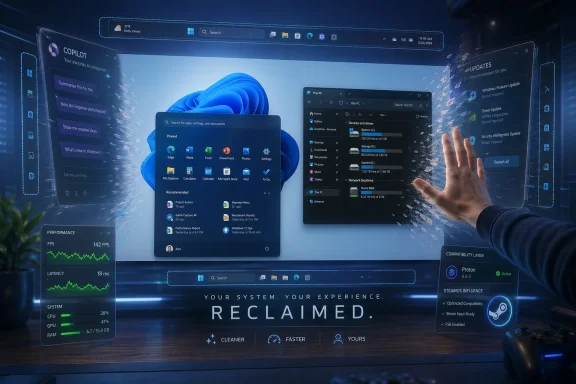
Microsoft’s reported Windows K2 effort is a year-long Windows 11 quality push, surfaced in April 2026 reporting and Microsoft’s own Insider messaging, aimed at improving performance, updates, File Explorer, taskbar flexibility, search, and the increasingly unpopular sprawl of Copilot-branded AI across the desktop. The striking part is not any single feature. It is that Microsoft appears to be admitting, in product language if not in corporate confession, that Windows 11’s problem is not a lack of novelty. It is a deficit of trust.
For most of the modern PC era, Windows could afford to be annoying because it was unavoidable. Gamers needed it. Businesses standardized on it. Hardware vendors targeted it first, and everyone else built around the assumption that Windows was the gravity well.
That assumption is weaker than it used to be. Valve’s Proton has turned Linux gaming from a hobbyist dare into a plausible consumer choice, and SteamOS has given PC gamers a reference point for what a lean, console-like PC environment can feel like. Linux does not need to become dominant to hurt Microsoft; it only needs to become good enough for the most vocal users to stop treating Windows as inevitable.
That is why the Digital Foundry framing lands so well. “Please don’t leave” is not official Microsoft branding, but it captures the mood. Windows K2 sounds less like a victory lap than a retention campaign for people who have spent the last few years watching their desktop grow slower, noisier, more cloud-tethered, and more eager to advertise Microsoft services.
The six features being discussed — faster gaming performance, a more responsive Start menu, less irritating updates, a quicker File Explorer, restored taskbar flexibility, and less prominent AI — are not glamorous in the old Windows-launch sense. They are not “wow” features. They are stop making my expensive PC feel worse features.
The operating system has accumulated friction in layers. There is the obvious friction of unwanted prompts, Microsoft account pressure, web results in local search, and AI buttons in places users did not ask for them. There is also the subtler friction of delayed context menus, inconsistent settings pages, File Explorer hiccups, and update behavior that makes users feel they are borrowing their own machines from Redmond.
K2, if it works, is less a new coat of paint than a change in internal incentives. The promise is that Windows teams will stop optimizing for visible feature velocity and start optimizing for latency, reliability, and user control. That is a much harder story to market, but it is exactly the story Windows needs.
The uncomfortable truth is that many Windows 11 complaints are nostalgic only on the surface. When users say Windows 10 felt faster, or Windows 7 felt cleaner, they are not always making a benchmark claim. They are saying older Windows releases more often behaved like tools rather than funnels.
And yet the comparison that keeps surfacing is SteamOS. That is damaging because SteamOS is not trying to be everything to everyone. It is not a general-purpose desktop first. It is a focused, tuned environment built around launching games quickly and getting out of the way.
Microsoft’s challenge is that Windows carries a much heavier backpack. It has enterprise management, legacy compatibility, security services, background app frameworks, cloud account plumbing, accessibility systems, and OEM customization. Some of that weight is valuable. Some of it is the price of Windows being Windows. Some of it is just bloat.
If K2 genuinely improves gaming performance, it probably will not be through a magic “more FPS” switch. The more plausible gains come from reducing baseline resource usage, improving scheduling behavior under load, lowering memory pressure, avoiding badly timed driver updates, and making handheld gaming PCs feel less like tiny laptops trapped in a business OS.
That last point matters. The rise of PC gaming handhelds has exposed Windows’ awkwardness in a new form factor. On a desktop, Windows’ rough edges are familiar. On a handheld, they are absurd. If Microsoft wants Windows to remain the default gaming platform, it has to treat performance as more than a benchmark chart. It has to treat responsiveness as part of the gaming experience.
The reported move toward WinUI 3 and a substantially faster Start experience is therefore more than framework housekeeping. It is an attempt to repair the most symbolic surface in Windows. The Start menu is where Microsoft’s ambitions and users’ patience collide.
For years, Microsoft has treated Start as a place to blend local files, apps, recommendations, web search, cloud services, and occasionally promotional material. That may make sense from an engagement dashboard. It makes less sense when the user is trying to open Device Manager, launch Steam, or find a document.
A Start menu that is faster, more customizable, and less ad-like would acknowledge a simple principle: search intent matters. If a user types the name of a local file or app, Windows should not behave as though Bing deserves equal billing. The fastest result is not merely the one that appears first. It is the one that respects what the user was obviously trying to do.
K2’s File Explorer focus is encouraging because it targets one of the places where Windows 11 often feels heavier than its hardware should allow. Modern PCs with fast NVMe storage, high-core-count CPUs, and huge memory pools should not make basic navigation feel syrupy. When they do, users stop blaming the app and start blaming the operating system.
The reported emphasis on faster navigation, quicker folder calculations, improved search, and lower latency is the right kind of unglamorous work. It is also the kind of work that cannot be faked for long. A snappier animation might impress once; a file operation that consistently completes faster earns trust every day.
This is also where Microsoft has to resist the temptation to solve every problem with more abstraction. File Explorer does not need to become a content portal. It does not need to be a productivity feed. It needs to be fast, predictable, keyboard-friendly, and stable while handling messy real-world folders on local disks, network shares, OneDrive paths, removable drives, and developer trees.
Microsoft’s newer Insider messaging points toward clearer power-menu choices, the ability to restart or shut down without installing pending updates, fewer monthly disruptions, and better coordination of driver, firmware, .NET, and quality updates. That is the right direction. It treats user time as a resource rather than a rounding error.
Security complicates the story, of course. Microsoft cannot simply let hundreds of millions of PCs drift indefinitely without patches. The Windows ecosystem is too large and too targeted for that. A totally laissez-faire update model would be irresponsible, especially for nontechnical users and unmanaged home machines.
But the current resentment is not really about patching. It is about surprise. Users can accept that a secure operating system needs maintenance. What they reject is the feeling that Windows may reinterpret a shutdown, hijack a restart, or install a risky driver at the least convenient moment.
The best version of K2 would make update behavior boring. Once-a-month predictability, explicit update actions, clearer driver labels, and fewer mid-session disruptions would not make Windows Update beloved. Nothing will. But they could make it trusted, which is far more important.
That does not make the work trivial. The Windows 11 taskbar was rebuilt, and supporting top, left, and right positions means dealing with flyouts, system trays, multi-monitor behavior, touch targets, animations, alignment, and app assumptions. Shell engineering is rarely as simple as “put the bar somewhere else.”
Still, the symbolic damage was self-inflicted. Removing long-standing customization options told power users that Microsoft’s design preferences mattered more than their workflows. For people with ultrawide monitors, vertical taskbars are not nostalgia. They are efficient use of space. For users who prefer top taskbars, muscle memory is not a frivolous concern.
The lesson is larger than the taskbar. Windows has always won partly because it let people be particular. It tolerated weird workflows, dense setups, third-party tools, multi-monitor oddities, and decades of habit. A more polished Windows that narrows user agency is not automatically better. Sometimes it is just less Windows.
That distinction matters. Many users are not objecting to AI as a capability. They are objecting to AI as an ambient sales layer. A screenshot tool does not become better because it advertises a chatbot. Notepad does not become more trustworthy because a writing assistant is visually privileged over the plain-text task the app is famous for doing quickly.
The reported and announced reduction of unnecessary Copilot entry points should be understood as a UI hygiene move. It removes some visible irritants while preserving Microsoft’s ability to offer AI where it thinks the feature has value. That may be a reasonable compromise, but it will not satisfy users who want a single switch to remove consumer AI integrations from Windows altogether.
And that is the unresolved tension. Microsoft talks about transparency, choice, and control, but users increasingly define control as the ability to say no once and have the operating system remember. If AI remains opt-out only in fragments, or if branding disappears while the underlying upsell remains, K2 will look less like reform and more like relabeling.
Steam’s advantage is not just its store catalog. It is operational trust. Downloads resume. Libraries make sense. Cloud saves are generally comprehensible. Game launches usually fail for game-specific reasons, not because the storefront forgot who owns what.
The Xbox app has improved over the years, but it still carries the reputation of a product assembled from too many Microsoft backends. Game Pass should be Microsoft’s great PC gaming weapon. Instead, too often, it is paired with a client that power users approach with caution.
K2’s gaming ambitions should therefore extend beyond kernel scheduling and resource usage. The PC gaming experience is the OS, the driver stack, the storefront, the launcher, the overlay, the account system, and the recovery path when something breaks. If Microsoft wants to win back gamers flirting with Linux, it cannot merely beat Proton in selected benchmarks. It has to make the whole Windows gaming loop feel less brittle.
Each prompt may be defensible in isolation. Together, they create exhaustion. Worse, when choices are asked repeatedly after updates, users learn that “no” may not be a durable answer.
A one-click telemetry opt-out is unlikely to be Microsoft’s favorite idea, and consumer Windows will probably remain more data-connected than privacy advocates want. But there is a strategic cost to making privacy-conscious users rely on registry edits, scripts, debloating tools, or unofficial utilities. That ecosystem exists because Microsoft leaves demand unmet.
Local accounts are similar. Microsoft benefits when users sign into Windows with a Microsoft account. It enables sync, Store access, OneDrive, passkeys, subscriptions, device recovery, and cross-device services. But forcing or obscuring the local-account path turns a potentially useful service into a coercive ritual.
The irony is that great services do not need to hide the exit. If OneDrive, Microsoft Store, Phone Link, Copilot, and Xbox integration are compelling, users will sign in. If they are not, Windows should still behave like a first-class operating system rather than a reluctant guest mode.
Users complain about bloat when they mean the OS feels pushy. They complain about AI when they mean the OS feels captured by Microsoft’s business strategy. They complain about performance when they mean basic interactions do not feel proportional to modern hardware. They complain about updates when they mean the machine does not seem to respect their schedule.
That is why K2’s best features are philosophically aligned. Faster gaming, faster Start, faster File Explorer, quieter updates, movable taskbars, and fewer AI entry points all say the same thing: the PC should feel more like yours. Microsoft does not have to make Windows minimal. It does have to make Windows feel governed by user intent.
This is also why the program’s success will be judged harshly. If Microsoft ships a faster Start menu but leaves recommendations feeling like ads, users will notice. If it removes Copilot icons but adds AI elsewhere under generic labels, users will notice. If update controls improve for Insiders but OEM consumer machines remain noisy and promotional, users will notice.
Windows enthusiasts have long memories because Windows trains them to. Every removed feature, every broken update, every reset default, every reappearing prompt becomes part of the folklore. K2 has to fight not just the current build of Windows 11, but years of accumulated suspicion.
Source: Digital Foundry https://www.digitalfoundry.net/feat...microsofts-upcoming-please-dont-leave-update/
 Microsoft’s Real Competitor Is No Longer Just macOS
For most of the modern PC era, Windows could afford to be annoying because it was unavoidable. Gamers needed it. Businesses standardized on it. Hardware vendors targeted it first, and everyone else built around the assumption that Windows was the gravity well.That assumption is weaker than it used to be. Valve’s Proton has turned Linux gaming from a hobbyist dare into a plausible consumer choice, and SteamOS has given PC gamers a reference point for what a lean, console-like PC environment can feel like. Linux does not need to become dominant to hurt Microsoft; it only needs to become good enough for the most vocal users to stop treating Windows as inevitable.
That is why the Digital Foundry framing lands so well. “Please don’t leave” is not official Microsoft branding, but it captures the mood. Windows K2 sounds less like a victory lap than a retention campaign for people who have spent the last few years watching their desktop grow slower, noisier, more cloud-tethered, and more eager to advertise Microsoft services.
The six features being discussed — faster gaming performance, a more responsive Start menu, less irritating updates, a quicker File Explorer, restored taskbar flexibility, and less prominent AI — are not glamorous in the old Windows-launch sense. They are not “wow” features. They are stop making my expensive PC feel worse features.
K2 Is a Quality Program Disguised as a Feature Update
The most important thing about K2 is that it does not appear to be one monolithic Windows release. Windows Central describes it as a codename for a broader effort, while Microsoft’s public language talks about performance, reliability, and craft across Windows 11 during 2026. That distinction matters because Windows’ recent problems are not isolated to one broken app or one bad patch.The operating system has accumulated friction in layers. There is the obvious friction of unwanted prompts, Microsoft account pressure, web results in local search, and AI buttons in places users did not ask for them. There is also the subtler friction of delayed context menus, inconsistent settings pages, File Explorer hiccups, and update behavior that makes users feel they are borrowing their own machines from Redmond.
K2, if it works, is less a new coat of paint than a change in internal incentives. The promise is that Windows teams will stop optimizing for visible feature velocity and start optimizing for latency, reliability, and user control. That is a much harder story to market, but it is exactly the story Windows needs.
The uncomfortable truth is that many Windows 11 complaints are nostalgic only on the surface. When users say Windows 10 felt faster, or Windows 7 felt cleaner, they are not always making a benchmark claim. They are saying older Windows releases more often behaved like tools rather than funnels.
Gaming Performance Is the Symbolic Battlefield
The gaming-performance promise is the most politically loaded part of K2 because Microsoft should not have to fight for credibility here. Windows is the default PC gaming platform. DirectX, GPU driver ecosystems, anti-cheat support, storefront coverage, and decades of developer assumptions all favor Microsoft.And yet the comparison that keeps surfacing is SteamOS. That is damaging because SteamOS is not trying to be everything to everyone. It is not a general-purpose desktop first. It is a focused, tuned environment built around launching games quickly and getting out of the way.
Microsoft’s challenge is that Windows carries a much heavier backpack. It has enterprise management, legacy compatibility, security services, background app frameworks, cloud account plumbing, accessibility systems, and OEM customization. Some of that weight is valuable. Some of it is the price of Windows being Windows. Some of it is just bloat.
If K2 genuinely improves gaming performance, it probably will not be through a magic “more FPS” switch. The more plausible gains come from reducing baseline resource usage, improving scheduling behavior under load, lowering memory pressure, avoiding badly timed driver updates, and making handheld gaming PCs feel less like tiny laptops trapped in a business OS.
That last point matters. The rise of PC gaming handhelds has exposed Windows’ awkwardness in a new form factor. On a desktop, Windows’ rough edges are familiar. On a handheld, they are absurd. If Microsoft wants Windows to remain the default gaming platform, it has to treat performance as more than a benchmark chart. It has to treat responsiveness as part of the gaming experience.
The Start Menu Became a Trust Problem
A faster Start menu sounds mundane until you remember how often users touch it. The Start menu is one of those interfaces where latency feels personal. If it hesitates, if it shows the wrong thing, if it searches the web when you want a local app, the whole machine feels less yours.The reported move toward WinUI 3 and a substantially faster Start experience is therefore more than framework housekeeping. It is an attempt to repair the most symbolic surface in Windows. The Start menu is where Microsoft’s ambitions and users’ patience collide.
For years, Microsoft has treated Start as a place to blend local files, apps, recommendations, web search, cloud services, and occasionally promotional material. That may make sense from an engagement dashboard. It makes less sense when the user is trying to open Device Manager, launch Steam, or find a document.
A Start menu that is faster, more customizable, and less ad-like would acknowledge a simple principle: search intent matters. If a user types the name of a local file or app, Windows should not behave as though Bing deserves equal billing. The fastest result is not merely the one that appears first. It is the one that respects what the user was obviously trying to do.
File Explorer Is Where Slowness Becomes Embarrassing
File Explorer is not supposed to be exciting. That is precisely why its performance problems sting. A file manager is plumbing, and nobody praises plumbing while it works. They notice it when it clanks, leaks, or takes three seconds to show the contents of a folder.K2’s File Explorer focus is encouraging because it targets one of the places where Windows 11 often feels heavier than its hardware should allow. Modern PCs with fast NVMe storage, high-core-count CPUs, and huge memory pools should not make basic navigation feel syrupy. When they do, users stop blaming the app and start blaming the operating system.
The reported emphasis on faster navigation, quicker folder calculations, improved search, and lower latency is the right kind of unglamorous work. It is also the kind of work that cannot be faked for long. A snappier animation might impress once; a file operation that consistently completes faster earns trust every day.
This is also where Microsoft has to resist the temptation to solve every problem with more abstraction. File Explorer does not need to become a content portal. It does not need to be a productivity feed. It needs to be fast, predictable, keyboard-friendly, and stable while handling messy real-world folders on local disks, network shares, OneDrive paths, removable drives, and developer trees.
Windows Update Needs to Stop Acting Like a Landlord
The proposed update changes may be the most broadly popular part of K2 because almost everyone has a Windows Update story. The details vary: a forced reboot before a meeting, a driver update that breaks audio, a shutdown that becomes an installation, a setup flow that delays access to the desktop. The common thread is loss of control.Microsoft’s newer Insider messaging points toward clearer power-menu choices, the ability to restart or shut down without installing pending updates, fewer monthly disruptions, and better coordination of driver, firmware, .NET, and quality updates. That is the right direction. It treats user time as a resource rather than a rounding error.
Security complicates the story, of course. Microsoft cannot simply let hundreds of millions of PCs drift indefinitely without patches. The Windows ecosystem is too large and too targeted for that. A totally laissez-faire update model would be irresponsible, especially for nontechnical users and unmanaged home machines.
But the current resentment is not really about patching. It is about surprise. Users can accept that a secure operating system needs maintenance. What they reject is the feeling that Windows may reinterpret a shutdown, hijack a restart, or install a risky driver at the least convenient moment.
The best version of K2 would make update behavior boring. Once-a-month predictability, explicit update actions, clearer driver labels, and fewer mid-session disruptions would not make Windows Update beloved. Nothing will. But they could make it trusted, which is far more important.
The Taskbar Retreat Is Small, Late, and Necessary
Restoring taskbar flexibility is one of those Windows 11 changes that feels both welcome and faintly ridiculous. Users could move the taskbar in older versions of Windows. Windows 11 removed that flexibility. Now Microsoft is working to bring it back, and the company gets to announce the restoration of a feature many users believe should never have disappeared.That does not make the work trivial. The Windows 11 taskbar was rebuilt, and supporting top, left, and right positions means dealing with flyouts, system trays, multi-monitor behavior, touch targets, animations, alignment, and app assumptions. Shell engineering is rarely as simple as “put the bar somewhere else.”
Still, the symbolic damage was self-inflicted. Removing long-standing customization options told power users that Microsoft’s design preferences mattered more than their workflows. For people with ultrawide monitors, vertical taskbars are not nostalgia. They are efficient use of space. For users who prefer top taskbars, muscle memory is not a frivolous concern.
The lesson is larger than the taskbar. Windows has always won partly because it let people be particular. It tolerated weird workflows, dense setups, third-party tools, multi-monitor oddities, and decades of habit. A more polished Windows that narrows user agency is not automatically better. Sometimes it is just less Windows.
Less AI Is Not the Same as No AI
Microsoft’s public shift on Copilot entry points is one of the clearest signs that user backlash has landed. The company is not abandoning AI in Windows. It is too financially, strategically, and culturally committed to that path. But it is beginning to concede that sprinkling Copilot buttons across basic utilities can make the OS feel less crafted, not more intelligent.That distinction matters. Many users are not objecting to AI as a capability. They are objecting to AI as an ambient sales layer. A screenshot tool does not become better because it advertises a chatbot. Notepad does not become more trustworthy because a writing assistant is visually privileged over the plain-text task the app is famous for doing quickly.
The reported and announced reduction of unnecessary Copilot entry points should be understood as a UI hygiene move. It removes some visible irritants while preserving Microsoft’s ability to offer AI where it thinks the feature has value. That may be a reasonable compromise, but it will not satisfy users who want a single switch to remove consumer AI integrations from Windows altogether.
And that is the unresolved tension. Microsoft talks about transparency, choice, and control, but users increasingly define control as the ability to say no once and have the operating system remember. If AI remains opt-out only in fragments, or if branding disappears while the underlying upsell remains, K2 will look less like reform and more like relabeling.
The Xbox App Is the Missing Piece in the Gaming Pitch
Digital Foundry’s wishlist item about the Xbox app deserves more attention because it cuts to the heart of Microsoft’s gaming credibility on PC. Windows can become faster, and SteamOS can remain a benchmark, but if the Xbox app still behaves like a fragile wrapper around entitlements, downloads, services, and store plumbing, Microsoft’s PC gaming story remains compromised.Steam’s advantage is not just its store catalog. It is operational trust. Downloads resume. Libraries make sense. Cloud saves are generally comprehensible. Game launches usually fail for game-specific reasons, not because the storefront forgot who owns what.
The Xbox app has improved over the years, but it still carries the reputation of a product assembled from too many Microsoft backends. Game Pass should be Microsoft’s great PC gaming weapon. Instead, too often, it is paired with a client that power users approach with caution.
K2’s gaming ambitions should therefore extend beyond kernel scheduling and resource usage. The PC gaming experience is the OS, the driver stack, the storefront, the launcher, the overlay, the account system, and the recovery path when something breaks. If Microsoft wants to win back gamers flirting with Linux, it cannot merely beat Proton in selected benchmarks. It has to make the whole Windows gaming loop feel less brittle.
Local Accounts and Telemetry Are the Trust Tests Microsoft Avoids
The user wishlist items around local accounts and telemetry point to a deeper problem than speed. Windows users increasingly feel that the operating system is negotiating with them. Sign in. Try Edge. Back up to OneDrive. Use recommended settings. Connect your phone. Enable location. Let us personalize. Let us collect. Let us help.Each prompt may be defensible in isolation. Together, they create exhaustion. Worse, when choices are asked repeatedly after updates, users learn that “no” may not be a durable answer.
A one-click telemetry opt-out is unlikely to be Microsoft’s favorite idea, and consumer Windows will probably remain more data-connected than privacy advocates want. But there is a strategic cost to making privacy-conscious users rely on registry edits, scripts, debloating tools, or unofficial utilities. That ecosystem exists because Microsoft leaves demand unmet.
Local accounts are similar. Microsoft benefits when users sign into Windows with a Microsoft account. It enables sync, Store access, OneDrive, passkeys, subscriptions, device recovery, and cross-device services. But forcing or obscuring the local-account path turns a potentially useful service into a coercive ritual.
The irony is that great services do not need to hide the exit. If OneDrive, Microsoft Store, Phone Link, Copilot, and Xbox integration are compelling, users will sign in. If they are not, Windows should still behave like a first-class operating system rather than a reluctant guest mode.
K2 Must Fix the Feeling, Not Just the Metrics
Microsoft can measure launch times, memory footprints, update success rates, crash dumps, and search latency. It should. K2 will fail without hard engineering metrics. But the deeper Windows 11 problem is experiential, and that is harder to capture.Users complain about bloat when they mean the OS feels pushy. They complain about AI when they mean the OS feels captured by Microsoft’s business strategy. They complain about performance when they mean basic interactions do not feel proportional to modern hardware. They complain about updates when they mean the machine does not seem to respect their schedule.
That is why K2’s best features are philosophically aligned. Faster gaming, faster Start, faster File Explorer, quieter updates, movable taskbars, and fewer AI entry points all say the same thing: the PC should feel more like yours. Microsoft does not have to make Windows minimal. It does have to make Windows feel governed by user intent.
This is also why the program’s success will be judged harshly. If Microsoft ships a faster Start menu but leaves recommendations feeling like ads, users will notice. If it removes Copilot icons but adds AI elsewhere under generic labels, users will notice. If update controls improve for Insiders but OEM consumer machines remain noisy and promotional, users will notice.
Windows enthusiasts have long memories because Windows trains them to. Every removed feature, every broken update, every reset default, every reappearing prompt becomes part of the folklore. K2 has to fight not just the current build of Windows 11, but years of accumulated suspicion.
The Bottom Line
Windows K2 is best understood as Microsoft’s attempt to make Windows 11 feel less like a services billboard and more like a fast, controllable operating system again.- Microsoft’s most important K2 promise is not novelty; it is lower friction across the everyday surfaces users touch constantly.
- Gaming performance matters because SteamOS and Proton have made “just use Windows” a weaker argument than it used to be.
- File Explorer, Start, search, and the taskbar are credibility tests because they define whether Windows feels responsive in ordinary use.
- Windows Update reform will only matter if Microsoft makes user choices explicit, predictable, and durable.
- Reduced Copilot clutter is welcome, but users will judge whether Microsoft is genuinely offering control or merely changing the labels.
- The Xbox app, local accounts, telemetry choices, and repeated prompts remain unresolved trust problems that K2 cannot fully dodge.
Source: Digital Foundry https://www.digitalfoundry.net/feat...microsofts-upcoming-please-dont-leave-update/
