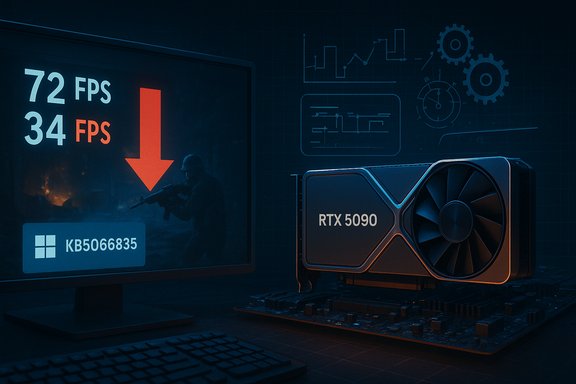
Microsoft’s October cumulative for Windows 11 (KB5066835) has been linked to measurable and, in some cases, dramatic drops in game frame rates—an issue now corroborated by independent testing and addressed by an out‑of‑cycle NVIDIA hotfix driver that restores performance in many affected configurations.
Microsoft shipped the October 14, 2025 cumulative update for Windows 11 catalogued as KB5066835 (OS builds 26100.6899 for 24H2 and 26200.6899 for 25H2), a routine security‑and‑quality rollup that touched a variety of kernel and system components. The public KB notes list multiple fixes and improvements, but the update also coincided with reports of unrelated regressions ranging from broken Recovery Environment USB input to networking oddities—symptoms that signalled a broader quality problem in that servicing wave. Shortly after deployment, community telemetry and enthusiast outlets began flagging a new symptom: some modern games on some hardware configurations were running significantly slower after KB5066835 was installed. Those reports were heterogeneous—varying by title, GPU vendor, driver version, system firmware, overlays, and anti‑cheat stacks—making reproduction and root‑cause triage challenging.
Source: 80 Level Windows 11 Update Lowers Framerates in Games
 Background
Microsoft shipped the October 14, 2025 cumulative update for Windows 11 catalogued as KB5066835 (OS builds 26100.6899 for 24H2 and 26200.6899 for 25H2), a routine security‑and‑quality rollup that touched a variety of kernel and system components. The public KB notes list multiple fixes and improvements, but the update also coincided with reports of unrelated regressions ranging from broken Recovery Environment USB input to networking oddities—symptoms that signalled a broader quality problem in that servicing wave. Shortly after deployment, community telemetry and enthusiast outlets began flagging a new symptom: some modern games on some hardware configurations were running significantly slower after KB5066835 was installed. Those reports were heterogeneous—varying by title, GPU vendor, driver version, system firmware, overlays, and anti‑cheat stacks—making reproduction and root‑cause triage challenging.What happened — timeline and facts
- Mid‑October 2025: Microsoft rolls out KB5066835 as part of the October servicing wave for Windows 11. The KB publishes build numbers and a change log detailing security hardenings and quality fixes.
- October–November 2025: Gamers and testers report sudden performance regressions in a subset of modern titles after the update; the symptom set includes lower average FPS, worse 1%/0.1% lows, and micro‑stutter. Evidence is mixed across systems, but high‑profile posts and bench footage draw attention to the problem.
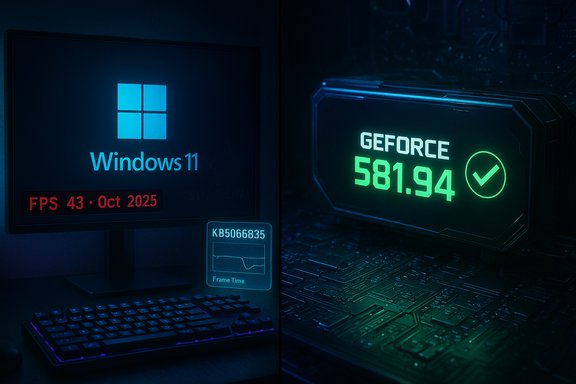
- November 19, 2025: NVIDIA publishes GeForce Hotfix Display Driver 581.94, explicitly noting it “addresses: Lower performance may be observed in some games after updating to Windows 11 October 2025 KB5066835.” The hotfix is delivered as a rapid mitigation built on Game Ready Driver 581.80.
- Late November 2025: Independent outlets re‑test and confirm that, in at least one high‑profile case, frame rates fell by 33–50% with KB5066835 installed and were substantially restored after applying NVIDIA’s hotfix. Several outlets and community threads document improvements, but the impact remains configuration‑dependent.
Overview: how an OS update can hit gaming performance
Modern PC gaming depends on a tightly coupled stack: the game engine, graphics runtime (DirectX/Vulkan), GPU drivers, kernel scheduling, power and thermal management, firmware features (Resizable BAR, PCIe, etc., overlays (Discord, Steam), anti‑cheat hooks, and the Windows composition/display stack. Small changes in timing, scheduler heuristics, interrupt routing, or driver/OS API semantics—especially at the kernel or I/O layers—can alter how and when frames are submitted, batched, or presented. That in turn can reduce GPU utilization, create stalls, or worsen frame pacing. A cumulative update that touches kernel/networking/security components may therefore have unintended side effects when combined with specific GPU driver behavior. Assassin’s Creed: Shadows served as a canary: a modern, GPU‑heavy title that frequently exercises the full graphics stack (heavy draw calls, frequent presents, and advanced upscaling such as DLSS). Digital Foundry’s hands‑on testing reproduced large drops in some scenes on a high‑end testbed (Ryzen 7 9800X3D + GeForce RTX 5090), observing pre‑hotfix FPS in the 70s fall to the mid‑30s in identical benchmark points—an impact in the 33–50% range. That magnitude makes the regression impossible to ignore.Who’s affected — the heterogeneous reality
The problem has these consistent characteristics:- Not universal — many PCs and games run fine after KB5066835; the issue surfaces on a subset of configurations.
- Vendor focus (initial reporting): early and clear vendor action came from NVIDIA, which released 581.94 specifically referencing KB5066835. That suggests many affected systems used NVIDIA GPUs or driver stacks that hit the problematic code paths. However, community reports and some testing indicate AMD and Intel systems may have experienced anomalies in other cases; the pattern is not yet a vendor‑exclusive defect.
- Title dependence: Assassin’s Creed: Shadows is the headline example, but other titles—Counter‑Strike 2, Rise of the Ronin, and several modern Unreal or CPU/GPU heavy titles—have surfaced in community reports. Severity varies widely by title and workload.
- Feature/firmware sensitivity: some reports point to Resizable BAR (ReBAR) or firmware features interacting badly post‑update; community workarounds that disable ReBAR have produced improvements for some players, though this is a blunt instrument with trade‑offs. These steps are community‑sourced and should be treated as provisional.
The vendor response: what NVIDIA’s hotfix is and is not
NVIDIA’s GeForce Hotfix Display Driver 581.94 is an emergency mitigation released on November 19, 2025 and explicitly built on the previously released Game Ready Driver 581.80. The vendor’s support note reads that the package “addresses: Lower performance may be observed in some games after updating to Windows 11 October 2025 KB5066835.” Important technical and practical points about 581.94:- It is a hotfix, not a full WHQL Game Ready release. Hotfix drivers are intentionally narrowly scoped and pushed on an accelerated QA path to get relief into users’ hands quickly. That means slightly higher theoretical risk of regressions versus a fully vetted driver. NVIDIA’s messaging explicitly frames this as a rapid mitigation.
- The hotfix addresses the symptom—reduced performance observed after KB5066835—rather than publishing a detailed root‑cause analysis. In practice, that is often the right pragmatic approach when multiple vendors and the OS intersect in complex ways.
- Independent testing and community reports show that 581.94 restores performance in many affected cases (sometimes dramatically), but results vary by GPU model, firmware settings, overlays, anti‑cheat middleware, and the particular title. Users not experiencing issues are advised to wait for the next full driver release.
Independent verification: Digital Foundry and press testing
Digital Foundry’s hands‑on benching of Assassin’s Creed: Shadows demonstrated a large regression with KB5066835 installed, and that the NVIDIA hotfix produced a substantial recovery in the tested scenario—supporting a real, measurable regression rather than isolated user anecdote. Mainstream outlets (PCGamesN, Tom’s Hardware, TechRadar, WccfTech) independently reported the same pattern and reproduced similar deltas in some tests. Those independent confirmations are the basis for treating the regression as credible and actionable. Caveats on the verification:- The majority of early lab verification has focused on a small set of titles and very high‑end test rigs; the exact distribution of impact across the installed base remains fluid. Treat single‑system numbers (for example, “FPS fell from 72 to 34”) as representative case studies rather than universal averages.
- The heterogeneity of real‑world PC configurations means more independent labs and vendors (AMD, Intel) should be consulted before concluding the effect is limited to one vendor. Several outlets noted that AMD/Intel users reported anomalies; however, public vendor mitigations at the time of reporting were led by NVIDIA.
Practical mitigation and troubleshooting (for gamers and administrators)
If you are experiencing lower FPS or stuttering after mid‑October 2025, follow these steps in order. These are practical operational steps—take backups and create a System Restore point before making major changes.- Check current state and symptoms
- Confirm Windows build (Settings → System → About) and verify whether KB5066835 or later cumulative updates are installed. Microsoft’s KB page lists the October update and affected builds.
- Install NVIDIA GeForce Hotfix Driver 581.94 if you use NVIDIA hardware and experience performance loss
- Download and install 581.94 from NVIDIA’s official Support/Hotfix page. This hotfix explicitly addresses the KB5066835‑related symptom and has restored performance in many lab and community reports. Apply only if you’re experiencing problems or for testing; if your system is stable, you may wish to wait for the next fully‑certified Game Ready release.
- If you can’t or won’t install the hotfix, test the following community workarounds (provisional)
- Disable Resizable BAR in BIOS/UEFI: several users report improvements when ReBAR is disabled on machines that had the update applied, although this is a blunt workaround that can reduce performance in other titles and removes a beneficial feature in some scenarios. This step is community‑sourced and should be used with caution.
- Disable overlays (Steam, Discord, GeForce Experience in‑game overlay) and any unnecessary background capture/streaming software. Overlays can interact with driver/OS stacks and amplify regressions.
- If the hotfix and workarounds fail, consider rolling back the Windows update as a last resort
- Use Settings → Windows Update → Update history → Uninstall updates, or run wusa /uninstall /kb:5066835 from an elevated command prompt. Note that rolling back security updates and leaving a system unpatched carries risk; apply this only as a temporary diagnostic step and re‑apply appropriate mitigations or follow vendor guidance. Community posts document successful rollbacks restoring pre‑update performance for some users.
- Report telemetry and gather logs if you are a power user or sysadmin
- Collect Event Viewer logs, GPU driver logs, and if possible a capture of frame‑time data (RTSS, PresentMon). Share structured reports with NVIDIA, Microsoft, or the game publisher’s technical support if you can reproduce the issue reliably. Vendor triage relies on telemetry.
Critical technical analysis — likely mechanics and unknowns
What we can say with reasonable confidence:- The Windows cumulative touched low‑level components in the kernel and system drivers. Those changes can alter timing characteristics and driver interaction semantics that games and graphics drivers implicitly rely on. When timing changes and driver/OS assumptions diverge, frame submission and presentation can be disrupted—leading to lower GPU utilization or poor frame pacing. This is a plausible engineering explanation for the observed symptom set.
- NVIDIA’s hotfix approach—pushing a narrowly scoped driver that restores pre‑update performance in many cases—is consistent with a mitigation aimed at re‑aligning driver behavior with updated OS expectations. Since NVIDIA explicitly frames 581.94 as a targeted mitigation, it implies the fix adjusts the driver’s handling of the changed code paths rather than expecting Microsoft to fully revert or rework the update.
- The precise root cause at the API or kernel instruction level has not been publicly documented by Microsoft or NVIDIA (as of the hotfix release). Triaging these interactions can require deep logs and vendor collaboration; until vendors publish a joint post‑mortem, assertions about exact kernel function or driver calls responsible are speculative. This is a live engineering investigation.
- Whether the regression is strictly limited to NVIDIA driver interactions or whether AMD/Intel driver stacks are affected differently is not definitively settled in the public domain. Community reports and a few outlet summaries suggest AMD/Intel users saw anomalies in some cases, but broad vendor mitigations beyond NVIDIA’s hotfix had not been posted at the time of reporting. Treat cross‑vendor impact as plausible but unconfirmed until vendors release parallel advisories.
Strengths and weaknesses of the response so far
Strengths:- Rapid vendor response: NVIDIA’s 581.94 hotfix demonstrates that cross‑vendor debugging and rapid mitigation are possible when a wide user base is affected. Having a quick driver mitigation reduced downtime for many gamers and underscored the value of vendor responsiveness.
- Independent verification: Digital Foundry and multiple outlets reproduced the regression in at least one case, strengthening the claim beyond hearsay and giving users actionable guidance.
- Abbreviated QA for hotfix drivers: hotfix drivers are produced quickly and with reduced testing; they can introduce edge‑case regressions and are not a replacement for a fully validated Game Ready/WHQL driver. Users should weigh the benefits against the risk and prefer the hotfix only if experiencing issues.
- Incomplete attribution and ongoing investigation: absent a vendor joint post‑mortem, the root cause remains uncertain. That produces risk for administrators and gamers who rely on stability rather than quick band‑aids—enterprises in particular may prefer to use Known Issue Rollback (KIR) controls instead of piecemeal local changes.
Recommendations and best practices
- Gamers: If you notice an abrupt, sustained FPS drop since mid‑October 2025, try the NVIDIA 581.94 hotfix (if you have an NVIDIA GPU) and test for improvement. Create a restore point or full backup before significant changes. If the hotfix helps, decide whether to keep it until the next full Game Ready driver folds the change in. If it doesn’t help, document symptoms and revert driver changes if stability suffers.
- PC builders / enthusiasts: Test with a matrix of firmware settings (notably Resizable BAR), overlays, and anti‑cheat enabled/disabled to reproduce the issue. Where ReBAR appears implicated, assess the trade‑offs: disabling it can restore performance in some titles but may reduce performance elsewhere. Use controlled A/B testing.
- Sysadmins / enterprises: Use Microsoft’s Known Issue Rollback and enterprise controls to manage the deployment of KB5066835 if broad instability affects production workloads. Track vendor advisories and consider staged deployment for critical systems. Backup recovery paths should be verified, especially given related WinRE input regressions reported after the same update.
- Vendors and publishers: Publish clear triage notes and coordinate telemetry sharing. In cross‑stack regressions, joint advisories enhance user trust and speed remediation.
Broader implications — what this episode teaches us
- Windows servicing complexity: Operating system cumulative updates touch many critical subsystems. Any single change can ripple into dependent driver or application behavior. Large OS vendors must balance security hardenings with cautious rollout and robust validation, especially for high‑impact user experiences like gaming.
- The importance of vendor collaboration: Quick mitigations from GPU vendors can blunt user disruption, but coordination with the OS vendor is still essential for durable fixes. The ideal outcome is a joint root‑cause report and inclusion of the fix in the next fully validated drivers and OS rollups.
- User empowerment and risk: Enthusiast communities will continue to find workarounds (disabling ReBAR, rolling back individually). These are pragmatic but imperfect, and they highlight why robust telemetry and accessible enterprise controls (KIR, update deferment) are critical for managing large fleets of machines.
Conclusion
The Windows 11 October cumulative update KB5066835 produced a real, measurable performance regression on a subset of systems that manifested as lower FPS, worse frame‑time consistency, and micro‑stutter in several modern titles. Independent testing—most prominently Digital Foundry’s work on Assassin’s Creed: Shadows—corroborates the severity of the symptom in specific conditions, and NVIDIA’s emergency GeForce Hotfix Driver 581.94 (published November 19, 2025) explicitly states it addresses the reduced performance observed after the KB5066835 update. The hotfix restores performance in many cases, but the interaction remains complex, heterogeneous, and under investigation; thus, users and administrators should apply mitigations prudently and prioritize backups before making system changes. If your gaming PC slowed after mid‑October 2025, the pragmatic path is clear: confirm your Windows build, try NVIDIA’s hotfix if you have a GeForce GPU and are affected, test conservative workarounds (with an understanding of trade‑offs), and report structured telemetry to vendors to accelerate a permanent, fully tested fix. The episode is a reminder that even routine updates can have outsized consequences in a deeply interdependent PC ecosystem—and that rapid vendor collaboration and careful system management are the best defenses for performance‑sensitive users.Source: 80 Level Windows 11 Update Lowers Framerates in Games