

Microsoft has quietly rolled back the annoying “white flash” in File Explorer’s dark mode: the Patch Tuesday cumulative update KB5072033 corrects a rendering regression introduced by the December preview KB5070311, and also bundles fixes and configuration changes that IT teams need to know about now.
Microsoft shipped a preview package, KB5070311, on December 1, 2025 that aimed to make Windows 11’s dark theme more consistent across File Explorer and related UI surfaces. The package extended dark theme coverage to legacy dialogs, copy/move progress UI, and other Win32 elements so dark-mode users would see fewer harsh white transitions when performing file operations.
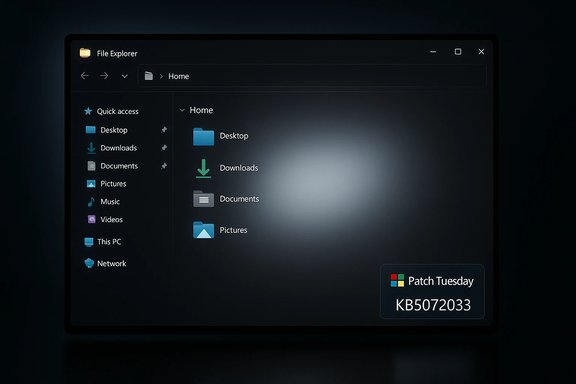
Shortly after that preview release, users and reviewers began reporting a different outcome: under certain configurations File Explorer would briefly repaint as a blank white rectangle before the dark UI appeared. Microsoft acknowledged the regression in the KB5070311 support note, listed the symptom as a known issue, and promised a fix. That corrective update arrived as the cumulative Patch Tuesday package KB5072033, released on December 9, 2025, which explicitly lists the File Explorer white-flash bug as addressed.
The incident is a compact case study in modern OS maintenance: improving UX surface area touches legacy code paths, and mitigating one class of visual artifacts can expose subtle timing and driver-dependent regressions. Administrators and advanced users should treat KB5072033 as both a fix and a configuration change: deploy thoughtfully, test broadly, and review automation and monitoring practices to ensure the update’s benefits are realized without creating new operational headaches.
Microsoft’s approach to documenting the known issue, rolling out a mitigation, and then shipping a cumulative fix aligns with established processes, but the episode underscores the need for diverse pilot testing and clear communication between platform vendors and administrators. The white flash is fixed; the broader lesson is that UI improvements still demand cautious orchestration in the field.
Source: BetaNews Microsoft has fixed that Windows 11 dark mode bug that has been annoying you
 Background
Microsoft shipped a preview package, KB5070311, on December 1, 2025 that aimed to make Windows 11’s dark theme more consistent across File Explorer and related UI surfaces. The package extended dark theme coverage to legacy dialogs, copy/move progress UI, and other Win32 elements so dark-mode users would see fewer harsh white transitions when performing file operations.Shortly after that preview release, users and reviewers began reporting a different outcome: under certain configurations File Explorer would briefly repaint as a blank white rectangle before the dark UI appeared. Microsoft acknowledged the regression in the KB5070311 support note, listed the symptom as a known issue, and promised a fix. That corrective update arrived as the cumulative Patch Tuesday package KB5072033, released on December 9, 2025, which explicitly lists the File Explorer white-flash bug as addressed.
What the bug looked like and when it occurred
Symptoms and user impact
- When Windows was set to Dark mode, opening File Explorer could show a momentary full-window white flash before the dark content finished rendering.
- The flash could also occur when:
- Creating a new tab in File Explorer.
- Navigating to or from Home or Gallery.
- Toggling the Details pane on or off.
- Clicking “More details” while copying files.
- For most users the flash lasted only a fraction of a second, but on large or OLED displays, and in dim environments, that spike could be jarring or uncomfortable.
Scope and reproducibility
The regression was intermittent and environment-dependent. Reports show it was reliably reproducible on many machines but not all, indicating contributing factors such as graphics drivers, specific GPU/hardware combinations, display type (OLED vs. LCD), and third‑party shell extensions or UI injectors. Because the update shipped as a preview and Microsoft gates some features server-side, not all devices saw the change in the same way at the same time.How Microsoft communicated and mitigated the issue
Microsoft’s support entry for the preview explicitly documented the File Explorer white-flash as a Known Issue and listed the reproduce points above. The support note also pointed to mitigation mechanisms and a follow-up plan:- Microsoft implemented a Known Issue Rollback (KIR) for the regression that could apply automatically to consumer devices within a window of rollout, and it provided guidance for enterprises to deploy KIR via Group Policy if they needed faster remediation.
- The vendor promised a code fix would be delivered in the next cumulative update, which was subsequently released as KB5072033 on December 9, 2025.
What KB5072033 changed (practical summary)
KB5072033 is a normal December Patch Tuesday cumulative update that folded in fixes from the earlier December preview and added additional security and reliability patches. Key headline items included:- File Explorer: The white-flash issue in dark mode is listed as fixed.
- Copilot: A bug where the “Ask Copilot” Click-to-Do window failed to appear in the foreground was corrected.
- Networking / Virtualization: A serious regression where external virtual switches could lose their NIC bindings after a host restart — causing virtual machines to lose network connectivity — was fixed.
- PowerShell 5.1: Invoke-WebRequest now prompts with an explicit confirmation when it may parse and possibly execute scripts from web content; related guidance points administrators to a PowerShell advisory that discusses a new security prompt and recommended use of -UseBasicParsing for automated scripts.
- System Components: AppX Deployment Service (Appxsvc) changed to an Automatic startup type in this cumulative update to “improve reliability in some isolated scenarios.”
Technical analysis: why did a dark‑mode polish cause a white flash?
Microsoft did not publish low-level debugging details for the regression, so the following is a technical synthesis based on observed symptoms and typical UI plumbing.- Extending dark theming to legacy Win32 dialog surfaces often requires different ordering of window creation, background clearing, and theme resource application. If the system creates or repaints a child/content surface before theme colors are applied, the compositor may briefly present the cleared background (white) before the themed paint is composited.
- The symptoms — content area flashing white while persistent chrome (ribbon, navigation pane) remains dark — point to a paint-order and compositor timing regression, not a total failure of dark mode resources.
- Variability across systems implicates graphics drivers, GPU scheduling, display types, and timing differences introduced by third-party shell extensions as likely co-factors.
- The staging model Microsoft uses (server-side gating of feature activation) may have reduced tested surface variety; a broadly shipped binary plus server activation can expose combinations not seen in lab telemetry.
Risk analysis: fixes, trade‑offs, and secondary regressions
KB5072033 fixed the File Explorer flash, but the cumulative update contains other changes that carry operational trade-offs. Administrators and power users should weigh the benefits against potential side effects.- Appxsvc startup-type change to Automatic
- What Microsoft stated: AppX Deployment Service was changed to Automatic to improve reliability in specific scenarios.
- Practical risk: Changing a trigger-start service to Automatic increases resident process footprint on boot. Community reports linked this change to higher memory usage and additional background activity for some users. These reports are credible but vary in severity; some note modest RAM increases, others report noticeable system-service footprint growth.
- Mitigation: For sensitive or constrained environments, test the change in a pilot pool; consider reverting the startup type for affected devices pending Microsoft follow-up if the operational cost is unacceptable.
- PowerShell Invoke‑WebRequest confirmation prompt
- Benefit: Improves security posture by forcing interactive confirmation when web content parsing could execute scripts.
- Operational impact: Automation that relies on Invoke‑WebRequest to silently retrieve and parse web content may now hang waiting for user confirmation. Scripts should be updated to use safer options (for example, explicit -UseBasicParsing or other programmatic parsing approaches) to maintain unattended operation.
- Recommendation: Audit automation and update scripts in build/deploy pipelines before broadly deploying this security change.
- Community-reported memory growth (Delivery Optimization / DoSvc)
- Several community threads reported Delivery Optimization (DoSvc) and related processes showing growing memory usage after December updates. While some traces are reproducible and consistent across multiple users, extreme claims (for example very large single-process footprints) remain anecdotal and should be treated cautiously.
- Microsoft’s fix cadence typically addresses genuine regressions quickly, but administrators should verify memory behavior in controlled pilots rather than assuming wide-scale impact.
Practical guidance: how to tell if you’re affected and what to do
Check your Windows build and update status
- Press Win + R, type winver, and press Enter.
- Confirm whether your OS build matches the cumulative update versions (December cumulative builds are reflected after installing KB5072033).
- In Settings → Windows Update, confirm whether KB5072033 or KB5070311 is installed.
If you saw the white flash and haven’t updated
- Install KB5072033 via Windows Update to get the official fix.
- If you run managed enterprise updates, coordinate with your update approval policy to accelerate deployment to affected endpoints.
If you need an immediate workaround while awaiting a fix
- Turning off Dark mode (Settings → Personalization → Colors → Choose your mode → Light) eliminates the symptom but also defeats the purpose for dark-mode users.
- For enterprises, apply the Known Issue Rollback (KIR) Group Policy provided by Microsoft to disable the regression until the cumulative update is applied. KIR typically propagates automatically for consumer devices within a short window when Microsoft enables it, but Group Policy deployment shortens that window for managed fleets.
For automation and PowerShell scripts
- Review any automation that uses Invoke‑WebRequest. If the script expects non-interactive behavior, change calls to use safer parsing flags such as -UseBasicParsing or rework retrieval logic to use dedicated HTTP libraries that do not parse DOM/execute script content implicitly.
- Test updated scripts in lab environments before pushing to production.
Enterprise deployment checklist
- Run a pilot: Apply KB5072033 in a representative pilot ring (including devices with diverse GPUs, display types, and third‑party extensions).
- Monitor: Track memory use, background services (notably Appxsvc and DoSvc), and virtualization networking behavior (for Hyper-V hosts).
- Audit automation: Identify scripts that call Invoke‑WebRequest and update them to avoid manual prompts or consider using scheduled tasks with appropriate interaction handling.
- Communicate: Inform help-desk and user support teams that the File Explorer white-flash was a known regression now fixed, and provide guidance for users on how to confirm update status and temporarily disable dark mode if needed.
- Reversion plan: Maintain a rollback plan for the update in case of unexpected regressions in your environment (image backups, update deferral windows, and recovery playbooks).
Long-term considerations and lessons learned
- Feature gating and staged activation: Microsoft’s model of deploying binaries broadly while enabling features selectively works to limit exposure, but it can also complicate pre-release testing. Organizations should ensure their pilot programs include hardware diversity (OLED panels, various GPU drivers) and common third-party shell integrations to catch these timing-sensitive regressions.
- Automation hardening: Security hardenings like the PowerShell prompt are beneficial but introduce friction for automation. This highlights the need for explicit parsing flags, robust error handling, and periodic script reviews as part of configuration management.
- Observability and telemetry: The incident demonstrates the value of telemetry that captures UI-layer paint events and compositor timing, not only crash dumps or functional failures. Teams building or managing UI-heavy applications on Windows should consider similar observability to detect subtle regressions early.
- Change communication: Microsoft’s Known Issues and KIR toolkit remain effective mechanisms for fast mitigation. Enterprises should incorporate KIR awareness in their patching playbooks so they can respond quickly if Microsoft rolls out a mitigation.
What remains unverified or speculative
- Microsoft’s release notes do not disclose the precise code-level root cause (for example, an exact API call or internal race condition). Any detailed attribution of the flash to a specific compositor path or function is therefore speculative.
- Community reports of extreme memory growth tied to Appxsvc or DoSvc after KB5072033 are varied. While multiple independent posts report increased memory or service activity, large single-process numbers remain anecdotal until reproduced and validated by controlled testing or confirmed by Microsoft engineering.
- The interplay between server-side feature gating and the regression’s appearance on specific devices is plausible and widely discussed, but the exact gating configuration and sample selection logic are not public; that remains Microsoft-internal.
Recommendations — concise action list
- For general users:
- Install KB5072033 to receive the File Explorer dark-mode fix.
- If you’re still seeing flashes after installing KB5072033, reboot and ensure your graphics drivers are up to date.
- As a short-term workaround, switch to Light mode if the flash interferes with your workflow.
- For IT administrators:
- Pilot KB5072033 across a diverse set of devices before broad deployment.
- Audit PowerShell automation and update scripts to avoid blocking prompts (use -UseBasicParsing or alternative HTTP clients).
- Monitor memory and service behavior (Appxsvc, DoSvc) and be prepared to revert service startup types for sensitive endpoints if necessary.
- Use Group Policy to apply Known Issue Rollback if immediate mitigation is required prior to cumulative update deployment.
- For power users and testers:
- Reproduce the bug pre- and post-update in controlled tests (different GPUs, display types, driver versions, and with/without common shell extensions).
- Capture paint timing traces and compositor logs where possible to aid root-cause analysis.
Final verdict
Microsoft corrected the visible regression that made File Explorer briefly flash white in dark mode by rapidly shipping a follow‑up cumulative update and using Known Issue Rollback mechanics to reduce the blast radius. That’s a welcome outcome for users who expect a consistent low‑luminance experience in dark environments. However, the cumulative package also contains non-trivial changes — most notably a service startup-type change and a PowerShell security prompt — that carry operational consequences for some environments.The incident is a compact case study in modern OS maintenance: improving UX surface area touches legacy code paths, and mitigating one class of visual artifacts can expose subtle timing and driver-dependent regressions. Administrators and advanced users should treat KB5072033 as both a fix and a configuration change: deploy thoughtfully, test broadly, and review automation and monitoring practices to ensure the update’s benefits are realized without creating new operational headaches.
Microsoft’s approach to documenting the known issue, rolling out a mitigation, and then shipping a cumulative fix aligns with established processes, but the episode underscores the need for diverse pilot testing and clear communication between platform vendors and administrators. The white flash is fixed; the broader lesson is that UI improvements still demand cautious orchestration in the field.
Source: BetaNews Microsoft has fixed that Windows 11 dark mode bug that has been annoying you
