

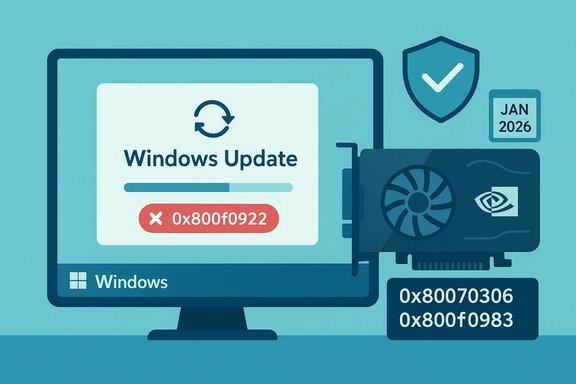
Microsoft’s January cumulative for Windows 11, KB5074109, intended to deliver security fixes and platform improvements, has produced a ripple of real‑world problems: some PCs fail to install the package with servicing errors such as 0x800f0922 and 0x80070306, while other systems—particularly machines running NVIDIA GPUs—are reporting intermittent black screens and display freezes. Microsoft’s release notes and community telemetry confirm the update landed on January 13, 2026, and while it includes important fixes and Secure Boot certificate updates, early deployments have exposed a set of regressions that require targeted mitigations and cautious rollout strategies.
KB5074109 is the January 13, 2026 cumulative update for Windows 11 versions 24H2 and 25H2. The package bundles a servicing stack update (SSU) and the latest cumulative LCU and lists multiple security and quality changes, including networking fixes, power/NPUs updates, and a Secure Boot certificate deployment mechanism intended to prevent certificate expiry problems later this year. Microsoft documents the update as OS builds 26100.7623 and 26200.7623 for the affected SKUs. Shortly after rollout, community reports and enterprise telemetry began to show two distinct failure classes:
Source: Windows Report https://windowsreport.com/windows-11-kb5074109-causes-install-errors-for-some-pcs/
Source: Windows Report https://windowsreport.com/windows-11-kb5074109-causes-random-black-screens-for-nvidia-users/
 Background / Overview
KB5074109 is the January 13, 2026 cumulative update for Windows 11 versions 24H2 and 25H2. The package bundles a servicing stack update (SSU) and the latest cumulative LCU and lists multiple security and quality changes, including networking fixes, power/NPUs updates, and a Secure Boot certificate deployment mechanism intended to prevent certificate expiry problems later this year. Microsoft documents the update as OS builds 26100.7623 and 26200.7623 for the affected SKUs. Shortly after rollout, community reports and enterprise telemetry began to show two distinct failure classes:- Installation and servicing failures that abort and roll back, producing errors like 0x800f0922, 0x80070306, and similar servicing stack/component store codes. These symptoms typically indicate problems with the component store, prerequisite sequencing (SSU), or entitlement/activation handshakes in managed environments.
- Intermittent black screens and brief display freezes that appear to disproportionately affect systems with NVIDIA GPUs; users describe short blackouts (from a few seconds to a minute) where the system recovers without a full reboot. These reports are currently community‑sourced and have not been universally confirmed by OEMs or Microsoft.
What Microsoft has published
Microsoft’s KB entry for KB5074109 confirms the package contents, the release date, and that the update combines an SSU with the LCU, meaning the bundled SSU cannot be uninstalled with the normal wusa /uninstall switch once applied. The page notes improvements and clarifies the Secure Boot certificate deployment mechanism is staged for devices that show stable update telemetry. Microsoft also provides standard guidance on how to obtain the update (Windows Update, WSUS, Microsoft Update Catalog) and recommends checking the Windows release health dashboard for the latest status. Microsoft’s behavior after the initial wave of reports—issuing service advisories, leveraging Known Issue Rollback (KIR) delivery mechanisms, and supplying targeted guidance for enterprise-managed devices—has followed a well‑worn pattern for out‑of‑cycle or high-impact regressions. Community threads captured within the Windows Forum show Microsoft-issued mitigations were the recommended path for enterprise customers experiencing Azure Virtual Desktop (AVD) authentication regressions introduced by the same cumulative cycle. Those workarounds centered on KIR and deployment holds until a permanent fix is delivered.Symptoms in the field: install errors, error codes, and black screens
Installation failures and error codes
Common installation behaviors reported by users and administrators include:- The update downloads, begins to apply, then the system reboots and automatically rolls back with a generic “We couldn’t complete the updates. Undoing changes.” message.
- Update history or logs surface codes such as 0x800f0922, 0x80070306, 0x800f0983, and variations pointing to servicing stack or component store failures.
Black screens and display interruptions (NVIDIA reports)
Users posting to forums and Reddit report short black screen events that resemble a driver hang: the display goes blank for several seconds up to a minute and then recovers, with no system reboot and no immediate crash dump. Some users also note cosmetic background disappearance that can be restored by reapplying wallpaper settings, while others experience more severe freezes. Early analysis from community reporters and smaller outlets suggests the behavior looks like a GPU/driver interaction with the updated OS code path rather than a full kernel panic. However, the relationship between KB5074109 and the black screens is currently correlative—community reproduction is present but vendor confirmation is limited. Independent reporting on other GPU‑related blank‑screen incidents (unrelated driver vs. firmware scenarios) shows vendors sometimes respond with driver updates or firmware (vBIOS/UEFI) patches when interaction with new OS code surfaces. That path has precedent: earlier RTX‑series blank-screen incidents were resolved with targeted firmware updates or driver branch fixes. The current KB5074109 black screen reports should therefore be treated as a plausible driver/firmware interaction until proven otherwise.Technical analysis: likely triggers and root causes
Several technical surfaces make KB5074109 a plausible trigger for the observed failures:- SSU + LCU bundling: Because KB5074109 is delivered as a combined SSU and LCU, the system applies low‑level servicing changes that are difficult to rollback or isolate after install. That reduces remediation flexibility and raises the chances that a rare device/driver interaction will become visible in the field. Microsoft documents this behavior and the practical implications directly in the KB article.
- Secure Boot certificate rollout logic: KB5074109 begins to deliver a targeted mechanism to update Secure Boot certificates on machines that demonstrate stable update telemetry. Modifications around Secure Boot and associated certificate chains can interact with low‑level firmware and driver expectations; incorrect sequencing or corner cases could theoretically affect GPU initialization on resume/driver handover paths. This is a plausible hypothesis for display abnormalities but remains unconfirmed until vendor telemetry is correlated.
- Driver and firmware interactions: GPU drivers and firmware implement complex interactions with the OS graphic kernel stacks. When Microsoft adjusts timing, power management, or kernel interfaces, drivers that had subtle assumptions can misbehave. Community reports connecting black screens to NVIDIA point to driver/firmware interplay. In past incidents, vendors patched drivers or released firmware updates to address boot or reboot blank screens.
- Component store or servicing stack state: Servicing errors (0x800f0922, 0x80070306) commonly arise from a damaged component store (WinSxS) or missing prerequisite SSU. Outdated SSU, corrupted SoftwareDistribution caches, or disabled Windows Update services produce exactly the install symptoms observed. DISM and SFC frequently repair these issues, and if they don’t, an in‑place upgrade is usually the final reliable path.
Immediate remediation and troubleshooting (practical steps)
The following sequence is laid out for both home users and IT admins. Apply each step in order and test after each major action; do not skip prerequisites when the update requires an SSU.- Pause deployment (IT admins) or hold off manual installation (home users)
- For managed fleets, stop automatic rollouts and enable a deployment hold via Windows Update for Business, WSUS, or Intune rings.
- For individual users, use Pause updates in Settings → Windows Update. This prevents further machines from being exposed while mitigations are validated.
- Check for Microsoft advisories / Known Issue Rollback (KIR)
- Microsoft has mechanisms to deliver KIRs that reverse specific code paths for devices targeted by regressions. Administrators should consult the release health dashboard and apply KIR packages when Microsoft publishes them for KB5074109‑related regressions. Community threads have documented KIR usage for related AVD issues in the same update cycle.
- If the update fails to install (error codes like 0x800f0922, 0x80070306)
- Run the Windows Update Troubleshooter: Settings → System → Troubleshoot → Other troubleshooters → Windows Update.
- Reset Windows Update components (stop services, rename SoftwareDistribution and catroot2, restart services). This forces a fresh download.
- Run DISM and SFC:
- DISM /Online /Cleanup-Image /CheckHealth
- DISM /Online /Cleanup-Image /ScanHealth
- DISM /Online /Cleanup-Image /RestoreHealth
- sfc /scannow
These commands repair the component store and system files—often curing servicing errors. - Ensure latest SSU is present before attempting manual LCU apply. If Microsoft lists a separate SSU, install it first from the Microsoft Update Catalog.
- Manual offline install (when Windows Update fails)
- Download the combined package (or SSU + LCU files) from the Microsoft Update Catalog and apply via wusa.exe for MSU packages or DISM /Online /Add-Package for CAB files. If installing the combined SSU+LCU, be aware the SSU remains installed and cannot be removed via standard wusa uninstall.
- If you see 0x800f0922 specifically, check EFI/System partition size
- Small EFI partitions sometimes block boot-file updates required by LCUs. If logs point to boot servicing failures, consider adjusting partition sizing or follow a guided procedure to expand the partition carefully. This is a higher-risk change—backup before modifying partitions.
- GPU/display black screens: rollback or update drivers/firmware
- For transient black screens after the update, try a clean GPU driver reinstall (prefer vendor-provided installers or DDU + vendor driver for a clean slate). If problems persist, roll back to the previously stable driver version.
- Monitor NVIDIA’s driver advisories and firmware notices; if NVIDIA publishes an emergency driver or firmware/vBIOS update addressing blank screens, follow their guidance. Past incidents have been solved with vendor firmware fixes when driver-only patches were insufficient.
- When all else fails: in‑place repair upgrade
- An in‑place repair (mounting a matching Windows 11 ISO and running Setup → Keep personal files and apps) reliably repairs servicing stack corruption and restores update capability while preserving user data. Use this as a last‑resort remediation.
For IT managers and enterprise fleets: staged response and controls
- Immediately pause the broader rollout for sensitive device cohorts: AVD endpoints, imaging hosts, and machines with GPU‑heavy workloads should sit in a controlled pilot ring until remedial patches or KIRs appear. Community evidence shows AVD authentication regressions and other enterprise‑impacting failures were concentrated in managed environments that rely on SSO/Entra flows.
- Use Windows Update for Business / Intune rings to stage releases progressively and enforce a rollback plan. Maintain golden images offline until any SafeOS or WinRE changes are validated—these pieces can be effectively permanent on serviced images and complicate recovery.
- Collect telemetry and logs early: CBS logs, DISM logs, WindowsUpdate.log, and GPU vendor logs are necessary when escalating to Microsoft or OEM support. Having these artifacts speeds vendor triage and helps determine whether the fault is the OS, driver, or firmware. Community troubleshooting posts often instruct admins which log fragments to collect for rapid diagnostic review.
- Prepare support scripts for help desks: common fixes (reset update cache, DISM + SFC, manual install via Catalog, driver rollbacks) should be packaged as playbooks so Tier 1 support can triage consistently.
Strengths, risks, and the trade‑offs Microsoft faces
KB5074109 addresses a broad set of security fixes—Microsoft reports dozens of CVEs and device‑level improvements in the January rollup—so the benefit of applying security patches across an estate is clear and non‑trivial. The combined SSU+LCU model simplifies delivery for the majority of devices and reduces long‑term fragmentation in servicing components. However, there are operational trade‑offs:- Bundled SSUs reduce the ability to uninstall or selectively revert LCU components, which complicates emergency rollbacks when edge regressions appear. This raises risk for devices that run specialized drivers, legacy firmware, or third‑party agents that hook low‑level OS operations.
- The use of targeted Secure Boot certificate deployment is sensible for large fleets but introduces additional change surfaces where firmware, boot paths, and drivers interact—especially on older motherboards or GPUs with non‑standard UEFI behaviors. This increases the probability of isolated but impactful regressions.
- Community reporting is critical to rapid detection, but it can over‑index on specific hardware vendors when correlation is not causation. Administrators should assume there may be multiple contributing factors (driver, firmware, AV, improper image media) and use logs and vendor telemetry to confirm root cause before applying broad remediations that have their own risk.
Cross‑verification and where evidence currently stands
- Microsoft’s official KB confirms the update contents, bundling behavior, and release date—this is the primary canonical source for what KB5074109 contains.
- Independent reporting and community forums documented both the black screen reports (NVIDIA‑linked) and install failures; these reports offer reproducible symptom patterns but are not yet universally confirmed as a single root cause by Microsoft or OEMs. Treat the black‑screen/NVIDIA link as a plausible correlation supported by multiple community reports, not a vendor‑confirmed causal statement.
- Prior incidents suggest GPU firmware and driver updates can sometimes be required beyond an OS patch. Independent articles and vendor advisories from past GPU blank‑screen incidents underscore the need to monitor OEM channels for fixes. This provides context—not proof—for possible remediation pathways (driver update, vBIOS update, or compatibility hold).
- Internal troubleshooting guidance collected from administrator forums remains valid and matches Microsoft’s standard recommendations (DISM, SFC, reset update cache, SSU ordering, manual catalog install). Those procedures have resolved many precedents of similar error codes in prior update cycles.
Clear recommendations (what to do now)
- Home users: Pause updates for a short window if you depend on your PC for critical work, or install only after ensuring you have current backups. If you’ve already installed KB5074109 and see display instability, roll back the driver or perform a clean driver reinstall from the GPU vendor. If the update fails to install, follow the Windows Update Troubleshooter and DISM/SFC sequence before attempting an in‑place repair.
- Power users and hardware enthusiasts: If you rely on bleeding‑edge drivers or have older GPUs, wait 48–72 hours for vendor advisories and Microsoft KIRs unless your device requires the security fixes immediately. Test the update in a secondary machine if possible. Use DDU for driver clean installs only when comfortable and after backing up system images.
- IT admins and enterprise operators:
- Immediately pause KB5074109 in your broader rings and move to a tight pilot that represents diverse hardware, imaging, and SSO/AV stacks.
- If your environment uses AVD or Entra SSO flows, prioritize testing for authentication regressions and prepare to apply any Microsoft KIRs that specifically target those regressions.
- Require collection of CBS and DISM logs, and maintain golden images offline until SafeOS/WinRE changes are validated.
Conclusion
KB5074109 contains important security and quality updates, but the real‑world reaction underscores the continuing tension in OS servicing: delivering timely security updates while avoiding regressions across the enormous variety of hardware, drivers, and enterprise configurations in the Windows ecosystem. Early evidence shows install/servicing failures and NVIDIA‑linked intermittent black screens are real problems for some devices; Microsoft’s KB page and community reporting validate the scope and timing of the rollout, while standard remediation steps (troubleshooter, DISM/SFC, reset update cache, SSU ordering, targeted KIR) remain the practical toolkit for recovery. Administrators should pause broad deployment, apply KIRs where Microsoft provides them, and coordinate closely with GPU and OEM vendors for driver or firmware fixes when display instability is observed. For personal users, the pragmatic choice is to back up, hold the update briefly if you value absolute stability, or follow the documented remediation steps if you need the security fixes immediately. Note: community telemetry and forum logs provide rapid, practical detail but can’t replace vendor confirmation. Any claim of universal causation should be treated cautiously; log collection and vendor coordination are essential to turn correlation into a definitive root cause.Source: Windows Report https://windowsreport.com/windows-11-kb5074109-causes-install-errors-for-some-pcs/
Source: Windows Report https://windowsreport.com/windows-11-kb5074109-causes-random-black-screens-for-nvidia-users/
