

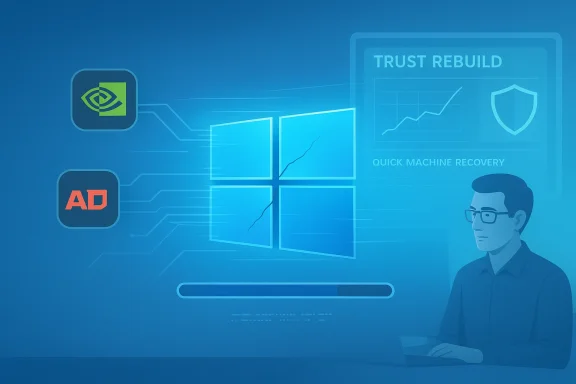
Windows 11’s reputation has been pummeled in recent weeks by dramatic headlines about failed updates, boot problems, and gaming crashes — but the full picture is more nuanced. The February 10, 2026 cumulative update (KB5077181) did introduce real regressions for a subset of machines — including failed installs, GPU-related black screens, and audio/network glitches — yet those incidents sit atop an OS that continues to add modern features, ship important security work, and reach mass adoption. The crisis is real for affected users, but the narrative that “Windows 11 is broken” overstates both the scale and the systemic health of the platform. What’s broken right now is trust — and Microsoft needs a focused, measurable plan to rebuild it.
Windows 11 has been evolving fast: major feature drops, the 24H2/25H2 servicing cadence, and a move toward more phased feature rollouts have defined Microsoft’s approach over the last two years. The February 10, 2026 cumulative update — KB5077181 (OS Builds 26200.7840 and 26100.7840) — targeted both security and quality improvements for Windows 11 versions 24H2 and 25H2, but the rollout coincided with disparate problems across consumer and prosumer hardware. Microsoft’s official bulletin outlines the build numbers and the content categories, and points users to the Windows release health dashboard for ongoing status updates.
At the same time, Windows 11’s adoption keeps climbing: Microsoft recently announced that Windows 11 has crossed the one‑billion monthly‑active‑users milestone, an important indicator that the platform’s footprint remains enormous even as some high‑visibility bugs create headlines. That scale matters because even a small percent of affected devices translates to large absolute numbers of frustrated users — and big social-media echoes.
However, “clustered” does not mean “rare” in absolute terms. With a billion users, even a 0.1% failure rate is still millions of affected systems — enough to dominate social conversation and inspire sensational headlines. The perception gap between scale and impact is central to the current debate.
Source: thewincentral.com Windows 11 Reputation: Not as Bad as the Headlines Claim
 Background / Overview
Windows 11 has been evolving fast: major feature drops, the 24H2/25H2 servicing cadence, and a move toward more phased feature rollouts have defined Microsoft’s approach over the last two years. The February 10, 2026 cumulative update — KB5077181 (OS Builds 26200.7840 and 26100.7840) — targeted both security and quality improvements for Windows 11 versions 24H2 and 25H2, but the rollout coincided with disparate problems across consumer and prosumer hardware. Microsoft’s official bulletin outlines the build numbers and the content categories, and points users to the Windows release health dashboard for ongoing status updates.At the same time, Windows 11’s adoption keeps climbing: Microsoft recently announced that Windows 11 has crossed the one‑billion monthly‑active‑users milestone, an important indicator that the platform’s footprint remains enormous even as some high‑visibility bugs create headlines. That scale matters because even a small percent of affected devices translates to large absolute numbers of frustrated users — and big social-media echoes.
What actually happened with KB5077181
Symptoms reported by users
Shortly after KB5077181 began rolling out many users reported:- Installation failures with error codes such as 0x800F0991, 0x800F0983, and 0x800F0922. These errors left updates in an “install pending” or failed state for some systems.
- GPU/display problems that manifested as sudden black screens, frame drops, or graphics lockups — incidents that were especially visible among gamers and systems running certain NVIDIA drivers. Some users described the problem as a “Black Screen of Death” that followed attempted updates.
- Audio cracking, stuttering, and playback glitches on specific GPU/driver combinations after applying the patch. Evidence from user reports suggests driver and power-state interactions may be implicated.
- Network and Wi‑Fi regressions, including issues related to WPA3 connectivity in earlier preview builds that were later addressed.
- In a smaller but severe set of cases, users reported boot failures and “no boot device found” symptoms after the update, requiring recovery media or manual DISM interventions.
Who was affected?
The distribution of issues appears clustered around specific hardware and driver combinations rather than being uniformly distributed. For example, several threads and reports singled out conflicts between KB5077181 and particular NVIDIA driver builds (including Studio drivers). Other failure modes stemmed from interactions with storage/boot setups and update sequencing quirks. That points to an ecosystem problem — interactions between OS updates, third‑party drivers, and platform firmware — rather than a single slip in Microsoft’s codebase.However, “clustered” does not mean “rare” in absolute terms. With a billion users, even a 0.1% failure rate is still millions of affected systems — enough to dominate social conversation and inspire sensational headlines. The perception gap between scale and impact is central to the current debate.
Reputation vs. Reality: Why perception diverges from technical facts
Bad news amplifies faster than good news
Technology media and social platforms thrive on dramatic, easily understood failures: crashing screens, failed boots, and games that won’t run. Those stories are clickable and shareable; they also skew the public’s impression of the overall quality. As a result, a handful of high‑impact failures can create the impression of an “everywhere” problem. Community logs and forum threads show this dynamic in action — a small number of loud incidents become a trending narrative that smothers quieter signals of stability.Insiders and early adopters see rougher edges
Insider builds and early adopters are effectively guinea pigs for new code. When the preview branch exposes regressions, the complaints come loud and fast. That passionate minority shapes the online discussion even when the broader population — many of whom run stable builds — experiences an uneventful, productive month. The controlled feature rollout (CFR) model Microsoft uses can mitigate wide exposure, but it also means timing and visibility become political: when a feature or fix appears in a cumulative update, it signals rollout start even if the feature is not yet broadly available.Users remember pain more than months of smooth work
Human psychology favors vivid memories: a single failed update or a ruined game session is far more memorable than 90 days of smooth productivity. That results in an emotional impression that is disproportionately negative compared to the objective error rate — especially when amplified by social proof.Why this matters strategically for Microsoft
Windows is not merely a consumer product — it’s the substrate for businesses, governments, and OEM partners. Reputational damage in the update process has three business consequences:- IT administrators become conservative. Enterprises delay rollouts and lengthen validation windows, increasing total cost of ownership and slowing adoption of security fixes.
- OEM and partner relationships strain when updates cause hardware regressions on shipped systems.
- Consumer confidence erodes, creating an opening for alternative OS narratives (cloud‑centric thin clients, Linux for developers, or dedicated gaming alternatives).
How Microsoft can — and is starting to — respond
1) Ship fixes fast but gate them more carefully
Microsoft did roll a fixset that, according to reporting, addressed the Black Screen issues and some Wi‑Fi regressions in follow‑up patches and servicing‑stack updates. That’s the right technical response: identify the root cause, coordinate with driver vendors, and ship a targeted fix. But the release process must favor safety over speed for high‑impact subsystems (GPU, storage, networking). The February update’s combination of new features plus non‑security changes increases risk if those features interact with drivers.2) Strengthen telemetry and developer/driver coordination
Driver conflicts were a prominent theme in user reports. Microsoft should continue to improve its telemetry pipelines to detect and quarantine problem drivers before wide rollout, and strengthen co‑testing with NVIDIA, AMD, Intel, and OEMs for major servicing drops. When an update has a plausible interaction with a vendor driver family, a staged hold or an immediate driver Hotfix coordination should be mandatory. Community reports already point to specific driver versions that conflict with KB5077181; this is actionable intelligence that must flow directly into rollout gating.3) Expand and publicize Quick Machine Recovery and rollback options
Microsoft has introduced features like Quick Machine Recovery (QMR) and improved servicing stack updates to improve recoverability from failed boots. These capabilities need to be clearer, easier to use, and advertised so users and IT teams know they exist and how they work. For many casual users the first contact after a failed update is panic; having visible, reliable, documented recovery paths reduces the damage. Practical guidance for end users — create a restore point, keep backups, and enable QMR — is already appearing in mainstream advice columns and should be prominently surfaced by Microsoft.4) Rebuild trust through transparency
Blunt, timely, and consistent communications about what an update contains — and clear acknowledgement of known issues — helps reduce speculation and rumor. Transparency includes publishing affected hardware lists, telling admins which driver versions were implicated, and issuing rollback guidance with clear steps. Where Microsoft has adjusted policy or rollout timing, it should explain the rationale and timing for fixes. Community threads show users crave directness from Microsoft executives and product leads; quietness widens the rumor channels.Practical guidance for users and administrators
If you’re running Windows 11 today, here are practical, prioritized steps to reduce update risk and recover quickly if you’re affected:- Create a full image backup or at minimum set up System Restore and a reliable file backup before installing major updates. This is simple insurance.
- Delay non‑critical updates for 1–2 weeks in consumer environments to allow early reports to surface. Administrators in business settings should continue formal testing in lab and pilot rings.
- If you rely on specialized GPU drivers (Creator/Studio drivers) or older BIOS/firmware, check vendor advisories for driver compatibility before installing cumulative updates. Community reports indicate specific Studio driver interactions with KB5077181.
- Know how to roll back: use the Settings > Windows Update > Update history > Uninstall updates path, or use WinRE recovery USB if the system fails to boot. For stubborn install pendings, DISM with appropriate remove‑package commands has helped some users, but those commands require comfort with low‑level tools.
- Enable or learn Quick Machine Recovery if your edition supports it and validate restore procedures in your environment. Microsoft’s recovery features can automate remediation in many boot‑failure scenarios.
Critical analysis: strengths, weaknesses, and risks
Strengths — why Windows 11 is not a disaster
- Windows 11 continues to deliver meaningful, visible features: redesigned Start and taskbar workflows, Snap Layouts, native Android app support (gradual), and security hardening such as mandatory Secure Boot/TPM for many supported devices. These are long‑term investments in usability and platform security that are not erased by temporary regressions.
- Microsoft’s servicing model and features like the servicing stack update (SSU) and Controlled Feature Rollout theoretically allow targeted, safer deployments and rapid remediation when problems arise. KB5077181 included SSU changes designed to strengthen update delivery.
- The platform is hugely installed and still growing: one billion monthly active users creates a massive ecosystem of apps, OEMs, and developer attention. That gives Microsoft both incentive and resources to fix issues.
Weaknesses — where Microsoft’s process shows strain
- Update testing and coordination with third‑party drivers/firmware remains a recurring pain point. The KB5077181 episode shows how a cumulative update can unintentionally destabilize hardware-specific drivers in the wild.
- Communication gaps persist. Community threads repeatedly show users frustrated by lack of clear acknowledgement or step‑by‑step guidance from Microsoft when a new failure wave begins. Silence or slow acknowledgement fuels rumor and erodes trust.
- The release cadence — mixing security fixes, quality improvements, and controlled feature rollouts in a single cumulative package — increases the chance of side effects. Separating destabilizing changes from security fixes where feasible would reduce perceived risk.
Risks if the current pattern continues
- Enterprise delay and higher validation costs: longer pilot windows and extended support for legacy systems will slow security adoption.
- OEM hesitancy on pre‑installed feature toggles: if updates cause hardware problems on new machines, OEMs will demand stronger validation and control over which Windows features are allowed by default.
- Brand erosion: sustained perception of instability can make users and journalists more receptive to narratives that paint Microsoft as shipping “shoddy” products, even when objective metrics are mixed. Forum threads and media roundups already reflect this reputational vulnerability.
What success looks like (measurable outcomes Microsoft should aim for)
To rebuild trust, Microsoft should commit to clear, measurable goals and publish progress:- Reduce high‑impact post‑update incidents by X% within 6 months, measured by telemetry signals and customer support cases. (Concrete metric; transparency matters.)
- Publish a rolling compatibility matrix for major driver families and firmware versions for 90 days post servicing release.
- Expand QMR coverage and report recovery success rates for boot failures.
- Improve time‑to‑acknowledgement: commit to a public statement within 48 hours when a significant update shows signs of systemic failure.
Final takeaways for readers and decision makers
- Windows 11 is not a disaster; it’s a large, complex platform undergoing rapid evolution. The February 2026 KB5077181 rollout produced visible, painful regressions for a meaningful number of users, but those problems are part of an ongoing engineering cycle that includes both risk and rapid remediation.
- The central issue today is trust, not only technical correctness. Microsoft’s ability to rebuild confidence depends on faster, clearer communication, better vendor coordination, and demonstrable improvements in update quality and recovery tooling. Community reporting and curated telemetry should be treated as a source of truth rather than noise.
- For users: back up, delay non‑critical updates a short period if you are risk‑averse, and keep drivers/firmware current and vendor‑certified for your workflow. For admins: test in lab/pilot rings and treat cumulative updates as a package that requires cross‑team validation.
Source: thewincentral.com Windows 11 Reputation: Not as Bad as the Headlines Claim
