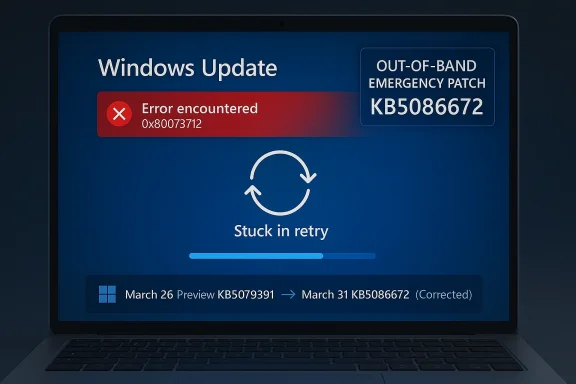
Microsoft’s latest Windows 11 emergency patch is less remarkable for what it fixes than for how quickly it arrived. The company has now corrected the broken March 2026 preview update with KB5086672, an out-of-band release that restores the same optional features while addressing the install failure that hit some Windows 11 24H2 and 25H2 devices. The repair landed within days, which is good news for users who were stuck on an error loop, but it also reinforces a bigger concern: emergency servicing is starting to feel normal. That is a dangerous impression for a platform that still sells itself on reliability.
Windows servicing has always balanced speed against caution, but the cadence in early 2026 has made that balance look especially fragile. Microsoft’s monthly update model now includes Patch Tuesday security releases, optional non-security previews, and out-of-band fixes when something goes wrong. In theory, that system should let the company ship improvements faster while limiting risk. In practice, the gap between “preview” and “production-ready” has been feeling uncomfortably small.
The March 2026 preview update for Windows 11, KB5079391, was intended to be routine. It arrived as an optional release, which usually means it carries next month’s improvements ahead of time and then folds into the regular monthly rollout later. That expectation matters because optional previews are not supposed to behave like unstable beta builds, even if they are still technically test releases. When a preview update fails at install time, it undermines confidence in the entire quality pipeline.
Microsoft’s response was swift. The company pulled the problematic release, investigated the installation failure, and then reissued the same content as KB5086672 with a fix for the installation issue. That is exactly what users want to see when a servicing problem appears: acknowledge it, stop the damage, and move fast. Yet the very fact that this sequence has become familiar is what makes the episode significant. A rapid correction is good; a rapidly recurring need for corrections is not.
The problem also arrives against a broader backdrop of Windows 11 instability in 2026. A separate March emergency update fixed Microsoft account sign-in problems that affected apps such as OneDrive, Edge, Teams Free, and Office-related services. Earlier in the year, Microsoft had already needed more than one out-of-band fix for app crashes, Bluetooth issues, enterprise hotpatch problems, and other servicing defects. One isolated incident can be dismissed as a bad week. A pattern starts to look like a process problem.
This matters because it shows Microsoft’s servicing model working in one sense and struggling in another. The company did not ignore the issue, and it did not leave affected users stranded for long. But the fact that the replacement update exists at all means a release reached public distribution before it was stable enough to stay there. That is a high-profile quality-control miss, even if the repair was efficient.
The replacement update also appears designed to be transparent in how it supersedes the earlier package. Microsoft describes it as cumulative, meaning it carries forward prior quality changes and incorporates the repaired March preview content. That makes adoption easier for users who were waiting out the original failure, but it also means the patch stack is becoming more layered and more difficult to reason about. Each emergency fix adds another branch in the update history that IT teams have to track.
There is a difference between a healthy servicing culture and a reflexive patch-firefighting culture. Healthy servicing means bugs are found, fixed, and largely contained before they turn into customer pain. Firefighting means defects are escaping into production often enough that the patch train itself becomes the product story. Windows 11 is drifting closer to the second category than Microsoft would prefer.
The March sign-in bug is a particularly damaging comparison point because it affected everyday apps people expect to trust: Edge, OneDrive, Teams Free, Word, Excel, and Microsoft 365 Copilot. The emergency fix for that problem was already a warning sign. Then the install-failure patch arrived almost immediately afterward. When two high-visibility issues land back-to-back, even reasonable users begin to wonder whether the release process has lost its margin for error.
The concern is not that Microsoft makes mistakes. It is that the mistakes are becoming visible in exactly the places users notice most: sign-in flows, installation flows, and everyday productivity apps. Those are the pressure points where confidence either holds or breaks. If a preview update cannot reliably install, or if a security update interferes with Microsoft account authentication, then the quality bar is being missed where it matters most.
The scale of Windows makes this especially difficult. A smaller ecosystem can tighten its release process by testing fewer permutations. Windows has to support more hardware profiles and more enterprise scenarios than almost any mainstream desktop platform. That makes a strong QA program more expensive, not less. It also means Microsoft cannot afford to underinvest in it if the update cadence continues to accelerate.
Microsoft has already signaled that administrators using tools such as Intune and Windows Autopatch should follow the guidance associated with the out-of-band release. That tells you something important: the patch is not just consumer-facing cleanup. It is now part of enterprise servicing policy, which means it enters the same channels used for compliance and fleet control. The moment a patch becomes an admin concern, its quality profile matters more.
There is also a hidden operational cost when emergency patches stack on top of each other. Admins may need to verify whether a fix replaces an earlier patch, whether the earlier patch was partially installed, and whether the new release changes the deployment sequence. Those are not glamorous tasks, but they are the backbone of enterprise Windows management. The more often they are disrupted, the more organizations start building caution into every update decision.
What makes 2026 more sensitive is that Microsoft has repeatedly emphasized modernization, continuous innovation, and faster delivery. Those promises only work if the underlying quality model is strong enough to support them. If a faster update cycle simply produces more visible recovery work, then the headline becomes “Microsoft is shipping faster” rather than “Windows is improving.” That is not the narrative the company wants.
At the same time, the Windows ecosystem remains resilient precisely because Microsoft does respond. Slow acknowledgment would be worse. Broken updates that linger unaddressed would be worse. The issue is not that the system is collapsing; it is that it feels too often like it is being patched in public. That can be manageable in the short term and corrosive over the long haul.
The ideal outcome is obvious: fewer visible emergency patches, fewer pulled updates, and fewer moments when users have to ask whether the current month’s Windows update is safe. That would not require Microsoft to slow down innovation. It would require the company to ship with more confidence and less public backtracking. In a platform as large as Windows, that difference matters.
Source: TechRadar https://www.techradar.com/computing...-for-the-broken-march-update-arrived-quickly/
 Background
Windows servicing has always balanced speed against caution, but the cadence in early 2026 has made that balance look especially fragile. Microsoft’s monthly update model now includes Patch Tuesday security releases, optional non-security previews, and out-of-band fixes when something goes wrong. In theory, that system should let the company ship improvements faster while limiting risk. In practice, the gap between “preview” and “production-ready” has been feeling uncomfortably small.The March 2026 preview update for Windows 11, KB5079391, was intended to be routine. It arrived as an optional release, which usually means it carries next month’s improvements ahead of time and then folds into the regular monthly rollout later. That expectation matters because optional previews are not supposed to behave like unstable beta builds, even if they are still technically test releases. When a preview update fails at install time, it undermines confidence in the entire quality pipeline.
Microsoft’s response was swift. The company pulled the problematic release, investigated the installation failure, and then reissued the same content as KB5086672 with a fix for the installation issue. That is exactly what users want to see when a servicing problem appears: acknowledge it, stop the damage, and move fast. Yet the very fact that this sequence has become familiar is what makes the episode significant. A rapid correction is good; a rapidly recurring need for corrections is not.
The problem also arrives against a broader backdrop of Windows 11 instability in 2026. A separate March emergency update fixed Microsoft account sign-in problems that affected apps such as OneDrive, Edge, Teams Free, and Office-related services. Earlier in the year, Microsoft had already needed more than one out-of-band fix for app crashes, Bluetooth issues, enterprise hotpatch problems, and other servicing defects. One isolated incident can be dismissed as a bad week. A pattern starts to look like a process problem.
Why preview updates matter
Optional preview updates are supposed to be a controlled way to validate non-security changes before they become mandatory. They are not generally recommended for conservative users because they are still part of the test surface, even if they are the last stop before broad release. That distinction is crucial, because Microsoft’s preview channel is no longer a niche playground for enthusiasts. It is a major part of how the Windows servicing train is kept moving.- Preview updates are optional, but they are still official Microsoft releases.
- They often become the next month’s full cumulative update.
- Failures in previews can expose gaps in servicing validation.
- Pulled updates are better than broken updates, but they still disrupt trust.
- The more often this happens, the more users learn to delay installing anything.
Why this particular bug stood out
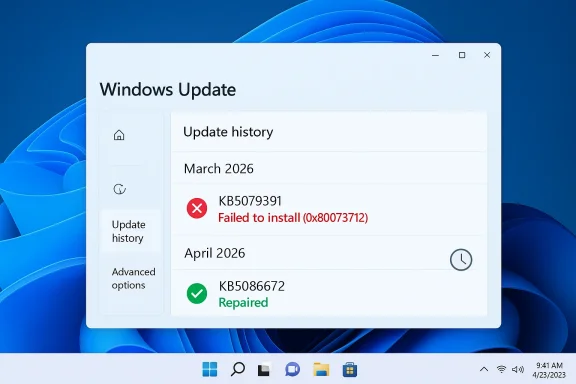
The error code involved here, 0x80073712, points to missing or corrupted update files. That is not an obscure edge case in the abstract; it is the kind of failure that suggests the update payload itself, or its install chain, could not complete cleanly. When a patch cannot even get onto the machine, the issue is no longer about a feature behaving badly after installation. It becomes a basic question of whether Microsoft can reliably deliver software to the device.- Installation failures are more alarming than post-install bugs.
- The same error appearing on enough devices to justify a pull suggests scale.
- Reissuing the update as an emergency patch is a strong mitigation.
- But the need for a reissue still points to a failure in pre-release validation.
- For enterprise admins, failed installs create immediate deployment friction.
What Microsoft Fixed
The official fix is straightforward enough. KB5086672 is an out-of-band update for Windows 11 24H2 and 25H2 that includes the improvements from the March 26 preview and adds a correction for the installation issue. Microsoft states that devices attempting to install KB5079391 could encounter the “Some update files are missing or have problems” error, and that the new package resolves it. In other words, the emergency update is not a separate feature drop so much as a repaired version of the original preview.This matters because it shows Microsoft’s servicing model working in one sense and struggling in another. The company did not ignore the issue, and it did not leave affected users stranded for long. But the fact that the replacement update exists at all means a release reached public distribution before it was stable enough to stay there. That is a high-profile quality-control miss, even if the repair was efficient.
The replacement update also appears designed to be transparent in how it supersedes the earlier package. Microsoft describes it as cumulative, meaning it carries forward prior quality changes and incorporates the repaired March preview content. That makes adoption easier for users who were waiting out the original failure, but it also means the patch stack is becoming more layered and more difficult to reason about. Each emergency fix adds another branch in the update history that IT teams have to track.
The fix in practical terms
For most people, the immediate takeaway is simple: if you were avoiding the March preview because it failed to install, the corrected release should now install normally. If you were already steering clear of preview updates, you can continue doing that and likely wait for the normal monthly rollout instead. For IT teams, the key point is that the repaired release should eliminate the deployment roadblock without forcing a workaround chain.- The broken preview has effectively been replaced.
- The fix preserves the original non-security improvements.
- The error loop should no longer occur on affected systems.
- Manual install options remain available through the Microsoft Update Catalog.
- Devices with “Get the latest updates as soon as they’re available” enabled may receive it automatically.
Why the word “out-of-band” matters
An out-of-band update is not part of the normal release rhythm. Microsoft uses that label for fixes that need to ship as soon as possible, whether because of a serious defect or a newly identified vulnerability. That is exactly why OOB releases feel reassuring in the short term and worrying in the long term. They prove Microsoft can react quickly, but they also signal that normal servicing did not catch the issue.- OOB updates are a safety valve.
- Frequent OOB use can indicate brittle release engineering.
- They often create additional admin overhead.
- They tend to be important even when they are not security patches.
- Their speed is useful, but speed is not a substitute for stability.
A 2026 Pattern Is Emerging
The larger story is not one broken preview update. It is the accumulation of emergency fixes across Windows 11 in the opening months of 2026. Microsoft has already shipped urgent patches for app-sign-in failures, enterprise hotpatch issues, Bluetooth problems, and other update regressions. The company deserves credit for moving quickly, but the volume alone raises eyebrows. A mature platform should not need this many visible interventions so early in the year.There is a difference between a healthy servicing culture and a reflexive patch-firefighting culture. Healthy servicing means bugs are found, fixed, and largely contained before they turn into customer pain. Firefighting means defects are escaping into production often enough that the patch train itself becomes the product story. Windows 11 is drifting closer to the second category than Microsoft would prefer.
The March sign-in bug is a particularly damaging comparison point because it affected everyday apps people expect to trust: Edge, OneDrive, Teams Free, Word, Excel, and Microsoft 365 Copilot. The emergency fix for that problem was already a warning sign. Then the install-failure patch arrived almost immediately afterward. When two high-visibility issues land back-to-back, even reasonable users begin to wonder whether the release process has lost its margin for error.
Consumer confidence versus enterprise confidence
Consumer users may simply delay optional updates and move on. That is not ideal, but it is manageable. Enterprise administrators do not have that luxury. They need predictable deployment windows, stable update baselines, and clear rollback logic. Every emergency patch adds a planning wrinkle, especially in mixed-device environments where Windows 11 24H2, 25H2, and hotpatch-enabled systems may all behave differently.- Consumers can skip previews, but enterprises must often test them.
- Admin teams need consistency more than novelty.
- Emergency fixes complicate image baselines and documentation.
- Support desks absorb the confusion when installs fail.
- The more exceptions there are, the harder patch governance becomes.
The reputational cost
Windows does not have to be perfect to be trusted. It does, however, need to look disciplined. When users repeatedly see emergency fixes, the impression is that Microsoft is reacting rather than controlling the platform. That perception can be as damaging as the bugs themselves because it affects whether people install updates promptly, test them thoroughly, or trust that the next one will be safe.- Trust is cumulative, and so is distrust.
- Fast fixes help, but repeated fixes normalize dysfunction.
- Enterprises remember whether a patch month was calm or chaotic.
- A reputation for instability can slow adoption of optional releases.
- That creates a vicious cycle: fewer preview testers, less feedback, more risk.
Why the QA Question Is Hard to Ignore
Quality assurance is the unavoidable elephant in the room. Microsoft ships an enormous matrix of hardware, drivers, firmware, consumer apps, enterprise tools, and update states. No lab can perfectly simulate every real-world configuration, and Windows has always relied on a mix of internal testing, staged rollout, telemetry, and user feedback. That is why some bugs are inevitable. But inevitability is not an excuse for preventable release escape.The concern is not that Microsoft makes mistakes. It is that the mistakes are becoming visible in exactly the places users notice most: sign-in flows, installation flows, and everyday productivity apps. Those are the pressure points where confidence either holds or breaks. If a preview update cannot reliably install, or if a security update interferes with Microsoft account authentication, then the quality bar is being missed where it matters most.
The scale of Windows makes this especially difficult. A smaller ecosystem can tighten its release process by testing fewer permutations. Windows has to support more hardware profiles and more enterprise scenarios than almost any mainstream desktop platform. That makes a strong QA program more expensive, not less. It also means Microsoft cannot afford to underinvest in it if the update cadence continues to accelerate.
What good QA would need to catch
A better-prepared servicing pipeline would focus not just on feature correctness, but on the boring basics that users feel immediately. Installation integrity, rollback behavior, sign-in continuity, catalog consistency, and cross-app authentication should all be treated as first-class release gates. If those checks are weak, every new feature ships with hidden downside risk.- Install success rate should be a top release metric.
- Authentication regressions should be caught before public rollout.
- Rollback and recovery flows should be tested like primary features.
- Enterprise deployment paths need dedicated validation.
- Preview releases should be boring, not newsworthy.
Why telemetry is not enough on its own
Telemetry can tell Microsoft that something is wrong after it has already happened. It cannot fully replace proactive validation. That is why the company’s ability to spot widespread failure and react quickly is only half the story. The real question is whether the failing update should have escaped the lab or preview ring in the first place.- Telemetry is reactive by nature.
- Staged rollout reduces risk but does not eliminate it.
- Rapid pulls are better than slow denials.
- Preventing the issue is always better than repairing it.
- QA is ultimately about reducing public drama, not just resolving incidents.
Enterprise Impact Is Bigger Than It Looks
For home users, an update hiccup is annoying. For enterprises, it can cascade into deployment pauses, help desk tickets, and inconsistent fleet states. A failed optional update may not look like a major crisis on paper, but it can complicate a broader maintenance cycle if organizations are trying to align on a known-good build. That is especially true when the update in question is the lead-in to a future monthly cumulative release.Microsoft has already signaled that administrators using tools such as Intune and Windows Autopatch should follow the guidance associated with the out-of-band release. That tells you something important: the patch is not just consumer-facing cleanup. It is now part of enterprise servicing policy, which means it enters the same channels used for compliance and fleet control. The moment a patch becomes an admin concern, its quality profile matters more.
There is also a hidden operational cost when emergency patches stack on top of each other. Admins may need to verify whether a fix replaces an earlier patch, whether the earlier patch was partially installed, and whether the new release changes the deployment sequence. Those are not glamorous tasks, but they are the backbone of enterprise Windows management. The more often they are disrupted, the more organizations start building caution into every update decision.
The admin checklist grows longer
Enterprise patch teams do not just ask whether an update works. They ask whether it fits the existing deployment model, whether it affects hotpatch rings, whether it changes reboot behavior, and whether it needs a special rollback plan. Each emergency patch increases that decision tree. That makes Microsoft’s speed valuable, but it also means the platform’s complexity is surfacing in operational cost.- Validate whether the device is on 24H2 or 25H2.
- Confirm whether the preview was installed before the fix.
- Check whether the fleet uses standard update flow or hotpatch.
- Review whether Intune or Autopatch policies need adjustment.
- Make sure support staff know the new KB replaces the old one.
Why enterprises are less forgiving
Consumer users often judge updates by whether their PC still starts. Enterprises judge them by whether thousands of endpoints stay consistent. A patch that is technically repaired can still be operationally painful if it creates uncertainty in rollout sequencing. In that sense, every emergency fix has a soft cost that never shows up in the release notes.- Consistency matters more than novelty in business environments.
- A “fixed” update can still be a logistics problem.
- Support teams need clear communication and simple guidance.
- Unstable servicing erodes confidence in update deadlines.
- Businesses often respond by delaying deployment, which slows remediation.
Windows 11’s Reputation Problem
Windows 11 still faces the reality that many users remember earlier update scandals, broken drivers, and unexpected regressions. Those memories make every new emergency patch feel heavier than it might otherwise. Even when Microsoft acts responsibly, the audience is primed to see evidence of broader fragility. That is the reputational trap: success is measured not only by the fix, but by whether the incident seems like an exception.What makes 2026 more sensitive is that Microsoft has repeatedly emphasized modernization, continuous innovation, and faster delivery. Those promises only work if the underlying quality model is strong enough to support them. If a faster update cycle simply produces more visible recovery work, then the headline becomes “Microsoft is shipping faster” rather than “Windows is improving.” That is not the narrative the company wants.
At the same time, the Windows ecosystem remains resilient precisely because Microsoft does respond. Slow acknowledgment would be worse. Broken updates that linger unaddressed would be worse. The issue is not that the system is collapsing; it is that it feels too often like it is being patched in public. That can be manageable in the short term and corrosive over the long haul.
The cost of appearing reactive
A platform that appears reactive can still be technically sound. But perception matters, especially when millions of users decide whether to install updates the moment they arrive or wait for other people to test them first. If the average user assumes optional updates are risky and mandatory updates are unpredictable, Microsoft has a trust problem no release note can solve.- Update trust influences install behavior.
- Install behavior influences how quickly bugs are discovered.
- Delayed installs make servicing slower for everyone.
- A cautious user base is harder to keep current.
- Negative perception can outlast the bug that created it.
Why this is not just a consumer issue
The Windows 11 reputation problem affects OEMs, enterprise IT, and Microsoft’s broader ecosystem strategy. Hardware vendors want a stable software baseline. Businesses want predictable device management. Microsoft wants Windows to feel dependable enough to anchor cloud services, productivity apps, and AI-integrated experiences. A shaky update reputation makes all of those goals harder.- OEM confidence matters for preloads and driver validation.
- Enterprise trust affects rollout speed and support burden.
- Microsoft 365 reliability is tied to Windows identity flows.
- AI features depend on users believing the platform is stable.
- Update quality now influences product strategy, not just patch cadence.
Strengths and Opportunities
Microsoft should be credited for one thing above all: it is moving quickly when visible problems appear. The company also appears willing to pull a bad release rather than defend it indefinitely, which is a healthy instinct. If Microsoft can combine that responsiveness with sharper pre-release validation, it could turn a rough stretch into a meaningful servicing reset.- Fast turnaround on the repair for the broken March preview.
- Clear supersedence through the out-of-band KB5086672 package.
- Responsive acknowledgment of public-facing update failures.
- Improved trust if Microsoft continues to pull flawed releases quickly.
- Better enterprise control when guidance is explicit for Intune and Autopatch.
- Opportunity to tighten QA around install integrity and sign-in scenarios.
- Chance to restore confidence before the next monthly rollout.
Risks and Concerns
The biggest risk is that quick fixes become a substitute for better prevention. If every month now includes one or more emergency actions, users will start to assume instability is built into the release process. That would be a serious problem for a platform whose value depends on being seen as dependable, invisible infrastructure.- Normalizing emergency patches can erode confidence in Windows servicing.
- Preview updates may be avoided by users who fear being burned.
- Enterprise deployment friction increases when KB sequences become tangled.
- Authentication bugs are especially damaging because they hit core workflows.
- Install failures are worse than feature quirks because they block servicing outright.
- Public perception can become more negative than the actual defect rate warrants.
- QA gaps may persist if telemetry catches problems only after release.
Looking Ahead
The next few update cycles will tell us whether March 2026 was an isolated run of bad luck or the beginning of a more troubling pattern. Microsoft can still argue that its response time is strong, and that argument would be fair. But the company now needs to prove that speed is not compensating for a deeper weakness in validation and release discipline.The ideal outcome is obvious: fewer visible emergency patches, fewer pulled updates, and fewer moments when users have to ask whether the current month’s Windows update is safe. That would not require Microsoft to slow down innovation. It would require the company to ship with more confidence and less public backtracking. In a platform as large as Windows, that difference matters.
- Watch whether April’s monthly release arrives without a hotfix companion.
- Monitor whether Microsoft continues to pull flawed updates quickly.
- See if enterprise-facing issues decline after the March correction.
- Look for stronger guidance around preview update testing.
- Track whether sign-in and install regressions remain frequent in 24H2 and 25H2.
Source: TechRadar https://www.techradar.com/computing...-for-the-broken-march-update-arrived-quickly/