

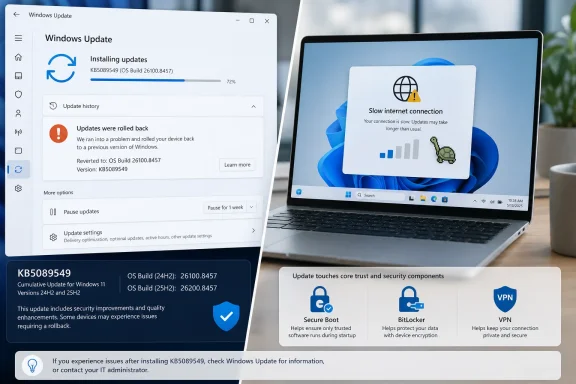
Microsoft’s May 12, 2026 cumulative update for Windows 11, KB5089549, is reportedly failing to install on some Windows 11 24H2 and 25H2 systems, while a smaller set of users says the same patch has reduced internet performance after installation. The important word is reportedly, because Microsoft’s own release notes still say the company is not aware of any known issues with the update. That gap between community reports and official acknowledgement is where Windows servicing gets messy. For ordinary users, it means the safest answer is neither panic nor blind troubleshooting, but a disciplined read of risk.
KB5089549 is not an obscure optional tweak sitting in the corner of Windows Update. It is the May 2026 Patch Tuesday cumulative update for supported Windows 11 24H2 and 25H2 machines, moving systems to OS builds 26100.8457 and 26200.8457 respectively. It includes security fixes, servicing stack improvements, and quality changes from the prior optional preview release.
That matters because cumulative updates now serve several jobs at once. They close vulnerabilities, move platform components forward, fold in preview fixes, update servicing logic, and sometimes prepare Windows for future platform transitions. A failure in that chain is rarely just “the update broke”; it can be a collision among drivers, boot files, security configuration, update history, and the component store.
Microsoft’s own notes for KB5089549 emphasize Secure Boot certificate preparation, startup reliability, BitLocker-related repair work, SSDP connectivity reliability, daylight saving time changes, and updated AI components for applicable Copilot+ PCs. In other words, this is not merely a patch that swaps out a few application files. It touches the parts of Windows that determine whether a machine updates, boots, secures itself, and communicates on a local network.
That makes the early complaints more plausible, not less. A big cumulative update can be perfectly healthy for most systems while still tripping over a subset of machines with unusual firmware states, third-party security software, stale update metadata, fragile drivers, or enterprise management overlays. Patch Tuesday failures are often narrow enough to avoid immediate official confirmation but wide enough to ruin a week for the people who hit them.
A rollback means Windows detected that the update could not be completed safely and restored the previous state. That is not the same as a bricked PC. It is still disruptive, particularly when the machine spends half an hour applying and reversing changes, but it usually leaves the user with a working desktop rather than a recovery environment.
For home users, the distinction is the difference between irritation and disaster. For administrators, it is the difference between a failed deployment wave and an incident response event. Failed installs still consume bandwidth, user patience, help desk time, and maintenance windows, but they are less dangerous than machines that no longer boot or demand recovery keys across the fleet.
The trouble is that Windows Update’s consumer-facing error language remains poor at explaining why the rollback happened. The message tells users that Windows survived; it does not tell them whether the culprit was a servicing stack issue, a driver conflict, a pending reboot, a corrupted package cache, a blocked file operation, or an underlying component store problem. That opacity is why Reddit threads fill the gap so quickly.
That creates an uncomfortable lag. Users experience a problem immediately, journalists and forum posters document the symptoms within hours, and Microsoft may not acknowledge anything until the pattern is clear enough to describe without creating more confusion. In some cases, the issue never gets documented publicly because it affects a small population, is fixed server-side, is superseded by a later update, or turns out to be environmental.
The May update is also landing in a year when Windows servicing has already tested patience. Earlier 2026 cumulative updates produced high-profile complaints around boot failures, BitLocker recovery prompts, sign-in trouble, and emergency out-of-band fixes. That recent history gives users less willingness to assume isolated failure is their fault.
Still, the absence of an official known issue should prevent overstatement. There is not yet enough evidence to say KB5089549 broadly breaks Windows 11 networking or installation. The honest version is more frustrating: some users appear to be hitting real failures, Microsoft has not publicly confirmed a general defect, and the available reports do not yet establish a single cause.
That does not mean users are imagining it. Windows updates can alter networking components, firewall behavior, driver interaction, name resolution, local discovery protocols, VPN compatibility, and offload settings. KB5089549’s own notes include a connectivity reliability fix around Simple Service Discovery Protocol notifications, which is not the same thing as WAN throughput but does place networking-adjacent changes inside the release.
The responsible position is to treat the slowdown reports as signals, not proof. If a user sees a clear before-and-after collapse in throughput immediately after installing the update, especially across multiple browsers and applications, the patch belongs on the suspect list. If only one speed test site is poor, or only Wi-Fi is affected, or only a VPN session is slow, the investigation should widen before uninstalling a security update.
For administrators, the right move is measurement. Compare wired and wireless performance, test with and without VPN, check whether NIC drivers changed, review endpoint protection logs, and look for packet loss rather than relying on a single download number. The point is not to defend Microsoft; it is to avoid replacing one problem with five new ones.
KB5089549 illustrates the tradeoff. It includes security fixes, quality improvements, servicing stack changes, boot-related reliability work, Secure Boot certificate preparation, and AI component version changes. Microsoft’s consolidation makes it easier to ensure a patched machine has the expected baseline, but it gives users fewer knobs when one part of the package misbehaves.
In the old mental model, a user might skip a problematic driver update or avoid a specific optional component. In the modern model, security, quality, and platform plumbing arrive as a bundle. That is cleaner for Microsoft and for large-scale fleet consistency, but it can leave affected users staring at a single KB number that represents dozens or hundreds of underlying changes.
This is why “just install it” and “just uninstall it” are both incomplete advice. Installing keeps the machine current against security vulnerabilities and servicing improvements. Uninstalling may restore stability, but it also removes protections and can become harder when servicing stack components are involved. The decision depends on whether the machine is failing to update, merely showing a cosmetic issue, or suffering an actual productivity-impacting regression.
That puts the May patch inside a larger infrastructure story. Secure Boot is not a decorative feature; it is part of the trust chain that helps ensure the firmware loads approved boot components rather than tampered ones. Certificate rollover at Windows scale is the sort of work that must happen quietly, incrementally, and with enough telemetry to avoid creating a mass boot problem.
KB5089549 adds a SecureBoot folder under Windows on eligible devices, including sample scripts intended for organizations that actively manage update deployment across fleets. That detail is easy for consumers to ignore, but enterprise administrators should not. Microsoft is effectively telling IT departments that Secure Boot certificate management is moving from abstract future concern to operational reality.
This is also why failed installs matter beyond one month’s inconvenience. If a subset of machines cannot take cumulative updates reliably now, those same machines may be poorly positioned for the Secure Boot certificate transition. The install error is the visible symptom; the strategic risk is falling behind on the servicing path Microsoft expects devices to follow before certificate expiration becomes a real-world boot concern.
That is a crucial nuance. The May patch is supposed to improve startup reliability after boot file updates, not worsen it. But from an administrator’s perspective, any update that touches boot servicing, Secure Boot preparation, TPM validation context, and recovery behavior deserves extra testing.
BitLocker incidents are uniquely painful because they transform a software update problem into an access problem. A user who can boot into Windows with a failed cumulative update can keep working while IT investigates. A user staring at a BitLocker recovery screen may be dead in the water unless recovery key escrow and support processes are flawless.
This explains why some IT pros react sharply even to scattered install-failure reports. They are not merely worried that a patch might take two attempts. They are worried about whether Microsoft’s boot-chain remediation is stable across firmware versions, OEM images, managed encryption policies, and devices with messy update histories.
If the update fails once and rolls back cleanly, a second attempt is reasonable after a reboot. Windows Update failures can be transient, especially when another update, driver, or servicing component was pending. But if the patch fails repeatedly at the same stage, the user should resist the urge to spend hours running random commands copied from forum posts.
There are safe first steps: restart the PC, make sure the device has enough free disk space, disconnect unnecessary peripherals, run Windows Update again, and avoid stacking multiple major changes at once. Clearing the SoftwareDistribution cache or running DISM and System File Checker can help in some cases, but those steps should be performed carefully, not as ritual magic.
If the computer is otherwise stable, waiting for Microsoft’s next cumulative update or a backend servicing correction may be the most rational course. That feels unsatisfying because it offers no heroic fix. But for a nontechnical user, a clean rollback followed by patience is often safer than aggressive repair operations on a working Windows installation.
A serious investigation starts with repeatability. Does the update fail at the same percentage every time? Does it fail before or after reboot? Is the error code stable? Does the machine have third-party antivirus or endpoint detection software? Is it x64 or Arm64? Is it Windows 11 24H2 or 25H2? Was the April preview installed? Is the machine using BitLocker, nonstandard Secure Boot settings, or OEM recovery partitions?
The same discipline applies to the networking complaints. A post saying “my internet is slow” is a clue, not a root cause. A post that compares latency, packet loss, adapter driver versions, VPN state, TCP offload settings, Wi-Fi versus Ethernet, and pre/post update throughput is evidence.
This is where community forums can either help or harm. The best threads converge on shared conditions and reproducible patterns. The worst threads turn every unrelated complaint into proof of one giant broken patch. WindowsForum readers know the difference: correlation starts the hunt, but logs move it forward.
The fact that Microsoft lists no known issues does not eliminate the need for staging. It simply means there is no official block or documented workaround to plan around. Enterprises should assume that their own hardware and software mix may reveal what Microsoft’s telemetry has not yet elevated.
The internet slowdown reports are especially relevant to remote-work fleets. A small throughput regression may be invisible in an office with wired Ethernet and local resources, but painful for users on VPN, virtual desktop, Teams calls, cloud file sync, and home Wi-Fi. The test plan should include user workflows, not just installation success.
The install-failure reports also matter for compliance. If some devices repeatedly roll back, they may remain missing May security fixes while still looking superficially healthy to users. Patch management tools need to distinguish “attempted” from “installed,” and administrators should verify build numbers rather than rely on deployment intent.
But trust is not built only by avoiding catastrophic failures. It is built by explaining what happened when things go wrong. A generic rollback message, an empty known-issues section, and a swarm of user reports create the impression of a black box, even when the underlying engineering is doing the right thing.
The company has a difficult balance to strike. A premature known-issue post can mislead millions of unaffected users or trigger unnecessary uninstallations. A delayed acknowledgement can make affected users feel ignored. The answer is not to document every Reddit thread, but to provide better intermediate language: “We are investigating limited reports of installation failures” would be more useful than silence when a pattern becomes visible.
Windows is too broad a platform for perfect monthly updates. That is not an excuse; it is the operating condition. Microsoft’s credibility depends less on pretending every patch is clean and more on showing users how to understand risk when a patch is not clean for everyone.
For consumers, the decision is mostly about symptoms. A successful install with no regression should be left alone. A failed install that rolls back cleanly can be retried once or twice, then watched. A successful install followed by measurable network collapse may justify uninstalling the update temporarily, but only after basic network isolation confirms the patch is the likely cause.
For administrators, the decision is about blast radius. A handful of failed pilot machines should trigger investigation, not a fleet-wide freeze by default. A reproducible failure on a specific hardware model or security stack should trigger a deployment pause for that segment. A confirmed networking regression in a business-critical workflow should be escalated quickly, because performance bugs can be as operationally damaging as outright crashes.
The worst response is improvisation. Windows update incidents are manageable when users know their recovery keys, administrators know their rings, and everyone knows which machines are actually patched. They become chaotic when the only plan is to click retry until something changes.
But the episode is also more than random noise. The reports are consistent enough to watch, the update touches enough sensitive Windows plumbing to merit caution, and the recent 2026 patch history has trained users to look closely at anything involving boot, BitLocker, and network behavior.
Here is the sober version Windows users and admins should carry forward:
Source: Windows Central Windows 11’s latest update is causing install errors and internet slowdown issues that may affect everyday use
 The May Patch Arrived Carrying More Than Security Fixes
KB5089549 is not an obscure optional tweak sitting in the corner of Windows Update. It is the May 2026 Patch Tuesday cumulative update for supported Windows 11 24H2 and 25H2 machines, moving systems to OS builds 26100.8457 and 26200.8457 respectively. It includes security fixes, servicing stack improvements, and quality changes from the prior optional preview release.That matters because cumulative updates now serve several jobs at once. They close vulnerabilities, move platform components forward, fold in preview fixes, update servicing logic, and sometimes prepare Windows for future platform transitions. A failure in that chain is rarely just “the update broke”; it can be a collision among drivers, boot files, security configuration, update history, and the component store.
Microsoft’s own notes for KB5089549 emphasize Secure Boot certificate preparation, startup reliability, BitLocker-related repair work, SSDP connectivity reliability, daylight saving time changes, and updated AI components for applicable Copilot+ PCs. In other words, this is not merely a patch that swaps out a few application files. It touches the parts of Windows that determine whether a machine updates, boots, secures itself, and communicates on a local network.
That makes the early complaints more plausible, not less. A big cumulative update can be perfectly healthy for most systems while still tripping over a subset of machines with unusual firmware states, third-party security software, stale update metadata, fragile drivers, or enterprise management overlays. Patch Tuesday failures are often narrow enough to avoid immediate official confirmation but wide enough to ruin a week for the people who hit them.
The Rollback Message Is Annoying, But It Is Also the Safety Net Working
The most common report around KB5089549 is the familiar Windows Update failure loop: the system downloads the patch, begins installation, reboots, reaches part of the way through configuration, and then backs out with a message along the lines of “Something didn’t go as planned. No need to worry, undoing changes.” That message has become almost comically bland, but the behavior behind it is important.A rollback means Windows detected that the update could not be completed safely and restored the previous state. That is not the same as a bricked PC. It is still disruptive, particularly when the machine spends half an hour applying and reversing changes, but it usually leaves the user with a working desktop rather than a recovery environment.
For home users, the distinction is the difference between irritation and disaster. For administrators, it is the difference between a failed deployment wave and an incident response event. Failed installs still consume bandwidth, user patience, help desk time, and maintenance windows, but they are less dangerous than machines that no longer boot or demand recovery keys across the fleet.
The trouble is that Windows Update’s consumer-facing error language remains poor at explaining why the rollback happened. The message tells users that Windows survived; it does not tell them whether the culprit was a servicing stack issue, a driver conflict, a pending reboot, a corrupted package cache, a blocked file operation, or an underlying component store problem. That opacity is why Reddit threads fill the gap so quickly.
Microsoft’s Dashboard Silence Is Not Proof Nothing Is Happening
At the time of the Windows Central report and subsequent community chatter, Microsoft’s KB page for the update listed no known issues. That is a meaningful data point, but it is not a verdict. Microsoft’s release health process typically requires internal validation, telemetry signals, support volume, reproducibility, and a plausible root cause before a bug graduates from scattered complaints to official known issue.That creates an uncomfortable lag. Users experience a problem immediately, journalists and forum posters document the symptoms within hours, and Microsoft may not acknowledge anything until the pattern is clear enough to describe without creating more confusion. In some cases, the issue never gets documented publicly because it affects a small population, is fixed server-side, is superseded by a later update, or turns out to be environmental.
The May update is also landing in a year when Windows servicing has already tested patience. Earlier 2026 cumulative updates produced high-profile complaints around boot failures, BitLocker recovery prompts, sign-in trouble, and emergency out-of-band fixes. That recent history gives users less willingness to assume isolated failure is their fault.
Still, the absence of an official known issue should prevent overstatement. There is not yet enough evidence to say KB5089549 broadly breaks Windows 11 networking or installation. The honest version is more frustrating: some users appear to be hitting real failures, Microsoft has not publicly confirmed a general defect, and the available reports do not yet establish a single cause.
The Internet Slowdown Claims Deserve Caution, Not Dismissal
The smaller second complaint is that internet performance slows after KB5089549 installs. This is the kind of report that should make experienced Windows watchers pause, because networking symptoms are notoriously noisy. A speed drop after a patch can be caused by the patch, but it can also be caused by a router reboot, an ISP issue, a VPN update, a wireless driver reset, DNS behavior, security software inspection, power management, or a coincidental browser change.That does not mean users are imagining it. Windows updates can alter networking components, firewall behavior, driver interaction, name resolution, local discovery protocols, VPN compatibility, and offload settings. KB5089549’s own notes include a connectivity reliability fix around Simple Service Discovery Protocol notifications, which is not the same thing as WAN throughput but does place networking-adjacent changes inside the release.
The responsible position is to treat the slowdown reports as signals, not proof. If a user sees a clear before-and-after collapse in throughput immediately after installing the update, especially across multiple browsers and applications, the patch belongs on the suspect list. If only one speed test site is poor, or only Wi-Fi is affected, or only a VPN session is slow, the investigation should widen before uninstalling a security update.
For administrators, the right move is measurement. Compare wired and wireless performance, test with and without VPN, check whether NIC drivers changed, review endpoint protection logs, and look for packet loss rather than relying on a single download number. The point is not to defend Microsoft; it is to avoid replacing one problem with five new ones.
Cumulative Updates Have Become Small Operating-System Migrations
The deeper issue is that a modern Windows cumulative update is not the small monthly patch many users still imagine. Since Windows 10, and even more aggressively in Windows 11, Microsoft has collapsed enormous amounts of servicing into cumulative packages. That model is better for baseline consistency, but it also means each monthly update can behave like a miniature operating-system migration.KB5089549 illustrates the tradeoff. It includes security fixes, quality improvements, servicing stack changes, boot-related reliability work, Secure Boot certificate preparation, and AI component version changes. Microsoft’s consolidation makes it easier to ensure a patched machine has the expected baseline, but it gives users fewer knobs when one part of the package misbehaves.
In the old mental model, a user might skip a problematic driver update or avoid a specific optional component. In the modern model, security, quality, and platform plumbing arrive as a bundle. That is cleaner for Microsoft and for large-scale fleet consistency, but it can leave affected users staring at a single KB number that represents dozens or hundreds of underlying changes.
This is why “just install it” and “just uninstall it” are both incomplete advice. Installing keeps the machine current against security vulnerabilities and servicing improvements. Uninstalling may restore stability, but it also removes protections and can become harder when servicing stack components are involved. The decision depends on whether the machine is failing to update, merely showing a cosmetic issue, or suffering an actual productivity-impacting regression.
The Secure Boot Clock Adds Pressure to an Already Tense Update Cycle
One of the most consequential pieces of KB5089549 is not the reported failure itself but what the update is preparing for. Microsoft is warning that Secure Boot certificates used by most Windows devices begin expiring in June 2026. The company is using Windows quality updates to expand device targeting and help eligible machines receive updated Secure Boot certificates through a controlled rollout.That puts the May patch inside a larger infrastructure story. Secure Boot is not a decorative feature; it is part of the trust chain that helps ensure the firmware loads approved boot components rather than tampered ones. Certificate rollover at Windows scale is the sort of work that must happen quietly, incrementally, and with enough telemetry to avoid creating a mass boot problem.
KB5089549 adds a SecureBoot folder under Windows on eligible devices, including sample scripts intended for organizations that actively manage update deployment across fleets. That detail is easy for consumers to ignore, but enterprise administrators should not. Microsoft is effectively telling IT departments that Secure Boot certificate management is moving from abstract future concern to operational reality.
This is also why failed installs matter beyond one month’s inconvenience. If a subset of machines cannot take cumulative updates reliably now, those same machines may be poorly positioned for the Secure Boot certificate transition. The install error is the visible symptom; the strategic risk is falling behind on the servicing path Microsoft expects devices to follow before certificate expiration becomes a real-world boot concern.
The BitLocker Context Makes Admins Especially Sensitive
KB5089549 also arrives after April’s Windows 11 update cycle brought reports of machines entering BitLocker recovery on certain configurations. Microsoft’s May release notes say the new update addresses a situation where some devices might enter BitLocker Recovery after updating boot files on systems with certain TPM validation settings, including invalid PCR7 configurations.That is a crucial nuance. The May patch is supposed to improve startup reliability after boot file updates, not worsen it. But from an administrator’s perspective, any update that touches boot servicing, Secure Boot preparation, TPM validation context, and recovery behavior deserves extra testing.
BitLocker incidents are uniquely painful because they transform a software update problem into an access problem. A user who can boot into Windows with a failed cumulative update can keep working while IT investigates. A user staring at a BitLocker recovery screen may be dead in the water unless recovery key escrow and support processes are flawless.
This explains why some IT pros react sharply even to scattered install-failure reports. They are not merely worried that a patch might take two attempts. They are worried about whether Microsoft’s boot-chain remediation is stable across firmware versions, OEM images, managed encryption policies, and devices with messy update histories.
Home Users Should Not Turn Troubleshooting Into a Weekend Project
For everyday users, the practical advice is deliberately boring. If KB5089549 installed successfully and the machine behaves normally, keep it. Security updates matter, and uninstalling a working cumulative update because other people reported failures is usually the wrong move.If the update fails once and rolls back cleanly, a second attempt is reasonable after a reboot. Windows Update failures can be transient, especially when another update, driver, or servicing component was pending. But if the patch fails repeatedly at the same stage, the user should resist the urge to spend hours running random commands copied from forum posts.
There are safe first steps: restart the PC, make sure the device has enough free disk space, disconnect unnecessary peripherals, run Windows Update again, and avoid stacking multiple major changes at once. Clearing the SoftwareDistribution cache or running DISM and System File Checker can help in some cases, but those steps should be performed carefully, not as ritual magic.
If the computer is otherwise stable, waiting for Microsoft’s next cumulative update or a backend servicing correction may be the most rational course. That feels unsatisfying because it offers no heroic fix. But for a nontechnical user, a clean rollback followed by patience is often safer than aggressive repair operations on a working Windows installation.
Power Users Need Logs Before They Need Theories
For Windows enthusiasts and sysadmins, KB5089549 is another reminder that anecdote is not diagnosis. The useful evidence lives in Windows Update history, Event Viewer, CBS logs, DISM output, Setup logs, driver history, and the exact build path of the machine. Two users can see the same rollback message for entirely different reasons.A serious investigation starts with repeatability. Does the update fail at the same percentage every time? Does it fail before or after reboot? Is the error code stable? Does the machine have third-party antivirus or endpoint detection software? Is it x64 or Arm64? Is it Windows 11 24H2 or 25H2? Was the April preview installed? Is the machine using BitLocker, nonstandard Secure Boot settings, or OEM recovery partitions?
The same discipline applies to the networking complaints. A post saying “my internet is slow” is a clue, not a root cause. A post that compares latency, packet loss, adapter driver versions, VPN state, TCP offload settings, Wi-Fi versus Ethernet, and pre/post update throughput is evidence.
This is where community forums can either help or harm. The best threads converge on shared conditions and reproducible patterns. The worst threads turn every unrelated complaint into proof of one giant broken patch. WindowsForum readers know the difference: correlation starts the hunt, but logs move it forward.
Enterprises Should Treat the Patch as a Change-Control Test, Not a Drama
For managed environments, the May update should go through the same rings that any meaningful Windows update deserves. Pilot groups should include different OEM models, network adapters, VPN clients, endpoint security stacks, BitLocker states, and hardware generations. If the update passes those rings, broad deployment can proceed with monitoring rather than fear.The fact that Microsoft lists no known issues does not eliminate the need for staging. It simply means there is no official block or documented workaround to plan around. Enterprises should assume that their own hardware and software mix may reveal what Microsoft’s telemetry has not yet elevated.
The internet slowdown reports are especially relevant to remote-work fleets. A small throughput regression may be invisible in an office with wired Ethernet and local resources, but painful for users on VPN, virtual desktop, Teams calls, cloud file sync, and home Wi-Fi. The test plan should include user workflows, not just installation success.
The install-failure reports also matter for compliance. If some devices repeatedly roll back, they may remain missing May security fixes while still looking superficially healthy to users. Patch management tools need to distinguish “attempted” from “installed,” and administrators should verify build numbers rather than rely on deployment intent.
Microsoft’s Servicing Message Still Has a Trust Problem
Microsoft has spent years improving Windows servicing. Updates are more cumulative, more recoverable, better staged, and more telemetry-aware than in the worst days of Windows 10’s early cadence. The rollback behavior users are seeing is part of that progress.But trust is not built only by avoiding catastrophic failures. It is built by explaining what happened when things go wrong. A generic rollback message, an empty known-issues section, and a swarm of user reports create the impression of a black box, even when the underlying engineering is doing the right thing.
The company has a difficult balance to strike. A premature known-issue post can mislead millions of unaffected users or trigger unnecessary uninstallations. A delayed acknowledgement can make affected users feel ignored. The answer is not to document every Reddit thread, but to provide better intermediate language: “We are investigating limited reports of installation failures” would be more useful than silence when a pattern becomes visible.
Windows is too broad a platform for perfect monthly updates. That is not an excuse; it is the operating condition. Microsoft’s credibility depends less on pretending every patch is clean and more on showing users how to understand risk when a patch is not clean for everyone.
The Patch Is Mandatory, But Your Reaction Should Be Proportional
The May 2026 update is mandatory in the ordinary Windows servicing sense, but that does not mean every user should respond to early bug reports in the same way. A gaming desktop, a medical office workstation, an Azure Virtual Desktop host, and a family laptop all have different tolerance for delay, downtime, and security exposure.For consumers, the decision is mostly about symptoms. A successful install with no regression should be left alone. A failed install that rolls back cleanly can be retried once or twice, then watched. A successful install followed by measurable network collapse may justify uninstalling the update temporarily, but only after basic network isolation confirms the patch is the likely cause.
For administrators, the decision is about blast radius. A handful of failed pilot machines should trigger investigation, not a fleet-wide freeze by default. A reproducible failure on a specific hardware model or security stack should trigger a deployment pause for that segment. A confirmed networking regression in a business-critical workflow should be escalated quickly, because performance bugs can be as operationally damaging as outright crashes.
The worst response is improvisation. Windows update incidents are manageable when users know their recovery keys, administrators know their rings, and everyone knows which machines are actually patched. They become chaotic when the only plan is to click retry until something changes.
The KB5089549 Lesson Is Smaller Than Panic and Bigger Than a Glitch
The concrete reading of this episode is narrower than the loudest posts suggest. KB5089549 is not currently proven to be a Windows-wide disaster. Microsoft has not acknowledged a broad known issue, and many systems appear to install it normally.But the episode is also more than random noise. The reports are consistent enough to watch, the update touches enough sensitive Windows plumbing to merit caution, and the recent 2026 patch history has trained users to look closely at anything involving boot, BitLocker, and network behavior.
Here is the sober version Windows users and admins should carry forward:
- If KB5089549 installs successfully and the PC behaves normally, keeping the update installed is the safest default.
- If the update repeatedly rolls back, users should stop after basic troubleshooting rather than risk damaging a working installation through aggressive repair attempts.
- If internet performance drops after installation, users should test Ethernet, Wi-Fi, VPN, drivers, DNS, and endpoint security before blaming the update conclusively.
- If a managed fleet depends on BitLocker, Secure Boot, VPN, or virtual desktop workflows, KB5089549 deserves staged deployment and real workflow testing.
- If Microsoft later acknowledges a known issue, the correct response should be based on the documented scope, not on assumptions from unrelated complaints.
Source: Windows Central Windows 11’s latest update is causing install errors and internet slowdown issues that may affect everyday use
