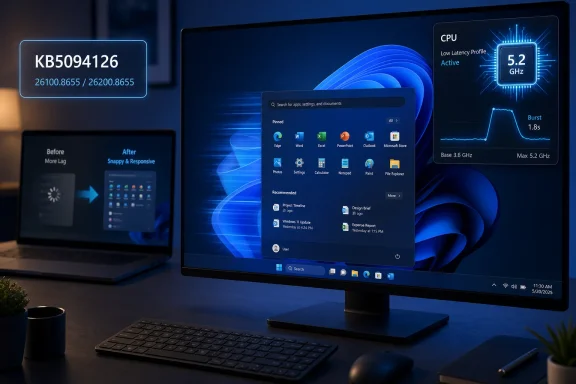
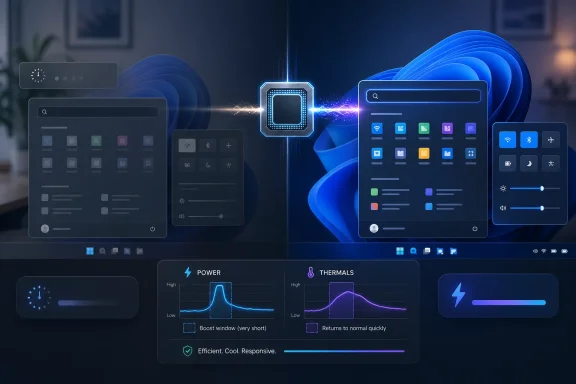
Microsoft’s June 9, 2026 cumulative update KB5094126 for Windows 11 versions 24H2 and 25H2 adds a Low Latency Profile that briefly raises CPU frequency during interactive tasks, aiming to make app launches, Start, Search, File Explorer, and context menus respond faster. The feature is not a new app, not a new Settings page, and not the sort of demo-friendly AI flourish Microsoft usually wants on stage. It is more important than that: a quiet admission that perceived speed still matters, especially on machines that cannot brute-force their way through Windows 11’s heavier shell. For users with aging hardware, the most meaningful Windows upgrade this month may be measured not in features, but in fewer tiny waits.
Windows has never needed to be catastrophically slow to feel slow. A Start menu that hesitates, a right-click menu that paints in stages, or File Explorer opening as an empty frame before filling with content can make a fast PC feel neglected and an old PC feel obsolete.
Low Latency Profile is Microsoft’s attempt to target that specific irritation. Rather than promising higher sustained performance, it appears designed around short bursts of responsiveness: the moments when the user clicks, taps, opens, invokes, or expects the system to answer immediately.
That distinction matters. Most Windows users do not spend their day compiling kernels or rendering 8K video. They open folders, switch apps, launch tools, search settings, and live in the shell. If those actions feel delayed, the whole operating system feels slower than its benchmark scores suggest.
The June update moves Windows 11 25H2 to build 26200.8655 and Windows 11 24H2 to build 26100.8655. Microsoft’s own release notes frame KB5094126 as a cumulative security and quality update, with Secure Boot certificate work, servicing stack changes, and known issues in tow. But the enthusiast conversation has understandably clustered around the one change users can feel without reading a changelog.
That is not the same as overclocking, and it should not be confused with a gamer’s performance profile that trades thermals and battery life for sustained frame rates. Modern CPUs already boost opportunistically, but operating systems decide how aggressively to ask for that boost and how quickly to back off. Low Latency Profile appears to tune that conversation for the human-visible parts of Windows.
The feature’s value is in its timing. A CPU boost five seconds after a menu opens is useless. A small burst exactly when the user opens Start, invokes Search, launches File Explorer, or right-clicks the desktop can make the system feel cleaner even if nothing about the machine’s long-run throughput changes.
That is why older PCs stand to benefit most. A recent desktop CPU may already mask Windows 11’s shell overhead through raw speed. A four- or six-year-old laptop, especially one running on conservative power settings or thermally constrained hardware, is where a small scheduling and power-management nudge can turn visible stutter into acceptable latency.
Low Latency Profile will not fix a system starved of RAM, a dying SSD, malware, driver bloat, or a vendor image loaded with background utilities. It will not transform a machine that struggles under Windows 11’s baseline requirements into something that feels like a new ultrabook. It is aimed at responsiveness, not resurrection.
But responsiveness is exactly where many older PCs suffer most visibly. A system can be “fast enough” on paper and still feel bad because the user interface misses its beats. The difference between a menu opening instantly and a menu appearing after a fractional pause is small in time and large in perception.
This is why the feature is more interesting than another synthetic benchmark win. Windows’ worst daily frictions are not always found in CPU charts. They live in the gap between input and feedback, where the user starts wondering whether the click registered.
Low Latency Profile is a tacit acknowledgment that the operating system’s feel has become a competitive problem. Apple has long understood that perceived smoothness is a product feature, not a cosmetic one. Linux desktop environments vary wildly, but lightweight setups can make old hardware feel newly usable. Windows, by contrast, often asks users to accept more visual polish and more cloud integration while tolerating small delays in basic interactions.
That tradeoff wears thin. The Start menu is not an optional accessory. File Explorer is not a novelty. Context menus are among the oldest, most ordinary pieces of desktop computing muscle memory. When those areas stutter, Windows feels compromised at its core.
By targeting these interactions directly, Microsoft is doing something pragmatic. It is not removing every layer that made Windows 11 heavier, but it is trying to hide the cost more intelligently.
The lack of a prominent consumer-facing toggle is not surprising, but it does mean organizations will want clarity over manageability. If the feature is controlled through policy or registry-backed configuration, it belongs in the same conversation as power plans, Modern Standby behavior, thermal management, and OEM firmware quirks.
Short CPU bursts should not dramatically alter total energy use on a desktop. Laptops are more complicated. A bursty profile can feel better while also waking fans more often, reducing idle calm, or shaving battery life in ways that are hard to measure casually. The effect may vary by silicon generation, firmware, cooling design, and whether the machine is plugged in.
That makes pilot rings important. KB5094126 is a security update, not a toy, but enterprises have learned the hard way that Patch Tuesday improvements can arrive with side effects. Microsoft has already listed known issues for the June update, including problems where certain third-party applications may fail to launch Office apps or documents through OLE automation, plus a Recycle Bin confirmation dialog bug that can show an internal filename instead of the original name.
Neither issue appears inherently tied to Low Latency Profile, but both are reminders that cumulative updates are bundles. You do not get the snappier shell in isolation. You get the servicing stack changes, security fixes, Secure Boot certificate targeting, feature rollout machinery, and whatever regressions come along for the ride.
That creates the familiar Windows ambiguity: two machines can show the same cumulative update and still not behave identically on day one. Some users may see the responsiveness change immediately after installing and rebooting. Others may need to wait as Microsoft’s rollout mechanisms decide their device is eligible.
For enthusiasts, this is maddening but familiar. For administrators, it is operationally useful when it prevents widespread breakage, but frustrating when documentation and observed behavior diverge. Microsoft wants the safety of phased deployment and the marketing benefit of broad availability. Users mostly want to know whether the thing they installed is actually active.
The simplest practical check is still the build number. After installation, Windows 11 25H2 should report 26200.8655, while Windows 11 24H2 should report 26100.8655. Users can check through Settings, System, About, or by running winver.
That confirms the update, not necessarily every staged feature state. The more useful real-world test is mundane: open Start, Search, File Explorer, Settings, and a few right-click menus before and after installation. If the system previously showed frame-first, content-later behavior, Low Latency Profile’s impact should be easier to notice.
This feature is aimed at interactive desktop latency, not sustained GPU-bound workloads. A gaming PC may feel snappier in Windows after installing the update, but that does not mean games will run faster. In some cases, gamers are right to be cautious about any new power-management behavior, because tiny changes in scheduling and boosting can interact with anti-cheat systems, overlays, drivers, and background services in unexpected ways.
Still, the feature should not be judged by whether it raises average FPS. The better question is whether it stays out of the way once a game is running and whether it improves the transitions around gaming: launching a storefront, opening settings, switching windows, invoking the Game Bar, or returning to the desktop.
Windows has a long history of performance features being oversold to gamers and underspecified for everyone else. Low Latency Profile deserves the reverse treatment. Its best case is not a benchmark chart. Its best case is a machine that stops making ordinary clicks feel like requests submitted to a committee.
Low Latency Profile is an elegant patch for one slice of that complexity. It gives the foreground interaction a brief priority boost, which is exactly where users notice delays. But it does not simplify Windows. It compensates for Windows.
That is not meant as a dismissal. Compensation is part of operating system engineering. Schedulers, caches, prefetchers, power plans, and memory compression are all ways to make messy real-world workloads feel smooth. The question is whether Microsoft can keep improving the feel of Windows without continuing to add the very weight those mechanisms must hide.
There is also a trust dimension. Users are more likely to accept invisible optimization when the results are obvious and the tradeoffs are transparent. If laptops run warmer, if battery life dips, or if certain systems show odd behavior, Microsoft will need to document controls and defaults clearly. “It feels faster” is useful. “It feels faster and I know why” is better.
For WindowsForum readers, the likely reality is mixed but promising. Enthusiasts will measure it. Admins will stage it. Casual users may simply notice that an older machine feels a little less tired after the June patch. That is a modest win, but Windows has needed modest wins.
 Microsoft Finally Attacks the Half-Second Problem
Windows has never needed to be catastrophically slow to feel slow. A Start menu that hesitates, a right-click menu that paints in stages, or File Explorer opening as an empty frame before filling with content can make a fast PC feel neglected and an old PC feel obsolete.Low Latency Profile is Microsoft’s attempt to target that specific irritation. Rather than promising higher sustained performance, it appears designed around short bursts of responsiveness: the moments when the user clicks, taps, opens, invokes, or expects the system to answer immediately.
That distinction matters. Most Windows users do not spend their day compiling kernels or rendering 8K video. They open folders, switch apps, launch tools, search settings, and live in the shell. If those actions feel delayed, the whole operating system feels slower than its benchmark scores suggest.
The June update moves Windows 11 25H2 to build 26200.8655 and Windows 11 24H2 to build 26100.8655. Microsoft’s own release notes frame KB5094126 as a cumulative security and quality update, with Secure Boot certificate work, servicing stack changes, and known issues in tow. But the enthusiast conversation has understandably clustered around the one change users can feel without reading a changelog.
This Is Not Overclocking, but It Rhymes With It
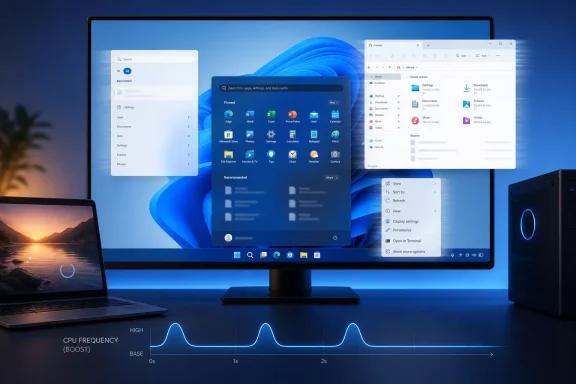
The basic idea behind Low Latency Profile is simple enough: when Windows detects an interactive task, it can push the processor closer to its maximum frequency for a very short window, reportedly around one to three seconds. That gives the shell and foreground app a sharper response curve without keeping the CPU pinned at high clocks indefinitely.That is not the same as overclocking, and it should not be confused with a gamer’s performance profile that trades thermals and battery life for sustained frame rates. Modern CPUs already boost opportunistically, but operating systems decide how aggressively to ask for that boost and how quickly to back off. Low Latency Profile appears to tune that conversation for the human-visible parts of Windows.
The feature’s value is in its timing. A CPU boost five seconds after a menu opens is useless. A small burst exactly when the user opens Start, invokes Search, launches File Explorer, or right-clicks the desktop can make the system feel cleaner even if nothing about the machine’s long-run throughput changes.
That is why older PCs stand to benefit most. A recent desktop CPU may already mask Windows 11’s shell overhead through raw speed. A four- or six-year-old laptop, especially one running on conservative power settings or thermally constrained hardware, is where a small scheduling and power-management nudge can turn visible stutter into acceptable latency.
The Old PC Angle Is Real, but It Has Limits
The headline version of this update is seductive: install a patch, make your old PC faster. That is only partly true.Low Latency Profile will not fix a system starved of RAM, a dying SSD, malware, driver bloat, or a vendor image loaded with background utilities. It will not transform a machine that struggles under Windows 11’s baseline requirements into something that feels like a new ultrabook. It is aimed at responsiveness, not resurrection.
But responsiveness is exactly where many older PCs suffer most visibly. A system can be “fast enough” on paper and still feel bad because the user interface misses its beats. The difference between a menu opening instantly and a menu appearing after a fractional pause is small in time and large in perception.
This is why the feature is more interesting than another synthetic benchmark win. Windows’ worst daily frictions are not always found in CPU charts. They live in the gap between input and feedback, where the user starts wondering whether the click registered.
Microsoft’s Quietest Performance Fix Is Also a UX Confession
There is a bigger story here than CPU clocks. Microsoft has spent years adding layers to Windows 11: redesigned menus, web-backed components, search integrations, widgets, account prompts, Copilot-era plumbing, and an increasingly complex Settings surface. Some of that work is defensible. Some of it has made Windows feel heavier.Low Latency Profile is a tacit acknowledgment that the operating system’s feel has become a competitive problem. Apple has long understood that perceived smoothness is a product feature, not a cosmetic one. Linux desktop environments vary wildly, but lightweight setups can make old hardware feel newly usable. Windows, by contrast, often asks users to accept more visual polish and more cloud integration while tolerating small delays in basic interactions.
That tradeoff wears thin. The Start menu is not an optional accessory. File Explorer is not a novelty. Context menus are among the oldest, most ordinary pieces of desktop computing muscle memory. When those areas stutter, Windows feels compromised at its core.
By targeting these interactions directly, Microsoft is doing something pragmatic. It is not removing every layer that made Windows 11 heavier, but it is trying to hide the cost more intelligently.
The Enterprise Story Starts With Power, Policy, and Proof
For IT administrators, Low Latency Profile is less a feel-good feature than another variable in the fleet. A consumer with one laptop can install KB5094126, reboot, and decide whether the machine feels snappier. An admin responsible for thousands of endpoints has to ask what happens to thermals, battery runtime, fan behavior, help desk tickets, and app compatibility.The lack of a prominent consumer-facing toggle is not surprising, but it does mean organizations will want clarity over manageability. If the feature is controlled through policy or registry-backed configuration, it belongs in the same conversation as power plans, Modern Standby behavior, thermal management, and OEM firmware quirks.
Short CPU bursts should not dramatically alter total energy use on a desktop. Laptops are more complicated. A bursty profile can feel better while also waking fans more often, reducing idle calm, or shaving battery life in ways that are hard to measure casually. The effect may vary by silicon generation, firmware, cooling design, and whether the machine is plugged in.
That makes pilot rings important. KB5094126 is a security update, not a toy, but enterprises have learned the hard way that Patch Tuesday improvements can arrive with side effects. Microsoft has already listed known issues for the June update, including problems where certain third-party applications may fail to launch Office apps or documents through OLE automation, plus a Recycle Bin confirmation dialog bug that can show an internal filename instead of the original name.
Neither issue appears inherently tied to Low Latency Profile, but both are reminders that cumulative updates are bundles. You do not get the snappier shell in isolation. You get the servicing stack changes, security fixes, Secure Boot certificate targeting, feature rollout machinery, and whatever regressions come along for the ride.
The Update Is Mandatory in Spirit, Gradual in Practice
KB5094126 is part of the June 2026 Patch Tuesday train, which means most unmanaged Windows 11 systems will receive it through Windows Update. But the experience of getting the feature may still vary because Microsoft increasingly uses staged and controlled feature rollouts to light up functionality over time.That creates the familiar Windows ambiguity: two machines can show the same cumulative update and still not behave identically on day one. Some users may see the responsiveness change immediately after installing and rebooting. Others may need to wait as Microsoft’s rollout mechanisms decide their device is eligible.
For enthusiasts, this is maddening but familiar. For administrators, it is operationally useful when it prevents widespread breakage, but frustrating when documentation and observed behavior diverge. Microsoft wants the safety of phased deployment and the marketing benefit of broad availability. Users mostly want to know whether the thing they installed is actually active.
The simplest practical check is still the build number. After installation, Windows 11 25H2 should report 26200.8655, while Windows 11 24H2 should report 26100.8655. Users can check through Settings, System, About, or by running winver.
That confirms the update, not necessarily every staged feature state. The more useful real-world test is mundane: open Start, Search, File Explorer, Settings, and a few right-click menus before and after installation. If the system previously showed frame-first, content-later behavior, Low Latency Profile’s impact should be easier to notice.
The Gaming Question Is a Trap
It is tempting to fold Low Latency Profile into the gaming-performance discourse because anything involving CPU boost behavior sounds relevant to frame rates. That is probably the wrong frame.This feature is aimed at interactive desktop latency, not sustained GPU-bound workloads. A gaming PC may feel snappier in Windows after installing the update, but that does not mean games will run faster. In some cases, gamers are right to be cautious about any new power-management behavior, because tiny changes in scheduling and boosting can interact with anti-cheat systems, overlays, drivers, and background services in unexpected ways.
Still, the feature should not be judged by whether it raises average FPS. The better question is whether it stays out of the way once a game is running and whether it improves the transitions around gaming: launching a storefront, opening settings, switching windows, invoking the Game Bar, or returning to the desktop.
Windows has a long history of performance features being oversold to gamers and underspecified for everyone else. Low Latency Profile deserves the reverse treatment. Its best case is not a benchmark chart. Its best case is a machine that stops making ordinary clicks feel like requests submitted to a committee.
A Small Feature Exposes a Large Windows Problem
The deeper issue is that Windows performance has become harder for ordinary users to reason about. A PC can have a fast CPU, a capable GPU, and plenty of memory yet still feel inconsistent because the bottleneck shifts among storage, background indexing, shell components, drivers, power policy, and cloud-connected services.Low Latency Profile is an elegant patch for one slice of that complexity. It gives the foreground interaction a brief priority boost, which is exactly where users notice delays. But it does not simplify Windows. It compensates for Windows.
That is not meant as a dismissal. Compensation is part of operating system engineering. Schedulers, caches, prefetchers, power plans, and memory compression are all ways to make messy real-world workloads feel smooth. The question is whether Microsoft can keep improving the feel of Windows without continuing to add the very weight those mechanisms must hide.
There is also a trust dimension. Users are more likely to accept invisible optimization when the results are obvious and the tradeoffs are transparent. If laptops run warmer, if battery life dips, or if certain systems show odd behavior, Microsoft will need to document controls and defaults clearly. “It feels faster” is useful. “It feels faster and I know why” is better.
For WindowsForum readers, the likely reality is mixed but promising. Enthusiasts will measure it. Admins will stage it. Casual users may simply notice that an older machine feels a little less tired after the June patch. That is a modest win, but Windows has needed modest wins.
The June Patch Gives Old Hardware a Reprieve, Not a Miracle
The practical advice is straightforward, even if the underlying mechanism is nuanced. Install the June 2026 cumulative update when it is appropriate for your device or deployment ring, verify the build, and judge the change by the shell interactions you use every day.- Windows 11 version 25H2 should move to build 26200.8655 after KB5094126 is installed.
- Windows 11 version 24H2 should move to build 26100.8655 after the same update is installed.
- Low Latency Profile is designed to improve short interactive actions such as opening apps, Start, Search, File Explorer, and context menus.
- Older or thermally conservative PCs are more likely to show a noticeable improvement than high-end desktops.
- Laptop users should watch battery life, fan behavior, and heat before declaring the feature an unconditional win.
- Managed environments should test KB5094126 as a full cumulative update, not merely as a performance feature.
References
- Primary source: aol.com
Published: 2026-06-20T21:10:16.653600
Windows 11 Quietly Added A Feature That Could Speed Up Your Old PC - AOL
A little-known Windows 11 update is tackling one of the OS's most frustrating problems, and older PCs could see the biggest gains.www.aol.com - Related coverage: windowscentral.com
I dug through the Windows 11 Insider builds for June 2026 and found 7 features worth paying attention to | Windows Central
Microsoft's June Insider preview builds show a growing focus on polishing the OS experience across accessibility, updates, and performance.www.windowscentral.com - Related coverage: allthings.how
KB5094126 for Windows 11 (June 2026): Builds 26200.8655 and 26100.8655
The June Patch Tuesday update brings the Low Latency Profile, Shared Audio, multi-app camera streaming, and the Secure Boot certificate push.allthings.how - Related coverage: windowslatest.com
Windows 11's CPU performance boost released today, enable it using these steps
Learn how to check and enable Windows 11’s new Low Latency Profile (June 2026 update) to speed up your Start menu, Search, and Action Center. www.windowslatest.com
- Related coverage: pcworld.com
Windows' June update finally makes your sluggish PC feel snappier | PCWorld
KB5094126 brings Windows 11's Low Latency Profile to all 24H2 and 25H2 PCs. Here's what it does and how to verify it's running on your machine.www.pcworld.com - Related coverage: windowsforum.com
Windows 11 KB5094126 (June 2026) Guide: Low Latency, Shared Audio, Secure Boot | Windows Forum
Microsoft released Windows 11 KB5094126 on June 9, 2026, as the June Patch Tuesday security update for Windows 11 versions 25H2 and 24H2, raising systems to...windowsforum.com
- Related coverage: windowscult.com
Windows 11 KB5094126: What’s New and How to Install It
Microsoft has released Windows 11 KB5094126 (Build 26100.8655). Here's what's new, including Low Latency Profile, Shared Audio, June 2026 Patch Tuesday security fixes, and known issues.www.windowscult.com - Related coverage: techradar.com
Windows 11's June update is here — these are the 3 most important features, including a huge move to make apps and menus load much faster | TechRadar
Low Latency Profile, shared audio, and a boost for searchwww.techradar.com - Related coverage: techrounder.com
windows 11 24h2 kb5058411 build 26100 4061 everything you need to know
PDF documentwww.techrounder.com