

Microsoft’s latest Insider builds quietly close the convenience gates that let enthusiasts, technicians, and privacy-minded users set up Windows with a purely local account — but the story isn’t just about a UI tweak. It’s a deliberate, architecture-level pivot toward an account-first Windows, and that shift has real implications for privacy, offline and secure deployments, device provisioning, and the future of end-user choice. What Microsoft says it’s fixing is legitimate; what critics warn about is also credible. This feature examines the technical change, explains why Microsoft can’t simply erase local accounts from the platform, assesses the privacy and commercial dynamics that underpin the move, and lays out practical, supportable options for consumers and IT teams who need or want to keep local control.
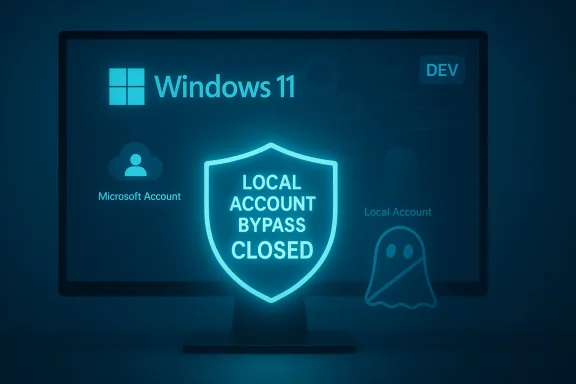
Microsoft’s Windows 11 Out‑Of‑Box Experience (OOBE) has been nudging users toward an online, Microsoft Account (MSA) sign-in since Windows 10. In October 2025 Insider preview builds — notably Dev Channel Build 26220.6772 — Microsoft explicitly stated it was removing “known mechanisms for creating a local account in the Windows Setup experience (OOBE),” and testers confirmed several previously reliable command-line shortcuts and scripts no longer produce an offline/local-account path. This change is presented by Microsoft as a quality-of-setup fix: some bypasses could skip “critical setup screens” and leave devices incompletely configured. Independent reporting and multiple hands‑on tests corroborated both the release-note language and the practical disabling of the most common in‑OOBE workarounds.
The rationale Microsoft gives — ensuring first-run setup completes security, recovery, and configuration steps automatically — is real and persuasive for mainstream consumer scenarios. But the implementation choice (neutralize consumer-facing bypasses and push advanced/local installs back onto enterprise tooling and preconfigured media) surfaces a conflict: convenience and standardized support versus user autonomy and privacy. The push has been visible across outlets and community testing, and it’s worth unpacking what changed, why Microsoft can’t simply remove lo, and why preserving local-account options remains important.
That said, the company’s move also advances a long-standing commercial and architectural agenda: tighter integration of Windows with account-based services and AI personalization. Account-first flows make it easier for Microsoft to deliver cross-service features and to offer incremental paid services — and they reduce friction for users who do want those services. Critics are right to call attention to the privacy trade-offs and the power asymmetry when opt-out is the default path for more telemetry and cross-service linking. Microsoft’s Copilot and OneDrive documentation show robust controls exist, but the controls are often reached post‑sign‑in and are sometimes enabled by default. That puts the onus on users and organizations to proactively configure privacy.
Finally, Microsoft cannot and will not fully remove local accounts without tilting the platform into an untenable position for many governments, enterprises, and regulated businesses. The company’s current approach — neutralize consumer tricks, rely on supported provisioning for offline/local scenarios — is a compromise that preserves local-account functionality while standardizing the consumer path. Expect continued friction: Microsoft will refine OOBE, the community will find new supported or unsupported workarounds, and tooling vendors will adapt. The cat-and-mouse will continue, but in a narrower, more formalized space.
Source: How-To Geek Microsoft wants you to forget about local Windows accounts—here's why you shouldn't
 Background / Overview
Microsoft’s Windows 11 Out‑Of‑Box Experience (OOBE) has been nudging users toward an online, Microsoft Account (MSA) sign-in since Windows 10. In October 2025 Insider preview builds — notably Dev Channel Build 26220.6772 — Microsoft explicitly stated it was removing “known mechanisms for creating a local account in the Windows Setup experience (OOBE),” and testers confirmed several previously reliable command-line shortcuts and scripts no longer produce an offline/local-account path. This change is presented by Microsoft as a quality-of-setup fix: some bypasses could skip “critical setup screens” and leave devices incompletely configured. Independent reporting and multiple hands‑on tests corroborated both the release-note language and the practical disabling of the most common in‑OOBE workarounds.The rationale Microsoft gives — ensuring first-run setup completes security, recovery, and configuration steps automatically — is real and persuasive for mainstream consumer scenarios. But the implementation choice (neutralize consumer-facing bypasses and push advanced/local installs back onto enterprise tooling and preconfigured media) surfaces a conflict: convenience and standardized support versus user autonomy and privacy. The push has been visible across outlets and community testing, and it’s worth unpacking what changed, why Microsoft can’t simply remove lo, and why preserving local-account options remains important.
What Microsoft changed (technical summary)
The specific change in Insider builds
- Microsoft’s release notes for the affected Insider builds called out the removal of “local-only” OOBE mechanisms, and testers observed that commands previously run from the OOBE command prompt (Shift+F10) — for example, the legacy BYPASSNRO script and the one-line URI trick start ms-cxh:localonly — now either do nothing, reset the OOBE flow, or cause it to loop. That effectively prevents the simple in‑setup creation of a local account on consumer Home and Pro installations in those preview images.
- Microsoft simultaneously added a small supported helper in the same builds to let technicians name the default user folder during OOBE, which addresses a long-standing usability gripe but does not restore the offline local‑account path. The company frames these changes as preventing “incomplete setups,” which is why they emphasize the need for an active internet connection and an MSA on the default consumer path.
Which flows are affected and which are not
- Consumer OOBE during direct retail installs is the primary target. Enterprise and managed provisioning paths — Autopilot, unattend/autounattend.xml answer files, imaging workflows and OEM pre-configuration — remain supported ways to provision devices with local accounts. In practice, Microsoft’s change closes the interactive and low-friction consumer shortcuts but leaves enterprise-grade tooling and preconfigured media intact as the supported methods for offline or local-account deployments. That distinction is intentional and widely documented by deployment guides and forum testing.
Why Microsoft can’t simply remove local accounts from Windows
At first glance it might look like Microsoft could eliminate local accounts entirely; in reality they can’t do that without breaking significant real-world use cases and violating regulatory, security, and operational requirements.1) Operational and regulatory realities
Many systems legitimately must remain offline or air‑gapped for security or regulatory reasons — think classified military terminals, industrial control systems, and parts of medical infrastructure that host protected health information (PHI). Those systems cannot be forced into a cloud‑tethered identity model at install time. Real-world attackers have historically targeted air‑gapped Windows hosts via removable media and supply-chain vectors, which makes a flexible local account model a practical necessity for segmentation and incident response on isolated networks. Security research and threat mappings (for example, attack patterns targeting air-gapped environments) underline that air‑gapped Windows machines exist and require offline account management.2) Enterprise and OEM deployment processes
Large organizations, OEMs, system integrators, and government purchasers rely on Windows imaging, answer-file automation, volume licensing keying, and device management workflows that expect the OS to support local accounts and offline activation methods. Microsoft distributes Windows images that support an unattended answer file (autounattend.xml) to seed local accounts and set OOBE behavior; IT pros and OEM toolchains depend on these robust, scriptable methods. Removing local accounts from the platform would break those supported deployment scenarios. Practical guidance and Microsoft community engineering answers continue to show unattend and imaging as the supported offline routes.3lity and lifecycle reasons
Windows has a decades‑long installed base of apps, services, and processes that assume a locally resolvable account and local user profile. Microsoft preserves many legacy behaviors to avoid catastrophic compatibility issues. Historically, Microsoft has used feature gating and channeled rollout to balance compatibility, and a complete deletion of local-account support would create substantial compatibility debt for both the company and enterprise customers. This is likely one reason Microsoft neutralizes consumer workarounds but continues to support local‑account creation through higher‑effort, supported provisioning tools.Why local accounts still mgia
Local accounts are not simply old‑school convenience for tinkerers. They are a concrete privacy and security posture for many users and organizations.- Privacy and data sovereignty: A local account reduces cross-device linkability in Microsoft’s telemetry ecosystem. If you use isolated local accounts on multiple machines, Microsoft’s systems can’t as easily correlate those devices to a single person via account identity. That limits the company’s ability to build cross‑service profiles without explicit consent. The local account model therefore preserves a layer of separation between device usage and cloud-tied identity.
- User choice and consent: Microsoft’s cloud features (OneDrive backups, Settings sync, Windows Hello recovery, BitLocker escrow, Copilot personalization) are powerful, but they trade off control. When the default first-run path requires an MSA, opt-out becomes the user’s burden; the platform nudges users toward sharing more by making the online choice the path of least friction. That design has implications for how consent and choice are exercised on day one. Independent reporting and community commentary highlight the commercial and UX incentives at play.
- Real-world operational needs: Kiosk machines, manufacturing test stations, lab rigs, embedded Windows devices, and offline medical terminals all rely on local accounts or pre-seeded local admin credentials. Those are legitimate, operational constraints that enterprise provisioning supports and Microsoft cannot simply ignore without breaking installations at scale. Microsoft’s removal of consumer shortcuts does not remove these supported methods; it simply raises the entry bar for consumers who previously used quick tricks.
The commercial vector: data, upsells, and personalization
It’s reasonable to read Microsoft’s push for MSA sign-in as having product and commercial incentives in addition to support and security rationales.- OneDrive and backup nudges: In recent Windows 11 updates Microsoft has increasingly surfaced OneDrive “protect your files” prompts and full-screen upsells that push folder backup (Desktop, Documents, Pictures) to OneDrive. Those prompts are more effective when a user is already authenticated with an MSA during OOBE; they allow immediate restoration of backups and easy cross-device sync but also increase cloud storage usage and the chance a user upgrades to paid OneDrive or Microsoft 365 tiers. Independent coverage has documented the pop‑up behavior and the convenience-to-upsell dynamic.
- Copilot and personalization: Microsoft’s Copilot is tied to account-based personalization. Microsoft’s documentation makes a clear link: personalization features are often enabled by default for signed-in users and Copilot can draw on your Microsoft‑side activity to tailor responses. Microsoft also documents opt-out and controls for are used for model training, but personalization is available only to authenticated users in many regions. That makes the MSA pathway a logical way for Microsoft to provide cross‑service AI features — and it ties user experiences to account-bound data. Microsoft’s own privacy FAQ and support pages explain personalization and training controls and confirm personalization is often on by default for authenticated users.
- Monetization incentives are real but not absolute: It’s fair to say Microsoft benefits commercially from account-linked behaviours (upselling storage, Microsoft 365 subscriptions, and account-centric product features). But Microsoft is also bound by regulatory and enterprise requirements and offers enterprise-grade non-cloud deployments. The reality is mixed: account-first is best for service continuity and Microsoft’s AI ambitions; local‑account support remains essential for many security, compliance, and operational contexts.
What still works — supported ways to get a local account
Microsoft’s change targets interactive consumer shortcuts. If you need a local account, these are the supported and sustainable paths that remain:- Autounattend / unattend.xml: Pre-seed a LocalAccount in an autounattend.xml answer file on installation media to create a local account during unattended installs. This is the recommended approach for repeatable deployments and imaging. Microsoft documentation and community Q&A explicitly support this method.
- Imaging and custom ISOs: OEMs, integrators, and advanced users can create a custom ISO or use tools (for example, Rufus with advanced options) to preconfigure a local admin account. This requires technical steps but is robust because it changes the installation payload rather than relying on an in‑OOBE shortcut. Community posts and tooling documentation show this is actively used.
- Enterprise provisioning: Autopilot, SCCM/ConfigMgr task sequences, and management systems (Intune) allow devices to be provisioned with local accounts or to complete OOBE linked to enterprise identities instead of a consumer MSA. These flows remain the supported pattern for organizations.
- Temporary MSA → convert to local: For consumer devices where nothing else is feasible, sign in with an MSA during OOBE, then create a local admin account and use Settings → Accounts → “Sign in with a local account instead” to switch. It’s not ideal (it ties the device into the MSA briefly), but it’s a practical low‑friction workaround for forum.com]
- Use Pro edition “Domain join instead” (where available): On Pro devices the “Set up for work or school” → “Domain join instead” or similar options sometimes provide a way into an offline/local flow, but Microsoft has been tightening these as well; they’re not guaranteed in all builds or editions. Test before assuming it’s available.
Risks and trade-offs: what to watch for
Preserving local-account workflows comes with trade-offs that both users and administrators must weigh.- Security and recovery: When you avoid MSAs you lose some cloud recovery options — BitLocker recovery keys and Windows Hello key escrow are easier to recover when tied to an online account. For organizations that rely on central recovery and key escrow, MSA/Entra integration can provide operational safety. Conversely, keeping everything local reduces exposure of metadata to cloud services.
- Telemetry and product support: An account-first OOBE ensures telemetry is registered to a device and that Microsoft support can more easily correlate device states. That can make troubleshooting simpler for OEMs and support teams but increases telemetry completeness for Microsoft’s systems. Turning off telemetry entirely is difficult; transparency and deliberate configuration are necessary.
- Compliance and audit: For regulated environments, using local accounts (or non‑MSA Entra/AD identities) is sometimes required. But you must then supply equivalent logging, patching, and backup practices locally — otherwise you may increase risk. Enterprise provisioning steps are the correct way to manage these trade-offs at scale.
- User experience: Microsoft argues that account-first setup prevents incomplete configurations that could leave consumer devices insecure or non-functional. That’s plausible; closing banal escape hatches removes misconfigurations. Still, this also reduces choice for skilled consumers who prefer local control. The tension is between consistent, predictable first-run outcomes and the freedom to opt for minimal cloud integration.
Practical guidance: how to preserve local control (actionable checklist)
If you want to retain a local-account setup capability — for privacy, offline deployment, or operational reasons — follow these practical steps. The list is ordered from simplest to more technical.- Understand your goal.
- Are you protecting privacy on a personal device, provisioning multiple machines, or deploying to air‑gapped infrastructure? Your approach changes accordingly.
- For single consumer devices:
- Option A: Use the temporary-MSA conversion. Sign in with an MSA to finish OOBE, then create a local admin account and convert (Settings → Accounts → Sign in with a local account instead).
- Option B (if available and comfortable): Build a custom installation USB that includes an autounattend.xml predefining a local account.
- For multiple machines or enterprise deployments:
- Use autounattend.xml or your imaging pipeline to pre-seed local accounts during install (autounattend.xml, oobeSystem LocalAccount entries).
- Use Microsoft’s supported deployment tooling (SCCM/ConfigMgr, MDT, Intune autoprovisioning flows, and Autopilot where appropriate) to create reproducible, auditable deployments.
- For air‑gapped or classified systems:
- Preconfigure install media with a LocalAccount in autounattend.xml or use imaging. Validate that your images don’t require an MSA during OOBE.
- Maintain strict change control and credential management for seeded local accounts (rotate passwords, limit admin access, use LAPS where feasible).
- Manage OneDrive and Copilot settings after install:
- OneDrive: If you sign in with an MSA but don’t want automatic Known Folder Move (KFM), proactively open OneDrive settings and disable backup or cancel the KFM prompt quickly after first sign‑in. Some build-specific timing windows are required; documentation and community guides cover the process.
- Copilot: Review Copilot personalization and training settings in the Copilot privacy controls. Microsoft exposes toggles to opt out of personalization or model training for signed-in users, but those toggles are often enabled by default. If you are privacy-sensitive, turn personalization off and opt out of training where offered.
- If you rely on a third-party tool (Rufus, custom ISO builders):
- Understand licensing and legal constraints: modifying images for unattended or altered OOBE behavior is operationally and legally acceptable for personal or enterprise use, but always maintain compliance with licensing terms.
- Test before deploying broadly:
- Insider and production builds vary. Always validate your chosen workflow on the exact build and image you will deploy to avoid surprises in the field.
A clear-eyed assessment: strengths, risks, and what to expect next
Microsoft’s stated problem — that low-friction bypasses can leave machines improperly configured — is legitimate. Closing fragile, user-run command tricks reduces support overhead and the frequency of incomplete installs that confuse users and raise help-desk costs. For mainstream consumers, steering them to sign in makes features like OneDrive restore, Windows Hello recovery, and BitLocker escrow work more reliably out of the box. That’s a valid product design priority.That said, the company’s move also advances a long-standing commercial and architectural agenda: tighter integration of Windows with account-based services and AI personalization. Account-first flows make it easier for Microsoft to deliver cross-service features and to offer incremental paid services — and they reduce friction for users who do want those services. Critics are right to call attention to the privacy trade-offs and the power asymmetry when opt-out is the default path for more telemetry and cross-service linking. Microsoft’s Copilot and OneDrive documentation show robust controls exist, but the controls are often reached post‑sign‑in and are sometimes enabled by default. That puts the onus on users and organizations to proactively configure privacy.
Finally, Microsoft cannot and will not fully remove local accounts without tilting the platform into an untenable position for many governments, enterprises, and regulated businesses. The company’s current approach — neutralize consumer tricks, rely on supported provisioning for offline/local scenarios — is a compromise that preserves local-account functionality while standardizing the consumer path. Expect continued friction: Microsoft will refine OOBE, the community will find new supported or unsupported workarounds, and tooling vendors will adapt. The cat-and-mouse will continue, but in a narrower, more formalized space.
Conclusion
Microsoft’s removal of low-friction local-account bypasses in Windows 11’s OOBE is a consequential product decision — one that enforces a cleaner, more predictable first-run experience, but also reduces an easy path to local-only installs for privacy-minded users and offline deployments. Local accounts remain essential for air‑gapped systems, enterprise imaging, and user choice; Microsoft cannot simply delete them without breaking critical scenarios. The practical takeaway is straightforward: if you value local-account control, adopt supported deployment techniques (autounattend.xml, preconfigured ISOs, enterprise provisioning), harden your post-install settings (OneDrive, Copilot privacy toggles, telemetry), and test workflows before widespread deployment. Don’t assume a single Microsoft account is the only honest route — but do assume the convenience of the account-first path will keep growing, and design your device provisioning and personal privacy strategy accordingly.Source: How-To Geek Microsoft wants you to forget about local Windows accounts—here's why you shouldn't
