

Microsoft on May 1, 2026 announced new Windows 11 Insider Preview builds for the Beta and Experimental channels, expanded the Canary 28000 series transition toward Experimental 26H1, and committed to publishing ISOs alongside regularly scheduled Beta and Experimental releases. That last clause is the real news. New builds are the weekly rhythm of the Insider Program; reliable installation media is the thing that turns that rhythm into something testers, rebuilders, and lab admins can actually plan around. Microsoft is not merely shipping build numbers here — it is tightening the contract between Windows experimentation and Windows deployment.
For years, the Insider Program has asked technically adventurous users to live inside Microsoft’s future tense. That bargain has always involved ambiguity: features arrive, disappear, split by region, depend on controlled rollouts, and sometimes mean less than the build number suggests. The May 1 announcement does not eliminate that ambiguity, but it tries to put road signs around it.
The company is expanding its new Windows Insider experience improvements to Canary Channel 28000-series devices, which will begin moving toward Experimental 26H1. Microsoft is careful to say this does not change the installed Windows version; it changes the Insider experience around the device. That distinction matters because the new channel language is meant to describe how Microsoft organizes previewing, not necessarily to promise that a machine has become a different product overnight.
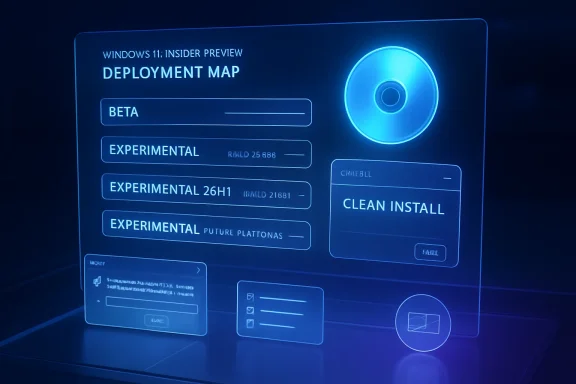
The builds themselves now sit in a more explicit taxonomy. Beta receives Build 26220.8340, Experimental receives Build 26300.8346, Experimental 26H1 — including the Canary 28000 series — receives Build 28020.1921, and Experimental for Future Platforms — including the Canary 29500 series — receives Build 29580.1000. That is a mouthful, but it is also the point: Microsoft is trying to make the Insider Program more legible at the exact moment its internal Windows branches appear to be multiplying.
The change also reflects a familiar tension in Windows development. Enthusiasts want novelty, enterprise admins want predictability, and Microsoft wants both groups to test code before it becomes expensive to fix. The more Microsoft slices its preview universe into Beta, Experimental, 26H1, and Future Platforms, the more it needs stable rituals — release notes, visible build numbers, and now ISO availability — to keep testers from simply shrugging and waiting for public releases.
For enthusiasts, ISO availability means clean installs without waiting for a machine to crawl through multiple update hops. For sysadmins and IT pros, it means repeatable lab builds, offline testing, VM provisioning, repair workflows, and the ability to reproduce a bug from a known baseline. For anyone who has watched an Insider machine become a museum of cumulative state, an ISO is the difference between “this build is broken” and “this installation is broken.”
Microsoft says it heard feedback from Insiders who like to use ISOs to install builds and is committing to releasing ISOs alongside regularly scheduled builds across all versions of the Beta and Experimental channels. The phrase “regularly scheduled” is doing important work. It does not necessarily mean every stray flight gets media, but it does mean the company is now publicly linking its release cadence to downloadable installation images in a more dependable way.
That is a small operational promise with large cultural weight. The Insider Program depends on volunteer labor — users donating attention, hardware time, and occasionally their patience to find flaws before the rest of the Windows population does. Providing ISOs is one way Microsoft can make that labor less wasteful.
Microsoft says the new Run dialog brings updated visuals, a cleaner interface, and controls inside Settings. It is opt-in for Insiders in the Experimental channel, enabled through Settings > System > Advanced. That opt-in status is wise, because the Run dialog is one of those old Windows surfaces where change carries more symbolic risk than functional risk.
The company has spent much of Windows 11 modernizing pieces of the shell while leaving other legacy corners visibly intact. Sometimes that produces welcome coherence. Sometimes it creates the uncanny feeling of walking from a redesigned airport lounge into a back office that still has beige filing cabinets. The Run dialog sits at the boundary between those worlds: old enough to be trusted, important enough to be dangerous, small enough to modernize without creating a full-blown revolt.
The deeper question is not whether the new dialog looks nicer. It is whether Microsoft can update legacy affordances without sanding off the directness that made them useful. Windows power users tolerate visual change when it preserves speed, keyboard flow, and predictability. They revolt when “modern” becomes a synonym for slower, hidden, or less scriptable.
A feedback system that drops uploads, miscounts engagement, or walls off non-English users is not merely inconvenient. It distorts Microsoft’s view of its own product. If users cannot attach a memory dump, screenshot, trace, or reproduction package because the upload ceiling is too low, the bug report becomes less useful. If the community cannot see official responses in a language it understands, Microsoft’s communication starts to look narrower than its user base.
The restoration of the 500 MB upload limit is particularly practical. Modern Windows bugs are rarely captured in a paragraph. They live in logs, traces, screen recordings, minidumps, repro projects, and system state. Asking testers to submit meaningful feedback while constraining the evidence is like asking a mechanic to diagnose an engine with the hood welded shut.
The translation improvements also hint at the global reality of Windows testing. Microsoft cannot treat English-language feedback as the default signal and everything else as a side channel. If Windows is going to ship globally, the preview program must be capable of hearing globally — not in the abstract, but inside the actual tools where bugs are filed and triaged.
This is a notable reversal in tone. Much of modern desktop design has been driven by engagement logic: surface more, badge more, nudge more, remind more. The Windows taskbar, once a relatively calm launch and status strip, has increasingly become contested territory among search, news, chat, widgets, Copilot-era affordances, and app notifications. A quiet-by-default Widgets experience acknowledges that attention is not an unlimited resource.
For Microsoft, this is also a credibility issue. Windows users have a long memory for features that feel less like utilities and more like distribution channels. Widgets can be useful, but usefulness is undermined when the interface behaves as though the user’s gaze is something to be harvested. Making the feature quieter by default says Microsoft may finally be separating “available” from “insistent.”
The caveat is that this is still a test in Experimental. Defaults are policy, and policy can change. But if Microsoft follows through, it would mark a healthier philosophy for Windows: optional surfaces should earn attention rather than assume it.
Canary historically implied the earliest, least stable, most speculative Windows work available to the public. Experimental, by contrast, sounds less like a place and more like a state of mind. That may be closer to how Microsoft actually develops Windows now, where features, platform work, AI integrations, shell changes, and servicing experiments do not always line up neatly behind one consumer-facing release name.
The benefit of the new system is that it can be more honest about intent. Experimental 26H1 suggests a track associated with a broad timeframe and development arc, while Experimental Future Platforms signals work that may not map cleanly to the next client release. That is useful if Microsoft keeps the labels disciplined.
The risk is that “Experimental” becomes a fog bank. If everything not ready for Beta becomes Experimental, users will still have to decode build numbers, blog posts, release notes, and forum chatter to understand what kind of risk they are accepting. The promise of the new channel system will be judged not by its names, but by whether it reduces surprise.
That matters for forum troubleshooting. “Experimental 26H1” is useful context; “Build 28020.1921” is actionable. It lets testers correlate failures, identify whether they are on the same payload, and avoid wasting hours chasing a bug that only exists in another branch. The watermark is not decoration; it is the serial number on the experiment.
The same is true for release notes split by channel and build. Microsoft’s announcement emphasizes that Insiders can find release notes for their device based on the new channel system even if they have not moved yet. This is a transitional accommodation, but it is also a recognition that the migration itself could otherwise become a support problem.
Windows testing communities live on shared precision. When someone says File Explorer crashes, the next question is not philosophical; it is “which build?” Microsoft’s channel rework only succeeds if it preserves that culture of precision.
The biggest problems in preview programs are rarely individual bugs. Bugs are expected. The real problems are unreliable signals, unclear channels, missing installation media, confusing documentation, and user fatigue. Microsoft’s May 1 post addresses several of those program-level issues at once.
The ISO commitment reduces friction. The channel mapping reduces confusion, at least in theory. The Feedback Hub update improves the pipe through which bugs and complaints travel. The Widgets default change suggests Microsoft is listening to a long-running grievance about intrusive shell surfaces.
There is a pattern here: Microsoft is not just asking Insiders to accept more churn; it is also trying to make the churn easier to live with. That is the right instinct. A preview program that burns out its most technical users eventually becomes less representative, less useful, and less trusted.
A sysadmin evaluating an upcoming Windows branch does not want to nurse one test machine through an upgrade chain and then wonder whether the result reflects the build or the route taken to reach it. They want to deploy cleanly, snapshot, test, break, restore, and repeat. ISO availability makes that cycle more realistic.
This is especially relevant as Microsoft continues to blur the boundary between operating system features, cloud-connected experiences, AI surfaces, Store-delivered components, and inbox app updates. A clean image does not solve every variable, but it narrows the field. It gives testers a better baseline from which to isolate the rest.
There is also a documentation effect. When Microsoft ships an ISO beside a scheduled build, that build becomes easier to reference as an artifact, not just an update event. For organizations that keep internal test records, screenshots, deployment notes, and regression histories, that matters.
This is why the ISO announcement will resonate beyond its apparent scope. It treats Insiders as people who build systems, not merely people who click “check for updates.” It acknowledges that the act of testing Windows often begins before setup finishes.
The same logic applies to opt-in handling for the Run dialog. Microsoft could have simply swapped in a new UI and waited for complaints. Instead, it is using a Settings toggle in Experimental. That does not guarantee the design will be good, but it respects the idea that legacy workflows should be tested before they are overwritten.
The Widgets change similarly recognizes user agency. Instead of deciding that every user should be pulled into the feed, Microsoft is testing a quieter baseline and letting interested users turn proactive behavior back on. That is how optional features should behave in a mature desktop operating system.
The wording leaves Microsoft some room. ISOs will accompany “regularly scheduled” builds, not every single build. That is reasonable; preview programs need operational flexibility. But the more Microsoft depends on that qualifier, the less meaningful the commitment becomes.
The company should also be careful not to treat ISOs as a one-way generosity. They are a feedback amplifier. Cleaner installation paths should produce clearer bug reports, better repro steps, and more consistent community troubleshooting. If Microsoft wants high-quality feedback, it must keep investing in the tools that make high-quality feedback possible.
The Feedback Hub changes are part of that same loop. More reliable uploads and better localization are not cosmetic repairs; they are instruments for improving signal. A preview ecosystem with bad input channels becomes a rumor mill. A preview ecosystem with good input channels becomes an engineering asset.
Microsoft’s May 1 Insider announcement is therefore best read as a housekeeping release with strategic implications: fewer mysteries around channels, more dependable media, and a quieter shell that admits attention is something Windows must earn. The next few months will show whether this is a durable operating model or just a tidy blog post, but the direction is right — a Windows preview program that respects testers’ time will always produce better Windows than one that merely consumes it.
Source: Microsoft - Windows Insiders Blog Announcing new builds for 1 May 2026 and extending ISO support
 Microsoft Turns Insider Chaos Into a Map
For years, the Insider Program has asked technically adventurous users to live inside Microsoft’s future tense. That bargain has always involved ambiguity: features arrive, disappear, split by region, depend on controlled rollouts, and sometimes mean less than the build number suggests. The May 1 announcement does not eliminate that ambiguity, but it tries to put road signs around it.The company is expanding its new Windows Insider experience improvements to Canary Channel 28000-series devices, which will begin moving toward Experimental 26H1. Microsoft is careful to say this does not change the installed Windows version; it changes the Insider experience around the device. That distinction matters because the new channel language is meant to describe how Microsoft organizes previewing, not necessarily to promise that a machine has become a different product overnight.
The builds themselves now sit in a more explicit taxonomy. Beta receives Build 26220.8340, Experimental receives Build 26300.8346, Experimental 26H1 — including the Canary 28000 series — receives Build 28020.1921, and Experimental for Future Platforms — including the Canary 29500 series — receives Build 29580.1000. That is a mouthful, but it is also the point: Microsoft is trying to make the Insider Program more legible at the exact moment its internal Windows branches appear to be multiplying.
The change also reflects a familiar tension in Windows development. Enthusiasts want novelty, enterprise admins want predictability, and Microsoft wants both groups to test code before it becomes expensive to fix. The more Microsoft slices its preview universe into Beta, Experimental, 26H1, and Future Platforms, the more it needs stable rituals — release notes, visible build numbers, and now ISO availability — to keep testers from simply shrugging and waiting for public releases.
ISOs Are Not Nostalgia; They Are Infrastructure
It is easy to treat ISO downloads as a relic from the DVD era, a convenience for people who still like installation media in a world of Windows Update and cloud recovery. That would miss why this announcement is likely to land well with power users. An ISO is not just a file; it is a controlled starting point.For enthusiasts, ISO availability means clean installs without waiting for a machine to crawl through multiple update hops. For sysadmins and IT pros, it means repeatable lab builds, offline testing, VM provisioning, repair workflows, and the ability to reproduce a bug from a known baseline. For anyone who has watched an Insider machine become a museum of cumulative state, an ISO is the difference between “this build is broken” and “this installation is broken.”
Microsoft says it heard feedback from Insiders who like to use ISOs to install builds and is committing to releasing ISOs alongside regularly scheduled builds across all versions of the Beta and Experimental channels. The phrase “regularly scheduled” is doing important work. It does not necessarily mean every stray flight gets media, but it does mean the company is now publicly linking its release cadence to downloadable installation images in a more dependable way.
That is a small operational promise with large cultural weight. The Insider Program depends on volunteer labor — users donating attention, hardware time, and occasionally their patience to find flaws before the rest of the Windows population does. Providing ISOs is one way Microsoft can make that labor less wasteful.
The New Run Dialog Is a Small Window Into a Larger Windows Argument
The refreshed Run dialog will not change anyone’s computing life by itself. It is a narrow interface, a box invoked by people who know Win+R by muscle memory and probably have strong opinions about whether “cmd,” “regedit,” and “ncpa.cpl” should be considered normal vocabulary. But that is precisely why it matters.Microsoft says the new Run dialog brings updated visuals, a cleaner interface, and controls inside Settings. It is opt-in for Insiders in the Experimental channel, enabled through Settings > System > Advanced. That opt-in status is wise, because the Run dialog is one of those old Windows surfaces where change carries more symbolic risk than functional risk.
The company has spent much of Windows 11 modernizing pieces of the shell while leaving other legacy corners visibly intact. Sometimes that produces welcome coherence. Sometimes it creates the uncanny feeling of walking from a redesigned airport lounge into a back office that still has beige filing cabinets. The Run dialog sits at the boundary between those worlds: old enough to be trusted, important enough to be dangerous, small enough to modernize without creating a full-blown revolt.
The deeper question is not whether the new dialog looks nicer. It is whether Microsoft can update legacy affordances without sanding off the directness that made them useful. Windows power users tolerate visual change when it preserves speed, keyboard flow, and predictability. They revolt when “modern” becomes a synonym for slower, hidden, or less scriptable.
Feedback Hub Gets the Kind of Fixes That Reveal the Real Problem
The Feedback Hub update is the least glamorous item in the announcement, and perhaps the most revealing. Version 2.2604.301.0 promises improved reliability, better accessibility and localization polish, automatic translation of collection titles and official responses in top languages, restored 500 MB file upload limits, and more accurate upvote and comment counts. None of that is flashy; all of it speaks to the mechanics of trust.A feedback system that drops uploads, miscounts engagement, or walls off non-English users is not merely inconvenient. It distorts Microsoft’s view of its own product. If users cannot attach a memory dump, screenshot, trace, or reproduction package because the upload ceiling is too low, the bug report becomes less useful. If the community cannot see official responses in a language it understands, Microsoft’s communication starts to look narrower than its user base.
The restoration of the 500 MB upload limit is particularly practical. Modern Windows bugs are rarely captured in a paragraph. They live in logs, traces, screen recordings, minidumps, repro projects, and system state. Asking testers to submit meaningful feedback while constraining the evidence is like asking a mechanic to diagnose an engine with the hood welded shut.
The translation improvements also hint at the global reality of Windows testing. Microsoft cannot treat English-language feedback as the default signal and everything else as a side channel. If Windows is going to ship globally, the preview program must be capable of hearing globally — not in the abstract, but inside the actual tools where bugs are filed and triaged.
Widgets Finally Learns That Quiet Is a Feature
The Widgets change is the one ordinary Windows users may feel most directly. Microsoft is testing defaults that make Widgets less distracting: no open-on-hover by default, no taskbar badging by default, first launch opening into the widgets experience, and limited taskbar alerts until the user chooses to engage. In plain English, Widgets is being told to stop waving from the corner of the screen until invited.This is a notable reversal in tone. Much of modern desktop design has been driven by engagement logic: surface more, badge more, nudge more, remind more. The Windows taskbar, once a relatively calm launch and status strip, has increasingly become contested territory among search, news, chat, widgets, Copilot-era affordances, and app notifications. A quiet-by-default Widgets experience acknowledges that attention is not an unlimited resource.
For Microsoft, this is also a credibility issue. Windows users have a long memory for features that feel less like utilities and more like distribution channels. Widgets can be useful, but usefulness is undermined when the interface behaves as though the user’s gaze is something to be harvested. Making the feature quieter by default says Microsoft may finally be separating “available” from “insistent.”
The caveat is that this is still a test in Experimental. Defaults are policy, and policy can change. But if Microsoft follows through, it would mark a healthier philosophy for Windows: optional surfaces should earn attention rather than assume it.
The Channel Rename Is Really a Governance Problem
The transition from old Insider channels to a newer structure is not just branding. It is a governance problem for preview software. When Microsoft tells users that Canary 28000-series devices will begin to move to Experimental 26H1, it is trying to reconcile build lineage with audience expectations.Canary historically implied the earliest, least stable, most speculative Windows work available to the public. Experimental, by contrast, sounds less like a place and more like a state of mind. That may be closer to how Microsoft actually develops Windows now, where features, platform work, AI integrations, shell changes, and servicing experiments do not always line up neatly behind one consumer-facing release name.
The benefit of the new system is that it can be more honest about intent. Experimental 26H1 suggests a track associated with a broad timeframe and development arc, while Experimental Future Platforms signals work that may not map cleanly to the next client release. That is useful if Microsoft keeps the labels disciplined.
The risk is that “Experimental” becomes a fog bank. If everything not ready for Beta becomes Experimental, users will still have to decode build numbers, blog posts, release notes, and forum chatter to understand what kind of risk they are accepting. The promise of the new channel system will be judged not by its names, but by whether it reduces surprise.
Build Numbers Still Matter Because Marketing Names Do Not Boot
Microsoft’s reminder that users can find the build number in the desktop watermark may sound mundane, but it is essential. In preview Windows, the build number is the most honest identifier on the screen. Names drift, channels evolve, and features roll out unevenly, but a build number gives the community something concrete to compare.That matters for forum troubleshooting. “Experimental 26H1” is useful context; “Build 28020.1921” is actionable. It lets testers correlate failures, identify whether they are on the same payload, and avoid wasting hours chasing a bug that only exists in another branch. The watermark is not decoration; it is the serial number on the experiment.
The same is true for release notes split by channel and build. Microsoft’s announcement emphasizes that Insiders can find release notes for their device based on the new channel system even if they have not moved yet. This is a transitional accommodation, but it is also a recognition that the migration itself could otherwise become a support problem.
Windows testing communities live on shared precision. When someone says File Explorer crashes, the next question is not philosophical; it is “which build?” Microsoft’s channel rework only succeeds if it preserves that culture of precision.
The May 1 Builds Are Less About Features Than Trust
Viewed narrowly, this week’s payload is modest. A refreshed Run dialog, Feedback Hub improvements, quieter Widgets, and several build flights do not amount to a dramatic Windows platform shift. But the announcement is more consequential when read as a maintenance note on the Insider Program itself.The biggest problems in preview programs are rarely individual bugs. Bugs are expected. The real problems are unreliable signals, unclear channels, missing installation media, confusing documentation, and user fatigue. Microsoft’s May 1 post addresses several of those program-level issues at once.
The ISO commitment reduces friction. The channel mapping reduces confusion, at least in theory. The Feedback Hub update improves the pipe through which bugs and complaints travel. The Widgets default change suggests Microsoft is listening to a long-running grievance about intrusive shell surfaces.
There is a pattern here: Microsoft is not just asking Insiders to accept more churn; it is also trying to make the churn easier to live with. That is the right instinct. A preview program that burns out its most technical users eventually becomes less representative, less useful, and less trusted.
Enterprise IT Will Watch the Media Promise More Than the Widgets Toggle
For enterprise admins, the most important line in the announcement is not the new Run dialog and not the taskbar badge behavior. It is the promise of ISOs across Beta and Experimental scheduled builds. In lab environments, media availability changes the cost of participation.A sysadmin evaluating an upcoming Windows branch does not want to nurse one test machine through an upgrade chain and then wonder whether the result reflects the build or the route taken to reach it. They want to deploy cleanly, snapshot, test, break, restore, and repeat. ISO availability makes that cycle more realistic.
This is especially relevant as Microsoft continues to blur the boundary between operating system features, cloud-connected experiences, AI surfaces, Store-delivered components, and inbox app updates. A clean image does not solve every variable, but it narrows the field. It gives testers a better baseline from which to isolate the rest.
There is also a documentation effect. When Microsoft ships an ISO beside a scheduled build, that build becomes easier to reference as an artifact, not just an update event. For organizations that keep internal test records, screenshots, deployment notes, and regression histories, that matters.
Microsoft Is Learning That Enthusiasts Are Not Just Early Adopters
The Windows enthusiast community is often described as a group that wants features first. That is true, but incomplete. Enthusiasts also want control first. They want to know what is installed, how it got there, how to undo it, how to reproduce it, and whether Microsoft’s explanation matches what the machine is actually doing.This is why the ISO announcement will resonate beyond its apparent scope. It treats Insiders as people who build systems, not merely people who click “check for updates.” It acknowledges that the act of testing Windows often begins before setup finishes.
The same logic applies to opt-in handling for the Run dialog. Microsoft could have simply swapped in a new UI and waited for complaints. Instead, it is using a Settings toggle in Experimental. That does not guarantee the design will be good, but it respects the idea that legacy workflows should be tested before they are overwritten.
The Widgets change similarly recognizes user agency. Instead of deciding that every user should be pulled into the feed, Microsoft is testing a quieter baseline and letting interested users turn proactive behavior back on. That is how optional features should behave in a mature desktop operating system.
The Real Test Starts After the First ISO Drop
The easiest part of this announcement is publishing the promise. The harder part will be maintaining it when schedules slip, branches diverge, bugs block media creation, or a build is good enough for Windows Update but awkward as a clean-install image. Microsoft’s history with preview channels is full of caveats, and the community will notice if the new ISO policy becomes conditional in practice.The wording leaves Microsoft some room. ISOs will accompany “regularly scheduled” builds, not every single build. That is reasonable; preview programs need operational flexibility. But the more Microsoft depends on that qualifier, the less meaningful the commitment becomes.
The company should also be careful not to treat ISOs as a one-way generosity. They are a feedback amplifier. Cleaner installation paths should produce clearer bug reports, better repro steps, and more consistent community troubleshooting. If Microsoft wants high-quality feedback, it must keep investing in the tools that make high-quality feedback possible.
The Feedback Hub changes are part of that same loop. More reliable uploads and better localization are not cosmetic repairs; they are instruments for improving signal. A preview ecosystem with bad input channels becomes a rumor mill. A preview ecosystem with good input channels becomes an engineering asset.
What Insiders Should Read Between the Build Numbers
This release is not a single dramatic turning point, but it does give testers several concrete signals about where Microsoft is taking the program. The important details are practical, not theatrical.- Microsoft is moving Canary 28000-series devices toward Experimental 26H1 while stressing that this does not change the installed Windows version.
- Microsoft is committing to ISO downloads alongside regularly scheduled builds across all versions of the Beta and Experimental channels.
- The May 1 flights include Build 26220.8340 for Beta, Build 26300.8346 for Experimental, Build 28020.1921 for Experimental 26H1, and Build 29580.1000 for Experimental Future Platforms.
- The refreshed Run dialog is opt-in in the Experimental channel and is enabled through the Advanced area of System settings.
- Feedback Hub version 2.2604.301.0 restores a 500 MB upload limit and adds reliability, localization, translation, and count-accuracy improvements.
- Widgets is being tested with quieter defaults, including disabled open-on-hover behavior and taskbar badging until users choose a more proactive experience.
Microsoft’s May 1 Insider announcement is therefore best read as a housekeeping release with strategic implications: fewer mysteries around channels, more dependable media, and a quieter shell that admits attention is something Windows must earn. The next few months will show whether this is a durable operating model or just a tidy blog post, but the direction is right — a Windows preview program that respects testers’ time will always produce better Windows than one that merely consumes it.
Source: Microsoft - Windows Insiders Blog Announcing new builds for 1 May 2026 and extending ISO support
