

Microsoft said on May 1, 2026, that its Windows quality push since March has produced Insider-facing changes to update restarts, File Explorer performance, Widgets behavior, Copilot placement, system responsiveness, and the Insider Program itself, with most of the newest work landing first in the Experimental channel.
That is the polite version. The sharper read is that Microsoft is trying to prove Windows 11 can still be improved by boring, observable engineering rather than by another wave of branding, AI surfacing, or “delight” layered on top of unresolved friction. This update matters because it is less about any single feature than about whether Microsoft can rebuild credibility with the people most likely to notice when Windows gets worse.
For years, the recurring complaint around Windows 11 has not been that Microsoft lacked ambition. It has been that the ambition often seemed to arrive in the wrong places: Copilot buttons before dependable shell polish, feeds before focus, staggered feature rollouts before users could even tell whether a build contained what Microsoft said it contained.
The May 1 Insider update is interesting because it reads like a company responding to that critique in its own house style. The post is full of familiar Microsoft phrasing — “quality bar,” “control,” “calm,” “performance,” “reliability” — but the substance is more grounded than the slogans. Fewer restarts, clearer Insider channels, a less pushy Power menu, less Copilot in utility apps, and a quieter Widgets surface are all acknowledgments that the operating system had become too noisy in places where users expected it to be invisible.
The change in tone matters. Windows is not a social app that can survive on novelty churn alone. It is the layer between people and their work, and when that layer interrupts, delays, advertises, or A/B-tests unpredictably, users do not experience that as innovation. They experience it as taxation.
Microsoft’s March quality commitment set the stage for this pivot, promising a renewed focus on performance, reliability, update experience, and Insider feedback. The May update is the first real progress report under that framing. It does not prove the turnaround is complete, but it does show Microsoft understands the categories in which Windows has been bleeding trust.
Controlled Feature Rollouts made sense as a quality safeguard. Gradual deployment lets Microsoft watch telemetry, halt bad experiences, and avoid lighting up a flawed feature across the entire preview population at once. But for Insiders, especially those trying to validate bugs or compare notes, the result was frequently maddening. One user installed the same build and saw the new feature; another installed it and did not.
That is not a testing program. That is a lottery with release notes.
Ending CFR in Beta is therefore more than a convenience. It restores a basic contract: if Microsoft announces a Beta feature and an Insider installs the relevant update, that Insider should have the feature. That makes feedback cleaner, bug reports more comparable, and community troubleshooting less dependent on speculation about rollout rings and hidden server-side switches.
Experimental, by contrast, becomes the place where Microsoft can still test unfinished ideas without pretending they are predictable. Feature flags give eager testers a more explicit relationship with risk. Instead of spelunking through third-party tools or wondering why a feature is missing, Insiders can choose to try specific experiences, and Microsoft can get signal from people who knowingly opted in.
The other important promise is easier movement between channels, or out of the program, without a clean install in more cases. That has long been one of the Insider Program’s quiet deterrents. Preview builds are attractive until the cost of leaving becomes reinstalling Windows, rebuilding an environment, and spending an afternoon rediscovering which drivers and apps have opinions.
Microsoft is not removing all preview risk, nor should it. But it is acknowledging that a test program works better when participation does not feel like a trap.
That last point is small only if you have never been ambushed by it.
For a normal user, the absence of a plain Shut down or Restart option at the wrong moment is not a minor UX quirk. It turns a routine action into a negotiation with the operating system. The machine is no longer asking when it may update; it is implying that your next power action belongs to Windows servicing.
Restoring ordinary power options reframes the interaction. “Update and shut down” can still exist, but it should not crowd out the basic verbs users expect from a computer. The distinction is philosophical as much as practical: Windows Update should be a maintenance system, not a veto point.
The single-restart goal is similarly pragmatic. The modern Windows servicing stack touches the OS, drivers, firmware-adjacent components, the .NET runtime, Store-delivered inbox apps, and security layers that do not all move in perfect unison. The user does not care which subsystem required which reboot. The user cares that the machine interrupted them on Tuesday, then again on Thursday, then possibly again after a driver package appeared.
If Microsoft can genuinely coordinate more of that work into a predictable monthly rhythm, it will not make Windows Update beloved. Nothing will. But it may make updates feel more like utility maintenance and less like weather.
For enterprise IT, the story is slightly different. Admins already live in rings, deadlines, deferrals, restart policies, and compliance dashboards. But even there, the consumer-facing improvements matter because they reflect a healthier servicing culture. The better Microsoft gets at reducing surprise for individuals, the easier it becomes for organizations to justify staying current without being punished by avoidable disruption.
This is not Microsoft abandoning AI in Windows. It is Microsoft admitting, implicitly, that where AI appears matters as much as whether it exists.
The old pattern was blunt. Copilot became the symbol Microsoft wanted users to see, so Copilot surfaced broadly, sometimes in contexts where the user’s task was narrow, local, and already understood. Taking a screenshot is not necessarily an invitation to converse with an assistant. Opening Photos is not automatically a request for generative interpretation. Editing text in Notepad may benefit from rewrite tools, but the feature should describe the job it performs rather than promote the umbrella brand.
That is the key difference between a useful AI feature and an AI campaign. A useful feature is named for the user’s intent. A campaign is named for the vendor’s strategy.
Replacing a Copilot glyph with “Writing Tools” sounds almost comically modest, but it is the kind of modesty Windows needs. Users do not object to assistance when it is timely, optional, and legible. They object to feeling as if every surface has been conscripted into a platform narrative.
The risk for Microsoft is that it interprets this as a cosmetic issue. It is not. The complaint was never merely that icons were wrong. It was that Windows had begun to feel like it was steering attention toward Microsoft’s priorities rather than protecting the user’s own. Fewer, more curated AI entry points are a start, but the discipline must survive the next wave of AI announcements.
Microsoft says it is making foundational architectural improvements to reduce hangs, improve responsiveness, and deliver more consistent performance gains. It also points to specific work around launch and navigation smoothness, Home stability, visual polish, fewer jarring transitions, and sharper thumbnails. Those are the right targets because Explorer’s problems have often felt less like one catastrophic bug than a thousand paper cuts.
The Home experience is a particular example of Microsoft’s balancing problem. Windows wants File Explorer to be more than a folder browser: recent files, cloud documents, favorites, recommendations, and account-connected context all compete for space. That can be useful, but every dynamic element creates another chance for delay, layout shift, or visual noise.
When Explorer opens slowly, the user does not parse whether the culprit is indexing, cloud sync, thumbnail generation, shell extension behavior, or a network path timing out. The user simply learns that the file manager hesitates. Once that perception sticks, it becomes very hard to dislodge.
That is why Microsoft’s incremental language is both encouraging and unsatisfying. Architectural work is exactly what Explorer needs, but users cannot see architecture. They see whether the window appears quickly, whether folders populate without drama, whether right-click behaves predictably, and whether the shell feels like part of the machine rather than a web-adjacent experience negotiating with half a dozen services.
The May update suggests Microsoft knows Explorer is a core trust surface. The burden now is proving that knowledge in retail builds, not just Insider flights.
Microsoft’s new language around “calm” is therefore notable. The company says it is changing defaults for launching and badging, raising the bar for notifications, separating Widgets and Discover into more distinct destinations, and reducing the default lock-screen widgets to Weather. The point is to make these surfaces quieter unless the user chooses otherwise.
This is the correct direction. Defaults are destiny in consumer operating systems. A toggle buried in Settings is not the same as a respectful default, because most users will never go spelunking for every attention-seeking feature Windows enables on their behalf.
The lock screen change is especially telling. The lock screen is not a dashboard by default; it is the front door of the device. Weather is defensible because it is glanceable, low-friction, and broadly useful. A fuller set of widgets can be useful too, but it should be curated by the person who owns the machine.
Microsoft is also addressing memory behavior in Widgets, promising a smaller default footprint, faster memory give-back when not in use, more control over pre-launch, and limits on pre-launch for lower-memory devices. That is important because attention and performance are linked. A feature that distracts users and consumes resources in the background earns resentment twice.
The larger lesson is that Windows cannot treat every surface as an engagement opportunity. Sometimes the best operating-system feature is the one that stays out of the way until called.
That phrase — user-perceived responsiveness — is doing a lot of work, and rightly so.
Performance is not only benchmark throughput. A PC can be technically fast and still feel laggy if the shell misses moments, if animations hitch, if search opens lazily, if Start takes a beat too long, or if background components fight for resources after resume. Windows has often suffered from this split personality: impressive under load, oddly fussy in the simple interactions users perform hundreds of times a day.
The scheduler note is intriguing because it suggests Microsoft is looking below the app layer. Modern processors constantly shift power states to balance responsiveness, heat, battery life, and idle efficiency. If Windows is too conservative in waking performance back up, the user feels delay. If it is too aggressive, battery life suffers. Tuning that line is exactly the kind of work that can make a system feel better without producing a flashy demo.
But “feel” is also the hardest thing for Microsoft to prove in a blog post. Insiders can report improvements, and telemetry can show faster launch paths, but the true test is cumulative. Does Windows feel more immediate after a week of use? Does it remain composed after sleep and resume? Does the shell keep behaving after a pile of Store apps, drivers, cloud sync clients, game launchers, and vendor utilities enter the picture?
This is where the Insider Program changes and the performance work intersect. If Microsoft wants better feedback on responsiveness, it needs testers who can reliably reproduce what build they are on, what features are enabled, and what changed. Cleaner channels are not just a program-management reform. They are a prerequisite for believing the data.
These are not isolated fixes. They are symptoms of the same disease: Windows had become too willing to trade user confidence for internal priorities.
That does not mean Microsoft acted maliciously. Large platforms drift this way because every team has a metric, every feature has a sponsor, every surface has unused pixels, and every rollout system has its own logic. The operating system becomes the accumulation of rational local decisions that can feel irrational to the person using it.
The question is whether Microsoft can impose product-level discipline across those competing incentives. “Calm” cannot be only the Widgets team’s word. It has to apply to updates, notifications, AI, search, Start, Edge-adjacent surfaces, account prompts, Store app behavior, and the increasingly blurry line between Windows as an OS and Windows as a distribution channel.
That is why the taskbar customization tease near the end of the post matters less than the quality bar Microsoft attaches to it. Users want customization, certainly. But they also want Microsoft to stop shipping partially satisfying compromises that then sit awkwardly for years. The modern Windows taskbar has been a symbol of that frustration since Windows 11 launched, not because every user needs every legacy behavior, but because Microsoft removed familiar flexibility before it had fully replaced the utility.
The next phase of this quality campaign will be judged by whether Microsoft can ship wanted features without reopening that wound.
Those goals can coexist, but only if Windows stops using core surfaces as billboards.
Developers want a better Windows too. They want faster setup, saner package management, dependable virtualization, robust terminal and Linux subsystem behavior, less friction around signing and security prompts, and an OS that does not randomly make their carefully tuned workstation feel like a consumer experiment. If Microsoft talks about making Windows better for developers at Build, the credibility of that message will depend on the same fundamentals discussed in this Insider update.
There is also a hardware angle. The Windows ecosystem now spans low-cost laptops, gaming rigs, enterprise fleets, ARM-based Copilot+ PCs, workstations, handhelds, and devices that spend half their life sleeping in a bag. A quality push that only shines on premium reference hardware will not move the reputation of Windows. The promise around limiting Widgets pre-launch on lower-memory devices is a small but important nod to that reality.
Microsoft’s hardest audience may be the people who have heard this before. Windows users are veterans of many “we’re listening” moments. They have seen features arrive, retreat, return under new names, and become policy-controlled only after enough complaints. The May update’s advantage is that it contains several changes that are concrete enough to verify.
That is exactly how Microsoft should want it. Trust does not come from asking users to believe harder. It comes from giving them fewer reasons to doubt.
Source: Microsoft - Windows Insiders Blog Windows quality update: Progress we’ve made since March
That is the polite version. The sharper read is that Microsoft is trying to prove Windows 11 can still be improved by boring, observable engineering rather than by another wave of branding, AI surfacing, or “delight” layered on top of unresolved friction. This update matters because it is less about any single feature than about whether Microsoft can rebuild credibility with the people most likely to notice when Windows gets worse.
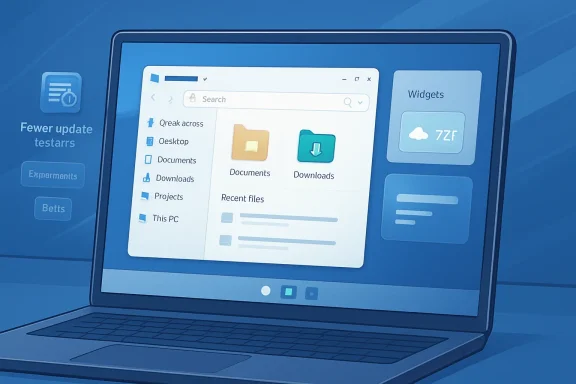 Microsoft’s Windows Repair Campaign Is Finally Speaking the Language of Friction
For years, the recurring complaint around Windows 11 has not been that Microsoft lacked ambition. It has been that the ambition often seemed to arrive in the wrong places: Copilot buttons before dependable shell polish, feeds before focus, staggered feature rollouts before users could even tell whether a build contained what Microsoft said it contained.The May 1 Insider update is interesting because it reads like a company responding to that critique in its own house style. The post is full of familiar Microsoft phrasing — “quality bar,” “control,” “calm,” “performance,” “reliability” — but the substance is more grounded than the slogans. Fewer restarts, clearer Insider channels, a less pushy Power menu, less Copilot in utility apps, and a quieter Widgets surface are all acknowledgments that the operating system had become too noisy in places where users expected it to be invisible.
The change in tone matters. Windows is not a social app that can survive on novelty churn alone. It is the layer between people and their work, and when that layer interrupts, delays, advertises, or A/B-tests unpredictably, users do not experience that as innovation. They experience it as taxation.
Microsoft’s March quality commitment set the stage for this pivot, promising a renewed focus on performance, reliability, update experience, and Insider feedback. The May update is the first real progress report under that framing. It does not prove the turnaround is complete, but it does show Microsoft understands the categories in which Windows has been bleeding trust.
The Insider Program Had Become a Fog Machine
The most structurally important change is the Insider Program overhaul. Microsoft is moving toward two primary channels, Experimental and Beta, while ending controlled feature rollouts in Beta and adding feature flags in Experimental. That sounds administrative, but it attacks one of the program’s most corrosive problems: nobody could reliably tell what they were actually testing.Controlled Feature Rollouts made sense as a quality safeguard. Gradual deployment lets Microsoft watch telemetry, halt bad experiences, and avoid lighting up a flawed feature across the entire preview population at once. But for Insiders, especially those trying to validate bugs or compare notes, the result was frequently maddening. One user installed the same build and saw the new feature; another installed it and did not.
That is not a testing program. That is a lottery with release notes.
Ending CFR in Beta is therefore more than a convenience. It restores a basic contract: if Microsoft announces a Beta feature and an Insider installs the relevant update, that Insider should have the feature. That makes feedback cleaner, bug reports more comparable, and community troubleshooting less dependent on speculation about rollout rings and hidden server-side switches.
Experimental, by contrast, becomes the place where Microsoft can still test unfinished ideas without pretending they are predictable. Feature flags give eager testers a more explicit relationship with risk. Instead of spelunking through third-party tools or wondering why a feature is missing, Insiders can choose to try specific experiences, and Microsoft can get signal from people who knowingly opted in.
The other important promise is easier movement between channels, or out of the program, without a clean install in more cases. That has long been one of the Insider Program’s quiet deterrents. Preview builds are attractive until the cost of leaving becomes reinstalling Windows, rebuilding an environment, and spending an afternoon rediscovering which drivers and apps have opinions.
Microsoft is not removing all preview risk, nor should it. But it is acknowledging that a test program works better when participation does not feel like a trap.
The Update Story Is Really About Consent
The Windows Update changes are the most immediately relatable part of the announcement. Microsoft says it is moving toward a single monthly restart by consolidating OS, .NET, and driver updates, while also giving users more flexibility to time updates around their schedule. It is also changing the Power menu so standard Restart and Shut down options remain available even when an update is pending.That last point is small only if you have never been ambushed by it.
For a normal user, the absence of a plain Shut down or Restart option at the wrong moment is not a minor UX quirk. It turns a routine action into a negotiation with the operating system. The machine is no longer asking when it may update; it is implying that your next power action belongs to Windows servicing.
Restoring ordinary power options reframes the interaction. “Update and shut down” can still exist, but it should not crowd out the basic verbs users expect from a computer. The distinction is philosophical as much as practical: Windows Update should be a maintenance system, not a veto point.
The single-restart goal is similarly pragmatic. The modern Windows servicing stack touches the OS, drivers, firmware-adjacent components, the .NET runtime, Store-delivered inbox apps, and security layers that do not all move in perfect unison. The user does not care which subsystem required which reboot. The user cares that the machine interrupted them on Tuesday, then again on Thursday, then possibly again after a driver package appeared.
If Microsoft can genuinely coordinate more of that work into a predictable monthly rhythm, it will not make Windows Update beloved. Nothing will. But it may make updates feel more like utility maintenance and less like weather.
For enterprise IT, the story is slightly different. Admins already live in rings, deadlines, deferrals, restart policies, and compliance dashboards. But even there, the consumer-facing improvements matter because they reflect a healthier servicing culture. The better Microsoft gets at reducing surprise for individuals, the easier it becomes for organizations to justify staying current without being punished by avoidable disruption.
Copilot Retreats From Places It Did Not Need to Be
The AI changes are the most revealing because they suggest Microsoft has absorbed at least part of the backlash to Copilot sprawl. In Snipping Tool and Photos, the “Ask Copilot” button is being removed. In Notepad, the generic Copilot icon is being replaced by a clearer “Writing Tools” label.This is not Microsoft abandoning AI in Windows. It is Microsoft admitting, implicitly, that where AI appears matters as much as whether it exists.
The old pattern was blunt. Copilot became the symbol Microsoft wanted users to see, so Copilot surfaced broadly, sometimes in contexts where the user’s task was narrow, local, and already understood. Taking a screenshot is not necessarily an invitation to converse with an assistant. Opening Photos is not automatically a request for generative interpretation. Editing text in Notepad may benefit from rewrite tools, but the feature should describe the job it performs rather than promote the umbrella brand.
That is the key difference between a useful AI feature and an AI campaign. A useful feature is named for the user’s intent. A campaign is named for the vendor’s strategy.
Replacing a Copilot glyph with “Writing Tools” sounds almost comically modest, but it is the kind of modesty Windows needs. Users do not object to assistance when it is timely, optional, and legible. They object to feeling as if every surface has been conscripted into a platform narrative.
The risk for Microsoft is that it interprets this as a cosmetic issue. It is not. The complaint was never merely that icons were wrong. It was that Windows had begun to feel like it was steering attention toward Microsoft’s priorities rather than protecting the user’s own. Fewer, more curated AI entry points are a start, but the discipline must survive the next wave of AI announcements.
File Explorer Remains the Test Microsoft Cannot Spin
File Explorer is where Windows quality rhetoric goes to be judged. It is used constantly, taken for granted when it works, and cursed instantly when it hangs, stutters, redraws, forgets context, or turns simple navigation into a waiting room. No Windows quality push can be credible if Explorer remains a source of daily irritation.Microsoft says it is making foundational architectural improvements to reduce hangs, improve responsiveness, and deliver more consistent performance gains. It also points to specific work around launch and navigation smoothness, Home stability, visual polish, fewer jarring transitions, and sharper thumbnails. Those are the right targets because Explorer’s problems have often felt less like one catastrophic bug than a thousand paper cuts.
The Home experience is a particular example of Microsoft’s balancing problem. Windows wants File Explorer to be more than a folder browser: recent files, cloud documents, favorites, recommendations, and account-connected context all compete for space. That can be useful, but every dynamic element creates another chance for delay, layout shift, or visual noise.
When Explorer opens slowly, the user does not parse whether the culprit is indexing, cloud sync, thumbnail generation, shell extension behavior, or a network path timing out. The user simply learns that the file manager hesitates. Once that perception sticks, it becomes very hard to dislodge.
That is why Microsoft’s incremental language is both encouraging and unsatisfying. Architectural work is exactly what Explorer needs, but users cannot see architecture. They see whether the window appears quickly, whether folders populate without drama, whether right-click behaves predictably, and whether the shell feels like part of the machine rather than a web-adjacent experience negotiating with half a dozen services.
The May update suggests Microsoft knows Explorer is a core trust surface. The burden now is proving that knowledge in retail builds, not just Insider flights.
Widgets Are Being Recast as a Calm Problem
Widgets and the Discover feed have been one of Windows 11’s most persistent examples of attention leakage. A widget board can be helpful when it shows weather, calendar information, traffic, sports, stocks, or personally chosen snippets. It becomes something else when it behaves like a content portal wearing an operating-system badge.Microsoft’s new language around “calm” is therefore notable. The company says it is changing defaults for launching and badging, raising the bar for notifications, separating Widgets and Discover into more distinct destinations, and reducing the default lock-screen widgets to Weather. The point is to make these surfaces quieter unless the user chooses otherwise.
This is the correct direction. Defaults are destiny in consumer operating systems. A toggle buried in Settings is not the same as a respectful default, because most users will never go spelunking for every attention-seeking feature Windows enables on their behalf.
The lock screen change is especially telling. The lock screen is not a dashboard by default; it is the front door of the device. Weather is defensible because it is glanceable, low-friction, and broadly useful. A fuller set of widgets can be useful too, but it should be curated by the person who owns the machine.
Microsoft is also addressing memory behavior in Widgets, promising a smaller default footprint, faster memory give-back when not in use, more control over pre-launch, and limits on pre-launch for lower-memory devices. That is important because attention and performance are linked. A feature that distracts users and consumes resources in the background earns resentment twice.
The larger lesson is that Windows cannot treat every surface as an engagement opportunity. Sometimes the best operating-system feature is the one that stays out of the way until called.
Performance Gains Need to Become a Feeling, Not a Chart
Microsoft says it has been pursuing memory savings across the system and tuning performance and power behavior for frequently used OS and app scenarios. The named targets are exactly where users form their impressions: app launch, Start, Search, Action Center, and other shell pathways. The company also points to scheduler work around processor C-states intended to improve user-perceived responsiveness.That phrase — user-perceived responsiveness — is doing a lot of work, and rightly so.
Performance is not only benchmark throughput. A PC can be technically fast and still feel laggy if the shell misses moments, if animations hitch, if search opens lazily, if Start takes a beat too long, or if background components fight for resources after resume. Windows has often suffered from this split personality: impressive under load, oddly fussy in the simple interactions users perform hundreds of times a day.
The scheduler note is intriguing because it suggests Microsoft is looking below the app layer. Modern processors constantly shift power states to balance responsiveness, heat, battery life, and idle efficiency. If Windows is too conservative in waking performance back up, the user feels delay. If it is too aggressive, battery life suffers. Tuning that line is exactly the kind of work that can make a system feel better without producing a flashy demo.
But “feel” is also the hardest thing for Microsoft to prove in a blog post. Insiders can report improvements, and telemetry can show faster launch paths, but the true test is cumulative. Does Windows feel more immediate after a week of use? Does it remain composed after sleep and resume? Does the shell keep behaving after a pile of Store apps, drivers, cloud sync clients, game launchers, and vendor utilities enter the picture?
This is where the Insider Program changes and the performance work intersect. If Microsoft wants better feedback on responsiveness, it needs testers who can reliably reproduce what build they are on, what features are enabled, and what changed. Cleaner channels are not just a program-management reform. They are a prerequisite for believing the data.
The Real Enemy Is Windows’ Accumulated Distrust
What makes this May update unusual is that almost every item addresses a trust deficit created by accumulated behavior. Updates interrupted too much, so Microsoft is consolidating restarts and restoring plain power choices. Insider builds were too hard to reason about, so Microsoft is simplifying channels and ending Beta feature roulette. Copilot appeared too broadly, so Microsoft is removing or renaming entry points. Widgets and feeds were too noisy, so Microsoft is quieting defaults. Explorer and the shell were not consistently responsive enough, so Microsoft is tuning architecture, memory, and scheduling.These are not isolated fixes. They are symptoms of the same disease: Windows had become too willing to trade user confidence for internal priorities.
That does not mean Microsoft acted maliciously. Large platforms drift this way because every team has a metric, every feature has a sponsor, every surface has unused pixels, and every rollout system has its own logic. The operating system becomes the accumulation of rational local decisions that can feel irrational to the person using it.
The question is whether Microsoft can impose product-level discipline across those competing incentives. “Calm” cannot be only the Widgets team’s word. It has to apply to updates, notifications, AI, search, Start, Edge-adjacent surfaces, account prompts, Store app behavior, and the increasingly blurry line between Windows as an OS and Windows as a distribution channel.
That is why the taskbar customization tease near the end of the post matters less than the quality bar Microsoft attaches to it. Users want customization, certainly. But they also want Microsoft to stop shipping partially satisfying compromises that then sit awkwardly for years. The modern Windows taskbar has been a symbol of that frustration since Windows 11 launched, not because every user needs every legacy behavior, but because Microsoft removed familiar flexibility before it had fully replaced the utility.
The next phase of this quality campaign will be judged by whether Microsoft can ship wanted features without reopening that wound.
Build Season Will Test the New Discipline
The timing is not accidental. Microsoft Build is coming, and Windows will inevitably share the stage with developer tooling, AI integration, silicon stories, and platform positioning. That is where the tension returns. Microsoft is trying to persuade everyday users and Insiders that it is refocusing on fundamentals just as the company’s broader strategy still demands visible AI momentum.Those goals can coexist, but only if Windows stops using core surfaces as billboards.
Developers want a better Windows too. They want faster setup, saner package management, dependable virtualization, robust terminal and Linux subsystem behavior, less friction around signing and security prompts, and an OS that does not randomly make their carefully tuned workstation feel like a consumer experiment. If Microsoft talks about making Windows better for developers at Build, the credibility of that message will depend on the same fundamentals discussed in this Insider update.
There is also a hardware angle. The Windows ecosystem now spans low-cost laptops, gaming rigs, enterprise fleets, ARM-based Copilot+ PCs, workstations, handhelds, and devices that spend half their life sleeping in a bag. A quality push that only shines on premium reference hardware will not move the reputation of Windows. The promise around limiting Widgets pre-launch on lower-memory devices is a small but important nod to that reality.
Microsoft’s hardest audience may be the people who have heard this before. Windows users are veterans of many “we’re listening” moments. They have seen features arrive, retreat, return under new names, and become policy-controlled only after enough complaints. The May update’s advantage is that it contains several changes that are concrete enough to verify.
That is exactly how Microsoft should want it. Trust does not come from asking users to believe harder. It comes from giving them fewer reasons to doubt.
The May 1 Progress Report Narrows the Argument
The useful thing about Microsoft’s latest Windows quality update is that it gives Insiders and admins a more concrete checklist for judging whether the company is serious. The risk is that the work remains scattered across preview builds, Store app updates, and gradual transitions long enough that the average Windows 11 user never experiences it as a coherent improvement.- Microsoft is simplifying the Insider Program around Experimental and Beta, with Beta becoming the predictable channel where announced features should appear when the update is installed.
- Experimental is becoming the riskier playground, but feature flags should make that risk more explicit and less dependent on hidden rollout behavior.
- Windows Update improvements are aimed at fewer restarts and more user control, including ordinary Shut down and Restart choices even when updates are pending.
- Copilot is being pulled back from some inbox app surfaces, a sign that Microsoft is beginning to distinguish useful AI tools from gratuitous AI branding.
- File Explorer, Widgets, Start, Search, Action Center, memory behavior, and scheduler tuning are now part of the same quality story, which means Microsoft is asking to be judged on everyday feel rather than keynote novelty.
- The next credibility test is whether these Insider improvements survive the path to broad Windows 11 availability without being diluted, delayed, or buried under new distractions.
Source: Microsoft - Windows Insiders Blog Windows quality update: Progress we’ve made since March
