

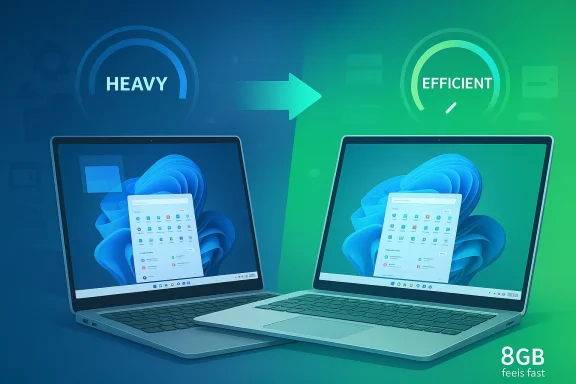
Microsoft is once again confronting a criticism that has dogged Windows for years: the operating system still feels too heavy for the kind of mainstream hardware most people actually buy. The company’s latest quality push is aimed squarely at memory efficiency, lower baseline resource usage, and better responsiveness across Windows 11, with special attention on everyday experiences like File Explorer, the Start menu, and app launch behavior. That matters because the PC market is being squeezed from both ends: buyers want cheaper laptops, while competitors like Apple have made 8GB systems feel unexpectedly capable through tighter software-hardware integration. If Microsoft pulls this off, it could reshape what “good enough” looks like on a budget Windows machine.
For much of the Windows era, performance expectations were built around hardware abundance. If a laptop felt sluggish, the solution was usually to add more RAM, faster storage, or a better CPU, because the operating system and its apps were assumed to keep growing in complexity. That model worked well when component prices were falling and business PCs were upgraded on a predictable cadence, but it has become less comfortable now that low-cost systems dominate shelves and users expect instant responsiveness from thin-and-light machines.
Windows 11 inherited both the strengths and the baggage of that old philosophy. It can be visually polished, feature-rich, and highly flexible, but it also carries the weight of legacy compatibility, background services, and a shell that sometimes feels more ambitious than efficient. Microsoft has spent years improving specific pieces of the stack, yet the broad perception remains that Windows needs more resources to feel smooth than competing desktop operating systems do. That perception alone is a problem in a market where buyers compare spec sheets before they ever touch a laptop.
Apple’s recent hardware strategy has sharpened the contrast. Unified memory, close control over the software stack, and aggressive optimization have made modest memory configurations look surprisingly viable for office work, browsing, media, and light creation. That does not mean Windows and macOS are direct equivalents, but it does mean consumers now have a concrete reference point for what a “small” memory footprint can still accomplish. Microsoft can no longer rely on the old assumption that adding RAM will hide inefficiency forever.
Microsoft’s own public engineering guidance has long acknowledged the importance of resource discipline. The company’s Windows developer documentation stresses responsiveness, reduced foreground memory usage, and performance measurement across key interactions, while its browser and app teams have repeatedly highlighted techniques such as memory reduction, sleeping tabs, and efficiency mode. In other words, the current effort is not a sudden reinvention; it is a broad extension of an internal theme that Microsoft has already been promoting in pieces. The difference now is scale, urgency, and visibility.
There is also a perception gap between Windows and the competition. Consumers do not generally care about commit charge, working set behavior, or shell process overhead; they care whether opening a folder stutters, whether switching apps feels instant, and whether the laptop remains responsive with a browser, chat app, and document editor open at the same time. When a competing platform makes 8GB look sufficient, Windows suffers by comparison even if the underlying architecture is different. That is a marketing problem as much as a technical one.
The stakes are different for consumers and enterprises. A home user might simply notice that multitasking feels less sticky, while an IT department may care more about fleet consistency, lower support tickets, and better battery behavior. In both cases, the underlying promise is the same: use fewer resources by default so the machine feels newer for longer.
One of the most important areas is File Explorer, which has historically been both essential and occasionally frustrating. Improvements here matter because Explorer is one of the most frequently used components in Windows, and its performance influences the impression users get from the whole system. Faster loading, smoother navigation, and more reliable file operations can make the OS feel less like a collection of separate modules and more like a cohesive platform.
Microsoft is also looking at lower-latency interactions in the shell, including the Start menu. Moving more of the shell to WinUI 3 is part of that story, because Microsoft wants a more modern framework for building responsive interfaces. WinUI is not a magic wand, but it does give Microsoft a more consistent foundation for the look and feel of Windows 11, especially when compared with older shell components that can feel stitched together.
Microsoft’s challenge is to improve these interactions without breaking compatibility or introducing another layer of complexity. Windows has to support an enormous range of hardware, drivers, and enterprise configurations, so every optimization has to survive a brutal reality check across the ecosystem. That is exactly where many performance promises go to die.
Microsoft has already been experimenting with targeted improvements in Explorer search and behavior. Digital Trends has reported on tests aimed at cutting RAM and CPU usage during file searches, especially in large folders and more demanding scenarios. That suggests Microsoft is approaching the problem incrementally, focusing on operations that routinely impose hidden overhead rather than trying to rewrite the entire file manager in one stroke.
These refinements matter more than they might appear to. File management is a classic “silent failure” zone: if it works well, nobody notices; if it works badly, users blame Windows in general. A faster Explorer does not just save time, it reduces the psychological friction of using the PC. In that sense, Microsoft is not only optimizing a utility, it is protecting the reputation of the platform.
If Microsoft can cut that overhead, the benefits will ripple outward. Fewer resource spikes mean better task switching, lower fan noise, and more predictable responsiveness under load. Those are exactly the kinds of changes that make a machine feel well tuned even when its hardware is modest.
That said, platform modernization always carries trade-offs. New frameworks can improve maintainability and UI consistency, but they can also create transitional complexity when old and new components coexist. Windows has a long history of carrying multiple eras of design and code at once, which is one reason shell changes often feel uneven. Modernizing the shell is necessary; doing it without regressions is the hard part.
The interesting part is that Microsoft is not just chasing polish. It is trying to use architecture to solve efficiency, which is a much more sustainable approach than piling on isolated tweaks. That should help Windows 11 look less like a compatibility layer and more like a platform that has learned from its own history.
Microsoft cannot copy that model outright, because Windows is built to run across a massive and diverse hardware ecosystem. The company has to support everything from entry-level laptops to high-end workstations, plus an enormous volume of third-party peripherals and software. The upside is flexibility; the downside is that a single optimization rarely helps every scenario equally.
Still, Apple has changed the conversation. It has made memory efficiency a mainstream consumer topic rather than a niche engineering concern. That means Microsoft is now competing not only on raw features, but on the felt efficiency of the platform. For Windows to stay persuasive on affordable hardware, it has to look clever, not merely capable.
The practical result is that Windows has to be more disciplined to achieve similar user perceptions. If Microsoft can trim shell overhead and reduce baseline consumption, it may not match Apple’s exact architecture, but it can narrow the experience gap enough to matter. That is the real objective here.
Education is another major pressure point. Schools and public-sector buyers often live at the low end of the hardware market, where every dollar counts and PCs must survive heavy daily use. A more efficient Windows could make cheap devices feel less disposable, which in turn strengthens Microsoft’s position in managed environments.
There is also a sustainability angle, even if Microsoft does not always frame it that way. Better memory efficiency can extend the useful life of a device, reduce the need for immediate upgrades, and lower the number of machines that get retired early because they feel too slow. That is a quiet but meaningful advantage in a market increasingly sensitive to total cost of ownership.
The biggest winners may be buyers who never read benchmark charts. They will simply feel that the machine is quicker when opening apps, browsing files, or jumping between windows. If that impression holds, Microsoft will have achieved something more valuable than a score in a synthetic test.
That change in expectation is especially important for the low end. Affordable laptops are often the first point of contact for students, home users, and buyers in emerging price tiers. If Windows feels sluggish there, the platform risks losing people before they ever buy a more expensive machine. Once a user gets used to a fast, simple experience elsewhere, the bar for Windows rises sharply.
Microsoft’s response is to make performance a quality story again. That means treating memory use, launch speed, and shell responsiveness as product features, not just engineering metrics. If successful, this could become a quiet but powerful selling point for Windows 11 laptops across a wide range of prices.
A better-performing Windows also gives partners more room to differentiate on battery life, display quality, and industrial design rather than needing to mask software sluggishness. That is good for the ecosystem because it raises the floor for everyone. In PC markets, raising the floor often matters more than chasing the ceiling.
What will matter most is whether the changes remain effective outside Microsoft’s own test environment. Windows has a long history of looking better in controlled demos than it does in messy real-world conditions, where third-party apps, drivers, and background utilities all compete for resources. If Microsoft can deliver consistency across that complexity, it will have accomplished something genuinely important.
A few concrete things are worth watching over the coming months:
Source: Digital Trends Windows 11 wants to run like a MacBook Neo, starting with memory efficiency
 Overview
For much of the Windows era, performance expectations were built around hardware abundance. If a laptop felt sluggish, the solution was usually to add more RAM, faster storage, or a better CPU, because the operating system and its apps were assumed to keep growing in complexity. That model worked well when component prices were falling and business PCs were upgraded on a predictable cadence, but it has become less comfortable now that low-cost systems dominate shelves and users expect instant responsiveness from thin-and-light machines.Windows 11 inherited both the strengths and the baggage of that old philosophy. It can be visually polished, feature-rich, and highly flexible, but it also carries the weight of legacy compatibility, background services, and a shell that sometimes feels more ambitious than efficient. Microsoft has spent years improving specific pieces of the stack, yet the broad perception remains that Windows needs more resources to feel smooth than competing desktop operating systems do. That perception alone is a problem in a market where buyers compare spec sheets before they ever touch a laptop.
Apple’s recent hardware strategy has sharpened the contrast. Unified memory, close control over the software stack, and aggressive optimization have made modest memory configurations look surprisingly viable for office work, browsing, media, and light creation. That does not mean Windows and macOS are direct equivalents, but it does mean consumers now have a concrete reference point for what a “small” memory footprint can still accomplish. Microsoft can no longer rely on the old assumption that adding RAM will hide inefficiency forever.
Microsoft’s own public engineering guidance has long acknowledged the importance of resource discipline. The company’s Windows developer documentation stresses responsiveness, reduced foreground memory usage, and performance measurement across key interactions, while its browser and app teams have repeatedly highlighted techniques such as memory reduction, sleeping tabs, and efficiency mode. In other words, the current effort is not a sudden reinvention; it is a broad extension of an internal theme that Microsoft has already been promoting in pieces. The difference now is scale, urgency, and visibility.
Why Memory Efficiency Matters Now
The most important shift is economic. RAM prices have become more sensitive, and PC makers are under pressure to build affordable systems that still feel modern. That puts Microsoft in a bind: if Windows 11 demands too much memory overhead just to sit idle, OEMs either have to raise prices or ship machines that will feel strained out of the box. Neither outcome is great for a platform that relies on sheer device volume.There is also a perception gap between Windows and the competition. Consumers do not generally care about commit charge, working set behavior, or shell process overhead; they care whether opening a folder stutters, whether switching apps feels instant, and whether the laptop remains responsive with a browser, chat app, and document editor open at the same time. When a competing platform makes 8GB look sufficient, Windows suffers by comparison even if the underlying architecture is different. That is a marketing problem as much as a technical one.
The 8GB Question
For years, 8GB RAM on a Windows laptop has been treated as the minimum acceptable amount rather than a comfort zone. That is changing, but slowly. If Microsoft can reduce Windows 11’s baseline footprint, the system could leave more memory available to the user’s actual workload instead of consuming it for background work and shell overhead.The stakes are different for consumers and enterprises. A home user might simply notice that multitasking feels less sticky, while an IT department may care more about fleet consistency, lower support tickets, and better battery behavior. In both cases, the underlying promise is the same: use fewer resources by default so the machine feels newer for longer.
What Microsoft Is Actually Changing
According to Microsoft’s broader quality messaging, the company is trying to make Windows 11 less resource-hungry at the system level. That means shrinking the baseline memory footprint, improving responsiveness in core interactions, and making the desktop shell feel more direct. These kinds of changes are not always visible in screenshots, but they can have an outsized effect on how polished a PC feels in daily use.One of the most important areas is File Explorer, which has historically been both essential and occasionally frustrating. Improvements here matter because Explorer is one of the most frequently used components in Windows, and its performance influences the impression users get from the whole system. Faster loading, smoother navigation, and more reliable file operations can make the OS feel less like a collection of separate modules and more like a cohesive platform.
Microsoft is also looking at lower-latency interactions in the shell, including the Start menu. Moving more of the shell to WinUI 3 is part of that story, because Microsoft wants a more modern framework for building responsive interfaces. WinUI is not a magic wand, but it does give Microsoft a more consistent foundation for the look and feel of Windows 11, especially when compared with older shell components that can feel stitched together.
The Shell Problem
The shell is where performance becomes emotional. A slow app launch can be tolerated if it happens occasionally, but lag in the Start menu or File Explorer feels like the operating system itself is hesitating. That is why shell optimization is often more visible to users than more technical backend work.Microsoft’s challenge is to improve these interactions without breaking compatibility or introducing another layer of complexity. Windows has to support an enormous range of hardware, drivers, and enterprise configurations, so every optimization has to survive a brutal reality check across the ecosystem. That is exactly where many performance promises go to die.
File Explorer as a Performance Barometer
File Explorer is a useful proxy for Windows quality because nearly everyone uses it, even if they do not think about it. Opening folders, searching files, copying documents, and navigating cloud-synced locations are everyday actions that should feel trivial. When Explorer stutters or loads slowly, users often interpret that as a sign that the entire machine is underpowered.Microsoft has already been experimenting with targeted improvements in Explorer search and behavior. Digital Trends has reported on tests aimed at cutting RAM and CPU usage during file searches, especially in large folders and more demanding scenarios. That suggests Microsoft is approaching the problem incrementally, focusing on operations that routinely impose hidden overhead rather than trying to rewrite the entire file manager in one stroke.
These refinements matter more than they might appear to. File management is a classic “silent failure” zone: if it works well, nobody notices; if it works badly, users blame Windows in general. A faster Explorer does not just save time, it reduces the psychological friction of using the PC. In that sense, Microsoft is not only optimizing a utility, it is protecting the reputation of the platform.
Search, Indexing, and Latency
Search has long been one of the nastiest places for resource waste to hide. Repeated indexing work, aggressive metadata retrieval, and unnecessary background activity can create a sense that Windows is always doing more than it should. That is especially painful on budget machines, where a few extra background tasks can have a visible impact.If Microsoft can cut that overhead, the benefits will ripple outward. Fewer resource spikes mean better task switching, lower fan noise, and more predictable responsiveness under load. Those are exactly the kinds of changes that make a machine feel well tuned even when its hardware is modest.
WinUI 3 and the Modern Shell Strategy
Microsoft’s push toward WinUI 3 is about more than visual consistency. It is an attempt to modernize the Windows UI stack so that shell experiences can be built and maintained with a more predictable performance profile. The company’s current developer guidance explicitly treats responsiveness and resource utilization as first-class concerns, which aligns neatly with the broader operating-system effort.That said, platform modernization always carries trade-offs. New frameworks can improve maintainability and UI consistency, but they can also create transitional complexity when old and new components coexist. Windows has a long history of carrying multiple eras of design and code at once, which is one reason shell changes often feel uneven. Modernizing the shell is necessary; doing it without regressions is the hard part.
Why Framework Choice Matters
A shell framework affects startup, animation smoothness, input latency, and memory usage. If Microsoft gets the implementation right, users see cleaner navigation and faster interactions. If it gets the balance wrong, the result can be a prettier interface that still feels heavier than users expect.The interesting part is that Microsoft is not just chasing polish. It is trying to use architecture to solve efficiency, which is a much more sustainable approach than piling on isolated tweaks. That should help Windows 11 look less like a compatibility layer and more like a platform that has learned from its own history.
How This Compares With Apple’s Approach
Apple’s reputation for efficiency comes from control. It designs the hardware, the operating system, the memory architecture, and much of the software stack together, which lets it tune the experience in ways Windows PC vendors cannot easily match. That is why unified memory and tightly managed background behavior can make 8GB feel more usable than the same number might imply on a traditional PC.Microsoft cannot copy that model outright, because Windows is built to run across a massive and diverse hardware ecosystem. The company has to support everything from entry-level laptops to high-end workstations, plus an enormous volume of third-party peripherals and software. The upside is flexibility; the downside is that a single optimization rarely helps every scenario equally.
Still, Apple has changed the conversation. It has made memory efficiency a mainstream consumer topic rather than a niche engineering concern. That means Microsoft is now competing not only on raw features, but on the felt efficiency of the platform. For Windows to stay persuasive on affordable hardware, it has to look clever, not merely capable.
Unified Memory vs Traditional PC Memory
The architectural differences matter. Apple’s unified memory pool blurs the distinction between system and graphics usage in ways that can reduce duplication and improve utilization. Traditional Windows laptops have generally relied on separate memory behaviors and broader compatibility, which gives vendors flexibility but not always elegance.The practical result is that Windows has to be more disciplined to achieve similar user perceptions. If Microsoft can trim shell overhead and reduce baseline consumption, it may not match Apple’s exact architecture, but it can narrow the experience gap enough to matter. That is the real objective here.
Enterprise, Education, and Budget PCs
The consumer story is obvious, but enterprise is where the long-term business value becomes clearer. Companies buy in bulk, support fleets for years, and often standardize on conservative hardware configurations. If Windows 11 can run more efficiently on 8GB systems, Microsoft makes life easier for procurement teams that want to stretch budgets without creating helpdesk pain.Education is another major pressure point. Schools and public-sector buyers often live at the low end of the hardware market, where every dollar counts and PCs must survive heavy daily use. A more efficient Windows could make cheap devices feel less disposable, which in turn strengthens Microsoft’s position in managed environments.
There is also a sustainability angle, even if Microsoft does not always frame it that way. Better memory efficiency can extend the useful life of a device, reduce the need for immediate upgrades, and lower the number of machines that get retired early because they feel too slow. That is a quiet but meaningful advantage in a market increasingly sensitive to total cost of ownership.
Who Benefits Most
The gains will not be evenly distributed. Power users with plenty of RAM may notice only subtle improvements, while users on entry-level laptops could experience a much more noticeable change. That is exactly what Microsoft should want: the people on the cheapest hardware are usually the ones most exposed to poor first impressions.The biggest winners may be buyers who never read benchmark charts. They will simply feel that the machine is quicker when opening apps, browsing files, or jumping between windows. If that impression holds, Microsoft will have achieved something more valuable than a score in a synthetic test.
The Broader Competitive Stakes
This is not just about Microsoft versus Apple. It is also about how Windows compares with ChromeOS, lightweight Linux distributions, and even the expectations set by modern mobile operating systems. Users increasingly expect software to adapt to the hardware rather than force the hardware to compensate for the software.That change in expectation is especially important for the low end. Affordable laptops are often the first point of contact for students, home users, and buyers in emerging price tiers. If Windows feels sluggish there, the platform risks losing people before they ever buy a more expensive machine. Once a user gets used to a fast, simple experience elsewhere, the bar for Windows rises sharply.
Microsoft’s response is to make performance a quality story again. That means treating memory use, launch speed, and shell responsiveness as product features, not just engineering metrics. If successful, this could become a quiet but powerful selling point for Windows 11 laptops across a wide range of prices.
Why Rivals Should Care
Apple will not suddenly lose its efficiency advantage, and ChromeOS will still own certain low-complexity use cases. But if Microsoft narrows the gap on responsiveness and RAM use, it makes Windows harder to dismiss on cheaper hardware. That could influence OEM design decisions, retail positioning, and even how reviewers frame entry-level PCs.A better-performing Windows also gives partners more room to differentiate on battery life, display quality, and industrial design rather than needing to mask software sluggishness. That is good for the ecosystem because it raises the floor for everyone. In PC markets, raising the floor often matters more than chasing the ceiling.
Strengths and Opportunities
Microsoft’s memory-efficiency push has several genuine strengths. It targets a real complaint, it aligns with broader industry pressure around affordable hardware, and it has the potential to improve the experience across the entire Windows stack rather than just one app or one device class.- Lower baseline RAM usage could make 8GB systems feel less constrained.
- Faster shell interactions would improve day-to-day perception of Windows quality.
- Better File Explorer performance would help one of the OS’s most-used tools.
- Improved responsiveness could reduce the sense that Windows is “busy” in the background.
- Stronger OEM flexibility may help partners ship more compelling budget laptops.
- Longer device relevance could slow the feeling of premature obsolescence.
- Better enterprise optics may make Windows fleets easier to justify on modest hardware.
Risks and Concerns
The challenge is that performance work is easy to promise and hard to prove. Users have heard versions of this story before, and many will only believe it if the improvements are obvious on real machines rather than isolated in lab demos.- Regression risk is high when changing shell and system components.
- Compatibility constraints may limit how lean Windows can become.
- Perception lag means users may not notice improvements immediately.
- Framework transitions like WinUI 3 can introduce their own overhead.
- OEM inconsistency could blunt gains if hardware tuning remains uneven.
- Background services may keep Windows feeling heavier than competitors.
- Expectation inflation could make modest gains look disappointing.
Looking Ahead
The next phase will be less about announcements and more about proof. Microsoft will need to show that lower memory usage translates into faster interaction times, cleaner multitasking, and a better experience on the hardware people actually buy. That will require not just engineering success, but sustained attention across multiple Windows releases.What will matter most is whether the changes remain effective outside Microsoft’s own test environment. Windows has a long history of looking better in controlled demos than it does in messy real-world conditions, where third-party apps, drivers, and background utilities all compete for resources. If Microsoft can deliver consistency across that complexity, it will have accomplished something genuinely important.
A few concrete things are worth watching over the coming months:
- File Explorer load times on low-end and midrange laptops.
- Start menu responsiveness during cold boots and heavy multitasking.
- RAM usage at idle compared with earlier Windows 11 builds.
- Battery behavior on 8GB and 16GB thin-and-light systems.
- Insider build feedback about regressions or UI instability.
- OEM adoption of lower-memory configurations for Windows 11 devices.
Source: Digital Trends Windows 11 wants to run like a MacBook Neo, starting with memory efficiency
