Microsoft is preparing a Windows 11 Search option that would let users disable Bing-powered web results and Microsoft Store suggestions directly, with testing reportedly beginning for Windows Insiders in the coming weeks after years of registry workarounds. The change is small in interface terms and large in meaning: Microsoft appears ready to admit that the Start menu search box is first and foremost a PC search box. If it ships broadly, it will mark a rare retreat from one of Windows 11’s most persistent engagement funnels.
That does not mean Windows Search is suddenly fixed. It means Microsoft has finally separated two problems it has too often treated as one: finding things on your own computer, and routing idle curiosity through Bing, MSN, Rewards, Store listings, and now Copilot-adjacent experiences. The former is an operating system feature. The latter is a business strategy wearing the clothes of convenience.
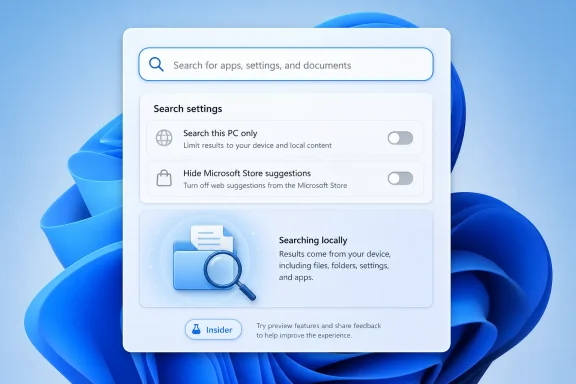
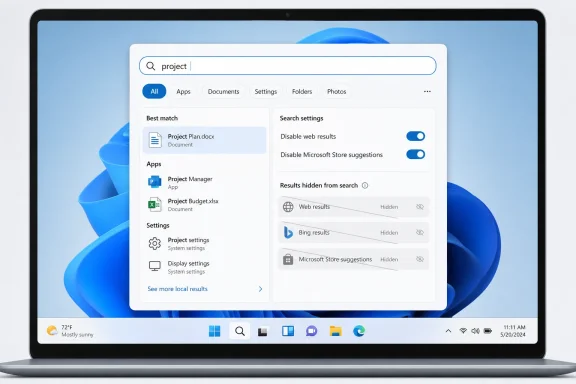
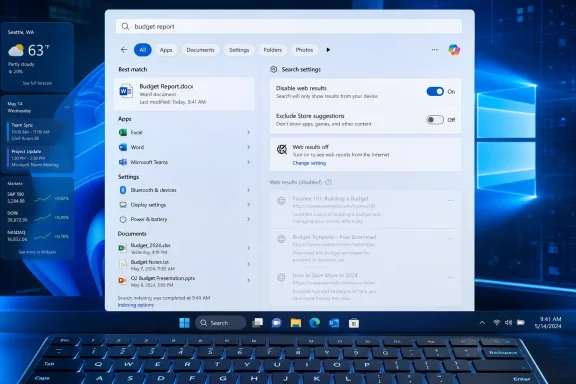
Windows “Search settings” screen shown over a blue abstract background.Microsoft Finally Blinks on the Search Box​

The Windows Search dispute has always sounded more trivial than it is. On paper, the Start menu search field is just a launcher: type “Word,” “Device Manager,” “invoice,” or “Bluetooth,” and Windows should take you where you meant to go. In practice, it became a crowded little billboard where local apps, settings, files, Bing results, Microsoft Store prompts, newsy web suggestions, and account-linked services all fought for the top slot.
That fight is what users noticed. Nobody objects to a web search feature existing somewhere in Windows. The anger came from the mismatch between intent and result: a user opens Start, types a few characters looking for a file, and gets a web suggestion that feels less like help than interception.
Windows Latest now reports that Microsoft is testing a local-only mode for Windows Search. The reported toggle would disable web searches inside Windows Search entirely, and a separate control would suppress Store results for apps that are not installed. That matters because Store suggestions are not quite web results, yet they serve the same purpose from the user’s point of view: they interrupt the act of finding what is already on the machine.
Microsoft has not turned Windows Search into a clean local index overnight. The company is instead testing an opt-out from some of the most complained-about intrusions. That distinction is important, because Windows users have learned the hard way that a toggle in preview is not the same thing as a durable product policy.

The Registry Hack Was an Admission of Failure​

For years, the standard advice for disabling Bing in Windows Search has read like a parody of modern consumer software: open Registry Editor, navigate through policy keys, create or modify DWORD values, restart Explorer, and hope the next update does not reinterpret your preference. Enthusiasts can do that. Administrators can automate it. Ordinary users should never have needed to.
Registry-based fixes are not just inconvenient; they reveal where Microsoft placed the boundary of legitimacy. A feature exposed in Settings is a preference. A feature controlled through obscure policy keys is something Microsoft permits only for the stubborn, the technical, or the managed.
That was always the wrong model for Windows Search. We are not talking about a niche kernel behavior or a compatibility switch for legacy software. We are talking about whether typing into the operating system’s launcher should query the internet. That choice belongs in the interface, not in a hidden administrative maze.
The reported new toggle would not merely save users a trip through regedit. It would move the decision from the realm of hacks into the realm of consent. That is why this change, if it survives preview testing, deserves more attention than its modest UI footprint suggests.

Bing Was Never Just a Search Result​

Microsoft’s defense of web integration has long rested on the idea that search should be universal. From that perspective, it is reasonable for one box to find apps, documents, settings, web pages, contacts, and answers. Apple’s Spotlight, GNOME’s overview, Android’s launcher search, and countless third-party tools all blur these lines to some extent.
But Windows Search developed a trust problem because the blending did not feel neutral. Bing results were not simply one class of answer among many. They were also a route into Microsoft’s advertising and services ecosystem, a way to promote Edge-era web habits, and a source of Microsoft Rewards engagement. The user might have wanted services.msc; the platform saw an opportunity to turn a failed local match into a web query.
That is where the annoyance became structural. When the local index misses a file, the right answer is “I cannot find it,” or better, “I am still indexing it.” The wrong answer is a web search that looks suspiciously like the operating system monetizing failure.
The Store suggestions fall into the same category. If a user searches for Spotify and does not have it installed, a Store listing with a “Get” button may be useful. If a user is trying to find a local shortcut, script, document, or setting, it can feel like another layer of promotional clutter. A separate control for Store results is therefore not cosmetic; it acknowledges that installation discovery and local search are different tasks.

Local Results Are Being Promoted Because They Should Have Won All Along​

The timing of this reported Bing toggle is not isolated. Microsoft has already been testing and rolling out smaller Search improvements intended to make Windows behave more like users expect.
One change tied to the current Windows 11 update cycle lowers the threshold for local results, allowing searches with as few as two characters to surface local files and apps more reliably. Previously, short queries could push users toward web suggestions if Windows did not quickly identify a close local match. That was exactly the kind of behavior that made Search feel slippery.
Another preview improvement adds substring matching. If a file is named MeetingNotesApril or ProjectStatusReport, Windows Search should be able to find it when the user types “April” or “Status,” not only when the query starts from the beginning of the filename. This is basic modern search behavior, and its arrival in Windows 11 preview builds is welcome precisely because it should not be remarkable.
These improvements attack the problem from the other side. Disabling Bing removes noise. Better local ranking and substring matching improve signal. Windows Search needs both, because a local-only search engine that still cannot find the file you just saved will merely fail more quietly.

The Start Menu Became a Product Surface Before It Finished Being a Tool​

Windows 11’s Search controversy sits inside a broader design pattern: Microsoft keeps treating the shell as a discovery surface for company services before it has fully earned that privilege as a dependable tool. The Start menu, Widgets board, account prompts, Edge handoffs, OneDrive nudges, Copilot entry points, and Store recommendations all reflect a company that sees the desktop as a distribution channel.
That is not inherently illegitimate. Windows is a commercial platform, and Microsoft is allowed to integrate its services. The problem is priority. When the shell’s most basic affordances feel like they are optimizing for engagement instead of user intent, every search miss becomes evidence in a larger case against the operating system.
Search is particularly sensitive because it is a moment of impatience. Users do not open Search to admire Microsoft’s ecosystem. They open it because they want to launch something, change a setting, recover a document, or complete a task. Inject friction there and the whole OS feels worse.
This is why longtime Windows users can sound disproportionally angry about Bing in Search. They are not merely complaining about a few web links. They are objecting to the feeling that Windows has become less direct, less respectful, and less theirs.

Enterprise IT Will Read the Toggle Differently​

For home users, the reported toggle is a quality-of-life improvement. For administrators, it could become a policy conversation.
Many organizations already restrict consumer web integrations, cloud content suggestions, and uncontrolled data flows from managed endpoints. A Start menu search box that can send queries to Bing is not automatically a compliance disaster, but it is another behavior to document, configure, and explain. If Microsoft exposes a clean setting and backs it with policy controls, IT departments get a simpler story: local search can be local.
The Store toggle may matter just as much in managed environments. Store discovery can conflict with application control, packaging strategy, licensing rules, and help desk expectations. If employees search for an app and Windows offers a Store install path, that may bypass the organization’s preferred deployment model or create confusion when permissions block installation.
Microsoft’s challenge is consistency. A consumer-facing toggle is useful, but enterprise administrators will want durable controls that survive feature updates, apply per device or per user, and integrate with existing management channels. The worst outcome would be a visible consumer switch while enterprise policy remains fragmented across old registry keys, CSPs, and shell behaviors.

Privacy Is Part of the Story, But Control Is the Bigger One​

It is tempting to frame this entire issue as privacy: local queries should not leave the device. That argument has force, especially for users who type filenames, project names, client names, or internal terms into Search without thinking of them as web queries. The operating system should be conservative about turning local intent into network activity.
But privacy alone does not explain the frustration. Even users who are not especially worried about telemetry hate being misdirected. The deeper complaint is agency. If I ask my PC for a local file, the PC should not answer with the web unless I clearly ask for the web.
That distinction matters because Microsoft often uses “personalization” and “connected experiences” to describe features that users experience as loss of control. A Bing result in Search may be personalized. It may even be relevant occasionally. But when it appears in a context where the user expected a local answer, relevance is not enough.
A real local-only mode would be valuable because it restores a crisp boundary. The machine can still offer web search elsewhere. Edge can still search the web. Bing can still exist. But the Windows launcher can once again behave like a launcher.

Preview Features Have a Way of Changing Shape​

The reported toggle is not yet a finished public promise. Windows Latest says the capability was quietly teased at a private Windows Insider meet-up and that testing should begin in the coming weeks. That puts the feature in the realm of credible preview reporting, not guaranteed servicing reality.
Windows Insider features can change channels, slip schedules, arrive behind controlled feature rollouts, or disappear after telemetry review. Microsoft may alter the wording, split the controls across Settings pages, limit availability by region, or tie behavior to account and policy state. The company may also decide that some Bing-backed “suggestions” are not technically web search and therefore remain visible unless another switch is disabled.
That last point is worth watching. Windows has accumulated overlapping categories: web results, search suggestions, highlights, cloud content, Store listings, Copilot surfaces, and account-connected recommendations. Users will judge the toggle by outcome, not taxonomy. If they turn off web search and still see web-shaped clutter, the backlash will be immediate.
Microsoft therefore needs to make the control plain. “Search this PC only” is a user expectation. Anything more lawyerly risks repeating the mistake.

Better Search Requires More Than Removing Bing​

Killing Bing inside Windows Search would solve one visible annoyance, but it would not solve the underlying reputation problem. Windows Search has long struggled with freshness, indexing scope, ranking, and discoverability. Users complain that files they just created do not appear, that settings are inconsistently named, that Control Panel-era tools compete with Settings pages, and that indexed locations do not behave intuitively.
The new two-character and substring improvements are evidence that Microsoft understands at least part of this. Search quality begins with matching the thing the user remembers, not the thing the system wishes the user had typed. If someone remembers the middle of a filename, a fragment of a compound word, or a partial setting name, Search should meet them there.
But local search also needs transparency. If a folder is not indexed, Windows should make that obvious. If a file is still being processed, Search should say so. If a result comes from the web, Store, OneDrive, SharePoint, or the local disk, the interface should clearly distinguish it without making the user decode tabs and icons.
The great irony is that Microsoft knows how to build powerful search when it wants to. Microsoft 365 search, SharePoint indexing, Windows file indexing, and Bing’s web systems all solve hard retrieval problems at massive scale. The Start menu’s failures are not proof that Microsoft lacks search expertise. They are proof that product incentives can make a simple experience worse.

Copilot Raises the Stakes for Getting the Basics Right​

The reported local-only Search work also arrives as Microsoft continues to weave Copilot more deeply into Windows. That creates a delicate balance. AI entry points may be genuinely useful for some tasks, but they will inherit the trust level of the shell around them.
If Windows Search cannot reliably find Notepad, a PDF, or a network setting without shoving web content into the path, users will be less patient with a richer assistant layered nearby. Copilot cannot be the answer to a launcher that has forgotten its job. In fact, the more ambitious Microsoft becomes with AI in Windows, the more important it is that basic local workflows feel fast and deterministic.
There is also a branding risk. Users already conflate Bing, Copilot, Edge, MSN, Rewards, and Windows suggestions into one mental bucket: Microsoft stuff that appears when they did not ask for it. A clean local Search toggle could help separate useful platform intelligence from unwanted promotion.
That separation is essential if Microsoft wants Copilot to be seen as a tool rather than another intrusion. The first step is allowing users to say no to the web in places where the web was never the point.

The Small Switch That Says Microsoft Heard the Complaint​

The practical lesson from this episode is not that Microsoft has abandoned Bing. It has not. Bing remains central to Microsoft’s search, advertising, AI, and browser strategies. The lesson is that Windows users can still force a boundary when a platform integration becomes too obviously hostile to everyday workflow.
A good Search toggle would not be anti-Bing. It would be pro-Windows. It would recognize that the operating system’s first obligation is to the task the user is performing, not to the service Microsoft would prefer the user to sample next.
Near term, the things to watch are concrete:
  • Microsoft is reportedly preparing a Windows 11 Search setting that disables Bing-powered web results without requiring Registry edits.
  • The company is also reportedly testing a way to hide Microsoft Store app suggestions from Search results.
  • Recent Windows 11 preview work includes substring matching, so files with compound names can be found from words in the middle of the name.
  • Current Windows 11 Search improvements are intended to rank local files and apps above web suggestions, even for very short queries.
  • The feature will matter most if Microsoft exposes it clearly in Settings and supports it with reliable administrative policy controls.
  • Users should treat the report as promising but provisional until the toggle appears in public Insider builds and survives the trip toward general release.
The best version of this change is boring in exactly the right way: a switch, a local search box, and fewer surprises. Windows does not need to turn every query into a service opportunity to be modern, and Microsoft does not need to win every surface to keep users in its ecosystem. If the company follows through, the Start menu may become a little less ambitious, a little less noisy, and a lot more useful — which is precisely the kind of progress Windows 11 still needs.

References​

  1. Primary source: Windows Latest
    Published: Sat, 06 Jun 2026 23:44:23 GMT
  2. Related coverage: techradar.com
  3. Related coverage: windowscentral.com
  4. Official source: support.microsoft.com
  5. Related coverage: pcworld.com
  6. Related coverage: tomshardware.com
  1. Related coverage: windowsforum.com
  2. Official source: learn.microsoft.com
  3. Related coverage: techrepublic.com
  4. Related coverage: techyorker.com
  5. Related coverage: techbaked.com
  6. Related coverage: techlasi.com
  7. Related coverage: cincodias.elpais.com
 

Microsoft is reportedly preparing Windows 11 controls that would let users disable web results and Microsoft Store suggestions in Windows Search, after the options were shown in an internal build during a private Windows Insider meeting in early June 2026. If the feature ships, it would turn one of Windows 11’s most persistent annoyances into something closer to a user preference. That sounds small, but for many Windows users it would mark a philosophical retreat from a decade of search-box monetization. The operating system may finally be admitting that the fastest route to Bing is not always through someone else’s Start menu.

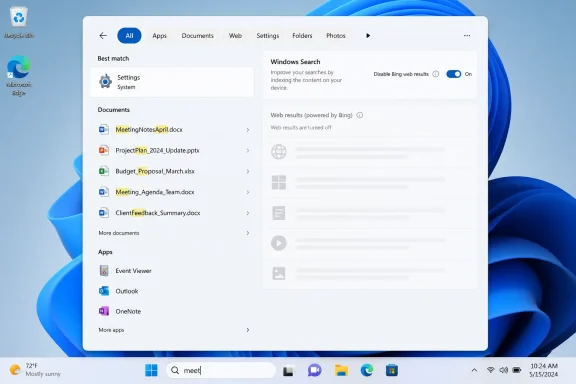
Windows search settings screen on a laptop with results disabled for web and store suggestions.Microsoft’s Search Box Has Been Trying to Be Too Many Things​

Windows Search has long suffered from a basic identity crisis. Users open it expecting a launcher, a file finder, or a shortcut to a setting. Microsoft has often treated it as a web portal, a Bing entry point, a Store recommendation surface, and occasionally a promotional shelf for whatever service Windows is meant to nudge next.
That mismatch is why this rumored change lands with more force than its modest Settings-toggle packaging suggests. The problem was never that Windows could search the web. The problem was that web results frequently appeared when the user was plainly asking the local machine for something local.
For enthusiasts and IT admins, this has been one of those papercut issues that quietly corrodes trust. A user types the name of an app, a partial filename, or a Control Panel-era setting, and Windows responds with a web suggestion that looks less like help than misdirection. Even when the result is technically relevant, the interaction feels polluted.
Microsoft has already been moving toward a softer version of the fix. Recent Insider notes described changes intended to make files and apps appear ahead of web suggestions when local content is the stronger match. That is a useful ranking adjustment, but it still assumes Microsoft gets to decide when web content belongs in the local search path.
The newly reported toggle goes further. It says the user may be allowed to decide that web content does not belong there at all.

The Toggle Is Small Because the Concession Is Large​

According to the reporting that triggered this discussion, the unreleased build includes a Settings option to turn off web searches in Windows Search, alongside another control for Microsoft Store results. The feature has not yet appeared broadly in public Insider builds, and Microsoft has not treated it as a formal product announcement. That matters, because Windows features have a habit of entering testing, changing shape, and occasionally vanishing before general release.
Still, the existence of an internal toggle would be meaningful even if it changes before release. Microsoft has historically been comfortable giving enterprise administrators policy handles that consumers never see, but consumer-facing Settings toggles are different. They make a preference legible. They tell ordinary users that declining a Microsoft-connected experience is a supported path, not a hack.
Today, users who want a cleaner Windows Search experience often rely on Group Policy, Registry edits, third-party launchers, or region-specific behavior. That is tolerable for power users and fleet managers. It is not a reasonable answer for the mainstream Windows customer who just wants the Start menu to find Notepad without consulting the internet.
The rumored Microsoft Store toggle is just as important as the Bing one. Store suggestions can be useful when the user is clearly trying to install something, but they are irritating when they intrude into a search for an already installed app or a local file. A search surface that cannot distinguish between discovery and interruption becomes advertising by another name.
That is the heart of the issue. Windows users are not rejecting helpful suggestions. They are rejecting the feeling that the shell has been repurposed as a lead-generation funnel.

Windows 11’s Bigger Problem Is Not Search, It Is Trust​

Search has become a proxy war over the character of Windows 11. On paper, Microsoft can defend web results as convenience: one box for local files, apps, settings, cloud content, and web answers. In practice, the design asks users to accept that a taskbar search box is not entirely theirs.
That bargain has become harder to sell as Windows has accumulated more surfaces that recommend, promote, or redirect. Start menu recommendations, Microsoft account prompts, Edge and Bing defaults, Copilot entry points, OneDrive nudges, and Store placement all exist in different product lanes, but users experience them as one operating system. When too many of those surfaces feel commercially motivated, each new suggestion arrives pre-suspected.
This is why a simple “turn off web results” control would have symbolic weight. It would not remove Microsoft’s services from Windows. It would not make Bing disappear from Edge, nor would it stop Windows from integrating cloud search where users have asked for it. It would merely acknowledge that the local OS search box is a place where user intent should outrank corporate distribution strategy.
Microsoft has spent the past year talking more openly about Windows quality. That language matters because Windows 11’s critics are not only complaining about bugs. They are complaining about craft, restraint, predictability, and respect for defaults. A search box that shows fewer irrelevant web results is a quality improvement. A search box that lets users banish them is a trust improvement.
Those are not the same thing.

The Enterprise Case Is Boring, Which Is Why It Is Strong​

For IT departments, this rumored change is less about aesthetics and more about supportability. Web results in OS search can create noise in managed environments, especially where users are supposed to find approved apps, internal tools, local files, or sanctioned settings. A consumer-oriented Bing result inside a corporate workflow is not just annoying; it is another variable to explain, document, and defend.
Administrators already know how to suppress parts of this experience through policy. The difference is that a visible setting can reduce friction for smaller businesses, unmanaged PCs, and mixed environments where not every machine lives under a carefully curated configuration profile. The more Windows exposes sane controls in Settings, the less routine desktop hygiene depends on tribal knowledge.
There is also a security angle, though it should not be overstated. Web suggestions inside system search are not automatically dangerous, but they do expand the surface where a user can be pulled away from the thing they meant to open. In an era of search ads, impersonation, typo-squatting, and malicious installers, reducing accidental web detours is a practical improvement.
The same logic applies to Microsoft Store suggestions. Many organizations want software acquisition to run through company portals, package managers, Intune, winget policies, or other controlled channels. Store recommendations inside general search can blur that boundary, especially for less technical users who are simply trying to launch an app they think is already installed.
A clean local search mode gives admins a simpler story: this box finds what is on the device and what the organization has made available. The web can stay in the browser, where web risk belongs.

The Consumer Case Is Emotional, and Microsoft Should Not Dismiss It​

Power users often describe unwanted Windows web results as “spam,” and while that word is imprecise, it captures the emotional truth. The user asked for one thing and received something that benefited someone else. That is the classic shape of a degraded interface.
Microsoft tends to talk about these experiences in terms of relevance and personalization. Users tend to judge them by interruption. A result does not need to be an advertisement in the formal sense to feel promotional; it only needs to appear in a place where the user did not invite it.
That feeling is intensified by Windows’ position as paid platform infrastructure. Many users bought a PC, paid for a Windows license directly or indirectly, signed in with a Microsoft account because setup encouraged it, and then found the operating system still eager to route attention toward Microsoft services. Each individual nudge may be defensible. Together, they can feel like the desktop is never fully at rest.
This is why the rumored change has generated disproportionate excitement. A toggle is not a revolution. But it gives users a line they can draw.
If Microsoft wants Windows 11 to feel more personal, it has to allow “less Microsoft” to be one of the available personalizations. That is the part the company has often struggled to internalize.

Search Quality Is Finally Being Treated as a First-Class Windows Problem​

The web-results toggle is not appearing in isolation. Microsoft has been testing and discussing broader Windows Search improvements, including ranking changes that favor local files and apps, faster surfacing of results after fewer typed characters, and better matching for file names that contain compound terms. Those are the kinds of fixes users expected years ago.
The compound-name example is especially telling. If a user has a file called “ProjectBudgetJune2026” and searches for “Budget,” the system should not behave as if the filename were an opaque artifact. Modern search expectations were shaped by web engines, mail clients, IDEs, phones, and cloud drives. Windows cannot plausibly claim that substring matching is exotic.
The irony is that Windows Search became more ambitious before it became sufficiently reliable. Microsoft layered in cloud content, web suggestions, semantic search for Copilot+ PCs, and service integration while many users still complained that basic local discovery was inconsistent. That sequencing created resentment. It made the fancy features look like distractions from unfinished fundamentals.
A better Windows Search strategy would start with the boring promise: find the installed app, find the file, find the setting, and do it predictably. Then, and only then, ask whether web results, cloud content, Store suggestions, or AI-powered recall belong in the same pane.
The rumored toggles fit that more disciplined model. They do not prevent Microsoft from building richer search experiences. They simply stop richness from being compulsory.

Europe’s Shadow Hangs Over Every Microsoft Choice​

Any discussion of user-choice features in Windows now comes with an unavoidable regulatory backdrop. Microsoft has already made region-specific changes in response to European rules, including greater flexibility around default apps, uninstallable components, and web-search behavior in some contexts. Even when a new control appears globally, it is fair to ask whether regulation helped make the option politically possible inside the company.
That does not mean this rumored Windows Search toggle is purely a compliance move. It may be driven by Insider feedback, telemetry, product quality work, or a broader effort to calm Windows 11 criticism. But Microsoft does not operate in a vacuum. The company has been repeatedly reminded that bundling, steering, and default control are no longer abstract antitrust debates from the Internet Explorer era.
The more interesting question is whether Microsoft is learning to ship choice before it is forced to. A Settings toggle for web results would be a low-cost concession compared with the reputational cost of making users fight the operating system. It is better product design and better regulatory hygiene.
That is especially true because Windows is entering a period of heavier AI integration. Copilot, Recall, semantic search, and agent-like system features all require user trust at a deeper level than a simple web result ever did. If Microsoft cannot convince users that a search box respects intent, it will have a harder time convincing them that AI features deserve broad access to context.
Choice in small places becomes credibility for bigger asks.

The Risk Is That Microsoft Ships the Toggle and Keeps the Habit​

There is a version of this story where Microsoft adds the toggle, wins a round of positive coverage, and then continues stuffing other Windows surfaces with adjacent forms of promotion. That would be the most Microsoft outcome: fix the specific complaint while preserving the underlying instinct.
Users will notice if web results disappear from Search but reappear as Copilot prompts, Start menu recommendations, Edge handoffs, or Store discovery cards elsewhere. They will also notice if the toggle is buried, renamed, reset after updates, limited by account type, or available only in certain regions. A choice that is hard to find is not quite a choice.
The company needs to resist the temptation to treat this as a concession to a loud minority. The complaint is not merely that Bing appears. It is that Windows has often blurred the distinction between user task and Microsoft opportunity. Search is just the cleanest example because the user’s intent is typed directly into the box.
If Microsoft is serious, the setting should be plain, durable, and available without policy spelunking. It should survive feature updates. It should be documented clearly. It should not punish the user by degrading unrelated local search capabilities.
Most importantly, turning off web results should not be framed as a privacy panic button or an advanced enterprise setting. It should be treated as a normal preference. Some people want a unified search pane. Some people want a local launcher. Both are legitimate.

The Windows Shell Needs Fewer Growth Hacks and More Defaults That Age Well​

The larger Windows 11 story is a struggle between two Microsoft instincts. One is the platform steward instinct: make the desktop faster, calmer, more coherent, and more respectful of user choice. The other is the ecosystem growth instinct: use Windows’ privileged real estate to promote Microsoft’s browser, search engine, store, cloud, subscriptions, and AI layer.
The second instinct is not irrational. Windows is a mature business in a market where Microsoft wants services revenue and strategic leverage. Every major platform vendor uses defaults and integration to advantage its ecosystem. Apple, Google, and Microsoft all understand that distribution is destiny.
But Windows is different in one important respect: it remains the general-purpose workbench for a huge range of people and organizations that do not experience the OS as a lifestyle ecosystem. They experience it as infrastructure. When infrastructure behaves like media inventory, users recoil.
That is why the best version of Windows 11 is not necessarily the one with the most integrated services. It is the one where integrations are obvious, reversible, and subordinate to the job the user is doing. Good defaults should age well because they match durable user intent. “When I search my PC, show me my PC first” is about as durable as it gets.
The rumored setting would be a small sign that Microsoft understands this. Not a guarantee. A sign.

The Search Box Is Becoming a Test of Microsoft’s Restraint​

The concrete picture, as of June 8, 2026, is still tentative. Microsoft has confirmed some Windows Search ranking improvements in Insider builds, while the full web-results and Store-results toggles remain reported from an internal build rather than broadly released preview code. That distinction should temper expectations.
Still, the direction is encouraging enough to matter. Microsoft appears to be moving from “we will make web suggestions less annoying” toward “you may be able to turn them off.” Those are different product philosophies.
For WindowsForum readers, the immediate lesson is not to rip out Registry tweaks tomorrow. It is to watch the Insider channels closely over the next few weeks and see whether the controls arrive, where they live, and how completely they work. The details will determine whether this is a genuine user-choice feature or just another staged experiment.
The most important takeaways are practical:
  • Microsoft is reportedly testing Windows 11 Settings controls that disable web results and Microsoft Store suggestions in Windows Search.
  • The reported controls have not yet been broadly released, so they should be treated as credible but unconfirmed until they appear in public Insider builds or official release notes.
  • Microsoft has already begun testing related Search improvements that prioritize local files and apps ahead of web suggestions when local content is a stronger match.
  • A visible Settings toggle would be more useful for everyday users than the current reliance on Registry edits, Group Policy, or third-party workarounds.
  • For enterprises, cleaner local search would reduce user confusion and help keep software discovery aligned with managed deployment channels.
  • The feature’s real value will depend on whether Microsoft ships it globally, makes it easy to find, and preserves it across Windows feature updates.
Microsoft has spent years making Windows Search more connected, but connection was never the same thing as usefulness. If this rumored change survives the Insider pipeline, it will not merely remove Bing from a corner of the shell; it will show that Microsoft can still tell the difference between an operating system feature and a marketing surface. Windows 11 does not need to become austere to regain trust, but it does need to become more honest about whose intent comes first, and the search box is a sensible place to start.

References​

  1. Primary source: TechRadar
    Published: Mon, 08 Jun 2026 10:22:08 GMT
  2. Official source: support.microsoft.com
  3. Related coverage: windowslatest.com
  4. Official source: techcommunity.microsoft.com
  5. Related coverage: windowscentral.com
  6. Related coverage: tech.yahoo.com
  1. Related coverage: tomshardware.com
  2. Related coverage: pureinfotech.com
  3. Related coverage: techbaked.com
  4. Official source: blogs.windows.com
  5. Official source: news.microsoft.com
 

Windows 11 is reportedly preparing a single Settings toggle that would let users disable Bing-powered web results in Windows Search, while separate late-May 2026 search fixes are already improving local file matching for short queries and partial filenames. That sounds like a small quality-of-life change, but it lands on one of the longest-running complaints about modern Windows: the Start menu stopped feeling like a local launcher and started behaving like an advertising surface. The toggle matters because it would turn a registry hack into a product choice. The deeper story is that Microsoft appears to be rediscovering a principle Windows users never forgot: search should first find the thing on your PC.

Windows Search results page showing documents and Bing web results disabled on a desktop.Microsoft Finally Treats Search Like a Place Users Work​

The Windows Search box has spent years trying to be too many things at once. It is a launcher, a file finder, a settings shortcut, a web search field, a promotional tile, a news panel, and increasingly a place where Microsoft can surface whatever strategic product happens to need attention that quarter. That sprawl is why a single Bing toggle feels bigger than its UI footprint.
For most users, the annoyance was never that Windows could search the web. Web search is useful when it is invited. The problem was that Windows Search often behaved as if a failed or incomplete local match was an opportunity to leave the machine, open Bing, and nudge the user into Microsoft’s broader services funnel.
That distinction matters. A desktop operating system is not a browser tab with a Start button attached. When someone presses the Windows key and types the name of an app, file, folder, control panel item, or setting, the expectation is local intent unless the user says otherwise. Microsoft spent years blurring that boundary.
The reported toggle is therefore less a new feature than a correction. It acknowledges, whether Microsoft says so explicitly or not, that Windows Search had become a trust problem. When the system cannot reliably distinguish “find my file” from “monetize this query,” users eventually stop trusting the system.

The Bing Toggle Is Small Because the Fight Around It Was Huge​

For power users, disabling Bing in Windows Search has long been possible through Group Policy, Registry edits, third-party debloating tools, or regional workarounds. That is not the same thing as support. A supported Settings toggle says the preference is legitimate; a Registry hack says the user is swimming upstream.
This is why the rumored placement of a simple switch matters. The difference between “open Regedit and create a DWORD” and “turn off web search in Settings” is the difference between an enthusiast workaround and an operating-system feature. Microsoft knows this. So do administrators who have had to explain to users why typing a local filename can produce web detritus.
The European angle is hard to ignore. Microsoft has already made Windows behave differently in the European Economic Area under regulatory pressure, including greater flexibility around browser and search integration. Whether this new work expands globally, arrives first in Insider builds, or remains regionally constrained will determine whether it is a real philosophical shift or another compliance-shaped exception.
If the toggle ships broadly, it will mark a rare retreat from Microsoft’s habit of embedding Bing into Windows surfaces by default. If it ships narrowly, it will reinforce the impression that Microsoft can build a cleaner Windows experience but only offers it when regulators force the issue. Either way, the existence of the switch changes the argument: the company can no longer claim the integration is technically inseparable from the OS experience.

The Local Search Fixes May Matter More Than the Toggle​

The Bing switch gets the headline because everyone understands the irritation. But the more interesting engineering changes are happening underneath. According to the reporting, Microsoft has already started rolling out a fix that improves how Windows Search handles two-character queries, and Insider builds are testing substring matching for filenames.
That sounds dry until you use search all day. Previously, typing only two characters could cause Windows to give up too quickly on local results and fall back to a generic web query. In practice, that meant a short app abbreviation, folder prefix, project code, drive label, or partial filename could send the user into Bing before Windows had done the obvious local work.
The late-May optional update described in the report changes that behavior by prioritizing local matches even when input is minimal. This is the kind of fix that rarely gets a keynote mention because it does not photograph well. But for people who live in the Start menu, it is exactly the sort of thing that makes a machine feel less obstinate.
Substring matching is even more overdue. If a file is named MeetingNotesApril, a modern search tool should not require the user to remember that the name starts with “Meeting.” Searching for “April” or “Notes” should work because that is how people remember information. They remember fragments, not canonical prefixes.

Windows Search Has Been Losing to User Memory​

The old model of file search assumed a tidy mind and tidy filenames. It rewarded users who remembered the beginning of the name, the exact folder, or the precise phrase used months earlier. Real users do not work that way. They remember that the file had “invoice,” “April,” “draft,” “client,” or “notes” somewhere in it.
That is why substring matching feels so basic. macOS Spotlight, launcher utilities, browser address bars, IDE command palettes, and web search boxes have trained users to expect forgiving matching. Windows, by contrast, often made local search feel like a stern librarian who refuses to help unless you know the catalog entry.
This mismatch created an opening for third-party launchers and file search tools. Enthusiasts learned to install Everything, PowerToys Run, Flow Launcher, Listary, or other utilities because Windows Search was too slow, too noisy, or too eager to escape to the web. Microsoft does not need to beat every specialized tool, but the built-in search box should at least be competent at finding local things by remembered fragments.
The reported changes suggest Microsoft is finally addressing that baseline. A local search experience that can handle two characters and substring matching is not revolutionary. It is Windows catching up with user expectations that have been normal for years.

The Start Menu Became a Distribution Channel​

The broader grievance is not just technical. Windows users objected to Bing in Search because it symbolized a larger pattern: Microsoft increasingly treats built-in OS surfaces as distribution channels for its own services. Edge prompts, Microsoft account nudges, OneDrive reminders, Copilot placements, widgets, recommendations, search highlights, and web results all compete for attention in places that used to feel more neutral.
That is not accidental. Windows is no longer simply a boxed product or even just a licensed OS. It is a platform for subscriptions, cloud identity, advertising inventory, AI features, and ecosystem retention. From Microsoft’s perspective, a search query typed into the Start menu is a valuable intent signal. From the user’s perspective, it may just be an attempt to open Device Manager.
The tension comes from Microsoft’s dual role. It is both the operating-system vendor and a services company with its own browser, search engine, cloud storage, assistant, and account system to promote. Every time Windows defaults to Microsoft’s services in a way that feels hard to undo, users see the conflict of interest.
A Bing-off toggle does not eliminate that conflict. It makes it more honest. If users want web results in Search, they can keep them. If they want the Start menu to behave like a local tool, they can say so without spelunking through policy templates or Registry paths.

Administrators Will Care About Policy, Not Just the Pretty Switch​

For home users, the promise is simple: fewer unwanted web results. For IT departments, the interesting question is manageability. A Settings toggle is welcome, but enterprise administrators will want policy controls, documentation, defaults, and predictable behavior across Windows 11 versions.
In managed environments, web results in Windows Search can be more than annoying. They can create support confusion, introduce inconsistent behavior, and potentially expose query intent outside the local device depending on configuration. Even when the risk is modest, many organizations prefer local-first search because it is easier to explain and audit.
There is also the matter of user training. Help desks build procedures around Start menu search because it is the fastest way to reach system tools. If a technician tells a user to type “printers,” “bitlocker,” “event viewer,” or “credential manager,” web noise is a distraction. The cleaner the search surface, the more reliable the support script.
Microsoft’s challenge is to make the consumer toggle part of a coherent administrative model. If the setting appears in one Insider build, moves in another, behaves differently by region, or lacks policy backing, enterprises will treat it as another unfinished experiment. If it arrives with clear policy hooks, it becomes a meaningful win for managed Windows.

Optional Updates Are Still a Strange Place to Fix Daily Friction​

The two-character fix reportedly arrived through a late-May optional update, which is both good and awkward. Optional previews are where Microsoft often stages non-security fixes before broader rollout, giving willing users and administrators a chance to test changes early. That cadence makes sense for telemetry and quality control.
But search is not an obscure corner of Windows. It is part of the daily interaction loop. When basic search behavior improves, many users will not see it until the fix graduates into a more widely installed cumulative update. Others may read about the improvement, look for it, and find that their machine has not received it yet.
This is one of the recurring frustrations of modern Windows servicing. Features and fixes do not simply “ship” in a way most people can understand. They roll out by update channel, enablement package, feature flag, region, edition, account state, hardware eligibility, and sometimes server-side configuration.
The result is that two users on “Windows 11” may have meaningfully different experiences. One can search with two characters and get the right local result. Another gets Bing. One Insider build may support substring matching. Another stable build may not. This is rational from an engineering risk perspective, but maddening from a user-experience perspective.

The AI Era Makes Local Search More Politically Important​

Microsoft’s renewed attention to ordinary search mechanics arrives as the company continues to push AI features deeper into Windows. That makes the timing significant. The more Microsoft asks users to accept Copilot, semantic search, Recall-like concepts, cloud-connected assistants, and AI-mediated workflows, the more it needs the boring parts of Windows to feel trustworthy.
Local search is one of those boring parts. It is not glamorous, but it is intimate. It reveals filenames, app habits, settings queries, work topics, and sometimes sensitive personal or business context. If users already believe Windows Search is too eager to send intent to Bing, they will be harder to convince that richer AI-driven search is safe, useful, or respectful.
This is the strategic reason Microsoft should care about the Bing toggle beyond appeasing enthusiasts. Trust is cumulative. A user who sees the OS respect a simple preference is more likely to entertain more ambitious features later. A user who feels tricked by defaults will assume every new feature hides a funnel.
The irony is that better local search could make Microsoft’s AI ambitions more credible. Before Windows can become an intelligent assistant, it has to be a competent clerk. It has to find the file, open the app, surface the setting, and stay out of the way when the user’s intent is obvious.

The Best Windows Features Are Often the Ones That Remove Microsoft From the Path​

There is a pattern in the Windows features enthusiasts praise most warmly. They tend to be features that reduce friction without demanding loyalty. Snap layouts help arrange windows. Task Manager improvements expose what is happening. Windows Terminal modernized the command line. PowerToys gives users optional control without pretending everyone needs the same workflow.
A Bing-off switch belongs in that category if Microsoft handles it correctly. It does not need to be marketed as a grand privacy feature or a new productivity revolution. It simply needs to let users say: when I search from Windows, search Windows first, and do not go online unless I ask.
That kind of restraint is underrated. Modern software companies often confuse engagement with satisfaction. If a user opens the Start menu, types three letters, launches the right app, and disappears, that is a successful interaction even if it generates no web query, no ad impression, no Copilot prompt, and no Microsoft account conversion.
Windows is at its best when it respects that kind of invisible success. The operating system should make the shortest path feel natural. Search has too often lengthened that path in service of Microsoft’s business interests.

The Real Test Is Whether Microsoft Lets Users Prefer the PC​

The single-toggle story should not be judged only by whether it appears in an Insider build or in a screenshot. The test is whether Microsoft lets the preference persist, exposes it globally, documents it properly, and resists the temptation to route around it later with new “experiences” that behave like web search under a different name.
Windows history is full of settings that technically exist but are undermined by nudges, resets, migrations, or adjacent prompts. Users will notice if disabling Bing Search still leaves behind search highlights, sponsored suggestions, Edge-first behavior, or AI panels that feel functionally equivalent. A clean toggle needs clean semantics.
It also needs to survive updates. Nothing corrodes user trust faster than a preference that quietly reverts after a feature update or behaves differently after a cumulative patch. If a user turns web results off, that choice should remain off unless the user changes it.
That is where Microsoft’s credibility is on the line. The company can frame this as personalization, simplification, compliance, or search quality. Users will interpret it more simply: does Windows respect the machine as mine?

A Toggle Cannot Fix Search Unless the Indexer Learns Some Manners​

The most concrete lesson from these changes is that Microsoft is attacking two different problems at once: web intrusion and local incompetence. One is about control. The other is about quality. Windows Search needs both.
A Bing toggle without better local matching would merely make Search quieter. Better matching without a Bing toggle would still leave users wondering why their PC keeps volunteering the web. Together, the changes point toward a healthier model.
  • Windows 11 is reportedly moving toward a Settings-level way to disable Bing-powered web results in Windows Search, replacing workarounds with a normal user-facing control.
  • A late-May 2026 optional update reportedly improves two-character searches so local results are prioritized instead of too quickly falling through to web queries.
  • Insider builds are testing substring filename matching, allowing users to find files by remembered fragments rather than only the beginning of a name.
  • The practical value is largest for users who treat the Start menu as a launcher, file finder, and settings shortcut rather than a web search box.
  • Enterprise administrators will still need clear policy controls before the change becomes more than a consumer convenience.
  • Microsoft’s larger challenge is proving that Windows can promote AI and cloud services without turning every local interaction into a service funnel.
The encouraging version of this story is that Microsoft has listened: users wanted Windows Search to stop behaving like Bing with a file index attached, and the company is now fixing both the off switch and the indexer. The cautious version is that Windows has a long record of making user control conditional, regional, or temporary when it conflicts with Microsoft’s platform ambitions. If the Bing toggle ships broadly and the local search improvements keep coming, Windows 11 may finally make the Start menu feel less like a billboard and more like the front door to the PC again.

References​

  1. Primary source: HotHardware
    Published: Mon, 08 Jun 2026 14:56:00 GMT
  2. Related coverage: windowslatest.com
  3. Related coverage: howtogeek.com
  4. Related coverage: allthings.how
  5. Related coverage: windowsforum.com
  6. Related coverage: makeuseof.com
 

Microsoft is preparing Windows 11 controls that would let users turn off web results and Microsoft Store suggestions in desktop search, with the change reportedly shown in an unreleased internal build and expected to reach public preview testing after years of complaints about Bing-driven clutter. The move is small in interface terms and large in symbolic terms. It acknowledges that one of Windows 11’s most visible daily workflows has been serving two masters: the user trying to find something, and Microsoft trying to route attention through its services.
That tension has defined Windows search for years. The Start menu search box is supposed to be the fastest path to a file, app, setting, or command. Too often, it has behaved like a billboard with a keyboard shortcut.

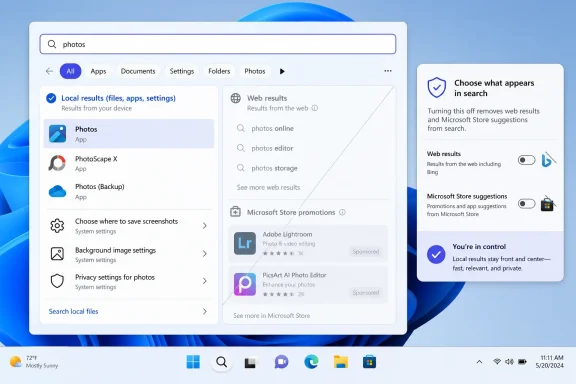
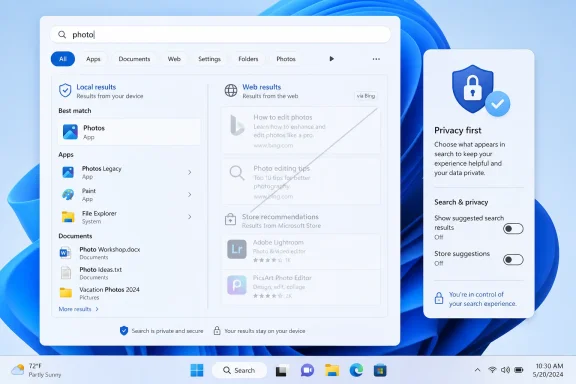
Windows search settings show results for “photos,” with web results and Microsoft Store suggestions toggles.Microsoft Finally Admits Search Is Not a Portal​

The most important part of this reported change is not that Microsoft may add another toggle to Settings. Windows is full of toggles, many of them poorly named, half-buried, or overridden by policy. The important part is that Microsoft appears ready to treat local search as a user task rather than an engagement surface.
That distinction matters. When someone opens Start and types “printer,” “Excel budget,” or “display,” they are usually not asking the operating system to consult the web. They are trying to complete a local action. Injecting Bing suggestions, web answers, or Store promotions into that moment turns a utility into a funnel.
Microsoft has long argued, implicitly and sometimes explicitly, that blending local and web search makes Windows more helpful. There are cases where that is true. A user who types a general query into the taskbar may appreciate a direct web handoff. But Windows never solved the basic context problem: the same box used to launch Notepad also tried to behave like a browser search field.
The result was a familiar irritation. A feature designed to save seconds often cost them instead, forcing users to visually separate local results from internet suggestions. That is not merely aesthetic clutter. It is friction inside one of the operating system’s core loops.

The Registry Hack Was the Real Indictment​

Power users have never been completely helpless here. For years, disabling web search in Windows has been possible through Group Policy, Registry edits, third-party debloating tools, or enterprise configuration profiles. The problem is that none of those paths belong in the life of an ordinary PC owner.
That is why this reported Settings toggle matters. A Registry workaround is not user choice in any meaningful consumer sense. It is a back door for people who already know the name of the door, the shape of the key, and the risk of breaking something else while they are in there.
For Windows 11 Home users, the situation has been even more awkward. Group Policy is not exposed in the same way as it is on Pro, Enterprise, and Education editions, so many users were pushed toward Registry changes or unofficial utilities. That created the usual Windows split: the people most annoyed by the feature could often disable it, while the people least comfortable modifying system internals were stuck with the default.
Microsoft knows the difference between a supported setting and a tolerated workaround. Putting a control in Settings says: this preference is legitimate. Leaving it in policy and Registry says: this is something administrators and enthusiasts may do, but Microsoft would rather most users not notice.

Bing Was Never Just a Search Result​

The backlash against web results in Windows search has always been partly about relevance, but only partly. Users were not merely objecting to the existence of the internet. They were objecting to Microsoft using the operating system shell to privilege its own services.
That is the deeper reason Windows search became a trust issue. If a local query produces a Bing result above a matching app or file, the user sees more than a bad ranking decision. They see Microsoft choosing business strategy over interface clarity. Whether the company describes that as discovery, assistance, or personalization does not change the lived experience.
Windows occupies a unique position on a PC. It is not just another app competing for attention; it is the layer that mediates nearly everything else. When that layer starts steering users toward Edge, Bing, Copilot, or Microsoft Store suggestions at moments when they did not ask for them, the steering feels more intrusive than it would inside a browser or app store.
That is why the phrase search spam stuck. It captures the feeling that Windows is not simply returning too many results, but returning results with an agenda. Even when those results are technically useful in some cases, the loss of user confidence is hard to reverse.

Store Suggestions Made the Problem Look Cheaper​

If Bing results made Windows search feel confused, Microsoft Store suggestions made it feel cheap. There is a difference between helping a user find an installed app and recommending an app they do not have. There is also a difference between surfacing a missing dependency and using the Start menu as promotional real estate.
The Microsoft Store has improved since the darkest days of Windows 8 and early Windows 10. It carries more conventional desktop apps, better packaging, and a cleaner developer story than it once did. But users do not open Start search to browse a storefront. They open it because they want the machine to respond.
That distinction is especially sharp in professional environments. A sysadmin looking for Event Viewer, a developer launching Terminal, or an accountant opening a spreadsheet does not need a Store recommendation competing for attention. Even a harmless suggestion can become a signal that the operating system is not fully focused on the user’s task.
Removing or suppressing Store suggestions through a normal setting would be a quiet win for daily productivity. It would also be a rare admission that not every surface in Windows needs to become a merchandising surface.

The European Shadow Hangs Over the Toggle​

Microsoft’s reported move also lands in a regulatory climate that has become much less tolerant of platform self-preferencing. In Europe, the Digital Markets Act has pushed major platform owners to open defaults, unbundle services, and give users more meaningful control over built-in integrations. Windows has already seen region-specific concessions around browser choice, search behavior, and uninstallable components.
It would be too neat to say this toggle exists only because of regulators. Windows users everywhere have complained about web search clutter, and Microsoft has been making broader changes to improve local result ranking. Still, the policy environment matters. A company that once could assume the Windows shell was its own private distribution channel now has to think harder about whether every integration can survive scrutiny.
The risk for Microsoft is not just a fine or a forced regional change. It is the emergence of two Windows experiences: one where users get visible controls because regulators demanded them, and another where everyone else gets whatever Microsoft prefers by default. That split is bad for trust and bad for documentation.
A global Settings toggle would be cleaner. It would say Microsoft is not merely complying where it must, but acknowledging a broader design principle: the operating system should not make users fight to keep local actions local.

AI Makes the Old Search Fight More Urgent​

This would have been a useful change five years ago. In 2026, it is more than useful because Microsoft is layering AI features across Windows at speed. Copilot, semantic search, Recall-style memory features on supported hardware, AI actions in File Explorer, and cloud-assisted workflows all depend on one fragile asset: user permission.
If users already believe the Start menu is a delivery vehicle for Bing and Store promotions, they will be less inclined to trust the next layer of intelligent assistance. The objection will not be only about privacy. It will be about motive. Is Windows helping me, or is it routing my behavior into Microsoft’s ecosystem?
That is why a humble web-search toggle can carry more strategic weight than another Copilot demo. Microsoft does not need to convince enthusiasts that AI can summarize documents or interpret screenshots. It needs to convince them that the shell will respect boundaries.
A local search box that stays local when asked is a foundation for that trust. Without it, every new AI affordance arrives carrying the baggage of old defaults.

Enterprise IT Sees a Policy Problem, Not a Cosmetic One​

For IT departments, Windows search clutter is not mainly about annoyance. It is about predictability, supportability, and governance. A desktop search experience that mixes local corporate resources with consumer web suggestions can confuse users, create help-desk noise, and complicate hardening baselines.
Many organizations already disable web search through policy because they want clean separation between local device search, enterprise search, and the open internet. That separation can matter for regulated industries, schools, public-sector deployments, and shared devices. It can also matter for simple productivity: fewer irrelevant results mean fewer misclicks and fewer explanations.
The reported consumer-facing toggle does not replace enterprise policy. Administrators will still need centralized controls, compliance documentation, and assurances that user-facing settings cannot undermine managed baselines. But a visible Settings option can reduce the cultural gap between managed and unmanaged Windows.
When a feature is only controllable by admins, Microsoft can frame it as a business concern. When the same preference appears in Settings, it becomes a mainstream user preference. That shift may make it easier for IT teams to justify stricter defaults without looking like they are fighting the operating system.

The Ranking Fix Was Not Enough​

Microsoft has also been testing improvements that make apps and files appear more reliably ahead of web suggestions when they are stronger matches. That is welcome, but it does not fully solve the problem. Better ranking still assumes web results belong in the same experience unless they are outranked.
For some users, that is fine. They want one box for everything and are happy as long as the local result comes first. For others, the presence of web results at all is the issue. They want Start search to behave like a launcher and file finder, not a search engine.
Both preferences are reasonable. That is exactly why a toggle is the right design answer. Microsoft does not have to pick one universal philosophy for hundreds of millions of PCs. It can let the user decide whether Windows search should be blended or local-first.
The danger is implementation. If the toggle is buried, renamed into ambiguity, region-limited, reset by updates, or paired with nagging prompts, Microsoft will squander the goodwill before it arrives. Windows users have long memories for settings that look like choices but behave like negotiations.

The Setting Must Be Boring to Be Good​

The best version of this feature would be almost dull. A clear switch in Settings. Plain language. No dark pattern. No “recommended” warning implying that disabling web results will break Windows. No periodic re-enablement after feature updates. No separate hidden dependency that leaves sponsored or AI tiles behind.
Microsoft should resist the temptation to over-explain. Users understand the distinction between searching their PC and searching the web. The setting can say exactly that. If web results are off, Start search should return local apps, files, settings, and permitted organizational content. If Store suggestions are off, promotional app recommendations should disappear.
There is also a performance angle, though it should not be oversold. A cleaner local search experience can feel faster because it removes network-dependent panels and visual clutter. But Windows search performance has many other variables: indexing health, storage speed, OneDrive integration, file locations, account state, and shell reliability.
The more defensible claim is not that the toggle will magically make every PC faster. It is that it can make search feel more direct. In interface design, that often matters just as much.

Windows Needs Fewer Growth Hacks in the Shell​

This episode fits a larger pattern in modern Windows. Microsoft has repeatedly used high-traffic shell surfaces to promote adjacent services: Edge prompts, Microsoft account nudges, OneDrive reminders, Copilot entry points, Start menu recommendations, and search integrations. Each individual prompt can be defended as useful. The cumulative effect is harder to defend.
A PC operating system is not a social feed. Its most valuable surfaces are valuable precisely because users rely on them for intent-driven work. When those surfaces become contested territory for product growth, the operating system starts to feel less like infrastructure and more like a marketplace.
This is the same mistake that made parts of Windows 10 feel noisy and parts of Windows 11 feel oddly adversarial. Microsoft would introduce a refined visual design, then undercut it with recommendations, badges, and prompts. The company’s design teams would polish the glass while its growth teams taped flyers to it.
A web-search toggle will not fix that by itself. But it is a concrete reversal in one of the places users notice most. It suggests, at least for this feature, that Microsoft may be willing to trade a little service promotion for a lot of user goodwill.

The Windows 11 Search Reset Users Actually Asked For​

This reported change should be judged by what it gives back: control over a daily habit. If Microsoft ships it broadly and cleanly, Windows 11 search can become less of a running argument between Redmond and its customers.
  • Users should be able to disable web results from Windows 11 search without editing the Registry or relying on Group Policy.
  • Microsoft Store suggestions should be treated as optional recommendations, not unavoidable furniture in the search interface.
  • Local files, apps, and settings should remain the default priority when the user’s query clearly points to something on the PC.
  • Enterprise administrators will still need policy-level controls that override or preconfigure the consumer-facing setting.
  • Microsoft’s broader AI push will be easier to trust if the company proves that basic shell features can respect user intent.
The most encouraging interpretation is that Microsoft has recognized a simple truth: Windows does not become smarter by making every search box internet-shaped. It becomes smarter when it understands context, restraint, and the difference between helping a user and harvesting a moment of attention.
If the toggle survives the trip from internal build to public release, it will be one of those Windows changes that seems obvious the moment it appears. That is usually a sign it should have shipped years earlier. But late is still better than never, and for Windows 11 users who just want their PC to find what is on their PC, this may be the rare modern Microsoft concession that improves the operating system by making it do less.

References​

  1. Primary source: The Hans India
    Published: 2026-06-08T14:10:11.258167
  2. Related coverage: windowslatest.com
  3. Official source: support.microsoft.com
  4. Related coverage: makeuseof.com
  5. Related coverage: windowscentral.com
  6. Related coverage: pureinfotech.com
  1. Related coverage: techradar.com
  2. Official source: learn.microsoft.com
  3. Related coverage: tomshardware.com
  4. Related coverage: pcworld.com
  5. Related coverage: tech.yahoo.com
  6. Related coverage: teachucomp.com
  7. Related coverage: cyber.gov.au
  8. Related coverage: askwoody.com
  9. Official source: blogs.windows.com
 

Microsoft is preparing to let Windows 11 users turn off Bing-powered web results from Windows Search, with the change reportedly shown at a Windows Insider event in San Francisco on June 2, 2026, after years of forcing Start and taskbar searches to mix local files, apps, settings, and web suggestions. The toggle is not just a small Settings convenience. It is a concession that Windows Search has been carrying too much of Microsoft’s web strategy on its back. For users and administrators, the important part is not that Bing loses a shortcut; it is that Windows may finally admit that searching a PC and searching the internet are different jobs.

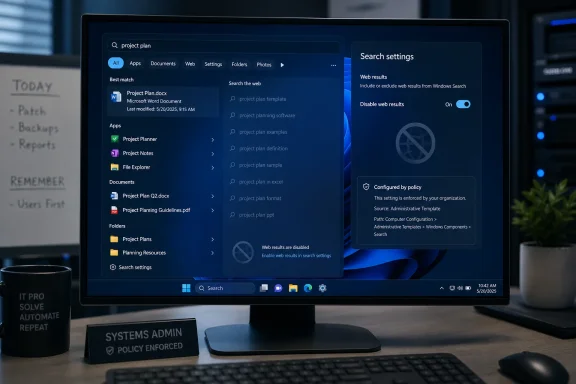
Windows search settings screen on a monitor with “project plan” results and web results disabled.Microsoft Finally Separates the PC From the Pitch​

Windows Search has long been one of those features that sounds simple until you use it under pressure. You hit the Windows key, type the name of an app, a document, or a setting, and expect the operating system to surface the thing that already exists on your machine. Instead, Windows 11 has often treated that moment as an opportunity to route you through Bing.
That design was never merely about convenience. Microsoft’s argument has always been that modern search should span local and web content, and that many users benefit from instant answers, web suggestions, and cloud-connected results. There is some truth in that. A search box that can find a Control Panel remnant, a OneDrive file, and a web answer from one place is not a bad idea in theory.
The problem is that Windows Search is not a neutral command palette. It is part of the shell. When the shell becomes a distribution channel for Bing, Edge, MSN, Copilot, or whatever Microsoft is emphasizing this fiscal year, the user’s local intent gets diluted. The new ability to disconnect Bing is therefore less a novelty than a correction.
The reported change appears to be a straightforward toggle for disabling web results in Windows Search, rather than the old route of registry edits, policy workarounds, third-party utilities, or regional tricks. That matters because discoverability is power. A setting in the Settings app says, “This is a supported preference.” A registry hack says, “You are on your own.”

The Registry Hack Was Always a Symptom​

For years, disabling Bing in Windows Search has been possible in the narrowest technical sense. Power users could modify registry keys or use Group Policy in supported editions to suppress web results. System administrators could push configurations across managed fleets. Enthusiasts could follow a how-to guide and hope that a future cumulative update did not undo the work.
That is not the same as giving users a choice. The difference between a visible toggle and a registry modification is the difference between a preference and a workaround. Microsoft knows this, which is why it puts favored experiences in Settings and disfavored ones in policy templates, old control panels, or undocumented places.
Windows 11 has sharpened this tension because the operating system is increasingly a container for services. Search is not only search. Widgets are not only widgets. Edge is not only a browser. Copilot is not only an assistant. Each is also a surface where Microsoft can reinforce account sign-in, cloud storage, subscription services, AI features, browser share, and advertising inventory.
That is why this Bing toggle feels bigger than its UI footprint. It acknowledges that users were not merely asking for less clutter; they were asking for a boundary. A PC search box should not need to perform brand diplomacy every time someone looks for Device Manager.

Europe Forced the Door Open First​

The backdrop here is the European Union’s Digital Markets Act, which has already pushed Microsoft into changes it resisted for years. In the European Economic Area, Windows has been moving toward more explicit user choice around Edge, Bing, web search providers, widgets, and default browsers. Microsoft’s compliance posture has been careful, regional, and legalistic, but the direction is unmistakable.
The old Microsoft instinct was to treat Windows as a privileged distribution layer for Microsoft services. That instinct survived the browser wars, survived antitrust scrutiny, and survived several generations of Windows design. What changed is that regulators now view platform defaults as market-shaping machinery, not merely product design.
The rumored wider Bing-off switch looks like a consumer-friendly feature, but it also fits a larger regulatory weather pattern. Once a company builds the plumbing for choice in one region, it becomes harder to justify withholding similar controls elsewhere. The code may be regionalized, but the expectation becomes global.
That does not mean Microsoft is suddenly embracing maximal user sovereignty. It means the company is learning that certain kinds of bundling now create more trouble than value. If a Bing result in Start menu search annoys millions of users and attracts regulatory attention, the growth hack stops looking clever.

Windows Search Needed a Trust Reset​

Search is one of the few operating system features where users reveal intent in its rawest form. A person typing “printer,” “VPN,” “Excel budget,” “uninstall,” or “BitLocker” into the Start menu is trying to get somewhere quickly. If the OS responds with web detours, promotions, or irrelevant suggestions, it trains the user to distrust the entire surface.
That trust erosion is costly. Many Windows users have already built their own avoidance patterns: pinning everything to the taskbar, using File Explorer directly, installing third-party launchers, disabling the search box, or treating Start as little more than an app list. Enthusiasts joke about it, but in enterprise environments the consequence is real lost time.
A better Windows Search should be boring in the best possible way. It should rank installed apps, settings, indexed files, and recently used documents with ruthless relevance. Web search can still exist, but it should be an explicit escalation, not a default intrusion.
Microsoft has reportedly been working on ranking improvements as well, including changes designed to make files and apps appear ahead of web suggestions when they are stronger matches. That is welcome, but ranking alone does not solve the philosophical problem. If the user wants local-only search, the correct answer is not “better Bing placement.” The correct answer is an off switch.

The Toggle Is Small, but the Precedent Is Not​

A visible “disable web search” control would change the tone of Windows 11 configuration. It would say that Microsoft can build connected experiences without requiring every surface to remain permanently connected to Microsoft’s own web stack. That is a healthier contract.
The precedent matters because Windows 11 is entering a phase where AI features will compete for the same shell real estate. Copilot, Recall-style timelines, semantic indexing, cloud search, and Microsoft 365 integration all depend on the idea that the OS can interpret more of what the user is doing. Some of those features may be useful. Some will be controversial. All of them will require trust.
If Microsoft cannot be trusted to keep a simple Start menu search focused on the local machine, it will struggle to persuade skeptical users that deeper AI indexing is benign. The Bing toggle is therefore not just about Bing. It is a test case for whether Microsoft can offer powerful defaults without making them feel coercive.
The company’s challenge is that it wants Windows to be both a product and a funnel. Users want it to be infrastructure. Those goals can coexist only when the funnel is optional, obvious, and respectful of context.

Administrators Will Care More Than Microsoft Thinks​

For home users, the practical appeal is obvious: less clutter, fewer irrelevant results, and less accidental opening of web pages when the intent was local. For IT departments, the value is more operational. A supported toggle is easier to document, easier to enforce, and easier to explain to users than a registry change buried in a deployment script.
Administrators have spent years removing consumer-facing noise from business PCs. They disable suggestions, suppress consumer experiences, manage Edge policies, restrict widgets, configure search indexing, and try to keep Start layouts sane. Bing web results in Windows Search have always sat awkwardly in that environment because they blur the line between enterprise endpoint and consumer portal.
There are also privacy and compliance considerations. Web search suggestions can expose query strings outside the local device, depending on configuration and service behavior. Even where the risk is modest, many organizations prefer not to send ambiguous internal search terms to an internet search provider unless the user has clearly chosen to do so.
A clean setting gives IT a better story: local search can be local, web search can be web, and policy can decide the default. That is how mature platforms behave. They do not force administrators to reverse-engineer consumer growth features after every feature update.

The Consumer Version of Windows Is Still Too Pushy​

The coming toggle should not let Microsoft off the hook for the broader pattern. Windows 11 still contains too many moments where the operating system nudges rather than serves. Prompts to use Edge, Microsoft account sign-in pressure, cloud backup banners, subscription reminders, widgets full of web content, and AI entry points all contribute to a feeling that the desktop is being rented back to the user.
Some of these features are defensible individually. Edge is a capable browser. OneDrive is useful. Microsoft 365 integration is valuable for people who live in that ecosystem. Bing has improved, and AI search has made the search market more interesting than it was a decade ago.
But good products do not become better when they are made harder to avoid. If anything, Microsoft’s insistence on pushing its services through Windows has weakened the credibility of those services. Users who might have tried Bing voluntarily often remember it as the thing that hijacked their Start menu search.
That is the strategic miscalculation. Distribution can create usage, but it can also create resentment. In Windows Search, Microsoft appears to be learning that the second effect has become too visible to ignore.

A Better Search Box Would Know When to Stop​

The ideal Windows Search experience is not anti-web. It is context-aware. If a user types a URL, a broad knowledge query, or a term that plainly has no local match, offering a web option is reasonable. If a user types “services,” “paint,” “tax spreadsheet,” or “sound settings,” the OS should not behave as though Bing deserves equal billing.
This is where Microsoft’s design language has often failed. The company tends to collapse separate intents into unified surfaces, then declares the result seamless. But seamlessness is not the same as usefulness. Sometimes the best interface is the one that preserves a hard edge.
A local search mode should be fast, private, and deterministic. A web search mode should be expansive, current, and networked. A Microsoft 365 search mode should understand organizational content and permissions. These are related experiences, but they are not interchangeable.
If Microsoft wants Windows to become an AI-powered workspace, it needs to make those boundaries more legible, not less. Users will tolerate intelligence when they understand where it is looking and why. They will resist it when every query feels like it is being monetized, interpreted, or redirected.

Bing’s Windows Problem Is Really a Default Problem​

Bing’s presence in Windows has always carried an awkward implication: if the service is strong enough, why does it need the shell? Microsoft would argue that integration is a normal platform advantage, no different from Apple tying Spotlight, Safari, and Siri into macOS. There is truth there, but Windows occupies a different historical and regulatory position.
Windows is the general-purpose PC platform for a vast and diverse software ecosystem. Its users include gamers, schools, hospitals, governments, developers, factories, and households that have no particular loyalty to Microsoft’s web services. When that platform privileges Bing in core navigation, the move feels less like polish and more like leverage.
Defaults matter because most users do not change them. That is precisely why platform owners fight over them. Microsoft understands this as well as anyone; the company’s browser history is a long reminder that the shortest path to market share often runs through the operating system.
But the search market has changed. Google remains dominant in traditional search, AI has unsettled user behavior, and Microsoft has invested heavily in Bing as part of its broader AI strategy. In that environment, forcing Bing into Windows Search may produce impressions, but it does not necessarily produce loyalty. A user who reaches Bing by accident is not the same as a user who chooses it.

This Is Also About Windows 10’s Long Shadow​

The timing matters because Windows is still carrying the burden of transition. Windows 10’s mainstream support story has pushed more users toward Windows 11, while businesses continue to evaluate hardware requirements, application compatibility, and migration timing. Every friction point in Windows 11 becomes part of that adoption debate.
For many users, objections to Windows 11 are not about one feature. They are about accumulation. The centered taskbar, Start menu changes, hardware requirements, account pressure, telemetry anxieties, ads, AI features, and service integrations all blend into a general suspicion that the OS has become less under the user’s control.
A Bing-off toggle will not reverse that perception by itself. It will, however, remove one of the easiest complaints to understand. Nobody needs a white paper to grasp why local search should not show unwanted web results.
Microsoft’s best path is to treat this as the beginning of a broader reset, not a one-off concession. The company should be asking where else Windows confuses user intent with Microsoft’s distribution goals. The answer is not hard to find.

The Feature Still Needs to Survive the Insider Pipeline​

There is a reason for caution. Features shown to Insiders or discussed at meetups do not always arrive exactly as expected, and Microsoft often stages Windows changes through controlled rollouts, A/B testing, regional restrictions, and channel-specific experiments. A toggle seen in preview is not the same as a global production guarantee.
The implementation details will matter. Where is the setting located? Is it available to all editions? Does it disable all web results or only some Bing surfaces? Can administrators control it through policy? Does it persist across updates? Does it apply equally to Start, the taskbar search box, and related shell entry points?
Microsoft has sometimes used choice architecture that looks generous until users hit the fine print. A setting may disable one class of suggestion while leaving another intact. A toggle may apply in the EEA but not elsewhere. A policy may exist for managed devices but remain hidden from consumers.
So the correct reaction is cautious optimism, not applause. The direction is right. The proof will be in the build that lands on ordinary PCs, not the screenshot that circulates among enthusiasts.

The Real Win Is Making Windows Less Needy​

The best version of this change would make Windows feel less needy. That may sound like a soft critique, but it gets to the heart of the modern Windows experience. An operating system should not constantly remind the user that its maker has other businesses to promote.
When Windows is confident, it disappears. It launches the app, finds the file, applies the setting, installs the update, secures the session, and gets out of the way. When Windows is insecure, it advertises, suggests, recommends, redirects, and asks the user to reconsider choices already made.
The Bing search toggle belongs to the first category. It is a mechanism for getting out of the way. It lets people decide whether the Start menu is a local launcher or a web portal.
That may seem small in a year dominated by AI PCs, Copilot branding, and cloud-connected everything. But small controls are often where platform trust is rebuilt. Users do not judge an OS only by keynote features; they judge it by daily annoyances that either vanish or multiply.

The Bing Switch Tells Windows Users Exactly Where the Fight Has Moved​

This change is concrete enough to matter, but limited enough that users should keep their expectations realistic. The larger contest is no longer about whether Microsoft can technically integrate services into Windows. It is about whether Microsoft can resist turning every integration into a default users must claw back.
  • Microsoft is reportedly preparing a Windows 11 setting that disables Bing-powered web results in Windows Search without requiring registry edits or unsupported workarounds.
  • The change follows years of complaints that Start and taskbar searches often mix local intent with unwanted web suggestions.
  • European regulatory pressure has already pushed Microsoft toward more user choice around Edge, Bing, and Windows web integrations in the EEA.
  • Administrators should watch for policy controls, edition availability, and whether the setting applies consistently across Start, taskbar search, and related shell surfaces.
  • The bigger test is whether Microsoft treats this as a broader design correction or as a narrow concession around one especially unpopular integration.
The smart move now is for Microsoft to ship the toggle broadly, document it plainly, expose it to policy, and resist the temptation to replace one forced web surface with another AI-branded one. Windows 11 does not need to become less connected to become more trusted; it needs to become more honest about when the user is searching their PC and when Microsoft is searching for another opportunity.

References​

  1. Primary source: Mashable
    Published: Mon, 08 Jun 2026 16:30:52 GMT
  2. Independent coverage: Mashable SEA
    Published: Mon, 08 Jun 2026 16:24:28 GMT
  3. Related coverage: windowscentral.com
  4. Related coverage: makeuseof.com
  5. Related coverage: windowslatest.com
  6. Related coverage: guidingtech.com
  1. Related coverage: screenrant.com
  2. Related coverage: pureinfotech.com
  3. Related coverage: techradar.com
  4. Related coverage: allthings.how
  5. Related coverage: howtogeek.com
  6. Related coverage: techsolutions.support.com
  7. Related coverage: tomshardware.com
  8. Related coverage: tomsguide.com
  9. Related coverage: cincodias.elpais.com
  10. Official source: blogs.microsoft.com
  11. Official source: download.microsoft.com
  12. Related coverage: phys.org
  13. Related coverage: emazzanti.net
  14. Related coverage: techspot.com
  15. Related coverage: techrepublic.com
  16. Related coverage: gizmochina.com
  17. Official source: blogs.windows.com
  18. Official source: support.microsoft.com
 

Microsoft is preparing a Windows 11 setting that would let users disable Bing-powered web results in Windows Search, with the option appearing in Insider-era reporting in early June 2026 after Microsoft had already begun prioritizing local files and apps in May preview builds. That is not a revolution, but it is an admission. For years, Windows Search has been asked to serve two masters: the user trying to open a file and Microsoft trying to route attention through Bing. The new toggle matters because it suggests Microsoft has finally noticed that a search box which cannot be trusted is worse than no search box at all.

Windows search results show “bud” with Bing web results turned off for privacy.Microsoft Finally Treats Local Search Like a Local Tool​

The problem with Bing in Windows Search was never that web search exists. The problem was that Windows blurred the line between search my PC and search the internet until a basic productivity gesture became a small act of negotiation.
Search is one of those operating-system features that only gets noticed when it fails. Press the Windows key, type a few letters, hit Enter, and the expected result should be boring: Notepad, Device Manager, a spreadsheet, a setting, a folder buried three levels deep. When that flow works, the user never thinks about the plumbing.
Windows 11 too often broke that contract. A query intended to locate a local app or document could produce Bing suggestions, web cards, shopping-adjacent noise, or results that felt less like an index of the PC and more like a miniature portal page. The interface was not merely cluttered; it was semantically confused.
That distinction matters. If a browser address bar suggests the web, nobody is shocked. If an operating-system launcher does the same when the user is looking for a local executable, the OS has inserted a business objective into a muscle-memory workflow. That is why the backlash has always been sharper than the feature seemed to warrant on paper.
Microsoft’s reported change puts a name to what users have been asking for all along: a clean separation between the machine in front of them and the web services Microsoft would prefer they use. The fact that this is arriving as a settings toggle rather than another registry workaround is the real concession.

The Registry Hack Was the Tell​

For years, power users have known that Bing results in Windows Search could be suppressed through policy, registry edits, third-party tools, or region-specific settings. That did not make the design acceptable. It made the complaint more credible.
When a feature requires an unofficial ritual to undo, it stops being a feature and starts looking like an imposition. Windows enthusiasts are perfectly capable of editing the registry, but they should not have to do so to make the Start menu behave like a Start menu. Enterprise administrators can push policy, but a policy escape hatch is not the same thing as respecting user intent in the default consumer experience.
That is why the reported location of the new control matters. Placing the option under Privacy & security, in the search-results settings area, would frame web search as a user-controlled data and experience choice rather than a hidden plumbing decision. That is a healthier model, even if Microsoft’s wording changes before release.
It also reflects a broader truth about Windows 11: many of its most irritating behaviors are not catastrophic bugs. They are defaults. A system can be secure, modern, and visually coherent while still wearing down users through small acts of self-promotion. Bing in Search became a symbol because it sat in the middle of an action people perform dozens of times a day.
The old defense was always that web results might be useful. Sometimes they are. But optional utility is not the same thing as default priority, and Windows Search’s job is not to guess that Microsoft’s web index knows better than the user’s local disk.

Insider Builds Are Not Promises, But They Are Signals​

The caution here is simple: Insider sightings are not shipping guarantees. Microsoft routinely tests interface changes, hides them behind controlled feature rollouts, revises language, and delays features that look close from the outside. A setting visible to testers in June 2026 is not automatically a setting every Windows 11 user will see in the next cumulative update.
Still, the surrounding chronology makes this harder to dismiss as a random experiment. In March, Microsoft publicly framed 2026 as a year of Windows 11 quality work, naming performance, reliability, craft, File Explorer, Start, and Search as areas of focus. In May, Insider builds began emphasizing that apps and files should appear ahead of web suggestions when local content is the stronger match. By early June, reports described a more explicit switch to turn off web results entirely.
That progression is notable. First Microsoft said Windows needed to feel better. Then it adjusted ranking so local results were not buried as often. Now it appears to be testing a user-facing control that removes the web layer from the experience. That is not merely tuning relevance; it is reducing Microsoft’s own surface area inside a core shell feature.
The distinction between ranking and disabling is important. Better ranking means Bing still gets a seat at the table but promises to speak only when useful. A disable toggle lets the user tell Bing to leave the room. For a company that has spent years wiring Bing, Edge, Microsoft accounts, widgets, Copilot, and web services into Windows, that is a meaningful philosophical shift — if it survives to stable builds.

Windows 11’s Search Problem Was a Trust Problem​

Operating systems run on trust more than users realize. Trust is why people install updates, accept permissions prompts, save passwords, and let background services run. It is also why a search box can be fast even before the code executes: the user already believes the first result will probably be right.
Bing contamination damaged that trust. Once a user learns that typing the name of a local file might summon web results, they stop treating Windows Search as a dependable launcher. They pin more apps, clutter the desktop, install third-party launchers, or retreat to File Explorer. The feature remains present, but the habit is broken.
Microsoft’s challenge is that habits are easier to destroy than rebuild. A toggle will help, but it will not instantly restore the instinctive confidence that Windows 7’s Start menu search or even parts of Windows 10 once enjoyed. Users who have already trained themselves to avoid Search will need repeated evidence that the feature has become boring again.
That is the irony. The highest praise for Windows Search would be that nobody talks about it. If Microsoft succeeds, there will be no triumphant daily moment when users celebrate the absence of Bing. There will just be fewer interrupted workflows, fewer accidental web launches, and fewer annoyed forum posts asking why the OS has once again misunderstood the assignment.

Microsoft’s Quality Push Is Also a Reputation Repair Job​

The Bing toggle fits into a wider 2026 Windows narrative: Microsoft is trying to convince users that Windows 11’s fundamentals are getting attention after years of complaints about sluggishness, inconsistent UI, reduced customization, and promotional clutter. Search is only one piece of that puzzle, but it is a highly visible one.
The company has been talking more openly about performance, shell responsiveness, File Explorer latency, Start menu behavior, and quality-of-life fixes. That kind of language is not accidental. It acknowledges that Windows 11’s problem has not been a lack of marquee features. If anything, Microsoft has had too many of those: Teams integration, widgets, Copilot, AI features, account nudges, Edge prompts, cloud tie-ins.
The missing ingredient has been restraint. Users do not primarily want the operating system to become a content surface. They want it to launch apps quickly, index files accurately, preserve settings, stay out of the way during work, and remain predictable after updates. This is especially true for sysadmins, who experience every consumer-facing nudge as a support ticket waiting to happen.
Search is therefore a useful test case. If Microsoft can remove a disliked service integration from a core workflow, it signals that the company is willing to privilege experience quality over funnel-building. If it merely hides Bing behind slightly better ranking while leaving the broader promotional machinery untouched, users will treat the move as cosmetic.

The Enterprise Angle Is Less Emotional and More Damning​

Home users complain about Bing in Search because it is annoying. IT departments dislike it because it complicates standardization, privacy posture, training, and support.
In managed environments, a search box that mixes local results with web suggestions is not a neutral feature. It can expose users to inconsistent external content, generate confusion about where data lives, and create a mismatch between corporate policy and consumer-style Windows behavior. Even when administrators can tame parts of the experience through policy, every extra setting adds another branch to document, audit, and troubleshoot.
The practical objection is not that Bing is uniquely dangerous. It is that Windows Search is a privileged interface with elevated user trust. When a user invokes it, the OS is mediating intent. If that mediation includes web content by default, Microsoft is asking organizations to accept a broader interpretation of what the local shell is for.
A clean toggle lowers that friction. It gives administrators and privacy-conscious users a more legible control, and it gives help desks a simpler answer than “open the registry editor.” For WindowsForum’s audience, that may be the most important part of the story. The feature is not just about taste; it is about making the OS easier to govern.

The Edge and Copilot Shadow Still Hangs Over the Move​

The danger for Microsoft is that users will interpret the Bing retreat through the lens of everything else the company is still pushing. Windows 11 continues to carry Microsoft’s broader strategy into the shell: Edge prompts, account nudges, cloud recommendations, Microsoft 365 hooks, widgets, and AI surfaces. Removing one irritant does not erase that pattern.
That is why this change lands as both welcome and insufficient. It is welcome because web results in local Search were genuinely disruptive. It is insufficient because the deeper complaint is about consent. Users want Windows to ask before turning a local workflow into a Microsoft services opportunity.
Copilot makes this tension sharper. Microsoft’s AI ambitions depend on placing assistants near common workflows, and Windows is the most valuable real estate the company owns. The temptation to make every text box, search pane, and context menu a launchpad for cloud intelligence will be enormous. If Microsoft has learned from the Bing-in-Search backlash, it should apply the lesson before users have to revolt again.
There is a good version of this future. AI assistance, web search, cloud files, and local indexing can coexist if the boundaries are clear and defaults are respectful. The bad version is the one Windows users already know too well: features that arrive loudly, hide their off switches, and return after updates wearing new names.

The MakeUseOf Framing Gets the Mood Right​

The MakeUseOf piece that sparked this round of discussion captures the emotional reality of the change: many users did not merely dislike Bing results in Windows Search; they abandoned the feature because of them. That is the part Microsoft should study.
Product teams often measure feature success by availability, engagement, or click-through. But an operating-system shell feature can fail quietly when users route around it. If people stop using Search because it feels polluted, the telemetry may show fewer searches, but it may not fully capture the irritation that caused the drop. Forums, Reddit threads, and support communities fill that gap with the vocabulary telemetry lacks.
The article’s skepticism is also warranted. Windows 11 still has other unresolved pain points, from performance consistency to UI fragmentation to Microsoft’s habit of treating defaults as strategic leverage. A Bing toggle is a good step, not a redemption arc.
But symbols matter in platform politics. The Start menu and Search are not just features; they are the front door to the OS. If Microsoft is willing to make that front door less promotional, it suggests the Windows quality campaign may have teeth.

The Calendar Is Now Microsoft’s Problem​

The biggest unknown is rollout. Microsoft has not given ordinary users a simple, universal date when they can expect the setting to appear in stable Windows 11 builds. Insider testing, controlled rollout, and staged enablement mean two PCs on the same nominal version can behave differently for weeks or months.
That uncertainty is familiar to Windows watchers, but it remains frustrating. Microsoft’s servicing model has become a maze of annual versions, enablement packages, cumulative updates, preview channels, gradual rollouts, and feature flags. A setting can be announced, spotted, tested, partially rolled out, paused, renamed, and shipped before the average user has any idea whether they are supposed to have it.
For enthusiasts, that creates a sport. For administrators, it creates work. For regular users, it creates distrust: “Why did my friend’s PC get the fix and mine didn’t?” is not a question that strengthens confidence in Windows as a coherent product.
If Microsoft wants credit for backing down, it should eventually be explicit. Say what the setting does, where it lives, which versions get it, whether it is on or off by default, whether policies can manage it, and whether web results stay disabled across updates. The company does not need to overpromise; it needs to be concrete.

A Small Toggle Carries a Large Admission​

The most generous reading is that Microsoft is rediscovering the value of user agency. The less generous reading is that years of complaints finally made the Bing push more expensive than it was worth. Both can be true.
Windows is not a free web app. It is a paid operating system, an enterprise platform, a gaming substrate, a developer workstation, and the default computing environment for hundreds of millions of people. That gives Microsoft enormous distribution power, but it also imposes a responsibility not to treat every surface as inventory.
Search was the wrong place to test the limits. It is too central, too habitual, and too tied to the user’s sense of control over the machine. By letting users disable Bing results, Microsoft is implicitly acknowledging that the old design overreached.
The question now is whether this remains an isolated concession or becomes a principle. Windows users do not expect Microsoft to stop promoting its ecosystem. They do expect the OS to distinguish between helping and hustling. The new Search control is a chance to prove Microsoft understands the difference.

The Real Win Is Not Seeing Bing When You Meant “Budget.xlsx”​

The practical impact is straightforward: if the setting ships broadly and works as described, Windows 11 Search becomes more useful for people who treat it as a local launcher and file finder. The strategic impact is larger, because Microsoft is conceding that one of its most persistent Windows annoyances should be optional.
  • Microsoft is reportedly preparing a Windows 11 setting that disables Bing-powered web results in Search rather than forcing users into registry edits or policy workarounds.
  • Insider builds in May 2026 already began prioritizing local apps and files over web suggestions when the local match is stronger.
  • The new control has been described as appearing under Privacy & security, which would make web search a visible user choice instead of a hidden shell behavior.
  • Stable rollout timing remains unclear, and Insider appearances should not be treated as a guarantee that every Windows 11 PC will receive the option immediately.
  • The change is meaningful for administrators because it simplifies policy, training, and support around a core Windows interaction.
  • The larger test is whether Microsoft applies the same restraint to Edge, Copilot, widgets, account prompts, and other service-driven surfaces inside Windows.
If Microsoft follows through, the best version of Windows 11 Search will feel less ambitious and more trustworthy: type a local thing, get the local thing, move on. That sounds modest only because Windows spent years making it complicated. The future of Windows does not depend on one Bing toggle, but it may depend on whether Microsoft treats that toggle as a one-off retreat or the beginning of a quieter, more user-respecting shell.

References​

  1. Primary source: MakeUseOf
    Published: Mon, 08 Jun 2026 19:08:20 GMT
  2. Related coverage: windowscentral.com
  3. Related coverage: techradar.com
  4. Related coverage: windowslatest.com
  5. Related coverage: ubergizmo.com
  6. Related coverage: pureinfotech.com
  1. Related coverage: digitaltrends.com
  2. Related coverage: practical-tips.com
  3. Related coverage: tech.yahoo.com
  4. Related coverage: guidingtech.com
  5. Related coverage: techbaked.com
  6. Related coverage: tomshardware.com
  7. Related coverage: techrounder.com
  8. Official source: blogs.windows.com
 

Microsoft is reportedly testing a Windows 11 Search setting that would let users turn off Bing-powered web results and Microsoft Store suggestions from the Start menu and taskbar search experience, though the company has not publicly announced the feature or confirmed a release date. If it ships, the change would not be a revolution in Windows search so much as an overdue admission: searching your PC should not feel like querying a Microsoft marketing surface. The practical win is narrow, but the symbolism is large. For years, Windows users have been told that local search, web search, app promotion, and cloud services all belonged in the same box; this toggle suggests Microsoft may finally be willing to separate them.

Windows 11 search settings screen on a blue desktop, showing options like web results and store suggestions.Microsoft Discovers the Value of a Plain Search Box​

The reported setting, first surfaced by Windows Latest and picked up by TechRepublic and others, appears to do something users have asked for since the Bingification of Windows Search became unavoidable: make web results optional from the normal Settings app. That matters because Windows Search is not a niche feature. It is one of the main ways people launch apps, find documents, open settings pages, and recover from the increasing sprawl of Windows 11’s interface.
The complaint has never been that web search is useless. The complaint is that web search is often irrelevant at the exact moment Windows users are asking the operating system to do something local. Type the name of an installed program, a control panel item, or a document fragment, and the appearance of Bing suggestions can feel less like assistance than interruption.
Microsoft’s reported design seems to recognize that distinction. A toggle for web results would remove Bing-powered results from Windows Search, while a separate Microsoft Store control would suppress app-store suggestions, including recommendations for apps that are not installed. In plain terms, Search could become a device search again.
That is a smaller change than some headlines imply. It would not remove Bing from Edge. It would not change a user’s browser search engine. It would not disable Microsoft’s web services elsewhere in Windows. But within the Start menu and taskbar Search experience, it could restore a boundary that many users thought should never have been crossed.

The Store Suggestions Are the Quieter Tell​

The Bing toggle is the headline because Bing has been the visible irritant. But the reported Microsoft Store control may be just as revealing. Store suggestions inside Search are not search in the traditional sense; they are discovery, recommendation, and sometimes promotion.
That distinction matters because Microsoft has spent years turning pieces of Windows into surfaces for service attachment. The Start menu recommends files, apps, websites, and account actions. Widgets bring in news and entertainment. Edge promotes Microsoft services. Copilot integration adds yet another layer of cloud-mediated assistance. Search became one of the places where all these instincts collided.
A Store suggestion can be useful if a user is clearly looking for an app they do not have. It becomes noise when the user is trying to launch something already installed or find a file. The reported separation between web results and Store results suggests Microsoft understands that different result types deserve different consent.
For Windows enthusiasts, this is not merely aesthetic. The Start menu and Search are muscle-memory interfaces. People hit the Windows key, type three letters, and press Enter. Every irrelevant suggestion increases the chance of opening the wrong thing, waiting for the wrong service, or being nudged toward a web result when the desired object is sitting on the SSD.

Enterprise Had the Policy Before Consumers Had the Choice​

The oddity is that Microsoft has long documented ways for managed Windows editions to control this behavior. The Search policy known as DoNotUseWebResults lets administrators prevent Windows Search from performing web queries or displaying web results. Microsoft’s policy documentation maps it to Windows Components > Search and describes the behavior in direct terms: enabled means no web queries and no web results.
Intune exposes a related device restriction setting to block web results in Search. In managed environments, this is part usability, part governance. Search queries may reveal internal filenames, business terms, project names, or user intent. Even when nothing sensitive leaves the device in a legally meaningful way, administrators are understandably wary of unnecessary cloud lookups from core shell features.
But the policy story has always been uneven for home users. Windows Home users do not live in Group Policy Management Console. They do not build configuration profiles in Intune. They use Settings, or they search the web for registry edits, or they tolerate the default.
That is why a consumer-facing Settings toggle would matter. It would turn what has been a workaround into a supported preference. It would also bring the user interface closer to Microsoft’s own policy model, where web participation in Search is something that can be allowed, blocked, or left to user choice.

Windows Home Users Should Not Need Registry Folklore​

The registry workaround culture around Windows Search is a sign of product failure. Power users have traded keys, values, scripts, and version-specific fixes for years because the operating system exposed a behavior many disliked without giving them a normal control. That is not empowerment; it is folklore.
Registry edits are also brittle. They can be undone by feature updates, vary across builds, and confuse users who do not know whether they are changing a supported preference or fighting the shell. Worse, they turn a simple privacy and usability preference into an anxiety test: are you comfortable editing system configuration to make your PC stop showing web results?
A Settings toggle would not make Windows more open in any grand sense. It would simply put the control where ordinary users expect controls to live. That is the point. The problem with Bing in Search was never only Bing; it was the feeling that Microsoft had made the local operating system less local and then required users to hack around the decision.
Microsoft has occasionally treated these complaints as the grumbling of enthusiasts who dislike change. That misreads the audience. The frustration comes from people who use Windows constantly and know exactly what they are asking for. They are not rejecting search improvements. They are rejecting unsolicited result categories in a workflow designed for speed.

A Small Toggle Carries a Large Trust Deficit​

The timing is important because Windows 11 is in the middle of a broader identity struggle. Microsoft wants the OS to be the front door to Copilot, cloud storage, Microsoft accounts, Edge, Store distribution, and cross-device services. Users, meanwhile, still judge Windows by how quickly it lets them open an app, find a file, manage a device, and get out of the way.
Search sits directly between those visions. For Microsoft, a search box is an opportunity to connect the user to the web, commercial content, and AI-powered services. For users, it is often a command line with a friendly face. Those are not the same product.
The reported toggle therefore reads less like a feature and more like a trust repair. It says, implicitly, that Microsoft may accept that Windows Search should not always be a funnel into Bing or the Store. Whether that repair succeeds depends on implementation.
If the toggle is buried, inconsistently honored, region-limited, or later reversed, it will reinforce the belief that Microsoft only offers choice under pressure. If it is clearly labeled, respected across updates, and available broadly, it could become one of those small Windows 11 changes that earns disproportionate goodwill.

The EU Shadow Still Hangs Over Windows Defaults​

No discussion of Windows choice controls can ignore Europe’s regulatory gravity. Microsoft has already made Windows changes in the European Economic Area that give users more control over default apps and certain built-in integrations. The broader industry trend is clear: platform owners are being forced to justify defaults that privilege their own services.
The reported Search toggle has not been publicly tied to regulation. It may be driven by user feedback, internal telemetry, engineering cleanup, or all of the above. Still, Microsoft operates in a world where bundling, self-preferencing, and default-service promotion attract more scrutiny than they did a decade ago.
That context matters because Windows Search is not merely another app. It is part of the shell. When the shell returns web results from Microsoft’s own search engine or app suggestions from Microsoft’s own store, competitors and regulators can reasonably ask whether users are being given meaningful choice.
For U.S. home users, the regulatory backdrop is less visible but still consequential. Features built for compliance sometimes become global controls because maintaining regional forks is expensive and unpopular. If Microsoft is testing a general toggle, Windows users outside Europe may benefit from pressure that began elsewhere.

Admins Should Wait for the Build, Not the Screenshot​

For IT departments, the right response is patience mixed with preparation. The reported feature is not yet a public Windows setting. Microsoft has not announced it in a Windows Insider build, documented its exact name, or explained how it interacts with existing policy.
That last part is the operational question. If a managed device has DoNotUseWebResults configured, will the Settings toggle be hidden, disabled, or visibly overridden? If a user changes the toggle before enrollment, does policy reverse it cleanly? If a device moves between personal and managed states, what wins?
These details matter in hybrid and BYOD environments. A user-facing toggle can reduce help desk noise if it aligns with policy. It can increase confusion if the UI suggests a choice that administrators have already removed. Microsoft’s better management experiences make the hierarchy obvious: user settings exist, but organization policies take precedence.
Admins should also distinguish web results from other search features. Cloud search for work content, indexing behavior, location-aware search, Store recommendations, and Edge suggestions are separate concerns. A Bing web-results toggle is not a comprehensive search governance model.

Local Search Is Also Getting a Quality Reckoning​

The pushback against web results is partly about privacy and partly about performance, but it is also about quality. Users would be less angry about web suggestions if local results were consistently excellent. Too often, the experience has been the opposite: Search appears to know the web before it knows the machine.
Recent reporting around Windows 11 preview changes suggests Microsoft has also been working on making apps and files appear ahead of web suggestions when they are stronger matches. That is the product team admitting, in softer language, that ranking has been wrong. A local file with a close name match should not lose to a generic web query.
This is where the proposed toggle and ranking improvements intersect. Better ranking helps users who want an integrated search box. A disable switch helps users who do not. Microsoft needs both because there is no single correct answer for every workflow.
A developer machine, a classroom laptop, a gaming PC, and a locked-down corporate endpoint do not need the same search behavior. Treating the Windows shell as a universal service-promotion layer ignores those differences. Treating Search as configurable infrastructure acknowledges them.

Bing Is Not the Villain So Much as the Default​

It is tempting to frame this as another chapter in the long war over Bing. That is emotionally satisfying but incomplete. Bing is not inherently inappropriate inside Windows; forced Bing is the issue. A user who wants Start menu searches to include the web should be allowed to keep that behavior.
The better critique is about defaults and escape hatches. Microsoft has repeatedly used Windows defaults to steer users toward its own services, then defended the result as integration. Sometimes that integration is useful. Sometimes it is a tax on attention.
Search is a particularly sensitive place for this strategy because search queries are expressions of intent. When a user types into the Start menu, Microsoft learns what the user is trying to do in the most immediate sense. That makes the interface powerful, but it also raises the bar for restraint.
A clean toggle would not diminish Bing for users who value it. It would simply stop treating every local search as an opportunity for web mediation. That is a healthier relationship between an operating system and the services layered on top of it.

The AI PC Era Makes This Fight More Important, Not Less​

Microsoft’s broader Windows strategy is moving toward agentic workflows, Copilot-driven assistance, and AI features that blur the line between local action and cloud interpretation. In that environment, a simple web-results toggle may look almost quaint. It is not.
The more Windows becomes an assistant, the more important it becomes for users to understand which surfaces are local, which are cloud-backed, which are commercial, and which are governed by organizational policy. A single search box that silently mixes files, settings, apps, web results, Store listings, and AI answers may be convenient, but it is also opaque.
The lesson of the Bing Search backlash is that users notice when boundaries disappear. They may not object to every cloud feature. They may even welcome many of them. But they want to know when the machine is searching itself and when it is asking Microsoft’s services for help.
That distinction will only grow sharper as AI features become more capable. If Microsoft cannot make user choice credible in something as basic as Start menu search, it will struggle to convince skeptical users that more ambitious AI integrations deserve trust.

The Toggle That Would Make Windows Search Boring Again​

The best version of this feature would be almost boring. A user opens Settings, goes to Search or Privacy & security, turns off web results, and Windows Search becomes focused on local apps, files, and settings. If desired, the user also disables Store suggestions. The machine remembers the choice through updates.
That kind of boring is underrated. Much of Windows administration is the pursuit of boring behavior: stable defaults, predictable policy precedence, clear UI, and no surprise service changes. Enthusiasts want the same thing at home, even if they use different language.
The worst version would be a half-measure. A toggle that disables some Bing cards but leaves other web affordances intact would invite more frustration. A toggle that appears only in some regions would turn into another round of “why does my PC not have this?” troubleshooting. A toggle that resets after a feature update would be worse than no toggle at all, because it would confirm that the choice was decorative.
Microsoft has a chance to make the small fix cleanly. It should take it.

What Windows Users Should Watch as the Setting Moves Toward Test Builds​

The reported Search control is still a pre-release story, so the correct posture is cautious optimism. The existence of a screenshot or private-test reference is not the same as a shipping Windows feature, and Microsoft has changed or abandoned plenty of interface ideas before they reached the stable channel.
Still, the direction is worth tracking because it touches a daily workflow and a long-running Windows complaint.
  • Microsoft has reportedly tested separate controls for Bing-powered web results and Microsoft Store suggestions inside Windows 11 Search.
  • The change has not been publicly announced by Microsoft, and there is no confirmed broad release date.
  • Existing enterprise controls remain the reliable path for managed fleets that need to block web results in Windows Search today.
  • Windows Home users would benefit most from a normal Settings option because their current choices often involve unsupported registry workarounds.
  • Administrators should verify policy precedence once the feature appears in public Insider builds rather than assuming the new UI will behave like current management controls.
  • The toggle would affect Windows Search, not Bing as a browser search engine, Microsoft Edge, or Microsoft’s wider search and AI ecosystem.
The real story is not that Microsoft may let users “kill Bing” in Windows 11 Search. The real story is that Windows works better when the operating system treats local intent as local intent, not as raw material for service promotion. If this toggle ships broadly and behaves predictably, it will be a small but meaningful correction in Windows 11’s relationship with its users — and a useful precedent for the AI-heavy Windows features still coming next.

References​

  1. Primary source: TechRepublic
    Published: Tue, 09 Jun 2026 14:48:33 GMT
  2. Related coverage: techradar.com
  3. Related coverage: windowscentral.com
  4. Related coverage: windowslatest.com
  5. Official source: learn.microsoft.com
  6. Official source: support.microsoft.com
  1. Related coverage: ubergizmo.com
  2. Related coverage: digitaltrends.com
  3. Related coverage: tomshardware.com
  4. Official source: microsoft.com
  5. Official source: download.microsoft.com
 

Hi MAFederico — unfortunately, your result makes sense.
On Windows 11 Home, especially on a newer/pre-release style build like 10.0.26200 Build 26200, many of the old registry fixes are either ignored, partially honored, or overridden by newer Search/Start components. A lot of older guides were written for Windows 10 or earlier Windows 11 builds where keys like BingSearchEnabled still had visible effects.
Microsoft’s supported policy for this is basically:
Computer Configuration > Administrative Templates > Windows Components > Search > Don't search the web or display web results in Search
But on Home, you do not get normal Group Policy support, and some policy-backed registry values may not behave reliably.

Things you can still try​

Create a restore point first before editing policy/registry values.

1. Try the current policy-style registry values​

  1. Open Terminal / PowerShell as Administrator.
  2. Run:
Code:
reg add "HKLM\SOFTWARE\Policies\Microsoft\Windows\Windows Search" /v ConnectedSearchUseWeb /t REG_DWORD /d 0 /f
reg add "HKLM\SOFTWARE\Policies\Microsoft\Windows\Windows Search" /v DisableWebSearch /t REG_DWORD /d 1 /f
reg add "HKLM\SOFTWARE\Policies\Microsoft\Windows\Windows Search" /v EnableDynamicContentInWSB /t REG_DWORD /d 0 /f
reg add "HKCU\Software\Policies\Microsoft\Windows\Explorer" /v DisableSearchBoxSuggestions /t REG_DWORD /d 1 /f
  1. Restart Explorer:
Code:
taskkill /f /im explorer.exe
start explorer.exe
  1. If that does not work, sign out and back in, or reboot.

2. If it still ignores the keys, block SearchHost web access​

This is the heavier workaround, but it usually works better on Home because it blocks the Search component from reaching the web.
  1. Open Windows Defender Firewall with Advanced Security.
  2. Go to Outbound Rules.
  3. Click New Rule.
  4. Select Program.
  5. Use this path:
%windir%\SystemApps\MicrosoftWindows.Client.CBS_cw5n1h2txyewy\SearchHost.exe
  1. Choose Block the connection.
  2. Apply to Domain, Private, and Public.
  3. Name it something like:
Block Windows Search Web Results
  1. Reboot.
Possible downside: this may also interfere with other cloud/web-assisted Search behavior. Local app/file search should still work, but Search may feel different.

3. To undo the firewall workaround​

  1. Open Windows Defender Firewall with Advanced Security.
  2. Go to Outbound Rules.
  3. Find Block Windows Search Web Results.
  4. Right-click it.
  5. Choose Disable Rule or Delete.

My guess​

On your Windows 11 Home Build 26200, the registry method is probably not failing because you did it wrong. It is more likely that Microsoft’s newer Search implementation is simply not honoring the old consumer-side registry workaround anymore.
That is exactly why the rumored Settings toggle matters. If Microsoft exposes this properly in Settings, Home users should not have to rely on fragile regedit folklore just to make Start Search stay local.
 

Microsoft is preparing a Windows 11 setting that would let users disable Bing-powered web results in Start and Windows Search, with the option reportedly shown in an unreleased internal build during a recent Windows Insider meetup and expected to reach preview builds before wider release. That sounds like a small checkbox. It is not. If Microsoft ships it broadly, it will be a rare admission that one of Windows 11’s most persistent annoyances was not a technical inevitability but a product choice.

Windows search settings screen open with “budget report” query on a PC.Microsoft Finally Treats Local Search Like Local Search​

For years, the Windows search box has had an identity problem. Users press the Windows key, type the name of a file, setting, or app, and are too often met with a slurry of local matches, Bing suggestions, Microsoft Store entries, and web-adjacent clutter. That may be defensible in a browser. It is much harder to defend inside the operating system’s primary launcher.
The change reportedly coming to Windows 11 is straightforward: a new Settings option to disable web integration in Windows Search. A second control may let users remove Microsoft Store app results from search suggestions as well. In practical terms, this means the Start menu and search flyout could become less of a Microsoft services billboard and more of what users expected all along: a fast index of what is actually on the PC.
The important word is “option.” Microsoft is not said to be ripping Bing out of Windows Search. It is instead preparing to let users make a deliberate choice. That distinction matters because Microsoft has spent the last decade making Windows more cloud-connected, more account-aware, and more promotional by default, often while burying the off switches behind policy, Registry edits, or regional compliance requirements.
A toggle in Settings changes the politics of the feature. It tells ordinary users that local-only search is not a hack, not a workaround, and not something reserved for administrators with Group Policy templates. It is a supported preference.

The Bing Problem Was Never Only About Bing​

The backlash to web results in Windows Search has often been framed as anti-Bing sentiment, but that misses the deeper irritation. The real complaint is about intent. When a user opens Start and types “printer,” “invoice,” “device manager,” or “ssh,” the operating system should infer a local task before it tries to turn that keystroke into a web query.
That mismatch creates friction every day. A search interface that cannot reliably separate “find the app installed on this machine” from “search the internet for this word” forces users to slow down and inspect results that should have been obvious. The issue is not merely aesthetic clutter; it is a breach of muscle memory.
For power users, the damage is sharper because speed is the whole point of keyboard-driven navigation. Windows Search is supposed to be the fast path around menus, not another place where the OS asks users to parse promotional surfaces. When the search box becomes unpredictable, people stop trusting it.
For administrators, the problem has always included governance. A local workstation search that casually blends internal files, apps, settings, web results, and Store suggestions is harder to explain, harder to standardize, and harder to support. Even when the privacy implications are limited by Microsoft’s documentation and controls, the perception is clear: the operating system is sending users somewhere they did not ask to go.

Registry Hacks Were a Symptom of Product Drift​

The most telling part of this story is not that users wanted Bing removed from Windows Search. It is that so many users learned to remove it through unofficial means. Registry edits, local policy changes, third-party customization tools, and “debloat” scripts became part of the Windows 11 folklore because Microsoft declined to expose a simple consumer-facing switch.
That is a strange place for a modern operating system to land. Windows has always been configurable, but there is a difference between advanced configuration and making users spelunk through unsupported knobs to restore basic behavior. If millions of people search for ways to make search search the PC first, the product is sending a signal.
The Registry workaround culture also creates its own support burden. Some tweaks disable more than users expect. Others break after cumulative updates, conflict with enterprise policy, or trigger side effects in the Start menu and taskbar. In trying to avoid an official toggle, Microsoft effectively pushed users toward less stable methods of achieving the same result.
That is why this reported Settings control is more than a convenience. It is a migration from folk remedy to supported surface. Microsoft does not have to admit that the old design was wrong; shipping the toggle would say enough.

Windows 11’s Search Course Correction Has Been Building for Weeks​

The reported Bing toggle does not appear in isolation. Microsoft has also been testing improvements that prioritize local apps and files more reliably, especially when the user’s query is a strong match for something on the device. That is the right direction, but it is not the same as giving users a clean local-only mode.
Better ranking is a partial fix. It reduces the number of insulting moments where a web suggestion outranks the thing you clearly meant. But ranking still leaves Microsoft in control of the blend. A toggle gives control back to the user.
The company is also reportedly working on faster local search behavior, including the ability to trigger useful results from shorter queries. That matters because the best launchers feel instantaneous. If a user needs to type four or five characters before Windows becomes confident enough to show the right app or file, the system already feels slower than it should.
The broader picture is that Microsoft seems to be treating search performance and search relevance as linked problems. That is overdue. A search interface that is fast but noisy is annoying; one that is accurate but slow is abandoned. Windows needs both.

File Explorer Performance Is Part of the Same Trust Repair​

The TechSpot report also points to Microsoft discussing improvements in the File Explorer shell, including a claimed 30 percent performance improvement for bulk delete operations in internal builds. On paper, that is a separate engineering item. In practice, it belongs to the same story: Windows 11 is still trying to regain trust in the everyday surfaces people touch constantly.
File Explorer and Search are not glamour features. They are operating-system plumbing. But plumbing is exactly where users notice betrayal most quickly. A flashy AI sidebar can be ignored; a sluggish Explorer window or polluted search result cannot.
Windows 11 has often struggled because its most visible changes have not always aligned with what longtime Windows users value. Rounded corners, centered taskbar icons, widgets, account prompts, Copilot experiments, and cloud tie-ins may all have strategic logic inside Microsoft. But the user’s judgment is simpler: does the OS help me get to my stuff faster?
If Microsoft is now spending more time on shell responsiveness, search relevance, and user-controlled defaults, that suggests a pragmatic recalibration. The company does not have to retreat from cloud services to make Windows feel less pushy. It merely has to stop forcing those services into workflows where they do not belong.

Europe’s Shadow Hangs Over the Toggle​

There is an unavoidable regulatory subtext here. Microsoft has already made certain Windows changes in European Economic Area markets under the Digital Markets Act, including more flexibility around defaults and bundled services. Even when a specific feature is not directly caused by regulation, the policy environment has changed the cost of aggressive integration.
The old Windows strategy leaned on bundling. The Start menu, Edge, Bing, Microsoft account flows, OneDrive prompts, Store suggestions, and now Copilot all benefited from proximity to the operating system. Microsoft’s argument has usually been that integration improves the experience. Critics counter that integration often functions as distribution leverage.
A global toggle for disabling web results would be a cleaner answer than maintaining a patchwork of region-specific concessions. It would also be easier to defend. If Microsoft believes Bing search in Start is useful, it can leave it on by default and let users decide. If users turn it off en masse, that is product feedback, not a compliance problem.
This is where Microsoft’s incentives get complicated. Bing integration creates traffic, habit, and surface area for Microsoft’s broader search and AI ambitions. But Windows’ reputation depends on the belief that the PC remains user-directed. Push too hard, and the company wins a search impression while losing OS goodwill.

The Store Suggestions Switch May Matter More Than It Looks​

The reported option to exclude Microsoft Store apps from search results deserves more attention than it will probably get. Store suggestions are not the same as web results, but they occupy the same mental category for many users: things the PC is recommending rather than things the user already owns or asked to find.
That distinction is crucial. Search can be a launcher, a discovery surface, or an advertising-adjacent recommendation engine. It cannot be all three at once without becoming less trustworthy. If a user types “Photoshop,” a Store suggestion may be helpful for some people, but intrusive for others who are trying to locate a local installer, document, shortcut, or executable.
Microsoft Store visibility is a legitimate business goal. The Store has improved over the years, and Windows benefits from a healthier app distribution channel. But Start search is a dangerous place to chase that goal because it sits at the intersection of urgency and intent.
Letting users exclude Store suggestions would acknowledge that discovery should be subordinate to retrieval. In an OS shell, the first job is to find what exists. Selling or suggesting what might exist should come later, if at all.

Enterprise IT Will Like the Toggle but Still Ask for Policy​

For home users, a Settings toggle may be enough. For enterprise administrators, the obvious next question is whether the control will be manageable through policy, provisioning, or device management. A consumer-visible switch is welcome, but fleets need consistency.
Organizations often do not want web search in Start for reasons that go beyond annoyance. They may want to reduce accidental browsing, limit data exposure, simplify training, or keep managed devices focused on approved apps and internal resources. A setting that cannot be centrally enforced is useful but incomplete.
Microsoft already has a mature policy story for many Windows search behaviors, though the experience has varied by edition, build, and management method. If this new toggle ships, it should not become yet another setting that exists for consumers but requires separate detective work for Intune and Group Policy admins. The best version of this change is visible in Settings, documented for administrators, and stable across feature updates.
There is also a support advantage. Help desks can give users a simple instruction: go to Settings, open Privacy & security, adjust Search permissions, and turn off web results. That is far better than walking someone through Registry Editor over a remote session.

Microsoft’s AI Ambitions Make Restraint More Important, Not Less​

This change lands at a moment when Microsoft is pushing AI deeper into Windows, Microsoft 365, Edge, and developer tooling. That makes the search toggle more significant, not less. The more Microsoft wants Windows to become an AI-assisted environment, the more it needs users to believe that the shell respects intent.
Search is the front door to AI because both depend on inference. A search box tries to infer what you want from a few characters. An AI assistant tries to infer what you want from natural language. If users already think Windows Search hijacks simple local queries to promote Microsoft services, they will be less forgiving when AI features begin interpreting larger chunks of their workflow.
Restraint is therefore strategic. Microsoft does not need every query typed into Start to become a Bing moment. It needs Windows users to trust that when the OS offers a connected feature, it is doing so because the connection helps. The reported toggle would be a small but meaningful exercise in rebuilding that trust.
This is also why defaults matter. If web results remain enabled by default, critics will still argue that Microsoft is nudging users toward Bing. But the existence of a plain-language off switch changes the argument. It moves the debate from coercion to preference.

The Best Windows Features Are the Ones That Disappear​

There is a lesson here that Microsoft has had to relearn repeatedly: the most important operating-system features are often the least visible. Nobody praises the file picker when it works. Nobody writes love letters to a fast context menu. Nobody celebrates local search when it returns the right document in half a second.
But users absolutely notice when those surfaces fail. They notice when right-click menus hesitate, when Explorer stalls, when Start search opens a web result instead of an installed app, and when a settings page feels like it was designed around Microsoft’s distribution goals rather than the user’s immediate task. Windows is judged in these moments more than in keynote demos.
That is why a web-results toggle could have an outsized impact. It does not introduce a new paradigm. It removes an old irritation. Sometimes that is the higher-value update.
The danger for Microsoft is treating this as a concession instead of a design principle. Search should be contextual, respectful, and predictable. If the user is in a browser, web results are the product. If the user is in the Start menu, local results should be the default mental model, even if web search remains available.

The Remaining Unknowns Will Decide Whether This Is Real Relief​

The biggest caveat is that the feature has not yet arrived as a broadly available Windows 11 release. It has reportedly been shown in an internal or confidential preview context and is expected in future Insider builds. Until it appears in public builds, the details can change.
Those details matter. Where is the toggle located? Is it available in all regions? Does it apply to both Start and taskbar search? Does it remove only Bing web results, or also web suggestions and promotional cards? Does it persist across updates? Can administrators enforce it? Does it require a Microsoft account? Is it available on Home as well as Pro?
Microsoft’s history with Windows settings includes plenty of examples where a promising control is narrower than users expect. A toggle can be real and still incomplete. If web results disappear but other cloud suggestions remain, the backlash will simply move to the next layer of clutter.
There is also the question of timing. “Soon” in Windows development can mean weeks for Insiders and months for stable-channel users. It can also mean a feature appears, disappears, and returns later after A/B testing. Windows enthusiasts know not to count a feature as shipped until it survives the Insider pipeline and lands in production builds.

The Checkbox Windows Users Have Been Asking For Is Also a Test​

If Microsoft ships the reported Windows Search controls as described, the practical wins are easy to name.
  • Users will be able to make Start and Windows Search focus more tightly on local apps, files, and settings.
  • Power users will no longer need Registry edits or third-party tools just to suppress Bing results in ordinary local searches.
  • Administrators will gain a cleaner user-facing setting, though they will still need policy support for managed fleets.
  • Microsoft Store suggestions may become optional rather than another source of search-result noise.
  • Faster local search and File Explorer improvements could make the shell feel more responsive in the places people notice most.
  • The feature will remain only a promise until it appears in public Insider builds and later reaches stable Windows 11 releases.
That list is modest, but modest is the point. Windows does not need a grand reinvention every quarter. It needs fewer moments where the user asks for one thing and the operating system answers with Microsoft’s preferred adjacent business model.
The reported Bing toggle is a small control with a large symbolic payload: it suggests Microsoft may finally be willing to separate Windows’ job as a personal-computing platform from Bing’s job as a web service. If that instinct spreads to the rest of the shell — to Store prompts, account nudges, AI surfaces, and default-app behavior — Windows 11’s next chapter could be defined less by what Microsoft adds than by what it finally lets users turn off.

References​

  1. Primary source: TechSpot
    Published: Tue, 09 Jun 2026 18:01:00 GMT
  2. Related coverage: techradar.com
  3. Related coverage: windowslatest.com
  4. Related coverage: techrepublic.com
  5. Related coverage: makeuseof.com
  6. Related coverage: ubergizmo.com
  1. Related coverage: digitaltrends.com
  2. Related coverage: pcworld.com
  3. Official source: support.microsoft.com
  4. Related coverage: pureinfotech.com
  5. Related coverage: blockchain-council.org
  6. Related coverage: tomshardware.com
  7. Related coverage: windowscentral.com
  8. Related coverage: windowsforum.com
  9. Related coverage: tech.yahoo.com
  10. Official source: download.microsoft.com
  11. Related coverage: askwoody.com
 

Back
Top