

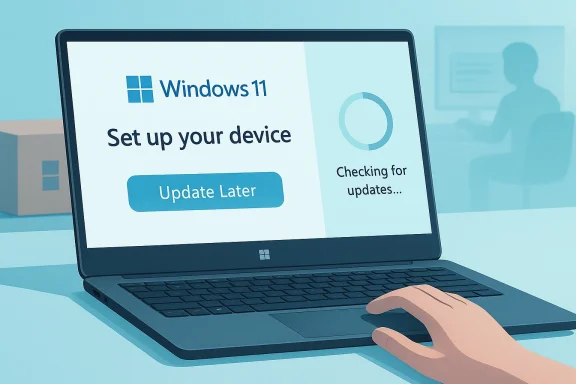
Microsoft is finally addressing one of the most annoying parts of Windows 11 setup: the mandatory update gauntlet that often turns a brand-new PC into a waiting room before you ever reach the desktop. A new “Update Later” option is now appearing in the out-of-box experience, letting users postpone installation-time updates and get into Windows faster, while the system keeps checking for updates in the background. It is a small UI change with outsized impact, because it targets a pain point that has long frustrated both consumers and IT teams. The bigger question is whether this is the first step toward a genuinely calmer, less sales-driven setup flow.
For years, the Windows 11 out-of-box experience has been more than a setup wizard. It has been a choreographed onboarding funnel that asks for a Microsoft account, promotes Microsoft services, and, on some builds, nudges users toward things like Copilot, Microsoft 365, and Xbox Game Pass. Microsoft has defended portions of this flow as part of the modern Windows experience, but power users and enthusiasts have repeatedly argued that setup should be about configuration first and cross-selling second.
The new update-skip option matters because OOBE has historically done more than collect preferences. It has also handled device preparation, including applying newer Windows content before the desktop becomes usable, which can stretch setup dramatically on fresh hardware. Microsoft’s own documentation says that if a newer Windows version is available than the image shipped with the device, the update may be downloaded and installed during OOBE. That makes technical sense, but in practice it creates a very visible wait that users experience as friction rather than protection.
This is not an isolated complaint. In recent months, Microsoft has been iterating on Windows 11 setup in multiple directions at once: reducing some Copilot exposure, experimenting with more flexible feature delivery, and testing ways to make the first boot feel less crowded. Windows Insider builds have also been showing signs that the company is trying to reshape the setup story from a fixed checklist into something more adaptable. That broader pattern suggests the company is not just reacting to one annoying screen, but reconsidering how much should happen before a user reaches the desktop.
The timing is important. Windows setup has become a flashpoint precisely because the modern PC market increasingly sells experiences, not just operating systems. A handheld like the ASUS ROG Ally, a premium ultrabook, or a family laptop all arrive with different expectations, yet OOBE tends to flatten those contexts into the same prescribed path. When the very first interaction with a device is a forced wait, Microsoft risks making a bad first impression on the exact moment when excitement should be highest.
There is also a deeper strategic context here. Microsoft is trying to keep Windows relevant in a market where Apple controls the hardware-software stack, ChromeOS has a simpler onboarding story, and mobile platforms increasingly normalize quick setup with optional account sign-in. Windows 11 has been trying to become more polished, but setup has remained one of its least polished surfaces. This change is therefore less about one button and more about whether Microsoft is willing to treat first-run experience as a product in its own right.
That distinction matters. The button is not a promise to ignore updates permanently. It is a promise to move them out of the critical path of first-time use. In other words, Microsoft is recognizing that a waiting screen at boot time is the wrong place to insist on a full patching session, especially when a user may be in the middle of a time-sensitive setup or simply eager to try the device they just bought.
Microsoft’s implementation appears to preserve the underlying safety goal while changing the order of operations. That is subtle, but it is exactly the kind of design shift that can improve perception without weakening update hygiene. For enterprise deployments, it may also reduce the number of setup interruptions when an IT department is provisioning a fleet of devices and wants the first boot to be deterministic.
Key implications include:
On a newly purchased handheld or laptop, the delay can feel especially punishing. The user has already unboxed the device, connected power, learned the controls, and invested emotional energy in the moment. Then Windows turns the excitement into a progress bar, and the first memory attached to the machine becomes waiting instead of exploring. That first impression is not trivial; it shapes whether the PC feels premium or obstructive.
The problem is compounded by the fact that users rarely know how long the wait will be. A five-minute delay can feel acceptable if it is clearly five minutes. An opaque 45-minute update chain, especially on slow networks or budget hardware, feels much longer because it is ambiguous and uncontrollable. The result is a setup experience that is technically rational but emotionally expensive.
The practical effects are easy to summarize:
Microsoft’s recent experimentation with web-based Copilot inside OOBE showed the opposite philosophy: use setup time to introduce another Microsoft service. That experiment made sense from a platform strategy perspective, but it also highlighted the risk of turning setup into a marketing surface. The company now appears to be balancing two instincts at once: promote its ecosystem while making the setup journey feel less pushy.
This also explains why the company is likely to keep some upsells in the flow even if it reduces the number of them. Microsoft has little incentive to remove every prompt, especially when it can measure conversion and engagement. What it does seem willing to do is lower the overall noise level so the experience feels less like a sales pitch and more like an operating system welcoming a user.
Likely evolution points:
That issue is separate from update delays, but the two are psychologically linked. When users are already being asked to sign in, accept prompts, and endure update waits, the experience starts to feel like a funnel rather than a setup flow. Removing one barrier without addressing the others still helps, but it will not fully satisfy users who want a clean path to a local, private, and fast first boot.
That said, Microsoft also has a legitimate ecosystem argument. A signed-in account enables backup, sync, device recovery, cloud services, and continuity across PCs. From the company’s perspective, the account requirement helps make Windows feel more cohesive. The question is whether cohesion should be mandatory or merely available.
Important distinctions:
Enterprises often want update control, but they also want consistency. If first boot is blocked by long downloads, the process can create bottlenecks in procurement, staging, or refresh cycles. A background-update model lets IT teams decide when the device should fully patch, rather than making Microsoft’s first-run logic the gatekeeper of productivity.
There is also a supportability angle. When setup is faster and more predictable, help desks can triage issues more easily. A machine that reaches the desktop quickly can be enrolled, monitored, patched, or handed off according to policy rather than held hostage by a one-size-fits-all update sequence.
This is especially relevant for devices that are meant to feel spontaneous. Handheld gaming PCs, ultralight laptops, and premium desktops all sell a promise of immediacy. When OOBE blocks that immediacy, it undercuts the product story before the user has even seen the wallpaper.
A consumer-friendly OOBE also matters for gift devices, replacement PCs, and impulse purchases. In those cases, the user is least tolerant of delays and least motivated to troubleshoot. A “Update Later” choice gives them a path to immediate gratification while preserving the option to patch afterward.
Apple has long understood that first-run polish is part of the product. ChromeOS emphasizes speed and simplicity. Android and iOS both let users defer many noncritical decisions. Windows 11 has been improving, but it still carries legacy habits that make setup feel heavier than its rivals. Any reduction in that weight improves Microsoft’s position.
It also reinforces Microsoft’s broader 2026 pattern of acknowledging user frustration more openly. Recent Insider and release-preview changes show a company trying to modernize the feel of Windows without breaking compatibility. That is strategically wise, but it also suggests Microsoft understands that small annoyances compound into brand fatigue.
Microsoft also has to avoid creating a false sense of finality. If users skip updates and then encounter issues later because they delayed critical patches too long, the company will need to preserve a clear message that the desktop arrival is not the end of setup. It is merely the point at which the user gets control back.
There is also the possibility that Microsoft uses the new feature as evidence that it has addressed the issue, even if most users still feel trapped by the same account and upsell logic. That would be the classic product-management trap: solving the symptom in a visible way while leaving the deeper experience untouched.
The company also has an opportunity to pair the update toggle with a broader reconsideration of account flexibility and upsell density. That would let Microsoft keep the benefits of cloud services without forcing the entire story on every user at the same time. The most successful outcome would be a setup flow that adapts to the device and the user, instead of assuming one path fits all.
Watch for these developments:
Source: Windows Latest Tested: Windows 11 setup screen now finally lets you skip forced updates, and go directly to the desktop
 Background
For years, the Windows 11 out-of-box experience has been more than a setup wizard. It has been a choreographed onboarding funnel that asks for a Microsoft account, promotes Microsoft services, and, on some builds, nudges users toward things like Copilot, Microsoft 365, and Xbox Game Pass. Microsoft has defended portions of this flow as part of the modern Windows experience, but power users and enthusiasts have repeatedly argued that setup should be about configuration first and cross-selling second.The new update-skip option matters because OOBE has historically done more than collect preferences. It has also handled device preparation, including applying newer Windows content before the desktop becomes usable, which can stretch setup dramatically on fresh hardware. Microsoft’s own documentation says that if a newer Windows version is available than the image shipped with the device, the update may be downloaded and installed during OOBE. That makes technical sense, but in practice it creates a very visible wait that users experience as friction rather than protection.
This is not an isolated complaint. In recent months, Microsoft has been iterating on Windows 11 setup in multiple directions at once: reducing some Copilot exposure, experimenting with more flexible feature delivery, and testing ways to make the first boot feel less crowded. Windows Insider builds have also been showing signs that the company is trying to reshape the setup story from a fixed checklist into something more adaptable. That broader pattern suggests the company is not just reacting to one annoying screen, but reconsidering how much should happen before a user reaches the desktop.
The timing is important. Windows setup has become a flashpoint precisely because the modern PC market increasingly sells experiences, not just operating systems. A handheld like the ASUS ROG Ally, a premium ultrabook, or a family laptop all arrive with different expectations, yet OOBE tends to flatten those contexts into the same prescribed path. When the very first interaction with a device is a forced wait, Microsoft risks making a bad first impression on the exact moment when excitement should be highest.
There is also a deeper strategic context here. Microsoft is trying to keep Windows relevant in a market where Apple controls the hardware-software stack, ChromeOS has a simpler onboarding story, and mobile platforms increasingly normalize quick setup with optional account sign-in. Windows 11 has been trying to become more polished, but setup has remained one of its least polished surfaces. This change is therefore less about one button and more about whether Microsoft is willing to treat first-run experience as a product in its own right.
What Changed in OOBE
The headline change is straightforward: Windows 11 setup now includes an “Update Later” toggle during OOBE. Instead of forcing every available update to install before the system becomes usable, Windows can now let the user defer those updates and continue to the desktop. Microsoft says the device will keep checking for updates in the background, which is the compromise that makes the feature viable for both convenience and security.That distinction matters. The button is not a promise to ignore updates permanently. It is a promise to move them out of the critical path of first-time use. In other words, Microsoft is recognizing that a waiting screen at boot time is the wrong place to insist on a full patching session, especially when a user may be in the middle of a time-sensitive setup or simply eager to try the device they just bought.
Why this feels different from older setup behavior
Earlier Windows setup flows often treated downloading updates as part of the essential provisioning stack. That worked when most people were installing on predictable broadband connections and were more accustomed to long setup times. In 2026, though, users expect devices to become usable quickly, with background maintenance happening after the fact. The modern expectation is closer to a smartphone: get me in, then tidy up later.Microsoft’s implementation appears to preserve the underlying safety goal while changing the order of operations. That is subtle, but it is exactly the kind of design shift that can improve perception without weakening update hygiene. For enterprise deployments, it may also reduce the number of setup interruptions when an IT department is provisioning a fleet of devices and wants the first boot to be deterministic.
Key implications include:
- Faster path to the desktop
- Background update checking instead of blocking installation
- Less frustration on first boot
- Better fit for handhelds and travel devices
- Potentially smoother imaging and resale workflows
Why Forced Updates Became Such a Problem
Forced updates during OOBE are not merely inconvenient; they create a mismatch between expectation and experience. Users interpret “device setup” as the process of making the machine ready, while Microsoft has often treated it as an opportunity to ensure the OS is current before first use. Those goals are not incompatible, but they are poorly sequenced when the user is already impatient and the update process takes a long time.On a newly purchased handheld or laptop, the delay can feel especially punishing. The user has already unboxed the device, connected power, learned the controls, and invested emotional energy in the moment. Then Windows turns the excitement into a progress bar, and the first memory attached to the machine becomes waiting instead of exploring. That first impression is not trivial; it shapes whether the PC feels premium or obstructive.
The psychology of first boot
The first minutes after unboxing are a brand’s easiest chance to build delight. Apple understands this well, and even Google’s ecosystem has moved toward friction-light onboarding where sign-in can be deferred. Windows, by contrast, has often felt like it is negotiating with the user before it has earned trust. That makes even sensible security steps feel like impositions.The problem is compounded by the fact that users rarely know how long the wait will be. A five-minute delay can feel acceptable if it is clearly five minutes. An opaque 45-minute update chain, especially on slow networks or budget hardware, feels much longer because it is ambiguous and uncontrollable. The result is a setup experience that is technically rational but emotionally expensive.
Why the issue matters beyond enthusiasts
This is not just a complaint from hobbyists who reinstall Windows for fun. It affects mainstream buyers, business IT staff, classroom deployments, and handheld gaming customers who expect immediate access. A setup process that consumes an hour can derail the first-use experience for everyone from a parent buying a school laptop to a gamer testing a new portable PC.The practical effects are easy to summarize:
- Less idle time
- Lower user frustration
- Higher perceived responsiveness
- Reduced setup abandonment
- Fewer support calls during first-use provisioning
Microsoft’s Broader OOBE Reset
The new update toggle is part of a bigger trend: Microsoft is trying to make Windows setup less cluttered. The company has already acknowledged that OOBE includes upsells, and it has been experimenting with ways to reduce the number of interruptions between power-on and actual use. That includes testing a calmer flow, limiting some promotional elements, and rethinking how much promotional content should appear before the desktop.Microsoft’s recent experimentation with web-based Copilot inside OOBE showed the opposite philosophy: use setup time to introduce another Microsoft service. That experiment made sense from a platform strategy perspective, but it also highlighted the risk of turning setup into a marketing surface. The company now appears to be balancing two instincts at once: promote its ecosystem while making the setup journey feel less pushy.
The tension between utility and promotion
The challenge for Microsoft is that OOBE serves multiple masters. It is a configuration process, a compliance checkpoint, a security gate, and a distribution opportunity for Microsoft services. Every extra step creates friction, but every skipped step creates some internal concern about lost engagement or reduced setup completeness. That tension explains why change has been incremental rather than dramatic.This also explains why the company is likely to keep some upsells in the flow even if it reduces the number of them. Microsoft has little incentive to remove every prompt, especially when it can measure conversion and engagement. What it does seem willing to do is lower the overall noise level so the experience feels less like a sales pitch and more like an operating system welcoming a user.
Where this may be headed next
If the new approach works, the next steps could include more granular controls over what appears during setup, fewer interruptions tied to Microsoft services, and broader support for skipping actions that do not block use of the machine. In that scenario, OOBE becomes more like a modular launcher than a monolithic sequence. That would be a meaningful shift in Windows philosophy.Likely evolution points:
- Fewer forced promotional screens
- More user-choice moments
- Longer pause windows for noncritical tasks
- Better alignment with device category
- More enterprise-friendly setup paths
The Microsoft Account Question
The account requirement is still the elephant in the room. On Windows 11 Home, Microsoft account sign-in remains heavily encouraged, and in practice often required during setup. Enthusiasts have long used workarounds or scripts to bypass the restriction, but those approaches are brittle and increasingly unfriendly. Microsoft has also hinted that leadership is considering whether the requirement should be loosened, though that is not yet a broadly shipped change.That issue is separate from update delays, but the two are psychologically linked. When users are already being asked to sign in, accept prompts, and endure update waits, the experience starts to feel like a funnel rather than a setup flow. Removing one barrier without addressing the others still helps, but it will not fully satisfy users who want a clean path to a local, private, and fast first boot.
Why local-account flexibility matters
A local account option is not just about privacy. It also matters for offline devices, shared machines, kiosk scenarios, repair workflows, and power users who simply do not want cloud identity to be part of initial setup. In enterprise environments, identity may be handled by management tools, not consumer Microsoft services, so forcing a consumer-style sign-in can be unnecessary overhead.That said, Microsoft also has a legitimate ecosystem argument. A signed-in account enables backup, sync, device recovery, cloud services, and continuity across PCs. From the company’s perspective, the account requirement helps make Windows feel more cohesive. The question is whether cohesion should be mandatory or merely available.
The balance Microsoft still has to strike
The ideal setup experience would let a consumer choose a Microsoft account, a local account, or an organization-managed flow based on the device’s purpose. That would make Windows more adaptable without removing the cloud features Microsoft wants to promote. It would also reduce the sense that the operating system assumes every user has the same needs.Important distinctions:
- Consumer convenience
- Enterprise manageability
- Offline usability
- Privacy preferences
- Device-specific onboarding
Enterprise Impact
For IT administrators, a skip-updates control during OOBE is not just a convenience feature. It can improve predictability, shorten staging time, and make imaging workflows less dependent on the speed and reliability of Windows Update at the exact moment a device is first powered on. That matters when dozens or hundreds of machines are being prepared for deployment.Enterprises often want update control, but they also want consistency. If first boot is blocked by long downloads, the process can create bottlenecks in procurement, staging, or refresh cycles. A background-update model lets IT teams decide when the device should fully patch, rather than making Microsoft’s first-run logic the gatekeeper of productivity.
Why admins should care
The change could reduce the number of times a user receives a device that is technically “done” but not operational because OOBE is still churning through updates. It also helps situations where the device is being shown, tested, or enrolled in management tools before full patch completion. That is especially valuable in mixed environments where connectivity or bandwidth varies across sites.There is also a supportability angle. When setup is faster and more predictable, help desks can triage issues more easily. A machine that reaches the desktop quickly can be enrolled, monitored, patched, or handed off according to policy rather than held hostage by a one-size-fits-all update sequence.
Enterprise takeaways
- Shorter provisioning delays
- Better staging predictability
- Cleaner handoff to management tools
- Less user confusion on first boot
- Improved fit for bulk deployments
Consumer Impact
For consumers, the feature is much more emotional than technical. It means the difference between opening a new PC and immediately using it, versus watching a progress dialog while wondering whether the machine is already outdated. In everyday terms, that is a substantial improvement even if the underlying patching still happens later.This is especially relevant for devices that are meant to feel spontaneous. Handheld gaming PCs, ultralight laptops, and premium desktops all sell a promise of immediacy. When OOBE blocks that immediacy, it undercuts the product story before the user has even seen the wallpaper.
Why handhelds amplify the problem
Handheld Windows devices are a perfect example because they are often purchased for entertainment first and utility second. If a user buys one expecting to start a game session and instead finds an update queue, the device feels less like a toy and more like a mini laptop with obligations. That can be a rough first impression in a segment where user delight is everything.A consumer-friendly OOBE also matters for gift devices, replacement PCs, and impulse purchases. In those cases, the user is least tolerant of delays and least motivated to troubleshoot. A “Update Later” choice gives them a path to immediate gratification while preserving the option to patch afterward.
Consumer benefits at a glance
- Faster first use
- Better unboxing experience
- Less frustration on slow connections
- More control over when updates install
- Improved perception of Windows 11 polish
Competitive Implications
Microsoft’s move is also a competitive signal. The broader PC market increasingly rewards systems that feel ready immediately, and Windows has sometimes lagged behind more curated platforms in that respect. By trimming setup friction, Microsoft is trying to defend Windows as a modern, friendly default rather than an aging platform that asks too much before it gives anything back.Apple has long understood that first-run polish is part of the product. ChromeOS emphasizes speed and simplicity. Android and iOS both let users defer many noncritical decisions. Windows 11 has been improving, but it still carries legacy habits that make setup feel heavier than its rivals. Any reduction in that weight improves Microsoft’s position.
The marketplace reading
This change should be understood as a defensive move as much as a user-experience improvement. Microsoft knows that people compare systems based on the first five minutes, not just benchmark charts or feature lists. If Windows setup feels quicker and less coercive, that helps the platform in a market where every friction point can push a buyer toward a different ecosystem.It also reinforces Microsoft’s broader 2026 pattern of acknowledging user frustration more openly. Recent Insider and release-preview changes show a company trying to modernize the feel of Windows without breaking compatibility. That is strategically wise, but it also suggests Microsoft understands that small annoyances compound into brand fatigue.
Competitive pressure points
- Apple-style setup polish
- ChromeOS-style simplicity
- Mobile-like deferral of nonessential steps
- Faster perceived time-to-value
- Better alignment with premium hardware
What Microsoft Still Has Not Solved
The update-skip toggle is useful, but it does not solve the broader perception problem around Windows setup. The remaining pain points are still visible: account prompts, upsells, service promotion, and the feeling that OOBE is being used to funnel users into Microsoft’s ecosystem. If those elements remain unchanged, the experience may be less frustrating but still not especially elegant.Microsoft also has to avoid creating a false sense of finality. If users skip updates and then encounter issues later because they delayed critical patches too long, the company will need to preserve a clear message that the desktop arrival is not the end of setup. It is merely the point at which the user gets control back.
The risk of partial fixes
Partial fixes can be politically useful but emotionally incomplete. Users may appreciate the new button while still feeling that the flow is overloaded. That is especially true if the company keeps adding new promotional elements elsewhere while removing friction in just one place. The result could be a setup process that is less bad rather than genuinely good.There is also the possibility that Microsoft uses the new feature as evidence that it has addressed the issue, even if most users still feel trapped by the same account and upsell logic. That would be the classic product-management trap: solving the symptom in a visible way while leaving the deeper experience untouched.
What remains unresolved
- Mandatory Microsoft account pressure
- OOBE promotional clutter
- Inconsistent rollout timing
- Potential confusion over deferred updates
- No fully optional “clean” consumer setup path
Strengths and Opportunities
Microsoft’s change is modest in code terms but meaningful in user terms. It shows the company is capable of listening to pain points that are obvious to anyone who has ever sat through a first-boot update session. It also creates a foundation for additional setup simplification if Microsoft chooses to keep going.- Improves first-use satisfaction
- Reduces one of Windows 11’s most obvious frustrations
- Helps handheld and mobile PC categories
- Supports enterprise staging workflows
- Makes Windows feel faster, even when the patching still happens later
- Signals responsiveness from Microsoft
- Can be expanded into broader OOBE controls
Risks and Concerns
The main risk is that Microsoft stops at a surface-level fix and treats the setup experience as “good enough.” If the company keeps the account pressure and the upsell clutter, users may still see OOBE as manipulative, just slightly less annoying than before. There is also a chance that inconsistent rollout or bugs in preview transitions make the feature feel more experimental than dependable.- Partial improvements may not satisfy users
- Background update behavior could confuse less technical buyers
- Microsoft account pressure still feels heavy
- Promotional content may continue to irritate users
- Feature rollout inconsistency can create support confusion
- If updates are deferred too often, devices may start less secure
- Microsoft risks appearing reactive rather than principled
Looking Ahead
The next few Windows 11 releases will show whether this is a true redesign philosophy or just one more concession. If Microsoft continues on the same path, users may soon see a setup experience that is more modular, less promotional, and more respectful of the first boot. That would be a substantial win for Windows 11, because setup is where user trust is either earned or lost.The company also has an opportunity to pair the update toggle with a broader reconsideration of account flexibility and upsell density. That would let Microsoft keep the benefits of cloud services without forcing the entire story on every user at the same time. The most successful outcome would be a setup flow that adapts to the device and the user, instead of assuming one path fits all.
Watch for these developments:
- Broader rollout of the “Update Later” toggle
- Any shift in Microsoft account requirements
- Further reduction in OOBE promotions
- More control over post-setup update timing
- Enterprise policy updates around first-run provisioning
Source: Windows Latest Tested: Windows 11 setup screen now finally lets you skip forced updates, and go directly to the desktop
