

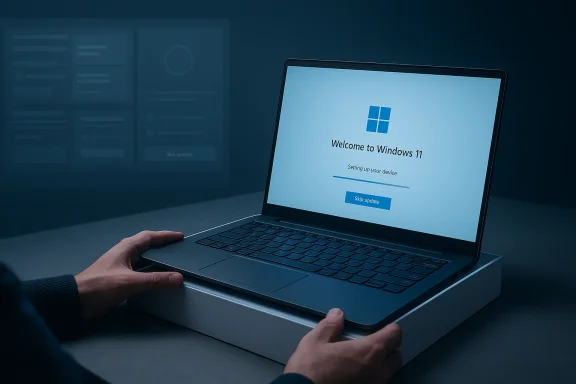
Buying a new Windows 11 PC should feel like a fresh start, but the Out-of-Box Experience has too often felt like a sales funnel, an update queue, and a privacy negotiation wrapped into one. Microsoft now appears ready to address at least part of that problem, promising a quieter, more streamlined setup flow with fewer pages and reboots, and the option to skip updates during device setup so users can reach the desktop faster. That matters because the first hour with a new PC shapes how the entire device feels, and Windows has been making that first hour feel longer, noisier, and more transactional than it should.
The Windows 11 setup experience, better known as OOBE, has become one of the most visible examples of the tension between Microsoft’s platform strategy and user expectations. Microsoft wants Windows to be secure, connected, and service-aware from the first boot, but many users want something much simpler: a fast path to a usable desktop. The friction comes from a stack of decisions that each make some sense in isolation, yet together create a remarkably cluttered first-run experience. (blogs.windows.com)
That tension is not new. Windows has long used first-run screens to nudge users into Microsoft accounts, cloud backup, telemetry settings, and service tie-ins, but Windows 11 has amplified that approach at the exact moment when the company also needs to win over buyers of premium hardware. The machine-learning, AI, and cloud era has made Microsoft more eager to connect devices to its ecosystem, while consumer patience for setup friction has become lower, not higher.
The reason this moment is so important is scale. Microsoft says Windows powers over a billion devices, and the company has repeatedly emphasized performance work intended to get people into productivity faster. In 2023, it said it had improved time to desktop by 10 percent and reduced the impact of startup apps by more than 50 percent. That makes the current OOBE critique especially pointed: if Windows can optimize the post-boot experience, it should be able to optimize the pre-desktop experience too. (blogs.windows.com)
The broader backdrop is also changing. Microsoft is pushing a larger Windows quality and resiliency reset in 2025 and 2026, with public messaging around trust, consent, security, and a more polished experience. At the same time, the company is still leaning hard into account-driven services, consent prompts, and promotional surfaces. The contradiction is obvious: Windows is being marketed as cleaner and more trustworthy while still arriving on new PCs with too many interruptions, too much upsell, and too little user agency.
The issue is that OOBE doesn’t simply perform setup tasks; it interleaves them with marketing, cloud prompts, and privacy decisions. The result is a setup flow that feels more like a guided conversion journey than an operating system welcome screen. Users are not just configuring a device. They are being asked to accept updates, sign in, opt into services, and consume a sequence of recommendations that often feel like ads in everything but name.
Microsoft knows this. Its own performance work has repeatedly highlighted how much users value getting to the desktop quickly, and its modern Windows messaging often uses words like streamlined, faster, and simpler. The problem is that the setup path has not always reflected that promise. Users can easily interpret the current experience as an example of Microsoft asking for too much before proving enough value. (blogs.windows.com)
There is also a competitive optics problem. Apple continues to present macOS setup as short, polished, and almost ceremonial, while Windows can feel like a sequence of opt-outs. That contrast matters because many buyers do not compare operating systems in the abstract; they compare moments. The first ten minutes on a Mac and the first ten minutes on a Windows PC can communicate radically different ideas about what ownership should feel like. (blogs.windows.com)
But the user experience problem is not whether updates should happen. It is whether they should happen synchronously, and whether they should block the entire first-use flow. Microsoft has already acknowledged that setup should become quieter and more streamlined, and it is now planning to let Insiders skip updates during device setup. That is a meaningful shift, because it implicitly admits that the current model is too heavy-handed for a great first impression.
This is where Microsoft’s own performance philosophy becomes relevant. The company has already invested in reducing time-to-desktop and in making post-boot activity less contentious. It has publicly described a model where startup load is moderated so the user’s foreground activity stays responsive. If that kind of engineering discipline is good enough for post-logon optimization, it should also be applied to setup completion. (blogs.windows.com)
The challenge is that Windows has grown up in a world where compliance, telemetry, and post-setup enforcement are easier to justify than a looser, faster handoff. Yet the best products are often the ones that hide their complexity from the user. Windows does not need fewer internal steps; it needs fewer visible ones.
That explanation is not trivial. From Microsoft’s point of view, the account requirement helps with device recovery, cloud sync, store access, identity management, and supportability. It also simplifies the company’s ecosystem story at a time when Windows is increasingly intertwined with Microsoft 365, OneDrive, Copilot, and consumer services. But the more Microsoft insists on sign-in up front, the more it risks making setup feel like a gate rather than a welcome.
The resentment is amplified by the fact that local-account options have traditionally existed in one form or another across Windows history. Even when the path is technically available, the increasing complexity of bypasses creates the impression that Microsoft is trying to remove choice by attrition. That is a risky place for a platform vendor to stand, especially on consumer devices where trust is fragile and alternatives are only a click away.
There is also a branding dimension here. Microsoft says Windows must be secure by default and grounded in consent, yet some of its setup choices still feel like the opposite of consent. A truly trust-first design would let users understand the tradeoffs, choose the account model they want, and proceed without unnecessary obstacles. That would not weaken Windows; it would make the platform feel more confident.
The practical issue is that many of the toggles appear preselected or framed in a way that nudges users toward the broadest data-sharing posture. Even when the descriptions are accurate, the flow still feels like a one-way street because the default posture is not obviously neutral. For a new device owner, that can feel less like setup and more like a consent audit.
Microsoft’s own privacy materials show that location, advertising ID, tailored experiences, and device-finding features all have a place in the setup narrative. None of those features is inherently malicious, and in some cases they are useful. But placing them all in the first-run path, before trust has been established, creates the feeling that the OS is asking for too much too soon.
The larger lesson is that trust is cumulative. If the setup flow feels manipulative, then every later message from Microsoft about user choice, transparency, or consent starts with an uphill climb. That is not a small branding issue; it is a structural problem for a company trying to position Windows as both powerful and respectful.
In a vacuum, each prompt may be defensible. Phone Link can be useful. OneDrive can be useful. Microsoft 365 can be useful. Xbox Game Pass can be useful. The problem is cumulative. When every screen suggests a product, the setup flow stops feeling like a device activation process and starts feeling like a conversion pipeline. (blogs.windows.com)
Microsoft can argue that service prompts help people discover features they might otherwise miss, and there is some truth to that. But there is a difference between discovery and distraction. Discovery helps the user after the OS has become theirs; distraction interrupts the moment the OS is being handed over. That line matters more than Microsoft sometimes seems willing to admit. (blogs.windows.com)
Microsoft’s challenge is that it must satisfy OEMs, service teams, and platform partners all at once. That complexity explains the behavior, but it does not excuse it. If Windows wants to feel more polished, it has to stop making the first five minutes look like a monetization opportunity.
That mix of official and semi-official signals is important. Microsoft has clearly acknowledged the pain points around setup speed and flow. What remains less certain is how far it is willing to go on the deeper philosophical issues: account freedom, ad reduction, and whether setup should become a neutral handoff instead of a service onboarding sequence.
A structural fix would mean reconsidering what belongs in OOBE at all. If Microsoft believes a service is important, it can offer it at first launch, in the Welcome app, or later in Settings. That would preserve discovery while restoring dignity to the setup process. It would also make Windows feel more confident and less dependent on pushy choreography. (blogs.windows.com)
The company is also under a credibility test. It has spent much of 2025 and early 2026 talking about trust, security, and consent. The easiest way to validate that messaging is to make the very first screen experience feel respectful. Setup is where Microsoft can prove it means what it says.
This is where Apple remains the benchmark. macOS setup is shorter, more coherent, and less obviously commercial. That makes the product feel premium before the user has even opened a single app. Microsoft can match Apple on hardware in some categories, but it still has work to do on ritual and polish. (blogs.windows.com)
Still, complexity is not a free pass. The more Windows leans into service integration, the more careful Microsoft has to be about timing. If the company wants users to embrace Microsoft 365, OneDrive, Xbox, Copilot, and cloud sync, it should earn that attention after delivering the core promise of a clean, functional PC. (blogs.windows.com)
The ideal Windows setup would be invisible enough for enthusiasts and guided enough for newcomers. Right now, it is often neither. It is verbose where it should be quiet and directive where it should be permissive. That is the imbalance Microsoft needs to correct. (blogs.windows.com)
Microsoft also needs to decide how honest it wants to be about the purpose of OOBE. If the goal is to connect users to services, then say so plainly and keep the sequence short. If the goal is to let people start using their hardware, then the setup flow should behave like a handoff, not a sales pitch. The closer Microsoft gets to that principle, the more Windows will feel like a modern operating system instead of a carefully staged upsell machine.
Source: Windows Latest Windows 11 OOBE is a cluttered, ad-filled mess, and Microsoft is finally trying to fix it
 Overview
The Windows 11 setup experience, better known as OOBE, has become one of the most visible examples of the tension between Microsoft’s platform strategy and user expectations. Microsoft wants Windows to be secure, connected, and service-aware from the first boot, but many users want something much simpler: a fast path to a usable desktop. The friction comes from a stack of decisions that each make some sense in isolation, yet together create a remarkably cluttered first-run experience. (blogs.windows.com)That tension is not new. Windows has long used first-run screens to nudge users into Microsoft accounts, cloud backup, telemetry settings, and service tie-ins, but Windows 11 has amplified that approach at the exact moment when the company also needs to win over buyers of premium hardware. The machine-learning, AI, and cloud era has made Microsoft more eager to connect devices to its ecosystem, while consumer patience for setup friction has become lower, not higher.
The reason this moment is so important is scale. Microsoft says Windows powers over a billion devices, and the company has repeatedly emphasized performance work intended to get people into productivity faster. In 2023, it said it had improved time to desktop by 10 percent and reduced the impact of startup apps by more than 50 percent. That makes the current OOBE critique especially pointed: if Windows can optimize the post-boot experience, it should be able to optimize the pre-desktop experience too. (blogs.windows.com)
The broader backdrop is also changing. Microsoft is pushing a larger Windows quality and resiliency reset in 2025 and 2026, with public messaging around trust, consent, security, and a more polished experience. At the same time, the company is still leaning hard into account-driven services, consent prompts, and promotional surfaces. The contradiction is obvious: Windows is being marketed as cleaner and more trustworthy while still arriving on new PCs with too many interruptions, too much upsell, and too little user agency.
Why OOBE Became a Problem
At the technical level, Windows setup does more work than many users expect. It configures hardware, provisions the account, checks for updates, applies policy, and stages the machine for day-one use. That is defensible from a security standpoint, and Microsoft has every incentive to ensure a newly sold PC is patched before it lands in a customer’s hands. But the way that work is surfaced to the user matters just as much as the work itself. (blogs.windows.com)The issue is that OOBE doesn’t simply perform setup tasks; it interleaves them with marketing, cloud prompts, and privacy decisions. The result is a setup flow that feels more like a guided conversion journey than an operating system welcome screen. Users are not just configuring a device. They are being asked to accept updates, sign in, opt into services, and consume a sequence of recommendations that often feel like ads in everything but name.
The first impression problem
First impressions in consumer technology are disproportionately powerful. If the setup process is long, repetitive, or manipulative, users carry that frustration into the rest of the product experience. That is especially dangerous for Windows because the OS already lives with a reputation for being utilitarian rather than elegant, so every rough edge is magnified. (blogs.windows.com)Microsoft knows this. Its own performance work has repeatedly highlighted how much users value getting to the desktop quickly, and its modern Windows messaging often uses words like streamlined, faster, and simpler. The problem is that the setup path has not always reflected that promise. Users can easily interpret the current experience as an example of Microsoft asking for too much before proving enough value. (blogs.windows.com)
- Setup time directly affects perceived product quality.
- Long waits make even good hardware feel less premium.
- Repeated prompts create a sense of friction and coercion.
- Every extra screen weakens the sense of a clean device handoff.
- New buyers often judge the entire OS based on the first 30 minutes.
Why the criticism landed now
The criticism has become louder because Windows is entering a new hardware cycle. Premium AI PCs, new ARM systems, and refreshed Intel machines are expected to land in greater numbers, and that means more first boots, more OOBE sessions, and more opportunities for a disappointing opening act. The setup experience is no longer a background annoyance; it is front and center for a new generation of buyers.There is also a competitive optics problem. Apple continues to present macOS setup as short, polished, and almost ceremonial, while Windows can feel like a sequence of opt-outs. That contrast matters because many buyers do not compare operating systems in the abstract; they compare moments. The first ten minutes on a Mac and the first ten minutes on a Windows PC can communicate radically different ideas about what ownership should feel like. (blogs.windows.com)
Updates During Setup: Security or Self-Inflicted Delay?
Microsoft’s strongest argument for doing more during setup is security. A device that boots into a fresh desktop without current patches is at a disadvantage, especially when it is expected to go online immediately. That logic is sound in principle, and it aligns with Microsoft’s larger security and resiliency narrative, including faster recovery, stronger default protections, and quicker delivery of fixes when things go wrong.But the user experience problem is not whether updates should happen. It is whether they should happen synchronously, and whether they should block the entire first-use flow. Microsoft has already acknowledged that setup should become quieter and more streamlined, and it is now planning to let Insiders skip updates during device setup. That is a meaningful shift, because it implicitly admits that the current model is too heavy-handed for a great first impression.
The hidden cost of “do it now”
A setup-time update can easily become a setup-time delay. On a retail machine that has been sitting in inventory for months, multiple update rounds may be waiting before the user even sees the desktop. Worse, each update may trigger another check, creating a chain of downloads, installs, reboots, and post-reboot checks that turn onboarding into a loop. The user is not just waiting; the user is waiting while being denied the satisfaction of using the product. (blogs.windows.com)This is where Microsoft’s own performance philosophy becomes relevant. The company has already invested in reducing time-to-desktop and in making post-boot activity less contentious. It has publicly described a model where startup load is moderated so the user’s foreground activity stays responsive. If that kind of engineering discipline is good enough for post-logon optimization, it should also be applied to setup completion. (blogs.windows.com)
- Security updates are necessary, but synchronous blocking is not always the best delivery method.
- Multiple update passes create the impression of a broken or unfinished OS.
- Reboots during onboarding reduce trust and increase abandonment risk.
- A deferred-update option can preserve security while improving first-run speed.
- Shorter setup is especially important on fast-moving premium hardware launches.
A more modern model is possible
Microsoft does not need to choose between safety and speed. It can validate the device, expose the patch state clearly, and let users reach the desktop first while finishing some updates in the background. That would preserve the security message without forcing users to stare at progress indicators for an hour. It would also match what users increasingly expect from modern consumer electronics: get me going now, clean up in the background, and tell me if anything important is still pending.The challenge is that Windows has grown up in a world where compliance, telemetry, and post-setup enforcement are easier to justify than a looser, faster handoff. Yet the best products are often the ones that hide their complexity from the user. Windows does not need fewer internal steps; it needs fewer visible ones.
The Microsoft Account Debate
The Microsoft account requirement remains one of the most contentious parts of Windows 11 setup because it turns a software login into an entry condition for the OS itself. Microsoft has increasingly tightened local-account bypass paths, and its Insider builds have explicitly removed known local-only commands that people used to skirt the requirement. The company’s stated justification is that these workarounds could skip critical setup screens and leave devices not fully configured. (blogs.windows.com)That explanation is not trivial. From Microsoft’s point of view, the account requirement helps with device recovery, cloud sync, store access, identity management, and supportability. It also simplifies the company’s ecosystem story at a time when Windows is increasingly intertwined with Microsoft 365, OneDrive, Copilot, and consumer services. But the more Microsoft insists on sign-in up front, the more it risks making setup feel like a gate rather than a welcome.
Why users resent the requirement
Many users do not object to Microsoft accounts in general. They object to being forced into one before they can finish setting up the machine they just bought. That distinction matters. A mandatory account during first boot feels different from a recommended account after the desktop is already available, because the former controls access and the latter offers convenience.The resentment is amplified by the fact that local-account options have traditionally existed in one form or another across Windows history. Even when the path is technically available, the increasing complexity of bypasses creates the impression that Microsoft is trying to remove choice by attrition. That is a risky place for a platform vendor to stand, especially on consumer devices where trust is fragile and alternatives are only a click away.
- Microsoft account sign-in has real product benefits.
- Forced sign-in creates a perception of coercion.
- Bypass crackdowns make the experience feel adversarial.
- Business and consumer needs are not identical.
- Account flexibility remains a powerful signal of user trust.
Enterprise and consumer are not the same story
For enterprises, tighter account and device provisioning standards are usually manageable, because IT already owns the deployment process. For consumers, however, the device is often being powered on by a nontechnical user who simply wants a working laptop. That user is less interested in ecosystem integration and much more sensitive to friction, especially if they are not planning to use Microsoft services immediately.There is also a branding dimension here. Microsoft says Windows must be secure by default and grounded in consent, yet some of its setup choices still feel like the opposite of consent. A truly trust-first design would let users understand the tradeoffs, choose the account model they want, and proceed without unnecessary obstacles. That would not weaken Windows; it would make the platform feel more confident.
Privacy Toggles and the Consent Problem
The privacy screen in OOBE is one of those places where Microsoft’s intentions and its execution collide. Official Microsoft support materials note that Windows setup lets users choose whether to send optional diagnostic data and whether to enable tailored experiences. Microsoft’s OOBE privacy statement also explains that tailored experiences can use diagnostic data to personalize tips, ads, and recommendations. In other words, the company is not hiding the logic; it is presenting it in a way many users find stacked against them.The practical issue is that many of the toggles appear preselected or framed in a way that nudges users toward the broadest data-sharing posture. Even when the descriptions are accurate, the flow still feels like a one-way street because the default posture is not obviously neutral. For a new device owner, that can feel less like setup and more like a consent audit.
Why defaults matter so much
Defaults are policy. Users often assume whatever is checked is what the operating system considers standard or expected. That means Microsoft’s choice of defaults shapes both the privacy baseline and the emotional tone of first use. If the screen appears to optimize for collection rather than comfort, then the message is unmistakable, even if the company believes the selections are justified.Microsoft’s own privacy materials show that location, advertising ID, tailored experiences, and device-finding features all have a place in the setup narrative. None of those features is inherently malicious, and in some cases they are useful. But placing them all in the first-run path, before trust has been established, creates the feeling that the OS is asking for too much too soon.
- Privacy settings are not the problem by themselves.
- The order and framing of privacy prompts shape user trust.
- Defaults create a strong psychological signal.
- Users want clarity before they want personalization.
- Consent feels weaker when the screen is crowded and rushed.
A better privacy story would be simpler
A cleaner setup would explain privacy choices in fewer steps and with clearer distinctions between required, recommended, and optional data collection. Microsoft could still make strong privacy settings available later in Settings, where users have time to think and compare options. That would preserve the company’s capabilities while reducing the sense of pressure during onboarding.The larger lesson is that trust is cumulative. If the setup flow feels manipulative, then every later message from Microsoft about user choice, transparency, or consent starts with an uphill climb. That is not a small branding issue; it is a structural problem for a company trying to position Windows as both powerful and respectful.
The Ad Funnel Problem
What makes Windows 11 OOBE especially unpopular is that it does not stop at configuration. After the usual account and privacy steps, users are often exposed to a parade of service recommendations and promotional pages that feel like a storefront masquerading as setup. The issue is not that Microsoft wants to promote its ecosystem; the issue is that it does so at the very moment users are trying to finish the initial installation. (blogs.windows.com)In a vacuum, each prompt may be defensible. Phone Link can be useful. OneDrive can be useful. Microsoft 365 can be useful. Xbox Game Pass can be useful. The problem is cumulative. When every screen suggests a product, the setup flow stops feeling like a device activation process and starts feeling like a conversion pipeline. (blogs.windows.com)
Why promotion during setup backfires
Promotion works best after the user has experienced value. During setup, the value proposition has not yet been established, so every upsell lands under suspicion. Users are still trying to finish the basics, and any diversion feels like a cost imposed by the vendor rather than a benefit offered to the customer. That is why the OOBE ads are so corrosive: they arrive before trust has been earned. (blogs.windows.com)Microsoft can argue that service prompts help people discover features they might otherwise miss, and there is some truth to that. But there is a difference between discovery and distraction. Discovery helps the user after the OS has become theirs; distraction interrupts the moment the OS is being handed over. That line matters more than Microsoft sometimes seems willing to admit. (blogs.windows.com)
- Setup should be a handoff, not a funnel.
- Promotional sequencing matters as much as the promotions themselves.
- The more screens a user skips, the more resentful they become.
- Upsells are more effective after the first successful use session.
- An ad-free setup would feel dramatically more premium.
The competitive comparison is brutal
Apple’s setup flow benefits from its hardware-software control and from a cleaner philosophy about first use. The user gets to the desktop quickly, and the system does not try to sell several services before the machine is usable. That creates a premium feel even when the underlying services are just as ecosystem-driven as Microsoft’s. (blogs.windows.com)Microsoft’s challenge is that it must satisfy OEMs, service teams, and platform partners all at once. That complexity explains the behavior, but it does not excuse it. If Windows wants to feel more polished, it has to stop making the first five minutes look like a monetization opportunity.
What Microsoft Is Actually Fixing
The good news is that Microsoft’s stated direction does suggest a real cleanup effort. The company says device setup on new Windows PCs will be quieter and more streamlined, with fewer pages and reboots, and it is bringing the ability to skip updates during setup to Insiders in April. It is also working, at least according to a response from Scott Hanselman, on removing the Microsoft account requirement, though that is not yet an official roadmap item.That mix of official and semi-official signals is important. Microsoft has clearly acknowledged the pain points around setup speed and flow. What remains less certain is how far it is willing to go on the deeper philosophical issues: account freedom, ad reduction, and whether setup should become a neutral handoff instead of a service onboarding sequence.
Incremental fixes versus structural fixes
Skipping updates during setup is an incremental fix with immediate user value. Fewer pages and reboots are also meaningful, because they cut visible clutter and shorten the path to the desktop. But those changes do not automatically solve the deeper concerns around mandatory sign-in, privacy defaults, or promotional screens. They improve the journey without necessarily changing its destination.A structural fix would mean reconsidering what belongs in OOBE at all. If Microsoft believes a service is important, it can offer it at first launch, in the Welcome app, or later in Settings. That would preserve discovery while restoring dignity to the setup process. It would also make Windows feel more confident and less dependent on pushy choreography. (blogs.windows.com)
- Skip-updates support is the clearest near-term improvement.
- Fewer pages and reboots should reduce the sense of drag.
- A local-account option would materially improve flexibility.
- Removing promotional clutter would make the biggest emotional difference.
- Long-term trust depends on deeper design changes, not just speed.
The timing still matters
Microsoft’s rollout cadence matters because new hardware cycles do not wait for the OS team to finish polishing the experience. If the next wave of Snapdragon X2 and Intel Panther Lake devices lands before OOBE feels meaningfully lighter, users will judge those machines by a setup flow that may already look old-fashioned. That is a problem, because premium hardware should not be introduced through a tedious ritual.The company is also under a credibility test. It has spent much of 2025 and early 2026 talking about trust, security, and consent. The easiest way to validate that messaging is to make the very first screen experience feel respectful. Setup is where Microsoft can prove it means what it says.
Competitive Stakes for Windows
Windows does not compete only on features. It competes on feel. That may sound soft, but it is brutally important in consumer technology because first-run experience shapes how a platform is remembered. If Windows setup feels messy and pushy, users infer that the rest of the platform will be similarly cluttered, even if that is not entirely fair. (blogs.windows.com)This is where Apple remains the benchmark. macOS setup is shorter, more coherent, and less obviously commercial. That makes the product feel premium before the user has even opened a single app. Microsoft can match Apple on hardware in some categories, but it still has work to do on ritual and polish. (blogs.windows.com)
Ecosystem pressure is real
Microsoft’s position is more complicated because Windows is an ecosystem platform, not a vertically integrated one. OEMs, service teams, and software partners all have interests that compete for space in the onboarding journey. That complexity can produce compromises that Apple simply does not have to make, because Apple controls the stack from top to bottom.Still, complexity is not a free pass. The more Windows leans into service integration, the more careful Microsoft has to be about timing. If the company wants users to embrace Microsoft 365, OneDrive, Xbox, Copilot, and cloud sync, it should earn that attention after delivering the core promise of a clean, functional PC. (blogs.windows.com)
- Premium software should feel lighter, not heavier.
- Ecosystem power is strongest when it is opt-in and well-timed.
- Windows can be broad without being noisy.
- Apple’s advantage is emotional consistency, not just hardware.
- Microsoft’s best defense is a setup flow that earns trust immediately.
Consumer and enterprise diverge here
For consumers, setup is an emotional event. For IT, it is a deployment step. That distinction explains why Microsoft can optimize aggressively for one group and still alienate the other. But a platform as large as Windows should be able to respect both use cases without forcing the consumer path to feel like a corporate provisioning workflow.The ideal Windows setup would be invisible enough for enthusiasts and guided enough for newcomers. Right now, it is often neither. It is verbose where it should be quiet and directive where it should be permissive. That is the imbalance Microsoft needs to correct. (blogs.windows.com)
Strengths and Opportunities
Microsoft is not starting from zero here. It already has the engineering language, the quality program, and the scale to make OOBE much better if it decides to prioritize it. The company has also shown it can make meaningful performance gains elsewhere in Windows, which suggests the same discipline could be applied to setup and onboarding. (blogs.windows.com)- Skip updates during setup can immediately cut wait time.
- Fewer pages and reboots will make the flow feel less exhausting.
- Better timing for promotions could preserve discovery without irritating users.
- A clearer privacy model would strengthen trust at the first touchpoint.
- Local-account flexibility would win goodwill from power users and privacy-conscious buyers.
- Device-specific setup optimization could improve perceived quality on new premium PCs.
- More transparent consent language could align with Microsoft’s 2026 trust messaging.
Risks and Concerns
The biggest risk is that Microsoft improves the speed of setup without improving the tone of setup. A faster ad funnel is still an ad funnel, and a shorter set of coercive choices is still coercive. If Microsoft stops at cosmetic streamlining, the underlying frustration will remain. (blogs.windows.com)- Promotional pages may remain, even if the process gets faster.
- Mandatory Microsoft account sign-in could continue to frustrate buyers.
- Privacy defaults may still feel non-neutral to ordinary users.
- Security justification can be overused to defend UX choices.
- OEM inconsistency may prevent a universally polished setup experience.
- Users may not notice incremental gains if the emotional friction stays high.
- Competitors will continue to use setup simplicity as a differentiator.
Looking Ahead
The next few months will be a useful test of whether Microsoft is willing to treat setup as a first-class product surface rather than a necessary annoyance. If the April Insider changes arrive on time and the company follows through with fewer pages, fewer reboots, and a less cluttered onboarding flow, Windows could recover some goodwill quickly. If not, the criticism will likely intensify as more premium PCs ship into retail and review cycles.Microsoft also needs to decide how honest it wants to be about the purpose of OOBE. If the goal is to connect users to services, then say so plainly and keep the sequence short. If the goal is to let people start using their hardware, then the setup flow should behave like a handoff, not a sales pitch. The closer Microsoft gets to that principle, the more Windows will feel like a modern operating system instead of a carefully staged upsell machine.
- Watch whether the skip-updates option reaches mainstream builds quickly.
- Watch whether Microsoft follows through on fewer pages and reboots.
- Watch whether account flexibility improves or remains locked down.
- Watch whether ads and service promotions are reduced, not just rearranged.
- Watch whether Windows setup becomes a true consent-first experience.
Source: Windows Latest Windows 11 OOBE is a cluttered, ad-filled mess, and Microsoft is finally trying to fix it
