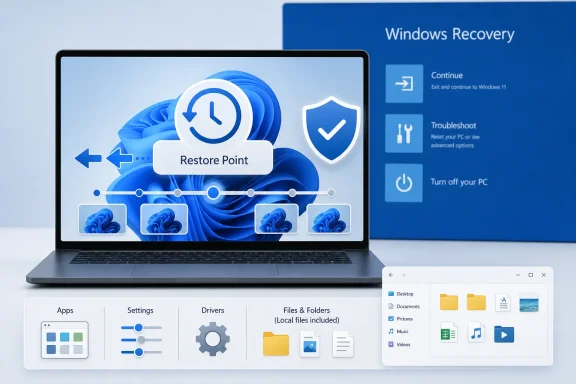
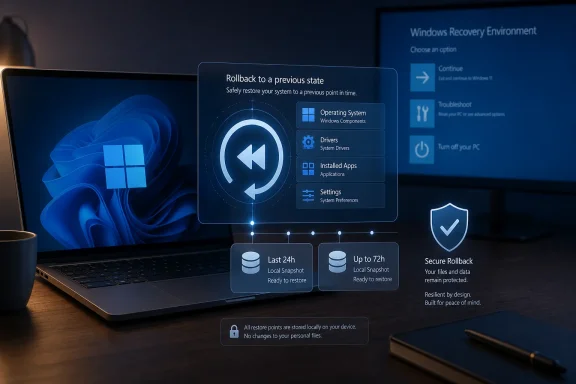
Microsoft has begun rolling out point-in-time restore for Windows 11 to general users in late June 2026, bringing automatic short-term PC rollback to Home, Pro, and Enterprise devices without wiping local files. It is the kind of recovery feature Windows should have normalized years ago. The important part is not that Windows has discovered restore points again; it is that Microsoft is trying to move recovery from a last-resort ritual into a routine operating-system safety net.
That sounds modest until you remember how Windows failure usually feels in the real world. A bad driver, a botched app install, a registry-twisting utility, or a cumulative update gone sideways can turn a working machine into a troubleshooting project measured in hours. Point-in-time restore is Microsoft’s attempt to make that failure state less dramatic: pick a recent snapshot, roll the machine back, and keep working.
Windows has never lacked recovery tools. It has had System Restore, Reset this PC, Windows Backup, File History, Safe Mode, WinRE, startup repair, DISM, SFC, cloud reinstall, local reinstall, OEM factory images, and the occasional folk remedy involving three reboots and a prayer. The problem has been less absence than fragmentation.
Each tool has historically answered a different question. System Restore could unwind system files and registry changes, but it was never a full personal-file safety net. Reset this PC could preserve user files in some modes, but it was still disruptive and often meant reinstalling applications, reconfiguring settings, and explaining to a nontechnical user why “keep my files” did not mean “put my computer back exactly as it was yesterday.”
Point-in-time restore aims at the gap between those tools. It captures the operating system, installed apps, app and system configuration, settings, and local files into automatically created restore points. Microsoft says the goal is recovery in minutes rather than hours, and that claim matters because it changes the mental model from “repair Windows” to “rewind the PC.”
That rewind framing is not just marketing. If Microsoft can make recovery feel predictable and recent, users may become less afraid of ordinary maintenance, and administrators may become less dependent on expensive manual remediation. The feature is not a substitute for backup, but it is a meaningful admission that the old Windows recovery ladder had too many missing rungs.
Its limitation is fundamental. System Restore is designed around system state, not the complete user experience. It can revert system files, registry settings, drivers, and installed programs, but it does not behave like a broad snapshot of the whole PC, and it has never been the right answer for recovering deleted personal documents or restoring a full working environment.
That is why the new point-in-time restore feature is more than a cosmetic replacement. Microsoft is positioning it as a broader, more automatic rollback mechanism. Restore points are created in the background, stored locally, and intended to represent the machine as it existed at a recent moment.
The distinction will matter most to users who have been trained by Windows to expect caveats. A “restore” that leaves behind broken app state, missing settings, or a changed local file set does not feel like a restore to most people. It feels like a partial undo. Point-in-time restore promises something closer to the thing users thought System Restore was all along.
That is a sensible design trade-off. Most catastrophic client PC breakage is discovered quickly: after an update, after a driver install, after a software deployment, after a configuration change, or after a user clicks something they should not have clicked. A three-day rollback window covers many of those incidents without asking the PC to become a full backup appliance.
It also keeps expectations in check. If a user realizes two weeks later that a file was deleted, point-in-time restore is not the right mechanism. If ransomware has had time to encrypt local files and rotate through restore points, this is not a magic escape hatch. If the disk fails, local restore points disappear with it.
That last point deserves emphasis because consumer recovery language has a way of turning into false confidence. Local restore points are useful precisely because they are fast and integrated. They are dangerous if users mistake them for off-device backup. The feature is best understood as a rollback layer, not a data-protection strategy.
That default matters. Recovery features that require users to find a toggle before disaster strikes are recovery features for enthusiasts, not the general public. By turning it on automatically for mainstream unmanaged PCs, Microsoft is acknowledging that the users most likely to need a simple rollback are also the least likely to configure one in advance.
There is an enterprise caveat. Enterprise-managed systems, including Windows Enterprise and Education devices and Pro devices joined to a domain or managed through organizational tooling, are off by default until Windows 11 version 26H2. That gives IT departments time to evaluate storage impact, policy controls, security implications, and help desk workflows before Microsoft changes the default behavior underneath them.
This split personality is classic modern Windows. Consumers get a protective default because Microsoft wants the platform to feel more resilient. Enterprises get delay and control because surprise state-management features can collide with compliance, endpoint management, and deployment discipline.
Microsoft’s default maximum usage is described as a percentage of disk, with a minimum and maximum range. The feature is not enabled by default on OS volumes under 200GB, though users can still turn it on if they choose. That threshold is a quiet but important admission: a 128GB budget laptop with years of downloads, app caches, and Windows update leftovers is not an ideal candidate for automatic local snapshots.
Storage pressure will be one of the first practical complaints. Users will ask why restore points disappeared. Admins will ask how much VSS space is being consumed. Enthusiasts will notice interactions with System Restore, third-party rollback products, and other VSS-dependent tools.
That does not make the feature flawed. It makes it Windows. Any recovery feature that promises broad rollback while living on the same disk as the failure state must make compromises. The smart move is not to pretend those compromises do not exist, but to expose controls clearly enough that users and admins can reason about them.
That gives IT teams a potential way to reduce desk-side support and avoid full reimaging when something breaks shortly after a deployment. If a driver package destabilizes a fleet, if a line-of-business app update corrupts local state, or if a policy change creates a wave of unusable endpoints, a recent restore point could be faster than traditional repair.
But administrators will also see the risk immediately. Restoring a machine to an earlier state can undo desired changes as well as bad ones. A rollback may remove newly installed patches, revert security settings, alter app versions, or resurrect a local file state that creates audit questions. In regulated environments, “the PC went back to Tuesday” is not always a comforting sentence.
That is why the enterprise default delay until Windows 11 26H2 is not merely conservative. It is necessary. Organizations need to decide who can initiate a restore, how BitLocker recovery is handled, how restore events are logged, and how a rolled-back device is brought back into compliance after it returns to Windows.
But that friction is also the security boundary doing its job. A recovery environment that can roll back a full local machine state is powerful. If it were trivially accessible to anyone with brief physical access, it could become a tool for bypassing protections, weakening endpoint posture, or recovering data states an organization intended to remove.
For home users, the practical lesson is simple: know where your BitLocker recovery key is before you need it. This is especially important as device encryption has become common on modern Windows hardware, even outside traditional enterprise setups. The recovery key is not an obscure enterprise artifact anymore; it is part of owning a protected PC.
For IT departments, the lesson is procedural. Recovery keys, help desk identity verification, and restore authorization policies need to be part of the rollout conversation. A feature that shortens downtime can still lengthen an incident if the person at the keyboard cannot get past the blue recovery screen.
That does not mean point-in-time restore is an admission that Windows Update is broken. It is more subtle than that. Modern operating systems are living systems, and living systems occasionally fail in ways that are hard to reproduce in a lab. Hardware variety, security software, firmware quirks, legacy applications, and user behavior create failure combinations no vendor can fully test.
A robust rollback feature is the adult response to that reality. It says: updates should be reliable, but recovery should not depend on perfection. Windows users have lived through enough driver regressions and update oddities to know the difference between a vendor promising fewer failures and a vendor giving them a practical way out.
This is why the feature’s arrival alongside other recovery work matters. Microsoft has been improving Windows Recovery Environment networking, quick machine recovery concepts, and update-related remediation paths. Point-in-time restore fits into that broader shift: the operating system is becoming more aware that self-repair is now a baseline expectation.
That simplicity is powerful because consumer support is often emotional before it is technical. People do not experience a failed boot or broken desktop as a system-state problem. They experience it as the sudden loss of work, access, identity, and time. A recovery feature that preserves continuity has value beyond its engineering details.
Still, Microsoft will need to be careful with language. If users hear “protects your files,” some will reasonably infer “this is my backup.” It is not. It is local, short-lived, and subject to storage pressure. The restore operation itself can also mean losing changes made after the selected restore point, which is exactly the point of a rollback but still painful when misunderstood.
The ideal consumer education is blunt: this can save you from recent breakage, but it does not replace OneDrive, File History, external drives, cloud backup, or any serious backup plan. If Microsoft gets that messaging wrong, point-in-time restore could prevent some disasters while creating new assumptions that lead to others.
A modern rollback system is useful when it is automatic, visible, configurable, and quick. Microsoft appears to be moving in that direction by exposing settings under System > Recovery and by allowing command-line visibility through VSS tooling. The more transparent the feature becomes, the more likely enthusiasts are to trust it.
But enthusiasts will also test the edges. They will want to know how it behaves with dual-boot systems, large game libraries, developer environments, WSL distributions, encrypted volumes, third-party security tools, and aggressive disk cleanup utilities. They will find cases where the “exact state” language meets the messy boundaries of Windows storage and application behavior.
That testing will be valuable. A recovery feature becomes trustworthy only after it survives real machines, not just clean documentation examples. The public preview reportedly involved more than two million enabled devices, but broad rollout is a different scale of chaos.
That is a hard standard for Windows because the operating system has trained users to expect recovery to be an event. Recovery means boot menus, USB drives, command prompts, forum threads, and long progress percentages. Microsoft is trying to make at least one class of recovery feel closer to an undo button.
The difference between an undo button and a reinstall is enormous. Reinstalling Windows may solve the technical problem, but it creates a personal productivity problem afterward. Apps need to be reinstalled. Preferences need to be recreated. Licenses need to be found. The machine may be “fixed” while the user’s working environment remains broken.
Point-in-time restore is aimed at that gap. If it works as advertised, it preserves not just files, but context. And context is what makes a PC feel like your PC.
That sounds modest until you remember how Windows failure usually feels in the real world. A bad driver, a botched app install, a registry-twisting utility, or a cumulative update gone sideways can turn a working machine into a troubleshooting project measured in hours. Point-in-time restore is Microsoft’s attempt to make that failure state less dramatic: pick a recent snapshot, roll the machine back, and keep working.
 Microsoft Is Rebuilding Trust One Snapshot at a Time
Windows has never lacked recovery tools. It has had System Restore, Reset this PC, Windows Backup, File History, Safe Mode, WinRE, startup repair, DISM, SFC, cloud reinstall, local reinstall, OEM factory images, and the occasional folk remedy involving three reboots and a prayer. The problem has been less absence than fragmentation.Each tool has historically answered a different question. System Restore could unwind system files and registry changes, but it was never a full personal-file safety net. Reset this PC could preserve user files in some modes, but it was still disruptive and often meant reinstalling applications, reconfiguring settings, and explaining to a nontechnical user why “keep my files” did not mean “put my computer back exactly as it was yesterday.”
Point-in-time restore aims at the gap between those tools. It captures the operating system, installed apps, app and system configuration, settings, and local files into automatically created restore points. Microsoft says the goal is recovery in minutes rather than hours, and that claim matters because it changes the mental model from “repair Windows” to “rewind the PC.”
That rewind framing is not just marketing. If Microsoft can make recovery feel predictable and recent, users may become less afraid of ordinary maintenance, and administrators may become less dependent on expensive manual remediation. The feature is not a substitute for backup, but it is a meaningful admission that the old Windows recovery ladder had too many missing rungs.
The Old Restore Point Was a Comfort Blanket, Not a Time Machine
System Restore has always occupied a strange place in Windows culture. Experienced users know where it lives, know when to try it, and know not to trust it with anything too precious. Everyone else usually discovers it after the machine is already broken.Its limitation is fundamental. System Restore is designed around system state, not the complete user experience. It can revert system files, registry settings, drivers, and installed programs, but it does not behave like a broad snapshot of the whole PC, and it has never been the right answer for recovering deleted personal documents or restoring a full working environment.
That is why the new point-in-time restore feature is more than a cosmetic replacement. Microsoft is positioning it as a broader, more automatic rollback mechanism. Restore points are created in the background, stored locally, and intended to represent the machine as it existed at a recent moment.
The distinction will matter most to users who have been trained by Windows to expect caveats. A “restore” that leaves behind broken app state, missing settings, or a changed local file set does not feel like a restore to most people. It feels like a partial undo. Point-in-time restore promises something closer to the thing users thought System Restore was all along.
The 72-Hour Window Reveals Microsoft’s Real Design Bet
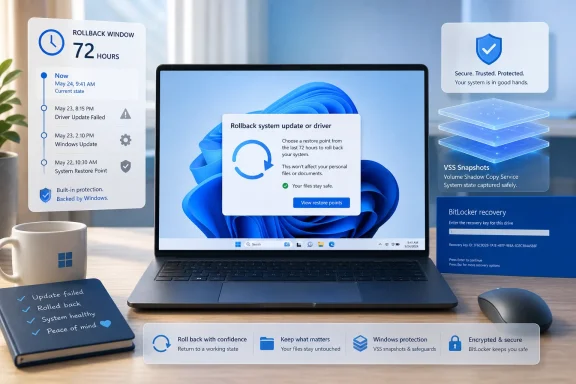
The feature’s most interesting constraint is its retention window. Microsoft’s documentation describes point-in-time restore as focused on the full system state captured within the last 72 hours. In practical terms, this is not an archival tool. It is a short-term parachute.That is a sensible design trade-off. Most catastrophic client PC breakage is discovered quickly: after an update, after a driver install, after a software deployment, after a configuration change, or after a user clicks something they should not have clicked. A three-day rollback window covers many of those incidents without asking the PC to become a full backup appliance.
It also keeps expectations in check. If a user realizes two weeks later that a file was deleted, point-in-time restore is not the right mechanism. If ransomware has had time to encrypt local files and rotate through restore points, this is not a magic escape hatch. If the disk fails, local restore points disappear with it.
That last point deserves emphasis because consumer recovery language has a way of turning into false confidence. Local restore points are useful precisely because they are fast and integrated. They are dangerous if users mistake them for off-device backup. The feature is best understood as a rollback layer, not a data-protection strategy.
Microsoft Finally Gives Home Users an Enterprise-Flavored Safety Net
The rollout is notable because it is not reserved for the top of the Windows licensing pyramid. Windows 11 Home, Pro, and Enterprise are all in scope. On Home devices and unmanaged Pro devices, point-in-time restore is on by default, provided the OS volume is at least 200GB.That default matters. Recovery features that require users to find a toggle before disaster strikes are recovery features for enthusiasts, not the general public. By turning it on automatically for mainstream unmanaged PCs, Microsoft is acknowledging that the users most likely to need a simple rollback are also the least likely to configure one in advance.
There is an enterprise caveat. Enterprise-managed systems, including Windows Enterprise and Education devices and Pro devices joined to a domain or managed through organizational tooling, are off by default until Windows 11 version 26H2. That gives IT departments time to evaluate storage impact, policy controls, security implications, and help desk workflows before Microsoft changes the default behavior underneath them.
This split personality is classic modern Windows. Consumers get a protective default because Microsoft wants the platform to feel more resilient. Enterprises get delay and control because surprise state-management features can collide with compliance, endpoint management, and deployment discipline.
The Storage Fine Print Is Where the Feature Becomes Real
Point-in-time restore uses local storage and Volume Shadow Copy Service under the hood. That means it is fast, but it is also bounded by disk realities. Restore points consume space, older restore points can be evicted, and devices under storage pressure may not preserve the neat recovery history users expect.Microsoft’s default maximum usage is described as a percentage of disk, with a minimum and maximum range. The feature is not enabled by default on OS volumes under 200GB, though users can still turn it on if they choose. That threshold is a quiet but important admission: a 128GB budget laptop with years of downloads, app caches, and Windows update leftovers is not an ideal candidate for automatic local snapshots.
Storage pressure will be one of the first practical complaints. Users will ask why restore points disappeared. Admins will ask how much VSS space is being consumed. Enthusiasts will notice interactions with System Restore, third-party rollback products, and other VSS-dependent tools.
That does not make the feature flawed. It makes it Windows. Any recovery feature that promises broad rollback while living on the same disk as the failure state must make compromises. The smart move is not to pretend those compromises do not exist, but to expose controls clearly enough that users and admins can reason about them.
IT Admins Get a New Lever, and a New Thing to Govern
For managed environments, point-in-time restore is not just a user convenience. It is an operational control. Microsoft’s configuration model allows administrators to manage enablement, restore frequency, retention, and maximum disk usage, including through management channels such as configuration service provider policies.That gives IT teams a potential way to reduce desk-side support and avoid full reimaging when something breaks shortly after a deployment. If a driver package destabilizes a fleet, if a line-of-business app update corrupts local state, or if a policy change creates a wave of unusable endpoints, a recent restore point could be faster than traditional repair.
But administrators will also see the risk immediately. Restoring a machine to an earlier state can undo desired changes as well as bad ones. A rollback may remove newly installed patches, revert security settings, alter app versions, or resurrect a local file state that creates audit questions. In regulated environments, “the PC went back to Tuesday” is not always a comforting sentence.
That is why the enterprise default delay until Windows 11 26H2 is not merely conservative. It is necessary. Organizations need to decide who can initiate a restore, how BitLocker recovery is handled, how restore events are logged, and how a rolled-back device is brought back into compliance after it returns to Windows.
The BitLocker Prompt Is a Feature, Not a Nuisance
Restoration is initiated through the Windows Recovery Environment, and Microsoft’s documented flow includes entering a BitLocker recovery key where required. Some users will experience that as friction. They will not be entirely wrong.But that friction is also the security boundary doing its job. A recovery environment that can roll back a full local machine state is powerful. If it were trivially accessible to anyone with brief physical access, it could become a tool for bypassing protections, weakening endpoint posture, or recovering data states an organization intended to remove.
For home users, the practical lesson is simple: know where your BitLocker recovery key is before you need it. This is especially important as device encryption has become common on modern Windows hardware, even outside traditional enterprise setups. The recovery key is not an obscure enterprise artifact anymore; it is part of owning a protected PC.
For IT departments, the lesson is procedural. Recovery keys, help desk identity verification, and restore authorization policies need to be part of the rollout conversation. A feature that shortens downtime can still lengthen an incident if the person at the keyboard cannot get past the blue recovery screen.
This Is Also an Update Reliability Story
Microsoft rarely ships a recovery improvement in a vacuum. Windows 11’s servicing model depends on frequent cumulative updates, driver updates, Store app changes, feature enablement packages, and policy-driven configuration shifts. The more the OS changes in place, the more valuable a fast rollback becomes.That does not mean point-in-time restore is an admission that Windows Update is broken. It is more subtle than that. Modern operating systems are living systems, and living systems occasionally fail in ways that are hard to reproduce in a lab. Hardware variety, security software, firmware quirks, legacy applications, and user behavior create failure combinations no vendor can fully test.
A robust rollback feature is the adult response to that reality. It says: updates should be reliable, but recovery should not depend on perfection. Windows users have lived through enough driver regressions and update oddities to know the difference between a vendor promising fewer failures and a vendor giving them a practical way out.
This is why the feature’s arrival alongside other recovery work matters. Microsoft has been improving Windows Recovery Environment networking, quick machine recovery concepts, and update-related remediation paths. Point-in-time restore fits into that broader shift: the operating system is becoming more aware that self-repair is now a baseline expectation.
The Consumer Pitch Is Simplicity, but the Real Prize Is Confidence
For ordinary Windows users, the appeal is easy to understand. The PC breaks, and there is a recent restore point. You roll back without intentionally erasing personal files. The machine returns to a working state.That simplicity is powerful because consumer support is often emotional before it is technical. People do not experience a failed boot or broken desktop as a system-state problem. They experience it as the sudden loss of work, access, identity, and time. A recovery feature that preserves continuity has value beyond its engineering details.
Still, Microsoft will need to be careful with language. If users hear “protects your files,” some will reasonably infer “this is my backup.” It is not. It is local, short-lived, and subject to storage pressure. The restore operation itself can also mean losing changes made after the selected restore point, which is exactly the point of a rollback but still painful when misunderstood.
The ideal consumer education is blunt: this can save you from recent breakage, but it does not replace OneDrive, File History, external drives, cloud backup, or any serious backup plan. If Microsoft gets that messaging wrong, point-in-time restore could prevent some disasters while creating new assumptions that lead to others.
The Enthusiast Angle Is Control, Not Nostalgia
Windows enthusiasts may be tempted to treat point-in-time restore as the triumphant return of a beloved old feature. That undersells it. The better comparison is not old System Restore, but the snapshot discipline that power users have long admired in virtual machines, enterprise endpoint tools, and certain file systems.A modern rollback system is useful when it is automatic, visible, configurable, and quick. Microsoft appears to be moving in that direction by exposing settings under System > Recovery and by allowing command-line visibility through VSS tooling. The more transparent the feature becomes, the more likely enthusiasts are to trust it.
But enthusiasts will also test the edges. They will want to know how it behaves with dual-boot systems, large game libraries, developer environments, WSL distributions, encrypted volumes, third-party security tools, and aggressive disk cleanup utilities. They will find cases where the “exact state” language meets the messy boundaries of Windows storage and application behavior.
That testing will be valuable. A recovery feature becomes trustworthy only after it survives real machines, not just clean documentation examples. The public preview reportedly involved more than two million enabled devices, but broad rollout is a different scale of chaos.
Microsoft’s Best Recovery Feature May Be the One Users Never Notice
The highest compliment for point-in-time restore would be that most users never think about it. It should sit quietly in the background, capture recent state, and appear only when something has gone wrong. The best safety nets are boring until the day they are not.That is a hard standard for Windows because the operating system has trained users to expect recovery to be an event. Recovery means boot menus, USB drives, command prompts, forum threads, and long progress percentages. Microsoft is trying to make at least one class of recovery feel closer to an undo button.
The difference between an undo button and a reinstall is enormous. Reinstalling Windows may solve the technical problem, but it creates a personal productivity problem afterward. Apps need to be reinstalled. Preferences need to be recreated. Licenses need to be found. The machine may be “fixed” while the user’s working environment remains broken.
Point-in-time restore is aimed at that gap. If it works as advertised, it preserves not just files, but context. And context is what makes a PC feel like your PC.
The New Rollback Button Comes With Old Backup Lessons
The practical reading is optimistic but not naïve. Point-in-time restore is one of the more user-relevant Windows 11 recovery changes because it attacks a common failure mode directly: recent breakage on an otherwise recoverable local machine.- Point-in-time restore automatically captures recent Windows 11 system state, including apps, settings, configurations, and local files.
- The feature is meant for fast rollback from recent failures, not long-term backup or disaster recovery after drive loss.
- Windows 11 Home and unmanaged Pro devices get the feature on by default when the OS volume is at least 200GB.
- Enterprise-managed systems have more cautious defaults, with broader default enablement waiting until Windows 11 version 26H2.
- Storage pressure, VSS limits, BitLocker recovery, and post-rollback compliance will determine how smoothly the feature works in practice.
- Users should still keep independent backups because a local 72-hour restore window is not the same thing as durable data protection.
References
- Primary source: Windows Central
Published: Wed, 24 Jun 2026 12:47:54 GMT
Windows 11 just got a major upgrade to PC recovery, and it finally protects your personal files | Windows Central
Microsoft's new recovery feature brings seamless full-system restoration to general users, fixing a broken PC in minutes.www.windowscentral.com - Official source: learn.microsoft.com
Restauración a un momento dado para Windows | Microsoft Learn
documentación para la característica de restauración a un momento dadolearn.microsoft.com - Official source: support.microsoft.com
System Restore - Microsoft Support
Learn how to use System Restore in Windows.support.microsoft.com - Official source: news.microsoft.com
- Related coverage: sctexas.org
Sun City Texas Community Association Resident Login
www.sctexas.org