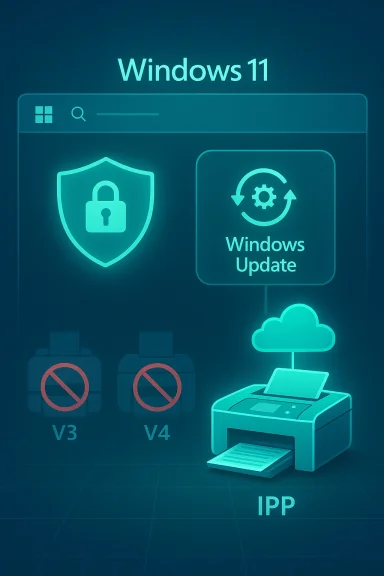
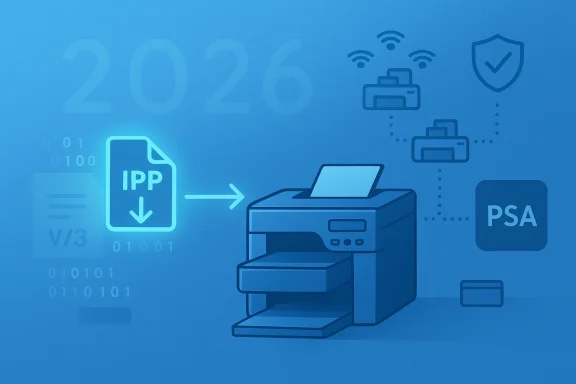
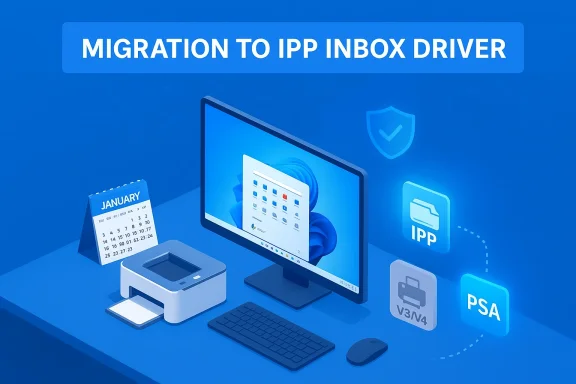
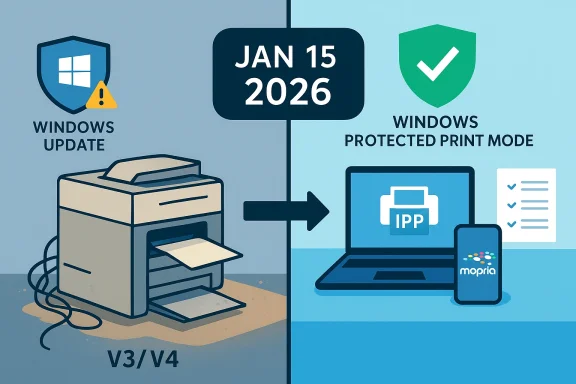
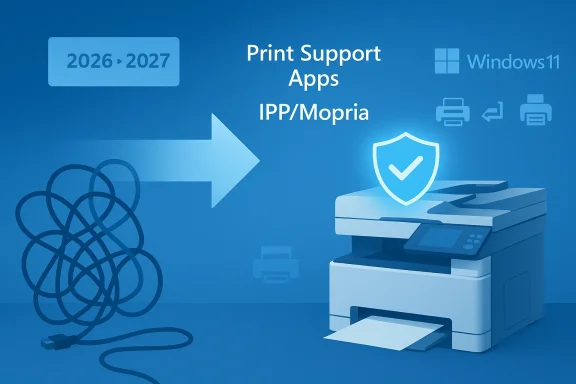
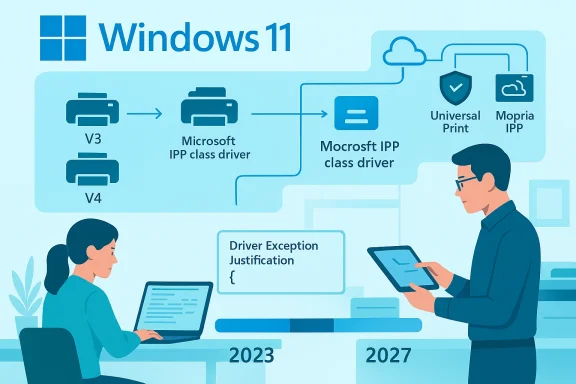
Microsoft has quietly flipped a major switch in Windows 11’s print ecosystem: beginning in mid‑January 2026 Microsoft stopped accepting and automatically publishing new legacy V3 and V4 printer drivers through Windows Update, and is steering Windows toward the Microsoft IPP inbox class driver and Print Support Apps as the preferred printing path.
Windows has historically supported a variety of print driver models. V3 and V4 printer drivers — sometimes called legacy drivers — were the mainstay for many vendor-specific feature sets and multifunction devices for years. Those drivers exposed advanced options (finishing, scanning endpoints, custom UI dialogs) and in many deployments were distributed silently via Windows Update so printers would “just work” when added to a PC. Microsoft began a formal deprecation plan for these legacy drivers in September 2023 and staged a multi‑year roadmap that converts that plan into operational deadlines.
The practical pivot is twofold: first, Microsoft has implemented a stricter intake and publishing process for V3/V4 driver submissions (effective January 15, 2026), and second, the OS will increasingly prefer a generic, protocol‑centric class driver — the Microsoft IPP Class Driver — and user‑mode Print Support Apps for vendor customizations. Those steps are designed to reduce kernel‑mode complexity, compress the driver surface area, and simplify servicing.
Exceptions exist, but they are narrow: examples include devices that cannot support Mopria/IPP, bona fide fax devices, adding an ARM64 build, or drivers that target very old Windows versions (Windows 10 22H2 or earlier) or older servers. Even updates to existing drivers are restricted: new hardware IDs or functional changes are disallowed unless they meet specific exception criteria or are security fixes.
The security argument is not theoretical. The Print Spooler service has been the vector for high‑profile vulnerabilities — most notably the PrintNightmare family of vulnerabilities in 2021 — which demonstrated how driver installation APIs and spooler behavior can be abused for privilege escalation and remote code execution. Microsoft’s push to reduce kernel‑mode code and rely on protocol standards is an explicit mitigation strategy against similar classes of vulnerabilities.
Important caveat: while the security rationale is clear, not all legacy drivers are insecure or poorly written. Some vendors produced robust legacy drivers that have worked for years. The policy treats whole driver models as legacy risk surfaces and therefore applies a broad operational fix rather than a case‑by‑case security audit of every driver. That judgment trades short‑term operational friction for long‑term reduction in complexity and attack surface.
This is not a “printer apocalypse” — existing drivers and vendor installers remain available — but it is a decisive nudge. If you manage printers, start the inventory and testing work now; if you’re a home user, check your manufacturer’s support pages before assuming everything will behave exactly as it did in the past. The next 12–18 months will decide how smoothly the transition goes for millions of devices.
Source: bgr.com The New Windows Update Discontinued Support For A Bunch Of Popular Printers - BGR
 Background / Overview
Windows has historically supported a variety of print driver models. V3 and V4 printer drivers — sometimes called legacy drivers — were the mainstay for many vendor-specific feature sets and multifunction devices for years. Those drivers exposed advanced options (finishing, scanning endpoints, custom UI dialogs) and in many deployments were distributed silently via Windows Update so printers would “just work” when added to a PC. Microsoft began a formal deprecation plan for these legacy drivers in September 2023 and staged a multi‑year roadmap that converts that plan into operational deadlines.The practical pivot is twofold: first, Microsoft has implemented a stricter intake and publishing process for V3/V4 driver submissions (effective January 15, 2026), and second, the OS will increasingly prefer a generic, protocol‑centric class driver — the Microsoft IPP Class Driver — and user‑mode Print Support Apps for vendor customizations. Those steps are designed to reduce kernel‑mode complexity, compress the driver surface area, and simplify servicing.
What changed (the timeline and the mechanics)
Key dates you need to know
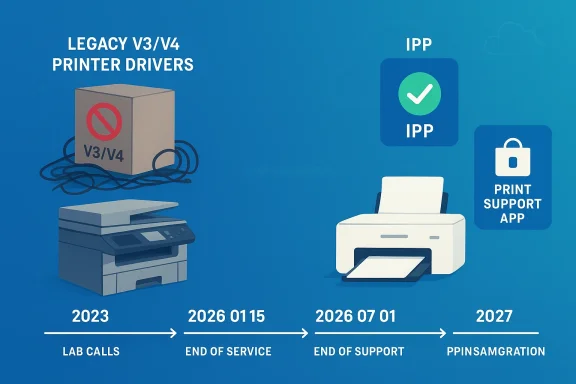
- September 2023 — Microsoft announced the end‑of‑servicing plan for legacy third‑party printer drivers.
- January 15, 2026 — New V3/V4 printer driver submissions for Windows 11 (and Windows Server 2025+) are blocked by default and now require a manual Driver Exception Justification to be considered for signing and Windows Update publication. Existing drivers already in the Windows Update catalog remain available but will be updated only under strict, case‑by‑case conditions.
- July 1, 2026 — Windows will change driver ranking so it prefers the Microsoft IPP inbox class driver when multiple drivers are available. That means the OS may automatically select Microsoft’s generic driver over a vendor’s legacy driver during installation.
- July 1, 2027 — Windows Update will generally limit third‑party printer driver updates to security‑only fixes; non‑security servicing for legacy drivers will be greatly curtailed.
How Microsoft enforces the rule now
As of January 15, 2026, any partner submitting a print driver package (WHQL or Attestation) must include a JSON‑formatted justification document describing why the legacy driver is required and which exception category it falls into. Submissions are halted during intake and sent for manual review; without an approved justification, the package will not be automatically signed or published to Windows Update. In short: the default is “no new legacy drivers via Windows Update” unless you make a convincing case.Exceptions exist, but they are narrow: examples include devices that cannot support Mopria/IPP, bona fide fax devices, adding an ARM64 build, or drivers that target very old Windows versions (Windows 10 22H2 or earlier) or older servers. Even updates to existing drivers are restricted: new hardware IDs or functional changes are disallowed unless they meet specific exception criteria or are security fixes.
Why Microsoft is doing this — the rationale
Microsoft’s stated rationale is technical and security‑oriented: moving away from hundreds of vendor kernel and legacy Win32 drivers toward protocol‑centric printing (IPP/Mopria/IPP‑Everywhere) plus user‑mode Print Support Apps reduces the kernel‑mode attack surface, simplifies servicing, and makes the printing subsystem more predictable and maintainable. The IPP inbox class driver provides a reliable, standards‑based path for printing, while Print Support Apps deliver vendor‑specific features in user mode where they are safer and easier to update through the Microsoft Store.The security argument is not theoretical. The Print Spooler service has been the vector for high‑profile vulnerabilities — most notably the PrintNightmare family of vulnerabilities in 2021 — which demonstrated how driver installation APIs and spooler behavior can be abused for privilege escalation and remote code execution. Microsoft’s push to reduce kernel‑mode code and rely on protocol standards is an explicit mitigation strategy against similar classes of vulnerabilities.
What this actually means for users and administrators
For home users
If your printer is relatively modern (shipped within the last several years) and supports IPP/Mopria or offers a Print Support App, you will likely see no loss of basic printing capability. Windows will often choose the IPP inbox class driver which provides basic printing functionality out of the box, and vendor PSAs can be installed to restore advanced functions. However, if your printer relies on an older V3/V4 driver for advanced features or multifunction behaviors (scan/fax endpoints, finishing options, authentication support), you may need to install the manufacturer's installer manually to regain full capability. Independent reporting and Microsoft guidance make the same point: default distribution of new legacy driver packages via Windows Update has stopped, but vendor installers remain available outside Windows Update.For small businesses and IT admins
This change affects the automation and “plug‑and‑play” expectations that many deployments rely on. If you used Windows Update / WSUS to automatically deliver vendor printer drivers, new legacy drivers will no longer arrive that way by default. Administrators should:- Inventory printers and document which models rely on V3/V4 drivers.
- Confirm vendor support channels and obtain installers for models that need vendor drivers.
- Test the Microsoft IPP class driver for basic printing needs and evaluate Print Support Apps for feature parity.
- Adjust imaging and provisioning processes (SCCM, Intune, provisioning packages) to include vendor installers where necessary.
For large enterprises and managed print services
Enterprises with heterogeneous fleets face the most operational risk. Automated driver distribution, print server inheritance, and group policy deployments assume Windows Update as a reliable distribution channel; with that path limited, organizations must invest in:- Robust printing inventories and driver catalogs.
- Vendor relationships for long‑tail support or to obtain signed driver packages.
- Migration plans to IPP/PSA models where possible.
- Compensating controls for security (e.g., restricting spooler capabilities, using protected print modes).
Which printers are affected — and which are not
There is no single “list” of affected models published by Microsoft because the change targets driver model types (V3 and V4), not specific SKUs. Practically speaking:- Affected: devices that require vendor V3 or V4 drivers for installation and feature support, especially older multifunction printers and specialized enterprise hardware. These are commonly the devices sold a decade ago or earlier.
- Largely unaffected: printers that implement modern IPP/Mopria/IPP‑Everywhere standards and those where the vendor provides a Print Support App or an IPP‑based implementation. Newer consumer and office printers increasingly fall into this category.
Practical, step‑by‑step guidance: what to do if your printer stops installing or loses features
If you find a printer that used to be delivered via Windows Update is now missing features or will not install, follow these steps:- Pause and document: Don’t immediately replace the device. Note the printer make, model, and which features are missing (scan, fax, finishing).
- Check Windows Update and Installed Drivers: Confirm whether the existing driver is present in the device manager or Printers & scanners settings. Use Device Manager → Printers → Driver tab to inspect the driver version. Microsoft guidance covers basic troubleshooting steps like re‑installing or rolling back drivers.
- Download the vendor installer: Go to the printer manufacturer’s support site and download the latest driver/installer for Windows 11 (or the platform you use). Vendors are explicitly expected to continue shipping installers outside Windows Update. If your vendor offers a Print Support App in the Microsoft Store, try that next.
- Test the Microsoft IPP Class Driver: Remove the printer and let Windows re‑add it to see whether the IPP inbox class driver provides acceptable functionality. For many basic printing scenarios this will be sufficient and will restore plug‑and‑play behavior.
- Reinstall vendor software if needed: If scanning, fax, or advanced finishing are missing, install the vendor’s full package. Note that some vendor packages still rely on kernel components — those must be run from vendor installers (not Windows Update) and may require admin rights.
- If all else fails, contact vendor support and request a roadmap: Ask whether there is an IPP/PSA migration plan or a signed installer for modern Windows versions. Vendors will have to provide their own distribution channels going forward.
Exceptions, caveats, and vendor responsibilities
Microsoft’s new intake process still allows exceptions but requires formal justification. The allowed exception categories in 2026 include scenarios such as:- Devices that cannot support Mopria/IPP.
- Fax devices that fundamentally require legacy drivers.
- Adding an ARM64 architecture build.
- Targets that are intentionally for older OS builds (Windows 10 22H2 or earlier).
The security trade‑off and the PrintNightmare context
The deprecation decision cannot be separated from the security history of the Windows printing stack. The PrintNightmare saga of 2021 illustrated how printer driver installation APIs and the spooler service can be weaponized for elevation and arbitrary code execution. Microsoft’s architecture pivot — fewer vendor kernel drivers, a smaller trusted codebase, and user‑mode extensibility for features — is aimed at preventing similar systemic risks in the future. That is a defensible technical choice, but it also imposes migration and compatibility costs on users and vendors.Important caveat: while the security rationale is clear, not all legacy drivers are insecure or poorly written. Some vendors produced robust legacy drivers that have worked for years. The policy treats whole driver models as legacy risk surfaces and therefore applies a broad operational fix rather than a case‑by‑case security audit of every driver. That judgment trades short‑term operational friction for long‑term reduction in complexity and attack surface.
Vendor responses and the migration story
In the months since Microsoft’s January enforcement, vendors have followed two paths:- Ship Print Support Apps and IPP‑based implementations that provide feature parity while avoiding kernel‑mode drivers. This is Microsoft’s preferred modernization path.
- Continue offering legacy installers and signed driver packages outside Windows Update for customers who need them. Microsoft’s updated intake process does not prevent vendors from shipping installers directly; it prevents those installers from being automatically distributed by Windows Update without justification.
Risks, unknowns, and things to watch
- Device count ambiguity: Microsoft hasn’t published a precise total of legacy devices in the wild, so estimates about “how many printers are affected” remain approximate. Avoid breathless claims; treat population numbers as informed estimates.
- Edge cases: Some vertical devices (medical imaging printers, industrial labelers, embedded multi‑function devices) may require legacy drivers because they expose nonstandard endpoints or integrate with proprietary workflows. Those cases will need vendor engagement and exception justifications.
- Support lifecycles: Even if a vendor continues to supply installers, those installers may not be updated indefinitely. After July 1, 2027, Microsoft intends to restrict non‑security servicing for third‑party drivers via Windows Update — meaning the long tail of non‑security fixes may not be available through Microsoft’s channel. Plan for long‑term device replacement or vendor commitments.
- User confusion: End users accustomed to “add printer and Windows Update fetches the driver” will encounter new behaviors. Clear helpdesk scripts and automated inventory checks will reduce friction.
Recommendations — a migration checklist
- Inventory: Catalog all printers, driver versions, and whether they use V3/V4 or IPP.
- Test: In a lab, remove vendor drivers and let Windows add the printer to evaluate the IPP class driver and PSAs.
- Vendor roadmap: Contact vendors for IPP/PSA migration plans or signed installers—obtain long‑term support commitments for mission‑critical devices.
- Imaging and provisioning: Include vendor installers and signed packages in your OS images or use managed deployment tools to push vendor installers where required.
- Security posture: Harden print servers, consider disabling the spooler where not needed, and evaluate protected print modes to mitigate risk.
Conclusion
Microsoft’s decision to stop publishing new V3 and V4 printer drivers to Windows Update and to move toward the IPP inbox class driver is a structural shift with real benefits and real costs. On the upside, Windows’ printing surface becomes smaller, easier to service, and more secure — a meaningful reaction to past spooler vulnerabilities and the maintenance burden of thousands of vendor relics. On the downside, the industry must shoulder migration work: vendors must produce IPP/PSA alternatives or distribute installers directly, and administrators must inventory and remediate fleets that depend on legacy drivers.This is not a “printer apocalypse” — existing drivers and vendor installers remain available — but it is a decisive nudge. If you manage printers, start the inventory and testing work now; if you’re a home user, check your manufacturer’s support pages before assuming everything will behave exactly as it did in the past. The next 12–18 months will decide how smoothly the transition goes for millions of devices.
Source: bgr.com The New Windows Update Discontinued Support For A Bunch Of Popular Printers - BGR