

Microsoft sold a future for Windows 11 that promised elegance, cohesion, and an OS remade around people and pocket-sized AI — what arrived instead is a mixed bag of incremental polish, baffling regressions, and several once‑promised features that either disappeared or never delivered the user value Microsoft showed in demos. Microsoft unveiled Windows 11 it framed the release as a design-first reboot and a platform ready for a new era: centered UI elements, widgets for at‑a‑glance information, a refreshed File Explorer with tabs, built‑in Android app support, deeper Xbox features, and — more recently — an AI‑native layer with Copilot+ PCs designed around local NPUs and a “Recall” photographic memory. The rhetoric echoes Satya Nadella’s long‑running aspiration to move people from “needing Windows” to “loving Windows.”
For many users and reviewers, the problem isn’t an absence of ideas; it’s execution. Features rolled out in fragments, some have been quietly removed, and others shipped in a limited or fragile form that fails to change everyday workflows. In this feature I summarize the biggest misses, verify key technical facts, and weig for users and IT pros — drawing on Microsoft’s own documentation and independent reporting.
Microsoft pitched Widgets as a modern, extensible “glanceable” surface where apps could surface timely data without launching full apps. In practice, the board often defaults to Microsoft‑owned feeds (MSN headlines, suggested content) and a small handful of core cards — weather, stocks, sports — rather than a thriving third‑party ecosystem. That default behavior turns the panel into clickbait and noise for many users rather than a productivity tool.
Why it failed:
Why this matters:
What happened:
Opportunity:
What went wrong:
Practical notes:
Why this is a real gap:
Reality check:
What would flip adoption overnight:
Why this is complicated:
Windows 11 is not a failure of ambition; it’s a catalog of mixed successes and execution gaps. Widgets can become truly useful with the right incentives. File Explorer can be robust and modern. Copilot+ hardware can genuinely speed workflows if Microsoft pares back edge experiments like Recall until they’re demonstrably safe and useful. These are repairable problems — but they require Microsoft to turn toward sustained engineering discipline and clear, user‑centered choices instead of simultaneous big bets in many directions.
If you use Windows daily, your best strategy right now is practical: disable or remove the features that add noise (Widgets, Chat), adopt third‑party tools where platform apps fall short (file transfer/desktop managers), and watch the Copilot+ story for mature, privacy‑first features that meaningfully improve work — rather than getting sold on a future that isn’t yet here. The future Nadella envisioned — users loving Windows — is still possible. It just needs fewer demos and more dependable, meaningful improvements shipped with discipline.
Source: PCMag Australia Overhyped and Underwhelming: 10 Windows 11 Features That Missed the Mark
For many users and reviewers, the problem isn’t an absence of ideas; it’s execution. Features rolled out in fragments, some have been quietly removed, and others shipped in a limited or fragile form that fails to change everyday workflows. In this feature I summarize the biggest misses, verify key technical facts, and weig for users and IT pros — drawing on Microsoft’s own documentation and independent reporting.
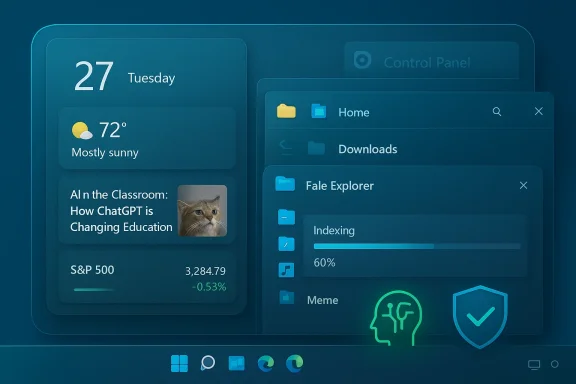 1. Widgets are a noisy mess (and developer uptake is thin)
Microsoft pitched Widgets as a modern, extensible “glanceable” surface where apps could surface timely data without launching full apps. In practice, the board often defaults to Microsoft‑owned feeds (MSN headlines, suggested content) and a small handful of core cards — weather, stocks, sports — rather than a thriving third‑party ecosystem. That default behavior turns the panel into clickbait and noise for many users rather than a productivity tool.Why it failed:
- Microsoft’s default content placement reduces discoverability and incentive for third‑party developers to build widgets.
- Many users never replace the defaults, so the board effectively becomes “glorified weather + headlines.”
- Open clearer developer incentives (revenue share, easier onboarding) and make third‑party widgets the default in targeted regions.
- Give users cleaner “profiles” for widgets (productivity, work, news‑free), and granular controls on what appears in the taskbar preview.
2. File Explorer: tabs arrived, stability lagged behind
One of the most‑asked‑for UX features — tabs in File Explorer — finally arrived, but the experience has been inconsistent. File Explorer still shows sluggish behavior during large or complex file transfers, and users report hangs and crashes particularly when moving data across devices or network shares. Independent coverage and enthusiast forums document persistent transfer hangs, update‑triggered regressions, and periodic fixes in Insider builds rather than a one‑time resolution.Why this matters:
- File management is a backbone workflow for many users; regressions here directly affect productivity and data integrity.
- Power users often abandon Explorer for dedicated alternatives (TeraCopy, FastCopy, third‑party file managers) when reliability is at stake.
- Fix consistency and provide a robust transfer queue (pause/resume, detailed error reporting).
- Ship stable, long‑tested fixes to the general channel rather than only to Insiders.
3. True Android app support: engineering done, ecosystem gone
The Windows Subsystem for Android (WSA) aimed to bring Android apps to Windows 11, expanding the app surface for touch‑first experiences. Microsoft shipped WSA with an Amazon Appstore integration, but the plug was effectively pulled: Microsoft announced it would end support for WSA and the Amazon Appstore in Windows on March 5, 2025, and Amazon confirmed the Appstore’s Windows channel would be discontinued. That leaves the original promise — a broad, well‑integrated Android app catalog on Windows — unfulfilled.What happened:
- Engineering investment was real, but the distribution and commercial model didn’t scale. Amazon’s Appstore was never a rival to Google Play, and developer incentives to repack apps for a third store were limited.
- Microsoft’s later decision to deprecate WSA reflects a strategic retreat from that specific vision for Android apps on Windows.
4. Visual redesign: glimpses of cohesion, but legacy remnants remain
Windows 11cleaned up many visual seams — rounded corners, modernized Start and taskbar treatments, and a more consistent Fluent aesthetic. But the redesign is incomplete. Dark Mode polish is still uneven across apps, the old Control Panel and legacy utilities persist, and many built‑in tools still look and behave like relics. The result: Windows feels like two design eras stitched together rather than a single, coherent reimagination.Opportunity:
- A focused “modernization sprint” to migrate or replace commonly used legacy panels (Control Panel fragments, legacy mmc tools) would meaningfully raise perceived polish.
- Improve cross‑app theming (consistent dark mode tokens, iconography) so visual continuity feels intentional rather than accidental.
5. The Teams Chat icon was removed — the vision was muddled
Windows shipped a consumer Teams chat integration pinned in the taskbar, but that feature was confusing: it tied to the personal Teams client and didn’t integrate with enterprise Teams instances, which left many users baffled about its purpose. Microsoft later removed the taskbar Chat integration in 2023 in response to user confusion and feedback. The removal is evidence of a mismatched product decision rather than technical failure.What went wrong:
- Microsoft bundled a consumer communication surface in an OS used heavily in enterprise — a mismatch of audiences.
- The product shipped before clear differentiation and migration paths for business users were in place.
6. Phone Link: great concept, uneven execution
Phone Link (formerly Your Phone) offers a surprisingly productive bridge for messages, notifications, and quick file exchanges. However, real‑world experience varies by handset, OEM, and OS version. Users report intermittent disconnections, clumsy call forwarding, and flaky behavior on some Pixel devices — while Samsung devices with native Link integrations fare better but aren’t perfect. The result: Phone Link is powerful, but still feels like a feature that needs further engineering to be reliably “always on.”Practical notes:
- Samsung has deeper OS integrations that make the experience smoother, but even those can break with Bluetooth/sleep modes or aggressive power management.
- iPhone support remains constrained by Apple’s walled design — Windows can’t replicate Android’s deeper capabilities when iOS intentionally limits cross‑device hooks.
- Improve stability across common make/model combinations (Pixel, Galaxy, mainstream OEMs).
- Harden reconnection logic around sleep/wake and power optimization policies.
7. Touch‑screen PCs: Microsoft pulled back but the hardware remained
Windows 8’s touchscreen bet crashed hard; Microsoft subsequently retreated from heavy touch‑first UI experiments. Windows 11 abandoned the old dedicated Tablet Mode and opted for adaptive touch‑behavior that increases spacing and touch targets rather than a full tablet UX. That pragmatic approach avoided repeating Windows 8’s mistakes, but it also left touch users wanting a richer, more intentional tablet experience.Why this is a real gap:
- Many users still own convertible Surface devices and third‑party tablets; those owners expect a refined touch mode that goes beyond scaled buttons.
- The OS could do more around gestures, windowing, and on‑screen keyboards to make touch a first‑class modality again.
8. The Xbox‑inspired transformation: DirectStorage and Auto HDR only partly delivered
Microsoft promised a gamer‑centric uplift for Windows, including DirectStorage (faster load times via SSD→GPU streaming) and Auto HDR. Both technologies exist and are shipping, but adoption and polish are inconsistent. DirectStorage requires developer buy‑in to realize GPU decompression benefits; today only a small set of titles fully exploit it. Auto HDR can improve older titles, but users report washed‑out colors, and many rely on manual toggling (Windows Key + Alt + B) to restore correct display output. That’s not the “seamless console‑style upgrade” Microsoft advertised.Reality check:
- DirectStorage is technically promising, but ecosystem adoption has been gradual; the API alone doesn’t compel developers to rework asset pipelines.
- Auto HDR requires driver and display ecosystem cooperation; imperfect shader handling and driver interactions produce some of the color problems users complain about.
9. Multiple desktops: conceptually great, ergonomically awkward
Virtual desktops (Task View) are conceptually useful, but the UI makes them frictionful to use. There’s no built‑in, simple hotkey to move the active window to another named desktop; dragging in Task View is awkward for repeat workflows, and there’s no native session snapshot to restore window layouts after a reboot. Community tooling — third‑party apps that add direct hotkeys and workspace snapshots — has sprung up to fill the gap, which is both a testament to user demand and an indictment of missing platform ergonomics.What would flip adoption overnight:
- A single hotkey to send the active window to Desktop N.
- Built‑in workspace snapshots that restore a saved layout (apps + positions).
- Better discoverability for renaming desktops and persistent desktop names.
10. Copilot+ PCs and Recall: big promise, thin real‑world ROI so far
Copilot+ PCs were promoted as the first class of machines optimized for local and cloud AI, with features like Recall (automatic screenshots and semantic indexing), Cocreator (local image generation), and on‑device semantic search. Microsoft clearly invested heavily — NPUs, partner devices, and new OS hooks — but Recall’s privacy implications sparked regulatory attention and pushback, and the feature’s utility is underwhelming for many early users. Privacy‑conscious apps and browsers have adopted controls to block Recall‑style capture, and Microsoft delayed and iterated the feature after feedback.Why this is complicated:
- Recall trades continuous capture for retrospective searchability; in practice it captures at coarse intervals and misses many short‑duration interactions, reducing its usefulness.
- The privacy surface is real: background screenshots can capture sensitive content unless developers and users have granular control.
- Local semantic search and NPU‑enabled features (offline indexing, faster image processing) are genuinely useful when implemented with clear privacy and control defaults.
- Microsoft’s Copilot+ platform has legitimate potential for creators (fast local image iterations) and document search improvements that don’t require constant cloud uploads.
Strengths, risks, and an actionable checklist for Microsoft
- Strengths
- Windows 11 introduced meaningful visual polish and modern UI primitives that make the platform feel current.
- Microsoft’s NPU/AI investments position Windows to leverage local AI acceleration when ecosystems enable it.
- Risks
- Feature fragmenSA/Amazon Appstore, Teams Chat) erode trust; users see promises that vanish.
- Shipping AI features without tight privacy controls or obvious utility invites backlash and regulatory scrutiny.
- Actionable checklist Microsoft should follow
- Prioritize reliability over hype: fix File Explorer stability and long‑running transfer bugs.
- Surface real end‑user value for Copilot+ features before tying them to premium hardware.
- Reboot the widgets strategy with developer incentives and user profiles that default to productivity‑first cards.
- Improve Phone Link reliability across mainstream handsets and clarify iPhone limitations up front.
- Deliver small, high‑impact ergonomics for virtual desktops (keyboard move‑to‑desktop, workspace snapshots).
A better future — if Microsoft chooses to polish, not promise
Pavan Davuluri, Microsoft’s president of Windows, has signaled a renewed focus on reliability, performance, and user experience — the types of fixes users have been asking for since Windows 11’s debut. For the OS that sits on the world’s desktops, the simple yardstick remains: make core flows feel reliable and fast for the majority before layering in speculative AI agents.Windows 11 is not a failure of ambition; it’s a catalog of mixed successes and execution gaps. Widgets can become truly useful with the right incentives. File Explorer can be robust and modern. Copilot+ hardware can genuinely speed workflows if Microsoft pares back edge experiments like Recall until they’re demonstrably safe and useful. These are repairable problems — but they require Microsoft to turn toward sustained engineering discipline and clear, user‑centered choices instead of simultaneous big bets in many directions.
If you use Windows daily, your best strategy right now is practical: disable or remove the features that add noise (Widgets, Chat), adopt third‑party tools where platform apps fall short (file transfer/desktop managers), and watch the Copilot+ story for mature, privacy‑first features that meaningfully improve work — rather than getting sold on a future that isn’t yet here. The future Nadella envisioned — users loving Windows — is still possible. It just needs fewer demos and more dependable, meaningful improvements shipped with discipline.
Source: PCMag Australia Overhyped and Underwhelming: 10 Windows 11 Features That Missed the Mark
