

Microsoft’s new “Recall” feature has shifted a debate about Windows 11 from feature fatigue to a hard question of trust: should you upgrade to Windows 11 if you care about the privacy and security of your data? Security researchers, privacy advocates, and independent journalists warn that Recall’s design—continuous snapshots of screen activity combined with local AI indexing—creates genuine new risks that go beyond ordinary telemetry. At the same time, Microsoft insists Recall is opt‑in, runs locally on Copilot+ hardware, and is protected by Windows Hello, TPM-backed encryption, and virtualization-based security. The result is a messy, high‑stakes tradeoff between convenience and risk that every Windows user should understand before they upgrade.
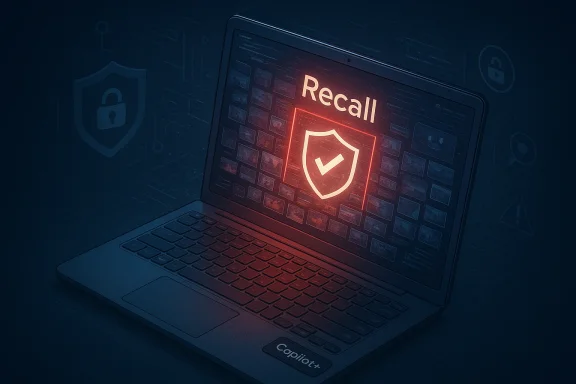
Recall is a Windows 11 feature built to make your PC “remember” what you saw and did. Once enabled, the OS takes frequent screenshots of on‑screen content, extracts text and visual features, and builds a local, searchable index so you can later find a document, image, or snippet of text using natural language. Microsoft originally positioned Recall as a headline capability for its new Copilot+ PCs—machines with dedicated NPUs intended to run generative AI workloads locally.
The roadmap has been rocky. Recall was announced and then pulled for security rework after researchers found weak protections in early builds. Microsoft reworked the feature’s security model, promised opt‑in behavior, added encryption and Windows Hello gating, and staged it into Insider previews before broader rollout to Copilot+ hardware. But confusion remains about how Recall appears in Windows 24H2/25H2 system components, whether stubs or traces show up on non‑Copilot devices, and whether the default state is truly opt‑in for end users.
Key design claims Microsoft makes:
This mechanism unlocks powerful productivity scenarios: reconstructing a lost reference, recovering a fragment you didn’t save, or tracing steps in a complex workflow. But it also converts ephemeral on‑screen contents—password prompts, bank balances, private chat windows—into long‑lived data objects indexed for search.
Important legal points for readers in regulated environments:
For individual users considering upgrading to Windows 11:
But the costs are not just speculative. Recall centralizes ephemeral on‑screen data into persistent, searchable artifacts. That concentration of information increases the value of a compromised endpoint and changes the calculus for attackers, defenders, and regulators. It also imposes new cognitive and operational burdens on users: deciding what to exclude from indexing, managing retention, and understanding how features interact with private browsing and third‑party apps.
From a security posture standpoint, Recall is the kind of feature that requires perfect operation across many layers—hardware attestation, firmware, VBS, OS policy, and user behavior—to be safe in practice. Any weak link degrades the whole chain.
If, instead, you are a power user who values Recall’s productivity features and you are prepared to:
For now, the most pragmatic guidance is straightforward: if you truly care about keeping transient on‑screen information out of persistent stores, do not treat Windows 11’s Recall as a benign upgrade. Evaluate your hardware choices, apply policy and configuration controls, and favor delay or avoidance of Copilot+ devices in sensitive contexts until independent audits, developer APIs, and regulator rulings provide stronger guarantees. The convenience of a perfect recall may be seductive, but on real systems with real adversaries, convenience that centralizes private data becomes a liability—not a feature.
Source: PCWorld Data experts warn: If you care about your data, avoid Windows 11
 Background: what Recall is, and how we got here
Recall is a Windows 11 feature built to make your PC “remember” what you saw and did. Once enabled, the OS takes frequent screenshots of on‑screen content, extracts text and visual features, and builds a local, searchable index so you can later find a document, image, or snippet of text using natural language. Microsoft originally positioned Recall as a headline capability for its new Copilot+ PCs—machines with dedicated NPUs intended to run generative AI workloads locally. The roadmap has been rocky. Recall was announced and then pulled for security rework after researchers found weak protections in early builds. Microsoft reworked the feature’s security model, promised opt‑in behavior, added encryption and Windows Hello gating, and staged it into Insider previews before broader rollout to Copilot+ hardware. But confusion remains about how Recall appears in Windows 24H2/25H2 system components, whether stubs or traces show up on non‑Copilot devices, and whether the default state is truly opt‑in for end users.
Overview: Microsoft’s official position and technical safeguards
Microsoft’s public documentation and support pages emphasize three pillars of protection for Recall: local processing, Windows Hello gating, and hardware‑backed encryption. According to Microsoft, Recall’s snapshots and analysis happen on the device and are not shared with Microsoft or third parties unless the user deliberately takes action (for example attaching a snapshot to feedback). Access to the Recall database requires Windows Hello authentication, and the data is encrypted; keys are protected by TPM/Pluton and Virtualization‑based Security Enclaves. Microsoft also states that Recall is limited to Copilot+ PCs and is opt‑in for each user.Key design claims Microsoft makes:
- Recall operates locally and does not upload snapshots off the device by default.
- A user must opt in to enable snapshot saving; managed (corporate) devices have Recall disabled or removed by policy.
- Access requires Windows Hello and hardware protections such as TPM/Pluton and VBS.
The practical mechanics: how Recall captures and indexes data
Recall repeatedly snapshots the visible screen context and stores both the raw image snapshots and extracted metadata (application name, time stamps, OCR’d text, and vectorized features for semantic search). Microsoft has stated typical retention windows and storage budgets; initial guidance suggested Recall could reserve many gigabytes of disk space for a rolling history (tens of gigabytes by default, configurable by users). The indexing lets you search with natural language queries and reunites results across applications—so you can find a piece of text whether it came from a browser, an email client, or an image.This mechanism unlocks powerful productivity scenarios: reconstructing a lost reference, recovering a fragment you didn’t save, or tracing steps in a complex workflow. But it also converts ephemeral on‑screen contents—password prompts, bank balances, private chat windows—into long‑lived data objects indexed for search.
Why privacy experts are alarmed: three technical and threat models
Privacy and security researchers point to several interlocking problems that make Recall fundamentally different from previous Windows features:- High‑sensitivity content exposure through local indexing. The index contains derived textual and visual features extracted from every captured snapshot. Researchers have demonstrated that even when filters exist, sensitive information—usernames, account balances, partially exposed passwords, or medical records—can be captured in edge cases or when the screenshot is only partially obscured. These are not hypothetical: journalists and researchers testing Recall found real examples of sensitive items being indexed.
- New attack surface for local data exfiltration. If a malicious actor achieves local code execution or privilege escalation on a machine, the Recall database and snapshots become a treasure trove. Early analyses showed that Recall’s storage model exposed a database and files in user AppData, and that inadequate protections could allow automated scraping tools to extract the content. Microsoft has added encryption and VBS protections to mitigate this, but researchers caution that those mitigations are only as strong as the machine’s full security posture and that novel bypasses can still exist.
- Inadequate developer controls and app‑level exclusions. App developers—especially secure messaging apps—complained that Microsoft initially did not provide a robust developer API to opt‑out of indexing. As a result, apps like Signal implemented their own “screen security” DRM flags to block Recall from capturing their windows. Third‑party browsers and privacy tools have also moved to block Recall screenshots by default. This piecemeal approach leaves many applications and users unprotected unless they explicitly take action.
Is Recall “installed everywhere” on Windows 11 24H2? Sorting fact from fear
A recurring claim in social posts and some media is that Microsoft has “installed Recall on every PC running Windows 11 24H2” or that Recall components are irreversibly integrated into the OS. The reality is more nuanced and critically important for users to understand.- Microsoft has consistently stated Recall is a Copilot+ capability and is opt‑in; the company also explained that certain backend components or stubs may appear in system images as part of shared code or because of internal refactoring. Security researchers and reporters who inspected 24H2 found traces—remnants in system features lists, menu entries, or components—that raised alarms. Microsoft described some of those visible elements as artifacts or incorrect listings, and clarified that they do not constitute an active, enabled Recall instance.
- Independent tests and user reports are mixed: some Copilot+ devices running a later Preview or non‑security updates that included Recall preview features can enable Recall, while many standard Windows 11 devices do not run the full Recall stack. Community troubleshooting threads show some users forcing Recall features to appear via DISM or registry tweaks—evidence that parts of the codebase are present in broader builds even if the full feature is gated by hardware and policy.
Legal and regulatory angle: GDPR, data protection authorities, and public watchdogs
Recall’s design prompted immediate regulatory scrutiny. Data protection authorities and privacy advocates raised questions about whether the feature constitutes “systematic monitoring” of behavior and whether Microsoft performed adequate Data Protection Impact Assessments (DPIAs) for the high‑risk processing involved—two issues squarely within the scope of the EU’s GDPR. National authorities (including queries from the UK ICO and public statements from privacy groups) urged Microsoft to clarify protections, retention policies, and whether users can meaningfully consent to such continuous capture.Important legal points for readers in regulated environments:
- Under GDPR, processing that constitutes systematic monitoring or involves large‑scale biometric or sensitive data may require a DPIA and strong legal bases and safeguards. Privacy experts argued that Recall’s rolling archive and indexing likely triggers GDPR Article 35 obligations. Microsoft says it added privacy controls and opt‑in consent flows, but regulators will ultimately judge whether these measures satisfy GDPR’s “data protection by design and default” requirement.
- Even when data remains on the device, GDPR applies to processing of EU residents’ personal data. Local storage is not a get‑out‑of‑liability‑free card if the processing can be accessed by unauthorized actors or if the user’s consent is not sufficiently informed and specific.
Real‑world responses: app developers, privacy tools, and vocal researchers
The ecosystem reaction has been swift and instructive:- Messaging and privacy apps. Signal updated its Windows client to enable screen security by default, preventing Recall from capturing its windows via DRM‑style flags. Brave and other privacy‑focused browsers added protections to block Recall screenshots as well. These moves show developers can add app‑level defenses even when the OS offers limited controls.
- Independent researchers and tools. Security researchers built extraction tools to show how snapshots and metadata could be aggregated, prompting headlines and deeper investigations. Those exercises do not prove Microsoft’s protections are broken on every machine today, but they demonstrate plausible attack techniques that defenders must consider.
- Media testing and critiques. Publications and testers have repeatedly found edge cases where Recall indexed sensitive content despite filters—illustrating that automated filtering is not a panacea. These findings influenced Microsoft’s decision to delay and rework Recall before wider release.
Practical guidance: what concerned users and administrators should do now
If you or your organization places a high priority on privacy and minimizing attack surface, treat Recall as a significant consideration when planning upgrades or new PC purchases. Here are clear, prioritized actions for different audiences.For individual users considering upgrading to Windows 11:
- Delay non‑essential upgrades to devices marked Copilot+ if you want to avoid Recall exposure. Copilot+ branding is the principal hardware gateway for Recall—avoiding those devices reduces immediate risk.
- If you own a Copilot+ PC, audit Settings > Privacy & security > Recall & snapshots and do not enable Save snapshots; if enabled, use the UI to delete historical snapshots and lower maximum storage. Microsoft provides a “remove Recall” optional feature in some builds—double‑check if your device shows it and use the documented removal steps if you want a cleaner state.
- Harden your device: enforce BitLocker or device encryption, keep Windows and firmware up to date, and use strong account protections. Encryption and VBS mitigate some attack vectors but do not eliminate them entirely.
- Treat Recall as a policy decision. Microsoft’s management docs say Recall is disabled and removed on managed devices by default; verify that your Group Policy / MDM settings are configured to block Recall and that end users cannot enable it. Audit device configurations across endpoints.
- Perform or request a DPIA where relevant. If your organization operates in the EU/EEA, consider whether Recall’s processing would trigger mandatory DPIA requirements and document your risk assessments.
- In highly regulated environments (healthcare, finance, legal), avoid Copilot+ hardware until the legal compliance picture is clear. The risk of accidental capture of regulated data is not theoretical; mitigation is costly.
- Implement window‑level screen security flags where appropriate and lobby Microsoft for a formal, documented API for secure apps to opt‑out of indexing. App‑level controls should not be the only line of defense, but they are an essential interim measure.
Weighing the tradeoffs: productivity gains vs. systemic risk
Recall is a classic technology tradeoff put under a new light by AI. It promises real productivity gains—fewer lost files, faster re‑discovery of context, and a local AI assistant that can recall multi‑step workflows. For users who value those capabilities and are willing to run them on tightly controlled Copilot+ hardware, Recall may be a net positive.But the costs are not just speculative. Recall centralizes ephemeral on‑screen data into persistent, searchable artifacts. That concentration of information increases the value of a compromised endpoint and changes the calculus for attackers, defenders, and regulators. It also imposes new cognitive and operational burdens on users: deciding what to exclude from indexing, managing retention, and understanding how features interact with private browsing and third‑party apps.
From a security posture standpoint, Recall is the kind of feature that requires perfect operation across many layers—hardware attestation, firmware, VBS, OS policy, and user behavior—to be safe in practice. Any weak link degrades the whole chain.
What Microsoft still needs to do (and what to watch for)
To earn broad trust, Microsoft should move beyond the current checklist of mitigations and commit to stronger transparency and developer tooling:- Provide a robust, documented developer API that lets security‑sensitive apps opt‑out of indexing in a way that cannot be trivially overridden by user actions or later changes. App‑level DRM flags are a stopgap, not a platform solution.
- Publish independent audits and threat‑modeling documentation for Recall’s entire stack, including VBS enclave design, key management lifecycle, and how recovery keys or backups are handled. Third‑party verification will matter more than any single blog post.
- Make uninstallability explicit and easy in all regions—not as a bug or an artifact, but as a clear user control. Europe’s regulatory environment and the Digital Markets Act precedent for removing bundled software are likely to keep pressure on platform vendors.
- Engage regulators proactively with evidence of DPIAs and independent technical reviews. Regulatory inquiries are ongoing and will shape allowable behaviors and defaults.
Bottom line: should you avoid Windows 11 if you care about your data?
There is no single right answer for every reader. If you rely on Windows for sensitive work—handling regulated personal data, financial management, or private communications—and you prefer minimizing new, concentrated data stores on endpoints, the conservative choice is clear: avoid Copilot+ hardware and delay upgrades that introduce Recall‑capable features until the ecosystem and regulatory clarity mature. That is the practical interpretation of the advice from many data‑protection experts who publicly urged caution.If, instead, you are a power user who values Recall’s productivity features and you are prepared to:
- run on a hardened Copilot+ PC with full disk encryption,
- keep system and firmware patched,
- maintain Windows Hello with strong biometric or PIN protection,
- and actively manage Recall settings (opt‑in only, narrow app exclusions, short retention),
Final thoughts: a trust issue as much as a technical one
Recall’s saga is not just about code defects or design choices; it is about the erosion of default trust between platform vendors and users. When an operating system assumes the role of a photographic memory, users reasonably ask: who controls that memory, how long does it persist, and who can read it? Microsoft has responded with technical mitigations and policy controls, and the company is still making changes in response to scrutiny. But technology that reshapes what “private by default” means on a personal device requires more than engineering fixes—it requires institutional humility, long‑term audits, clearly enforceable user rights, and interoperable protections that don’t rely on individual users to defend themselves.For now, the most pragmatic guidance is straightforward: if you truly care about keeping transient on‑screen information out of persistent stores, do not treat Windows 11’s Recall as a benign upgrade. Evaluate your hardware choices, apply policy and configuration controls, and favor delay or avoidance of Copilot+ devices in sensitive contexts until independent audits, developer APIs, and regulator rulings provide stronger guarantees. The convenience of a perfect recall may be seductive, but on real systems with real adversaries, convenience that centralizes private data becomes a liability—not a feature.
Source: PCWorld Data experts warn: If you care about your data, avoid Windows 11
