

Windows 11’s Resume feature now lets you pick up a Spotify listening session from an Android phone and continue playback on the desktop with a single click — a practical, Apple Handoff–style continuity experience that finally brings media handoff to Windows users who live in mixed-device ecosystems.
Microsoft’s Cross‑Device Resume (commonly referred to as “Resume”) has been rolling out in stages since 2025 as a way to let users move workflows between a linked Android phone and a Windows 11 PC. The initial incarnation focused on OneDrive‑synced documents — a useful but narrow continuity use case. The new expansion of Resume adds media playback to the mix, with Spotify as the first broadly available partner. That means when you’re listening to music or a podcast on your Android device, Windows 11 can detect that active session and show a resume alert on the taskbar so you can continue playback in the Spotify desktop app on the PC.
This is significant for several reasons. First, it addresses a real friction point: moving from a phone to a PC typically requires re-opening the same app, locating the song or podcast, or relying on cloud syncing features that aren’t always seamless. Second, it positions Windows as a platform that can match the kind of cross‑device continuity Apple users have enjoyed with Handoff — without requiring a single vendor for phone and desktop. Third, it showcases Microsoft’s strategy of marrying device linking (Link to Windows/Phone Link) with native OS hooks (taskbar alerts, lock screen widgets, controlled feature rollouts) to create integrated experiences that feel native and immediate.
However, Resume is not a universal sync tool. It does not replace robust cloud sync, and it doesn’t magically make all apps cross‑device aware without explicit developer support. It also currently targets moving activity from phone to PC — the opposite direction (PC to phone) and complex multi‑device orchestration may be less mature or unsupported in early implementations.
For Spotify, adopting Resume is a low‑risk, high‑utility move. It gives Spotify users a smoother desktop transition and increases the likelihood the desktop app gets used (and stays active), which benefits Spotify’s engagement metrics and advertising/premium funnel.
For users, Resume is a convenience win with manageable trade‑offs. The main decision points are whether to enable background linking and to accept the account and session metadata implied by the pairing. Privacy‑minded users should review settings and retain the ability to turn off Resume per app or globally.
That complexity is the main constraint. Background permissions, battery optimizations, account parity, and app support will determine how many users have a friction‑free experience. Privacy and telemetry transparency remain valid concerns, and users who care about those trade‑offs should use the per‑app and global toggles Microsoft provides.
For most users, though, Resume will be a welcome convenience: quick, simple, and genuinely useful when you move from phone to PC. For power users, IT administrators, and privacy‑conscious individuals, the feature is usable — but worth auditing and configuring to match individual preferences.
Resume is a quiet, practical step forward for device continuity on Windows 11 — one that proves useful on day one and has the potential to broaden into a general continuity platform if Microsoft and third‑party developers commit to the necessary integrations and privacy clarity.
Source: Windows Latest Tested: Windows 11 can now pick up your Spotify session from Android, similar to Apple Handoff for iOS
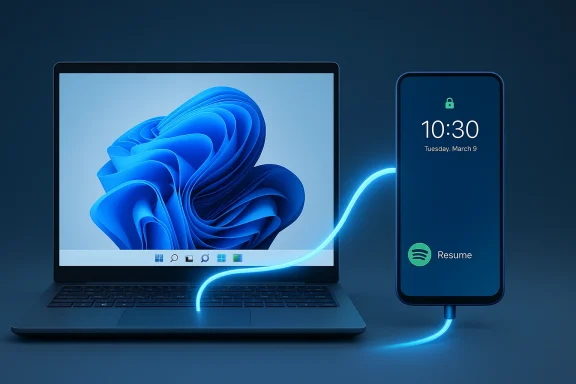 Background: what Microsoft is adding to Windows 11 and why it matters
Microsoft’s Cross‑Device Resume (commonly referred to as “Resume”) has been rolling out in stages since 2025 as a way to let users move workflows between a linked Android phone and a Windows 11 PC. The initial incarnation focused on OneDrive‑synced documents — a useful but narrow continuity use case. The new expansion of Resume adds media playback to the mix, with Spotify as the first broadly available partner. That means when you’re listening to music or a podcast on your Android device, Windows 11 can detect that active session and show a resume alert on the taskbar so you can continue playback in the Spotify desktop app on the PC.This is significant for several reasons. First, it addresses a real friction point: moving from a phone to a PC typically requires re-opening the same app, locating the song or podcast, or relying on cloud syncing features that aren’t always seamless. Second, it positions Windows as a platform that can match the kind of cross‑device continuity Apple users have enjoyed with Handoff — without requiring a single vendor for phone and desktop. Third, it showcases Microsoft’s strategy of marrying device linking (Link to Windows/Phone Link) with native OS hooks (taskbar alerts, lock screen widgets, controlled feature rollouts) to create integrated experiences that feel native and immediate.
How the Spotify Resume flow works — the essentials
What happens, in plain terms
- Play a track or podcast episode on Spotify for Android while your phone is linked to a Windows 11 PC.
- Windows 11 displays a Resume alert on the taskbar (and a Spotify widget on the lock screen after boot).
- Clicking the taskbar alert opens the Spotify desktop app and resumes the same playback position on the PC.
- If Spotify isn’t installed on the PC, Windows can initiate a one‑click installation from the Microsoft Store and then prompt you to sign in.
Technical prerequisites (what you must have in place)
- A PC running Windows 11 (the Resume capability is provided in recent Insider and staged public updates — check your update status).
- An Android phone running Android 10 or later.
- The phone must be connected to the PC via Link to Windows (Phone Link on PC and Link to Windows on phone).
- Both devices must be connected to the internet.
- You must be signed into the same Microsoft account on the phone link pairing steps, and the same Spotify account on both devices.
- The Resume capability must be enabled in Windows Settings (Settings > Apps > Resume), or enabled by default if prerequisites are met.
How to enable and test Spotify Resume on Windows 11
Follow these steps to set up and verify cross‑device playback between Android and Windows 11.- Install the Link to Windows app on your Android phone and sign in with the Microsoft account you use on the PC. Allow background/auto‑start permissions so the app can keep a connection alive.
- On Windows 11 press the Windows key, search for “Mobile devices” (or go to Settings > Bluetooth & devices > Mobile devices) and click Add device or Manage devices.
- Pair the phone and PC by scanning the QR code from your phone in the PC pairing window.
- Ensure Allow this PC to access your mobile devices is turned on in the Mobile devices section.
- In Windows go to Settings > Apps > Resume and make sure Resume is enabled (you can also manage app‑specific toggles here).
- Install Spotify on both phone and PC and sign in to the same Spotify account on each.
- Play a track or podcast on your phone, then wake or unlock your PC. Look for the Spotify icon on the taskbar with a phone badge or the lock screen widget.
- Click the taskbar alert to resume playback in the desktop Spotify app.
Hands‑on behavior observed and reported: what to expect day‑to‑day
In practical tests reported by journalists and early adopters, the Resume experience is designed to be near‑instantaneous: the taskbar badge appears within seconds of unlocking the PC, and clicking the alert transfers playback with minimal delay. Users who tested the flow typically saw the following:- The Spotify taskbar icon appears annotated with a small phone indicator when a paired Android device is actively playing.
- Clicking the alert launches the desktop app and resumes the exact track and position.
- The lock screen can show a small Spotify widget immediately after boot if the phone was playing prior to the PC unlock.
- If you close the desktop Spotify app but stay signed in, the resume prompt won’t reappear until you sign out and back in (this prevents the system from nagging you repeatedly).
- In some cases, users found that Spotify’s own startup behavior (automatic start on login) causes the lock screen widget to show even if Resume is explicitly disabled — an observed behavior likely tied to the Spotify client checking for remote sessions and device states.
How Resume differs from existing solutions: Spotify Connect, OneDrive, and Apple Handoff
Spotify Connect vs. Spotify Resume
- Spotify Connect already allows switching playback between Spotify‑enabled devices that are online and on the same account, but it often requires the desktop app to be running and visible in the device list, or manual selection of the device. Resume attempts to remove that friction with a single taskbar click and OS‑level alert.
- Resume is not a replacement for Connect; it’s an OS‑driven shortcut that specifically targets the user’s move from phone to PC in a linked device scenario.
OneDrive Resume vs. Cross‑Device Resume
- The earlier Resume implementation focused on OneDrive files and browser sessions, providing a tight window (like five minutes) where a phone‑edited document could be re‑opened on the PC.
- The media Resume expansion is broader: it’s not bound to OneDrive or online document state and instead hooks into app activity on the phone to trigger OS alerts.
Apple Handoff comparison
- Functionally, Resume aims to deliver a Handoff‑like feeling: the ability to hand an active task from one device to another with one action.
- Apple’s Handoff operates within Apple’s integrated ecosystem (iPhone + Mac) using Bluetooth LE + Wi‑Fi proximity and tight OS‑level app integration. Microsoft’s Resume depends on Link to Windows and explicit app integration with the Resume API, plus account linking and background permissions on Android.
- Because Windows needs to work across a wide variety of Android devices, implementations can be a little less uniform than Apple’s tightly controlled hardware and software stack.
Strengths: what Microsoft and Spotify get right
- Speed and friction reduction. Clicking one taskbar icon to continue playback is dramatically faster than manually searching for a track or re‑finding the playback point in a long podcast.
- Native feel. The Resume alert appears in the taskbar and on the lock screen in a way that feels like part of the OS, not as a third‑party add‑on.
- Out‑of‑the‑box availability. Microsoft has designed Resume to be enabled by default when prerequisites are satisfied, lowering the activation barrier for mainstream users.
- Automatic install fallback. If the desktop app isn’t installed, Windows can kick off a one‑click Microsoft Store install and continue the flow — convenient for users who rely on seamless continuity without pre‑installing every app.
- Developer extensibility. Microsoft is inviting third‑party developers to adopt Resume, which could unlock broader cross‑device continuity for many types of apps beyond media and documents.
Risks, limitations, and privacy considerations
Limited app support today
- Spotify is the first widely publicized partner, with a handful of other supported apps documented in Microsoft support materials. Until more developers adopt Resume, the feature’s overall impact will remain limited.
- Many apps already offer their own cross‑device syncing (cloud saves, account sync, proprietary “connect” features), so Resume may feel redundant for some services.
Background access and battery considerations
- The Link to Windows / Link to Windows companion must run in the background on the phone to maintain connectivity and session awareness. That can increase battery use and is affected by aggressive Android battery‑management optimizations on certain OEM skins.
- Users should be prepared to grant background and auto‑start permissions to Link to Windows for reliable behavior.
Privacy and data‑sharing questions
- Resume must observe and communicate app activity between phone and PC. Although Microsoft’s documentation explains prerequisites and administrative toggles, the granular telemetry and the exact session metadata shared in the handoff are not exhaustively documented in public consumer‑facing material.
- If you have privacy concerns, you should:
- Review and control settings in Settings > Apps > Resume (toggle per app or disable globally).
- Audit permissions for Link to Windows on the phone and limit background access if you prefer.
- Understand that pairing devices and using a shared Microsoft account introduces continuity metadata that may be logged by the services involved.
Security and account risks
- Resume requires the same Spotify account on both devices. If multiple people share the same account on mixed devices, session handoff could be confusing or expose playback to unintended devices.
- Automatic Store installation behavior is convenient, but it also increases the attack surface at the OS level if the Store or installer flow is spoofed on compromised systems. Always keep Windows Update and Microsoft Store client current.
Fragmentation across Android vendors
- Because Android OEMs implement background-task optimizations differently, Resume performance varies. Samsung, Google, and other OEMs with deeper OS integration may offer smoother experiences than heavily modified skins that restrict background processes.
Troubleshooting and practical tips
- If Resume doesn’t appear:
- Confirm Link to Windows is installed, signed in, and allowed to run in the background on the phone.
- Verify the phone is listed in Settings > Bluetooth & devices > Mobile devices and that “Allow this PC to access your mobile devices” is enabled.
- Check Settings > Apps > Resume on Windows and ensure Spotify is allowed.
- Make sure Spotify is signed into the same account on both devices and is actively playing on the phone.
- Restart both devices if the pairing has changed recently and re‑pair through the Mobile devices settings.
- If you see the Spotify widget but Resume is disabled:
- Spotify’s desktop client may be automatically starting on login and checking for remote sessions; adjust Spotify’s startup settings or disable Resume for desktop if you prefer a different behavior.
- To opt out or limit the feature:
- Turn Resume off globally in Settings > Apps > Resume, or toggle off Spotify specifically in the per‑app list.
- Revoke Link to Windows permissions or unpair your device from the PC if you no longer want cross‑device awareness.
- For enterprise environments:
- IT administrators can control certain background and linking behaviors through policy and mobile device management (MDM). Review organizational policies before enabling Resume on corporate machines.
Developer perspective: what needs to happen for Resume to scale
For Resume to become a broadly useful, cross‑app continuity platform rather than a niche convenience, several things must occur:- Microsoft needs to make the developer integration straightforward and well‑documented, with SDKs or APIs that handle authentication, session transfer, and resume semantics across various app types (media, messaging, browsing, productivity).
- App vendors must see the value in implementing Resume beyond their own cross‑device sync mechanisms. For many services, account‑level synchronization already covers continuity, but fine‑grained session handoffs (exact playback position, in‑app state) require explicit integration.
- OEMs and Android vendors should cooperate to keep Link to Windows behavior reliable in the face of battery‑saving features that kill background services. Clear guidance for OEM power settings or whitelist recommendations would reduce fragmentation.
- Privacy and telemetry policies should be clarified. Developers and Microsoft should publish clear, user‑facing documentation of what session metadata is exchanged and how user consent is managed.
Realistic expectations: what Resume is good at — and what it isn’t
Resume is excellent when used for quick, single‑action continuity: pick up a podcast on your PC exactly where you left off on the phone; move music playback from Android to desktop when you sit down at your workstation; or open an actively edited OneDrive file on the PC without a manual search.However, Resume is not a universal sync tool. It does not replace robust cloud sync, and it doesn’t magically make all apps cross‑device aware without explicit developer support. It also currently targets moving activity from phone to PC — the opposite direction (PC to phone) and complex multi‑device orchestration may be less mature or unsupported in early implementations.
Product implications and strategic reading
For Microsoft, Resume advances a broader narrative: Windows as a hub for cross‑device experiences. By leaning on Link to Windows and adding OS‑level taskbar affordances, Microsoft increases the perceived value of Windows laptops and desktops in multi‑device households. It also nudges users toward the Microsoft Store and tighter account linkages, which strategically helps Microsoft’s ecosystem goals.For Spotify, adopting Resume is a low‑risk, high‑utility move. It gives Spotify users a smoother desktop transition and increases the likelihood the desktop app gets used (and stays active), which benefits Spotify’s engagement metrics and advertising/premium funnel.
For users, Resume is a convenience win with manageable trade‑offs. The main decision points are whether to enable background linking and to accept the account and session metadata implied by the pairing. Privacy‑minded users should review settings and retain the ability to turn off Resume per app or globally.
Long‑term outlook and what to watch next
- Expect more app integrations: Microsoft is publicly inviting developers to adopt Resume, and we should see additional media, messaging, and productivity apps add support over the coming months.
- Watch adoption signals: how many mainstream apps adopt Resume will determine whether this becomes a small convenience or a platform standard.
- Observe OEM cooperation: how consistently Resume behaves across Samsung, Google, Xiaomi, Oppo, Vivo and others will shape consumer satisfaction.
- Keep an eye on privacy disclosures: more detailed, user‑facing information about what data is exchanged during Resume handoffs should appear as the feature matures — if it doesn’t, expect user scrutiny and possible regulatory attention.
- Expect iterative polish: Microsoft has a history of launching features in preview through Insiders and then expanding, so improvements to reliability, battery impact, and developer tooling are likely.
Verdict: a pragmatic, well‑executed convenience feature with room to grow
Spotify Resume on Windows 11 is one of those small but meaningful improvements that remove friction from daily device switching. The flow is thoughtfully implemented — taskbar alerts, lock screen widgets, and automatic store installs make the handoff feel polished and native. The feature brings Windows closer to Apple’s long‑standing Handoff experience, but with the complexity of spanning thousands of different Android devices and vendor behaviors.That complexity is the main constraint. Background permissions, battery optimizations, account parity, and app support will determine how many users have a friction‑free experience. Privacy and telemetry transparency remain valid concerns, and users who care about those trade‑offs should use the per‑app and global toggles Microsoft provides.
For most users, though, Resume will be a welcome convenience: quick, simple, and genuinely useful when you move from phone to PC. For power users, IT administrators, and privacy‑conscious individuals, the feature is usable — but worth auditing and configuring to match individual preferences.
Practical checklist: enable, verify, and secure your Resume experience
- Enable Link to Windows on your Android device and allow background operation.
- Pair your phone in Settings > Bluetooth & devices > Mobile devices on Windows 11.
- Confirm Settings > Apps > Resume is enabled and Spotify is allowed.
- Sign into the same Spotify account on both devices and test playback.
- If unwanted activity appears, toggle off Resume globally or disable Spotify specifically.
- Review Link to Windows and Spotify startup/background permissions on the phone and PC to manage battery and privacy behavior.
- For IT admins: evaluate policies for pairing, background app permissioning, and Microsoft Store installs before enabling Resume in enterprise fleets.
Resume is a quiet, practical step forward for device continuity on Windows 11 — one that proves useful on day one and has the potential to broaden into a general continuity platform if Microsoft and third‑party developers commit to the necessary integrations and privacy clarity.
Source: Windows Latest Tested: Windows 11 can now pick up your Spotify session from Android, similar to Apple Handoff for iOS
