

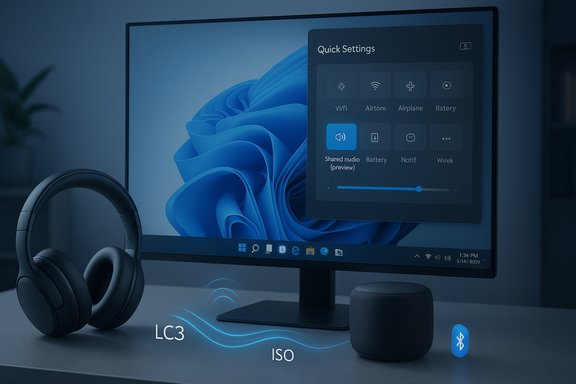
Microsoft is finally shipping a built‑in way to stream the same audio to two Bluetooth devices at once on Windows 11 — but the reality behind that simple promise matters: the feature is a standards‑based implementation of Bluetooth Low Energy (LE Audio) delivered as a limited preview to Insiders, gated by specific hardware, drivers, and firmware. The experience appears as “Shared audio (preview)” in Quick Settings on supported Copilot+ PCs running the recent Insider Preview build, and it reproduces one synchronized stream to two LE Audio‑capable sinks (headphones, earbuds, speakers, or compatible hearing aids).
Bluetooth audio on PCs has long been hamstrung by legacy trade‑offs: high‑quality one‑way playback (A2DP) versus low‑quality bidirectional voice (HFP/HSP), vendor‑specific multi‑sink hacks, and clumsy third‑party workarounds. The Bluetooth Special Interest Group (SIG) finalized the LE Audio specifications in 2022, introducing the LC3 codec, isochronous channels for synchronized multi‑streaming, and Auracast broadcast primitives — the technical building blocks that make multi‑sink experiences possible without the brittle hacks of the past. Microsoft’s Shared audio builds on those standards, rather than inventing a proprietary solution, which is significant for device interoperability and future ecosystem growth. Microsoft announced the public preview of the feature in the Windows Insider Blog on October 31, 2025, tying availability to Windows 11 Insider Preview Build 26220.7051 and explicitly stating that the initial rollout is limited to a short list of Copilot+ PCs that have the required Bluetooth and audio driver updates. The new control appears in Quick Settings as a Shared audio (preview) tile that enumerates paired LE Audio accessories, lets you pick two of them, and begins sending a synchronized stream.
Source: PCQuest Windows 11 Introduces Dual Bluetooth Audio Streaming for Two Devices at Once
 Background / Overview
Bluetooth audio on PCs has long been hamstrung by legacy trade‑offs: high‑quality one‑way playback (A2DP) versus low‑quality bidirectional voice (HFP/HSP), vendor‑specific multi‑sink hacks, and clumsy third‑party workarounds. The Bluetooth Special Interest Group (SIG) finalized the LE Audio specifications in 2022, introducing the LC3 codec, isochronous channels for synchronized multi‑streaming, and Auracast broadcast primitives — the technical building blocks that make multi‑sink experiences possible without the brittle hacks of the past. Microsoft’s Shared audio builds on those standards, rather than inventing a proprietary solution, which is significant for device interoperability and future ecosystem growth. Microsoft announced the public preview of the feature in the Windows Insider Blog on October 31, 2025, tying availability to Windows 11 Insider Preview Build 26220.7051 and explicitly stating that the initial rollout is limited to a short list of Copilot+ PCs that have the required Bluetooth and audio driver updates. The new control appears in Quick Settings as a Shared audio (preview) tile that enumerates paired LE Audio accessories, lets you pick two of them, and begins sending a synchronized stream. What Microsoft shipped — the essentials
- The feature name shown to users is Shared audio (preview) and it is surfaced in Quick Settings (Win + A) when the PC has the requisite OS and driver support.
- The preview ships with Windows 11 Insider Preview Build 26220.7051 for the Dev and Beta channels; Microsoft packages the capability alongside OEM driver updates that are distributed through Windows Update.
- Shared audio uses Bluetooth LE Audio primitives (LC3 codec, isochronous channels / ISO) to deliver a single, synchronized audio stream to two Bluetooth LE sinks simultaneously. The preview intentionally limits the scenario to two sinks to simplify interoperability testing.
- Support is hardware‑gated: Microsoft lists a small set of initial Copilot+ PCs that can use the preview immediately, with more models promised to follow as OEM drivers and accessory firmware catch up.
LE Audio and Bluetooth 5.2 — the technical foundation
Why LE Audio is different
LE Audio is not just a codec update; it introduces a new transport paradigm to Bluetooth. The LC3 codec provides higher perceived audio quality at lower bitrates, and Isochronous Channels enable coordinated timing across multiple sinks so that audio plays in sync. These capabilities are what allow a single source device (a PC) to feed two separate LE Audio receivers without the jitter and drift that plague naive dual A2DP sessions.Bluetooth Core Specification requirement
LE Audio depends on the Bluetooth Core Specification v5.2 feature set (notably isochronous channels). In practice, that means an LE Audio implementation requires radio/firmware support introduced in Bluetooth 5.2 or later, and device makers must implement LE Audio stacks (including LC3) for full compatibility. In short: Bluetooth 5.2 is the minimum baseline for LE Audio features.What that implies for users
- Both the PC’s Bluetooth controller/stack and the receiving headphones/speakers must support LE Audio and the LC3 codec. Simply having “Bluetooth 5.2” hardware does not guarantee LE Audio — vendors must ship LE Audio functionality via firmware/drivers.
- Legacy Bluetooth audio headsets (Classic A2DP only) will not enjoy the LE Audio benefits such as lower power draw, better multi‑sink sync, and improved mic vs. music fidelity when voice is active.
How the Shared audio (preview) experience works for end users
Microsoft’s guidance for Insiders is straightforward — the operating flow focuses on Quick Settings for a low‑friction UX:- Enroll a supported Copilot+ PC in the Windows Insider Dev or Beta channel and install Windows Update until Build 26220.7051 (and any OEM Bluetooth/audio driver updates) are present.
- Update the firmware of your Bluetooth accessories using the manufacturer’s app to ensure LE Audio and LC3 support are enabled.
- Pair and connect two compatible Bluetooth LE Audio accessories to the PC.
- Open Quick Settings, tap the Shared audio (preview) tile, select the two connected accessories and click Share. Use Stop sharing to end the session.
Compatibility checklist — what to verify before you try it
- Confirm your PC model appears on Microsoft’s supported Copilot+ list for the preview. The initial list includes recent Surface Laptop and Surface Pro models with Qualcomm Snapdragon X processors; additional Copilot+ machines (notably select Samsung Galaxy Book models and other Surface SKUs) are on a “coming soon” list.
- Confirm your PC has the specific Insider Preview build (26220.7051) and any Bluetooth/audio driver updates from your OEM via Windows Update.
- Verify that both Bluetooth accessories explicitly advertise LE Audio support (LC3) — consulting the vendor’s spec sheet, firmware notes, or companion app is the fastest check. Devices like Samsung Galaxy Buds2 Pro, Buds3 / Buds3 Pro, and Sony WH‑1000XM6 have been cited as compatible examples where firmware enables LE Audio features.
- Ensure accessory firmware is updated before pairing; Microsoft’s preview notes stress firmware parity as a common interoperability failure point.
Real‑world performance expectations and limits
Microsoft’s preview deliberately scopes the feature to two sinks to make testing tractable, but even in that constrained form there are real‑world friction points:- Latency and synchronization: LE Audio’s isochronous streams are designed for tight sync, but real‑world latency depends on accessory firmware, radio congestion, and the PC’s Bluetooth stack. Early Insider feedback shows the experience can be smooth on fully updated hardware but may exhibit small sync delays or initial setup lag on older devices.
- Battery behavior: LE Audio is more power efficient than classic A2DP in many scenarios, but running two simultaneous streams still increases the aggregate radio activity across both accessories. Users should expect higher accessory battery draw during shared sessions compared to a single connection.
- Driver/firmware dependencies: The feature’s availability is not purely an OS flip; it requires updated Bluetooth drivers and sometimes OEM firmware on the host. That’s why Microsoft limited the preview to Copilot+ PCs initially. Expect broader availability only as OEMs push compatible driver updates.
- Accessory support variance: Not every product that claims Bluetooth 5.2 will behave identically; some vendors ship 5.2 radios but delay or omit LE Audio/LC3 code paths, so compatibility remains a moving target.
How this differs from previous Windows workarounds
Before Shared audio, PC users seeking simultaneous playback had to resort to hacks or third‑party tools: virtual mixers (Voicemeeter), the legacy Stereo Mix “listen” trick (which works for some wired/USB devices but historically fails for Bluetooth), or vendor‑specific splitters. Those solutions often introduced latency, required manual routing, or demanded driver fiddling. Shared audio replaces those brittle approaches with an OS‑first, standards‑driven option — provided both the host and sinks implement LE Audio.Accessibility, privacy, and Auracast considerations
LE Audio also expands what’s possible for hearing‑aid support and public audio broadcasting (Auracast). Microsoft’s Shared audio focuses on paired, private two‑sink playback for social and accessibility use cases (two listeners sharing a movie or transmitting directly to hearing aids). Auracast is broader — a broadcast model designed for public venues that can stream to many receivers without individual pairing — and it carries different privacy and management requirements. Microsoft’s implementation for Shared audio is a private, paired model and not the open Auracast public broadcast scenario. Privacy risk: public broadcasts require careful discoverability and access controls to avoid accidental eavesdropping in crowded spaces. The Bluetooth SIG suggests broadcast codes and other controls for Auracast if venues want privacy; Shared audio’s paired nature avoids many of these concerns but doesn’t obviate the need for good UX around permissioning if Microsoft expands to broader broadcast models later.What OEMs and IT managers should know
- OEM Driver Role: This rollout illustrates a modern reality: OS features increasingly depend on OEM/bundle driver updates. IT managers should expect to coordinate Windows Update driver policies and OEM firmware testing for fleet deployments that plan to use LE Audio features.
- Phased availability: Microsoft’s initial limitation to Copilot+ devices is pragmatic — it reduces interop permutations while OEMs and accessory makers update firmware and drivers. Enterprises should track OEM driver release notes and Microsoft Insider channel notes before enabling the feature widely.
- Procurement guidance: When buying headphones or headsets for shared‑listening or accessibility scenarios, require explicit “LE Audio / LC3” support in the vendor spec sheet and confirm firmware update paths via the vendor app. Merely listing “Bluetooth 5.2” is not sufficient assurance of LE Audio behavior.
Strengths and potential risks — critical analysis
Notable strengths
- Native, standards‑based approach: Microsoft built Shared audio on LE Audio primitives rather than a proprietary trick, improving the odds of long‑term interoperability and simplified user flows. This is a meaningful platform upgrade over the ad‑hoc methods Windows users have relied on.
- Cleaner user experience: Surfacing the capability in Quick Settings (select two devices and press Share) is a low‑friction, smartphone‑inspired UX that will make shared listening accessible to non‑technical users when the ecosystem matures.
- Accessibility and inclusion: LE Audio’s hearing‑aid profiles and multi‑sink capabilities open useful accessibility scenarios beyond consumer convenience, improving inclusion for users with hearing devices.
Potential risks and limitations
- Fragmentation and slow rollout: Because the feature is hardware and driver dependent, many Windows PCs and Bluetooth accessories will be left behind until manufacturers ship updates. That fragmentation can lead to user confusion, fragmented experiences, and support headaches for help desks.
- Expectation mismatch: Coverage and social posts that imply “two Bluetooth headphones at once — out of the box for everyone” oversimplify reality. Users with older Bluetooth stacks, non‑LE accessories, or unmanaged driver policies will not be able to use the feature. Messaging must be precise to avoid inflated expectations.
- Early preview bugs: The Insider preview phase is intentionally narrow so Microsoft can iterate, but early adopters should expect quirks: missing accessory listings, re‑pairing requirements, or transient sync issues until firmware and driver ecosystems stabilize.
Timeline and release expectations — what to believe and what to flag
Microsoft published the Shared audio preview on October 31, 2025, as part of Insider Preview Build 26220.7051. Reports that cite different build numbers or claim an earlier general‑availability timeline (for example, “available to everyone in early 2025”) are inconsistent with Microsoft’s official blog and Insider release notes and should be treated with caution. The company’s stated rollout plan ties GA timing to driver support and OEM rollout schedules rather than a single OS update calendar. Track Microsoft’s Windows Insider Blog and OEM driver updates for the most accurate availability forecasts.Practical recommendations for enthusiasts and IT pros
- Enthusiasts: Join the Windows Insider Dev or Beta channel on a supported Copilot+ PC, update to Build 26220.7051, update accessory firmware via vendor apps, and try the Quick Settings Shared audio tile to provide feedback through Feedback Hub. Be prepared to re‑pair devices during testing.
- Purchasers: When buying accessories for shared listening scenarios, insist on explicit LE Audio / LC3 support in the spec sheet and confirm firmware update availability. Devices that list Bluetooth 5.2 but do not advertise LE Audio may not deliver the feature.
- IT managers: Don’t roll this out broadly in production until OEM drivers are certified for your hardware lineup. Coordinate with OEM channels for driver packages and update guidance, and prepare support notes explaining that the feature requires both host and accessory LE Audio support.
Conclusion
Windows 11’s Shared audio (preview) is a long‑needed, standards‑based step toward modern multi‑sink Bluetooth audio on PCs. Built on LE Audio (LC3, isochronous channels), surfaced as Shared audio (preview) in Quick Settings, and initially available to Insiders on select Copilot+ devices via Build 26220.7051, the feature promises cleaner, synchronized dual‑headphone/speaker experiences — if users have the right hardware, drivers, and firmware. Microsoft’s measured, hardware‑gated rollout reduces early interop chaos but means most users will need to wait for OEM updates and broader accessory adoption before the capability becomes ubiquitous. Enthusiasts can test now if they meet the compatibility checklist; everyone else should watch vendor firmware updates and Microsoft’s Insider notes for the signal that Shared audio is ready for general use.Source: PCQuest Windows 11 Introduces Dual Bluetooth Audio Streaming for Two Devices at Once
