Microsoft’s latest Insider cumulative — shipped as KB5067115 and tied to Windows 11 Insider Preview Build 26220.7051 — brings a significant shift in how people will discover and interact with their PC: an opt‑in Ask Copilot entry in the taskbar that fuses classic Windows Search with Copilot’s conversational, multimodal AI features, plus companion updates for handheld gaming (a Full Screen Experience) and a preview of shared audio for compatible Copilot+ hardware. This release is an incremental but meaningful step toward making Copilot a core interaction layer in Windows rather than an optional sidebar experiment, while Microsoft emphasizes permissioned access to local files and staged, controlled rollouts for Insiders.
Microsoft has been repositioning Copilot from an add‑on into the OS itself: the Copilot app, File Explorer actions, selection flows (Click-to-Do), and the Copilot Vision/Voice features all point to one product thesis—AI as the primary interface for discovery and action on Windows. The taskbar Search slot has always been the front door for finding apps, settings and files; turning that surface into a conversational entry point is the most visible iteration of that strategy to date.
This change arrives inside an Insider preview build (26220.7051) distributed to both the Dev and Beta channels under KB5067115. Microsoft is delivering the binary broadly while gating feature visibility through server‑side toggles and hardware entitlements; Insiders will see the experience in stages as telemetry and feedback determine wider exposure. Expect variability in who gets the feature even when their PCs are seemingly identical.
Source: Windows Report KB5067115 Brings Ask Copilot in Windows 11 Taskbar with Instant AI Search
 Background / Overview
Microsoft has been repositioning Copilot from an add‑on into the OS itself: the Copilot app, File Explorer actions, selection flows (Click-to-Do), and the Copilot Vision/Voice features all point to one product thesis—AI as the primary interface for discovery and action on Windows. The taskbar Search slot has always been the front door for finding apps, settings and files; turning that surface into a conversational entry point is the most visible iteration of that strategy to date.This change arrives inside an Insider preview build (26220.7051) distributed to both the Dev and Beta channels under KB5067115. Microsoft is delivering the binary broadly while gating feature visibility through server‑side toggles and hardware entitlements; Insiders will see the experience in stages as telemetry and feedback determine wider exposure. Expect variability in who gets the feature even when their PCs are seemingly identical.
What KB5067115 actually adds
Ask Copilot: taskbar search reimagined
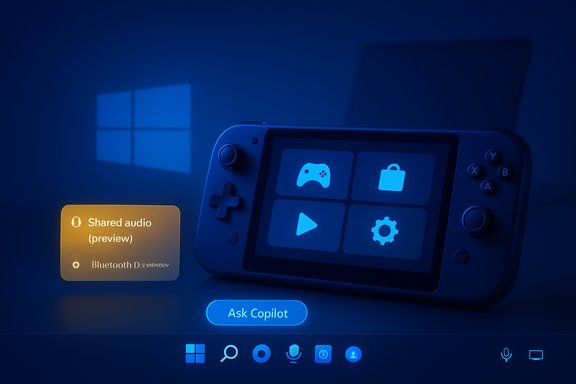
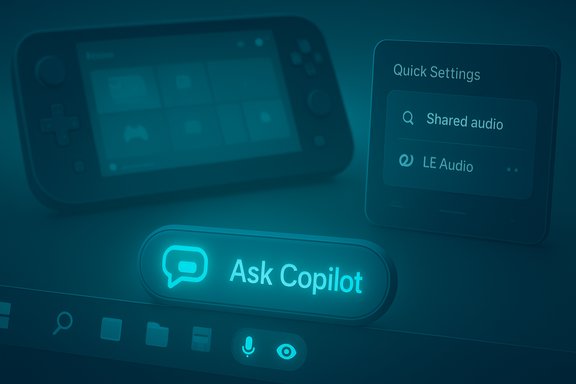
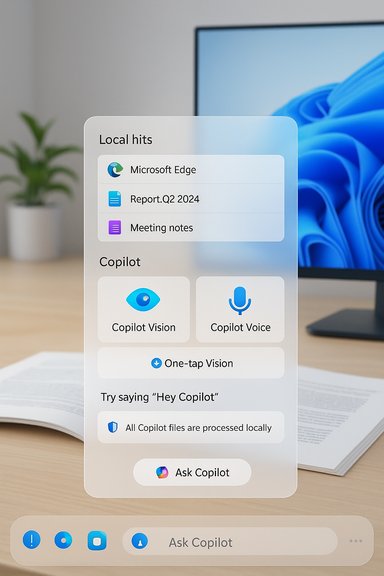
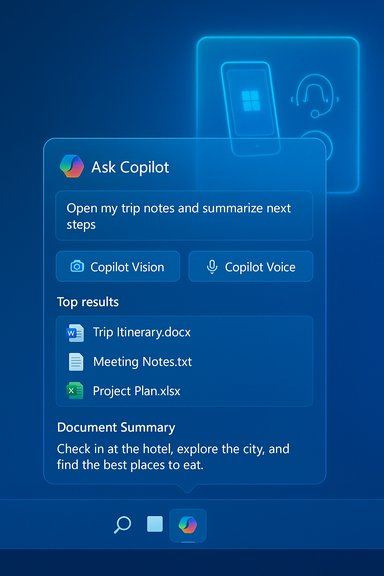
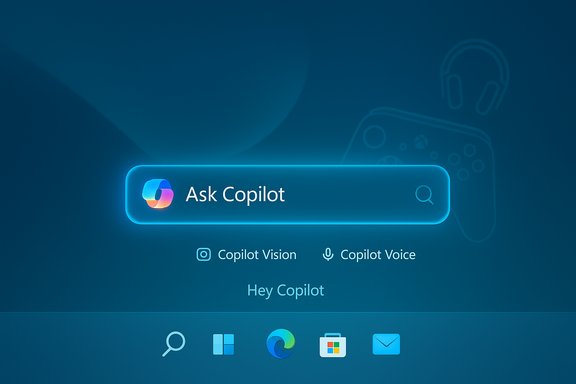
- The Ask Copilot pill is an opt‑in taskbar element that, when enabled, replaces or augments the traditional Search box with a compact chat/search surface.
- It mixes instant local hits (apps, files, settings surfaced via existing Windows Search APIs) with Copilot conversational responses, plus explicit UI affordances to launch Copilot Vision (attach or share a region/window) and Copilot Voice (press‑to‑talk or the “Hey, Copilot” wake word where available).
- Opt‑in and permissioned: Ask Copilot does not automatically read or upload your personal files; local results use the existing Windows Search APIs and explicit permission flows are required before Copilot reads file contents or a screen region. Microsoft frames the UI as session‑based and revocable.
- Multimodal: You can type, speak, or attach images/screens to provide context to Copilot from the taskbar without first launching the full Copilot app.
- Enablement: The toggle appears at Settings > Personalization > Taskbar > Ask Copilot. The Copilot app settings allow auto‑launch at sign‑in if you prefer an always‑ready assistant.
Full Screen Experience (FSE) for handhelds
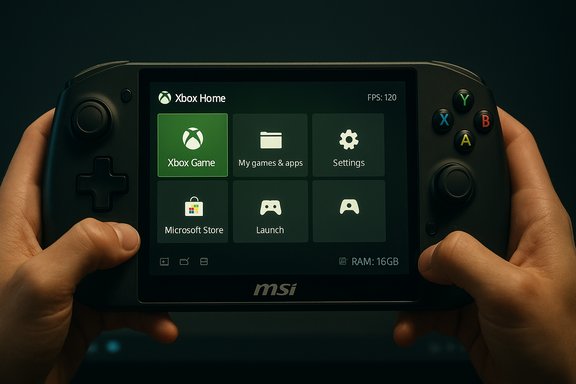
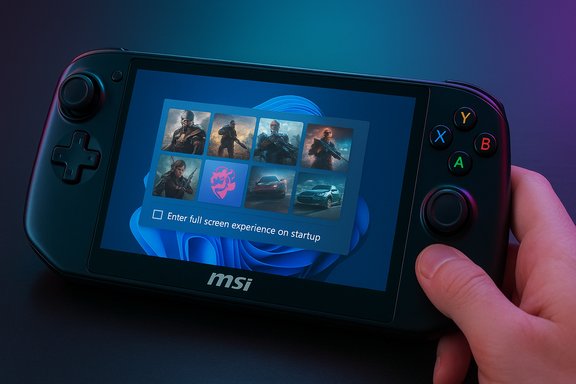
KB5067115 expands a console‑style Full Screen Experience for the Xbox PC app on supported handheld devices (initially OEMs like ASUS ROG Ally series, with previews for other handhelds), optimizing background behavior and controller navigation to deliver a more responsive gaming feel. The toggle lives in Settings > Gaming > Full screen experience. This is a device‑specific optimization, not a universal UI change, and remains gated to compatible hardware.Shared audio (preview)
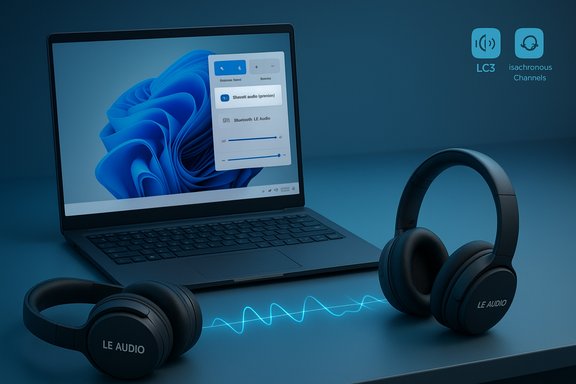
This release also begins rolling out a Shared audio (preview) that enables streaming audio to two Bluetooth LE audio accessories simultaneously on compatible Copilot+ hardware. The feature is surfaced as a Quick Settings tile and is targeted to Copilot+ PCs with the requisite Bluetooth LE Audio stack and driver support. Early compatibility lists and driver requirements are part of the staged preview.Deep dive: how Ask Copilot works (technical and UX details)
Under the hood: search APIs and model splits
One of the most consequential technical decisions is that Ask Copilot leverages existing Windows Search APIs for local hits. That means Windows’ indexing and IFilter-based plumbing still provide the fast local discovery layer; Copilot sits on top to provide natural‑language understanding, summarization and action. The design choice avoids wholesale replacement of the indexer and permits a hybrid result surface where typed keywords return immediate file and app hits while the chat flow can provide summaries or generation outputs. Model execution is hybrid and hardware‑gated:- On standard Windows 11 PCs, heavier generative and reasoning workloads may be performed in the cloud.
- On Copilot+ PCs (machines with dedicated NPUs rated at 40+ TOPS), Microsoft routes latency‑sensitive inference on‑device where possible for faster, privacy‑conscious results. Microsoft’s Copilot+ documentation and device pages describe the NPU baseline and the feature segmentation.
Multimodal inputs and session model
- Vision: When you explicitly share a window or screen region, Copilot can OCR text, extract tables, identify UI elements and generate “Show Me How” style guidance. That flow is session‑scoped and visible to the user.
- Voice: Microsoft is adding an opt‑in wake‑word “Hey, Copilot” that starts a session via a small local spotter model; full transcription or reasoning escalates to the cloud unless on Copilot+ hardware. The spotter is designed to run locally with a transient, in‑memory buffer and visible cues when listening.
Integrations and actions
Ask Copilot is explicitly trying to bridge discovery and outcomes:- Results can be exported to Word, Excel or PowerPoint, or handed off to downstream Copilot Actions (agentic workflows) when the user grants permission.
- File Explorer gains right‑click AI actions (e.g., “Ask Copilot”, image edits, Manus for website generation), shortening the path from a file to an AI‑assisted task.
Privacy, security and governance — what’s promised and what to watch
Microsoft’s messaging is consistent: opt‑in defaults, sessioned consent, and visible UI cues are the guardrails for Copilot’s deeper system integration. Two technical controls are especially important:- Existing Windows Search APIs supply local item hits without granting uncontrolled Copilot access to file contents.
- Permissioned sessions are required before Copilot reads a file, analyzes a shared window, or performs an agentic action; agentic features are off by default.
- Accidental file exposure: a permissive session or ambiguous consent prompt could result in more data being uploaded than anticipated; vigilance in account settings and File Search / File Read toggles is essential. Microsoft documents the File Search permission controls in Copilot’s account settings.
- Agentic mistakes: Copilot Actions that execute multi‑step tasks can save time, but they also create an attack surface for erroneous actions or data exfiltration. Robust audit logs, explicit scope approvals and enterprise policy controls will be required to safely use agentic workflows at scale.
- Feature gating and telemetry: Microsoft’s use of server‑side toggles and staged rollouts means not all Insiders will see the same behavior; this is sensible for quality control but complicates consistency for IT pilots.
How to enable, control and troubleshoot Ask Copilot
Enable Ask Copilot (Insider preview steps)
- Join the Windows Insider Program on an account and device eligible for the Dev or Beta channel with the toggle to receive the latest preview updates.
- Install KB5067115 (Build 26220.7051) via Windows Update.
- Go to Settings > Personalization > Taskbar and turn on Ask Copilot.
- Open the Copilot app and, if desired, toggle Auto start on sign in from the Copilot app settings.
Disable or hide Copilot integrations
- The Copilot context‑menu entry (“Ask Copilot” on right‑click) can be hidden with a registry tweak if users prefer less clutter in File Explorer; multiple outlets document the registry key used to block the context menu entry. This is a workaround, not a Microsoft‑recommended policy for enterprises.
- For enterprise control, admins should evaluate Group Policy and MDM options; Microsoft is expected to publish explicit policy controls as Copilot features move toward general availability.
What this means for users and IT
Immediate benefits
- Faster access to help and discovery: a single taskbar entry reduces clicks and merges search with a conversation model that can summarize, explain, or perform small edits.
- Better accessibility: voice and vision inputs offer alternative modalities for users with dexterity or vision challenges.
- Workflow compression: export and action handoffs to Office apps and agentic workflows shorten multi‑step tasks into fewer interactions.
Enterprise considerations and recommended posture
- Pilot in controlled groups: test the preview on representative endpoints, including managed devices and knowledge worker systems.
- Validate telemetry and audit trails: ensure Copilot Actions and connectors produce logs that integrate with existing SIEM and DLP tooling.
- Lock down sensitive endpoints: until robust controls and enterprise policies exist, consider disabling agentic features in high‑risk environments.
- Update procurement: organizations purchasing new hardware should include NPU requirements in RFPs if they plan to depend on Copilot+ on‑device capabilities. Microsoft documents the Copilot+ 40+ TOPS baseline and the differentiated experience for those devices.
Strengths and practical value
- Product design coherence: integrating chat, local search and multimodality into the taskbar addresses a real UX gap — users often struggle to describe context or find deeply nested settings; Copilot can both explain and deep‑link to the exact Settings page.
- Discoverability: putting Copilot at the taskbar’s front door reduces friction for help, discovery and micro‑automation.
- On‑device privacy prospects: where Copilot+ hardware is available, shifting inference to NPUs offers lower‑latency and potentially better privacy for common tasks.
Risks and open questions
- Consent clarity: early preview sessions show Microsoft aims for visible consent, but the UI will need to be rigorously tested for ambiguity—users should never be unsure what is being shared.
- Feature fragmentation: Copilot+ hardware gating (40+ TOPS NPUs) creates a functional divide across the Windows install base; many older devices will rely more heavily on cloud processing.
- Agent reliability: agentic UI automation across third‑party apps is fragile; enterprises should expect false positives and design human‑in‑the‑loop workflows until reliability stabilizes.
- Rollout unpredictability: CFRs and server toggles mean admins can’t assume a consistent feature set across an environment until the functionality is broadly released.
Independent corroboration and verification
Multiple independent outlets and Microsoft documentation align on the core claims:- Microsoft’s Copilot support pages and product documentation explain the File Search permission model and how Copilot’s file access is controlled in Account > Settings > File Search and File Read toggles.
- Coverage and hands‑on reporting from outlets such as Windows Latest and tech press corroborate the taskbar Ask Copilot pivot, the context menu changes, and the opt‑in model.
- Microsoft’s Copilot+ and Copilot+ PC product pages document the 40+ TOPS NPU baseline and the feature segmentation that places low‑latency inference on qualifying devices.
- The Insider preview notes and community tracking—used by reporting outlets and Insiders—describe Build 26220 families, the temporary Dev‑to‑Beta channel alignment, and the staged rollouts associated with KB5067115.
Practical takeaways
- If you’re an Insider: KB5067115 (Build 26220.7051) is the package that begins rolling out the Ask Copilot taskbar experience plus handheld and shared audio previews; enable Ask Copilot via Settings > Personalization > Taskbar and test with care.
- If you’re a power user who values control: review Copilot account settings (File Search / File Read) before handing Copilot permission to scan documents, and use the documented registry workaround or uninstall the Copilot app to remove context‑menu clutter if preferred.
- If you manage devices: treat this preview as a pilot candidate. Prepare governance: policy controls, DLP configuration, logging and explicit guidance on agentic feature use are prerequisites for broad adoption.
Conclusion
KB5067115 (Build 26220.7051) is a calculated, incremental advance in Microsoft’s long game to make Copilot the central way people interact with Windows. The Ask Copilot taskbar pill is a pragmatic combination of the speed of Windows Search and the flexibility of conversational AI. The update’s opt‑in nature, the use of existing Search APIs, and sessioned permission flows address many privacy concerns on paper—but the real test will be sustained usability and robust governance as agentic actions and multimodal inputs scale beyond Insiders. Organizations and privacy‑conscious users should pilot deliberately, insist on clear audit trails and policy controls, and prepare for an uneven feature map driven by device hardware (Copilot+ NPUs) and Microsoft’s staged enablement strategy.Source: Windows Report KB5067115 Brings Ask Copilot in Windows 11 Taskbar with Instant AI Search