

Microsoft’s latest Windows 11 messaging points to a notable course correction: after years of leaning on web technologies for built-in experiences, the company is now openly talking about a new push for 100% native apps and a more disciplined approach to the Windows shell. That shift matters because it arrives alongside a broader effort to make File Explorer, Start, search, and the taskbar feel faster, more coherent, and less frustrating. If Microsoft follows through, the move could become one of the most consequential Windows UI pivots in years.
Windows has spent much of the last decade wrestling with a fundamental identity problem. On one side, Microsoft wants the platform to feel modern, flexible, and cloud-connected; on the other, its most demanding users still expect the speed, predictability, and low overhead associated with classic native Windows software. The tension has become more visible in Windows 11, where some built-in experiences have adopted web wrappers, hybrid frameworks, and browser-like components even when users expected a straightforward desktop application.
The latest signal is not a formal product roadmap announcement, but it is strong enough to matter. Rudy Huyn, a Microsoft associate architect working on the Store and File Explorer, said he is forming a new team focused on Windows apps and emphasized that prior platform experience is not required, only strong product thinking and customer focus. In a follow-up, he described the team’s work as “100% native”, which is the kind of phrase Microsoft does not use casually when discussing internal direction.
That language lands at an important moment for Windows 11. In a recent post on Windows quality, Pavan Davuluri said Microsoft had spent months reviewing community feedback and would respond with changes across the shell, performance, updates, and search. He specifically pointed to more taskbar customization, faster responsiveness in Start, and more consistent search across Taskbar, Start, File Explorer, and Settings. Those are not cosmetic promises; they imply an engineering effort to reduce friction in the parts of Windows users touch most often.
What makes this turn especially interesting is the timing. Microsoft has been promoting WinUI 3 as its modern native UI framework for building Windows desktop apps, while also continuing to ship or modernize some of its own experiences using web technologies and WebView2. That split has fueled criticism from power users who see a disconnect between Microsoft’s platform messaging and the actual software they use every day. The new native-app push looks like an attempt to narrow that gap.
That tradeoff has not been lost on users. Many Windows enthusiasts have complained for years about inconsistent controls, sluggish launches, and the sense that some built-in experiences are doing more work than necessary. When a desktop app behaves like a webpage inside a shell, the result can feel less responsive, more memory-hungry, and more detached from the operating system’s native conventions. For people who live in File Explorer, the Settings app, and task switching, those details are not academic.
Microsoft has also had mixed results with web-centric app strategies across its own product line. Some experiences have benefited from rapid iteration and cross-platform delivery, but others have drawn criticism when performance or polish lagged behind. The broader market has not been shy about this either: users routinely compare Windows unfavorably to competing platforms when core interactions feel heavy, delayed, or visually inconsistent. The new native-app focus suggests Microsoft knows those complaints are not going away by themselves.
A key detail is that native does not necessarily mean “old-fashioned.” Microsoft’s own WinUI 3 and Windows App SDK are designed to support modern design, richer controls, and contemporary patterns while staying rooted in native Windows execution. In other words, the company does not have to choose between modern UI and native code; it can pursue both. That distinction matters because much of the recent criticism has been aimed not at modernization itself, but at the way modernization has been delivered.
The context around the Windows shell is equally important. Microsoft has already signaled changes in response to feedback, including reducing unnecessary Copilot entry points in some inbox apps, adding more predictable update behavior, and making taskbar placement more flexible. Those are practical fixes, not manifesto language. They indicate that the company is trying to restore trust through visible improvements rather than branding alone.
A native rewrite also tends to bring a different development discipline. Teams have to think more carefully about startup time, memory footprint, input latency, and the way a control behaves under stress. That often leads to a better result for users, especially in system-level apps where performance is not optional. The promise of native software is not just speed; it is consistency.
There is also a psychological dimension. Users are far more forgiving of a third-party app using web technologies than they are of Microsoft doing the same in an inbox Windows experience. A built-in tool is expected to behave like part of the operating system, not like a wrapper around a website. When Microsoft breaks that expectation, frustration tends to be proportional to the privilege of being first-party.
For developers, this could mean more attention on WinUI, Windows App SDK, and other native tooling. Microsoft has spent years building the case that modern native does not mean stale or restrictive. If the company backs that with its own internal apps, the ecosystem may take the hint.
Huyn’s recruitment language is revealing because it reframes the hiring problem. Instead of prioritizing candidates with a narrow history of building on a specific Windows stack, Microsoft is emphasizing product thinking and customer obsession. That usually means the company wants people who can think about interaction design, polish, and user value first, then choose the right technical approach. In a native-app push, that is a sensible combination.
That distinction is important because the industry has become comfortable with hybrid stacks. A modern desktop app may still use WebView2 for selected flows while the primary shell, rendering, and interaction logic stay native. Users may not care about the architectural split if the app feels fast and coherent. They will care, however, if the “native” label is marketing camouflage for the same old compromises.
Microsoft seems aware of this. Davuluri’s post explicitly mentions performance, responsiveness, and more consistent search behavior across several Windows surfaces. The company is also previewing taskbar repositioning, including vertical placement, which has long been a top request from the community. Those kinds of changes do not happen if the team does not believe the current shell experience has become too rigid.
That is why a native-first push is meaningful even if it does not rewrite every component. A truly responsive Explorer would instantly change many users’ perception of Windows 11. It would also validate the company’s claim that it is listening to the feedback that matters most.
Microsoft’s own wording about a “more consistent search experience” is revealing because it suggests the company sees fragmentation as part of the problem. A consistent interaction model is often as important as raw speed. Users forgive features they do not need; they do not forgive features that behave unpredictably.
That is why the switch of some apps toward Chromium-based wrappers has been so controversial. Even when such choices make cross-platform support easier, they can read as a withdrawal from Windows craftsmanship. In the case of Windows, perception is not superficial; it shapes whether users believe the platform is being actively improved or merely maintained.
That critique extends beyond WhatsApp. When basic apps feel heavier than they should, people start questioning whether Microsoft values rapid cross-platform delivery more than local quality. That is a damaging perception for Windows, especially among the enthusiasts and IT professionals who often influence broader adoption.
In practice, many users do not care whether a UI is built with C++, XAML, React, or something else. They care whether it launches quickly, behaves predictably, and respects their workflow. The web-tech backlash is really a proxy for a broader complaint about sluggishness, inconsistency, and lost identity.
Microsoft’s own emphasis on reducing update disruption, allowing more control during device setup, and making release behavior more predictable fits neatly into that enterprise logic. Less friction means fewer help desk tickets. A shell that starts faster, search that behaves consistently, and updates that interrupt work less often are not luxury features in a corporate environment; they are operational improvements.
In that sense, the new initiative could be beneficial even if it remains largely invisible to end users. A more coherent shell, fewer performance anomalies, and simpler runtime dependencies can make life easier for IT departments. The upside is strongest when Microsoft treats native quality as an operational requirement, not a visual preference.
That is why this initiative could matter more to everyday users than to enthusiasts. If Microsoft rebuilds its core apps natively and the result is a more fluid desktop, many users will simply notice that Windows feels “better.” They may not know why, but they will feel the difference.
This matters for Windows 11 because the platform has often been discussed in terms of polish and personality rather than raw capability. Microsoft has spent years trying to make the OS look more modern. The native-app move suggests it may finally be trying to make it feel more modern too.
That is why a native-app initiative is strategically relevant. It helps Microsoft close the gap with competitors on polish without sacrificing compatibility. More importantly, it could reduce the temptation for dissatisfied power users to sample alternatives simply because Windows feels heavy or inconsistent.
Microsoft understands this. Its native-app push, combined with broader shell and update improvements, is a way of saying the company still believes the desktop can be refined rather than replaced. That is a competitive statement as much as a technical one.
The catch is that this only works if Microsoft is visibly consistent. If the company continues shipping some apps as web wrappers while praising native quality elsewhere, the message weakens. The market is highly sensitive to that kind of mismatch.
The key question is whether Microsoft can turn a philosophical correction into a visible improvement. If the company really is rebuilding selected Windows apps natively, then it has the chance to reset expectations around what first-party Windows software should feel like. If not, the initiative risks becoming one more chapter in the long story of Windows promising to be better while users wait for the evidence.
Source: Softonic Windows 11 wants to convince users and is considering reversing its most controversial measure in years - Softonic
 Overview
Windows has spent much of the last decade wrestling with a fundamental identity problem. On one side, Microsoft wants the platform to feel modern, flexible, and cloud-connected; on the other, its most demanding users still expect the speed, predictability, and low overhead associated with classic native Windows software. The tension has become more visible in Windows 11, where some built-in experiences have adopted web wrappers, hybrid frameworks, and browser-like components even when users expected a straightforward desktop application.The latest signal is not a formal product roadmap announcement, but it is strong enough to matter. Rudy Huyn, a Microsoft associate architect working on the Store and File Explorer, said he is forming a new team focused on Windows apps and emphasized that prior platform experience is not required, only strong product thinking and customer focus. In a follow-up, he described the team’s work as “100% native”, which is the kind of phrase Microsoft does not use casually when discussing internal direction.
That language lands at an important moment for Windows 11. In a recent post on Windows quality, Pavan Davuluri said Microsoft had spent months reviewing community feedback and would respond with changes across the shell, performance, updates, and search. He specifically pointed to more taskbar customization, faster responsiveness in Start, and more consistent search across Taskbar, Start, File Explorer, and Settings. Those are not cosmetic promises; they imply an engineering effort to reduce friction in the parts of Windows users touch most often.
What makes this turn especially interesting is the timing. Microsoft has been promoting WinUI 3 as its modern native UI framework for building Windows desktop apps, while also continuing to ship or modernize some of its own experiences using web technologies and WebView2. That split has fueled criticism from power users who see a disconnect between Microsoft’s platform messaging and the actual software they use every day. The new native-app push looks like an attempt to narrow that gap.
Background
To understand why this matters, it helps to remember how Windows app development evolved. The platform once centered on classic Win32, then embraced richer managed frameworks, and later tried to unify app development through Universal Windows Platform. Over time, Microsoft also moved deeper into the web stack, largely because web technologies are easier to update, easier to share across platforms, and more attractive to teams trying to ship faster with smaller engineering overhead. That practicality came with a tradeoff: user interfaces started to feel less like native Windows and more like browser content dressed up to look native.That tradeoff has not been lost on users. Many Windows enthusiasts have complained for years about inconsistent controls, sluggish launches, and the sense that some built-in experiences are doing more work than necessary. When a desktop app behaves like a webpage inside a shell, the result can feel less responsive, more memory-hungry, and more detached from the operating system’s native conventions. For people who live in File Explorer, the Settings app, and task switching, those details are not academic.
Microsoft has also had mixed results with web-centric app strategies across its own product line. Some experiences have benefited from rapid iteration and cross-platform delivery, but others have drawn criticism when performance or polish lagged behind. The broader market has not been shy about this either: users routinely compare Windows unfavorably to competing platforms when core interactions feel heavy, delayed, or visually inconsistent. The new native-app focus suggests Microsoft knows those complaints are not going away by themselves.
A key detail is that native does not necessarily mean “old-fashioned.” Microsoft’s own WinUI 3 and Windows App SDK are designed to support modern design, richer controls, and contemporary patterns while staying rooted in native Windows execution. In other words, the company does not have to choose between modern UI and native code; it can pursue both. That distinction matters because much of the recent criticism has been aimed not at modernization itself, but at the way modernization has been delivered.
The context around the Windows shell is equally important. Microsoft has already signaled changes in response to feedback, including reducing unnecessary Copilot entry points in some inbox apps, adding more predictable update behavior, and making taskbar placement more flexible. Those are practical fixes, not manifesto language. They indicate that the company is trying to restore trust through visible improvements rather than branding alone.
Why Native Matters Again
Native applications have become a hot topic again because Windows users have grown more sensitive to the cost of abstraction. Every additional layer between an app and the OS can introduce latency, visual oddities, or resource overhead. On a modern PC those costs may seem small in isolation, but across a daily workflow they accumulate into the kind of annoyance that power users notice immediately.A native rewrite also tends to bring a different development discipline. Teams have to think more carefully about startup time, memory footprint, input latency, and the way a control behaves under stress. That often leads to a better result for users, especially in system-level apps where performance is not optional. The promise of native software is not just speed; it is consistency.
Performance and Responsiveness
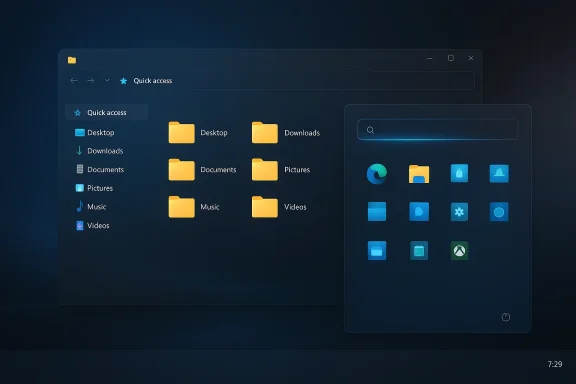
File Explorer is the obvious test case. It is one of the most frequently used Windows components, and even small delays in folder navigation or context menu opening become highly visible. Microsoft says the current wave of work is intended to improve startup times, speed context menus, and raise the overall responsiveness of core experiences. If those improvements are delivered through genuinely native implementations, the user-perceived gains could be more meaningful than any individual UI tweak.There is also a psychological dimension. Users are far more forgiving of a third-party app using web technologies than they are of Microsoft doing the same in an inbox Windows experience. A built-in tool is expected to behave like part of the operating system, not like a wrapper around a website. When Microsoft breaks that expectation, frustration tends to be proportional to the privilege of being first-party.
- Faster startup is easier to feel than to market.
- Lower memory usage helps especially on midrange hardware.
- Better responsiveness improves the perception of quality immediately.
- Native code can reduce the visual lag users associate with “webby” apps.
- Consistency matters most in core shell experiences.
Developer Expectations
The announcement also sends a message to developers. Microsoft is effectively saying that Windows app craftsmanship matters again, and that platform fluency is less important than building experiences that users trust. That is an encouraging stance because it broadens the talent pool while still insisting on product quality. It also aligns with the notion that good Windows apps should feel like they belong on Windows, not merely run on Windows.For developers, this could mean more attention on WinUI, Windows App SDK, and other native tooling. Microsoft has spent years building the case that modern native does not mean stale or restrictive. If the company backs that with its own internal apps, the ecosystem may take the hint.
What Microsoft Is Actually Signaling
The most important nuance here is that Microsoft has not publicly published a comprehensive “we are abandoning web tech” policy. What it has done is more subtle, and arguably more credible: it has tied customer feedback, shell quality, and native app building into the same narrative. That matters because it suggests a coordinated response rather than an isolated experiment.Huyn’s recruitment language is revealing because it reframes the hiring problem. Instead of prioritizing candidates with a narrow history of building on a specific Windows stack, Microsoft is emphasizing product thinking and customer obsession. That usually means the company wants people who can think about interaction design, polish, and user value first, then choose the right technical approach. In a native-app push, that is a sensible combination.
Reading Between the Lines
There are, however, limits to what can be inferred. Microsoft has not specified which apps will be rebuilt, whether “100% native” applies to all code paths, or how exceptions like embedded web content will be handled. Many modern apps use some mixture of native and web components for sign-in, help content, store links, or cloud-connected services. So the phrase should be read as a direction of travel, not a purity test.That distinction is important because the industry has become comfortable with hybrid stacks. A modern desktop app may still use WebView2 for selected flows while the primary shell, rendering, and interaction logic stay native. Users may not care about the architectural split if the app feels fast and coherent. They will care, however, if the “native” label is marketing camouflage for the same old compromises.
- The announcement appears strategic, not merely cosmetic.
- The wording suggests a change in internal engineering priorities.
- Microsoft is linking quality feedback to app architecture.
- Hybrid components may still remain in some apps.
- The final user experience will matter more than the implementation label.
The Windows 11 Shell Problem
No part of Windows 11 is more sensitive than the shell. The shell is the face of the operating system, and users interact with it constantly, often without thinking. When the Start menu feels laggy, File Explorer stutters, or context menus hesitate, the entire platform feels less polished.Microsoft seems aware of this. Davuluri’s post explicitly mentions performance, responsiveness, and more consistent search behavior across several Windows surfaces. The company is also previewing taskbar repositioning, including vertical placement, which has long been a top request from the community. Those kinds of changes do not happen if the team does not believe the current shell experience has become too rigid.
File Explorer as the Canary
File Explorer has become a symbol of the broader problem because it is both visible and functionally essential. People use it to move files, compare folders, manage downloads, and interact with cloud-synced storage. If it feels slow or unstable, users do not blame the specific code path; they blame Windows itself.That is why a native-first push is meaningful even if it does not rewrite every component. A truly responsive Explorer would instantly change many users’ perception of Windows 11. It would also validate the company’s claim that it is listening to the feedback that matters most.
Start, Search, and Consistency
Start and search are equally important, albeit in different ways. Start is where users expect the operating system to give them a reliable launch surface, while search has become a central control plane for settings, files, and apps. If these entry points feel different from one another, Windows seems fragmented. If they feel unified, the whole system feels more deliberate.Microsoft’s own wording about a “more consistent search experience” is revealing because it suggests the company sees fragmentation as part of the problem. A consistent interaction model is often as important as raw speed. Users forgive features they do not need; they do not forgive features that behave unpredictably.
- File Explorer shapes daily perception of quality.
- Start and search influence trust in the whole OS.
- Consistency reduces the cognitive load on users.
- Shell performance has outsized emotional impact.
- Small delays in core surfaces feel larger than they are.
Web Tech Fatigue and User Backlash
A lot of the anger around Windows 11 has less to do with web technologies themselves and more to do with perception and priority. Users resent seeing browser-like elements in first-party apps when they believe native performance should be the default. They also resent inconsistency: one Microsoft app may feel polished and fast, while another behaves as if it were built by a different company with different standards.That is why the switch of some apps toward Chromium-based wrappers has been so controversial. Even when such choices make cross-platform support easier, they can read as a withdrawal from Windows craftsmanship. In the case of Windows, perception is not superficial; it shapes whether users believe the platform is being actively improved or merely maintained.
The WhatsApp Example
The example that keeps coming up in user discussions is WhatsApp on Windows 11, which reportedly moved away from a native-style implementation toward a Chromium-based wrapper. Users who liked the earlier experience saw that as a regression, not a modernization. The complaint is not that web tech is always inferior, but that a company of Microsoft’s scale should not need to compromise core desktop experience to ship an app.That critique extends beyond WhatsApp. When basic apps feel heavier than they should, people start questioning whether Microsoft values rapid cross-platform delivery more than local quality. That is a damaging perception for Windows, especially among the enthusiasts and IT professionals who often influence broader adoption.
Why This Became a Cultural Issue
The controversy has also become symbolic because Windows has long been the platform that promised breadth and control. Users expect to be able to customize, optimize, and tune the OS to their preferences. Web-style wrappers can feel like the opposite of that tradition: they are standardized, abstracted, and comparatively opaque.In practice, many users do not care whether a UI is built with C++, XAML, React, or something else. They care whether it launches quickly, behaves predictably, and respects their workflow. The web-tech backlash is really a proxy for a broader complaint about sluggishness, inconsistency, and lost identity.
- Users want speed more than architecture branding.
- First-party apps set expectations for the whole platform.
- Web wrappers can amplify the sense of bloat.
- Community trust erodes when quality appears uneven.
- Native implementations signal investment in Windows itself.
Enterprise Implications
For enterprise IT, the native-app question intersects with supportability, stability, and standardization. Enterprises do not just want apps that look modern; they want apps that behave consistently across managed devices, survive updates cleanly, and do not introduce unexpected resource overhead. If native experiences reduce variability, they can simplify support at scale.Microsoft’s own emphasis on reducing update disruption, allowing more control during device setup, and making release behavior more predictable fits neatly into that enterprise logic. Less friction means fewer help desk tickets. A shell that starts faster, search that behaves consistently, and updates that interrupt work less often are not luxury features in a corporate environment; they are operational improvements.
Manageability and Trust
Enterprises are also sensitive to trust. When Microsoft changes UI frameworks or app behavior too abruptly, admins have to revalidate workflows, retrain users, and reconsider compatibility assumptions. Native foundations can help, but only if they come with stability and clear release discipline. Otherwise, they simply create another layer of transition risk.In that sense, the new initiative could be beneficial even if it remains largely invisible to end users. A more coherent shell, fewer performance anomalies, and simpler runtime dependencies can make life easier for IT departments. The upside is strongest when Microsoft treats native quality as an operational requirement, not a visual preference.
Support Costs and User Productivity
The productivity angle is straightforward. If users spend less time waiting for Explorer, toggling through laggy context menus, or fighting inconsistent search results, they spend more time getting work done. Small savings at the individual level can scale into significant gains across an organization.- Fewer shell glitches mean fewer support cases.
- Better responsiveness reduces user frustration.
- Consistent UI behavior lowers training overhead.
- Predictable update behavior helps scheduling.
- Native app quality may improve long-term stability.
Consumer Impact
Consumers tend to judge Windows less by architecture and more by feel. Does the PC wake quickly? Does the Start menu respond instantly? Does opening a folder feel instant or sticky? Those are the questions that determine whether Windows feels premium or merely familiar.That is why this initiative could matter more to everyday users than to enthusiasts. If Microsoft rebuilds its core apps natively and the result is a more fluid desktop, many users will simply notice that Windows feels “better.” They may not know why, but they will feel the difference.
The Emotional Side of Performance
Performance in consumer software is emotional. A fast app feels respectful; a slow app feels careless. That is especially true for built-in tools, where users assume the company has control over the code and the roadmap. Every extra delay in a system app can therefore feel like a broken promise.This matters for Windows 11 because the platform has often been discussed in terms of polish and personality rather than raw capability. Microsoft has spent years trying to make the OS look more modern. The native-app move suggests it may finally be trying to make it feel more modern too.
The Premium-PC Narrative
There is also a strategic consumer angle tied to the broader PC market. Microsoft wants Windows 11 to remain the default premium desktop environment, especially as AI-capable devices, Copilot+ PCs, and new silicon platforms reshape what users expect from a modern machine. Native apps support that narrative because they better match the promise of a responsive, premium operating system.- Consumers notice startup time immediately.
- Responsiveness shapes perceived quality.
- Native apps reduce the “browser in disguise” feeling.
- A better shell helps premium PCs feel premium.
- User trust can recover through visible improvements.
Competitive Pressure and Market Positioning
Microsoft is not making this change in a vacuum. Apple has long marketed macOS as tightly integrated and well-optimized, while Linux desktop environments have attracted technically sophisticated users who value control, transparency, and efficiency. Windows, by contrast, has often won on app compatibility and ecosystem breadth, not on perceived elegance.That is why a native-app initiative is strategically relevant. It helps Microsoft close the gap with competitors on polish without sacrificing compatibility. More importantly, it could reduce the temptation for dissatisfied power users to sample alternatives simply because Windows feels heavy or inconsistent.
Why Rivals Benefit from Windows Friction
When Windows feels clumsy, competing platforms gain an argument. Apple can point to integrated hardware and software design. Linux advocates can point to efficiency and user choice. Even thin-client and web-centric ecosystems can look attractive when the desktop operating system itself feels overloaded.Microsoft understands this. Its native-app push, combined with broader shell and update improvements, is a way of saying the company still believes the desktop can be refined rather than replaced. That is a competitive statement as much as a technical one.
Ecosystem Effects
There is also an ecosystem effect. If Microsoft commits to better native Windows apps, third-party developers may feel pressure to revisit their own stack decisions. Not every app should be native at all costs, but first-party leadership can shape market norms. When Microsoft shows that speed and quality matter again, the Store and wider Windows ecosystem may follow.The catch is that this only works if Microsoft is visibly consistent. If the company continues shipping some apps as web wrappers while praising native quality elsewhere, the message weakens. The market is highly sensitive to that kind of mismatch.
Strengths and Opportunities
Microsoft has a real chance to turn a familiar complaint into a practical win. The strongest opportunity is not ideological purity; it is the chance to make Windows 11 feel faster, cleaner, and more dependable in the places users notice most. If the company treats native app development as a quality strategy rather than a branding exercise, the payoff could be substantial.- Better responsiveness in shell surfaces like File Explorer and Start.
- Lower overhead for core apps that run constantly.
- More consistent design language across Windows 11.
- Improved trust among power users and IT admins.
- Stronger platform identity for Windows development.
- Clearer guidance for third-party developers building on Windows.
- Potentially fewer user complaints about web-wrapper fatigue.
Risks and Concerns
The biggest risk is overpromising and underdelivering. Users are already skeptical of Windows changes, so if “native” becomes just another label on uneven software, the backlash will be sharper than ever. Microsoft also has to avoid creating a situation where internal teams optimize for architecture debates instead of actual user outcomes.- Ambiguous scope could leave users unsure what is really changing.
- Hybrid components may remain, undermining the message.
- Transition bugs could offset performance gains.
- Too many moving parts might complicate the shell further.
- Perception risk is high if improvements are hard to feel.
- Enterprise validation could slow rollout if behavior changes too much.
- Expectation inflation may make modest improvements seem disappointing.
Looking Ahead
The next few months should make this story much clearer. Microsoft has already said that Windows quality improvements will roll out across Insider builds this month and through April, with changes touching taskbar flexibility, update handling, search consistency, and shell responsiveness. That means the native-app push should be watched alongside the broader UX refresh rather than in isolation.The key question is whether Microsoft can turn a philosophical correction into a visible improvement. If the company really is rebuilding selected Windows apps natively, then it has the chance to reset expectations around what first-party Windows software should feel like. If not, the initiative risks becoming one more chapter in the long story of Windows promising to be better while users wait for the evidence.
- Watch for which apps get rebuilt first.
- Watch whether File Explorer feels meaningfully faster.
- Watch how much of the shell moves to WinUI 3.
- Watch for continued reduction of web-wrapper dependence.
- Watch whether Microsoft keeps translating feedback into shipping changes.
Source: Softonic Windows 11 wants to convince users and is considering reversing its most controversial measure in years - Softonic
Last edited:
