
 Background
Windows Search has always occupied an awkward but important place in Microsoft’s desktop story. It is not just a utility; it is the front door to apps, files, settings, and system actions. When it works well, users barely notice it. When it misfires, the entire operating system feels less trustworthy, because the fastest path to a task suddenly becomes the least predictable one.
That tension became especially visible in Windows 11, where Microsoft’s design choices often emphasized curation and surface-level polish over raw efficiency. The Start menu, in particular, began to feel to some users like a recommendation surface instead of a command center. The Recommended section, the mix of app suggestions, and the occasional web or promotional result made the interface feel less deterministic than many people wanted from a desktop launcher.
The complaints have been remarkably consistent. Users want to press Win, type a few letters, and launch the correct app or find the correct file without guessing. They do not want the menu to reinterpret their intent as a shopping opportunity, a content feed, or a semi-opaque recommendation engine. That is why Microsoft’s current shift matters: it suggests the company is finally accepting that boring can be a feature when the task is simple, fast, and repeatable.
There is also a broader strategic context. Microsoft has been speaking more openly in 2026 about improving Windows quality across multiple surfaces, including Start, taskbar search, File Explorer, Settings, Widgets, and the Feedback Hub. The company’s public language points to a platform-wide reset focused on clarity, consistency, and reduced clutter, not just isolated UI polish.
And that makes the search issue more important than it may sound at first. Search is not merely another shell component. It is a routing layer for the whole operating system. If it feels noisy or inconsistent, the user experience fractures everywhere else. If it becomes predictable, many of Windows 11’s other rough edges suddenly feel more manageable.
Why Start Menu Search Became a Flashpoint
The Start menu is the most emotionally charged interface in Windows because it sits at the center of daily work. It is the first thing many users touch after logging in, and it forms the first impression of the shell’s quality. That means small changes in behavior can have outsized consequences, especially when they affect something as habitual as typing an app name and pressing Enter.
The problem with mixed intent
Windows 11 has often blurred the line between local search, web search, and content discovery. For casual users, that blend can occasionally be helpful. For anyone trying to open a local app or find a recent file, though, it introduces friction right at the point where speed matters most. A search box that cannot reliably distinguish between those intents stops feeling like a tool and starts feeling like a suggestion engine.
That distinction matters because most people are not searching to be entertained. They are searching to complete a task. When the interface pushes ads, recommendations, or unrelated web results into that workflow, it can feel like the OS is interrupting rather than assisting. Microsoft seems to understand that problem now, at least based on its recent messaging about reducing clutter and improving local-first behavior.
The result is a subtle but important philosophical shift. Microsoft appears to be moving away from the idea that Start should be clever and toward the idea that Start should be reliable. That is not glamorous, but it is exactly what a launcher should be. A predictable menu builds muscle memory, and muscle memory is what makes a desktop feel efficient over time.
- Users want deterministic launches, not surprise suggestions.
- Local results should be easier to trust than mixed web outputs.
- A search box should reduce decision-making, not add more.
- Predictability is especially valuable for power users and IT teams.
- Fewer distractions make Start feel more like a launcher and less like a feed.
Why the complaints persist
Part of the reason the criticism has stuck is that Windows Search touches many subsystems at once: indexing, permissions, app registration, local storage, cloud signals, and increasingly AI-assisted logic. When any one of those layers gets in the way, the user blames Search itself, even if the underlying bug sits deeper in the stack. Microsoft’s own comments about broader validation and better real-world testing suggest it knows this problem is larger than a single toggle or visual tweak.
That is why the current effort is interesting from an engineering point of view. Microsoft is not only talking about result presentation; it is also talking about the underlying quality of the experience. If search is to become more predictable, then the company has to improve both what users see and how the system decides what to show them. In practice, that means better result ranking, clearer separation between result types, and fewer noisy edge cases.
What Microsoft Is Actually Trying to Change
The most important thing in Microsoft’s recent messaging is that it frames search quality as a first-class Windows goal rather than a cosmetic afterthought. That is a notable shift. For years, Windows Search often felt like a feature that had to share mindspace with bigger platform narratives such as Copilot, Widgets, and the shell redesign. Now, Microsoft is signaling that search itself deserves attention as part of the broader quality campaign.
Local-first clarity
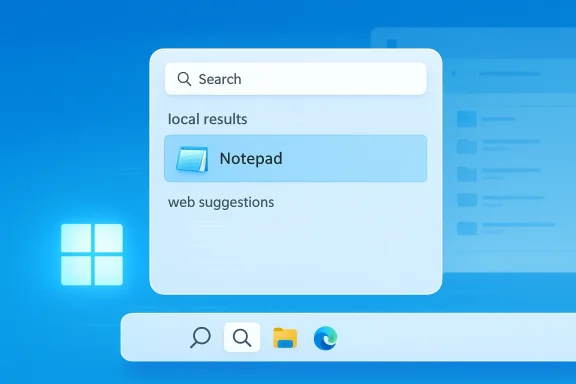
The clearest theme in the reporting is the company’s desire to surface device-only results more cleanly and to reduce ambiguity between local and web content. That is a smart move because it addresses a user expectation that should never really have become controversial in the first place: if you type the name of an installed app, the installed app should win. If you typed a file you saved yesterday, the search box should not behave like a content portal.
Microsoft is also trying to make search feel more consistent across Start, the taskbar, File Explorer, and Settings. That consistency is critical. Users do not think in terms of subsystems; they think in terms of outcomes. They expect the same search behavior whether they are looking for an app, a document, or a control panel setting. Fragmentation undermines trust because it forces people to re-learn the interface every time they switch surfaces.
In practical terms, this means the company is attempting to turn Search back into a utility rather than a mixed-media discovery surface. That is not just a UX preference. It is a defense of the core desktop model, where the fastest action should also be the most obvious one. The more Windows behaves that way, the more it feels like a professional operating system rather than a content feed.
- Clearer separation between device results and web results.
- Better consistency across Start, taskbar, Explorer, and Settings.
- Less clutter from ads and recommendations.
- Stronger local indexing behavior.
- More predictable ranking for common app-launch queries.
Why predictability matters more than novelty
Microsoft has spent the last few years leaning into smarter, more ambient, and more AI-flavored interactions. In some contexts, that is valuable. But search in a desktop shell is different. The user is usually not asking for insight; they are asking for a shortcut. If the system tries too hard to be clever, it becomes slower, more ambiguous, and harder to trust.
That is why the current emphasis on predictability is so notable. It suggests Microsoft may finally be recognizing that fidelity beats flourish in core shell operations. A search box that simply returns the right thing consistently is more valuable than one that occasionally feels impressive but often feels random. In desktop UX, boring is good when boring means the machine did exactly what you meant.
The Wider Windows 11 Refresh
Search is not happening in isolation. Microsoft’s broader Windows 11 refresh includes a cluster of changes that together suggest the company is trying to reduce the OS’s sense of noise. That means less Copilot visibility, more flexible taskbar behavior, cleaner File Explorer performance, and a renewed focus on user control rather than platform-imposed discovery.
A quieter desktop philosophy
One of the most revealing threads in the current roadmap is the reduction of clutter across the shell. Microsoft is reportedly toning down Copilot integration in some places, making Widgets quieter, and giving users more control over what appears in Start and the surrounding surfaces. That is significant because it reflects a shift from a highly curated desktop toward a more user-authored one.
The business logic is straightforward. When too many surfaces try to grab attention, none of them feel essential. Users begin to ignore the whole system. By making Windows less noisy, Microsoft is trying to restore the sense that the OS is there to serve the workflow, not compete with it. That sounds simple, but it is one of the hardest things for a modern platform vendor to get right.
The shift also has a political dimension inside Microsoft. A quieter OS leaves more room for trust. If users feel the company is respecting their time and attention, they are more likely to accept selective innovation elsewhere. If they feel the shell is always trying to promote something, then every new feature gets filtered through skepticism.
Start, taskbar, and Explorer as a single story
Microsoft’s current messaging increasingly treats Start, taskbar search, and File Explorer as part of one continuous experience. That matters because those surfaces are often used interchangeably in real life. A user may press Win to launch an app, click taskbar search to find a file, or use Explorer to navigate to a folder, but the expectation is the same: the system should respond quickly and obviously.
This is where the broader quality push becomes more convincing. If Microsoft improves the search pipeline across all of those entry points, it could reduce a lot of the frustration users currently associate with the shell. Better Explorer responsiveness plus cleaner Start search would do more for perceived quality than many cosmetic UI changes ever could.
- Faster shell feel improves the whole OS impression.
- One search philosophy across multiple surfaces reduces confusion.
- Better Explorer performance reinforces the value of local files.
- Less clutter helps users trust default interactions.
- Small latency improvements compound over a full workday.
File Explorer’s Role in the Trust Rebuild
If Start is the first impression, File Explorer is the daily proof. It is the place where users move documents, download archives, organize media, and handle the mundane file tasks that define productivity. When Explorer feels sluggish, flickery, or overly complicated, the entire platform seems less mature than it should.
Why Explorer matters so much
Microsoft’s reported focus on faster launch times, smoother navigation, better search responsiveness, and more reliable file operations is overdue. Explorer is one of those components that people only talk about when it fails, which means the quality bar is extremely high. Users do not want a “reimagined” file manager nearly as much as they want a dependable one.
That makes the recent attention important for a second reason: it signals that Microsoft knows the daily Windows experience still hinges on core shell performance, not just headline features. If Explorer opens faster and search inside it feels accurate, then users will feel the difference immediately, even if they never read a changelog. That is the sort of improvement that earns trust because it saves time in ways people can feel, not just measure.
A better Explorer also has market consequences. Many Windows users install third-party file managers because they have lost faith in the built-in one. If Microsoft can reverse that trend, it not only improves user satisfaction but also reinforces the credibility of the native shell. That is a bigger win than it may sound, because built-in tools define how polished the platform feels.
The value of faster file search
File search is one of the clearest examples of how small delays create big frustration. Even a brief pause can disrupt rhythm when users are moving through a directory tree or looking for a recent download. The problem is not just speed in the abstract; it is the interruption of flow. Once the interface breaks that flow, every subsequent interaction feels a little more annoying.
That is why Microsoft’s focus on reducing search latency inside Explorer is more significant than a cosmetic refresh. It addresses the lived experience of file management, not just the appearance of the window. Faster, cleaner search is especially valuable in enterprise settings, where employees move through large folders and shared resources all day long.
- Faster opening behavior improves first impression.
- Smoother navigation reduces friction.
- Better file search supports everyday productivity.
- More reliable copy and move operations reduce anxiety.
- Stable behavior strengthens trust in the platform’s fundamentals.
Enterprise vs Consumer Impact
The Start menu debate looks like a consumer gripe at first glance, but the enterprise implications are substantial. IT teams care deeply about predictability, supportability, and the ability to standardize interfaces across managed devices. A menu that can be configured to emphasize apps and reduce noise is easier to support at scale than one that pushes frequent content changes or web-flavored surprises.
Why businesses want boring software
In enterprise environments, “boring” often means manageable. A predictable Start menu reduces help-desk friction, lowers training costs, and makes user onboarding easier. It also reduces the chance that Microsoft’s own defaults will work against corporate standards. That matters because every extra layer of surprise increases the cost of keeping thousands of endpoints aligned.
This is especially true for search. Corporate users need exact matches, not discovery theater. When employees search for a shared folder, an internal app, or a system setting, the result should be obvious and consistent. If Microsoft improves the clarity of local results and reduces unnecessary web detours, it could quietly make Windows more enterprise-friendly without a major platform overhaul.
Consumer users, by contrast, are more likely to judge the change by feel. Does Start get out of the way? Does search find what I asked for? Does the OS feel less pushy? Those are subjective but powerful impressions. When combined, consumer and enterprise expectations point to the same conclusion: Windows 11 needs to feel more respectful of user intent.
Why this matters for adoption
Microsoft is still trying to make Windows 11 feel like an upgrade that users want, not just one they are pushed toward. That is especially important as the company continues steering users off older versions of Windows. If Windows 11 still feels inferior in basic interactions, then migration resistance will harden. If it feels faster and cleaner, the transition becomes easier to justify.
The strategic opportunity is obvious. A better Start menu and a more trustworthy search layer can improve the perceived quality of the entire OS without requiring a new visual identity. In other words, Microsoft can win back goodwill by improving the moments people repeat every day, not by chasing another flashy redesign.
Strengths and Opportunities
Microsoft’s current direction has genuine upside because it targets the friction points that users actually encounter every day. The strongest aspect of the plan is that it treats shell quality as strategic, not optional, and that gives the company a chance to reframe Windows 11 as a platform that listens and adapts. If executed well, this could be one of the more meaningful quality resets Windows has seen in years.
- More predictable Start behavior could make the OS feel immediately more reliable.
- Cleaner local search could reduce wrong app hits and wasted clicks.
- Less clutter would make the desktop feel less like a promotional surface.
- Better File Explorer performance could improve daily workflows across home and enterprise use.
- More granular user control could rebuild trust in the shell.
- Reduced Copilot overexposure may help the platform feel less intrusive.
- Stronger consistency across Windows surfaces could improve muscle memory and efficiency.
Risks and Concerns
The biggest risk is execution, not intent. Microsoft has a long history of promising polish and then shipping uneven improvements that land differently across builds, hardware, or channels. If this search and shell cleanup arrives partially, inconsistently, or with regressions, it could deepen skepticism rather than reduce it.
There is also a risk that the company improves the visible layer without fully fixing the underlying systems. Users can often tell when an interface has been cosmetically tidied up versus meaningfully reworked. That distinction matters because a search box that looks cleaner but still behaves unpredictably will not restore confidence for long.
- Partial rollouts could make the experience feel fragmented.
- Performance gains may be uneven across different hardware classes.
- Too much dependence on previews may delay real-world benefits.
- Security and convenience could clash if update control is too broad.
- AI features could reintroduce noise if Microsoft overcorrects later.
- Enterprise adoption may stall if policy controls are unclear.
- User skepticism may remain high even after improvements ship.
The trust problem is bigger than one menu
The deeper concern is credibility. Windows users have seen enough interface promises to become cautious, and they tend to judge new announcements against that memory. If Microsoft wants this reset to matter, it must overdeliver on the mundane parts of the roadmap: speed, clarity, consistency, and control. Those are not headline-grabbing traits, but they are the ones that shape long-term satisfaction.
What to Watch Next
The next few Insider builds will tell us whether Microsoft’s search overhaul is real or merely aspirational. If the company is serious, users should begin to see fewer odd recommendations, clearer local results, and a more predictable Start menu experience across preview channels in March and April 2026. That rollout window matters because it will show whether Microsoft is willing to prioritize usefulness over feature density.
The most important signals
The clearest evidence will come from everyday interactions rather than marketing claims. Users should watch how quickly Start returns installed apps, how clearly it separates web content, and whether File Explorer search starts to feel genuinely snappier. If those basics improve, the broader Windows quality campaign will feel credible. If not, the effort will likely be dismissed as another round of cosmetic messaging.
Another thing to watch is how much control Microsoft ultimately gives users. A cleaner menu is one thing; the ability to disable recommendations, reduce clutter, and keep search local-first is far more important. The more configurable the experience becomes, the more likely it is to satisfy both home users and enterprise admins.
- Insider build behavior in March and April 2026.
- Start menu ranking changes for common app-launch queries.
- Clearer separation between local files and web suggestions.
- Explorer responsiveness and search latency improvements.
- Any new policy controls for enterprise deployment.
- Whether Copilot visibility continues to decline in shell surfaces.
The most realistic outcome is not that Windows 11 becomes perfect overnight, but that it starts to feel less argumentative. If Microsoft can make the Start menu more deterministic, File Explorer faster, and the overall shell quieter, it will have solved a problem that has irritated users far more than any single feature failure. That would not just be a usability win; it would be a statement that Microsoft is finally willing to let Windows be a tool again.
