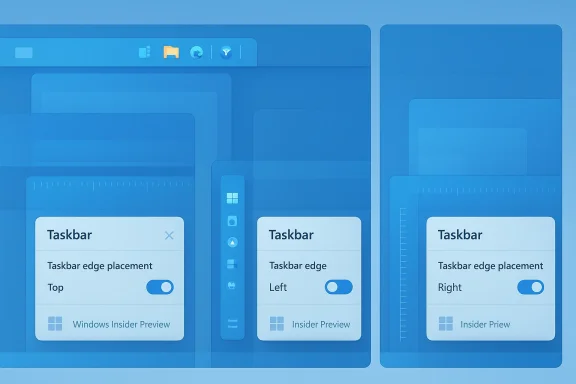
• Thread Author
Microsoft appears to be quietly reversing one of the most controversial user‑facing choices of the Windows 11 era: insiders and multiple Windows‑focused outlets report that the company is prototyping the ability to move and resize the taskbar — including restoring left/right (vertical) orientations that many users lost when Windows 11 launched in 2021. This development was accompanied by a revealing comment from former Microsoft engineering executive Mikhail Parakhin, who says he “fought hard” internally to keep vertical taskbar support during the Windows 11 redesign, and by a fast, pointed reaction from parts of the Windows developer community who link decisions about the shell to broader monetization and advertising choices inside Windows, Edge, and Widgets.

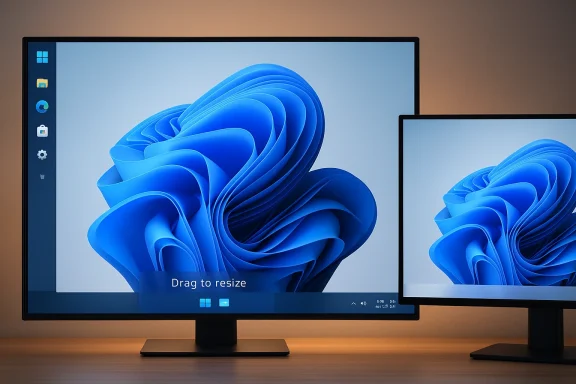
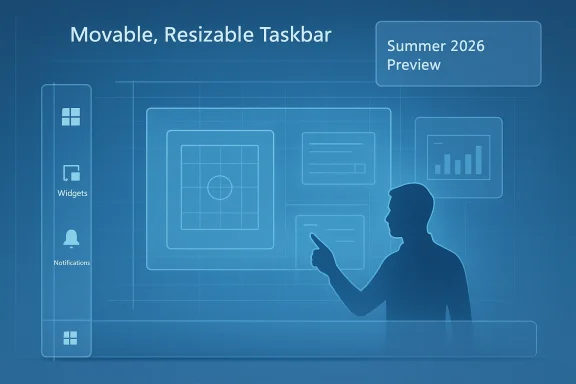
Blueprint-style UI showing a movable, resizable taskbar with widgets and charts.Background: why the taskbar became a flashpoint​

When Microsoft rebuilt the Windows shell for Windows 11 in 2021 it shipped a modernized, centered taskbar that intentionally removed decades‑old behaviors: the taskbar was locked to the bottom, drag‑and‑drop workflows changed, and fine‑grained sizing and multi‑row layouts were effectively gone. That choice immediately created frustration for a vocal set of power users, vertical‑monitor workflows, and enterprise administrators who had relied on side‑docked taskbars for space and ergonomics. The removal was widely documented and criticized at the time, and many observers concluded the missing features were the result of a ground‑up reimplementation that deprioritized legacy customization.
Since then Microsoft has reintroduced a handful of previously missing behaviors (drag‑and‑drop restoration in later Moments, clock seconds, icon scaling experiments), but the fundamental limitation — a taskbar you cannot move to the top/left/right or freely resize — persisted and became emblematic of a deeper tension between a simplified, centrally designed UI and the expectations of long‑time Windows users. Third‑party utilities and registry tweaks filled the gap for many, but they came with stability and support trade‑offs that left large organizations and cautious users exposed.

What’s new: movable + resizable, prototyping, and a summer target​

Multiple outlets reporting from sources close to Microsoft now say the company is actively prototyping the ability to move the taskbar off the bottom of the screen and to expose size controls so users can alter height — effectively restoring a vertical taskbar option and richer height/row choices. Those reports place a target window for previewing these changes in the summer of 2026, though every outlet emphasizes that this is prototyping work, not a committed ship date; Microsoft has not published an official feature announcement.
Why does that caveat matter? Prototypes are engineering experiments: they exist to validate compatibility, accessibility, and performance across millions of configurations. If Microsoft’s prototype uncovers systemic problems (e.g., apps or shell components that assume a bottom‑anchored taskbar), timelines will slip. In short, the summer 2026 window should be treated as a planning horizon, not a firm release commitment.

The former exec’s inside view: Parakhin’s comment and the “symmetric panes” rationale​

On the public record, Mikhail Parakhin — formerly a senior Microsoft engineering leader (Corporate VP of Technology, roles across Windows, Edge, Search, Ads, Maps) and currently CTO at Shopify — said he “fought hard against the decision to take it away” when Windows 11’s new taskbar was designed. Parakhin explained the product reasoning that led to the removal: Windows 11 introduced a set of asymmetric, symmetric pane concepts (notification/system controls on the right, Widgets/News/Weather on the left) and a centered Start. A vertical taskbar would conflict with those pane relationships and the overall visual symmetry the team pursued. That context helps explain why the choice was design‑driven and debated, not merely an engineering oversight.
Two important caveats about this claim:
  • It is a senior participant’s recollection of a design discussion and thus valuable color on the internal tradeoffs; it is not an engineering post‑mortem or an official product rationale from Microsoft’s product documentation. Treat it as firsthand perspective, not definitive corporate policy.
  • Even where a design rationale exists, the implementation cost of restoring vertical positioning is real: the Windows 11 shell was rewritten with many areas assuming particular taskbar geometry and workarea calculations. Those assumptions get baked into drag/drop behavior, UI overflow logic, shell extension points, and many third‑party integrations. Resetting them requires careful compatibility work.

Community reaction: relief, skepticism, and pointed criticism​

News that Microsoft may restore vertical positioning produced a predictable mix of reactions.
  • Many users greeted it as long‑overdue restoration of basic customization — an acknowledgement that long‑standing workflows and vertical‑monitor ergonomics matter. For those users, the ability to move the taskbar is not a novelty; it is a functional requirement gained over decades of incremental improvement.
  • Others greeted the announcement with skepticism and some ire: why did it take years to reverse a seemingly straightforward customization? That cynicism is amplified by wider unhappiness around Windows behaviors that users perceive as prioritizing new features (Copilot, widgets) while neglecting core polish.
  • A smaller but noisy strand of reaction tied the decisions to Microsoft’s broader business choices. Some developers and commentators called attention to executives who previously led advertising/web services efforts within Microsoft, suggesting those executives were involved in decisions that favored pane‑based content surfaces (Widgets, Start highlights) that could carry promotional content. That criticism seeks to draw a line between product choices and revenue priorities — a serious charge, and one the public debate is now summoning into sharper relief. Because such claims can implicate internal motivations, they should be evaluated cautiously and, where possible, corroborated with primary evidence rather than social‑media shorthand.

Why reintroducing vertical taskbars is hard (technical and product constraints)​

Restoring a movable, resizable taskbar is easy to describe and tricky to ship. The challenges break down into several concrete engineering and product domains:
  • Geometry and layout assumptions
  • Countless components — app windows, context menus, notification placements, Explorer behaviors, IME candidates, and many legacy shell extensions — assume the taskbar occupies the bottom edge or that the workarea origin is at a fixed vertical offset. Changing the anchor point cascades into layout math across the shell and third‑party components. Even small mismatches can produce clipped menus, broken context positions, or unpredictable snapping.
  • Accessibility and discoverability
  • Accessibility tools and screen readers have grown accustomed to a bottom taskbar paradigm. Moving the taskbar or allowing new heights requires extensive accessibility testing to ensure keyboard navigation, focus order, and assistive technology APIs remain stable and predictable.
  • Compatibility with apps and drivers
  • Some apps and overlay drivers compute their UI relative to the screen edges. Multi‑monitor setups, especially with mixed DPI configurations, are an additional headache; code that worked in a bottom‑anchored world can misbehave when the bar appears on the side.
  • Shell performance and memory
  • The shell’s performance and robustness must survive the additional complexity of dynamic orientation and runtime sizing changes. Microsoft will want to avoid regressions where a flaky taskbar leads to explorer.exe crashes or system instability.
  • Ecosystem and extension points
  • Enterprises rely on imaging, management, and automation that sometimes assume particular workarea metrics. Third‑party shell extenders (toolbars, productivity overlays) may need updates, and Microsoft must balance introducing user choice with minimizing ecosystem fragmentation and breakage.
Each of these domains requires targeted tests, compatibility shims, and in some cases genuine rewrites. That combination explains why the feature could be back on the roadmap now but still late to arrive.

The UX tradeoffs Microsoft weighed (and should continue to weigh)​

Parakhin’s “symmetric panes” explanation reminds us that UI decisions do not exist in a vacuum. Restoring vertical placement trades off with other product goals. Consider the central tradeoffs:
  • Visual symmetry vs. flexible ergonomics. A centered Start/pane architecture is a strong visual statement; side‑docked bars break that symmetry and can complicate the composited pane model Microsoft wanted. But symmetry should not block essential ergonomics — especially for users on tall displays or with muscle‑memory for side‑docked workflows.
  • Simplification vs. power user control. Microsoft has iterated toward a simpler baseline experience for mainstream users. That simplicity can help reduce cognitive load and support modern Discover/Promote surfaces, but removing control for power users risks alienating precisely the audience that often provides deep feedback and uses Windows in productivity‑critical ways.
  • Monetization and content surfaces vs. trust and cleanliness. If pane architectures are used to surface promoted content or “curated” experiences, user trust rests on tasteful, non‑intrusive treatment and clear opt‑outs. The history of Widgets and promoted Start items has shown that even modest ad‑like content can erode goodwill if it feels forced or low‑quality.
A responsible product reintroduction will need to balance these tensions with clear opt‑outs, predictable defaults, and a test matrix that prioritizes backward compatibility.

Risks Microsoft must address before a public rollout​

If Microsoft ships a movable/resizable taskbar prematurely, the result could be worse than the current status quo. Key risks:
  • Stability regressions: Explorer crashes, menu clipping, and window maximization issues that only show up in multi‑monitor or mixed DPI scenarios. These regressions are deadly for user trust because they are highly visible and affect core workflows.
  • Accessibility regressions: Assistive technology users cannot be an afterthought. Keyboard focus, screen reader semantics, and high‑contrast behaviors must be tested alongside orientation changes.
  • Enterprise compatibility: Imaging, remote management, and app certification processes may fail if critical apps assume bottom‑anchored workareas. Microsoft will need enterprise guidance and compatibility flags to help IT roll forward safely.
  • Fragmentation: If Microsoft ships the UI with only a partial implementation (e.g., left/right but not top, or with certain behaviors disabled), the ecosystem will splinter: some users will use third‑party tools, others will adopt the new official option — increasing support complexity.
  • Perception of token fixes: Rolling back a long‑requested behavior without fixing the underlying quality pain points (performance, File Explorer bugs, reliability) would look like a cosmetic concession and could create further cynicism. Several outlets report that Microsoft is framing taskbar changes as part of a broader push to fix system performance and reliability, which is the right strategic posture.

What third‑party vendors are doing (and what that means)​

Vendors like Stardock (Start11) and other community projects have offered vertical taskbar and Start customizations on Windows 11 for years. Those tools demonstrate both demand and the engineering complexity involved: they have shipped features that reintroduce vertical bars, icon sizing, and centered behaviors, but they also highlight the fragility of non‑native solutions — autohide quirks, maximized window artifacts, and occasional incompatibilities.
Key takeaways from the third‑party landscape:
  • There is clear and sustained demand for vertical orientations and richer sizing controls.
  • Third‑party restorations are useful stopgaps, but they usually require deep hooks into Explorer, come with maintenance burdens, and can break during Windows feature updates.
  • A robust, Microsoft‑supported reintroduction would benefit the ecosystem by reducing the need for risky third‑party hacks and giving IT pros a supported migration path.

A practical playbook for IT teams and power users​

Assuming Microsoft begins public previewing in the summer of 2026, organizations should prepare now. Practical steps:
  • Inventory critical apps and scripts
  • Identify apps that assume a bottom‑anchored workarea or use custom shell integration. Prioritize testing for those apps in Insider builds as soon as public previews appear.
  • Prepare test plans for accessibility and multi‑monitor setups
  • Include screen reader sessions, keyboard‑only workflows, and mixed DPI configurations in test matrices.
  • Communicate with end users
  • If you manage desktops, set expectations about preview builds, and advise users not to use pre‑release builds on production machines.
  • Plan rollback and imaging strategies
  • If a preview introduces regressions, make sure rollback images and documented steps are ready for affected machines.
  • Monitor and participate in Feedback channels
  • When the feature arrives in the Insider channel, file detailed feedback with repro steps to help the product team triage high‑impact regressions quickly.
  • Consider temporary third‑party options — with caution
  • If you must restore vertical bars immediately, vetted tools like Start11 can help, but treat them as temporary workarounds and test thoroughly before enterprise deployment.

How Microsoft should reintroduce the feature (my assessment)​

If the company wants to repair trust and deliver a durable solution, it should consider a measured, two‑phase approach:
Phase A — Compatibility first (Preview release)
  • Ship a conservative preview that enables left/right orientations while keeping defaults unchanged.
  • Introduce an explicit compatibility mode for third‑party shell extensions and enterprise policies.
  • Require extended telemetry options (opt‑in during preview) to capture real‑world errors in complex multi‑monitor setups.
Phase B — User controls and polish (General availability)
  • Add robust UI controls for resizing, icon density, and multi‑row taskbars.
  • Provide clear accessibility settings and API stability guarantees.
  • Publish enterprise guidance and a compatibility checklist for app vendors.
  • Ensure any pane/Widgets interactions honor user choice and prioritize non‑intrusive defaults.
This approach balances the need to ship quickly with the necessity of avoiding the regressions that would make users feel the reintroduction was rushed. It also exchanges symbolic change for durable, testable change that benefits both mainstream and power users.

Final assessment: why this matters beyond aesthetics​

A movable, resizable taskbar is small in code size but large in symbolic and practical significance. It signals whether Microsoft prioritizes user agency and legacy workflows alongside modern product ambitions. Restoring the feature would not erase the criticism users have of previous Windows changes, but it would be a measurable sign that Microsoft hears and is willing to act on long‑standing feedback.
That said, the feature’s value depends entirely on execution. A buggy, half‑baked reintroduction will reinforce the very distrust Microsoft needs to repair. A careful, compatibility‑first approach — one that pairs the UI change with robust testing, accessible controls, and enterprise guidance — could turn this modest reversal into a positive turning point for the platform. The human detail — a senior engineer saying he “fought hard” to preserve the option — is important: it reminds us that large product decisions are negotiated and that multiple reasonable visions can coexist. The question now is whether the company will pair that human nuance with the engineering discipline needed to make the feature work for everyone.

Takeaway for readers​

  • Expect public previews in mid‑2026 but treat that timeline as aspirational; Microsoft must clear compatibility and accessibility gates.
  • Power users and IT admins should prepare test plans and be ready to validate workflows when Insider previews appear.
  • If you need vertical taskbars today, vetted third‑party tools exist but carry trade‑offs; plan to revert to Microsoft’s native option when it matures.
Restoring a small piece of functionality can have outsized impact on user productivity and trust — but only if it’s done with the care and compatibility rigor a platform as complex as Windows requires.

Source: Neowin Former Microsoft executive claims he "fought hard" to keep this Windows 11 feature, but lost
 

Microsoft’s engineering teams are reportedly prototyping a significant reversal: restoring classic Taskbar behaviors to Windows 11 that many users have long asked for — notably the ability to move the Taskbar to the top or sides of the screen and a user-facing control to resize its height. The change, if it ships as described by multiple Windows-focused reporters, would mark one of the clearest concessions to power-user feedback since Windows 11’s 2021 launch and could reshape daily workflows for users with portrait monitors, multi‑monitor desks, and accessibility needs.

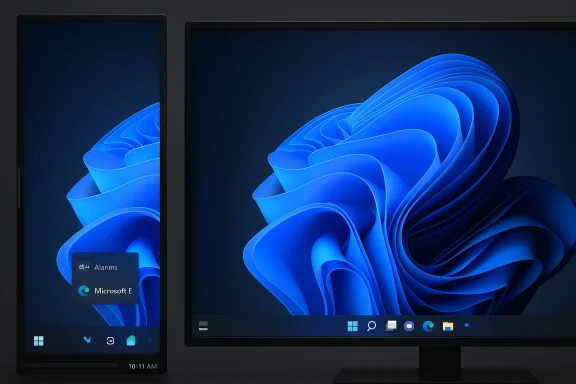
Windows 11 desktop and tablet side-by-side, displaying the signature blue swirl wallpaper.Background​

Windows 11 arrived in late 2021 with a redesigned shell and a modernized Taskbar that prioritized a cleaner, more touch-friendly experience. That redesign deliberately removed decades-old Taskbar capabilities: multi-row layouts, arbitrary docking to the top or sides, and fine-grained height control. Microsoft rebuilt the Taskbar from scratch to deliver visual consistency and new features such as centered icons, tighter animations, and a simplified system tray.
Power users reacted quickly. Over the last several years a persistent chorus of requests — from Feedback Hub petitions to discussion forums and third‑party mod communities — demanded the return of control over Taskbar placement and size. In response, Microsoft restored some incremental behaviors (for example: drag‑and‑drop on Taskbar icons, clock seconds toggle, and denser icon options) but left the core constraints in place. Third‑party tools such as ExplorerPatcher, Start11, and various registry tweaks filled the gap for users willing to accept risk and extra maintenance.
Now, multiple reports from the Windows beat indicate Microsoft is actively prototyping two high‑level changes: (1) the ability to dock the Taskbar at the top, left, or right edges of the display, and (2) a resizable Taskbar height control that may enable denser icon rows or multi‑row layouts. These stories emphasize the work is still in prototype and testing — not a final, committed release — and place an aspirational public preview window around mid‑2026.

What’s being proposed — feature checklist​

If Microsoft delivers on the current prototypes, users should expect a set of concrete, user‑visible capabilities:
  • Move the Taskbar: native support to dock the Taskbar to the top, left, or right edges of the primary display, in addition to the bottom.
  • Resize the Taskbar: a user-facing control to change the bar’s height (or width when vertical), enabling larger icons, denser rows, or multi‑row layouts.
  • Improved flyout and layout behavior: Start, notification, Quick Settings, and other flyouts updated to anchor correctly to alternate edges.
  • Multi‑monitor consistency: refined behavior across multiple displays and mixed‑DPI setups so secondary displays behave predictably with non‑bottom placements.
  • System‑level implementation: the work appears to be a shell‑level change, not just a PowerToys experiment or third‑party hack—meaning core shell components would be updated to support alternate placements.
These items reflect what reporters have described from sources familiar with Microsoft’s internal plans. They are credible and consistent across outlets, but they are not official until Microsoft posts a formal announcement or ships the change to Insider and production channels.

Why this matters: the ergonomics and productivity case​

The Taskbar is one of the most frequently used UI surfaces in Windows. Small changes to its geometry have outsized effects on daily ergonomics and efficiency.
  • Vertical or portrait displays benefit strongly from a left‑ or right‑docked Taskbar. Conserving vertical space for code, documents, or chat panes is a major productivity plus for developers, writers, and analysts.
  • Users who juggle many open windows can prefer multi‑row Taskbars or denser icon rows to keep context visible without relying on Alt+Tab or virtual desktops.
  • Accessibility gains are real: resizable hit targets and larger icons matter for low‑vision users and those who rely on larger pointer targets.
  • For managed environments, the ability to standardize or recommend a Taskbar configuration can reduce friction for support teams and improve consistency across fleets.
Restoring these features would therefore be more than a cosmetic reversal — it would be a tangible improvement to productivity and accessibility for a sizeable segment of the Windows user base.

Technical reality check: why “moving a bar” is nontrivial​

On its face, letting the Taskbar live on the left or top sounds simple. Under the hood, it touches numerous deep systems and assumptions that were intentionally simplified when Microsoft rewrote the shell for Windows 11.

Flyout anchoring and animation​

Start, Quick Settings, the notification center, and widgets assume bottom-edge geometry for anchor points and animation pathways. Reorienting the Taskbar means recalculating anchors so flyouts remain discoverable, do not overlap important content, and animate correctly in new directions.

Window sizing and maximize math​

Window maximize/restore logic, Snap layouts, and certain window management heuristics assume a bottom-docked Taskbar. When the Taskbar moves, the OS must preserve consistent maximize behavior and snapping across different edges, which requires careful reworking of layout math.

Accessibility semantics​

Keyboard navigation, screen‑reader focus order, and touch gestures depend on predictable element placement. A vertical Taskbar changes tab order, spatial navigation, and reach distances, so accessibility testing and remediations are nonnegotiable.

Mixed‑DPI and multi‑monitor scaling​

Many users run displays with different scaling factors. Ensuring the Taskbar renders and interacts correctly across mixed DPI setups—especially when the bar exists on different edges across displays—is hard engineering. Icon scaling and flyout placement must be robust to avoid broken UI states.

Performance and stability​

A resizable, content-rich Taskbar (with widgets, active agent icons, and dynamic content) increases layout and render work. Microsoft will need to balance richer customization with a commitment to minimal regressions in battery life, input latency, and Explorer stability.
Because of these dependencies, reporters emphasize prototyping and compatibility testing rather than an immediate shipping date.

Community reaction: celebration, skepticism, and schadenfreude​

The reaction across forums, social feeds, and comment threads has been mixed and often emotional.
  • Many users are relieved and enthusiastic: the feature list addresses long‑standing pain points and makes Windows 11 feel more adaptable to varied workflows.
  • Others are skeptical or openly sarcastic: critics note this should have been available from day one and that Microsoft’s iterative rollbacks feel belated.
  • A vocal group points out the consequences of Microsoft’s earlier decisions: the lack of a native solution pushed users toward unsupported mods, which created fragmentation and potential security or stability risks.
Feedback Hub petitions requesting Taskbar movement have consistently ranked highly among community votes (reported snapshots put the upvote counts in the tens of thousands). Those vote totals underline that the demand is not niche — it has long been one of the most persistent feature requests.

The third‑party gap and why native functionality matters​

Over the past years, third‑party tools stepped in to restore legacy Taskbar behaviors. Products like ExplorerPatcher, Start11, and community‑driven projects offered practical workarounds for users willing to accept the maintenance burden. Those solutions proved useful but carried important downsides:
  • They are not officially supported by Microsoft and can break with OS updates.
  • They create fragmentation in user support channels—help desks must debug both official Windows behaviors and the quirks introduced by mods.
  • Some registry or patching approaches introduced instability or compatibility issues on certain builds.
If Microsoft ships a system‑level, supported Taskbar repositioning and sizing mechanism, it would reduce reliance on risky third‑party patches and simplify long‑term device management for enterprises and power users alike.

Enterprise and IT admin implications​

Reintroducing Taskbar movement and resize controls will have measurable effects on managed environments.
  • Policy and manageability: Enterprises will want Group Policy and Intune controls to lock or enforce Taskbar placement and size. Without clear admin controls, helpdesks could face a new wave of support requests about nonstandard desktop layouts.
  • Compatibility testing: Enterprise testing teams will need to re-evaluate in-house applications that assume bottom-docked geometry—particularly apps that host custom tray icons, overlay windows, or rely on fixed window metrics.
  • Documentation and training: Standard operating procedures and user training materials may require updates to reflect new desktop configurations available to end users.
Microsoft will need to ship clear guidance, administrative controls, and compatibility tooling to make the change enterprise-friendly.

Developer implications and app compatibility​

Developers must anticipate how Taskbar orientation affects app behavior:
  • Check notification and tray icon behavior when the Taskbar is relocated.
  • Validate overlay windows, popups, and transient UIs for correct anchoring and positioning.
  • Test with mixed DPI scenarios, ensuring UI scaling remains consistent.
  • Revisit assumptions about screen geometry used in game overlays or productivity apps that calculate layout based on traditional Taskbar metrics.
Microsoft will benefit from providing updated developer documentation and compatibility shims so that third‑party apps behave correctly when users choose alternate Taskbar placements.

Roadmap, previews, and what to expect next​

The current public reporting frames the work as an active prototype inside Microsoft. Key timeline signals to watch:
  • Insider preview builds: Microsoft typically surfaces major UI changes to Windows Insiders first. Look for opt‑in preview flags in Dev or Beta channels that let testers experiment with Taskbar orientation and size controls.
  • Opt‑in gating: Given the risk profile, Microsoft may gate the capability behind a preview toggle or staged rollout, enabling it for a subset of devices before broader exposure.
  • Mid‑2026 targets: Several reports place a public preview or formal unveiling around summer 2026. Treat that as aspirational — prototypes change and ship schedules shift.
Importantly, Microsoft has not published a formal commitment at the time these reports circulated. Until Microsoft issues a blog post or ships an Insider build with the functionality toggled on, the details remain subject to change.

How to prepare: practical steps for admins and advanced users​

If you manage Windows devices or are an advanced user who might adopt these features, consider this short checklist:
  • Inventory current third‑party Taskbar mods.
  • Uninstall or standardize them before testing native Taskbar changes to avoid conflicts.
  • Build a test lab with mixed DPI and multi‑monitor setups.
  • Validate key business apps for flyout, notification, and overlay behavior with alternate Taskbar placements.
  • Update internal documentation.
  • Prepare guidance about user expectations and acceptable Taskbar configurations.
  • Train helpdesk staff.
  • Provide scripts and troubleshooting steps for layout or scaling issues introduced by relocation.
  • Maintain backup and rollback plans.
  • Keep system restore or imaging options in place when testing preview builds on production‑class systems.
These steps reduce surprises and make the preview process safer for organizations and power users.

Risks and caveats to watch​

Even if delivered thoughtfully, reintroducing Taskbar movement and resizing carries risks:
  • Fragmentation: If Microsoft limits the feature to certain channels or device classes at first, users and admins will see inconsistent experiences across fleets.
  • Regression potential: Changing core shell behavior risks subtle breakages in explorer.exe, third‑party utilities, or OEM integrations.
  • Partial rollouts: A staggered rollout might frustrate users who expect immediate parity across all devices.
  • Performance tradeoffs: Additional layout and render logic could increase battery or CPU usage on lower‑end hardware if not optimized.
  • False expectations: Reporting described prototypes; prototypes do not always ship. Users should temper expectations until official releases.
Flagging these risks publicly is important: reintroducing legacy functionality is not only a design decision but also an engineering and product‑management challenge.

What this signals about Microsoft’s product strategy​

Taken together, the reported move suggests several strategic shifts:
  • Listening to user feedback: Restoring classic usability options signals Microsoft may be doubling down on addressing the most visible pain points in Windows 11 rather than focusing solely on headline features.
  • Balancing modern design with configurability: Microsoft appears to be acknowledging that a modern, consistent UI can coexist with meaningful user choice — provided it’s engineered to avoid regressions.
  • Practical prioritization: After multi‑year feedback and the growth of third‑party workarounds, reintroducing Taskbar placement and resizing could be a pragmatic way to restore trust with enterprise and power users.
  • Complexity of AI‑first additions: As Windows integrates Copilot and agentic features, ensuring those elements behave correctly across alternate Taskbar geometries becomes an added constraint. Microsoft will need to reconcile AI integrations with flexible shell layouts.
Overall, the move would represent a pragmatic pivot: a minor-sounding change with outsized symbolic and practical effect.

Final assessment: welcome, necessary — but proceed with caution​

Restoring the ability to move and resize the Taskbar is a meaningful and welcome change for many Windows users. It would remedy long‑standing usability complaints, reduce the need for risky third‑party patches, and expand Windows 11’s flexibility for diverse workflows and accessibility needs.
Yet the work is not trivial. The technical and compatibility surface area is large, and Microsoft faces legitimate tradeoffs between restoring user choice and preserving a stable, consistent platform. The reported mid‑2026 timeline is aspirational and depends on rigorous compatibility testing and careful staged rollouts.
For users and administrators: celebrate the potential return of control, but plan to test thoroughly, avoid relying on unsupported hacks, and wait for Microsoft’s official preview channels before changing production environments.
If the prototype work becomes an Insider preview, that will be the earliest, safest way to experience the new Taskbar behaviors and feed constructive feedback to Microsoft before the change reaches broad availability.

Source: thewincentral.com Windows 11 Restores Classic Taskbar Features
 

Microsoft appears to be quietly reversing one of the most unpopular design moves of the Windows 11 era: insiders and multiple outlets now say the company is prototyping the ability to move and resize the Taskbar, bringing back left/right (vertical) docking and richer height controls that were removed at Windows 11’s 2021 launch. The development — still a prototype and not a guaranteed ship — was underscored by a revealing comment from former Microsoft engineering executive Mikhail Parakhin, who said he “fought hard” internally to preserve vertical Taskbar support during the Windows 11 redesign. This story is both a user‑experience correction and a window into how design priorities, engineering tradeoffs, and corporate strategy orbit one another inside a platform as large and legacy‑bound as Windows. ]

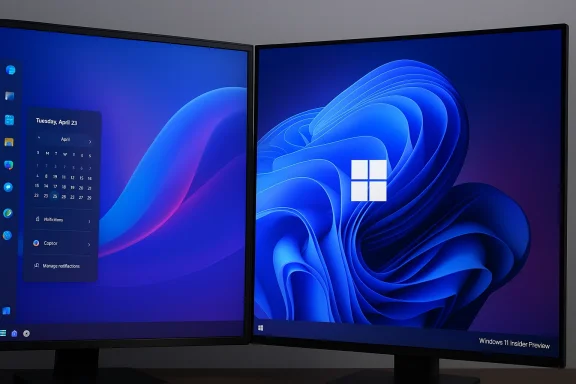
Two monitors on a desk display a blue abstract wallpaper with Windows UI on the left screen.Background / Overview​

Windows’ Taskbar has been a defining UI element since Windows 95. For decades users have relied on the ability to dock it to the left, right, top, or bottom of the screen and to size it for single or multiple rows of icons. When Microsoft rebuilt the shell for Windows 11 the company intentionally simplified the Taskbar: it was locked to the bottom, icon alignment was centered by default, and a number of legacy behaviors — including freely movable, vertical, and multi‑row taskbars — were removed. That removal created immediate friction with long‑time Windows users, imonitor and ultrawide setups, and IT departments that depended on consistent, customizable layouts.
Over the last several years Microsoft has restored a handful of previously missing behaviors (for example, finer icon scaling and drag‑and‑drop restoration in cosmetic updates), but the inability to move or meaningfully resize the Taskbar persisted — becoming a recurring source of criticism. Third‑party tools such as Stardock’s Start11 and community projects like Windhawk stepped into the gap, offering vertical taskbar options and extensive customizations, but not without trade‑offs in stability, compatibility, or corporate supportability.
What’s new is twofold: (1) consistent reporting that Microsoft is actively prototyping both movable and resizable Taskbar functionality that would restore left/right/top docking and additional height controls, and (2) a public confirmation from a former senior Microsoft engineer that the decision to remove vertical docking was controversial inside the company. Early reports putsummer 2026, but carefully note that prototypes are experiments — not shipping commitments. Expect validation cycles for accessibility, app compatibility, and performance to determine the final timetable.

Why this matters: productivity, ergonomics, and legacy workflows​

Vertical Taskbars: more than nostalgia​

For many users, a vertical Taskbar is not aesthetic preference — it’s practical. Vertical docking preserves valuable horizontal space on widescreen and ultrawide monitors, keeps frequently used app icons near code editors or terminal windows, and reduces the distance the mouse must travel for users who habitually work at one screen edge.
  • Productivity benefits: Vertical taskbars make long lists of pinned apps and running windows easier to scan vertically, which aligns well with natural reading patterns and side‑panel workflows.
  • Ergonomic benefits: On ultrawide monitors the sides are underutilized; using one side for the Taskbar can reduce pointer travel for users working in the center of the screen.
  • Enterprise benefits: IT teams can enforce or recommend configurations (for support or compliance) that better match employee workflows.
Mikhail Parakhin’s public comment — that he “fought hard” against the removal and considers the vertical Taskbar “the best for productivity” — provides internal color to the debate: the choice was a design tradeoff, not a purely technical omismes the 2021 decision as one driven by a desire for a symmetrical, centered shell and a new concept of pane relationships (notifications on the right, Widgets and news on the left), which conflicted with the notion of a vertical Taskbar. That rationale explened despite productivity advantages for some users.
Important caveat: Parakhin’s remarks are valuable firsthand color, but they are a participant’s recollection rather than an official Microsoft engineering post‑mortem. Treat them as informed context, not definitive corporate policy.

The current state: prototype, not a promise​

Multiple outlets and sources close to the Windows team report prototype work that would enable:
  • Moving the Taskbar to the left, right, or top.
  • Adjusting Taskbar height (larger icons, multiple rows).
  • Preserving modern features (centered Start option where applicable) alongside traditional behav preview horizon around summer 2026, but engineers stress that prototypes must pass a long checklist: accessibility, interactions with full‑screen apps and games, multi‑monitor behavior, app assumptions about bottom‑anchoring, and performance on legacy drivers and hardware. If the prototype reveals systemic regressions or incompatibilities, timeline slips are likely. In short: promising, but not set in stone.

Third‑party workarounds: Stardock and the cost of “fixing” Windows externally​

When Microsoft removed vertical docking, entrepreneurs and modders responded. Stardock’s Start11 and other tools reintroduced vertical Taskbar options and deeper shell customizations. Start11’s v2.5 (and subsequent updates) added vertical taskbar support and multi‑monitor niceties, demonstrating there is clear demand and technical feasibility to restore this functionality. But third‑party solutions come with limits:
  • They can replicate visual behavior but may not fully integrate with system service behaviors and accessibility APIs.
  • They sometimes clash with Windows updates and Insider builds, producing edge‑case bugs (autohide oddities, Task View button glitches, taskbar bounce on maximized windows in multi‑monitor setups).
  • Enterprise IT teams are wary of relying on unsupported third‑party shell modifications for mission‑critical systems.
Stardock’s roadmap shows the vertical Taskbar functionality is well tested for many user setups, but real‑world deployments reveal edge cases. For users who need vertical docking today, third‑party tools remain the best practical choice — but with the usual warnings about compatibility, patching, and vendor support.

Technical friction: why restoring the feature isn’t trivial​

At first glance, bringing back a movable Taskbar seems straightforward: allow docking and reflow. In practice, a modern OS shell touches everything. Key technical obstacles include:
  • App assumptions: Many apps — internal and third‑party — assume a bottom‑anchored taskbar when calculating work area, fullscreen behavior, or edge gestures. Reintroducing vertical docking requires ensuring those calculations adapt or providing a compatibility shim.
  • Accessibility and input methods: Screen readers, high‑contrast modes, and keyboard navigation must work unchanged. Any reflow of UI elements can create accessibility regressions unless rigorously tested.
  • Multi‑monitor complexity: Independent Taskbar configurations per monitor, combined with different scaling factors and orientations, create a problem.
  • Performance and reliability: The Taskbar is always running; changes cannot introduce memory leaks, renderer stalls, or explorer.exe crashes across millions of configurations.
  • Security surface: New messaging channels between shell components could inadvertently expand the attack surface, especially when third‑party app integrations are considered.
Microsoft’s prototyping work is therefore more than UI wiring — it is an engineering validation of how the entire shell and ecosystem respond to changed anchoring behavior. Expect compatibility telemetry and staged Insider rollout if Microsoft proceeds.

UX tradeoffs and corporate priorities​

Microsoft’s 2021 Taskbar redesign prioritized consistency, modern aesthetics, and a centered Start that aligned with a symmetrical pane model (widgets/left, system tray/right). That choice reflected a broader design philosophy: simplify defaults for the broadest audience, reduce surface area for fragmentation, and present a cohesive brand identity across device form factors.
But there is tension between:
  • Design purity vs. user control: Centering and locking the Taskbation but reduced user choice for specific workflows.
  • Modernization vs. legacy expectations: Long‑time Windows users expect deep customization; modern consumers may prefer simple defaults.
  • Monetization and attention: Critics have worried that shell changes have been influenced by opportunities to surface ads, search, or promoted content in widgets and other panes. That suspicion intensified when long‑requested features were deprioritized. The net effect: decisions that appeal to the center of the user base can alienate vocal power users who act as early adopters and community advocates.

The Parakhin thread: an inside view and its implications​

Mikhail Parakhin’s comment that he “fought hard” to keep the vertical Taskbar — and his claim that a vertical approach is best for productivity — is a rare explicit admission from someone with product and engineering authority that the decision was contested. That admission does several things:
  • It humanizes the tradeoff: product teams debated the choice and weighed competing values.
  • It validates user complaints: a senior product figure publicly acknowledged the productivity value of vertical docking.
  • It reframes the problem: removal was not a technical inevitability but a prioritization decision that can be revisited.
However, Parakhin is not an unambiguous hero in the community’s eyes; his tenure coincided with broader controversies — including criticism about Windows becoming a vehicle for monetization and for introducing intrusive AI elements — and some voices remember that broader context when evaluating his comments. The reality is complex: leadership decisions are made from imperfect data and shifting priorities, and revisiting them doesn’t negate earlier mistakes.
Verification note: Parakhin’s remarks have been widely reported across outlets; while multiple pieces attribute the comment to his public post, readers and reporters should treat it as an individual’s recollection and look for the primary post when quoting verbatim. Several outlets reproduce the line as reported in coverage.

The AI connection: why Windows sentiment and Copilot matter here​

Microsoft is already rethinking how aggressively it infuses Windows with AI features. After extensive Copilot rollouts and high‑visibility features like Recall, the company has reportedly begun scaling back some integrations and reprioritizing user feedback to “fix the basics.” This pivot matters because it reshapes the company’s product priorities and resource allocation. If leadership decides to emphasize core platform usability and user trust, previously deprioritized items like Taskbar customization could get a higher place on the roadmap.
Recent reporting shows Microsoft is reconsidering Copilot placement and the scale of automatic (proactive) AI features inside Windows. That change in direction — a response to user backlash and lower‑than‑expected paid adoption — creates an opening for Microsoft to invest time in classic usability fixes rather than only new AI experiments. In other words: a reset on AI integration can free engineering bandwidth and product attention for feature restorations that improve sentiment.
At the same time, Microsoft continues to add practical AI features to built‑in apps: Notepad and Paint are receiving Copilot‑powered capabilities (on‑device models in some cases), showing that Microsoft is not abandoning AI — it’s recalibrating how and where it’s inserted. The company appears to be moving toward less intrusive, more opt‑in placements rather than ubiquitous, persistent prompts. That strategy both explains and is enabled by the larger UX pivot back toward fundamental usability.

What this means for users and IT admins — practical advice​

If you’re a power user or an IT admin, here’s how to think about the news and prepare:
  • For individual users who rely on a vertical Taskbar today:
  • Continue using third‑party tools like Start11 or Windhawk but maintain caution: test updates on a non‑critical machine, keep backups, and monitor for conflicts after Windows patching.
  • For enterprise IT:
  • Don’t make deployment decisions based on prototypes. If Microsoft follows through, expect staged Insider previews and enterprise servicing channels. Plan pilot testing and build compatibility checks for major line‑of‑business apps.
  • If you’ve been relying on unsupported shell mods, evaluate vendor SLAs, rollback plans, and security posture.
  • For accessibility and power users:
  • Track Insider builds and the preview roadmap. Offer feedback through Insider channels to focus testing on scenarios important to your workflows.
  • For developers of UI‑aware apps:
  • Audit assumptions about system work area and edge behavior; consider dynamic responses to differing Taskbar locations to avoid future compatibility work. Microsoft’s prototype work will stress these scenarios; being proactive reduces future regressions.
Practical checklist for admins when the feature appears in previews:
  • Test key business apps with the Taskbar docked to the left/right/top.
  • Validate fullscreen and maximized behaviors across monitor mixes.
  • Test assistive technologies (screen readers, on‑screen keyboards).
  • Monitor telemetry for explorer.exe crashes or GPU compositing regressions.

Strengths, risks, and what to watch​

Strengths (if Microsoft ships it well)​

  • Restores a high‑value customization that improves productivity for many users.
  • Reduces need for third‑party shell modifications, improving system stability and enterprise manageability.
  • Signals Microsoft is listening: a morale win for power users and community trust.

Risks and open questions​

  • Compatibility hazards: legacy apps that assume a bottom Taskbar may misbehave.
  • UX fragmentation: if Microsoft allows both classic and centered styles, ensuring consistent behavior across the OS is nontrivial.
  • Partial or poorly implemented rollouts risk worse outcomes than leaving the behavior unchanged — half‑baked vertical docking could produce more bugs and more frustration.
  • Messaging and expectation management: Microsoft must be transparent that prototypes are iterative and not guaranteed ship items.

Signals to monitor​

  • Official Microsoft blog posts and Insider build release notes (for concrete technical details and guidance).
  • Early tester reports on multi‑monitor and accessibility behavior.
  • Microsoft’s enterprise guidance for group policy and configuration management (if it becomes an enterprise control).
  • Any explicit compatibility shims or developer guidance from Microsoft that describe how app developers should adapt.

Final assessment​

The move to prototype a movable and resizable Taskbar is the right product decision in the eyes of many Windows veterans: it restores choice, respects historic workflows, and addresses a long‑standing source of user frustration. The success of this effort hingeon. Microsoft must deliver a solution that is compatible, accessible, and reliable across the huge surface area of Windows devices.
Longer term, this story illustrates a valuable lesson about platform stewardship: modernizing defaults is sometimes necessary, but removing long‑standing user agency without a clear, well‑communicated migration path can erode trust. If Microsoft follows through with a well‑engineered restoration of the Taskbar’s mobility, it will be a powerful indicator that the company has learned from its recent experiments — that it can both innovate and preserve user choice.
For now, the right posture is cautious optimism. The prototype signals willingness to course‑correct; the timetable and final behavior remain to be validated. Users who need vertical docking today will continue to rely on proven third‑party tools, while admins and developers should ready themselves for compatibility testing should Microsoft move from prototype to preview in summer 2026.

Microsoft’s shell is both a technical foundation and a cultural artifact — and restoring a feature as familiar as a movable Taskbar is about more than pixels. It’s about acknowledging the variety of workflows users bring to Windows, and about matching engineering rigor to the task of reconciling modern design priorities with the platform’s long history of configurability. If the prototype becomes a polished feature, it will be evidence that listening — and engineering the hard compatibility work that follows — still matters.

Source: Windows Central “I fought hard” — Microsoft exec on killing Windows 11’s movable taskbar
 

Microsoft appears to be rolling back one of Windows 11’s most controversial design choices: sources say the OS will soon let you move and resize the taskbar again, restoring the long‑lost ability to dock it to the left, right, or top of the screen and to change its thickness.

Dual-monitor setup running Windows 11, left showing a calendar panel, right displaying the Windows logo wallpaper.Background​

Windows users grew up with a highly customizable taskbar. Since Windows 95, you could move the taskbar to any screen edge and change its size to suit workflows and display setups. When Microsoft rebuilt the shell for Windows 11 in 2021, the company removed those options—locking the taskbar to the bottom and restricting height adjustments. That decision provoked steady, vocal pushback from power users, IT professionals, and accessibility advocates.
Over the last several years that pushback spawned a small industry of third‑party tools and community mods that restored vertical taskbars and size controls. Those workarounds—while effective for many users—underscore a simple truth: customization and spatial control over the desktop layout still matter to a large segment of Windows users.
Recent reporting from multiple Windows‑focused outlets indicates Microsoft is now actively prototyping moveable and resizable taskbar functionality for Windows 11, with engineering work underway and a public preview reportedly possible in mid‑2026. Microsoft has not yet published an official announcement; the feature is being described in public reporting as in development, not final.

Why this matters: practical and symbolic significance​

The return of a movable, resizable taskbar is important for two distinct reasons.
First, the practical. A vertical taskbar is not just a cosmetic preference—many users and workflows benefit materially from it:
  • Vertical real estate: On widescreen displays, a vertical taskbar uses space more efficiently and frees vertical pixels for documents and code.
  • Multi‑monitor setups: Users with multiple displays and mixed orientations frequently prefer different taskbar positions to optimize switching and visibility.
  • Dense workflows: Developers, traders, designers, and power users often pack many pinned items and utilities into the taskbar; the ability to resize gives them denser layouts or multi‑row options.
  • Accessibility: For users with certain motor or vision needs, different taskbar placements can reduce cursor travel and improve discoverability.
Second, the symbolic. Restoring this functionality signals that Microsoft is listening to long‑term user feedback and willing to undo decisions that proved unpopular or harmful to productivity. After years of user criticism—intensified by reliance on third‑party fixes—this step would be a notable reorientation toward customization and user control.

What’s being reported (the essentials)​

Multiple investigative reports from Windows‑focused journalists indicate the following as of early 2026:
  • Microsoft engineers are prototyping the ability to reposition the taskbar to the left, right, top, or bottom of the primary display.
  • A resizable taskbar control is in development, enabling users to change the taskbar’s thickness (which becomes width when vertical).
  • The engineering effort includes work to ensure flyouts and taskbar‑anchored features (system tray, notifications, app badges, Copilot/search flyouts, calendar, focused inbox flyouts) behave correctly in non‑bottom orientations.
  • The work is described internally as a high priority, with timelines discussed publicly as aiming for a preview (Insider channel) by mid‑2026—subject to change.
  • Microsoft has not publicly committed to a final release schedule; these are reported timelines based on sources familiar with the plans.
These details remain provisional. Reporters emphasize that the work is in progress and that the feature set, behavior, and UI may change before any public release. Microsoft’s official communications at the time of reporting did not confirm a final ship date.

How Windows 11’s current architecture complicates a simple “bring back the old taskbar” fix​

The move might sound straightforward—after all, Windows 10 supported vertical taskbars—but Windows 11’s taskbar was rebuilt with different assumptions. Several technical challenges must be addressed to restore full, reliable support:

1. Flyouts and anchoring​

Taskbar elements spawn contextual flyouts (system tray popups, volume, calendar, notifications, Copilot/search panes). Those flyouts are usually designed and tested for a bottom‑anchored taskbar. Reorienting the taskbar requires:
  • Recalculating anchor points for each flyout so they appear next to their parent button.
  • Ensuring flyouts don’t get clipped by display edges, docks, or overlapping windows.
  • Preserving keyboard focus and screen‑reader semantics across orientations.

2. Multi‑monitor and mixed‑DPI environments​

Modern setups are rarely simple single‑monitor landscapes. Engineering must handle:
  • Multiple displays with different DPIs and scaling settings.
  • Docking or undocking laptops mid‑session—taskbar behavior must remain consistent.
  • Secondary displays that remain bottom‑anchored while the primary taskbar moves, or vice versa.

3. Shell component interdependencies​

The taskbar in Windows 11 connects to many subsystems:
  • The Start menu and its animations.
  • System icons and notification aggregation.
  • Third‑party integrations and shell extensions that may assume bottom alignment.
  • Newer integrations such as Copilot, widgets, and “share” buttons that expect a certain layout.
Ensuring these components behave correctly when the taskbar is vertical or thicker requires nontrivial code changes and extensive compatibility testing.

4. App compatibility and layout expectations​

Some legacy and even newer apps may query taskbar metrics or assume a bottom‑anchored desktop—edge cases that could break window placement, autohide behavior, or notification positioning.

5. Performance and stability​

Any change to system UI code must be validated for low‑latency, consistent rendering and low memory overhead—especially for devices with limited resources.

The third‑party ecosystem: why it exists and what it teaches Microsoft​

Because Microsoft removed native taskbar positioning, several third‑party solutions filled the gap. Understanding these tools helps explain both user demand and the risks Microsoft faces when restoring the feature.
  • ExplorerPatcher: A free community project that restores many classic taskbar behaviors, including moving to the top. It hooks into shell components to emulate legacy behavior.
  • StartAllBack / Start11: Commercial utilities that provide robust UI customization for businesses and enthusiast users. They modify shell behavior to restore vertical taskbars and legacy Start menu layouts.
  • Windhawk: A modding platform that offers taskbar size and positioning tweaks via plugins.
  • Registry hacks: Early users discovered hidden registry keys that could nudge the Windows 11 taskbar toward the top or sides—but with broken icons or flaky functionality.
These solutions have two important implications:
  • They prove the demand for the feature and show it’s technically feasible to provide taskbar positioning again.
  • They expose fragility: many third‑party fixes rely on unsupported techniques and can break after updates, create security concerns, or reduce reliability for nontechnical users.
By offering a first‑party implementation, Microsoft can provide a more stable, secure, and supported experience—if it avoids repeating past mistakes.

Enterprise and IT administration implications​

If Microsoft ships a user‑facing control to move and resize the taskbar, enterprise administrators will want control over whether, when, and how it’s used. Key considerations for IT teams:
  • Group Policy and MDM controls: Enterprises will expect policies to lock taskbar orientation, enforce company layouts, or restrict resizing to prevent UI fragmentation across managed fleets.
  • Imaging and provisioning: Corporate images and endpoint management scripts may need updates to account for new taskbar settings or to avoid unexpected layout changes for remote users.
  • Application testing: ISVs and internal app teams should test their software on vertical and resized taskbars to ensure UI elements, notifications, and anchors behave correctly.
  • Helpdesk and training: Helpdesk scripts, remote‑assistance procedures, and training materials should be updated if users adopt different taskbar layouts that alter workflows.
Enterprises should watch early Insider builds and evaluate configuration options before broad rollout to end users.

Accessibility and productivity: winners and potential pitfalls​

For many users, this change will be a net win. Vertical taskbars are not a gimmick—they’re productivity tools for the right user profiles. They reduce horizontal switching time, keep frequently used apps visible, and work better on ultrawide or vertical monitors.
But accessibility and consistency concerns remain:
  • Screen‑reader users rely on predictable focus order and clear labeling; Microsoft must ensure screen‑reader announcements and tab orders remain correct in all orientations.
  • Users with motor impairments rely on stable button positions; introducing new default behaviors could create confusion if the OS resets settings or suggests orientations automatically.
  • Users with cognitive impairments benefit from consistency; variants in default layout across corporate and personal devices risk increasing cognitive load.
Microsoft’s testing should include diverse assistive technology scenarios and include real users in validation loops.

Risks, unknowns, and compatibility caveats​

This move is encouraging, but it’s not risk‑free. Key caveats to keep in mind:
  • Reports to date describe prototyping and internal planning, not a finished feature. Timelines can slip, and functionality can be scaled back.
  • Restoring vertical support introduces a large compatibility matrix. Some legacy apps or shell extensions may behave unpredictably.
  • There’s a risk of surface‑level functionality without depth—Microsoft could allow position changes but fail to fully adapt every flyout and integration, leaving rough edges.
  • The inclusion of new taskbar items (Copilot, widgets) complicates layout. Microsoft must decide how those elements appear and whether they remain visible or become optional when the taskbar moves or resizes.
  • Third‑party utilities may conflict. Users who rely on ExplorerPatcher or StartAllBack could see clashes or duplication of features if Microsoft’s implementation diverges in subtle ways.
Given these uncertainties, early adopters should expect a somewhat bumpy transition until Microsoft ships polished, tested builds.

How Microsoft can (and should) implement this well​

Reintroducing taskbar movement and resizing is more than flipping a switch. A high‑quality implementation should include:
  • Insider previews that deliberately invite compatibility testing from developers and admins, with clear release notes about known issues.
  • Comprehensive accessibility testing, including screen‑reader flows, keyboard navigation, and high‑contrast themes.
  • Granular policy controls for IT admins to lock or configure taskbar position and behavior across managed devices.
  • Consistent behavior across multi‑monitor and mixed‑DPI setups, with sensible defaults and clear UI for transferring taskbars between displays.
  • Backward compatibility fallbacks for apps and shell extensions that make assumptions about taskbar geometry.
  • User education—short, discoverable guidance in Settings to explain what moves, what changes, and how to return to defaults.
If Microsoft treats this as a simple cosmetic tweak, the rollout will disappoint; if it treats it as a major shell capability with comprehensive testing, it could restore goodwill among Windows power users.

What to watch for in the coming months​

If you want to follow this feature’s progress or prepare for adoption, watch for these signs:
  • Insider Preview builds that include a Taskbar position setting or a new UI in Settings → Personalization → Taskbar. These builds will reveal early behavior and known issues.
  • Microsoft documentation updates describing policy controls or enterprise deployment guidance.
  • Release notes that list compatibility fixes for flyouts, Copilot integration, and system tray behavior.
  • Community testing reports from forums, social channels, and developer blogs describing edge cases and practical experiences.
  • Third‑party tool updates (StartAllBack, ExplorerPatcher, Windhawk) which may adapt or recommend deprecation if Microsoft’s solution is robust.

Practical advice for users and administrators today​

If you’re contemplating whether to prepare, test, or wait, here are pragmatic steps:
  • Power users and enthusiasts: Join the Windows Insider Program and test early builds on non‑production machines. File feedback and use Feedback Hub to report regressions.
  • Administrators: Monitor Insider channels and schedule pilot groups before any broad deployment. Prepare Group Policy/MDM settings and update app‑compatibility test plans.
  • Users relying on third‑party tools: Keep backups and document current settings. Be cautious switching between Microsoft’s native implementation and third‑party mods—conflicts can arise.
  • All users: Back up your settings and create a system restore point before testing preview builds. That minimizes disruption if a shell change behaves unexpectedly.

Bigger picture: what this change says about Windows 11’s direction​

Restoring the ability to move and resize the taskbar would be a clear shift: Microsoft is responding to long‑standing feedback and prioritizing functional desktop ergonomics alongside its newer investments (AI integrations, widgets, and modern UX). It may also reflect a broader tactical pivot—balancing innovation with the practical realities of long‑term users and enterprise customers.
However, the devil is in the details. This could be the beginning of a healthier dialog between Microsoft and its user base—or it could be a cosmetic salve if the implementation is incomplete. The best outcome is a fully supported, reliable, and accessible taskbar that gives users control without sacrificing stability.

Conclusion​

The prospect of a moveable and resizable taskbar returning to Windows 11 is welcome news for many long‑time Windows users and organizations that rely on flexible desktop layouts. Early reporting suggests Microsoft is actively prototyping those features with an eye toward previewing them in 2026, but the work remains provisional. The technical complexity—flyouts, DPI, multi‑monitor behavior, accessibility, and compatibility with existing shell integrations—means the path from prototype to polished release will require careful engineering, extensive testing, and clear management tools for enterprises.
If Microsoft executes well, this change will be a practical improvement and a powerful signal: Windows can be both modern and configurable. If the work is rushed or partial, users may again rely on third‑party tools or express frustration at features that “should never have been removed.” For now, users and administrators should watch Insider builds closely, test deliberately, and prepare for policy updates—because after half a decade of complaints, the taskbar is finally back on the agenda.

Source: PCWorld Windows 11's most commonly requested feature is coming soon!
 

Microsoft appears to be listening: after nearly five years of a fixed, bottom‑anchored Taskbar in Windows 11, engineering teams are reportedly prototyping the return of basic placement and sizing controls—letting users dock the Taskbar at the top, left, or right of the screen and adjust its thickness—marking what would be one of the clearest UX course‑corrections since Windows 11’s launch.

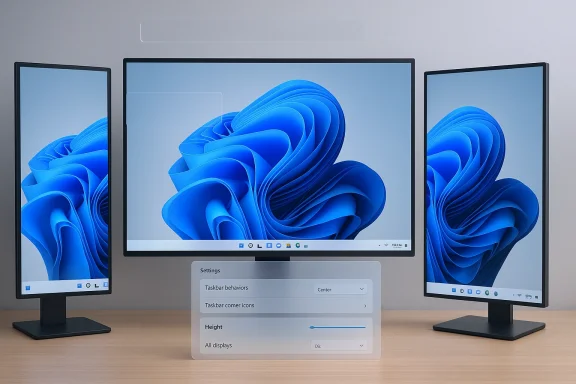
A three-monitor desktop setup with blue abstract wallpaper and a translucent settings panel.Background​

Windows’ Taskbar has been the most visible, persistent surface of the desktop since Windows 95. For decades it served as a predictable workspace anchor: pin apps, switch windows, glance at the clock, and—critically—move the bar to whichever screen edge fit your workflow. When Microsoft rebuilt the shell for Windows 11, that centuries‑old expectation was interrupted: the Taskbar’s architecture was reworked for a cleaner, modernized look and, in the process, the ability to move and resize the Taskbar was removed. That decision has created a persistent friction point for power users, accessibility advocates, and multi‑monitor setups.
The choice to simplify the Taskbar was strategic—Microsoft prioritized a streamlined, centered icon layout and a rewritten shell. But simplification produced trade‑offs. Small, daily conveniences were sacrificed for consistency and design cohesion—and those lost conveniences have not been trivial for many people. The new development effort is therefore best read as restoration rather than invention: giving people back controls they long considered baseline.

What’s reportedly changing (and what’s still speculative)​

The core changes being prototyped​

According to multiple internal reports and Windows‑focused outlets, Microsoft is prototyping two interrelated capabilities:
  • Docking the Taskbar to the top, left, or right edges of the screen, restoring vertical orientations that had been standard before Windows 11.
  • User‑visible controls to change Taskbar height (thickness) so users can choose a slimmer or taller bar depending on visibility needs or multi‑tasking preferences.
These prototypes are being discussed as part of a broader 2026 effort to address long‑running usability and reliability requests across Windows. Reports point to prototyping activity and early Insider testing—nothing confirmed for release yet, and any shipping plan remains tentative.

Timeline signals and Insider evidence​

Insider chatter and referenced builds suggest Microsoft is actively experimenting in 2026 and that some related features—like taskbar icon scaling—have already appeared in preview channels. The presence of multiple internal messages, preview builds, and PowerToys experiments strengthens the signal that this is an engineering priority rather than a casual suggestion. Still, prototypes do not always become product features; expect Microsoft to validate the design and compatibility tradeoffs before committing to a public rollout.

Why this matters: productivity, accessibility, and workflows​

Productivity and multi‑monitor setups​

For people who use vertical monitors, ultrawide displays, or multi‑monitor arrays, the Taskbar’s position matters. Docking a Taskbar vertically on a left‑ or right‑hand monitor preserves vertical screen real estate and makes long lists of pinned apps or files more readable. For multi‑display users, being able to choose per‑monitor Taskbar behavior can reduce mouse travel and confusion. Restoring these options can therefore be an immediate win for productivity on specialized setups.

Accessibility and discoverability​

Not everyone benefits from the minimalist “centered icons” approach. Users with low vision, motor impairments, or those who rely on consistent screen edges for muscle memory often depend on a predictable Taskbar thickness and location. Being able to increase the Taskbar height or move it to a preferred edge can substantially improve usability for those users—an important, practical accessibility improvement.

Power‑user expectations and momentum​

For power users, the lack of move/resize control has felt like a regression. Longstanding workflows—vertical app lists, pinned stacks on side rails, and reduced vertical clutter—were lost. Restoring placement and sizing signals responsiveness to community input and recognizes that UI design cannot be purely one‑size‑fits‑all. Multiple community channels registering this as a top request make the move sensible from a customer‑satisfaction perspective.

Implementation approaches Microsoft might take​

If Microsoft ships movable and resizable Taskbar controls, there are several plausible implementation patterns—each with different tradeoffs:
  • Offer the feature as an opt‑in setting in Settings > Personalization, leaving the default intact for users who prefer the current look.
  • Provide per‑display controls so each monitor can have its own Taskbar orientation and thickness—vital for mixed monitor setups.
  • Surface both manual height sliders and presets (compact / comfortable / expanded) for accessibility.
  • Ensure API compatibility so third‑party apps and shell extensions that hook the Taskbar aren’t broken by the new options.
  • Integrate Taskbar orientation with Snap layouts and virtual desktops, so positioning and height adjustments behave consistently across workflows.
A measured, staged rollout—preview in Insider channels followed by incremental deployment—would let Microsoft mitigate breaking changes and gather telemetry on real‑world impact before broad distribution. The company appears to be following this pattern with previous Taskbar and PowerToys experiments.

The PowerToys angle: an opt‑in testing ground​

Microsoft’s PowerToys continues to be an effective lab for power‑user features, and the team is prototyping a Command Palette Dock—a configurable bar that can live on any screen edge and house shortcuts, telemetry, and quick actions. That experiment signals two important things: first, Microsoft recognizes demand for edge‑anchored surfaces; second, the company is willing to incubate new surface ideas outside the main shell before committing them to Windows itself. A PowerToys dock could serve as a lighter, optional alternative or complement to a fully movable Taskbar.
PowerToys prototypes have an added advantage: they reduce ship‑risk. If a top/side dock in PowerToys proves popular, Microsoft can more confidently merge similar behavior into the core OS with fewer surprises. Conversely, PowerToys lets Microsoft iterate without alienating users who prefer the default experience.

Compatibility and technical risks​

The shell rewrite is not trivial to modify​

The Taskbar in Windows 11 was rebuilt as part of a broader shell rewrite. That architectural change is the root cause of many compatibility headaches: third‑party shell extensions, legacy APIs, and behavior expectations were all assumptions baked into the older Taskbar. Restoring movement and resizing is therefore not a pure UX tweak—it touches layout engines, notification area behavior, focus management, and more. Microsoft must be careful to avoid regressions that could affect Explorer stability or third‑party integrations.

Potential regressions and performance tradeoffs​

Reintroducing vertical docking and dynamic height raises possible regressions:
  • Notification area and system tray behavior may need to adapt to vertical constraints; icons and flyouts must remain usable.
  • App window snapping and docking behaviors could interact unpredictably with new Taskbar placements, especially on touch devices or tablets.
  • Performance and memory: any additional layout code must be efficient to avoid penalizing low‑end hardware. Microsoft has signaled that performance and reliability are priorities in 2026 workstreams, which suggests teams will be mindful of these costs.

Enterprise and manageability implications​

Enterprises prize predictable UIs for support and training. A per‑device or per‑user Taskbar setting could create support variability that IT teams must manage. Microsoft will likely expose group policy and MDM controls if the feature ships—allowing admins to lock Taskbar position and size where consistency is required. That approach would align with Microsoft’s historical pattern of offering enterprise controls for user‑facing personalization features.

Community response and the argument for choice​

Across forums and insider threads, the conversation is rarely ideological: users aren’t asking for cluttered toolbars everywhere. They want choice. The debate hinges on whether Windows should enforce a single modern visual language or enable users to adapt the environment to their needs. The prototyping work suggests Microsoft is moving toward a middle ground: a modern default with optional ways to reinstate classic affordances. That compromise respects both the company’s design goals and the community’s needs.

Practical guidance for users (if you want to prepare)​

If you rely on Taskbar flexibility for your workflow, here are pragmatic steps to prepare for a possible change:
  • Back up your current settings and note any third‑party tools you rely on to restore Taskbar functionality.
  • Join the Windows Insider program if you want to test early builds and provide feedback—Microsoft often iterates based on real‑world testing.
  • Document enterprise governance needs (if applicable) so that IT can argue for appropriate group policies or MDM controls once features are announced.
  • Keep an eye on PowerToys experiments: they may offer interim solutions or early access to alternative edge‑anchored surfaces.
These steps are practical: they let individual users and administrators influence the product and ensure readiness when features arrive in production channels.

What success looks like — and how Microsoft can get there​

If Microsoft restores Taskbar movement and resizing in a way that satisfies users, success will have several measurable properties:
  • Preserve defaults: The modern centered Taskbar remains the default for users who prefer it.
  • Respect stability: The change must not introduce Explorer crashes, flyout regressions, or third‑party breakage.
  • Be discoverable: Settings should be easy to find and explain, with helpful presets and accessibility defaults.
  • Offer enterprise controls: Admins should be able to define organization‑wide Taskbar policies.
  • Test broadly: Include multi‑monitor, touchscreen, tablet posture, and high‑DPI scenarios in Insider validation.
Accomplishing that will require cross‑team engineering coordination, careful telemetry, and a willingness to iterate on UX details that have outsized user impact despite their apparent simplicity. Early signs—Insider experiments, PowerToys prototyping, and internal prioritization—show that the organization recognizes this work’s importance.

Potential alternatives and complementary features​

Even if Microsoft ships movable and resizable Taskbars, there are ways the company can enhance the experience further:
  • Taskbar icon scaling and overflow management to allow denser app pinning without losing discoverability. Some Insider builds already test icon scaling behaviors.
  • Per‑display taskbar customization, letting laptop screens keep the bottom Taskbar while external portrait panels use vertical Taskbars.
  • Integrations with Snap layouts so that Taskbar orientation influences suggested window layouts and snapping behavior natively.
  • PowerToys Command Palette Dock as a modular, community‑driven experiment that can co‑exist with the main Taskbar for users wanting additional edge‑anchored surfaces.
Taken together, these features would make the desktop more adaptable without sacrificing clarity or increasing maintenance costs for developers and admins.

What to watch next​

  • Insider ring builds and official Microsoft announcements related to shell or personalization updates—these will be the first reliable confirmation that prototypes have advanced to shipping plans.
  • PowerToys releases and GitHub activity around the Command Palette Dock—PowerToys is often the leading indicator of what Microsoft will consider for the core OS.
  • Enterprise guidance and group policy documentation once the feature becomes public; these documents will reveal the company’s policy posture for large deployments.
If Microsoft ships the capability thoughtfully, users will regain an essential customization they’ve missed for years. If it ships prematurely or without proper compatibility safeguards, it risks opening new support headaches. The next few Insider cycles will be decisive.

Conclusion​

Restoring the ability to move and resize the Taskbar in Windows 11 would be a small‑sounding but high‑impact fix: it’s the kind of pragmatic change that improves daily workflows for millions without undermining Microsoft’s modern visual language. The combination of Insider prototypes, PowerToys experiments, and public discussion suggests the company is leaning toward giving users back control—but the technical challenges are real. Microsoft must balance aesthetics and modernization against stability, accessibility, and enterprise manageability.
For users and admins, the sensible posture is to prepare and participate: test early, provide focused feedback through Insider channels, and document the scenarios where Taskbar flexibility materially improves productivity. If Microsoft executes well, we’ll get the best of both worlds: a modern default that’s also respectfully flexible for the people who need it.

Source: Mix Vale Windows 11 should allow you to move and resize the taskbar almost 5 years later
 

Microsoft is quietly prototyping a reversal of one of Windows 11’s most contested design choices: engineering teams are reported to be working to restore taskbar mobility—letting users move the Taskbar to the top, left or right edges and offering finer height controls—after years of user criticism and broad reliance on third‑party workarounds. ([windowscentral.cocentral.com/microsoft/windows-11/former-microsoft-ceo-was-against-vertical-taskbar-removal)

Blue UI collage showing Windows Taskbar edge placement options (Top, Left, Right) for Insider Preview.Background / Overview​

For three decades the Windows Taskbar has been a core customization surface: pin apps, switch windows, and re‑dock the bar to any screen edge. That freedom dates back to Windows 95 and became part of many workflows and accessibility habits. When Microsoft rebuilt the shell for Windows 11 (released October 2021), it intentionally simplified and re‑centered the desktop experience; one consequence was that native support for moving the Taskbar to the screen sides (and fine‑grained resizing) effectively disappeared. d persistent complaints from power users, enterprise admins, and accessibility advocates.
Over the past several years users turned to third‑party utilities—ExplorerPatcher, StartAllBack / Start11, Windhawk and other community projects—to restore the vertical and resizable Taskbar behaviors many had relied on. These tools filled a clear usability gap, but they also introduced ongoing maintenance and security tradeoffs for users and IT teams.
In early 2026 reporting from Windows‑focused outlets and internal‑sources consolidated into a consistent claim: Microsoft is prototyping a return of Taskbar placement and height controls, and the work may appear in Insider previews before a broader rollout sometime later in 2026. Those reporting threads—both community posts and beat reporting—place this change as part of a broader 2026 push to address visible usability complaints and restore user confidence.

What Microsoft is reportedly planning​

The current, repeated claims about the Taskbar changes break down into a small set of concrete items Microsoft engineers are said to be working on:
  • Reintroduce Taskbar placement options — allow docking at the top, left, or right edges in addition to the bottom.
  • Expose resizable Taskbar height — controls to increase or decrease the Taskbar’s thickness beyond the current limited options.
  • Ship the change via Insider previews first (Dev/Beta channels), so users and enterprise testers can validate different monitor/posture scenarios. Public timelines described in reporting aim for mid‑ to late‑2026 previews, but no fixed ship date has been announced. (windowsforum.com)
These are prototypes and internal experiments, not a public commitment that the features will ship as described. Microsoft’s product work frequently changes between a prototype and GA release; these reported items should be treated as informed leaks until Microsoft publishes release notes or official Insider blog posts.

Why this matters: usability, productivity and perception​

Restoring Taskbar mobility is more than a cosmetic tweak. There are several user groups for whom edge anrially affect productivity and accessibility:
  • Power users and multi‑monitor professionals often place the Taskbar on the left or right to reduce pointer travel on wide/ultrawide displays and to keep window lists vertically aligned. A vertical Taskbar surfaces more pinned/active items without wrapping.
  • Accessibility users who use magnifiers or screen readers sometimes prefer a non‑bottom Taskbar alignment that pairs better with screen‑reader focus flows or where reduced pointer movement improves ergonomics.
  • Enterprises and managed environments often rely on predictable UIs or distribute configuration preferences. Restoring native options reduces the need for third‑party tools—and the associated security/compatibility risks—while giving admins more policy‑driven choices.
From a perception standpoint, the move—if it ships—would be an explicit course correction acknowledging that some of Windows 11’s earlier simplifications removed useful capabilities for a vocal minority (and a non‑trivial number of professionals). That makes the change politically and culturally significant inside Microsoft and across the Windows ecosystem.

The inside story: design tradeoffs and a senior voice​

Reporting and community threads point to an internal design debate that preceded Windows 11’s 2021 decisions. Public remarks by a former senior Microsoft engineering leader indicate that removing vertical Taskbar support was a deliberate design trade‑off tied to a new symmetric, centered shell aesthetic; that leader said he “fought hard” against the move and considers a vertical Taskbar superior for productivity in many scenarios. This quote has been widely referenced as explanatory color on why the feature was removed originally.
Important caveats:
  • That recollection is a participant’s perspective and not a formal post‑mortem. It helps explain the tradeoff but shouldn’t be treated as a definitive corporate rationale.
  • Design choices at scale often balance visual consistency, accessibility, telemetry signals, and engineering cost; restoring features requires work across the shell, in‑party compatibility, and telemetry/diagnostics.

Technical realities and engineering trade‑offs​

Reintroducing Taskbar mobility is technically non‑trivial. The Windows 11 shell underwent a substantial rewrite—new components, changed assumptions aboure optimizations, and the centered icon model. Restoring placement and resizing touches multiple subsystems:
  • Window manager and shell layout: Taskbar orientation affects how app windows, not popups are positioned and anchored. Microsoft must ensure vertical docking does not cause overlays to intersect incorrectly.
  • System tray and notification plumbing: The notification area, overflow flyouts, and system icon behaviors were redesigned with the bottom‑anchored Taskbar in mind. Reintroducing side placements requires reworking flyout geometry and input focus handling.
  • Multi‑monitor and DPI matrix: Supporting different Taskbar orientations across displays with different DPI, scaling and rotation requires robust testing and per‑monitor behavior definitions.
  • Backward compatibility: Many enterprise scripts, management tooling, and third‑party extensions assume a bottom‑anchored Taskbar. Microsoft must preserve compatibility or provide migration guidance.
These challenges explain why the change is described as prototyped rather than trivially toggled: it must be engineered and validated across hardware, drivers, and third‑party software that integrate with the Taskbar surface.

Third‑party ecosystem: stopgap solutions and their risks​

Because Microsoft’s native options were limited, a vibrant third‑party ecosystem emerged to restore Taskbar mobility and resizing. Notable tools and community projects include:
  • ExplorerPatcher and StartAllBack / Start11 — commercial and community tools that restore classic Windows‑10 style Taskbar behaviors on Windows 11 builds. They are widely used by people who prefer the older UI model.
  • Windhawk mods and community patches — modular mods that can move and resize the Taskbar while preserving many Windows 11 behaviors.
  • GitHub community fixes and PowerToys feature requests — open issues track the demand to make Taskbar mobility a supported capability (and sometimes propose PowerToys as the reasonable place for an opt‑in dock alternative).
These tools demonstrate two hard truths: (1) the feature matters to many users, and (2) when the vendor’s product removes flexibility, the ecosystem fills the gap—at the cost of increased fragmentation and support complexity. Administrators and cautious users must weigh the maintenance burden of third‑party tools versus waiting for an official change.
Security and support risks of unofficial workarounds:
  • Third‑party modifications often hook into Explorer or patch shell behaviors, which increases the attack surface and can break with OS updates.
  • Enterprise policies and Windows Update processes can revert or lock registry changes; community reports show some registry tweaks revert after updates.

PowerToys and the "Command Palette Dock"—a parallel path​

Microsoft’s PowerToys team has been experimenting with a configurable Command Palette Dock—an opt‑in, positionable bar that can live on any screen edge and surface utilities, pinned shortcuts, and glanceable telemetry. Some have speculated PowerToys might be the easier route for Microsoft to offer multi‑edge convenience without fully reworking the shell. Tech outlets see this as a plausible complement or short‑term substitute for a full Taskbar repositioning feature.
Two important distinctions:
  • PowerToys is explicitly experimental and opt‑in; it is not a full replacement for the system Taskbar and does not necessarily solve compatibility/use‑case gaps where the Taskbar itself must be moved.
  • A PowerToys dock could satisfy many users who wanted a top/side bar for shortcuts and glanceable widgets, but workflows that rely on taskbar behavior (pinned items, running window grouping, system tray interactions) may still prefer a native Taskbar solution.

Timeline and how to interpret the reporting​

The claim that Microsoft is working on the change and may surface it in Insider previews in 2026 has appeared across community threads and Windows‑focused reporting. Important temporal and certainty notes:
  • Reported work is described as prototyping inside Microsoft; prototypes do not guarantee shipping features.
  • Some reporting suggests Insider previews could begin in mid‑2026; the company has not posted an official road‑map or fixed dates. Treat mid‑2026 timelines as informed rumor rather than a release commitment. ([windowsforum.com](https://windowsforum.com/threads/windows-11-taskbar-move-and-resize-prototyped-for-2026-preview.401267/post-958566?utmicrosoft’s public guidance—as recently as late 2025—still listed the Taskbar as fixed in mainstream channels, meaning any change must clear internal quality and compatibility gates before being made widely available.
When reading the leaks and community threads, distinguish between: proven, announced features (official blog/Insider release notes); reported prototypes; and community wishlists. The most load‑bearing claims in the current narrative (prototype work and Parakhin’s recollection) are supported by multiple reporters and community posts, but they remain subject to change.

What administrators and power users should do now​

fleets or are a power user who depends on Taskbar placement, here are practical steps to prepare:
  • Inventory: Identify users and workflows that depend on vertical Taskbars or third‑party moid unsupported hacks for critical devices: Where possible, keep production machines free of shell‑patching tools that hook Explorer unless the business case outweighs the risk.
  • Pilot Insider previews on non‑production hardware: If Microsoft surfaces the prototype in an Insideritor and DPI scenarios before approving broad use.
  • Back up configurations: If teams use StartAllBack or ExplorerPatcher, maintain documented rollback plans and test OS update paths.
These steps balance the desire for customization with enterprise stability and security requirements.

Benefits, trade‑offs and risks — a critical assessment​

Microsoft restoring Taskbar mobility has clear upsides: it restores choice, reduces reliance on unsupported tools, and likely improves user sentiment. But there are pragmatic trade‑offs and risks worth underscoring.
Benefits:
  • Restores long‑standing user choice and addresses a high‑visibility complaint.party dependency** for users and organizations that have used external tools to regain lost behavior.
  • **Signals a willingness to course‑corrove developer and enterprise trust in Windows stewardship.
Trade‑offs and risks:
  • Engineering complexity: reintroducing orientation and resizing requires careful rework of the shell and flyout systems; early prototypes may uncover regressions.
  • Compatibility friction: third‑party apps, scripts, and management tooling may have baked assumptions about a bottom‑anchored Taskbar; enterprises must plan for migration.
  • User confusion: reintroducing multiple placement options could fragment support expectations across teams that rely on a single documented UI standard. Proper help‑desk prep will be needed.
Because of these trade‑offs, even if Microsoft ships Taskbar mobility, expect the company to phase the chander previews, with explicit guidance for IT admins and developers.

Practical recommendations (for users, admins and developers)​

  • For users who need immediate vertical or resizable Taskbar behavior: weigh the convenience of third‑party tools against update and security risk. If you must use a community mod, prefer well‑maintained projects and test on non‑critical machines.
  • For IT administrators: create a test plan now to validate how a movable/resizable Taskbar would affect in‑house utilities, kiosk setups, remote‑support scripts, and screen‑readers. If Microsoft publishes Insider builds with the feature, reserve a staged pilot group.
  • For developers and ISVs: monitor for API changes and ensure any tray/notification integrations handle non‑bottom Taskbar orientations gracefully. If your app samples Taskbar geometry, update tests to include vertical placements and varied DPI.

How to test and verify when an Insider preview arrives​

When Microsoft publishes a Taskbar mobility build to Insiders, a disciplined validation process will uncover most regressions quickly:
  • Create test cases covering top/left/right/bottom positions and combinations on multi‑monitor setups.
  • Validate flyouts: action center, notification toasts, volume/media overlays and jump lists for positioning and focus.
  • Exercise accessibility scenarios: screen readers, magnifier, keyboard navigation, and touch postures.
  • Test enterprise scripts and automation that query Taskbar metrics or assume bottom orientation.
  • Record performance and telemetry for any regressions across common hardware profiles.
These steps reduce risk before broad deployment and give Microsoft actionable feedback if the feature is still in prototype.

Final analysis and what this means for the Windows ecosystem​

The prospect of restoring Taskbar mobility in Windows 11 is both a pragmatic fix and a symbolic moment. Pragmatically, it answers a concrete usability gap that forced many users into unsupported customizations. Symbolically, it signals that Microsoft is listening to long‑running, high‑salience feedback and willing to roll back certain UX constraints when the cost–benefit equation favors users.
That said, the change is not automatic or guaranteed. The work is complex, the ecosystem is entangled, and Microsoft will need to validate compatibility across millions of devices. The most responsible course for users and administrators is to prepare—inventory dependencies, avoid risky shell hacks on production machines, and set aside pilot hardware for Insider testing if and when Microsoft surfaces the prototype builds.

Conclusion​

Restoring Taskbar mobility would close a long‑standing gap between what many Windows users expect and what Windows 11 initially delivered. The reported prototypes and internal commentary indicate Microsoft understands the UX cost of the original design tradeoff and is exploring how to give users back that flexibility without sacrificing shell stability. Until Microsoft publishes official Insider notes or release documentation, treat the news as an encouraging, yet provisional, development—one that could reduce third‑party patchwork and deliver a meaningful usability win, provided Microsoft navigates the engineering, compatibility and enterprise support work that necessarily accompanies such a reversal.

Source: Mix Vale Microsoft plans to restore taskbar mobility in Windows 11 after user criticism
 

Back
Top