
Windows 11 is technically stronger than many critics admit: faster in everyday tasks, more secure in default configuration, and the beneficiary of years of engineering work. Yet the conversation on forums, social feeds, and comment threads has shifted from performance to trust — not because the kernel is faulty, but because a string of opaque decisions, surprising defaults, and update regressions has left many users feeling that Windows now happens to them rather than for them.
Windows 11’s underlying improvements—modernized subsystems, more consistent UI frameworks, and tighter integration with modern hardware—are real. For many users the experience is seamless: apps launch quickly, security features like Secure Boot and virtualization-based protections reduce attack surface, and regular updates deliver new functionality. But technical quality is now only half the equation.
What has changed is the social contract between Microsoft and Windows users. Instead of a predictable cadence of security and quality updates with clear opt-ins for feature rollouts, users increasingly encounter features that appear without clear consent, UI elements that promote services, and update behaviors that sometimes break workflows. Those choices—how and when Microsoft introduces change—matter as much as the change itself.
The timeline was compressed and visible. On January 13 Microsoft shipped its regular cumulative updates. By January 17 the company published targeted OOB packages that combined servicing stack updates with fixes for the key regressions, and by later in the month additional OOB packages were issued to address side effects introduced by earlier fixes. The technical reality — how complex servicing stacks, driver interactions, and low‑level security features can combine unpredictably — is familiar to Microsoft and enterprise admins alike. The public perception, however, is simpler: updates are breaking things they should not break.
Why this matters beyond the immediate disruption: when updates undermine fundamental behaviors like shutdown or remote access, confidence evaporates quickly. Administrators delay rollouts; home users distrust automatic updates; businesses re‑evaluate update policies. The consequence is not just a short outage—it's a higher long‑term cost in testing, in lost productivity, and in user skepticism.
Two separate dynamics make this story sticky. First, technical design choices—defaults that store recovery keys in the cloud—prioritize convenience for typical recovery scenarios but create a persistent, discoverable artifact that can be legally compelled. Second, the company’s compliance with lawful orders is the expected legal reality, yet users often assume encryption equals absolute privacy. The mismatch between user expectations and implementation details produces shock when compliance becomes public.
Privacy advocates and technologists reacted predictably: the simplest technical mitigation is to make the default user path less likely to deposit keys in a location accessible with a subpoena, and to improve user education and tooling so customers can easily choose local-only key storage without breaking recoverability for legitimate support scenarios. The core complaint is not only that Microsoft complied with the law, but that the ecosystem’s defaults and users’ mental models about “private” encryption diverge.
Compounding the perception of imposition is the expansion of Copilot and Microsoft 365 Copilot into the desktop. The company added administrative controls that allow IT teams to pin Copilot and companion apps to the taskbar on managed devices; that policy is documented in Microsoft’s admin documentation and in the Microsoft 365 message center. For enterprise customers, this is a productivity tool; for individuals, it can feel like the OS is promoting a paid service by default. The technical fact is straightforward: admins can pin Copilot via Intune or Microsoft 365 settings, and the policy behavior is explicit in Microsoft’s documentation. The user experience problem emerges when people feel they did not choose this integration and when the UI gives privileged placement to Microsoft services.
For Microsoft, the path to preserving Windows’s broad appeal is not to slow innovation, but to re‑center agency. Make features optional, make defaults conservative where privacy is at stake, and make communication clear and timely. For users and administrators, the future will favor those who know where their keys live, who control which agents run on their desktops, and who test updates in environments that reflect real‑world complexity.
The operating system itself is not in existential crisis; its engineering remains strong. The trust deficit, however, is a problem of policy, defaults, and communication—and those are solvable problems. Rebuilding trust will require Microsoft to demonstrate that it understands that Windows is not merely a delivery platform for services, but the foundational computing environment for hundreds of millions of people. That environment deserves predictable behavior, clear choices, and respect.
Conclusion
Windows has never been static. It will keep adding features. The pressing question is whether those features arrive with consent and clarity or as surprises that chip away at user confidence. If Microsoft wants Windows to remain the platform millions trust for work, play, and privacy, the company must choose predictability over surprise, transparency over opacity, and user agency over default convenience—one decision at a time.
Source: gHacks Technology News Microsoft Keeps Adding Windows Features, But Trust Keeps Eroding - gHacks Tech News
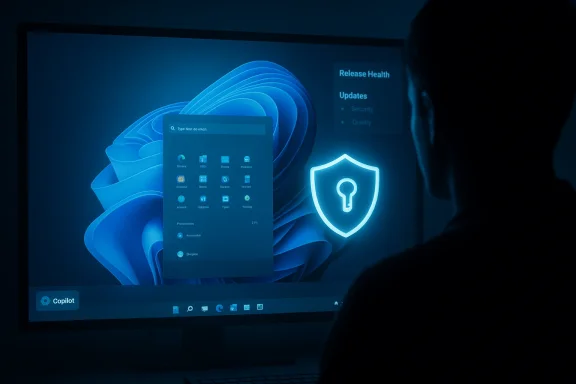 Background: a capable OS, a strained relationship
Windows 11’s underlying improvements—modernized subsystems, more consistent UI frameworks, and tighter integration with modern hardware—are real. For many users the experience is seamless: apps launch quickly, security features like Secure Boot and virtualization-based protections reduce attack surface, and regular updates deliver new functionality. But technical quality is now only half the equation.What has changed is the social contract between Microsoft and Windows users. Instead of a predictable cadence of security and quality updates with clear opt-ins for feature rollouts, users increasingly encounter features that appear without clear consent, UI elements that promote services, and update behaviors that sometimes break workflows. Those choices—how and when Microsoft introduces change—matter as much as the change itself.
What broke in January 2026: Patch Tuesday and emergency fixes
January 2026’s Patch Tuesday is the clearest recent example of trust erosion. The standard cumulative updates released on January 13 produced at least two high-impact regressions: a power‑state problem where some systems with System Guard Secure Launch enabled would restart instead of shutting down or hibernating, and authentication failures affecting Remote Desktop and cloud‑PC sign‑in flows. Microsoft moved quickly with out‑of‑band (OOB) cumulative packages in the days that followed to address those regressions, but the sequence — a regular patch that created regressions followed by emergency fixes — left administrators and users questioning quality assurance and rollout transparency.The timeline was compressed and visible. On January 13 Microsoft shipped its regular cumulative updates. By January 17 the company published targeted OOB packages that combined servicing stack updates with fixes for the key regressions, and by later in the month additional OOB packages were issued to address side effects introduced by earlier fixes. The technical reality — how complex servicing stacks, driver interactions, and low‑level security features can combine unpredictably — is familiar to Microsoft and enterprise admins alike. The public perception, however, is simpler: updates are breaking things they should not break.
Why this matters beyond the immediate disruption: when updates undermine fundamental behaviors like shutdown or remote access, confidence evaporates quickly. Administrators delay rollouts; home users distrust automatic updates; businesses re‑evaluate update policies. The consequence is not just a short outage—it's a higher long‑term cost in testing, in lost productivity, and in user skepticism.
The BitLocker key controversy: convenience collides with privacy
A separate but related episode intensified mistrust. Reporting in January 2026 confirmed that Microsoft complied with a lawful request and provided BitLocker recovery keys to the FBI in connection with a fraud investigation, allowing investigators to decrypt and examine data on three seized laptops. That disclosure crystallized a technical policy problem: Microsoft’s cloud backup of BitLocker recovery keys, while convenient for legitimate recovery scenarios, also becomes a point of legal access when authorities obtain valid orders. Forbes and other major outlets documented Microsoft’s confirmation that the company provides recovery keys when presented with appropriate legal paperwork.Two separate dynamics make this story sticky. First, technical design choices—defaults that store recovery keys in the cloud—prioritize convenience for typical recovery scenarios but create a persistent, discoverable artifact that can be legally compelled. Second, the company’s compliance with lawful orders is the expected legal reality, yet users often assume encryption equals absolute privacy. The mismatch between user expectations and implementation details produces shock when compliance becomes public.
Privacy advocates and technologists reacted predictably: the simplest technical mitigation is to make the default user path less likely to deposit keys in a location accessible with a subpoena, and to improve user education and tooling so customers can easily choose local-only key storage without breaking recoverability for legitimate support scenarios. The core complaint is not only that Microsoft complied with the law, but that the ecosystem’s defaults and users’ mental models about “private” encryption diverge.
Ads, recommendations, and the encroaching AI: UI changes that feel like commerce
Beyond updates and legal compliance, Microsoft’s design and product decisions have rubbed many users the wrong way. Over the past two years, Microsoft has increasingly surfaced promotional content and service recommendations inside core shell surfaces: the Start menu’s Recommended region, the Widgets panel, and the search experience. These additions are framed as “recommendations” or “tips,” but users experience them as ads or nudges toward Microsoft services—especially when those prompts promote Microsoft 365, Edge, or Copilot features. Reporting and community posts documented Microsoft testing ad‑style recommendations in the Start menu and adding more AI prompts and Copilot entry points into the taskbar and shell. Many publications recommended ways to disable these prompts, but the presence of monetized or promotional content in core UI is what produces user friction.Compounding the perception of imposition is the expansion of Copilot and Microsoft 365 Copilot into the desktop. The company added administrative controls that allow IT teams to pin Copilot and companion apps to the taskbar on managed devices; that policy is documented in Microsoft’s admin documentation and in the Microsoft 365 message center. For enterprise customers, this is a productivity tool; for individuals, it can feel like the OS is promoting a paid service by default. The technical fact is straightforward: admins can pin Copilot via Intune or Microsoft 365 settings, and the policy behavior is explicit in Microsoft’s documentation. The user experience problem emerges when people feel they did not choose this integration and when the UI gives privileged placement to Microsoft services.
Why these trends erode trust faster than feature envy builds it
Three psychological dynamics explain the widening gap between feature delivery and user acceptance:- Predictability beats novelty. Users can tolerate change if it’s communicated, reversible, and opt‑in. Surprise changes in core flows (taskbar, Start menu, shutdown semantics) create an outsized sense of loss.
- Perceived control matters. If users believe decisions are made for them—defaults that store keys in the cloud, admins or vendor pushes that pin apps, or baked‑in promotional content—confidence declines. Control is not binary: it’s transparency, discoverability of settings, and the ability to undo.
- The cost of mistakes is asymmetric. A broken update that causes a reboot loop or breaks remote access creates immediate, concrete pain. A helpful AI feature that occasionally misfires is a tolerable tradeoff—until the platform also surprises you with a policy change or an unannounced pin to your taskbar.
What Microsoft can (and should) do: rebuild the contract
A healthy platform relationship rests on predictable behavior and clear agency. The following recommendations are practical and achievable without sacrificing innovation.1. Treat core shell UI as sacrosanct
- No paid promotions or ads inside essential system chrome (taskbar, Start menu primary area, system tray). If recommendations are useful, they must be clearly labeled, optional, and opt‑out without collateral loss of non‑commercial functionality.
- Feature previews that alter core workflows should be explicitly surfaced in Settings and Release Health, with explicit toggles and an easy rollback path.
2. Make opt‑ins explicit and reversible
- When introducing prominent features such as Copilot integrations, provide an initial dialog with a clear opt‑in choice and an obvious do not show again path.
- For administrators, preserve the difference between managed policy and local user consent; when org policies change pins or defaults, notify users and provide documentation flows for how to request exceptions or opt out where appropriate.
3. Centralize privacy and telemetry controls
- Consolidate privacy, telemetry, and key‑management settings into a single, discoverable control panel with clear explanations of tradeoffs (convenience vs. recoverability).
- Add telemetry transparency: allow users to view recent accesses to cloud‑stored recovery artifacts (for example, BitLocker key access logs) and notify customers when authorities request keys, to the extent legally allowed.
4. Improve testing and release transparency
- For major updates, provide an administrator‑facing “regression risk” score that translates field telemetry into actionable guidance (e.g., “high risk for Secure Launch devices; test in pilot rings”).
- Publish post‑mortems when OOB patches are required, with plain language summaries of root cause analysis and steps taken to prevent recurrence.
Practical steps for users and admins today
Even while the conversation about trust continues at the platform level, there are concrete actions technical and non‑technical readers can take now.For individual users
- Review BitLocker key storage preferences: choose local‑only recovery if you require maximal privacy and can manage physical recovery keys. (Be sure you understand the consequences—losing a local key is unrecoverable.)
- Turn off Start menu recommendations: Settings > Personalization > Start > Show recommendations for tips, app promotions, and more.
- Harden update behavior: use Active Hours and a more conservative update ring (if available) or switch to “Notify to schedule restart” to prevent surprise reboots during work.
- Audit account recovery options: check which devices and accounts can access your recovery artifacts and remove unused devices or alternate contact options.
For IT administrators
- Test updates in a representative pilot ring that includes devices with features like System Guard Secure Launch enabled. The Secure Launch shutdown regression highlighted how low‑level protections can interact with servicing in unexpected ways.
- Use Intune and Microsoft 365 admin settings intentionally: if you roll out taskbar pinning of Copilot and companion apps, communicate the change via company channels and provide a timeline and an opt‑out path. Microsoft documents the admin pin setting and the versions where user unpin preferences are respected.
- Maintain separate staging accounts for telemetry and update monitoring so you can detect service auth regressions (for example, Remote Desktop and Cloud PC sign‑in failures discussed during January 2026’s updates) before they affect end users.
Tradeoffs and risks: innovation vs. authoritarian access
There are real benefits to the features Microsoft ships: Copilot can boost productivity, cloud recovery reduces costly support tickets, and machine‑assisted experiences simplify routine tasks. But the technical design choices behind convenience have systemic risks:- Centralized key storage creates legal and security surfaces that can be exploited via subpoenas or breached through cloud compromises.
- Advertising in system UI risks normalizing commercial behavior inside the platform’s most private spaces.
- Aggressive default pinning and promotional placement shift the perceived marketplace advantage toward Microsoft services, which is a product strategy but also a reputational risk.
Measuring repair: how Microsoft could demonstrate renewed commitment
Trust is rebuilt through consistent, measurable actions. Here are signals Microsoft could use to demonstrate progress:- Default changes with a 90‑day public comment period for major shell adjustments that affect core navigation or default service placement.
- A publicly accessible “Release Health Dashboard” that provides timely, machine‑readable details about known issues, affected builds, mitigation steps, and an expected remediation window.
- A privacy transparency dashboard that shows how often cloud artifacts like recovery keys are requested by authorities (aggregate numbers and legal jurisdiction, where permissible).
- An independent audit of update quality and release engineering practices, with remediation plans for systemic failures that produce OOB patches.
The future: a platform people control
Where is Windows heading? Technically, the platform will continue to adopt AI features, tighter cloud integration, and richer productivity hooks. Those technical trajectories are not controversial. The controversy arises in governance: who decides which services get pushed, which data is recoverable by design, and how much visibility users have into those decisions.For Microsoft, the path to preserving Windows’s broad appeal is not to slow innovation, but to re‑center agency. Make features optional, make defaults conservative where privacy is at stake, and make communication clear and timely. For users and administrators, the future will favor those who know where their keys live, who control which agents run on their desktops, and who test updates in environments that reflect real‑world complexity.
The operating system itself is not in existential crisis; its engineering remains strong. The trust deficit, however, is a problem of policy, defaults, and communication—and those are solvable problems. Rebuilding trust will require Microsoft to demonstrate that it understands that Windows is not merely a delivery platform for services, but the foundational computing environment for hundreds of millions of people. That environment deserves predictable behavior, clear choices, and respect.
Conclusion
Windows has never been static. It will keep adding features. The pressing question is whether those features arrive with consent and clarity or as surprises that chip away at user confidence. If Microsoft wants Windows to remain the platform millions trust for work, play, and privacy, the company must choose predictability over surprise, transparency over opacity, and user agency over default convenience—one decision at a time.
Source: gHacks Technology News Microsoft Keeps Adding Windows Features, But Trust Keeps Eroding - gHacks Tech News
