

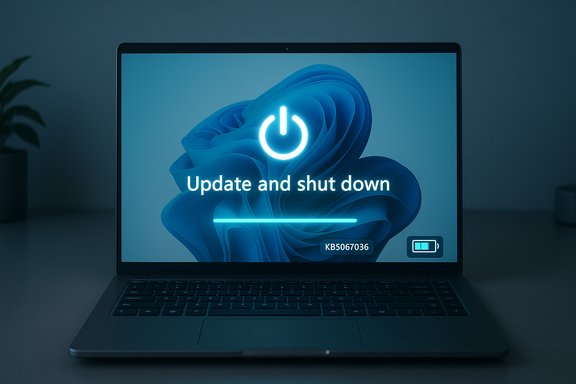
Microsoft has quietly fixed one of Windows 11’s most irritating little bugs: the “Update and shut down” option that sometimes installed updates only to leave a PC powered on instead of actually shutting it down—a change now present in Insider preview builds and rolled into the October 28, 2025 optional preview (KB5067036).
Background
For many Windows users the Start menu’s Update and shut down command was designed to be a time-saver: apply pending patches and power the PC off so you return to a patched machine. For a sizable, intermittent subset of devices that expectation broke. Systems would apply updates, reboot to complete offline servicing, and then return to the lock screen or desktop instead of finishing with a complete power-off—effectively leaving the device powered on and, in the case of laptops, draining the battery overnight. Community threads and help-desk logs documented this problem repeatedly over multiple update cycles.Microsoft acknowledged the behavior in Insider release notes and described a targeted servicing change that addresses the problem. The fix first appeared in Windows Insider Preview release notes on September 29, 2025 and was later included in the optional preview cumulative update KB5067036 (OS Builds 26200.7019 for 25H2 and 26100.7019 for 24H2) published October 28, 2025.
What actually went wrong — a short technical primer
At first glance the bug looks like a simple mismatch between a label and behavior. Under the hood, however, the shutdown-and-update flow is a multi-stage orchestration involving several subsystems. The most important technical factors were:- Fast Startup (hybrid shutdown): When enabled, Fast Startup changes shutdown semantics by saving session state to disk, which can alter the expected shutdown path and interact poorly with offline servicing steps.
- Multi-phase servicing: Many modern updates require staging while the OS runs and then offline commits during shutdown/boot. Some patches need more than one reboot to fully commit component swaps; that complexity can cause the servicing stack to favor a restart over a shutdown if certain conditions are detected.
- Sign-in / resume behaviors: Windows features that “use my sign-in info to finish setting up my device” can alter whether the OS finishes update-related configuration automatically after a restart, affecting the final power-state decision.
- Driver and process handoffs: If a driver or running process requires a restart to swap out files safely, the OS may prefer to restart rather than power down to preserve system integrity.
The timeline: where and when the fix appeared
- September 29, 2025 — Microsoft posted Windows Insider Preview release notes (Dev/Beta channels) documenting a targeted remediation for the “Update and shutdown” behavior.
- October 28, 2025 — Microsoft published the optional, non-security cumulative preview update KB5067036 for Windows 11 versions 24H2 and 25H2 (OS Builds 26100.7019 and 26200.7019), and the KB’s changelog lists the improvement to the Update-and-shutdown behavior.
- Late 2025 — Microsoft staged the fix for broader distribution via the normal cumulative update cycle once Insiders and Release Preview telemetry validated the change. Community reporting suggests the staged rollout continued through November’s update cadence.
What the fix means for users and administrators
This remediation is small in scope but significant in practice. For ordinary users it restores the expected behavior of a labelled, everyday UI action: select Update and shut down and your machine will apply updates and power off. For administrators, deterministic shutdown semantics reduce the need for manual checks and awkward workarounds during maintenance windows.Practical implications:
- Laptops and portable devices are less likely to drain battery overnight because they will respect the user’s shutdown intent after updates.
- Automated workflows and scripts that rely on deterministic power states will be more reliable.
- IT departments can eliminate some ad-hoc policies that were implemented specifically to avoid unpredictable shutdown behavior.
Cross-checking the key claims (verification)
- Microsoft’s Insider release notes explicitly include the fix text “Fixed an underlying issue which could lead ‘Update and shutdown’ to not actually shut down your PC after.” This is recorded in the September 29, 2025 Insider blog.
- Microsoft’s official KB article for the October 28, 2025 preview (KB5067036) lists the same servicing improvement and identifies OS builds 26200.7019 and 26100.7019. That KB page is published on Microsoft’s Support site and is the canonical record of what was included in the preview package.
- Independent reporting from mainstream tech outlets corroborated Microsoft’s notes and confirmed the build numbers and KB packaging (multiple outlets summarized the change and its inclusion in the optional October preview).
Real-world reports and early tester observations
Insider testers and early adopters reported that the option now behaves in test scenarios where it previously did not: choose Update and shut down for a small update, leave the machine, and return to a powered-off, patched PC in the morning. Those reports were reproduced across varying hardware profiles in the Insider rings, but community reproducibility varied—consistent with the bug’s history of being configuration dependent.At the same time, preview packaging can introduce collateral regressions. The October preview KB5067036 also correlated with an unexpected Task Manager duplication/regression for some testers (multiple hidden taskmgr.exe processes remaining after closing the UI), a problem reported by multiple outlets shortly after the KB was published. Microsoft acknowledged the issue and began working on corrective updates; until a follow-up patch lands, cautious deployment is advised.
Recommended actions — what to do now
For regular users- Wait for the fix to appear in your mainstream cumulative update if you prefer stability and minimal risk. The October preview is optional and staged.
- If you need deterministic shutdown behavior immediately and are comfortable with optional updates, test KB5067036 on a spare/non-critical device first. Collect results and only then deploy more widely.
- As a conservative mitigation, use Update and restart and then shut down manually after restart if you need absolute certainty while you wait for the mainstream roll-out.
- Pilot the preview on a representative device group. Test the Update and shut down path end-to-end and document results.
- Pay attention to known collateral issues (for example, Task Manager duplication) and collect diagnostics (ETW traces, tasklist/process dumps) if regressions appear.
- Defer broad deployment until either the fix reaches mainstream cumulative updates or you have validated the preview in a robust pilot ring.
- Disable Fast Startup on critical machines where deterministic shutdown semantics are essential. Disabling this feature is a widely reported workaround and can reduce hybrid shutdown interactions with servicing.
- Prefer Update and restart when you need the update to finish immediately and don’t want to rely on shutdown orchestration.
Strengths of Microsoft’s approach — and why this matters
- The fix targets the orchestration logic, which means engineers addressed the sequencing and decision-making layer rather than applying a cosmetic text change to the menu. That increases the chance the option will now behave correctly in the long term.
- Microsoft used its standard staged rollout (Insider → preview KB → mainstream), which allows a wide variety of hardware and driver scenarios to be exercised before mass deployment. That reduces the risk of widespread regressions making it into stable channels.
- Restoring the trustworthiness of a small UX promise—one that many users depend on—has outsized value: it reduces battery waste, restores predictable maintenance windows, and removes a day-to-day annoyance.
Risks, caveats and what to watch for
- Collateral regressions: preview packages can introduce other side effects; the Task Manager duplication bug linked to KB5067036 is an immediate example. Track Microsoft’s follow-up patches and known-issues lists before deploying optional updates widely.
- Non-deterministic hardware interactions: because the original bug was configuration-dependent, there may still be edge cases where shutdown semantics differ due to OEM firmware, drivers, or management agents. That’s why pilot testing on real-world fleets is essential.
- Public root cause transparency: Microsoft’s release notes confirm a behavioral fix but do not disclose the specific code path or race condition that caused the misbehavior. Treat specific claims about the exact code-level cause as unverified unless Microsoft publishes a technical postmortem.
Quick troubleshooting checklist for end users
- If you suspect your machine is affected:
- Check Windows Update for optional updates and the KB5067036 package if you want the preview patch.
- Test Update and shut down on a small update and confirm the device is powered off afterward.
- If you observe regressions, uninstall the preview LCU (where supported on test devices), or restore the device from a known-good image. Follow Microsoft guidance for removing LCUs and servicing stack updates.
- Use Task Manager or taskkill to terminate unexpected taskmgr.exe instances if the duplication bug appears, and report telemetry via Feedback Hub.
Longer view: why this small fix is worth attention
This correction is a practical reminder of how complex modern OS servicing has become. What looks like a two-word UX label must coordinate multiple low-level subsystems—power management, offline servicing, boot logic, credential flows, and drivers—to deliver a predictable result. A small bug in the orchestration layer can thus have a noisy, real-world impact: drained laptop batteries, missed automated maintenance, and eroded user trust in the platform.Microsoft’s staged, telemetry-driven approach is the right operational model for this kind of fix: validate in controlled rings, monitor for regressions, and then promote the change when confidence is high. That said, vigilance remains essential—both for Microsoft and for administrators—because complex servicing fixes sometimes reveal new interactions that need additional patches.
Final verdict and practical takeaway
The “Update and shut down” behavior now appears corrected in Insider preview builds and in the October 28, 2025 optional preview package KB5067036 (OS builds 26200.7019 and 26100.7019). This is a meaningful quality-of-life improvement: the OS now better preserves user intent at the end of the update pipeline.That said, exercise prudence: pilot the preview on non-critical devices if you want the fix sooner, watch for known preview-side regressions such as Task Manager duplication, and wait for the mainstream cumulative update if you prefer a lower-risk path to a fixed, validated experience.
For users who need deterministic shutdown semantics right away, the simplest operational advice remains unchanged:
- Disable Fast Startup, or
- Use Update and restart, then shut down manually once the restart completes.
Source: Overclocking.com Windows 11: "Update and stop" works! - Overclocking.com EN
