

Microsoft has started previewing a major change to how apps are updated on Windows 11: a system-level Update Orchestrator Platform (UOP) that centralizes update scheduling and visibility while still letting apps deliver their own payloads.
Microsoft announced the Update Orchestrator Platform (UOP) as part of the Windows 11 Insider Preview rollouts and supporting technical posts. The company positions UOP as a unified update orchestration framework that coordinates app updates alongside OS updates, reducing interruptions and making update timing more intelligent. Early details appear in Microsoft’s Windows Insider blog and the Windows IT Pro (Tech Community) announcement, and the plan has been reported by major tech outlets covering Windows platforms and developer tooling.
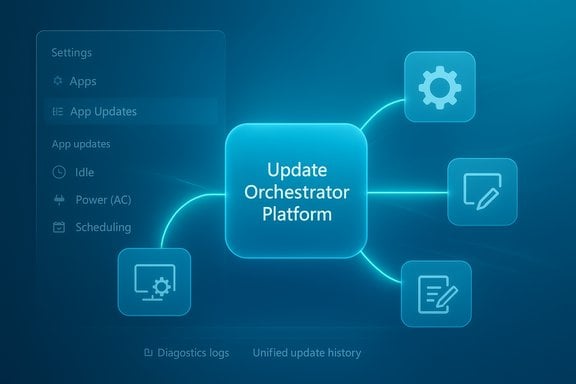
For Windows 11 users and administrators, the practical change is twofold. First, the OS will gain a new Settings page — Settings > Apps > App Updates — that surfaces update progress and a unified history for apps that opt in to UOP. Second, app developers will be able to register their installers / updaters with the orchestrator via APIs (WinRT) and PowerShell so the OS can schedule scans, downloads, and installs based on user activity, system state, and administrative policy while apps continue to use their own servers to host updates.
This is a preview-first feature, currently appearing for Insiders in the Dev and Beta channels. Microsoft’s public notes make clear that the orchestrator is starting to roll out to Insiders and that no apps have yet fully onboarded — registration and API documentation are still in the early stages of public availability.
Independent reporting and Microsoft’s Tech Community posts indicate onboarding for developers is actively being solicited through private preview channels. Microsoft has not published a firm general-availability date; outside coverage that speculates about a broader rollout next year is reasonable but should be treated as projection, not confirmation. Organizations and developers should plan around the preview and expect a staged rollout that increases over time as developers onboard and Microsoft iterates on the platform.
Microsoft’s staged preview approach — limited to Insiders and a private preview for developers and management tools — is the correct pattern to gather feedback, identify corner cases, and mitigate the kinds of reliability issues that can surface only at scale.
The platform’s success will hinge on developer adoption, solid security and isolation practices, and Microsoft’s ability to shepherd the system through real-world edge cases exposed by Insiders and enterprise customers. If Microsoft secures broad participation from major independent software vendors and provides clear, secure onboarding guidance for smaller developers, UOP could substantially improve the day-to-day update experience on Windows 11 — fewer interruptions, less duplicated infrastructure, and simpler troubleshooting for IT teams.
Until then, UOP remains a promising preview: worth attention from developers and IT professionals, useful to early-adopting Insiders for testing, and cautiously optimistic for anyone frustrated by patch noise. The next concrete signs to watch for are published API documentation, the first wave of vendor onboardings, and Microsoft’s timeline for general availability.
Source: Windows Central https://www.windowscentral.com/micr...tor-platform-designed-make-updates-invisible/
 Background
Microsoft announced the Update Orchestrator Platform (UOP) as part of the Windows 11 Insider Preview rollouts and supporting technical posts. The company positions UOP as a unified update orchestration framework that coordinates app updates alongside OS updates, reducing interruptions and making update timing more intelligent. Early details appear in Microsoft’s Windows Insider blog and the Windows IT Pro (Tech Community) announcement, and the plan has been reported by major tech outlets covering Windows platforms and developer tooling.For Windows 11 users and administrators, the practical change is twofold. First, the OS will gain a new Settings page — Settings > Apps > App Updates — that surfaces update progress and a unified history for apps that opt in to UOP. Second, app developers will be able to register their installers / updaters with the orchestrator via APIs (WinRT) and PowerShell so the OS can schedule scans, downloads, and installs based on user activity, system state, and administrative policy while apps continue to use their own servers to host updates.
This is a preview-first feature, currently appearing for Insiders in the Dev and Beta channels. Microsoft’s public notes make clear that the orchestrator is starting to roll out to Insiders and that no apps have yet fully onboarded — registration and API documentation are still in the early stages of public availability.
Overview: what UOP is and what it isn't
What UOP promises
- Centralized orchestration: UOP acts as a coordination layer that schedules when app updates should be scanned, downloaded, and installed so multiple independent updaters don’t collide and so work occurs at times that minimize user disruption.
- Consistent notifications and history: Onboarded apps will integrate with the native Windows update UI, letting users see app update history and status in a single place.
- Intelligent timing: The orchestrator evaluates device state (idle vs active), power state (battery vs AC), and policy settings to defer or schedule updates for eco-efficiency and minimal interruption.
- Developer-controlled mechanics: Apps keep using their own content delivery networks and update logic for acquiring the actual bits; they simply register with UOP and expose hooks the orchestrator can call.
- Support for common packaging and custom solutions: Microsoft says UOP will support MSIX / APPX-packaged apps and custom or legacy Win32 update implementations via additional metadata and executables provided during onboarding.
- Admin controls and deadlines: For managed environments, apps can declare deadlines and restart requirements so IT policies can be enforced without reinventing update tooling.
What UOP does not do (so far)
- UOP is not a replacement distribution network — apps still host their installers and updates.
- Onboarding is optional: developers must opt in and register their products to participate.
- The orchestrator does not yet include a public, broadly available SDK for all developers — API documentation and broader enablement are promised but rolling out.
- This is not a wholesale replacement for Microsoft Store automatic updates or the Windows Package Manager (winget); those systems will continue operating independently unless app developers choose UOP.
How the platform works: developer and OS responsibilities
The technical model Microsoft lays out is deliberately hybrid: apps remain responsible for packaging and delivering updates, while the OS handles scheduling, coordination, and user-facing state.Registration and toolchain
- Developers register an app or a management tool with the orchestrator using a WinRT registration API or PowerShell commands.
- Registration includes a pointer to an executable (or executables) the orchestrator can call on a schedule to:
- Scan for available updates.
- Download and stage the update payload.
- Install or apply updates, including handling restart requirements.
- Apps report back success or failure for scan, download, and install actions so UOP can reschedule or mark work complete.
Scheduling and intelligence
The orchestrator factors in:- User activity and idle time to avoid interrupting foreground work.
- Power state (battery vs AC).
- Network conditions or policies (e.g., meter-aware behavior).
- Administrative deadlines for managed devices.
What this means for users: a cleaner update experience
For end users, the biggest visible change will be the new App Updates page under Settings > Apps. That page shows update status for onboarded apps and will let users:- View recent app update activity in a single place.
- Trigger a manual, unified "check for updates" for apps that support UOP.
- See progress and, when necessary, respond to notifications managed by the OS.
Developer perspective: why onboard, and what’s required
Benefits for developers
- Offload scheduling and notification complexity to the OS.
- Use the Windows-native UI for update history and notifications.
- Gain eco-efficiency improvements and automatic future enhancements from the Windows update stack.
- Support for admin policies and deadlines without building bespoke enterprise controls.
Onboarding steps and expectations
- Join the private preview (Microsoft opened a developer preview / private preview for the orchestration platform).
- Add registration logic to your installer to declare the scanning, download, and install executables and metadata (update title, version, restart requirements, deadlines).
- Implement reporting of success/failure so the orchestrator can manage retries and status.
Enterprise and IT management implications
Enterprises stand to gain the most immediately. Line-of-business applications and vendor-supplied management tools often bring their own update mechanisms that can conflict with IT scheduling and compliance. UOP offers:- A single management plane for update scheduling and visibility.
- Policy-driven deadline enforcement for critical patches and compliance.
- Streamlined troubleshooting because update logs can be centralized.
- Support for both packaged and custom update implementations, easing onboarding for enterprise apps.
Adoption hurdles and practical risks
Developer adoption is the gating item
UOP’s value derives from who uses it. If only a small number of vendors onboard, the platform’s benefits will be marginal. Large independent vendors or Microsoft’s own first-party apps adopting UOP would significantly increase its reach and usefulness. Microsoft must convince third-party developers, especially those with complex update mechanisms, to integrate.Potential performance and reliability concerns
Centralizing orchestration reduces competing update jobs — but it also concentrates responsibility and potential failure modes in one place. Anecdotal reports about Windows update-related services causing high CPU or battery impacts in some scenarios underline that any orchestrator process operating frequently or at scale must be engineered extremely carefully. Community discussions have highlighted occasions where update-related services appear to consume CPU; these are anecdotal and vary by device and workload, and they should be treated as indicators for careful testing rather than proof of systemic issues.Security and privacy considerations
- A system-level orchestrator that schedules and invokes executable update logic increases the attack surface. If onboarding and privilege models aren’t strict, a compromised updater could gain OS-level privileges by leveraging the orchestrator’s invocation mechanisms.
- Enterprises and users must understand what permissions are required for an app to register with UOP and how the orchestrator validates or isolates update executables.
- Microsoft’s documentation will need to clearly explain recommended security practices for registering update executables, signing requirements, and how the orchestrator enforces integrity.
Fragmentation risk with multiple update systems
Windows already has several update mechanisms — Microsoft Store background updates, Windows Update for OS components, Windows Package Manager (winget), vendor installers, enterprise patching tools, and now UOP. Unless Microsoft and the ecosystem converge around a small number of coherent options and clearly communicate how they co-exist, fragmentation will continue — though UOP aims to reduce it by offering a single scheduling plane.How UOP compares to existing tools (Microsoft Store, winget, Windows Update)
- Microsoft Store: Store apps already get automatic background updates. UOP complements rather than replaces the Store: Store apps continue to update via the Store, and Microsoft’s guidance suggests developers using the Store don’t need to take action — they already benefit from native update behavior.
- winget (Windows Package Manager): winget is a command-line package manager aimed at power users and automation scenarios. UOP is an OS-level scheduling and coordination platform, not a package manager UI, so the two can coexist: winget remains a manual or scripted installation and update mechanism, while UOP handles coordinated automatic updates for onboarded apps in the background.
- Windows Update: Historically focused on OS components and driver updates, Windows Update expands through UOP to include third-party app updates at the orchestration level, while preserving the developer’s control over content delivery.
Timeline and rollout expectations
Microsoft has previewed UOP to Windows Insiders in the Dev and Beta Channels and described the feature as partially enabled for Insiders with broader enablement expected in those channels soon. The company has said API documentation will follow and developers can join a private preview or register interest via Microsoft channels.Independent reporting and Microsoft’s Tech Community posts indicate onboarding for developers is actively being solicited through private preview channels. Microsoft has not published a firm general-availability date; outside coverage that speculates about a broader rollout next year is reasonable but should be treated as projection, not confirmation. Organizations and developers should plan around the preview and expect a staged rollout that increases over time as developers onboard and Microsoft iterates on the platform.
Practical guidance: what users and organizations should do now
For developers:- Evaluate benefits for your product: centralized scheduling, native notifications, and admin policy support may reduce engineering effort.
- Sign up for the preview or request access — Microsoft has established a private onboarding process for early adopters.
- Plan integration: determine whether your updater can be registered as-is, or if you need to add reporting, scanning, or install wrappers for UOP compatibility.
- Review security posture: ensure update executables are signed and resilient to tampering, and confirm privilege models.
- Track UOP preview progress in the Windows Insider and Tech Community channels and test in lab environments.
- Evaluate how UOP fits within existing update management workflows (WSUS, Intune, Configuration Manager).
- Prepare documentation and policy frameworks so line-of-business onboarding won’t break compliance or auditing.
- Expect to see a new App Updates page in Settings once your device receives the Insider preview or the broader rollout. That page will centralize update status for apps that adopt the platform.
- If you rely on specific vendor updaters (e.g., antivirus, creative tools), check vendor announcements to learn whether and when they will support UOP.
Strengths: where UOP can help Windows 11 users and admins
- Reduced interruptions: By scheduling updates when the user is idle or when the device is on AC power, UOP can reduce annoying mid-work restarts or heavy background activity during critical use.
- Consistency for admins: Enterprises get a consistent control plane for update deadlines and notifications instead of chasing bespoke updaters.
- Better diagnostics: Centralized logs and update histories make troubleshooting less fragmented.
- Future improvements automatically benefit onboarded apps: Because apps leverage the Windows update stack, Microsoft can add optimizations and capabilities that immediately benefit every participating app.
Weaknesses and open questions
- Adoption risk: If major software vendors don’t adopt UOP, benefits will be limited to a subset of apps.
- Security model clarity needed: The orchestrator must make it explicit how it validates and isolates update executables to prevent privilege escalation or tampering.
- Operational complexity: Integrating legacy Win32 updaters will require care. Developers may need to wrap or adapt existing installers, which is non-trivial for complex products.
- Potential for concentrated failure modes: A single orchestration layer introduces a central point where mistakes could cause broader disruptions if not properly resilient.
Real-world signals from the community
Early chatter from Insiders and enterprise IT pros shows curiosity and a mix of optimism and caution. IT pros appreciate the promise of a unified management plane, while independent developers and smaller ISVs are asking for clearer onboarding processes and better guidance for native installers and MSI/MSP workflows. There are isolated community reports about update-related services consuming higher-than-expected resources on some devices; these are anecdotal and need formal telemetry to evaluate statistical significance.Microsoft’s staged preview approach — limited to Insiders and a private preview for developers and management tools — is the correct pattern to gather feedback, identify corner cases, and mitigate the kinds of reliability issues that can surface only at scale.
Final assessment: an incremental but meaningful step
The Update Orchestrator Platform is not a radical reinvention of Windows update mechanics, but it is a smart, pragmatic attempt to address long-standing pain points around app update fragmentation on Windows. By combining centralized scheduling, native UI integration, and developer-controlled payload delivery, UOP seeks the middle ground between OS-managed updates and developer autonomy.The platform’s success will hinge on developer adoption, solid security and isolation practices, and Microsoft’s ability to shepherd the system through real-world edge cases exposed by Insiders and enterprise customers. If Microsoft secures broad participation from major independent software vendors and provides clear, secure onboarding guidance for smaller developers, UOP could substantially improve the day-to-day update experience on Windows 11 — fewer interruptions, less duplicated infrastructure, and simpler troubleshooting for IT teams.
Until then, UOP remains a promising preview: worth attention from developers and IT professionals, useful to early-adopting Insiders for testing, and cautiously optimistic for anyone frustrated by patch noise. The next concrete signs to watch for are published API documentation, the first wave of vendor onboardings, and Microsoft’s timeline for general availability.
Source: Windows Central https://www.windowscentral.com/micr...tor-platform-designed-make-updates-invisible/
