

Microsoft’s next wave of Windows 11 changes looks less like a fresh coat of paint and more like a course correction. After years of pushing a more locked-down, AI-forward interface, the company is now moving to restore flexibility in places where users have been complaining the loudest: the Taskbar, Windows Update, and Copilot. That shift matters because it suggests Microsoft is finally treating usability as a first-class feature again, not just something that happens after the AI demos are done.
The story of Windows 11 has always been a story of trade-offs. Microsoft launched the operating system with a cleaner look, a more centered interface, and a clearer visual identity, but it also removed or hid several familiar controls that long-time Windows users had taken for granted. The Taskbar became one of the most visible symbols of that change, because it shipped with fewer customization options than many expected from a desktop operating system built on decades of user choice.
For a lot of people, the Taskbar was never just a launcher. It was a workflow tool, a spatial memory aid, and in many cases a way to make Windows feel like their desktop instead of Microsoft’s default layout. Once the ability to move it around disappeared, users noticed immediately. Many resorted to registry tweaks, third-party utilities, or simply lived with a design decision they never asked for.
Windows Update has followed a similar pattern, albeit for different reasons. Microsoft has long defended automatic updates as essential for security, stability, and platform consistency, but the rollout experience has often felt intrusive. Unexpected restarts, feature drops arriving at the wrong time, and update prompts that ignore the user’s current task have made Windows feel less like a tool and more like a system that periodically interrupts the work.
Copilot, meanwhile, is the newest and most politically charged part of the Windows story. Microsoft has spent the past two years weaving the assistant into as many surfaces as possible, from system apps to the taskbar to search. That strategy has helped the company position Windows 11 as an AI platform, but it has also created fatigue among users who feel the company has been prioritizing visibility over usefulness. The latest changes suggest Microsoft is rethinking that approach, at least in part. Microsoft’s own support pages still describe the Taskbar as movable in the broader Windows experience, and the company’s recent Windows 11 updates continue to expand update controls and AI features at the same time, underscoring how fluid the platform direction has become.
That matters for both consumers and enterprise users. Home users want speed, predictability, and fewer annoyances. Businesses want fewer support tickets, fewer workflow interruptions, and more control over policy and rollout timing. When Microsoft relaxes its grip in these areas, it can make the platform feel more mature.
The backlash was predictable. Power users, productivity fans, and anyone with a long memory for Windows behavior quickly noticed that the new design was narrower in scope. The result was an ecosystem of workaround tools and community hacks. That ecosystem is itself evidence of demand: when enough users are willing to install third-party software just to undo a default, the default is probably misaligned with real-world use.
Windows Update has been on its own journey from convenience to controversy. Microsoft has spent years emphasizing the importance of automatic patching, and that case is technically sound. Security fixes need to land quickly, and fragmented update behavior is one reason the Windows ecosystem can be harder to secure than a more controlled platform. But the company has also had to reckon with the lived reality of users who do not want their PC rebooted mid-task, especially on home machines where the schedule is not managed by IT.
Copilot is the newest layer of that story, and it represents Microsoft’s current strategic gamble. The company wants Windows to be more than an operating system; it wants Windows to be the launchpad for an AI-native computing model. That ambition has led to deep integration in search, settings, file workflows, and system surfaces. Yet the more Microsoft pushes AI into every corner of Windows, the more it risks making the platform feel crowded and repetitive rather than intelligent.
That feedback loop matters because Windows is not a mobile OS or a browser. It is a general-purpose desktop environment used in home offices, classrooms, design studios, corporate endpoints, and gaming rigs. A feature that feels harmless in one setting can be a major annoyance in another.
This is not just a niche preference. Vertical taskbars can be useful on ultrawide monitors, where screen height is precious. Top-aligned taskbars can fit certain multiwindow workflows better, while bottom placement remains the default for most users out of habit. The real issue is not which edge is “best,” but that the user should be able to choose.
Microsoft appears to be updating the Taskbar’s right-click menu so users can dock it to different edges of the screen, even though the full mechanics are still unclear. That detail matters because it implies Microsoft is not merely restoring an old setting verbatim. It may be rebuilding the Taskbar architecture in a way that allows the feature to coexist with Windows 11’s newer design and centered alignment logic.
It also reveals a deeper design tension inside Windows 11. Microsoft wants a streamlined interface that looks coherent across device types, but desktops are not tablets, and monitors are not all the same shape. The more Microsoft pushes toward one visual center, the more users with different hardware setups feel boxed in.
There is also a strategic angle here. Restoring the feature earns goodwill with enthusiasts and IT pros, two groups that influence broader Windows perception more than Microsoft sometimes admits. When those users say the OS is getting better, the message travels far beyond their own machines.
For consumers, the issue is just as practical. Many people never change defaults because they do not know the system allows it, but the existence of flexibility matters. Once they discover it, the desktop feels less rigid and more personal. That emotional effect can be surprisingly durable.
The likely return of this feature also highlights an oddity in Windows 11’s history. Microsoft spent years narrowing customization in the name of simplicity, only to find that the lost controls were part of what made Windows feel powerful. In the desktop world, power and choice are often the same thing.
At the same time, the change reinforces Windows’ identity as the most adaptable mainstream desktop OS. That matters in professional environments, where custom workflows often depend on being able to shape the interface around the user, not the other way around.
The practical changes are straightforward, at least conceptually. Users should be able to skip updates during setup to reach the desktop faster. They should be able to shut down or restart without inadvertently triggering a pending update installation. And they should be able to pause updates until they are ready to install them, instead of being forced into the process on Microsoft’s schedule.
That is a useful compromise. It preserves the update mechanism while reducing the feeling that Windows owns the machine more than the user does. It also reflects a more realistic understanding of home computing, where people often have one primary device and may not have a convenient window for a surprise reboot.
The trick is balancing enforcement with respect. By letting users defer, skip, or time updates more intentionally, Microsoft can keep the platform safer without making it feel punitive. That is especially important for people who work remotely, travel frequently, or keep laptops on battery and cannot afford arbitrary downtime.
Home users, meanwhile, may benefit the most from the new controls because they tend to have the least control today. For them, a quieter update experience can make the difference between “I trust Windows” and “I dread updates.”
Another risk is inconsistency across editions and device types. If the consumer experience becomes more flexible while enterprise policy remains more rigid, Microsoft could accidentally create confusion about what is actually supported. Clear UI language will be essential.
The broader win here is psychological. Windows users are more likely to accept updates they feel they can manage. That sense of agency matters, and it is one of the simplest ways to improve the operating system without changing its core architecture.
According to the reporting, Microsoft plans to reduce Copilot entry points in apps like Notepad, Photos, Widgets, and Snipping Tool. That does not mean the assistant is disappearing. It means Microsoft is trying to move from broad exposure to narrower, more purposeful placement. In product terms, that is a meaningful admission.
The likely reason is simple: users have been signaling fatigue. When an assistant shows up in too many places, it stops feeling like help and starts feeling like marketing. The best AI features are the ones that quietly solve a problem, not the ones that constantly remind you they exist.
That distinction matters because it suggests Microsoft still believes AI is strategically central to Windows. What is changing is the presentation. Instead of plastering the Copilot brand across every app and menu, Microsoft may be trying to reserve it for moments where it actually improves the task at hand.
That is why this shift feels so important. Microsoft is not just trimming UI clutter; it is acknowledging that utility should come before promotion. That should have been obvious sooner, but it is still a welcome correction.
Reducing unnecessary prompts and entry points may make it easier for IT teams to set expectations. It also helps prevent users from assuming that every Microsoft app now contains a mandatory AI layer. In a managed environment, less surprise is usually better.
That said, enterprises are not uniformly anti-AI. Many organizations want semantic search, document assistance, and settings help if those features are reliable, governable, and aligned with compliance policies. The challenge is delivering those capabilities without making the desktop feel like a showroom.
That fatigue factor is real. People tolerate a lot from their PC, but they become impatient when the operating system starts acting like an advertisement platform. Microsoft seems to be learning that lesson the hard way, which is still better than not learning it at all.
There is a lesson here about product maturity. Early in a platform cycle, companies often optimize for a vision. Later, they have to optimize for real behavior. Windows 11 is now in that later phase, where the company’s job is to reconcile ambition with the way people actually work.
That reconciliation is especially important because Windows remains a broad platform with enormous legacy expectations. Unlike a mobile operating system or a cloud app, Windows must accommodate gamers, offices, schools, creative professionals, and casual users all at once. When Microsoft gets the balance right, Windows feels universal. When it gets the balance wrong, the complaints arrive quickly and loudly.
That is the real opportunity. A more flexible Taskbar, a less annoying update model, and a more focused AI strategy all point toward a Windows that feels more composed. Competitors will likely watch closely, because this kind of correction can improve sentiment faster than a flashy launch event.
The most important thing to watch is whether Microsoft follows through with enough transparency to set expectations correctly. Windows users do not need a promise that every annoyance is gone forever. They need a believable pattern that says the company is willing to adjust when its defaults get in the way.
Source: Windows Central I'm excited about 3 big changes coming soon to my Windows 11 PC
 Overview
The story of Windows 11 has always been a story of trade-offs. Microsoft launched the operating system with a cleaner look, a more centered interface, and a clearer visual identity, but it also removed or hid several familiar controls that long-time Windows users had taken for granted. The Taskbar became one of the most visible symbols of that change, because it shipped with fewer customization options than many expected from a desktop operating system built on decades of user choice.For a lot of people, the Taskbar was never just a launcher. It was a workflow tool, a spatial memory aid, and in many cases a way to make Windows feel like their desktop instead of Microsoft’s default layout. Once the ability to move it around disappeared, users noticed immediately. Many resorted to registry tweaks, third-party utilities, or simply lived with a design decision they never asked for.
Windows Update has followed a similar pattern, albeit for different reasons. Microsoft has long defended automatic updates as essential for security, stability, and platform consistency, but the rollout experience has often felt intrusive. Unexpected restarts, feature drops arriving at the wrong time, and update prompts that ignore the user’s current task have made Windows feel less like a tool and more like a system that periodically interrupts the work.
Copilot, meanwhile, is the newest and most politically charged part of the Windows story. Microsoft has spent the past two years weaving the assistant into as many surfaces as possible, from system apps to the taskbar to search. That strategy has helped the company position Windows 11 as an AI platform, but it has also created fatigue among users who feel the company has been prioritizing visibility over usefulness. The latest changes suggest Microsoft is rethinking that approach, at least in part. Microsoft’s own support pages still describe the Taskbar as movable in the broader Windows experience, and the company’s recent Windows 11 updates continue to expand update controls and AI features at the same time, underscoring how fluid the platform direction has become.
Why these three changes matter
These are not isolated tweaks. They address three of the most common categories of Windows frustration: interface rigidity, update disruption, and feature bloat. Each one may sound small on its own, but together they point to a broader acknowledgment that Windows 11 has often asked users to adapt to Microsoft instead of the other way around.That matters for both consumers and enterprise users. Home users want speed, predictability, and fewer annoyances. Businesses want fewer support tickets, fewer workflow interruptions, and more control over policy and rollout timing. When Microsoft relaxes its grip in these areas, it can make the platform feel more mature.
- Taskbar flexibility restores a familiar desktop behavior that many users never stopped wanting.
- Update control reduces one of the most annoying parts of Windows maintenance.
- Copilot recalibration suggests Microsoft is listening to complaints about AI clutter.
- Enterprise admins may benefit from a calmer, more predictable UI surface.
- Consumers gain convenience without having to fight the system.
- The bigger signal is that Microsoft appears to be backing away from “my way or the highway” design choices.
Background
The Windows Taskbar has always been one of the operating system’s defining features, but its role changed sharply with Windows 11. On Windows 10, users could move it to any edge of the screen and in some cases resize it, allowing them to adapt the desktop to ultrawide monitors, portrait displays, or personal preference. Windows 11 simplified the design, but that simplification came with a loss of control that many users felt immediately. Microsoft’s support documentation still explains taskbar behavior and customization, while older Windows documentation shows that taskbar placement flexibility was once a standard part of the Windows experience.The backlash was predictable. Power users, productivity fans, and anyone with a long memory for Windows behavior quickly noticed that the new design was narrower in scope. The result was an ecosystem of workaround tools and community hacks. That ecosystem is itself evidence of demand: when enough users are willing to install third-party software just to undo a default, the default is probably misaligned with real-world use.
Windows Update has been on its own journey from convenience to controversy. Microsoft has spent years emphasizing the importance of automatic patching, and that case is technically sound. Security fixes need to land quickly, and fragmented update behavior is one reason the Windows ecosystem can be harder to secure than a more controlled platform. But the company has also had to reckon with the lived reality of users who do not want their PC rebooted mid-task, especially on home machines where the schedule is not managed by IT.
Copilot is the newest layer of that story, and it represents Microsoft’s current strategic gamble. The company wants Windows to be more than an operating system; it wants Windows to be the launchpad for an AI-native computing model. That ambition has led to deep integration in search, settings, file workflows, and system surfaces. Yet the more Microsoft pushes AI into every corner of Windows, the more it risks making the platform feel crowded and repetitive rather than intelligent.
The user-feedback problem
One of the most important things to understand about the current Windows 11 shift is that it is not happening in a vacuum. Microsoft has spent years collecting feedback, and the loudest complaints have been remarkably consistent. Users want the desktop to be customizable, the update process to be less disruptive, and the operating system to stop advertising features that feel only loosely connected to daily work.That feedback loop matters because Windows is not a mobile OS or a browser. It is a general-purpose desktop environment used in home offices, classrooms, design studios, corporate endpoints, and gaming rigs. A feature that feels harmless in one setting can be a major annoyance in another.
- Users want predictability, not surprise behavior.
- Users want control, not hidden defaults.
- Users want useful AI, not AI everywhere.
- Users want Windows to feel personal, not prescriptive.
- Feedback at scale tends to force Microsoft to compromise eventually.
- The current changes are best understood as a response to that pressure.
Taskbar Repositioning Returns Flexibility
The possible return of Taskbar repositioning is the most emotionally satisfying of the three changes because it restores something that once felt fundamental. The Taskbar is the anchor point of the Windows desktop, and being able to move it to the top, left, right, or bottom gives users more than aesthetic variety. It changes how the entire workspace feels, especially on nontraditional displays.This is not just a niche preference. Vertical taskbars can be useful on ultrawide monitors, where screen height is precious. Top-aligned taskbars can fit certain multiwindow workflows better, while bottom placement remains the default for most users out of habit. The real issue is not which edge is “best,” but that the user should be able to choose.
Microsoft appears to be updating the Taskbar’s right-click menu so users can dock it to different edges of the screen, even though the full mechanics are still unclear. That detail matters because it implies Microsoft is not merely restoring an old setting verbatim. It may be rebuilding the Taskbar architecture in a way that allows the feature to coexist with Windows 11’s newer design and centered alignment logic.
Why this is more than a cosmetic tweak
On the surface, changing the Taskbar’s position sounds like a niche desktop customization. In practice, it affects how users scan the screen, where their muscle memory lives, and how their app windows are arranged. Small interface decisions have large productivity consequences because people work by habit more than by theory.It also reveals a deeper design tension inside Windows 11. Microsoft wants a streamlined interface that looks coherent across device types, but desktops are not tablets, and monitors are not all the same shape. The more Microsoft pushes toward one visual center, the more users with different hardware setups feel boxed in.
What likely changed inside Microsoft
The move suggests Microsoft may have invested in rebuilding pieces of the Taskbar rather than simply toggling a hidden setting. That would make sense if the company wants a cleaner implementation that does not break newer features like centered icons, system tray integrations, or search experiences. It may also explain why the company took so long to bring it back.There is also a strategic angle here. Restoring the feature earns goodwill with enthusiasts and IT pros, two groups that influence broader Windows perception more than Microsoft sometimes admits. When those users say the OS is getting better, the message travels far beyond their own machines.
- Top placement can improve workflow on certain widescreen setups.
- Left and right placement can benefit vertical monitors and specialized layouts.
- Bottom placement remains the safest default for most users.
- Third-party workaround tools may become less necessary.
- Desktop consistency improves when Windows adapts to the user’s workflow.
- A restored option is often more valuable than an entirely new feature.
Why Taskbar Placement Matters in Practice
For enterprise users, Taskbar placement is not about nostalgia. It is about accommodating different jobs, different displays, and different working habits without forcing a one-size-fits-all model. A call center workstation, a developer’s ultrawide panel, and a finance analyst’s multi-monitor desk do not need the same ergonomics.For consumers, the issue is just as practical. Many people never change defaults because they do not know the system allows it, but the existence of flexibility matters. Once they discover it, the desktop feels less rigid and more personal. That emotional effect can be surprisingly durable.
The likely return of this feature also highlights an oddity in Windows 11’s history. Microsoft spent years narrowing customization in the name of simplicity, only to find that the lost controls were part of what made Windows feel powerful. In the desktop world, power and choice are often the same thing.
The market signal
This move also sends a message to competitors. If Microsoft is willing to restore legacy flexibility, it is implicitly acknowledging that desktop users still value control over minimalism. That helps Windows differentiate itself from more constrained computing platforms, especially in a market where browser-centric and locked-down experiences continue to grow.At the same time, the change reinforces Windows’ identity as the most adaptable mainstream desktop OS. That matters in professional environments, where custom workflows often depend on being able to shape the interface around the user, not the other way around.
- Workflow fit is more important than visual uniformity.
- Power users are often early indicators of broader frustration.
- Control surfaces like the Taskbar shape daily habits.
- Hardware diversity makes one fixed layout a poor assumption.
- Flexibility is a product feature, not an indulgence.
Windows Update Gets Less Intrusive
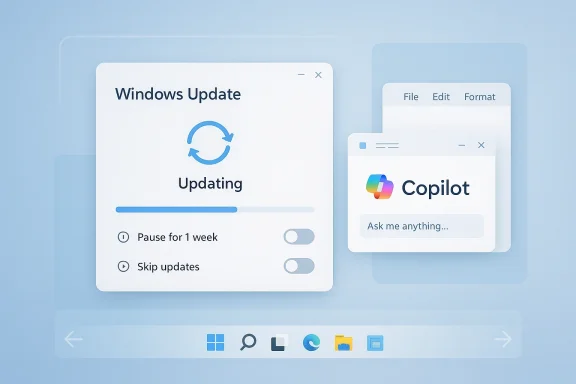
Microsoft’s growing willingness to give users more say over Windows Update is another significant shift. Automatic updates are still essential, and Microsoft is not abandoning them. But the company is now making room for a more humane update flow, one that recognizes that not every restart should be treated as urgent and not every setup process should be slowed by patching.The practical changes are straightforward, at least conceptually. Users should be able to skip updates during setup to reach the desktop faster. They should be able to shut down or restart without inadvertently triggering a pending update installation. And they should be able to pause updates until they are ready to install them, instead of being forced into the process on Microsoft’s schedule.
That is a useful compromise. It preserves the update mechanism while reducing the feeling that Windows owns the machine more than the user does. It also reflects a more realistic understanding of home computing, where people often have one primary device and may not have a convenient window for a surprise reboot.
Security, convenience, and trust
Microsoft is right to keep automatic updates in place. Security is not optional, and the operating system cannot function well if large portions of the user base postpone patches indefinitely. But convenience also matters, because a security system that irritates people can lose trust over time.The trick is balancing enforcement with respect. By letting users defer, skip, or time updates more intentionally, Microsoft can keep the platform safer without making it feel punitive. That is especially important for people who work remotely, travel frequently, or keep laptops on battery and cannot afford arbitrary downtime.
Why this matters for enterprises too
Enterprises already have management tools, policy controls, and rollout channels that give them more structure than home users have. But even in managed environments, update friction still affects support load and user satisfaction. If Microsoft can reduce surprise restarts and improve the setup flow, it reduces the number of annoying edge cases that IT teams end up explaining over and over again.Home users, meanwhile, may benefit the most from the new controls because they tend to have the least control today. For them, a quieter update experience can make the difference between “I trust Windows” and “I dread updates.”
- Less intrusive updates improve day-to-day satisfaction.
- Fewer surprise restarts mean fewer workflow interruptions.
- Better setup flow gets users productive sooner.
- Pause controls help people schedule maintenance on their terms.
- Security remains intact if Microsoft keeps enforcement sensible.
- Respectful defaults often produce better compliance than aggressive prompts.
The Risk of Overcorrection
There is, however, a genuine risk that Microsoft could overcorrect. If update controls become too easy to delay, some users will delay them too long. That creates patch lag, which is exactly the security outcome Microsoft wants to avoid. The company will need to make the controls feel empowering without turning them into a loophole.Another risk is inconsistency across editions and device types. If the consumer experience becomes more flexible while enterprise policy remains more rigid, Microsoft could accidentally create confusion about what is actually supported. Clear UI language will be essential.
The broader win here is psychological. Windows users are more likely to accept updates they feel they can manage. That sense of agency matters, and it is one of the simplest ways to improve the operating system without changing its core architecture.
The hidden lesson
Microsoft has spent years trying to solve an old desktop problem with platform-level force. The better answer may be to make the operating system feel cooperative instead of coercive. That is a subtle difference, but it has big implications for trust.- Too much deferral can become a security problem.
- Edition differences can confuse ordinary users.
- Clear language matters more than clever UX.
- Timing controls should support, not sabotage, patch adoption.
- Agency is the real product here, not just another toggle.
Copilot Recalibration Signals a Strategy Shift
The most interesting change may be Microsoft’s decision to become more intentional about where Copilot appears across Windows 11. That language is doing a lot of work. It suggests the company recognizes that simply adding Copilot buttons and entry points everywhere is not the same thing as creating a useful AI experience.According to the reporting, Microsoft plans to reduce Copilot entry points in apps like Notepad, Photos, Widgets, and Snipping Tool. That does not mean the assistant is disappearing. It means Microsoft is trying to move from broad exposure to narrower, more purposeful placement. In product terms, that is a meaningful admission.
The likely reason is simple: users have been signaling fatigue. When an assistant shows up in too many places, it stops feeling like help and starts feeling like marketing. The best AI features are the ones that quietly solve a problem, not the ones that constantly remind you they exist.
Copilot versus Windows AI
It is important to separate Copilot from Microsoft’s broader Windows AI stack. The company is not necessarily retreating from AI-powered features. In fact, other AI integrations such as semantic search, settings assistance, and local models appear to be moving forward. The recalibration seems focused on the branded assistant layer, not on all machine-learning functionality.That distinction matters because it suggests Microsoft still believes AI is strategically central to Windows. What is changing is the presentation. Instead of plastering the Copilot brand across every app and menu, Microsoft may be trying to reserve it for moments where it actually improves the task at hand.
What users are really asking for
Most people do not want an AI assistant in the abstract. They want fewer clicks, better search, and tools that understand context. If Copilot can genuinely do that, users will not care how visible it is. If it cannot, adding more buttons will not fix the problem.That is why this shift feels so important. Microsoft is not just trimming UI clutter; it is acknowledging that utility should come before promotion. That should have been obvious sooner, but it is still a welcome correction.
- Fewer entry points may reduce interface noise.
- Better targeting can make AI feel useful rather than decorative.
- Semantic features may remain even as the Copilot brand recedes.
- App-specific buttons are only valuable if they save time.
- User trust improves when AI appears with a clear purpose.
- Brand exposure is not the same as product quality.
The Enterprise Angle
For businesses, Microsoft’s Copilot recalibration could be the most meaningful part of the change set. Enterprises are generally less interested in hype and more interested in whether a feature supports measurable productivity. An AI assistant scattered across apps can look impressive in a demo and exhausting in day-to-day operation.Reducing unnecessary prompts and entry points may make it easier for IT teams to set expectations. It also helps prevent users from assuming that every Microsoft app now contains a mandatory AI layer. In a managed environment, less surprise is usually better.
That said, enterprises are not uniformly anti-AI. Many organizations want semantic search, document assistance, and settings help if those features are reliable, governable, and aligned with compliance policies. The challenge is delivering those capabilities without making the desktop feel like a showroom.
The consumer angle
Consumers are likely to appreciate the change in a different way. They may not care about policy, governance, or deployment rings, but they do care about visual clutter and task interruption. If Copilot becomes less intrusive, Windows 11 may simply feel less tiring to use.That fatigue factor is real. People tolerate a lot from their PC, but they become impatient when the operating system starts acting like an advertisement platform. Microsoft seems to be learning that lesson the hard way, which is still better than not learning it at all.
- Admins want control, not uncontrolled assistant sprawl.
- Consumers want simplicity, not constant AI prompts.
- Governance becomes easier when AI entry points are fewer.
- Useful features can remain even if the branding recedes.
- Trust improves when the desktop feels less sales-driven.
- Signal over noise is a better design philosophy for Windows.
What This Says About Microsoft’s Windows 11 Direction
Taken together, these three changes suggest a broader strategy pivot. Microsoft is not abandoning modernization, but it is becoming more willing to repair friction that came from earlier Windows 11 decisions. That is a healthy sign, because mature platforms do not just add features; they also remove barriers to use.There is a lesson here about product maturity. Early in a platform cycle, companies often optimize for a vision. Later, they have to optimize for real behavior. Windows 11 is now in that later phase, where the company’s job is to reconcile ambition with the way people actually work.
That reconciliation is especially important because Windows remains a broad platform with enormous legacy expectations. Unlike a mobile operating system or a cloud app, Windows must accommodate gamers, offices, schools, creative professionals, and casual users all at once. When Microsoft gets the balance right, Windows feels universal. When it gets the balance wrong, the complaints arrive quickly and loudly.
Competitive implications
If Microsoft keeps moving in this direction, it strengthens Windows against both macOS and Chromebook-style simplicity. Apple still offers a highly polished desktop experience, but Windows can differentiate itself through control and configurability. Chromebooks often win on ease and speed, but not on depth. Windows has always won when it manages to be both approachable and powerful.That is the real opportunity. A more flexible Taskbar, a less annoying update model, and a more focused AI strategy all point toward a Windows that feels more composed. Competitors will likely watch closely, because this kind of correction can improve sentiment faster than a flashy launch event.
- Platform maturity means fixing old friction, not just adding new features.
- Control and customization remain strategic strengths for Windows.
- Consumer goodwill can shift quickly when annoyance drops.
- Enterprise trust improves when defaults feel less invasive.
- Competitive position is stronger when Windows feels both modern and adaptable.
- The best Windows story is still productivity first.
Strengths and Opportunities
Microsoft’s upcoming changes are strongest where they address long-standing pain points without asking users to relearn the desktop from scratch. That is exactly the kind of evolution Windows 11 needed. The opportunity now is to turn isolated fixes into a broader pattern of responsiveness that users can feel every day.- Restored customization makes Windows feel more personal.
- Better update controls reduce frustration without undermining security.
- Copilot restraint may improve the assistant’s perceived quality.
- Enterprise acceptance should rise if user complaints fall.
- Power users may return to Windows-native workflows instead of third-party hacks.
- Brand trust improves when Microsoft admits previous choices were too rigid.
- A calmer desktop is often a more productive desktop.
Risks and Concerns
The biggest concern is inconsistency. If Microsoft restores flexibility in one place but keeps rigid defaults elsewhere, users may feel the company is still half-listening. There is also the risk that features roll out unevenly across channels, editions, and regions, which can make the story harder to explain and support.- Rollback risk if Taskbar placement is only partially implemented.
- Security drift if update deferral becomes too easy.
- UI confusion if AI features are reduced in some apps but expanded in others.
- Fragmentation across consumer and enterprise editions.
- Expectation gaps if users assume all complaints are now solved.
- Implementation bugs if major Taskbar changes arrive with incomplete testing.
- Good intentions do not automatically produce good product behavior.
Looking Ahead
The next few Windows 11 releases will show whether these are isolated concessions or the beginning of a more durable philosophy shift. If Microsoft keeps prioritizing flexibility, clarity, and usefulness, it could quietly improve the operating system more than any headline-grabbing AI launch ever could. If not, users will treat these changes as temporary relief rather than evidence of a new direction.The most important thing to watch is whether Microsoft follows through with enough transparency to set expectations correctly. Windows users do not need a promise that every annoyance is gone forever. They need a believable pattern that says the company is willing to adjust when its defaults get in the way.
- Taskbar docking behavior and whether it truly reaches all four edges.
- Update setup options and how much freedom users actually get.
- Copilot placement in inbox apps like Notepad, Photos, Widgets, and Snipping Tool.
- Enterprise policy controls for any new AI and update behaviors.
- Consistency across Insider and stable channels as features mature.
Source: Windows Central I'm excited about 3 big changes coming soon to my Windows 11 PC
