

Windows 11’s steady migration from compiled native UI to embedded web runtimes has crossed an inflection point: core shell surfaces and major first‑party apps are increasingly rendered by Chromium-based tooling such as WebView2 and Electron, and that choice is now drawing public criticism from industry veterans — including Brendan Eich, the creator of JavaScript — who warn that a rushed “web UX over native” approach trades long‑term quality and efficiency for short‑term developer convenience.
Source: Windows Latest JavaScript creator warns against “rushed web UX over native” as Windows 11 leans harder on WebView2 and Electron
 Background
What Microsoft is embedding: WebView2, Chromium, and the process model
Microsoft’s WebView2 is the company’s sanctioned embedded web platform: a Chromium‑derived runtime shipped either as an Evergreen (auto‑updated, shared) runtime or as a Fixed Version bundled with an app. The Evergreen runtime is preinstalled on eligible Windows 11 devices, meaning many apps can rely on a shared, continuously updated web engine rather than bundling their own. That design simplifies distribution and security patching but inherits Chromium’s multi‑process architecture — browser process, renderer(s), GPU process, and utility workers — which shows up in Task Manager as multiple msedge/webview processes and contributes a measurable baseline memory and CPU overhead for each active web surface.Why the platform shift matters now
Moving more of Windows’ visible UI to WebView2 and Electron changes the operating model for the shell. WebView2 surfaces let Microsoft and third‑party developers reuse web code and iterate rapidly, but they also: (a) add a shared runtime to patch and manage; (b) increase the number of active processes and working set in memory; and (c) alter integration semantics for notifications, drag‑and‑drop, accessibility, and power management. These trade‑offs are not theoretical — they are already visible in shipping features and in how popular desktop apps behave on modern hardware.The recent flashpoints
Agenda in the Notification Center: a tiny UI, a heavy engine
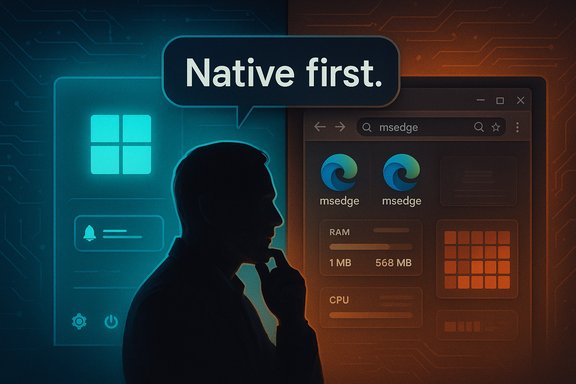
Microsoft recently previewed an Agenda view for the Windows 11 Notification Center. Instead of implementing the Agenda as a lightweight native WinUI flyout, the feature uses a WebView2‑hosted surface — a change that wakes multiple Edge/WebView2 processes and causes an immediate RAM jump when the flyout opens (Windows Latest observed memory use jump from ~1MB to well over 100MB when the Agenda loads). That behavior illustrates the practical cost of swapping native controls for web surfaces even in small, frequently used UX elements.Messaging apps: WhatsApp and Discord as examples of the expense
A cluster of high‑profile apps highlights how the web pivot affects everyday users:- WhatsApp’s Windows client appears to have migrated back to a WebView2 wrapper that loads web.whatsapp.com inside the embedded runtime. Multiple independent testers and outlets report idle footprints in the hundreds of megabytes and active sessions that routinely climb into the gigabytes, far higher than the prior WinUI/UWP native client. The Verge, PC Gamer and Windows Latest documented these changes and their impact on responsiveness and battery life.
- Discord, long an Electron flagship, has publicly acknowledged problematic memory growth and has been testing a controversial mitigation: automatically restarting the client when memory usage exceeds 4 GB under narrowly defined conditions (idle, not in a call, running for at least an hour, maximum once per day). Discord describes this as a temporary stopgap while engineering fixes roll out, but the experiment underscores how web‑stack apps can accumulate resource pressure in real deployments.
Brendan Eich’s critique: incentive structures, lock‑in, and execution risk
Brendan Eich — historically associated with browser and web platform efforts — weighed in on the trend, saying the buried lede is that Windows 11’s bigger problem is a reliance on WebView2 and Electron, and that the industry is choosing rushed web UX over careful native implementations. He emphasized that web apps can be “done right” but require time and discipline that many companies are unwilling to invest in. Eich also tied the shift to broader business incentives — subscription models, service lock‑in, and extractive product design — and argued that native code can be easier to use for lock‑in, undermining simplistic pro‑web lock‑in narratives. Those comments were amplified after coverage by Windows Latest and other outlets. His critique is layered: it’s not “the web” that’s the problem, it’s the combination of (a) engineering shortcuts, (b) cost pressures that favor single codebases, and (c) business incentives that reward fast shipping over long‑term efficiency and polish. That framing reframes the technical debate as a socio‑economic one: how companies prioritize speed, staffing, and recurring revenue shapes the architectures they accept.Technical anatomy: why web runtimes cost more (and what’s being measured)
Multiplicity and memory
Chromium’s multi‑process model isolates renderers, plugins and GPU work across several OS processes. Each renderer carries its own JavaScript heap and native buffers. An embedded single‑page application (SPA) such as a modern chat client can allocate large DOMs, media thumbnails, decoded frames, caches and long‑lived JS closures that accumulate memory over long sessions. Electron compounds this because it bundles a dedicated Chromium instance with Node.js, while WebView2 often shares an Evergreen runtime but still spawns the same process types. Empirical traces from reporters and community testers show idle footprints often in the hundreds of megabytes and active sessions that can exceed 1–2 GB for chat apps; extreme leak cases have produced multi‑gigabyte spikes.Integration mismatch: notifications, drag & drop, and accessibility
Web content uses browser notification models, service workers, and web event lifecycles, which interact differently with Windows’ native Focus Assist, toast policies, and DLP systems. Likewise, drag‑and‑drop behavior historically felt “less native” for WebView2 apps until recent runtime drag fixes—Microsoft has been iterating to close those gaps, but subtle mismatches remain and require deliberate engineering to smooth. Accessibility can also suffer if web fonts, animations, and focus management don’t precisely mirror native controls.Power and thermals
Chromium runtimes keep larger in‑memory heaps, more active threads and heavier GPU composition in many scenarios, all of which increase CPU scheduling and power draw. On battery‑sensitive devices, the difference is palpable: reduced runtime per charge and higher sustained thermals during heavy web UX activity. Test reports and platform analyses repeatedly call this out as a material trade‑off for laptop users.Why teams choose web embedding (the upside)
It’s important to be clear about why WebView2/Electron became attractive in the first place:- Developer velocity: maintain one codebase for web and desktop, ship parity across Windows/macOS/Linux faster.
- Reuse of web assets: same React/SPA logic can power web, PWA, and embedded surfaces.
- Centralized updates and security: an Evergreen runtime can deliver security fixes to many apps without repackaging every app. Microsoft’s WebView2 Evergreen model intentionally supports this operational benefit.
Where execution is failing: real engineering gaps
The problem is not the existence of web platforms but how they’re applied in practice. These recurring engineering failures explain the backlash:- Incomplete optimization: shipping the full web client inside a WebView2 host without trimming long‑lived caches, aggressively releasing DOM objects, or limiting retained media.
- Mistaking parity for integration: treating the embedded view as “good enough” and skipping the work to match Windows semantics (focus, keyboard, animations).
- Overreliance on shared runtime assumptions: assuming the Evergreen runtime will always be present in a particular version or that updates won’t introduce behavioral regressions across multiple shell surfaces. Microsoft documents these trade‑offs and advises developers to plan for both Evergreen and Fixed Version distribution patterns.
Business incentives: why the web pivot persists
The engineering calculus interacts with business models. Maintaining separate native codebases per platform is expensive. Single codebase strategies reduce headcount and speed time to market — attractive to companies managing large product portfolios or pushing subscription services. Eich and others point out that this incentive structure can produce “enshittification” dynamics: product choices optimized for revenue and delivery cadence rather than end‑user performance and ownership. Those macro incentives help explain why even resource‑rich firms sometimes ship web wrappers for surfaces that users expect to be native.Practical guidance: what Microsoft, vendors and admins should do
For Microsoft (platform and product teams)
- Prioritize native implementations for high‑frequency shell surfaces (Start, Search, Notification Center primary views). These surfaces shape perceived snappiness for all users.
- Harden WebView2 runtime telemetery and opt‑in tracing for memory leaks, but offer clearer safeguards for enterprise environments (version pinning, rollback paths).
- Surface better tooling and guidance for memory profiling web‑hosted apps on Windows (native host‑side heap diagnostics, shared memory pooling, and documented strategies for sharing renderer instances).
- Continue improving WinUI alternatives and clearly document where native components remain the recommended path.
For ISVs and app vendors
- Measure and constrain in‑page memory: trim retained conversation caches, lazy‑load heavy media, and implement eviction policies for long histories.
- Use Fixed Version WebView2 when deterministic behavior is required in enterprise deployments, or ensure Evergreen update policies are clearly communicated and tested.
- Invest in native host glue to ensure notifications, drag/drop, and power semantics match Windows expectations rather than deferring to default browser behavior.
For IT administrators and power users
- Treat WebView2 as a first‑class runtime dependency: inventory where it’s used, test on representative fleet hardware, and plan image/update policies (Evergreen vs Fixed). WebView2 is a surface to patch and audit, not an incidental component.
Broader risks and governance concerns
- Security and telemetry surface area: embedding web surfaces into core shell features expands where web content can execute and therefore expands potential telemetry and data routing paths. Admins should validate how embedded features interact with Copilot, cloud‑based summarizers, and tenant data flows.
- Operational fragility: when the shared runtime or its update pipeline misbehaves, multiple system features (widgets, Start, Agenda) may degrade simultaneously. This coupling raises systemic risk for users and enterprises.
- User expectation erosion: users expect system UI to be fast and tightly integrated. When small OS surfaces feel like “mini browsers,” perceived quality falls and trust erodes — a reputational risk for platform vendors. Brendan Eich’s public critique captures that cultural dimension: it’s not merely technical debt, it’s product identity.
Where the industry can meet in the middle
A pragmatic path forward recognizes the valid cases for web reuse while protecting users and enterprises:- Reserve web hosting for content‑centric surfaces (feeds, embedded web content, PWAs) where parity and rapid iteration matter.
- Keep shell primitives and affordances (taskbar/calendar flyouts, file dialogs, search, core notifications) as native controls to preserve responsiveness.
- Improve host–web interop APIs so embedded views can reuse system GPU and memory more efficiently (shared renderer instances, pooled GPU compositors, and tighter lifecycle hooks).
- Require resource budgets for embedded surfaces: measurable mem/CPU budgets per embedded view enforced in CI and QA to avoid runaway growth in production.
Conclusion
Windows 11’s push to embed more web content via WebView2 and Electron is a rational engineering choice from the vantage of developer productivity and central patching. But the trade‑offs are real: more processes, larger memory footprints, different notification and power semantics, and the risk that shell elements lose the “native snappiness” users expect. Brendan Eich’s warning about rushed web UX over native is not a Luddite rejection of the web; it’s a call for measured engineering and clear product priorities — web where it fits, native where it matters. The hard work ahead is not to abandon the web, but to do the integration properly: set resource budgets, harden runtimes, and reserve native code for the system surfaces that define the feel of the OS. Users, admins and platform teams should all treat the WebView2 runtime as a first‑class dependency going forward and demand the operational discipline required to keep the desktop fast and reliable.Source: Windows Latest JavaScript creator warns against “rushed web UX over native” as Windows 11 leans harder on WebView2 and Electron
