
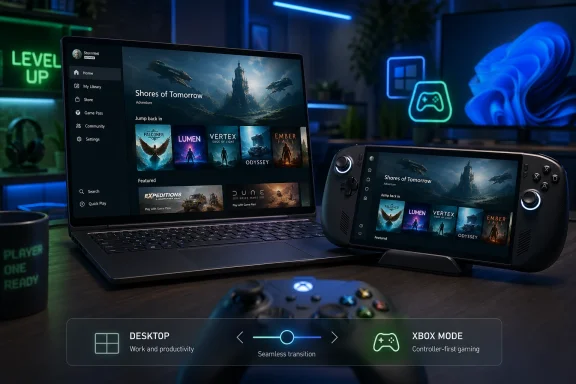
Microsoft began rolling out Xbox Mode to Windows 11 PCs on April 30, 2026, bringing a controller-first, full-screen Xbox-style interface to select markets across laptops, desktops, tablets, and handheld gaming PCs. The feature is not the next Xbox, and it is not a magic compatibility layer for every console game. But it is the clearest public sign yet that Microsoft wants Windows and Xbox to stop behaving like neighboring kingdoms and start operating as one gaming platform.
Xbox Mode looks, at first glance, like a convenience feature. It gives Windows 11 a full-screen gaming shell, a controller-friendly interface, and a way to browse and launch games without treating the desktop as the center of the experience. That description is true, but it undersells what Microsoft is testing in public.
The old Xbox Full Screen Experience was born on handhelds, where Windows’ traditional interface has always been a liability. A seven-inch screen, a controller, and a desktop OS were never natural companions. Microsoft’s answer was not to replace Windows, but to hide enough of it that players could pretend they were using something closer to a console.
Now that same idea is moving onto ordinary Windows 11 PCs. That is the important shift. Xbox Mode is no longer just a rescue mission for handheld UX; it is becoming a general-purpose gaming personality for Windows.
Microsoft is careful to frame this as optional. Users can move between Xbox Mode and the Windows desktop, and the company is pitching the feature as another way to play rather than a forced redesign. That caution is understandable. Windows users have long memories, and any hint that Redmond is about to turn the PC into a walled Xbox appliance would land badly with the exact enthusiasts Microsoft needs to win over.
Still, the direction is unmistakable. Microsoft is building a version of Windows that can act less like Windows when the moment calls for it.
That matters because Windows gaming has always carried a bargain. In exchange for openness, modding, storefront choice, and hardware variety, PC players accept friction. Drivers, launchers, overlays, background services, pop-ups, and update prompts are part of the tax.
Consoles, by contrast, sell a narrower bargain: less freedom, more predictability. You turn them on, pick a game, and play. Microsoft’s gamble is that Windows can keep enough of the first bargain while borrowing the best part of the second.
The company has tried versions of this before. Windows Media Center chased the living room. Steam Big Picture proved that a desktop gaming library could be made more controller-friendly. Windows Game Mode attempted to signal that the OS understood gaming performance as a special case. Xbox Mode is more ambitious than those earlier efforts because it is not merely a setting or an app view. It is a presentation layer for Windows as a gaming device.
That distinction matters. A gaming mode that reduces background distractions is useful. A gaming shell that teaches users to think of Windows as an Xbox-adjacent environment is strategic.
SteamOS had an advantage here because Valve did not have to preserve the entire Windows desktop experience while building a game-first interface. Steam Deck users may encounter Linux complexity underneath, but the default journey is curated. Windows handheld users got compatibility, but often at the cost of polish.
Microsoft could tolerate that while handheld PCs were niche. It could not tolerate it once handhelds became a visible front in the platform war. If Windows becomes the least pleasant part of a Windows gaming handheld, the ecosystem has a problem.
Xbox Mode is Microsoft’s attempt to close that gap without surrendering the compatibility crown. It does not need to make Windows beautiful in every context. It needs to make Windows disappear at the right moments.
That is why the rollout to laptops, desktops, and tablets is more interesting than the initial handheld work. Microsoft is no longer solving for screen size alone. It is solving for posture: controller in hand, game on screen, desktop out of mind.
The reported Helix concept is a hybrid: part console, part PC, designed to run Xbox and Windows PC games more naturally than today’s split ecosystem allows. Microsoft has also discussed custom AMD silicon, AI-assisted rendering, storage and texture workflow improvements, and developer guidance that points toward a more unified target.
Some of those claims should be treated carefully until Microsoft ships hardware and developer kits become more widely understood. The console business is full of roadmaps that sound cleaner on stage than they feel in certification, pricing, supply, and support. But the broad strategy is coherent: make Xbox less of a sealed device family and more of a gaming layer that spans hardware.
Xbox Mode is the consumer-facing tip of that spear. If Project Helix is the future hardware expression of Xbox-Windows convergence, Xbox Mode is the present software rehearsal. It trains users, developers, and Microsoft itself to imagine Xbox as an experience that can sit on top of Windows rather than apart from it.
That does not mean today’s Windows 11 PC suddenly becomes a next-gen Xbox. It means Microsoft is reducing the psychological distance between the two.
Microsoft has to reassure both audiences at once. To PC users, it must say: your open platform is still open. To console users, it must say: your simple experience will not be swallowed by desktop chaos. Those promises pull in opposite directions.
The storefront question is especially delicate. Microsoft says Xbox Mode can surface games from leading PC storefronts, which is essential if the feature is to matter on real gaming PCs. A Windows gaming shell that pretends Steam, Epic, GOG, Battle.net, and other launchers do not exist would be dead on arrival.
But integration is not the same as equality. If Xbox Mode becomes a beautiful front door for Game Pass and a clumsier shortcut board for everything else, users will notice. Microsoft’s incentive is to make its subscription and store feel native; the PC ecosystem’s expectation is that no single store gets to define the machine.
That tension is not a bug in the strategy. It is the strategy. Microsoft wants to make Xbox feel native on Windows without making Windows feel captured by Xbox.
The reality is messier. Xbox console games and Windows PC games are not merely the same executable wrapped in different packaging. They sit inside different distribution systems, certification models, security assumptions, APIs, and entitlement rules. Backward compatibility on Xbox has always been a substantial engineering project, not a switch Microsoft forgot to flip.
Xbox Play Anywhere shows the direction, but also the limitation. When a title supports it, cross-buy and cross-progression can make Xbox and PC feel like one platform. When a title does not, the split remains obvious. A user’s library is only as unified as the weakest licensing agreement, port, or publisher decision.
Xbox Mode does not solve that. It organizes what is already available on the PC. It can make the experience feel more unified, but it cannot by itself turn every digital Xbox purchase into a Windows-native game.
This is where Microsoft’s long game becomes visible. If developers are encouraged to target a more PC-like Xbox future, tomorrow’s library can be built with fewer walls. The back catalog will remain complicated. The next catalog is where Microsoft has leverage.
That is plausible, but gamers will not grade the feature on plausibility. They will grade it on frame times, input latency, battery life, suspend behavior, and whether the thing gets out of the way. If Xbox Mode launches a game cleanly but leaves users fighting overlays, sign-ins, and launcher prompts, the illusion breaks.
The performance story is also different on different hardware. On a desktop with a high-end GPU, background process savings may be less visible than convenience. On a handheld or lower-power laptop, they may be the difference between a smooth session and a compromised one. Microsoft needs Xbox Mode to scale gracefully across both extremes.
There is a danger in overpromising the “console-like” label. Consoles feel consistent because the hardware, OS, storefront, and software lifecycle are tightly controlled. Windows PCs vary wildly. Xbox Mode can make a PC feel more like a console, but it cannot repeal the PC’s diversity.
That diversity is both Microsoft’s advantage and its burden.
Microsoft’s problem is not that Steam exists on Windows. Microsoft’s problem is that Steam often feels more like the true gaming layer of Windows than Xbox does. For many players, the Xbox app is where Game Pass lives; Steam is where the library lives.
Xbox Mode tries to change that hierarchy. By aggregating games and presenting a controller-first home, Microsoft is attempting to make Xbox the place you start, even when the game itself comes from somewhere else. That is a subtle but important platform move.
The company has one enormous advantage over Valve: it controls Windows. It can integrate at levels third-party software cannot, from startup behavior to system settings to background process management. But it also has one enormous disadvantage: users fear what happens when the Windows owner decides to privilege its own gaming layer.
Valve’s power comes from affection and habit. Microsoft’s comes from infrastructure and default placement. Xbox Mode will test which kind of power matters more in the next phase of PC gaming.
For enterprise admins, the first question is not whether Xbox Mode is cool. It is whether it can be controlled. Can it be hidden, disabled, governed by policy, or kept away from devices where gaming features are irrelevant? Can it be prevented from becoming another support ticket when a user wanders into a mode they do not understand?
Microsoft has generally become more aware of this problem as Windows has accumulated consumer-facing services. The company cannot ship every gaming feature as if every Windows PC were a living-room machine. Windows 11 is still an enterprise OS, whether the Xbox division likes that framing or not.
The good news is that Xbox Mode’s gradual rollout gives Microsoft time to learn where it causes confusion. The less good news is that gradual rollouts are themselves a management headache. Users in one market or on one device may see features that others do not, and support documentation often trails lived reality.
For IT pros, Xbox Mode is not an emergency. But it is another reminder that Windows is becoming more modular in personality. The same OS may present itself as a productivity workstation, a handheld console, a cloud endpoint, or an AI-assisted consumer appliance depending on context.
But the name also raises expectations. If Microsoft calls something Xbox Mode, users will reasonably expect it to behave like Xbox. They will expect controller reliability, clean suspend and resume behavior, obvious library access, minimal launcher nonsense, and a dashboard that does not feel like an app pretending to be an OS.
That is a high bar. The Xbox console dashboard has its critics, but it benefits from a controlled environment. Windows does not. Every awkward transition from Xbox Mode back to a desktop prompt will remind users that the console layer is still sitting atop a general-purpose operating system.
The naming also ties the feature more tightly to Microsoft’s broader Xbox identity. This is no longer just a Windows gaming experiment. It is part of the Xbox promise. If it feels unfinished, Xbox takes the reputational hit.
That may be exactly why Microsoft is rolling it out slowly. A controlled expansion lets the company tune the experience before it becomes a default expectation.
This is a sensible evolution. A modern PC is not used in one posture. A gaming laptop may be a work machine at noon, a docked desktop at 5 p.m., and a living-room console at night. A handheld may need a console shell for games and a desktop for modding, troubleshooting, or installing unsupported software.
The old Windows assumption was that the desktop was the universal answer. The new assumption is that the desktop is one answer among several. Xbox Mode is a visible example because gaming makes the contrast obvious, but the same logic is appearing elsewhere across computing.
The risk is fragmentation. If every Windows personality has its own settings, update cadence, feature flags, and half-integrated services, users may feel that Microsoft has added complexity while claiming to reduce it. A mode should simplify the moment, not create another layer to manage.
The opportunity is enormous. If Microsoft can make Windows fluid without making it incoherent, it can defend the PC against both consoles and purpose-built alternative operating systems. It can say: you do not need to choose between openness and comfort. You can have a machine that changes shape.
But staged rollouts do not make a feature unimportant. They often mark features Microsoft expects to keep shaping. Xbox Mode is not a one-off download; it is an ongoing interface bet tied to Windows, Xbox, Game Pass, handheld PCs, and next-generation hardware planning.
The Project Helix connection is therefore less about one-to-one feature mapping and more about strategic rehearsal. Microsoft is preparing users for an Xbox that is not only a console. It is preparing developers for a world where the Xbox target looks more like the PC target. And it is preparing Windows to behave like a gaming OS when the player asks it to.
That is why the current build matters even if it feels rough around the edges. The first version of a platform shift rarely looks like destiny. It looks like a mode.
Source: TweakTown Console-like Xbox Mode comes to Windows 11 PCs, offers glimpse at new Project Helix hybrid UI
 Microsoft’s Console Future Now Starts on the Desktop
Xbox Mode looks, at first glance, like a convenience feature. It gives Windows 11 a full-screen gaming shell, a controller-friendly interface, and a way to browse and launch games without treating the desktop as the center of the experience. That description is true, but it undersells what Microsoft is testing in public.The old Xbox Full Screen Experience was born on handhelds, where Windows’ traditional interface has always been a liability. A seven-inch screen, a controller, and a desktop OS were never natural companions. Microsoft’s answer was not to replace Windows, but to hide enough of it that players could pretend they were using something closer to a console.
Now that same idea is moving onto ordinary Windows 11 PCs. That is the important shift. Xbox Mode is no longer just a rescue mission for handheld UX; it is becoming a general-purpose gaming personality for Windows.
Microsoft is careful to frame this as optional. Users can move between Xbox Mode and the Windows desktop, and the company is pitching the feature as another way to play rather than a forced redesign. That caution is understandable. Windows users have long memories, and any hint that Redmond is about to turn the PC into a walled Xbox appliance would land badly with the exact enthusiasts Microsoft needs to win over.
Still, the direction is unmistakable. Microsoft is building a version of Windows that can act less like Windows when the moment calls for it.
Xbox Mode Is a UI Feature With Platform Ambitions
The practical promise of Xbox Mode is simple: sit down with a controller, see your games, launch them, and avoid the little irritations that make Windows feel un-console-like. The interface aggregates installed games and Game Pass titles, works with a controller, and minimizes the sense that the player is negotiating with a general-purpose computer.That matters because Windows gaming has always carried a bargain. In exchange for openness, modding, storefront choice, and hardware variety, PC players accept friction. Drivers, launchers, overlays, background services, pop-ups, and update prompts are part of the tax.
Consoles, by contrast, sell a narrower bargain: less freedom, more predictability. You turn them on, pick a game, and play. Microsoft’s gamble is that Windows can keep enough of the first bargain while borrowing the best part of the second.
The company has tried versions of this before. Windows Media Center chased the living room. Steam Big Picture proved that a desktop gaming library could be made more controller-friendly. Windows Game Mode attempted to signal that the OS understood gaming performance as a special case. Xbox Mode is more ambitious than those earlier efforts because it is not merely a setting or an app view. It is a presentation layer for Windows as a gaming device.
That distinction matters. A gaming mode that reduces background distractions is useful. A gaming shell that teaches users to think of Windows as an Xbox-adjacent environment is strategic.
The Handheld PC Forced Microsoft to Admit Windows Has a Couch Problem
The rise of handheld gaming PCs did something decades of living-room PC experiments could not: it made Windows’ gaming UX problem impossible to ignore. Devices such as the ROG Ally and its successors proved that PC games could live comfortably in console-like hardware, but they also exposed the awkwardness of asking users to poke through desktop menus on a small screen.SteamOS had an advantage here because Valve did not have to preserve the entire Windows desktop experience while building a game-first interface. Steam Deck users may encounter Linux complexity underneath, but the default journey is curated. Windows handheld users got compatibility, but often at the cost of polish.
Microsoft could tolerate that while handheld PCs were niche. It could not tolerate it once handhelds became a visible front in the platform war. If Windows becomes the least pleasant part of a Windows gaming handheld, the ecosystem has a problem.
Xbox Mode is Microsoft’s attempt to close that gap without surrendering the compatibility crown. It does not need to make Windows beautiful in every context. It needs to make Windows disappear at the right moments.
That is why the rollout to laptops, desktops, and tablets is more interesting than the initial handheld work. Microsoft is no longer solving for screen size alone. It is solving for posture: controller in hand, game on screen, desktop out of mind.
Project Helix Gives the Software Move a Hardware Shadow
The timing makes Xbox Mode feel bigger than an interface rollout. Microsoft has been increasingly open about its next-generation Xbox direction, widely discussed under the Project Helix codename, and the company’s message is no longer that Xbox is simply a box under the television.The reported Helix concept is a hybrid: part console, part PC, designed to run Xbox and Windows PC games more naturally than today’s split ecosystem allows. Microsoft has also discussed custom AMD silicon, AI-assisted rendering, storage and texture workflow improvements, and developer guidance that points toward a more unified target.
Some of those claims should be treated carefully until Microsoft ships hardware and developer kits become more widely understood. The console business is full of roadmaps that sound cleaner on stage than they feel in certification, pricing, supply, and support. But the broad strategy is coherent: make Xbox less of a sealed device family and more of a gaming layer that spans hardware.
Xbox Mode is the consumer-facing tip of that spear. If Project Helix is the future hardware expression of Xbox-Windows convergence, Xbox Mode is the present software rehearsal. It trains users, developers, and Microsoft itself to imagine Xbox as an experience that can sit on top of Windows rather than apart from it.
That does not mean today’s Windows 11 PC suddenly becomes a next-gen Xbox. It means Microsoft is reducing the psychological distance between the two.
The Hard Part Is Not the Dashboard
Building a controller-friendly shell is not the hardest part of this transition. The hard part is trust. PC gamers distrust anything that smells like a platform owner deciding what “good” looks like on their behalf, while console players distrust anything that sounds like Windows complexity creeping into the living room.Microsoft has to reassure both audiences at once. To PC users, it must say: your open platform is still open. To console users, it must say: your simple experience will not be swallowed by desktop chaos. Those promises pull in opposite directions.
The storefront question is especially delicate. Microsoft says Xbox Mode can surface games from leading PC storefronts, which is essential if the feature is to matter on real gaming PCs. A Windows gaming shell that pretends Steam, Epic, GOG, Battle.net, and other launchers do not exist would be dead on arrival.
But integration is not the same as equality. If Xbox Mode becomes a beautiful front door for Game Pass and a clumsier shortcut board for everything else, users will notice. Microsoft’s incentive is to make its subscription and store feel native; the PC ecosystem’s expectation is that no single store gets to define the machine.
That tension is not a bug in the strategy. It is the strategy. Microsoft wants to make Xbox feel native on Windows without making Windows feel captured by Xbox.
The “Play Everything” Dream Still Has a Compatibility Wall
The most optimistic reading of Project Helix is that Microsoft is heading toward a device that plays console Xbox games and Windows PC games with minimal distinction. That is the dream version: buy a game, own it across the Xbox ecosystem, run it wherever the hardware can handle it.The reality is messier. Xbox console games and Windows PC games are not merely the same executable wrapped in different packaging. They sit inside different distribution systems, certification models, security assumptions, APIs, and entitlement rules. Backward compatibility on Xbox has always been a substantial engineering project, not a switch Microsoft forgot to flip.
Xbox Play Anywhere shows the direction, but also the limitation. When a title supports it, cross-buy and cross-progression can make Xbox and PC feel like one platform. When a title does not, the split remains obvious. A user’s library is only as unified as the weakest licensing agreement, port, or publisher decision.
Xbox Mode does not solve that. It organizes what is already available on the PC. It can make the experience feel more unified, but it cannot by itself turn every digital Xbox purchase into a Windows-native game.
This is where Microsoft’s long game becomes visible. If developers are encouraged to target a more PC-like Xbox future, tomorrow’s library can be built with fewer walls. The back catalog will remain complicated. The next catalog is where Microsoft has leverage.
Performance Claims Will Be Judged Frame by Frame
Microsoft has described Xbox Mode as a way to reduce distractions and create a more gaming-focused environment. Earlier descriptions of the full-screen experience emphasized performance optimizations and reduced background activity, especially on handheld devices where every watt and megabyte matters.That is plausible, but gamers will not grade the feature on plausibility. They will grade it on frame times, input latency, battery life, suspend behavior, and whether the thing gets out of the way. If Xbox Mode launches a game cleanly but leaves users fighting overlays, sign-ins, and launcher prompts, the illusion breaks.
The performance story is also different on different hardware. On a desktop with a high-end GPU, background process savings may be less visible than convenience. On a handheld or lower-power laptop, they may be the difference between a smooth session and a compromised one. Microsoft needs Xbox Mode to scale gracefully across both extremes.
There is a danger in overpromising the “console-like” label. Consoles feel consistent because the hardware, OS, storefront, and software lifecycle are tightly controlled. Windows PCs vary wildly. Xbox Mode can make a PC feel more like a console, but it cannot repeal the PC’s diversity.
That diversity is both Microsoft’s advantage and its burden.
Steam Is the Rival Microsoft Cannot Name Too Often
Xbox Mode is often compared to Steam Big Picture, and for good reason. Valve understood earlier than Microsoft that PC gaming needed a ten-foot interface, not just a desktop client. The Steam Deck then turned that interface into a product identity.Microsoft’s problem is not that Steam exists on Windows. Microsoft’s problem is that Steam often feels more like the true gaming layer of Windows than Xbox does. For many players, the Xbox app is where Game Pass lives; Steam is where the library lives.
Xbox Mode tries to change that hierarchy. By aggregating games and presenting a controller-first home, Microsoft is attempting to make Xbox the place you start, even when the game itself comes from somewhere else. That is a subtle but important platform move.
The company has one enormous advantage over Valve: it controls Windows. It can integrate at levels third-party software cannot, from startup behavior to system settings to background process management. But it also has one enormous disadvantage: users fear what happens when the Windows owner decides to privilege its own gaming layer.
Valve’s power comes from affection and habit. Microsoft’s comes from infrastructure and default placement. Xbox Mode will test which kind of power matters more in the next phase of PC gaming.
Enterprise IT Will Notice the Consumer Gaming Shell
WindowsForum readers know the consumer story is never the whole Windows story. A feature that lets a PC boot or switch into a game-first full-screen shell may be aimed at players, but it will still land on machines managed by schools, businesses, labs, and shared environments.For enterprise admins, the first question is not whether Xbox Mode is cool. It is whether it can be controlled. Can it be hidden, disabled, governed by policy, or kept away from devices where gaming features are irrelevant? Can it be prevented from becoming another support ticket when a user wanders into a mode they do not understand?
Microsoft has generally become more aware of this problem as Windows has accumulated consumer-facing services. The company cannot ship every gaming feature as if every Windows PC were a living-room machine. Windows 11 is still an enterprise OS, whether the Xbox division likes that framing or not.
The good news is that Xbox Mode’s gradual rollout gives Microsoft time to learn where it causes confusion. The less good news is that gradual rollouts are themselves a management headache. Users in one market or on one device may see features that others do not, and support documentation often trails lived reality.
For IT pros, Xbox Mode is not an emergency. But it is another reminder that Windows is becoming more modular in personality. The same OS may present itself as a productivity workstation, a handheld console, a cloud endpoint, or an AI-assisted consumer appliance depending on context.
The Name Change Says More Than Microsoft Thinks
Renaming Full Screen Experience to Xbox Mode was the right marketing move. “Full Screen Experience” sounded like a placeholder left behind in a product planning deck. “Xbox Mode” tells normal users what the feature is supposed to feel like.But the name also raises expectations. If Microsoft calls something Xbox Mode, users will reasonably expect it to behave like Xbox. They will expect controller reliability, clean suspend and resume behavior, obvious library access, minimal launcher nonsense, and a dashboard that does not feel like an app pretending to be an OS.
That is a high bar. The Xbox console dashboard has its critics, but it benefits from a controlled environment. Windows does not. Every awkward transition from Xbox Mode back to a desktop prompt will remind users that the console layer is still sitting atop a general-purpose operating system.
The naming also ties the feature more tightly to Microsoft’s broader Xbox identity. This is no longer just a Windows gaming experiment. It is part of the Xbox promise. If it feels unfinished, Xbox takes the reputational hit.
That may be exactly why Microsoft is rolling it out slowly. A controlled expansion lets the company tune the experience before it becomes a default expectation.
The Real Product Is a Switchable Windows
The deeper significance of Xbox Mode is not that Windows can show a full-screen game launcher. It is that Microsoft increasingly wants Windows to become switchable. The desktop remains, but it is no longer the only “real” face of the OS.This is a sensible evolution. A modern PC is not used in one posture. A gaming laptop may be a work machine at noon, a docked desktop at 5 p.m., and a living-room console at night. A handheld may need a console shell for games and a desktop for modding, troubleshooting, or installing unsupported software.
The old Windows assumption was that the desktop was the universal answer. The new assumption is that the desktop is one answer among several. Xbox Mode is a visible example because gaming makes the contrast obvious, but the same logic is appearing elsewhere across computing.
The risk is fragmentation. If every Windows personality has its own settings, update cadence, feature flags, and half-integrated services, users may feel that Microsoft has added complexity while claiming to reduce it. A mode should simplify the moment, not create another layer to manage.
The opportunity is enormous. If Microsoft can make Windows fluid without making it incoherent, it can defend the PC against both consoles and purpose-built alternative operating systems. It can say: you do not need to choose between openness and comfort. You can have a machine that changes shape.
The April Rollout Is a Small Door Into a Bigger Room
For now, Xbox Mode is rolling out in select markets and expanding gradually. That detail should cool some of the hype. Many users will not see it immediately, and early availability may depend on Windows updates, app versions, market eligibility, and Microsoft’s usual staged deployment machinery.But staged rollouts do not make a feature unimportant. They often mark features Microsoft expects to keep shaping. Xbox Mode is not a one-off download; it is an ongoing interface bet tied to Windows, Xbox, Game Pass, handheld PCs, and next-generation hardware planning.
The Project Helix connection is therefore less about one-to-one feature mapping and more about strategic rehearsal. Microsoft is preparing users for an Xbox that is not only a console. It is preparing developers for a world where the Xbox target looks more like the PC target. And it is preparing Windows to behave like a gaming OS when the player asks it to.
That is why the current build matters even if it feels rough around the edges. The first version of a platform shift rarely looks like destiny. It looks like a mode.
The Windows 11 Xbox Mode Story in Six Concrete Moves
Xbox Mode should be read less as a finished destination and more as a public checkpoint in Microsoft’s effort to merge the instincts of console gaming with the reach of Windows. The most important details are practical, but their implications are strategic.- Microsoft began rolling out Xbox Mode for Windows 11 PCs on April 30, 2026, starting in select markets and expanding availability over the following weeks.
- Xbox Mode is the renamed version of the Xbox Full Screen Experience, which first gained traction on Windows handheld gaming devices before moving to broader PC form factors.
- The feature provides a controller-optimized, full-screen interface for browsing and launching games while allowing users to return to the standard Windows 11 desktop.
- Microsoft is positioning the mode as part of a broader effort to make Xbox feel consistent across screens without abandoning the openness of Windows PC gaming.
- Project Helix gives Xbox Mode larger strategic weight because Microsoft’s next-generation Xbox planning is increasingly described as a hybrid console-and-PC ecosystem.
- The feature does not automatically make Windows PCs compatible with every Xbox console game, and the hardest problems remain licensing, storefront integration, performance polish, and user trust.
Source: TweakTown Console-like Xbox Mode comes to Windows 11 PCs, offers glimpse at new Project Helix hybrid UI
