

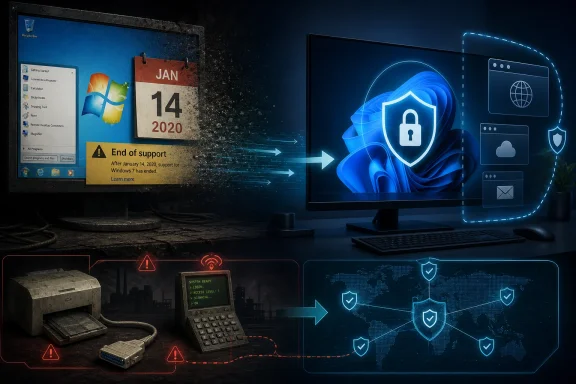
Microsoft ended regular support for Windows 7 on January 14, 2020, after more than a decade of service, leaving ordinary users without free security updates, technical support, or routine fixes for one of the most beloved versions of Windows. The move was not sudden, and it was not merely a product lifecycle footnote. It was Microsoft’s clearest attempt to close the book on the last Windows release that many users felt they controlled more than it controlled them. Six years later, the real story is not that Windows 7 died, but that its long afterlife exposed how hard it is to retire a successful operating system.
Windows 7 arrived in October 2009 with a job that was larger than its feature list. It had to clean up the reputational wreckage left by Windows Vista, a release remembered less for its architectural ambition than for driver headaches, hardware strain, and a general sense that Microsoft had overreached.
That is why Windows 7 felt so good to so many people. It was not revolutionary in the way Windows 95 had been, nor was it a dramatic platform reset like Windows 8 later tried to become. It was a refinement release, and that was exactly what the market wanted.
The new taskbar, Aero window management, libraries, faster perceived performance, saner User Account Control behavior, and better hardware compatibility all contributed to a rare feeling: Microsoft had listened. Windows 7 did not ask users to relearn the PC. It made the PC feel modern without making it feel alien.
That is also why its retirement landed differently from the end of many Microsoft products. Users do not mourn every old operating system. They mourn the ones that solved a problem without creating a new one.
That chronology matters because it separates sentiment from obligation. Microsoft did not yank support from an operating system in its prime. It gave Windows 7 a long runway, repeated warnings, and a paid escape hatch for organizations that could not move quickly.
But product lifecycles are not lived on vendor calendars. They are lived on factory floors, in dental offices, at municipal agencies, on point-of-sale terminals, and in homes where an old PC still does exactly what its owner needs. To Microsoft, Windows 7 was an unsupported liability. To many users, it was a stable tool being pushed aside by corporate inevitability.
The full-screen end-of-support warnings that appeared around the deadline captured that tension perfectly. Microsoft saw them as necessary risk communication. Plenty of users saw them as a forced eviction notice.
The escalating price structure made Microsoft’s intent obvious. ESU was designed to become more expensive each year because it was not meant to be a permanent refuge. It was a meter running while IT departments finished migrations they should already have started.
For enterprises, that made sense. Unsupported endpoints are not just old computers; they are unmanaged risk. The longer they remain attached to a network, the more they become exceptions that auditors, insurers, and security teams have to explain.
For smaller businesses, the economics were harsher. A shop with a handful of Windows 7 Pro machines could face a choice between paying for temporary patches, replacing hardware, or hoping that antivirus and luck would be enough. That last option was always the most dangerous, and also the most human.
Browsers are the clearest example. A modern browser is now one of the most important security boundaries on a PC, and Windows 7 gradually lost mainstream browser support as vendors moved on. Some extended-support browser channels lingered for years, but those were exceptions, not signs of a healthy platform.
The same decay affects drivers, productivity software, remote management agents, backup tools, and line-of-business applications. A Windows 7 machine can keep booting, but the ecosystem around it becomes thinner and more fragile. That is what end of support really means: not a single shutdown, but a steady withdrawal of trust.
This is why security professionals tend to sound unsentimental about beloved operating systems. Nostalgia does not patch privilege escalation bugs. Familiarity does not harden TLS stacks. A stable desktop from 2009 is still a 2009-era foundation carrying modern exposure.
By affection, the result was more complicated. Windows 10 was faster than many expected and more practical than Windows 8, but it also introduced a new social contract. Feature updates arrived on Microsoft’s cadence. Telemetry became a recurring controversy. Settings moved. Control Panel lingered. The operating system increasingly felt like a service rather than a finished product.
For IT departments, that model had advantages. A continuously serviced Windows could respond faster to threats and hardware changes. For enthusiasts, it sometimes felt like the PC had become less personal.
That contrast is central to Windows 7’s legend. It was the last Microsoft operating system widely perceived as both modern and comparatively quiet. It updated, but it did not feel like it was constantly renegotiating the terms of use.
Some of those systems were isolated and carefully managed. Others were almost certainly not. That difference matters. A Windows 7 machine controlling a specific offline process is a very different risk from a Windows 7 laptop used daily for email and web browsing.
The problem is that exceptions have a way of multiplying. One unsupported machine becomes five. A “temporary” workaround becomes standard operating procedure. Documentation disappears, the original vendor goes out of business, and the person who understood the setup retires.
In that sense, Windows 7 became less an operating system than a symptom. It revealed the cost of underfunded modernization and the hidden dependence on old software that simply never made it into anyone’s strategic plan.
But Microsoft also learned how much resentment can build when hardware requirements, lifecycle deadlines, and security arguments converge. Windows 11 made that tension sharper with stricter CPU, TPM, and Secure Boot requirements. Many PCs capable of running Windows 10 well were left outside the official Windows 11 upgrade path.
Windows 7’s retirement was therefore a relatively clean lifecycle event compared with the Windows 10 transition. Most Windows 7-era hardware was old by 2020. Many Windows 10-era machines, by contrast, still feel useful as Windows 10 approaches its own end-of-support reality.
That is the uncomfortable inheritance of Windows 7. It proved Microsoft can eventually move the ecosystem. It also proved that users remember when a migration feels less like progress and more like disposal.
The better lesson is not that Microsoft should have supported Windows 7 forever. It should not have. No general-purpose operating system can be patched indefinitely without distorting engineering priorities and leaving users with a false sense of safety.
The lesson is that trust matters in platform transitions. Users accept change more readily when the replacement feels clearly better, when hardware requirements seem reasonable, and when the vendor communicates like a steward rather than a landlord.
Windows 7 earned loyalty because it solved practical problems elegantly. Any successor that wants the same loyalty has to do more than stay supported. It has to feel worth choosing.
 Windows 7 Was the Apology Microsoft Needed to Make
Windows 7 arrived in October 2009 with a job that was larger than its feature list. It had to clean up the reputational wreckage left by Windows Vista, a release remembered less for its architectural ambition than for driver headaches, hardware strain, and a general sense that Microsoft had overreached.That is why Windows 7 felt so good to so many people. It was not revolutionary in the way Windows 95 had been, nor was it a dramatic platform reset like Windows 8 later tried to become. It was a refinement release, and that was exactly what the market wanted.
The new taskbar, Aero window management, libraries, faster perceived performance, saner User Account Control behavior, and better hardware compatibility all contributed to a rare feeling: Microsoft had listened. Windows 7 did not ask users to relearn the PC. It made the PC feel modern without making it feel alien.
That is also why its retirement landed differently from the end of many Microsoft products. Users do not mourn every old operating system. They mourn the ones that solved a problem without creating a new one.
The Calendar Was Always Microsoft’s Strongest Argument
Microsoft’s position was straightforward: Windows 7 received the support lifecycle it was promised. Mainstream support ended in January 2015, extended support ended in January 2020, and paid Extended Security Updates carried eligible business customers only to January 2023.That chronology matters because it separates sentiment from obligation. Microsoft did not yank support from an operating system in its prime. It gave Windows 7 a long runway, repeated warnings, and a paid escape hatch for organizations that could not move quickly.
But product lifecycles are not lived on vendor calendars. They are lived on factory floors, in dental offices, at municipal agencies, on point-of-sale terminals, and in homes where an old PC still does exactly what its owner needs. To Microsoft, Windows 7 was an unsupported liability. To many users, it was a stable tool being pushed aside by corporate inevitability.
The full-screen end-of-support warnings that appeared around the deadline captured that tension perfectly. Microsoft saw them as necessary risk communication. Plenty of users saw them as a forced eviction notice.
Extended Security Updates Were a Bridge, Not a Rescue Plan
The Extended Security Updates program was often misunderstood. It did not keep Windows 7 alive in any ordinary consumer sense. It bought time for volume-licensed Professional and Enterprise customers, mostly businesses and institutions with legacy dependencies.The escalating price structure made Microsoft’s intent obvious. ESU was designed to become more expensive each year because it was not meant to be a permanent refuge. It was a meter running while IT departments finished migrations they should already have started.
For enterprises, that made sense. Unsupported endpoints are not just old computers; they are unmanaged risk. The longer they remain attached to a network, the more they become exceptions that auditors, insurers, and security teams have to explain.
For smaller businesses, the economics were harsher. A shop with a handful of Windows 7 Pro machines could face a choice between paying for temporary patches, replacing hardware, or hoping that antivirus and luck would be enough. That last option was always the most dangerous, and also the most human.
The Security Problem Was Bigger Than Microsoft
Once Windows 7 left support, the issue was not that every machine instantly became compromised. Unsupported operating systems do not explode at midnight. The danger is slower and more corrosive: newly discovered vulnerabilities stop receiving fixes, third-party software vendors gradually withdraw support, and security tools must defend an increasingly brittle base.Browsers are the clearest example. A modern browser is now one of the most important security boundaries on a PC, and Windows 7 gradually lost mainstream browser support as vendors moved on. Some extended-support browser channels lingered for years, but those were exceptions, not signs of a healthy platform.
The same decay affects drivers, productivity software, remote management agents, backup tools, and line-of-business applications. A Windows 7 machine can keep booting, but the ecosystem around it becomes thinner and more fragile. That is what end of support really means: not a single shutdown, but a steady withdrawal of trust.
This is why security professionals tend to sound unsentimental about beloved operating systems. Nostalgia does not patch privilege escalation bugs. Familiarity does not harden TLS stacks. A stable desktop from 2009 is still a 2009-era foundation carrying modern exposure.
Windows 10 Won the Migration, But Not the Affection
Microsoft wanted Windows 10 to inherit the Windows 7 installed base, and eventually it did. The company used a free upgrade offer, aggressive prompting, compatibility work, and years of security messaging to move users forward. By market share, the strategy succeeded.By affection, the result was more complicated. Windows 10 was faster than many expected and more practical than Windows 8, but it also introduced a new social contract. Feature updates arrived on Microsoft’s cadence. Telemetry became a recurring controversy. Settings moved. Control Panel lingered. The operating system increasingly felt like a service rather than a finished product.
For IT departments, that model had advantages. A continuously serviced Windows could respond faster to threats and hardware changes. For enthusiasts, it sometimes felt like the PC had become less personal.
That contrast is central to Windows 7’s legend. It was the last Microsoft operating system widely perceived as both modern and comparatively quiet. It updated, but it did not feel like it was constantly renegotiating the terms of use.
The Installed Base Became a Map of Avoidance
The persistence of Windows 7 after 2020 was not just stubbornness. It was a map of where migration is painful. Old peripherals, custom software, industrial controllers, medical equipment, accounting packages, and unsupported hardware all extended the life of an operating system Microsoft wanted gone.Some of those systems were isolated and carefully managed. Others were almost certainly not. That difference matters. A Windows 7 machine controlling a specific offline process is a very different risk from a Windows 7 laptop used daily for email and web browsing.
The problem is that exceptions have a way of multiplying. One unsupported machine becomes five. A “temporary” workaround becomes standard operating procedure. Documentation disappears, the original vendor goes out of business, and the person who understood the setup retires.
In that sense, Windows 7 became less an operating system than a symptom. It revealed the cost of underfunded modernization and the hidden dependence on old software that simply never made it into anyone’s strategic plan.
Microsoft Learned the Wrong and Right Lessons at the Same Time
The end of Windows 7 foreshadowed the more contentious Windows 10 retirement cycle. Microsoft learned that users and businesses will delay migration until the deadline becomes unavoidable. It also learned that paid extensions can reduce panic while reinforcing the upgrade path.But Microsoft also learned how much resentment can build when hardware requirements, lifecycle deadlines, and security arguments converge. Windows 11 made that tension sharper with stricter CPU, TPM, and Secure Boot requirements. Many PCs capable of running Windows 10 well were left outside the official Windows 11 upgrade path.
Windows 7’s retirement was therefore a relatively clean lifecycle event compared with the Windows 10 transition. Most Windows 7-era hardware was old by 2020. Many Windows 10-era machines, by contrast, still feel useful as Windows 10 approaches its own end-of-support reality.
That is the uncomfortable inheritance of Windows 7. It proved Microsoft can eventually move the ecosystem. It also proved that users remember when a migration feels less like progress and more like disposal.
The Real Lesson Is Not to Worship Old Software
There is a temptation among enthusiasts to turn Windows 7 into a lost golden age. That is understandable, but it is also too easy. Windows 7 had security weaknesses, architectural limits, and a support model built for a different computing era.The better lesson is not that Microsoft should have supported Windows 7 forever. It should not have. No general-purpose operating system can be patched indefinitely without distorting engineering priorities and leaving users with a false sense of safety.
The lesson is that trust matters in platform transitions. Users accept change more readily when the replacement feels clearly better, when hardware requirements seem reasonable, and when the vendor communicates like a steward rather than a landlord.
Windows 7 earned loyalty because it solved practical problems elegantly. Any successor that wants the same loyalty has to do more than stay supported. It has to feel worth choosing.
The Plug Was Pulled, but the Shadow Remains
The concrete facts of Windows 7’s retirement are simple, but their implications are still relevant to anyone managing Windows today.- Windows 7 reached general availability on October 22, 2009, and regular extended support ended on January 14, 2020.
- Paid Extended Security Updates gave eligible organizations a temporary runway, but that program was never intended as a permanent support channel.
- Unsupported Windows 7 systems became progressively riskier as Microsoft, browser vendors, application developers, and hardware makers moved on.
- The operating system’s long tail reflected real-world migration barriers, including legacy software, old peripherals, specialized equipment, and tight IT budgets.
- Windows 7’s popularity was not just nostalgia; it was a response to a release that felt stable, familiar, and respectful of the desktop user.
- The retirement remains a warning for Windows 10 and Windows 11 transitions, where security arguments must be balanced against hardware cost, user trust, and operational disruption.
References
- Primary source: Brandsynario
Published: 2026-05-31T09:20:25.012818
Microsoft pulls the Plug on Windows 7 - Brandsynario
For all the 90’s kids, Windows 7 is going down and Microsoft is sure about it. The extremely popular operating system was launched almost 11www.brandsynario.com
- Official source: learn.microsoft.com
Windows 7 - Microsoft Lifecycle | Microsoft Learn
Windows 7 follows the Fixed Lifecycle Policy.learn.microsoft.com - Related coverage: techcrunch.com
Microsoft ends Windows 7 security updates | TechCrunch
The decade-old operating system will continue to run, but will remain vulnerable to ongoing security threats and vulnerabilities.techcrunch.com - Related coverage: windowslatest.com
Windows 7 extended support ends in exactly one year from today
Back in January 2015, Microsoft ended mainstream support for Windows 7 and the company stopped adding new features to the old operating system. Microsoft moved Windows 7 from mainstream support to extended support and the company continues to patch security issues. While the mainstream support... www.windowslatest.com
- Official source: microsoft.com
End of support for Windows 10, Windows 8.1, and Windows 7 | Microsoft Windows
Make a smooth transition to Windows 11 from your unsupported operating system with help from Microsoft. Enjoy the benefits of upgrading to a Windows 11 PC.www.microsoft.com - Official source: news.microsoft.com
Microsoft Releases Windows 7 and Windows Server 2008 R2 - Source
Industry partners are finalizing new products in time for the worldwide launch. news.microsoft.com
- Official source: support.microsoft.com
Windows 7 SP1 support notification - Microsoft Support
Learn more about update KB4493132, including improvements and fixes, any known issues, and how to get the update.support.microsoft.com - Related coverage: techradar.com
It's official: Microsoft confirms the end of Windows 7 and 8 | TechRadar
It's officially the end for Windows 7 and 8, so update nowwww.techradar.com - Related coverage: slashgear.com
Microsoft Windows 7 Officially Launches: New CBS, Kindle Apps & More
It feels like its been a long path to Windows 7; close to a year ago today we were looking at early screenshots of Vista's…www.slashgear.com - Related coverage: computing.cs.cmu.edu
Windows 7 - End of Life - SCS Computing Facilities - Carnegie Mellon University
SCS Computing Facilities is beginning a multi-phased project to migrate all SCS managed Windows computers from the SCS Windows domain, to the Andrew Windows domain.computing.cs.cmu.edu
- Related coverage: arstechnica.com
Windows 7 arrives on October 22 (Updated) - Ars Technica
Microsoft has revealed the ship date for Windows 7. The October 22 release …arstechnica.com - Related coverage: windowscentral.com
Firefox won't end support for Windows 7 PCs yet | Windows Central
Firefox is giving Windows 7 users six more months of support with continued security updates.www.windowscentral.com - Official source: download.microsoft.com
- Related coverage: pcgamer.com
Firefox is finally ending support for Windows 7, 8, and 8.1, and urges users to upgrade or switch to Linux | PC Gamer
Mozilla notes, "most browsers, including Google Chrome and Microsoft Edge, have already ended support for Windows 7, 8 and 8.1."www.pcgamer.com - Related coverage: tomshardware.com
Windows 10 update incorrectly tells some users they've reached end-of-life, despite having extended support — Microsoft confirms message sent to Enterprise, Pro, and Education users in error | Tom's Hardware
Windows 10 is not completely dead, yet.www.tomshardware.com - Related coverage: waterisac.org
- Related coverage: caas.athenahealth.com
- Related coverage: help.mychirotouch.com
