• Thread Author
Windows is trying to do for AI agents what it once did for applications: make the desktop the obvious place to discover, run, and manage intelligent helpers that can do work for you — not just answer questions — and Microsoft has already shipped the plumbing and the guardrails that will decide whether that experiment becomes a productivity breakthrough or a new supply‑chain/attack surface for enterprises and consumers.

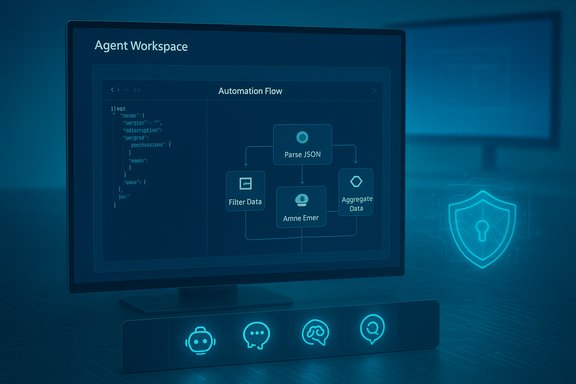
Blue-toned screen shows an Agent Workspace with an Automation Flow for parsing JSON and filtering/aggregating data.Background / Overview​

For decades Microsoft’s strategic advantage with Windows has been simple and repeatable: turn the operating system into a predictable, widely adopted platform and let third‑party developers build on top of it. That playbook — famously described in the early 1990s as a move that was “like bringing a Porsche into a world of Model Ts” — is now being reused to shepherd a new class of software: AI agents that plan, act, and persist state across sessions. The concrete elements Microsoft has introduced in preview include:
  • Agent Launchers — a developer registration and discovery framework that lets apps declare interactive agents to the OS so agents become discoverable system‑wide (Ask Copilot, Start, Search, taskbar).
  • Agent Workspace — a contained, sandboxed desktop instance where agents can run UI automation and multi‑step workflows under a separate, low‑privilege agent account. This is designed to isolate agent activity from the primary user session while still letting an agent manipulate apps and files when authorized.
  • Copilot Actions — the first user‑facing automation experience that translates a natural‑language outcome into a plan of UI actions and tool calls, executed inside the agent workspace. Microsoft has begun rolling Copilot Actions to Windows Insiders as an experimental feature.
  • On‑Device Registry (ODR) & Manifests — agents register via a small JSON manifest and the odr.exe tool; Windows surfaces registered agents to the OS UI. This makes agent discovery declarative and consistent for developers.
These pieces together represent a strategic bet: embedding agents in the OS — visible on the taskbar, discoverable via the Ask Copilot composer, and governed by Windows’ access controls — will deliver a different user experience than agents that merely run as isolated services or web apps. If Microsoft succeeds, tasks like preparing a meeting briefing, consolidating research, or restructuring a folder of PDFs could become simple, delegated workflows started from the taskbar and monitored without heavy context switching.

How Agent Launchers and Agent Workspaces actually work​

Agent Launchers: manifest, App Actions, and the On‑Device Registry​

Agent Launchers are intentionally straightforward for developers. The platform requires:
  • An App Action that accepts at minimum two entities — agentName and prompt — so the OS can invoke the agent and pass user input.
  • An agent definition JSON included in the app package manifest (static registration) or registered dynamically at runtime with odr.exe add-app-agent.
  • Exposure to system surfaces via the On‑Device Registry so agents appear in Ask Copilot, Start, and Search when the user queries or the OS chooses to surface them.
This approach mirrors long‑familiar OS patterns: declare capabilities, publish them in a registry, and let the shell expose them consistently. The critical behavioral contract Microsoft enforces is that an Agent Launcher must open an interactive surface — agents are meant to be visible and controllable, not silent background daemons.

Agent Workspace: containment, identity, and lifecycle​

The Agent Workspace is a contained desktop session that runs in parallel with the user’s main session. Important attributes documented in preview:
  • Separate agent accounts — each agent runs under a distinct, non‑administrator Windows account so actions are auditable and policy‑enforceable.
  • Scoped file access — by default, agents request access only to common user “known folders” such as Documents, Downloads, Desktop, Pictures, Music, and Videos. Broader access requires explicit authorization.
  • Runtime visibility — Copilot Actions and other agents show progress, step lists, and make it possible for users to pause, stop, or take over mid‑run. Agents also surface as taskbar icons with hover cards showing status and required user interactions.
Microsoft positions Agent Workspace as a middle ground: lighter and faster than a full virtual machine but stronger than in‑process automation. That tradeoff is intentional — to let agents act with speed while keeping control surfaces and audit trails intact.

Why Microsoft thinks embedding agents in Windows matters​

The company’s play is pragmatic: put agents where users already look (the taskbar and the search/composer slot) and make it trivial for developers to register intelligent assistants that interoperate across apps. This has three practical benefits:
  • Discoverability — a single catalog of agents makes it easier for users to find a specialist assistant (e.g., Researcher, Analyst) without navigating siloed in‑app assistants.
  • Interoperability — the Model Context Protocol (MCP) and the agent registration model give agents a standard way to discover and call tools and connectors, reducing brittle screen scraping and making integrations more auditable.
  • Governance at scale — treating agents as principals (with accounts, ACLs, and logs) makes them manageable with familiar enterprise tooling like MDM/Intune and Entra. That’s a necessary precondition for widespread enterprise adoption.
Microsoft is explicit about the larger aim: to move AI from tool to partner in the enterprise. In its “7 trends for 2026” framing, Microsoft leadership — including Aparna Chennapragada, chief product officer for AI experiences — frames the coming phase of AI as one of amplification and collaboration, not replacement. That message provides the product rationale for investing Windows with agentic primitives.

The security calculus: containment is necessary but not sufficient​

Microsoft’s documentation and support materials are unusually candid about new attack surfaces. The company warns that agents introduce a class of threats — notably cross‑prompt injection (XPIA) — where adversarial content embedded in documents, rendered HTML, or images (via OCR) could change an agent’s plan and cause real actions such as data exfiltration or downloading and running malicious binaries. Key mitigations Microsoft has built into the preview:
  • Opt‑in and admin gating — experimental agentic features are off by default and can only be enabled by an administrator; enabling provisions agent accounts and workspaces for the device.
  • Identity separation — agent actions occur under a separate agent account to keep audit trails distinct from human users.
  • Scoped access and per‑task consent — agents start limited to known folders and must request additional access; sensitive operations require explicit confirmation.
  • Operational checks: signed agents, revocation, and telemetry — Microsoft expects agent binaries and connectors to be signed so administrators can revoke or block misbehaving agents.
Those are meaningful defenses, but they don’t eliminate the novel problem that formerly harmless inputs (a PDF, a web page, or an email preview) can now be instructions that lead to persistent or multi‑step actions. Security experts warn that:
  • Prompt and cross‑prompt injection can turn seemingly benign content into exploit vectors.
  • UI automation is brittle; layout or localization differences can cause an agent’s clicks to land on the wrong control.
  • A compromised connector or signed agent is a high‑value target because it can be used to mobilize automation across many endpoints.
In short: containment and least‑privilege reduce risk; they do not erase a fundamentally new attack surface.

Privacy and data handling: what Microsoft says — and what remains conditional​

A central concern is whether agent activity — especially when agents access local files — becomes fodder for model training. Microsoft’s public stance, and the product controls it documents, make an important distinction:
  • For enterprise and tenant scenarios, Microsoft documents that prompts, responses, and data accessed through Microsoft Graph or Microsoft 365 Copilot are not used to train foundation models without explicit tenant consent. That non‑training default for organizational customers is a contractual and architectural commitment.
  • For consumer scenarios, and for some optional connected experiences, data usage rules differ: Microsoft has stated that consumer data may be used for model improvement unless users opt out or settings restrict training. That nuance has been the source of much concern and public scrutiny.
Microsoft’s public materials assert that Copilot features running on Copilot+ PCs or in enterprise tenant contexts do not train the core models with customer data by default; however, granular behaviors can vary by feature and by whether a user has chosen to share data for product improvement. For cautious security and privacy posture, organizations should treat agentic features as a data‑governance surface that needs explicit policy definitions and audits. Caveat and verification note: Microsoft’s non‑training claims are well documented for enterprise offerings and contractual products, but several public incidents (for example, scrutiny around Gaming Copilot and other consumer features) show that feature‑level behaviors and telemetry can be surprising; organizations should verify behavior in their own tenant and test environments before broad deployment.

The hardware angle: Copilot+ PCs and on‑device inference​

Microsoft ties richer, lower‑latency agent experiences to a hardware tier called Copilot+ PCs — laptops with NPUs that can run 40+ TOPS of inference locally. The practical impact:
  • On‑device inference reduces latency and keeps sensitive inputs on the device for certain tasks. Microsoft’s Copilot+ specification lists NPUs capable of more than 40 trillion operations per second as a defining trait.
  • A class of advanced experiences (e.g., continuous low‑latency translation, richer vision models, faster local summarization) may be gated or perform significantly better on Copilot+ hardware.
This creates a practical — and political — two‑tier landscape: premium machines will be able to offer stronger on‑device privacy and responsiveness, while ordinary devices will still rely on cloud inference for many agent tasks. The hardware requirement is verifiable: Microsoft’s documentation and partner guidance mention the 40+ TOPS NPU threshold and list OEMs and silicon partners working toward that performance envelope.

Developer implications and the third‑party ecosystem​

Agent Launchers standardize how agents are declared and invoked, lowering integration friction for developers. The practical steps for a developer are:
  • Implement an App Action that accepts agentName and prompt (and optionally attachedFile).
  • Add a com.microsoft.windows.ai.appAgent extension to the package manifest or register dynamically with odr.exe.
  • Test invocation via odr list-app-agents and the App Action testing tools.
The upside for developers is clear: greater discoverability across Windows surfaces with a single integration. But the downsides are operational and legal: once your agent is discoverable system‑wide, it inherits OS‑level expectations for identity, signing, telemetry, and enterprise governance. Developers who build agents must design for attack surface minimization (e.g., sanitize inputs, avoid automatic escalation, require explicit confirmations for destructive actions) and for auditability (comprehensive logs, signed binaries, clear revocation paths).

What could go wrong — practical worst‑case scenarios​

  • A maliciously crafted PDF or email preview uses cross‑prompt injection to make an agent fetch, unpack, and run a signed binary — leading to large‑scale compromise if many endpoints trust that agent.
  • A legitimate third‑party agent with extensive connector privileges is compromised upstream; because the agent can act across user files and services, the compromise enables lateral movement and data exfiltration.
  • Users or admins enable the experimental toggle on shared devices without tailored policies; agent accounts created on the device then become a governance headache across multi‑user endpoints.
These scenarios are not theoretical: Microsoft itself warns about them and frames XPIA as a new category of risk that the platform must address. The question for enterprise security teams is not whether to accept this new risk but how to operationalize detection, policy, and incident response for agentic endpoints.

Practical guidance for IT and power users right now​

  • Treat the experimental agentic toggle as a privileged, device‑wide setting — do not enable it broadly until you have a tested policy and telemetry pipeline. Follow the documented activation path: Settings → System → AI components → Experimental agentic features.
  • Pilot in controlled rings: test a small fleet with real workflows (document assembly, scheduled research tasks) and verify audit logs, ACL behavior, and connector flows.
  • Require signed agents, maintain an allowlist, and configure revocation procedures; instrument endpoint detection to surface unusual agent‑initiated network activity.
  • Establish data governance rules for local agent activity; explicitly decide whether Copilot/agent interactions may be shared back to Microsoft for product improvement in your tenant. Verify settings empirically.
A short checklist for pilot readiness:
  • Enable agentic features only on test devices under an IT admin account.
  • Confirm agent accounts are provisioned and logs routed to SIEM.
  • Validate that known‑folder scoping behaves as expected.
  • Run adversarial document tests to evaluate prompt‑injection mitigation.
  • Verify revocation of an agent package and confirm it is blocked in the registry and UI.

The long view: agents as partners — opportunity and responsibility​

Microsoft’s vision — repeated across product blogs and executive commentary — is that 2026 and beyond will be less about answering questions and more about working with agents to get things done. That is a compelling productivity promise: agents that can compile data from multiple apps, negotiate scheduling conflicts, and prepare briefings for meetings could reorder knowledge work for small teams. But delivering that promise at scale demands operational changes across security, privacy, and software supply chains. Two final realities will shape outcomes:
  • Trust engineering at scale — platform vendors, agent authors, and enterprises must invest in controls that treat agents like human staff: identities, least privilege, background checks (code signing and provenance), monitoring, and incident response. Microsoft has started this work, but it will be an ongoing program, not a single release.
  • User education and UX clarity — visible affordances (taskbar status, hover cards, step lists) matter. If users cannot easily distinguish agent actions from their own, the risk of mistaken approvals or misattributed behavior increases. The UI choices Microsoft ships will influence whether agents are helpful collaborators or confusing black boxes.

Conclusion​

Microsoft’s Agent Launchers, Agent Workspace, and Copilot Actions mark a deliberate and well‑architected push to make Windows the home for a new class of AI software: agents that act. The technical primitives are in place — manifests and ODR for discovery, separate agent accounts and contained workspaces for isolation, and MCP for tool interoperability — and Microsoft’s enterprise‑first behaviors (admin gating, signed agents, known‑folder scoping) show the company understands the scale of the trust problem it must solve. At the same time, these features create new, real risks: prompt injection turned into actionable exploits, supply‑chain compromises of agent packages and connectors, and subtle privacy questions around what data is processed and where. For organizations and careful users, the sensible path today is cautious, staged adoption: pilot, verify, instrument, and only scale once governance and detection are proven in production. If Microsoft pulls this off, Windows could once again be the platform that redefines what personal and team productivity looks like — not by selling a single magic feature, but by offering a trusted, discoverable place where developers ship helpers, admins can manage risk, and people get reliable assistance that amplifies their work. If it fails to harden the supply chain and the UX, it risks making the desktop a vector for a new taxonomy of attacks. The next year of previews and enterprise pilots will tell which of those futures becomes reality.
Source: TechRepublic https://www.techrepublic.com/article/news-microsoft-plan-ai-agents-windows/
 

Readeck quietly solves a practical problem that many writers, researchers and Windows power users face: link rot and fragmented reading lists — and it does so with a simple, self‑hosted, open‑source design that makes it one of 2025’s most underrated productivity apps for people willing to run their own service.

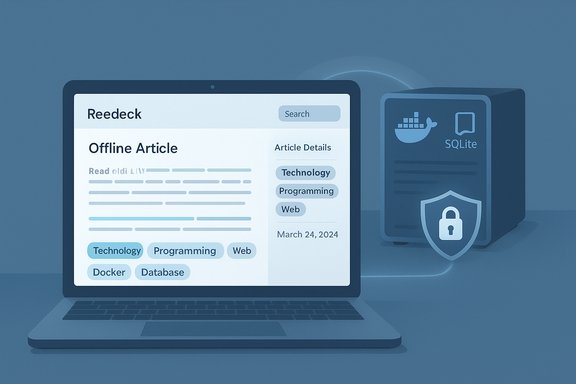
Blue-toned illustration of a laptop displaying an offline article with tech tags, connected to a SQLite server.Background / Overview​

The web is ephemeral: articles vanish behind paywalls, pages are rewritten, and links decay. Bookmark managers help you keep track of URLs, but they rarely address the underlying problem — the content itself can disappear or change. Read‑later and web‑archiving tools attempt to close that gap by saving a local, readable copy of an article and making it searchable, taggable and portable.
Readeck is a self‑hosted, read‑later server that focuses on long‑term preservation, fast local search, and a minimal, dependable UI. Its design is squarely aimed at users who prefer control over convenience: the app runs as a single binary or inside Docker; it stores content locally (SQLite by default); and mobile + browser clients connect to your instance for a consistent workflow. The project’s container and binary installation instructions, and the container image location, are publicly documented. This article examines what Readeck does well, where it currently falls short, how to run it on Windows, and the practical tradeoffs — technical and security — you should weigh before adding it to your productivity stack.

What Readeck is and how it works​

The core concept​

Readeck is a lightweight read‑it‑later server (self‑hostable) that extracts readable content from web pages and stores an offline archive you control. It’s implemented in Go, distributed as a single executable for multiple OSes, and packaged as a container image hosted on Codeberg’s container registry. Key characteristics:
  • Self‑hosted by default (single binary or container).
  • Local archives: saves article HTML, images and metadata so content remains accessible even if the source disappears.
  • Tagging and highlights: basic tagging, multi‑colour highlighting and saved annotations for later retrieval.
  • Web and mobile clients: browser extension for clipping plus Android and iOS apps that connect to your instance.

What it captures (and what it exposes)​

Readeck extracts article text and images, preserves formatting, and indexes full text for search. It can also ingest modern content formats: users report clean import of Mastodon threads and extraction of YouTube transcripts, which makes video content text‑searchable in the archive. These extraction features make Readeck more than a simple link saver — it functions as a portable article archive. Independent community writeups and deployment examples confirm these behaviors.

Installing Readeck on a Windows‑centric setup (practical guide)​

Readeck is designed to be simple to host. Below are practical, Windows‑focused installation options and a short checklist for reliability.

Options​

  • Run the single binary (Windows executable) as a service.
  • Run in Docker (recommended for a quick, reproducible setup).
  • Use a reverse proxy + TLS for remote access.

Quick Docker steps (tested pattern)​

  • Create a folder to hold persistent data (for example: C:\Users\<you>\readeck).
  • Create a docker‑compose.yml with the official image path (image: codeberg.org/readeck/readeck:latest), expose port 8000, and attach a local volume for persistence. The project docs and several community compose examples match this layout.
  • From PowerShell (or WSL), run Docker Compose up -d and confirm the container starts. On Windows, ensure Docker Desktop is running and that bind mounts are allowed for your chosen folder.
  • Navigate to http://localhost:8000, create an admin account, and install the browser extension to start clipping. The Chrome extension is available in the Web Store, and the iOS app references the need for your server address in its settings.

Production hardening checklist​

  • Put Readeck behind a reverse proxy (SWAG / Nginx / Caddy) and issue a TLS certificate. Community deployment guides demonstrate SWAG usage with Readeck.
  • Use a named Docker volume or bind mount for the SQLite database and media. Back up the SQLite file regularly (scheduled dump or file copy while service is stopped) to avoid data loss.
  • If you expose Readeck beyond your LAN, enforce HTTPS, strong admin credentials and (if possible) limit access via IP or VPN.

Daily use: clipping, highlighting and search​

Browser and mobile clients​

  • The browser extension sends the page (or a selected fragment) to your Readeck instance; it intelligently handles pages that don’t present as traditional “articles,” offering selection‑only captures. The extension listing documents these behaviors.
  • Mobile apps (Android via F‑Droid / iOS via App Store) let you sync to your self‑hosted server; the iOS listing explicitly instructs users to allow unencrypted connections for local network setups when connecting by IP, though best practice is to use TLS for remote access.

Reading workflow​

  • Readeck stores the full text and images; you can change font, width and line height for reading comfort. Highlights sync across devices and are aggregated globally to let you review all marked passages in one place.

Export and sharing​

  • You can export single articles to EPUB, mark items as read, archive them, or generate shareable links with short expiration windows — useful for ephemeral collaboration without opening your whole archive.

Integrations, API and the PKM story​

Readeck intentionally keeps the core lightweight, but exposes an API that community tools can leverage. That openness has encouraged the community to build integrations:
  • An Obsidian import plugin has appeared (community reports and forum posts indicate an importer that pulls Readeck articles and metadata into Obsidian notes). That demonstrates the API’s practical usability even if official, first‑party integrations are not shipping from Readeck itself.
  • Community deployment examples and Docker stacks show Readeck fitting into larger self‑hosted setups alongside reverse proxies and authentication layers.
If you rely on deep PKM (personal knowledge management) workflows — two‑way sync with Obsidian or Logseq, backlink preservation, or automated Zettelkasten workflows — expect to need either the emerging third‑party plugins or to build small scripts that pull content from Readeck and convert it to your preferred note format.

Strengths — why Readeck is compelling​

  • Simplicity and control. A single binary or container, SQLite backend, and minimal configuration make it easy to host and maintain for users comfortable with basic system administration.
  • Real archival behavior. Readeck stores content locally (images and cleaned article HTML), which directly addresses link rot in ways simple bookmarking cannot. Community writeups and deployment guides attest to the speed and low resource footprint.
  • Practical extraction features. Support for items like YouTube transcript extraction and Mastodon thread capture gives it modern content coverage beyond static blog posts. User reports and multiple community articles reference those capabilities.
  • Free and open‑source. No mandatory subscription for the software itself — you control deployment, updates and where data lives.

Limitations and risks — what to watch out for​

Missing features (as of current public information)​

  • PDF ingestion and management is not a first‑class feature; Readeck is focused on HTML article extraction. If you need a unified archive including PDFs, expect to pair Readeck with another tool or use a custom import routine. This limitation has been noted by users and reviewers.
  • No built‑in PKM sync with Obsidian, Logseq or major knowledge platforms out of the box; community plugins and API usage fill some of the gap but may require setup.
  • No official hosted tier verification. An editorial claim that Readeck “plans to launch a paid tier with company‑hosted servers in 2026” is referenced in some writeups, but there is no authoritative public announcement found in the project’s documentation or official pages at the time of research; treat that as unverified until the project or maintainers publish a roadmap update. Flagging unverifiable claims is prudent. (See “Verification note” below.

Operational risks of self‑hosting​

  • Backups and data durability. Readeck’s default SQLite database is convenient but requires regular backups. If a disk fails or the DB is corrupted, you’ll need good recovery procedures. Use scheduled copies or replication for production use.
  • Security and exposure. Running a web service accessible from the internet demands TLS, strong authentication, and awareness of attack surface. Put Readeck behind a reverse proxy with HTTPS, and use access controls or VPN for remote access.
  • Regional availability of container registry. Some users report regional blocks affecting Codeberg’s container registry, which can complicate auto‑update workflows if you rely on direct pulls from Codeberg’s registry. If you operate in a restricted region, plan an alternative (self‑downloaded images or a private registry mirror). Community threads have documented such issues.

How Readeck compares to common alternatives​

  • Pocket / Raindrop / Readwise — commercial offerings with hosted sync, permanent save features for pay tiers, and polished integration with other services. They are frictionless but place your archive in a vendor’s cloud and often gate archival features behind subscriptions. Readeck trades convenience for ownership.
  • Omnivore — was a strong open source alternative; however, when projects stall or development slows, relying on them long‑term becomes risky. Readeck’s active delivery model and documented release flow make it a viable alternative for users who prioritize maintenance.
  • Wallabag — a long‑running open‑source reader with mature import/export and strong community integrations. Wallabag remains a powerful alternative when you want a broad set of features (including some RSS and PDF behaviors) and an active ecosystem. Readeck’s advantage is its minimal footprint and modern capture features like transcript extraction.

A recommended workflow for Windows power users​

  • Reserve a small VM or a Raspberry Pi (or use a local dev host) and install Docker Desktop on Windows.
  • Deploy Readeck in Docker with a named volume for persistence. Use the official image path codeberg.org/readeck/readeck:latest as shown in the docs and compose examples.
  • Configure a reverse proxy (Caddy or SWAG) with automatic TLS for remote access; local network use can be done by IP with TLS disabled for quick testing, but production should use HTTPS.
  • Install the browser extension and mobile app, create a tagging convention (author, topic, project), and archive every research link you cite in published work to reduce link‑rot risk.
  • Schedule regular backups of the SQLite DB (daily or weekly depending on volume); export critical articles to EPUB for offsite archival when needed.

Verification note and cautionary flags​

  • The MakeUseOf writeup that popularized Readeck’s profile in 2025 (provided to this article) lists several strengths and asserts a 2026 paid tier plan; those are valuable user observations and opinions. The underlying deployment commands and the container image location are corroborated by Readeck’s official documentation and community compose examples (Codeberg / pkg.go.dev and Awesome Docker Compose).
  • A claim about a company‑hosted paid tier launching in 2026 could not be independently verified in the project’s public repo or announcements during research. Treat forward‑looking claims as tentative until the project posts an official roadmap or announcement. Where public evidence exists (Docker image location, app store entries, extension listings), it is cited above.

Final assessment — who should use Readeck​

Readeck is best for:
  • Users who want absolute control over archived reading material and are comfortable self‑hosting.
  • Writers, researchers and content creators who need a searchable archive to guard against link rot.
  • People who prefer minimal, fast UIs and can tolerate building or installing small integrations for deep PKM workflows.
Readeck is less suitable for:
  • Users who want a zero‑maintenance, hosted solution with guaranteed uptime and vendor support.
  • People with heavy PDF‑centric workflows or who need first‑class, out‑of‑the‑box PKM sync to tools like Obsidian (though community plugins are emerging).

Conclusion​

Readeck is a pragmatic, no‑nonsense read‑later server that places control and archival fidelity ahead of bells and whistles. For Windows users willing to host a small service, it solves the common and increasingly urgent problem of link rot while offering modern capture features — transcript extraction, thread capture and client‑side highlights — that make it useful for research workflows. Official documentation and community examples validate the basic installation paths, container image and client ecosystem, while emerging plugins are beginning to fill integration gaps with PKM tools. If your priority is long‑term access and ownership of what you save — and you’re ready to accept the responsibilities of backups, TLS and occasional maintenance — Readeck deserves a spot on your shortlist of productivity tools for 2025.

Source: MakeUseOf This might be the most underrated open-source productivity app of 2025
 

Satya Nadella’s short new blog post asking people to “stop calling AI ‘slop’” is less a PR flourish than a strategic pivot: the Microsoft CEO has framed 2026 as a test year in which the industry must move from dazzling demos to dependable systems that deliver measurable, real‑world outcomes. His argument marries product strategy and public policy — urging engineers, customers, and regulators to insist on utility, instrumentation, and governance rather than applause‑driven launches. The plea lands against a noisy backdrop: broad user frustration with buggy AI integrations, high‑profile corporate reorganizations and layoffs, and rapidly rising infrastructure costs that are reshaping what companies can realistically build and ship.

Blue-toned illustration of a brain guiding a data pipeline with dashboards and security icons.Background / Overview​

Nadella’s message in plain language​

In a year‑end post on his personal blog (branded “sn scratchpad”), Nadella called 2026 a “pivotal year for AI,” arguing that the sector is shifting from discovery and spectacle toward “widespread diffusion” and practical impact. He warned of a “model overhang” — capability outpacing our ability to deploy models in reliable, useful systems — and urged the community to stop trading in the shorthand of “slop vs sophistication.” Instead, he counsels a design posture that treats AI as a cognitive amplifier requiring scaffolding: memory, entitlements, safe tool use, measurement, and clear use‑cases. That framing is short on prescription and long on orientation: Nadella’s core move is rhetorical and strategic. He reframes success away from model‑benchmark arms races toward engineering discipline and measurable outcomes that earn “societal permission.” The implication is explicit: if AI is to scale in everyday products, companies must demonstrate verifiable benefits while managing risks like privacy, safety, and economic disruption.

Why the timing matters​

Nadella’s post arrives when several converging dynamics make his argument practical rather than purely rhetorical:
  • AI capabilities advanced rapidly through 2024–2025, producing headline demos that often outpaced robust product engineering.
  • Major AI features, notably Microsoft’s Copilot family, are increasingly embedded in Windows and Office, moving generative assistants from optional to default in many workflows.
  • The cost structure of building AI at scale — GPUs, DRAM, datacenter power — is shifting economics. Memory and accelerator supply tension is elevating unit costs for real‑world deployments.
  • Workforce restructurings and layoffs at large tech companies have altered internal capacity and raised questions about whether AI investments are augmenting or replacing human labor.
Those forces combine to make the “models to systems” transition not just desirable but necessary — and expensive.

What Nadella actually said — and what he left unsaid​

Key claims worth noting​

  • Models → Systems: Nadella argues we must stop evaluating AI entirely at the model level and instead invest in orchestration layers that provide memory, provenance, entitlements, and robust tool integrations. This is a call for classical engineering disciplines (observability, fallbacks, audit trails) around probabilistic models.
  • Model overhang: He warns that model capabilities now outstrip many teams’ ability to integrate them reliably into products that create measurable outcomes. This creates a gap — stunning demos that don’t reliably translate into user value.
  • Beyond ‘slop’: Nadella asks critics and customers to move past the “slop vs sophistication” frame and adopt a richer notion — a “theory of the mind” — to account for humans working with cognitive amplifiers. The rhetorical goal is to reorient debate from soundbites to governance and product metrics.

Important omissions and open questions​

Nadella’s note is deliberately high‑level. It does not directly address:
  • Concrete, time‑bounded commitments to improve low‑quality user experiences where Copilot or other AI features have been inconsistent for everyday users.
  • How Microsoft will balance ship velocity for novel features with long‑term maintenance and quality of existing, revenue‑generating products.
  • How Microsoft will measure the “real‑world eval impact” he demands, or what independent audit, disclosure, or third‑party metrics would suffice to earn societal acceptance.
Those omissions matter because public trust is built on metrics and accountability, not just good intent. The industry needs independent, reproducible measures of efficacy — not only internal product success stories.

Why “stop calling it slop” is more than semantic politicking​

The debate behind the word​

“Slop” has become shorthand across users, creators, and some journalists for AI outputs that are plausible but low in utility: boilerplate, hallucination‑prone, or shallow work that requires heavy human rework. The term resonates because it captures a common consumer experience: AI features shipped before they’re hardened, intrusive defaults that change workflows, and outputs that look machine‑generated. The critique is about product quality, not academic performance.
Nadella’s request reframes the conversation toward solving systemic engineering problems: instrumented rollout, provenance and consent, transparent metrics, and fallback UX when models are uncertain. That’s a valid and useful reframing — but only if it’s matched by resource allocation and transparency. Otherwise, it risks becoming a rhetorical gloss over persistent product gaps.

When “slop” is a fair label​

  • Rushed features that degrade core workflows (e.g., assistive edits that introduce errors).
  • Background capture or “recall” features that raise privacy concerns without clear consent mechanisms.
  • Generative content or short‑form video floods that lower the signal‑to‑noise ratio across platforms.
These are not trivial annoyances; they are trust and safety problems that directly affect product adoption and regulation. Nadella’s call to move beyond the term must be paired with measurable improvements users can see.

Product and business implications for Microsoft​

Copilot: ubiquitous, but still judged by everyday reliability​

Microsoft has woven Copilot into Windows, Microsoft 365, and other places across its stack — a deliberate commercial bet that AI must be baked into core experiences to create platform lock‑in. Recent engineering updates and Insider rollouts show continued investment in on‑device connectors and document export features, but users still report intermittent regressions and contentious defaults. The company’s push to auto‑install or deeply integrate Copilot creates high expectations for reliability and robust privacy controls. If Copilot is going to be a daily productivity scaffold, Microsoft must prioritize:
  • Reliability before novelty: ensure baseline features work offline or degrade gracefully.
  • Transparent metrics: publish regression rates, acceptance/override statistics, and measured productivity improvements.
  • Privacy primitives: explicit opt‑in flows, provenance metadata, and granular retention policies.
Failure to deliver these will deepen the “slop” narrative and could prompt regulatory scrutiny.

Workforce and morale: augment or replace?​

Microsoft’s reorganization and layoffs over recent years have been widely reported, and many analysts link those moves to a tightening of priorities around AI and cloud. Publicly available reporting shows multiple rounds of job cuts in 2024–2025, adding up to many thousands of roles; characterizing them as “tens of thousands” across a 36‑month window is directionally accurate but imprecise and should be treated as an estimate. The tension is material: leadership’s message that AI will scaffold people sits uneasily next to headcount reductions that are sometimes framed as efficiency gains from automation. If Microsoft wants the “scaffold” story to hold, it needs to pair internal incentives with new training, role redesign, and measured impacts showing that remaining teams are more productive and better supported — not simply smaller.

Infrastructure economics: why hardware prices matter to the “systems” thesis​

Nadella explicitly referenced the importance of where compute, talent, and energy are spent. That point is critical: moving from models to systems dramatically increases demand for memory bandwidth, large‑context storage, and accelerators, which in turn affects supply chains and cost structures.

GPU supply and pricing: premium parts remain constrained​

High‑end accelerators such as NVIDIA A100/H100 and their successors are in constrained supply as hyperscalers, cloud providers, and nation‑scale projects compete for capacity. Industry analyses and vendor commentary through 2025‑2026 signal persistent lead times and premium pricing for top‑tier accelerators — even as price trajectories for some mid‑tier devices vary by vendor and configuration. For companies building large generative systems, procurement timelines and allocation policies are an operational bottleneck.

DRAM and RAM: consumer pain from server priorities​

In late 2025 the market saw sharp DRAM spot and contract price movements tied to hyperscaler buying and supply prioritization for server DDR5 and HBM product lines. Multiple industry trackers and hardware sites reported dramatic year‑over‑year increases in DDR5 and related memory prices, and OEMs signaled risk of consumer‑facing price increases for PCs, laptops, and gaming devices. This is a genuine, industry‑level risk to broad deployment of memory‑heavy AI features and can make consumer device upgrades and new product launches materially more expensive.

What this means for AI deployment​

  • Cloud costs for inference and training may rise unpredictably, increasing the marginal cost of real‑world deployments and customer pricing.
  • On‑device ambitions (local Copilot experiences, offline recall) face headwinds if DRAM and HBM allocation stays tilted toward hyperscale customers.
  • Pressure on hardware costs may force product teams to prioritize narrower, proven use cases rather than broad, speculative features.
Nadella’s point — that choices about where to allocate scarce compute and talent matter — is a practical constraint, not rhetoric.

Governance, trust, and the “societal permission” Nadella invokes​

What “societal permission” requires​

If an AI‑enabled feature is to become ubiquitous, it must cross three thresholds:
  • Demonstrable benefit: measurable improvements in productivity, accessibility, or safety that multiple, independent observers can reproduce.
  • Transparent governance: clear consent, retention rules, provenance metadata, and external auditability where appropriate.
  • Risk controls: robust fallbacks, error reporting, and means for users to opt out permanently and meaningfully.
Nadella’s public framing — moving the debate from headline demos to outcomes and governance — is sensible. But the market and regulators will want verification: independent audits, published metrics, and stronger developer primitives for privacy and entitlements.

Regulatory and platform pressures to expect​

  • Disclosure and provenance laws: several jurisdictions are actively discussing or adopting rules requiring AI‑assisted content to be labeled; platforms are already tightening monetization and content rules around mass‑produced AI outputs.
  • Antitrust and competition scrutiny: bundling AI features into OSes and productivity suites invites attention from regulators concerned with platform leverage.
  • Worker protections and fairness: using AI outputs in performance review processes or as a basis for decisions about compensation will draw scrutiny unless explainability and audit trails exist.

Practical recommendations: what Microsoft (and other platform owners) should do next​

  • Ship reliability before novelty. Prioritize core flows that must work for the majority of users; make new features opt‑in until validated.
  • Publish validated metrics. Acceptance rates, edit/regression stats, and independent productivity studies help convert gut feeling into objective measures.
  • Mandate provenance and consent primitives. Build metadata into outputs and require explicit, context‑specific opt‑ins for capture features like recall or screen indexing.
  • Invest in human‑centered evaluation. Fund external testing programs with subject‑matter experts across domains (education, healthcare, legal) to measure real‑world impact.
  • Balance engineering cycles. Ringfence maintenance and quality work for mature products while allocating separate squads for speculative AI features to avoid cannibalizing product stability.
These steps are practical: they shift the conversation from marketing claims toward measurable outcomes that earn user trust.

Risks and second‑order effects​

  • Economic concentration: continued prioritization of frontier models and hyperscaler-scale infrastructure risks concentrating capability and economic value in a few large players. Nadella recognizes this “winner’s curse” dynamic.
  • Creator economics and platform friction: sudden policy shifts that demonetize AI‑assisted content will economically harm creators who built businesses around new formats; a balanced, phased approach is required.
  • Commoditization of quality: if platforms favor volume and engagement over human editing and context, the attention economy could be flooded with low‑value outputs, harming trust and civic discourse.
  • Supply‑driven feature throttling: hardware shortages or price surges for GPUs and DRAM may force companies to limit capabilities or raise price points, constraining broad adoption of the very systems Nadella envisions.
Where capability advances faster than governance and measurement, the political and market backlash can be swift and lasting.

What to watch in 2026​

  • Whether Microsoft (and others) publish independent, replicable impact metrics for core AI features such as Copilot.
  • How DRAM and GPU supply and pricing evolve — and whether suppliers expand capacity quickly enough to moderate consumer pain.
  • Platform policy evolution on disclosure, provenance, and monetization — especially for short‑form AI video and mass‑produced content.
  • Corporate governance signals: whether companies pair layoffs with reskilling programs and measured productivity gains, or whether headcount reductions outpace demonstrated augmentation benefits.

Final analysis — why this is a test of discipline more than invention​

Satya Nadella’s request to stop calling AI “slop” reframes a popular critique into a managerial and engineering challenge. It is a constructive reframing: the industry must earn adoption through measured outcomes, product discipline, and governance. That is a defensible position — and arguably the right one for a technology whose core promise is to augment rather than supplant human judgment.
But rhetoric without measurable follow‑through will ring hollow. If Microsoft and other platform owners cannot show concrete, verifiable improvements in everyday experiences — safer recall tools, a reliably helpful Copilot that reduces friction rather than adding it, and transparent metrics that outsiders can audit — then public cynicism will persist and “slop” will remain a fair shorthand for many users.
Nadella’s framing highlights the right pivot: move from spectacle to systems, marry engineering discipline to governance, and allocate scarce compute and talent to demonstrable impact. The practical question for 2026 is execution: can large platform companies align incentives, invest in hard plumbing, and publish the objective data that earns societal permission? If they do, the term “slop” will shrink; if they don’t, it will endure — and with it, a renewed appetite from regulators and customers to demand harder guarantees.
Conclusion
The debate triggered by Nadella’s short blog post is not about word choice; it is about accountability. The next phase of AI will be judged not by model parameter counts or demo reels but by how reliably these systems improve people’s work and lives, how transparently they operate, and how economically and ethically they are deployed. That is a high bar — and the market, civil society, and regulators will be watching to see whether this rhetoric is matched by measurable, user‑facing progress in 2026.
Source: Insider Gaming Microsoft's CEO Wants People to Stop Calling AI 'Slop'
 

Analysts who have dug into Amazon’s late‑2025 results say the company enters 2026 with multiple measurable catalysts — from an AWS revenue re‑acceleration and a fast‑growing advertising engine to massive AI‑grade capex and proprietary silicon — but those same forces create execution risks that will determine whether the business is re‑rated or merely re‑invested.

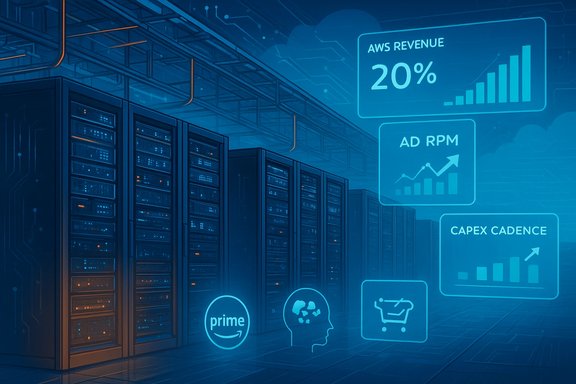
Futuristic data center with blue-toned server racks and holographic analytics panels.Background​

Amazon has evolved from an e‑commerce first company into a diversified technology and services portfolio whose value now depends on how well its high‑margin franchises (AWS and Advertising) scale relative to low‑margin retail. That structural shift is the lens analysts use when arguing Amazon could materially outperform in 2026: retail supplies scale and first‑party data, AWS supplies operating profit and platform leverage, and Advertising plus Subscriptions supply margin expansion opportunity.
The late‑2025 earnings cycle made one theme obvious across analyst notes: hyperscalers are running elevated capital programs to add GPU and accelerator capacity to support generative AI workloads, and Amazon’s capital allocation and in‑house silicon strategy are core to the bullish narrative. Those investments are large, visible, and measurable — but their payoff depends on utilization and productization.

The catalysts analysts highlight for 2026​

1) AWS re‑acceleration: scale and dollars matter​

Analysts point to a clear AWS momentum inflection: AWS returned to stronger growth in recent quarters, with quarterly revenue reported near $33 billion and roughly 20% year‑over‑year growth in the referenced period. The magnitude of AWS’s dollar growth is material because the cloud franchise historically produces a disproportionate share of Amazon’s operating income; sustained AWS acceleration therefore meaningfully improves consolidated margin dynamics.

2) Advertising: the high‑margin compounding lever​

Amazon Ads has become a significant margin lever. Advertising revenue in recent quarters was reported in the high‑teens billions on a quarterly basis and grew in the low‑to‑mid‑20s percent range year over year, making it a compelling amplifier of operating profit because ad dollars scale without the fulfillment costs that compress retail margins. Analysts view the retail‑media loop — first‑party purchase intent + fulfillment signals + ad endpoints — as difficult for rivals to replicate at Amazon’s scale.

3) Massive capex to build AI‑grade capacity​

Amazon disclosed a step‑up in capital expenditures for 2025 and signaled continuation into 2026, with widely reported capex figures near $125 billion for 2025. That elevated capital plan is explicitly tied to AI‑grade data‑center buildouts: more power, more cooling, and specialized accelerator racks to host both internal models and large enterprise workloads. Analysts see the capex as evidence Amazon is positioning AWS to capture a disproportionate share of AI infrastructure spend — but they also flag conversion risk (capex to utilization) as the primary gating factor for margin improvement.

4) In‑house silicon and strategic partnerships​

Amazon is pushing proprietary accelerator stacks (Trainium/Inferentia and successor families) and has strategic customer and partner relationships — including commitments tied to Anthropic and initiatives like Project Rainier — that bind demand to Amazon’s infrastructure. Those in‑house silicon investments can yield price/performance advantages if customers migrate inference and managed models onto Amazon’s specialized instances. Analysts cite planned deploys of Trainium2 chips and large Anthropic commitments as a structural advantage — though on‑device counts and contract specifics remain management disclosures to be monitored.

5) Subscriptions and sticky customer economics​

Prime and other subscription services continue to provide recurring revenue and higher lifetime value per customer. Although subscription dollars are smaller than retail and cloud, subscriptions increase purchase frequency, improve ad monetization, and smooth revenue volatility — an important compounding input for the bullish thesis.

6) Marketplace scale and GMV as optionality (directional, not audited)​

Analysts frequently invoke Gross Merchandise Volume (GMV) as a measure of marketplace scale and ad monetization potential. Most GMV figures are third‑party estimates and vary by methodology; they are directional indicators of scale rather than audited revenue lines. Use GMV to understand potential advertising TAM and logistics leverage — but treat single GMV numbers as estimates.

Why these catalysts could re‑rate Amazon (the mechanics)​

  • Margin mix shift: If AWS grows faster than retail and Advertising continues to scale, Amazon’s consolidated operating margin can expand even if retail margins stay compressed. AWS’s outsized operating income contribution is the engine for this change.
  • Productization of AI: Turning raw GPU capacity into managed, enterprise‑grade model services (training, managed inference, fine‑tuning, model hosting) multiplies revenue per rack while improving stickiness and ASPs (average selling prices).
  • Data + commerce loop: First‑party purchase signals and fulfillment telemetry increase ad yield per buyer, which scales revenue without equivalent shipping cost increases. That makes ad growth disproportionately profitable.
  • Lower cost of inference with proprietary silicon: Trainium/Inferentia families can reduce price per inference if customers adopt Amazon’s instance families, creating a technical moat that earns a premium over commodity GPU offerings.

Key risks and caveats analysts emphasize​

Capital intensity and the utilization gap​

The biggest single execution risk is the speed at which new AI‑grade capacity is filled. Elevated capex without matching utilization depresses free cash flow and compresses multiples even as revenue grows. Analysts repeatedly stress that rising capex with flat utilization is a negative signal; conversely, rising capex with improving utilization is a validation of the thesis.

Intense competition and faster productization by peers​

Microsoft and Google are aggressively packaging AI into productivity and developer workflows. If competitors productize managed AI features faster or win large enterprise contracts, AWS faces the risk of share erosion in high‑value segments despite absolute growth. Market trackers show modest share drift even as the market expands, making absolute dollar growth necessary but not sufficient.

Advertising cyclicality and measurement risk​

Advertising is exposed to macro cycles and attribution/measurement changes. A contraction in marketing budgets, or regulatory/measurement shifts that reduce ad targeting effectiveness, would disproportionately hit margins because ad is a key high‑margin component of Amazon’s profits.

Regulatory pressure on marketplace dynamics​

Antitrust and marketplace rules (regarding buy‑box mechanics, favored‑seller behavior, fee structures) could materially change marketplace economics and cross‑product synergies that currently help ad monetization. Analysts caution that regulatory outcomes can be binary and materially affect optionality.

Valuation timing and multiple compression risk​

Many bullish notes reference a trailing P/E in the low‑30s (roughly 32× in early December 2025) as the backdrop for re‑rating discussions. That multiple presumes sustained growth and margin expansion; if capex depresses near‑term free cash flow or AWS growth slows, the market can quickly re‑price expectations. Live multiples are time‑sensitive and should be verified at any trade decision point.

A practical 10‑point watchlist for 2026 (what will decide the story)​

  • AWS quarterly revenue growth rate and operating margin trends — sustained high‑teens to low‑20s growth plus margin resilience is a bullish signal.
  • Advertising revenue growth and ad yield (revenue per buyer / ad RPM) — continued mid‑teens to mid‑20s growth would materially help margins.
  • Capex cadence vs. utilization commentary — are new racks and GPU clusters filling and being monetized?
  • Named large enterprise AI wins or backlog/RPO conversion — contract disclosures that convert to revenue validate capex.
  • Subscription metrics — Prime paid units, retention, and per‑member spend.
  • Cloud market share shifts (Synergy/independent trackers) — share drift helps gauge competitive positioning.
  • Regulatory developments that could affect cross‑product monetization.
  • Operational reliability and outage frequency — enterprise customers react to SLAs and incidents.
  • Hardware supply and Trainium/Inferentia adoption — vendor‑specific migration signals matter.
  • Live valuation multiples and consensus forward estimates — verify at the time of any investment decision.

Scenario framing: how 2026 could unfold​

  • Bull case (conditional): AWS sustains ~20%+ growth, Advertising continues in the mid‑20s growth range, and AI capex converts quickly to higher‑margin managed services. Result: consolidated margin expansion and meaningful re‑rating. This requires both utilization and product success for proprietary silicon and managed AI services.
  • Base case (most likely according to many analysts): AWS growth moderates toward a new higher baseline (mid‑teens), ads and subscriptions continue steady growth, and capex keeps free cash flow muted until utilization ramps more fully. Result: modest multiple expansion but continued volatility.
  • Bear case: Capex overruns, slower AI monetization, cyclical ad weakness, or regulatory constraints depress margins and compress multiples. Result: sideways to negative share performance until proof of conversion emerges.
Assigning precise probabilities requires up‑to‑date market inputs and real‑time contract disclosures; analysts recommend using the eight watchlist items above as objective triggers for each scenario.

What Windows‑centric IT teams should do now​

  • Design for portability and burstability. Keep baseline workloads portable and architect training/inference to burst to GPU‑heavy instances when necessary. This avoids lock‑in and helps control costs during peak AI demand.
  • Negotiate reserved capacity and SLAs for inference. Committed capacity reduces cost volatility and gives latency guarantees for production LLM inference.
  • Abstract model formats and automate deployment. Standardize on portable model formats (ONNX or equivalent) and containerized serving to maintain agility across cloud providers.
  • Treat vendor capacity promises as projects. Require milestones and utilization reporting rather than treating announced capex as a guarantee of immediate availability.
These steps help enterprise teams balance the opportunity of cheaper, faster AI hardware against the operational realities of capacity, SLAs, and potential outages.

Critical analysis — strengths, weaknesses, and judgment​

Strengths
  • Optionality at scale: Amazon’s retail cash engine funds long investments in cloud and AI and provides first‑party signals that power advertising yield. That structural optionality is real and defensible.
  • AWS’s absolute scale: Being the largest provider by absolute dollars creates pricing and productization advantages for specialized workloads that prefer latency and regional presence.
  • Proprietary silicon and partnerships: Trainium/Inferentia families and partner commitments (Anthropic/Project Rainier) create a differentiated stack that can reduce price/performance friction.
Weaknesses and execution risks
  • Capital conversion timeline: The math for AI infrastructure is capital‑intensive and long‑tailed. The market will reward realized utilization and monetization, not announcements. Analysts repeatedly call out capex timing as the prime gating factor.
  • Concentration risk in advertising and cloud dynamics: Both ad yield and cloud market share trends are susceptible to macro cycles and competitor product packaging. These are correlated risks that can amplify downside if they materialize together.
Judgment
The bullish case for a 2026 re‑rating is plausible and grounded in verifiable operational momentum: AWS re‑acceleration, robust ad growth, and explicit multi‑year capex commitments. However, plausibility is not certainty. The investment payoff depends on clear signals over several quarters — notably utilization of new AI capacity, named enterprise contract conversions, and ad yield stability. Until those signals are consistently positive, the thesis should be treated as conditional rather than definitive.

Conclusion​

Analysts’ calls that Amazon will benefit from “multiple catalysts” in 2026 are rooted in observable changes to Amazon’s business: an AWS re‑acceleration in dollar terms, a rapidly growing advertising engine, and a deliberate, large‑scale capex program to build AI‑grade infrastructure combined with in‑house silicon initiatives. These are measurable and verifiable operational developments — but they are also execution dependent. The single largest uncertainty is whether massive capex translates quickly into paid, margin‑accretive utilization and productized AI services.
For investors and IT leaders alike, the right posture is pragmatic: acknowledge Amazon’s unique optionality, monitor the concrete watchlist metrics quarter by quarter, and treat GMV or single headline numbers as directional estimates rather than audited facts. If AWS, Advertising, and AI productization consistently show positive conversion metrics, a genuine re‑rating is well within reach; if not, Amazon’s considerable strategic optionality will remain valuable but unrealized.

Source: Finviz https://finviz.com/news/269142/analysts-identify-multiple-catalysts-for-amazoncom-amzn-in-2026/
 

Back
Top