

Microsoft’s next major desktop OS looks less like a dramatic reset and more like a steady, AI-driven evolution — one that stitches Copilot into the shell, leans on dedicated neural hardware, improves Windows on Arm compatibility, and quietly prepares the plumbing for a more modular, serviceable system. The clues are consistent across leaked Insider strings, partner messaging and Microsoft’s own announcements: expect deeper Copilot integration, Copilot+ PCs with NPUs, better ARM parity via the new Prism emulator, and a long-running push toward componentized Windows — even as questions about subscription models, privacy, and hardware gating remain unresolved.
Microsoft hasn’t formally announced “Windows 12,” and much of what’s circulating is still rumor, inference and early Insider telemetry. That said, the pattern of recent releases — Windows 11 followed by annual feature updates such as 24H2 and 25H2 — plus Microsoft’s public investments in Copilot and Copilot+ certification make an AI-first successor plausible within a few years. The company’s lifecycle and cadence guidance also explains why a big, numbered release might align with the existing support cycle for Windows 11 versions.
Microsoft’s documentation makes the formal cadence plain: Windows 11 feature updates follow an annual cadence with distinct servicing timelines for Home/Pro (24 months) and Enterprise/Education (36 months), a schedule that shapes upgrade timing and support windows. For example, Windows 11’s 25H2 entry expands support timelines into 2027 for devices that move to that release.
Practical steps for IT teams:
Source: PCMag I Investigated Every Windows 12 Clue. These Are the Features I'm Betting Will Actually Arrive
 Background / Overview
Microsoft hasn’t formally announced “Windows 12,” and much of what’s circulating is still rumor, inference and early Insider telemetry. That said, the pattern of recent releases — Windows 11 followed by annual feature updates such as 24H2 and 25H2 — plus Microsoft’s public investments in Copilot and Copilot+ certification make an AI-first successor plausible within a few years. The company’s lifecycle and cadence guidance also explains why a big, numbered release might align with the existing support cycle for Windows 11 versions.Microsoft’s documentation makes the formal cadence plain: Windows 11 feature updates follow an annual cadence with distinct servicing timelines for Home/Pro (24 months) and Enterprise/Education (36 months), a schedule that shapes upgrade timing and support windows. For example, Windows 11’s 25H2 entry expands support timelines into 2027 for devices that move to that release.
Release timing and the versioning question
The likely window
There’s healthy debate about when a major “Windows 12” might ship. Some observers point to the cadence of annual feature updates and Microsoft’s support calendar to place a jump to a new major version in the 2026–2028 timeframe — with many commentators eyeballing 2027 as a practical target once the ecosystem (silicon, drivers, OEMs) is ready. That speculation reflects both engineering realism and the business rhythm of OEM refresh cycles.Why Microsoft might delay a numbered release
Microsoft has been repeatedly successful at delivering substantial features inside Windows 11 without invoking a new major version name. That “continuous evolution” model reduces the churn and user resistance associated with wholesale rebranding while still permitting big architectural work under the hood. Expect Microsoft to keep pushing new experiences through feature updates, the Microsoft Store, and experience packs — reserving “Windows 12” as the marketing label only when the underlying platform (modularity, on-device AI primitives, a broad installed base of NPU-equipped devices) reaches scale.Copilot: from app to operating-system substrate
What’s changing
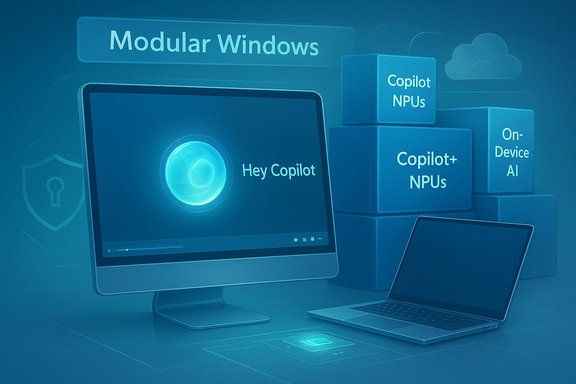
Copilot has already moved from a feature to a surface: Windows 11’s 23H2 and subsequent updates layered Copilot into search, File Explorer, and system UI. Recently Microsoft added a wake-word experience — “Hey, Copilot” — and is rolling it to Insiders with local wake-word spotting and explicit opt-in controls. That rollout confirms the company’s intent to make Copilot a low-friction interaction layer across the desktop. Other Copilot capabilities already in preview — Copilot Vision for analyzing selected windows, Click to Do suggestions, and semantic search across settings and files — are label-shifting: Copilot is being positioned as a context-aware agent that can see and act on UI elements under strict permission boundaries. Those features show the direction: an OS that helps automate multi-step tasks, not merely answers typed queries.Why this matters
Embedding Copilot into the shell reduces friction for repetitive tasks and opens accessibility gains (voice-first workflows, image analysis for blind or low-vision users). It also tightens Microsoft’s strategic tie-in between software and hardware: to deliver low-latency, private experiences, Microsoft and OEMs are encouraging on-device AI acceleration.The practical limits and opt-in model
Microsoft’s public messaging emphasizes explicit opt-ins, visible UI affordances, and local wake-word detection — a crucial set of mitigations because of the privacy concerns that accompany an always-listening assistant. Still, the move from occasional helper to system agent increases the need for governance, auditable actions, and enterprise policy controls.Copilot+ PCs and NPUs: hardware shapes the UX
What a Copilot+ PC is today
Microsoft’s Copilot+ program formalizes a device tier: NPUs capable of 40+ TOPS (trillion operations per second), paired with modern CPUs and baseline system specs (commonly 16GB RAM, 256GB SSD, and recent Windows 11 versions) to enable advanced, low-latency on-device AI. Microsoft’s Copilot+ marketing and the Copilot+ hub enumerate the experiences that are specifically optimized for these devices.The technical rationale
On-device NPUs drastically reduce round-trip latency to cloud models and allow features to run with greater privacy and lower recurring cloud costs. For many AI workloads — semantic search, image processing, real-time accessibility features, and parts of Copilot Vision — local inference yields a smoother UX and less data egress. This is the logic for Microsoft’s push toward NPU-equipped devices.The trade-offs: gating and fragmentation
Basing the premium experience on NPUs is strategically sensible, but it introduces tension:- Hardware gating — Not every PC will have a 40+ TOPS NPU, so Microsoft’s most advanced features may be limited to higher-priced Copilot+ machines.
- Fragmentation risk — A feature-set that bifurcates devices into “Copilot+ experiences” vs. “standard Windows” risks confusing consumers and complicating enterprise procurement.
- Upgrade pressure — Expect OEMs and Microsoft to nudge refresh cycles: on-device AI is a hardware-dependent product feature.
Windows on Arm and Prism: parity is finally a priority
Prism emulator and compatibility
Microsoft’s new Prism engine (shipped with recent updates) is the technical answer to running x86/x64 apps on Arm-based Windows devices. Prism improves instruction-set translation and compatibility, and Microsoft has iterated the emulation to better support CPU extensions and app behaviors — but edge cases remain for kernel-mode drivers and anti-cheat systems. Microsoft guidance and community threads show Prism making big strides while also flagging remaining compatibility hotspots.Why Arm matters now
Qualcomm, Intel and AMD have all signaled renewed focus on on-device AI and Arm-capable silicon for Windows. Qualcomm’s Snapdragon X Elite made aggressive performance claims versus Apple’s M3, and vendors continue to tout improved NPU budgets. That hardware push, combined with Prism’s emulation, materially improves the viability of Arm Windows laptops. But compatibility for specialized drivers and some games still needs vendor collaboration.The user reality
On modern Copilot+ Arm devices, many everyday apps run well. But enterprises and gamers must still test mission-critical software and anti-cheat components before rolling out Arm clients at scale. Prism and improved drivers are closing the gap, but migrating large fleets remains an engineering and policy exercise.Componentization and “Core PC”: the modular future of Windows
What componentization means
The long-discussed idea of a modular Windows (“Core PC”, “Core OS” in older nomenclature) envisions separating the OS into smaller, independently updated components. The goal: faster patches, smaller install footprints, and the ability to tailor Windows for constrained form factors (tablets, IoT) without dragging legacy subsystems everywhere. Recent leaks and internal strings suggest Microsoft is actively moving in this direction.Benefits
- Smaller, safer updates — Reduced blast radius for regressions and quicker test cycles.
- Tailored SKUs — OEMs could ship lighter images that skip legacy stacks.
- Security isolation — Modular boundaries reduce lateral movement risk for attackers.
Friction points
Componentization is an engineering heavy-lift. It requires careful dependency mapping, developer tooling updates, and strong compatibility shims for legacy Win32 apps. Microsoft can minimize friction by offering optional experience packs and store-delivered components, but the transition will take several release cycles.Subscription talk: code strings vs. reality
What was found in Canary builds
Observers found entries such as “Subscription Edition,” “Subscription Type” and “Subscription Status” in Canary-channel configuration files, which sparked intense speculation about a potential subscription edition of Windows. Those strings are real, and they are the origin of much of the subscription chatter circulating in press and forums.What those strings likely mean
Findings in Canary builds are suggestive but not decisive. Similar strings could be placeholders for enterprise-targeted features (e.g., Cloud PC, Windows 365 integrations), internal testing flags, or UI strings tied to Microsoft’s existing subscription products. Treat the presence of the strings as a legitimate lead, not a confirmed policy change. Independent reporting and analysts have reached similar conclusions: the evidence is suggestive and worth watching, but it’s not definitive proof that Windows 12, if named, will be paywalled behind a subscription for consumers.The business logic
A subscription model would create steady recurring revenue and align with Microsoft’s cloud-first strategy, but it would also trigger user anger and antitrust scrutiny if handled heavy-handedly. Expect Microsoft to approach any subscription experimentation cautiously and likely with enterprise-first pilots rather than an immediate consumer-wide mandate.Privacy, security and governance: the non-functional requirements
Privacy posture with on-device AI
On-device wake-word spotting and local inference change the privacy calculus: local models reduce cloud exposure for sensitive audio and personal data, but feature orchestration often still requires cloud processing. Microsoft’s documented approach uses on-device detection with an in-memory buffer that is not stored, combined with cloud processing for the actual request — a design that reduces some risk but does not eliminate cloud dependency. This hybrid model is central to the Copilot experience and should be scrutinized by privacy-conscious users and enterprises.Attack surface and update model
Componentization promises smaller, targeted updates that reduce risk, but an AI-first platform also increases the attack surface: model integrity, NPU firmware, and AI provisioning paths are new vectors. Enterprises will demand robust auditing, attestation (Pluton/TPM integration), and policy controls to govern what agents can do on managed PCs. The net is a set of engineering and policy challenges Microsoft and partners must solve before mass corporate adoption.How to see what’s coming today: Insider channels and validation
If you want to preview Microsoft’s roadmap and test compatibility, the Windows Insider program remains the primary channel. The Insider program’s Canary, Dev, Beta and Release Preview channels let enthusiasts and admins experience features in development — from Copilot wake-word tests to Prism emulator tweaks and UI experiments. But remember: Canary builds are experimental and may contain strings that reflect internal testing rather than finished policy or shipping behavior.Practical steps for IT teams:
- Enroll test machines in an Insider channel to validate app compatibility.
- Test mission-critical drivers and anti-cheat software on Arm + Prism early.
- Monitor Microsoft’s lifecycle updates: plan upgrades by support windows to avoid forced rushes.
Strengths, weaknesses, and the hard choices ahead
Notable strengths
- AI as productivity lever — Doing more work from the OS layer can materially cut friction for both consumers and knowledge workers.
- Local AI acceleration — NPUs and Copilot+ hardware enable fast, private experiences without always falling back to cloud compute.
- Componentization — Smaller updates and modular shipping can drive higher reliability and faster iteration.
Real risks
- Hardware gating and fragmentation — Bifurcating the ecosystem into NPU-accelerated Copilot+ devices and the rest of the installed base could confuse buyers and raise upgrade pressure.
- Privacy and governance complexity — An OS that can see and act across apps raises legitimate concerns about scope, transparency and enterprise controls.
- Subscription optics — Even rumored subscription models can sour public perception; Microsoft must tread carefully to avoid a Clippy-style backlash.
- Developer burden — Componentization and Arm-first optimizations require developer retooling and robust compatibility testing.
Conclusion: what to bet on — and how to prepare
The next major Windows milestone will not be a single magic bullet; it will be a collection of platform investments that together enable an AI-first desktop: deeper Copilot integration, NPU-centric Copilot+ hardware experiences, better ARM parity via Prism and OEM collaboration, and a longer-term ambition to componentize Windows for faster updates and tailored SKUs. Those trends are visible in Microsoft’s own messaging and in the ecosystem signals from Intel, Qualcomm and AMD — and they’ve already begun to reshape recent Windows feature updates. If you’re an IT pro, a developer or an enthusiast, the practical preparation steps are straightforward:- Validate critical apps on Arm + Prism and in Copilot+ hardware scenarios.
- Keep devices on supported feature-update timelines (e.g., move to 25H2 for longer support into 2027).
- Join the Windows Insider program on test hardware to evaluate Copilot features and hardware gating early.
- Watch Microsoft’s policy on subscriptions closely — strings in Canary builds are a red flag to monitor, not a fait accompli.
Source: PCMag I Investigated Every Windows 12 Clue. These Are the Features I'm Betting Will Actually Arrive
