

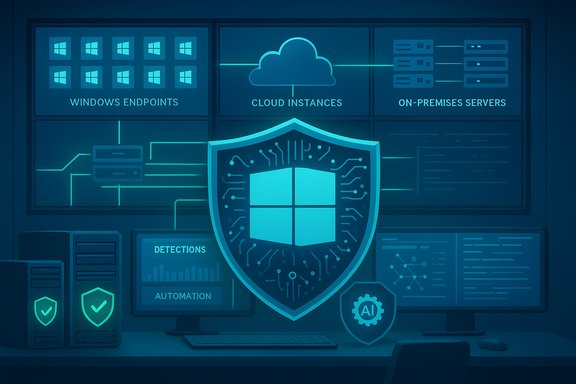
The antivirus conversation for Windows in 2025 has shifted from “does it catch viruses?” to how it fits into a modern security stack — protecting legacy servers without costly downtime, reducing analyst fatigue through automation, and balancing performance with visibility across cloud and on‑prem endpoints.
Background
Enterprise antivirus in 2025 is no longer a single binary product; it’s a managed, telemetry‑driven layer inside an ecosystem that includes EDR (endpoint detection and response), XDR (extended detection and response), SOAR (security orchestration, automation and response), and vulnerability management. Vendors compete on threat detection quality, but the real differentiators for IT leaders are deployment friction, cross‑platform management, ability to shield legacy systems, and total cost of ownership when add‑ons and retention costs are included. This is the framing used in a recent industry roundup that ranks the ten enterprise antivirus platforms most relevant to Windows fleets, alongside practical notes on virtual patching, hybrid management, and hidden licensing traps.Overview of the ET CIO assessment
ET CIO’s “10 Best Antivirus Software for Windows in 2025” reframes the conversation for CIOs and security teams: selection criteria emphasize behavioral detection, integrations with SIEM/SOAR and device management systems, vendor support in-region, and onboarding experience — not just raw detection percentages. The shortlist contains a mix of native, cloud‑native, and legacy-capable vendors, each positioned around a specific operational need (Microsoft Defender for Microsoft-centric shops; Trend Micro for virtual patching legacy servers; SentinelOne and CrowdStrike for AI-driven response and rollback; and others for performance or budget considerations).The 10 best enterprise antivirus solutions for Windows — quick takeaways
Below are condensed, practical synopses based on the ET CIO analysis, with added independent context and caveats.Microsoft Defender for Endpoint — best for Microsoft-first environments
- Why it stands out: Integrated into Windows, agentless on Windows 10 and 11, and tightly coupled to Microsoft 365 services. Features like Automated Investigation and Remediation (AIR) are built into the platform to reduce alert volume. This makes Defender the default high-value choice where E5 licensing already exists.
- Strengths: low deployment friction, strong native telemetry, cost-effective if already licensed.
- Watchouts: non‑Windows support is weaker, and aggressive detections on custom or internal apps can require whitelisting.
Trend Micro Apex One — best for hybrid environments and legacy servers
- Why it stands out: Apex One’s virtual patching (vulnerability shielding) is explicitly designed to protect end-of‑support systems (e.g., Windows Server 2008 family) when immediate OS patching or reboots are impractical. For organizations with production‑critical legacy servers, virtual patching buys time and reduces risk without forcing an immediate lift-and-shift. Vendor docs and technical whitepapers explain the approach and use cases.
- Strengths: hybrid deployment options, good legacy OS support, clear operational workflows for “shielding” vulnerabilities.
- Watchouts: virtual patching is a mitigation, not a permanent substitute for patching; architecture and testing are required to avoid functional regressions.
SentinelOne Singularity — best for automated response and rollback
- Why it stands out: AI‑driven behavior detection and one‑click rollback capabilities make SentinelOne a favorite where speed of containment and remediation matter. It’s frequently packaged in tiered plans (Core / Control / Complete), with higher tiers including XDR and additional modules. Many enterprises find that useful features (forensics, extended retention) come as add‑ons.
- Strengths: fast containment, automation, strong detection telemetry.
- Watchouts: pricing and data retention can become significant cost drivers, especially at scale.
Check Point Harmony Endpoint — best for remote workforce anti‑ransomware
- Why it stands out: Focus on content disarm, phishing protection and integration with other Check Point network controls.
- Strengths: strong anti‑ransomware posture and integration with virtual patching/zero‑trust gateway controls.
- Watchouts: dependent on broader Check Point investment to get full network‑to‑endpoint synergy.
Palo Alto Cortex XDR — best network/endpoint correlation for XDR
- Why it stands out: Strong correlation across endpoints, network telemetry, and cloud logs; designed for teams that already rely on Palo Alto network telemetry.
- Strengths: powerful analytics and integration with WildFire and Cortex Data Lake.
- Watchouts: complexity and pricing often require a mature SOC and careful project scoping.
CrowdStrike Falcon — best for speed and threat intel scale
- Why it stands out: Lightweight agent with cloud analytics and robust threat intelligence services (OverWatch, threat hunting).
- Strengths: strong real‑world protection, rapid threat updates, mature managed hunting service.
- Watchouts: advanced modules and premium threat intelligence are sold in higher tiers.
Trellix Endpoint Security — best for integrated data protection
- Why it stands out: Emphasis on data protection, DLP, and integrated threat intel (suitable for regulated industries).
- Strengths: broad platform with a focus on data controls.
- Watchouts: can be less nimble for small teams.
Sophos Intercept X — best for ransomware defense
- Why it stands out: Strong anti‑ransomware features (CryptoGuard), root cause analysis and rollback in some tiers.
- Strengths: good detection and remediation orchestration.
- Watchouts: advanced features often tied to managed services or premium licensing.
Bitdefender GravityZone — best for performance-conscious environments
- Why it stands out: Performance‑optimized engine with integrated patch management and risky‑behavior analytics.
- Strengths: balanced performance vs. protection.
- Watchouts: some enterprises find feature mapping across tiers confusing.
K7 Enterprise Endpoint Security — budget & compliance friendly
- Why it stands out: Positions itself as an affordable, compliance-focused option for cost‑constrained fleets.
- Strengths: low price and straightforward feature set.
- Watchouts: smaller vendor footprint and fewer advanced XDR integrations.
Why virtual patching matters — and what it really does
Virtual patching (also called vulnerability shielding) is not a mystical cure; it’s a practical, compensating control that intercepts exploit‑attempts before they reach an unpatched application or OS. It can be implemented as network filters, agent rules, or sensor‑based policies that prevent exploit traffic or block suspicious behavior that targets a known CVE.- Virtual patching is particularly useful when:
- Legacy Windows servers (e.g., Windows Server 2008 R2) run production workloads that can’t be rebooted on demand.
- You need time to validate application compatibility before applying an OS patch.
- Regulatory timetables demand documented mitigations while a canonical patching program is scheduled.
Hybrid environments: cloud-native consoles vs. agent‑first architectures
The ET CIO roundup flags one critical workplace reality: many organizations run hybrid estates (cloud workloads + on‑prem servers + remote endpoints). This is why vendors that offer both cloud management consoles and robust on‑prem controls earn positive marks. Two operational implications stand out:- Centralized consoles that manage both cloud and on‑prem endpoints reduce administrative overhead and cognitive switching costs. ET CIO praises vendors that don’t force you into separate consoles for cloud and physical endpoints.
- Native integration with endpoint management (Intune, SCCM) and SIEMs (Splunk, Sentinel) is table stakes. Microsoft Defender’s native hooks into Microsoft Sentinel, Intune and Office 365 are a strong operational advantage for Microsoft‑centric shops.
Performance: the scan tax and real‑world measurements
A common complaint in ET CIO’s notes is that some agents “are heavy” — full system scans on older hardware can degrade user experience. Independent testing confirms that performance impact remains a differentiator across vendors.- AV‑Test and AV‑Comparatives continue to publish protection and performance scores; many market leaders manage to achieve high detection while optimizing performance, but not all solutions are equal in practice. For example, AV‑Test’s December 2024 and subsequent 2025 results show a range of protection and performance scores across the market — several vendors earned perfect protection scores while performance varied by product and release.
- AV‑Comparatives’ real‑world protection tests for multiple 2025 periods show that detection rates among top vendors cluster tightly (often >99%), but false positives and the resource cost (scan CPU/io) still differentiate vendors. When planning, teams should pilot endpoint builds on representative hardware to measure user impact before wide rollout.
Deployment headaches and onboarding realities
ET CIO points out that older, agent‑centric products can cause “bumpy” initial rollouts compared with newer, cloud‑native agents. This complaint reflects real operational patterns:- Legacy installers and heavy MSI footprints can be problematic for large fleets and imaging processes.
- Cloud‑native agents often provide easier remote onboarding (Intune, MDM, or direct enrollment) and more consistent telemetry across platforms.
- The time (and human effort) required to whitelist business apps, build custom detection rules, and tune automated remediation workflows is frequently underestimated — and that’s where professional services or paid onboarding helps.
The “hidden costs” problem: XDR, retention, and feature gating
The ET CIO article warns that deep XDR and related bells-and-whistles are often sold as add‑ons. Independent market documentation supports that conclusion:- Many vendors use tiered licensing. For example, SentinelOne, Palo Alto, and others separate EDR from XDR and have add‑on modules (forensics, long retention, network discovery) that increase costs. This means the attractive list price for a core EDR license can balloon when you add data retention, managed hunting, or identity telemetry.
- XDR value is real — correlation across identity, email, endpoint, and network can drastically reduce MTTR — but you must budget for:
- Licenses for each telemetry domain (endpoints, cloud workloads, identity).
- Storage and data‑ingest retention fees (hot and cold storage).
- Professional services to tune detection and automate response playbooks.
Cross‑referenced verification of the load‑bearing claims
To maintain accuracy and cross‑validate ET CIO’s assessments:- ET CIO’s vendor list and selection criteria are published in the December 24, 2025 article summarizing the ten vendors and why each matters.
- Independent lab testing shows major vendors achieving strong protection rates while performance and false‑positive footprints diverge; consult AV‑Test and AV‑Comparatives for up‑to‑date, test‑period‑specific metrics before procurement. AV‑Test’s December 2024 testing and later 2025 Windows series show multiple vendors achieving top marks for protection and varying performance scores.
- Virtual patching capabilities and their intended role are well documented by vendors (e.g., Trend Micro) and explained in vendor technical content as a mitigation for end‑of‑support OSs and legacy apps. Virtual patching is explicitly designed to reduce exploitation risk for systems where immediate patching is impractical, but it’s not a replacement for patching.
Strengths highlighted by ET CIO — and why they matter
- Virtual patching for legacy systems: Critically important for industrial, manufacturing, and financial environments that operate “brownfield” Windows Server estates. The ability to shield exposed CVEs without immediate reboots can reduce operational risk while a remediation roadmap is executed.
- Cloud-native consoles that manage hybrid estates: Operational simplicity matters. Consoles that bridge cloud and on‑prem endpoints reduce analyst context switching and shrink MTTR.
- Automated remediation & rollback: When properly tuned, automation cuts incident queue sizes drastically and returns compromised endpoints to business continuity faster — a differentiator when analyst headcount is limited.
- Performance-optimized engines: Modern engines balance detection and CPU/IO footprint. This reduces helpdesk tickets and productivity loss on older hardware. AV‑Test and AV‑Comparatives continue to show leaders that excel in performance scores.
Risks and blind spots to watch for
- Virtual patching is a mitigation, not a cure. If exploited code still exists on a host, plan for a roadmap to patch or decommission the vulnerable system. Over‑reliance on virtual patching can delay necessary modernization.
- Vendor lock‑in and data gravity: Once you push all telemetry to a single XDR vendor and build automation around it, switching costs rise sharply. Ensure playbooks and runbooks are vendor‑agnostic when possible.
- Hidden licensing: XDR, long retention, forensic uploads, or managed hunting are commonly sold as add‑ons. Negotiate explicit trial periods and trial volumes so the org sees the operational benefits before committing.
- Privacy and geopolitical risks: Some vendors face governmental restrictions in certain jurisdictions; evaluate regulatory and supply‑chain risk as part of procurement. Recent guidance and market changes underline the importance of vendor risk assessments.
- False positives and business‑critical app disruption: Agent aggression can break homegrown or legacy applications. Include robust whitelisting playbooks and pre‑deployment testing in your POC.
A pragmatic buying checklist for IT leaders
- Define the threat model and operating constraints:
- Are legacy Windows Server 2008/2012 workloads still in production?
- How many endpoints, and what classes of devices (workstations, servers, cloud workloads)?
- Map integration requirements:
- SIEM/SOAR, MDM (Intune), Office 365, Identity Providers (Okta / Azure AD).
- Pilot and measure:
- Test detection efficacy, false positive rates, and user‑perceived performance on representative hardware.
- Clarify TCO:
- Ask for line‑item pricing for EDR, XDR modules, data retention, and professional services.
- Demand operational transparency:
- SLA for detection and response, escalation paths, and availability of local support.
- Include de‑risking clauses:
- Exit and data portability terms, and a rollback plan for misapplied remediation automation.
Recommended pairings by common enterprise profile
- Microsoft‑centric enterprise with broad Microsoft 365 investment: Microsoft Defender for Endpoint — fastest path to integration and good value if E5 licenses or Defender plans are already budgeted.
- Hybrid manufacturing or banking with legacy servers: Trend Micro Apex One (virtual patching + hybrid deployment) to protect legacy Windows servers while planning modernization.
- Organizations that prioritize fast autonomous remediation and rollback: SentinelOne or CrowdStrike — both emphasize automation and low-latency containment, but plan for add‑ons and retention costs.
- Budget‑constrained fleets needing baseline protection with clear TCO: consider smaller vendors or optimized tiers (e.g., K7 Enterprise, Bitdefender GravityZone) — but validate detection and support commitments before scaling.
Final analysis — what this means for Windows security in 2025
The best antivirus for Windows in 2025 is the product that answers your operational questions, not the one that scores top in a single lab test. ET CIO’s roundup rightly spotlights operational capabilities — virtual patching for legacy servers, hybrid console management, automation, and honest TCO — as the traits that make an endpoint security solution enterprise‑ready. Independent lab testing from AV‑Test and AV‑Comparatives confirms that many vendors now produce excellent protection; the deciding factors increasingly become performance impact, onboarding experience, and the clarity of licensing for XDR and long‑term data retention. Security teams should adopt a practical, evidence‑based procurement approach: pilot with representative devices, measure real performance impact and false positives, build a playbook for virtual patching where needed, and insist on clear, itemized pricing that includes the modules you’ll actually depend on. Done right, an endpoint platform in 2025 is less about “antivirus” as an isolated product and more about an extensible, integrated control plane that reduces risk while enabling the business.Conclusion
ET CIO’s 2025 list captures a crucial evolution: enterprise antivirus is now enterprise resilience. Pick a platform that fits your ecosystem, demand transparency on add‑on costs and retention, pilot against your realistic device profile, and treat virtual patching as temporary risk management during a planned modernization. In that balance — between protection, performance, and cost — lies the pragmatic “best” antivirus for Windows in your organization.
Source: ET CIO 10 Best Antivirus Software for Windows in 2025
