

PCMag’s security reviews and lab-test coverage make one point very clear: antivirus is no longer a single-number contest between scanners — it’s a layered decision about detection, usability, privacy, and cost that must be matched to how you actually use Windows.
PCMag’s Security Reviews and Lab Tests category collects hands‑on reviews, lab‑test summaries, and buyer guidance that reflect how mainstream consumer and enterprise anti‑malware products performed in independent test cycles and real‑world usage. These pages don’t simply repeat vendor marketing; they synthesize independent lab scores (AV‑TEST, AV‑Comparatives), practical performance checks, and real‑world usability factors such as false positives, resource use, and bundled features.
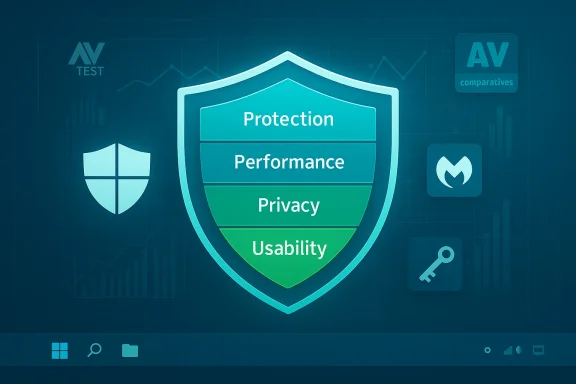
In short, modern "best antivirus" assessments focus less on raw detection percentages (which are tightly clustered among reputable engines) and more on the combination of strong protection, low system impact, sensible defaults, and transparent business practices. That pivot shows up repeatedly in the lab‑aware buyer guidance PCMag and peer outlets produce.
However, labs cannot fully measure user experience, bundling behavior (upsells, nag screens), or long‑term vendor practices such as privacy‑policy changes and renewal pricing. That’s why PCMag and similar outlets use lab scores as one pillar alongside hands‑on usability and business‑practice checks.
What to watch for:
That said, the Avira story is nuanced:
Be skeptical of single‑line "best" headlines. Instead:
Source: PCMag Security Reviews and Lab Tests
 Background / Overview
PCMag’s Security Reviews and Lab Tests category collects hands‑on reviews, lab‑test summaries, and buyer guidance that reflect how mainstream consumer and enterprise anti‑malware products performed in independent test cycles and real‑world usage. These pages don’t simply repeat vendor marketing; they synthesize independent lab scores (AV‑TEST, AV‑Comparatives), practical performance checks, and real‑world usability factors such as false positives, resource use, and bundled features.In short, modern "best antivirus" assessments focus less on raw detection percentages (which are tightly clustered among reputable engines) and more on the combination of strong protection, low system impact, sensible defaults, and transparent business practices. That pivot shows up repeatedly in the lab‑aware buyer guidance PCMag and peer outlets produce.
What PCMag’s Security Section Covers (and why it matters)
PCMag’s security pages are organized to help readers make practical choices, not to coronate a single vendor. Key topics routinely covered include:- Independent lab results and what they actually measure.
- Real‑world blocking statistics for web and download vectors.
- Performance impacts (CPU, RAM, scan length).
- Feature breakdowns (ransomware rollback, browser protections, password managers, VPNs).
- Usability, false positive counts, and renewal/business practices.
- Installation and deployment guidance for home and enterprise users.
How Independent Labs Fit Into the Picture
What labs measure (and what they don’t)
Independent test labs such as AV‑TEST and AV‑Comparatives focus on objective metrics: detection rates for known and zero‑day samples, real‑world blocking of live threats, false positive counts, and performance benchmarks. These are vital signals because they are repeatable and comparable across vendors.However, labs cannot fully measure user experience, bundling behavior (upsells, nag screens), or long‑term vendor practices such as privacy‑policy changes and renewal pricing. That’s why PCMag and similar outlets use lab scores as one pillar alongside hands‑on usability and business‑practice checks.
Recent lab patterns worth noting
- Several mainstream engines — including Microsoft Defender and major third‑party suites — regularly score near the top in AV‑TEST and AV‑Comparatives cycles, pushing detection percentages into the high‑90s range in many windows. That compresses the differentiation by raw detection and elevates usability and feature sets as deciding factors.
- AV‑Comparatives’ real‑world tests (which simulate everyday browsing and download scenarios) show that different vendors can cluster closely in protection rate while differing meaningfully in false positives, which matters a lot for enterprise deployments and developers.
Key Findings from Recent Coverage
Microsoft Defender: a credible baseline for most users
One of the clearest themes across PCMag’s security coverage is that Microsoft Defender (the built‑in Windows Security suite) has matured into a credible baseline for everyday users. Independent labs have awarded high protection marks to Defender in several recent cycles, and its integration into Windows means it avoids many of the friction points (installation hassles, aggressive upsells) found in third‑party bundles. For low‑risk home users who keep Windows and browsers up to date and follow basic security hygiene, Defender often provides "good enough" protection.What to watch for:
- Defender’s coverage is solid for common malware and many zero‑day patterns, but it may lack some advanced web/email detections, rollback tooling, or enterprise management features offered by premium suites.
- Organizations and power users still benefit from dedicated third‑party products when they need centralized management, SIEM integration, or advanced ransomware recovery.
Malwarebytes: the lean, pragmatic choice
PCMag’s lab‑informed commentary highlights Malwarebytes as a strong pick for users who want focused, low‑noise protection. Malwarebytes’ strength lies in pragmatic protection for browsing‑layer threats and ransomware variants, delivered with a minimal‑friction UI and modest resource use. In the current landscape, Malwarebytes occupies the niche of an effective companion or primary AV for users who dislike aggressive vendor upselling and want reliable remediation tools.Avira: a comeback story with tradeoffs
Recent attention around Avira — including its placement in lab award tiers — shows the company returning to the conversation as a top‑tier detection engine. AV‑Comparatives reported Avira in the highest protection cluster for the July–October 2025 window, citing a 99.5% real‑world protection rate in that period and noting a small number of false positives (7 in that window). AV‑TEST cycles also recorded repeated 6/6 scores for Avira across Protection, Performance, and Usability in multiple 2025 rounds. These lab results make Avira competitive with other leaders on raw protection and low impact.That said, the Avira story is nuanced:
- The free tier is feature‑rich (password manager, software updater, limited VPN, tune‑up tools), but PCMag and others note frequent in‑app upsells and a capped free VPN that may push users toward paid tiers.
- False positives, even in small quantities, matter to enterprises and developers because misclassification can interrupt workflows. Avira’s false positive counts were higher than some rivals in the cited test window, and PCMag flags this for cautious users.
The overall market picture
- Detection rates among reputable products have converged; the decisive differences now are false positives, system impact, bundled features, and vendor business behavior (transparent pricing and renewal practices).
- For many home users, the incremental protection gained from a third‑party paid suite over Defender is smaller than it used to be. The choice increasingly depends on extras: integrated VPNs, password managers, ransomware rollback, multi‑device licensing, and customer support.
How to Read Lab Results Like a Pro
What to prioritize when comparing scores
- Protection rate: High-level signal — prefer products that consistently score in the top cluster across multiple labs.
- False positives: Equally important — a product with rare false positives is safer for enterprise deployment and development environments.
- Performance: Low CPU/RAM use and short scan times matter for older hardware and users who multitask.
- Feature parity: Not all “antivirus” products offer the same web‑layer protections, ransomware rollback, or privacy tools.
- Business practices: Watch renewal pricing, upsell density, and how straightforward it is to cancel or remove optional add‑ons.
Practical checklist for validating claims
- Cross‑check vendor claims with at least two independent labs (for detection and real‑world blocking).
- Verify whether the lab results are recent and whether the product build tested matches the vendor’s current release.
- Confirm any advertised "unlimited VPN" or "dark‑web monitoring" features have practical limits or regional restrictions; vendors sometimes vary features by tier or country.
- Try a free trial on the actual machines you use and measure real CPU/RAM impact and false‑positive behavior on your workload.
Deployment Guidance: Home Users and IT Pros
Home users — a pragmatic map
- Casual, low‑risk users: Start with Microsoft Defender, keep Windows updated, and use a privacy‑aware browser with content‑blocking extensions. Defender’s integration and strong lab showings make it a safe baseline.
- Privacy‑oriented or feature‑hungry users: Consider Avira Free (for a generous free bundle) or a paid third‑party suite if you need an unlimited VPN, premium password management, or multi‑device coverage — but be ready for upsell prompts and carefully check renewal pricing.
- Power users and multi‑device households: Look at full suites (Bitdefender, Norton, Avira Prime) and compare features like ransomware rollback, cross‑device management, and unlimited VPNs before committing.
Enterprise and small business considerations
- Don’t pick a product solely on headline protection percentages.
- Pilot deployments are essential: measure false positives against productivity costs, verify central management and policy enforcement, and confirm SIEM integration before wide rollout. PCMag recommends running auditable pilots and insisting on vendor SLAs for any AI or agentized features tied to security or automation.
Strengths, Risks, and What PCMag Flags
Strengths emphasized by lab‑aware reviews
- Convergence of detection: Top engines now reliably block most mainstream threats, reducing the risk of choosing any well‑regarded product.
- Feature diversification: Bundled password managers, VPNs, and ransomware tooling increase the practical value of paid suites for families and power users.
- Maturity of Defender: Microsoft’s built‑in offering is a legitimate defensive baseline for many users, changing the calculus on whether an extra paid suite is necessary.
Risks and vendor behaviors to watch
- Upsell and monetization patterns: Generous free tiers (Avira, others) often rely on frequent in‑app prompts to drive upgrades; users should weigh convenience against persistent nagging and the potential for feature gating.
- Renewal pricing: Many vendors offer promotional first‑year pricing that rises at renewal; this can materially affect total cost of ownership over multiple years.
- False positives and enterprise disruption: Even small false positive counts can halt automated pipelines or cause helpdesk overload in corporate environments. AV‑Comparatives’ vendor false‑positive tallies are a crucial data point enterprise teams must evaluate.
- Feature misalignment: Marketing homogeneity can mask meaningful differences. For example, "VPN included" does not always mean unlimited, or "password manager" may be a token feature rather than a fully functional premium replacement. Verify feature limits before purchase.
A Practical Buying Guide (Short, Actionable)
- Identify your risk profile: Low (casual browsing), Medium (remote work, banking), High (journalists, finance, enterprise admin).
- Map features to need: ransomware rollback for high risk; multi‑device licensing for families; central management and SIEM for enterprises.
- Use two lab reports (AV‑TEST and AV‑Comparatives where possible) to confirm core detection and false‑positive patterns.
- Run a live trial on a representative machine and measure:
- Idle CPU and RAM delta.
- Scan durations and user‑impact during gaming or development workflows.
- Frequency of in‑app upsell prompts or persistent notifications.
- Read the renewal pricing terms and cancellation policy before paying. If renewal practices are opaque, treat long‑term cost assumptions as unverifiable until confirmed.
SEO‑Friendly Summary of Best Choices (by profile)
- Best baseline (low risk): Microsoft Defender — integrated, low friction, strong lab showings.
- Best lean, consumer‑centric protection: Malwarebytes — minimal noise, good browser protection, fast remediation tools.
- Best free bundle (feature value): Avira Free Security — generous utilities, capped VPN, but watch upsells and limits.
- Best for multi‑device, all‑in households: Prime/Full suites (Avira Prime, Bitdefender, Norton equivalents) — compare unlimited VPN, ransomware recovery, and cross‑platform coverage.
Caveats and Unverifiable Areas (Flagged)
- Pricing numbers and renewal figures are volatile and change frequently; any specific dollar figure cited in vendor materials or secondary reporting should be verified against the vendor at the time of purchase. Treat price examples as illustrative unless confirmed in a current vendor quote.
- Lab results are time‑bound. A test window of July–October 2025 or similar reflects the product builds and threat samples available then; product code and vendor behavior can change rapidly, so always consult the most recent lab cycle and vendor release notes when making a decision.
- Some marketing claims (for example, "AI‑powered detection" or "industry‑leading VPN") are often high‑level and require substantiation in lab reports or hands‑on tests. PCMag’s approach is to flag such claims when independent verification is absent.
Conclusion: Make the Defensive Stack Fit Your Real World
PCMag’s Security Reviews and Lab Tests category reflects a mature market where good enough detection is the baseline, and the decision between Defender, Avira, Malwarebytes, and other suites comes down to features, impact, privacy, and cost transparency. Independent labs remain the bedrock of any defensible recommendation, but lab numbers alone aren’t the whole story. Usability, false positives, bundled services, and vendor practices — all covered in PCMag’s lab‑aware reviews — are what turn a high test score into a product that actually works for your life or organization.Be skeptical of single‑line "best" headlines. Instead:
- Use lab cycles to narrow candidates.
- Validate features and performance in real‑world trials.
- Confirm pricing and renewal behavior before you buy.
Source: PCMag Security Reviews and Lab Tests
