

If you’ve ever stared at a Windows update note or a new Start‑menu tweak and muttered “who asked for this?”, you’re not imagining a pattern — you’re encountering the product of a strategic shift in how Microsoft treats Windows: not primarily as a standalone operating system to be loved by its users, but increasingly as a platform for selling services, subscriptions, and cloud integrations.
Microsoft’s public narrative still treats Windows as a cornerstone product, but the company’s financial reporting and engineering choices tell a more nuanced story. The company now reports revenue across three giant segments — Productivity and Business Processes, Intelligent Cloud, and More Personal Computing — with cloud and productivity businesses driving a far larger share of growth than the historic desktop OS business. In Fiscal Year 2024 Microsoft’s More Personal Computing segment (the umbrella that contains Windows, Xbox, Surface, and search advertising) accounted for roughly a quarter of total revenue, not half; the Intelligent Cloud and Productivity segments together represented the majority of revenue and growth. This official breakdown is on the record in Microsoft’s FY2024 reports.
That matters because it reframes the incentives behind Windows feature development. When the fortunes of a company are driven by AI services, subscription products, and cloud hosting, the operating system that sits on billions of devices becomes less the firm’s hero product and more a channel — a way to expose users to paid services, collect telemetry, and reduce friction for cloud‑based monetization.
Two important corollaries follow:
This “install‑first, buy‑later” pattern explains why Microsoft may tolerate recommended app placements or nudges inside the OS: the free or unactivated Windows install still funnels users to the Store, Microsoft Account sign‑in, and subscription upgrades.
Some prominent technologists and ex‑Microsoft engineers have been explicit in their proposals for a better balance: a discoverable “Pro/Expert” mode that minimizes nudges, a transparent telemetry ledger, and rollback‑first update semantics that favor user control over surprise changes. Those proposals address many practical grievances while still preserving security and cloud adoption goals — if Microsoft were to implement them, it would be a major step toward restoring trust. Community discussion has amplified these ideas and demonstrated how they could work in practice.
In short: the irritation is real, the incentives are clear, and while Microsoft’s strategy delivers measurable business and security benefits, it also creates persistent user experience and trust risks. Knowing where those trade‑offs live — and how to mitigate them — is the best practical defense for anyone who still depends on Windows every day.
Source: How-To Geek This is the real reason Windows keeps getting features no one asked for
 Background / Overview
Microsoft’s public narrative still treats Windows as a cornerstone product, but the company’s financial reporting and engineering choices tell a more nuanced story. The company now reports revenue across three giant segments — Productivity and Business Processes, Intelligent Cloud, and More Personal Computing — with cloud and productivity businesses driving a far larger share of growth than the historic desktop OS business. In Fiscal Year 2024 Microsoft’s More Personal Computing segment (the umbrella that contains Windows, Xbox, Surface, and search advertising) accounted for roughly a quarter of total revenue, not half; the Intelligent Cloud and Productivity segments together represented the majority of revenue and growth. This official breakdown is on the record in Microsoft’s FY2024 reports. That matters because it reframes the incentives behind Windows feature development. When the fortunes of a company are driven by AI services, subscription products, and cloud hosting, the operating system that sits on billions of devices becomes less the firm’s hero product and more a channel — a way to expose users to paid services, collect telemetry, and reduce friction for cloud‑based monetization.
Why the “who asked for this?” reaction makes sense
Microsoft’s business case: Windows as a distribution channel for services
If you read Microsoft’s own filings and quarterly commentary, the case is explicit: cloud services (Azure), Microsoft 365 subscriptions, LinkedIn, search advertising and Gaming content are the engines of margin and growth. Microsoft’s formal segment reports show that while Windows‑related revenue still exists and grew in absolute dollars in FY24, it’s reported inside a larger bundle (More Personal Computing) and is not the dominant driver of corporate growth. That means feature decisions that increase service adoption — even if they’re tangential to what long‑time desktop users wanted — can be prioritized because they move the needle where Microsoft now earns most of its profit.Two important corollaries follow:
- Product designers inside Microsoft are measured on metrics that favor engagement and service conversion, not always the narrow satisfaction of a power user.
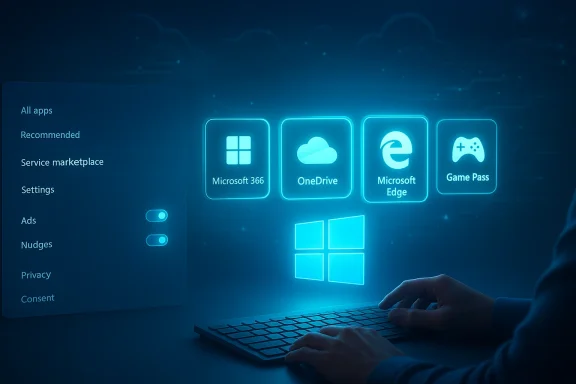
- Some UI surfaces are purposely used as promotion slots — places to show recommendations, subscription prompts, and “get started” nudges — because even small increases in conversion to Microsoft 365, OneDrive, Edge or Game Pass scale to material revenue across millions of machines.
The freemium-like activation model
One practical manifestation of Windows-as-channel is the installation/activation flow. Since Windows 10, Microsoft has permitted installation without entering a product key and allows the system to run in an unactivated state with cosmetic limitations (watermark, restricted personalization) while still enabling users to install and run apps, connect to the Store, and sign in with a Microsoft Account later to buy services or licenses. That effectively makes Windows behave more like freemium software: give the user access, keep them engaged, then encourage small, recurring payments for services. Microsoft’s support documentation and mainstream tech coverage both confirm that you can skip a product key during setup and activate or buy a license later, which has important product and business implications.This “install‑first, buy‑later” pattern explains why Microsoft may tolerate recommended app placements or nudges inside the OS: the free or unactivated Windows install still funnels users to the Store, Microsoft Account sign‑in, and subscription upgrades.
The mechanics: where “unasked‑for” features live
Recommended content and the Start menu
Windows’ Start menu now includes a “Recommended” section and other surfaces that surface promoted apps and services. Users and observers have flagged specific updates (for example, an April 2024 update) that more aggressively expose third‑party installs and promoted Store content inside Start. These recommendation slots are often toggle‑able via Settings, but they are enabled by default and can be reintroduced after feature updates — a behavior that creates ongoing friction for people who want a clean, distraction‑free launcher.Explorer prompts, OneDrive and sync provider nags
File Explorer’s Home view and its toolbar show “sync provider” banners and OneDrive prompts that are hard to miss. Those prompts are designed to reduce friction for cloud adoption, but they also push users to store files on Microsoft servers and to link their devices to an account — precisely the behavior that increases subscription and cloud service lifetime value. Community testing shows you can mute many of these prompts in Settings, but major updates sometimes reset the defaults or re‑provision system apps so the nudges return.Notifications that look like system warnings
Microsoft has introduced system‑style badges and notifications for lapsed subscriptions or service offers (for example, Game Pass or Microsoft 365). These can look visually similar to genuine system or security warnings — a design choice that increases the chance the user will notice and act. Many users report seeing Start‑menu indicators that resemble driver or update alerts but are actually subscription reminders; that blending of UI affordances confuses signal and marketing. Community threads document examples and how they reappear after updates.Forced or semi‑forced account and cloud integration during setup
The Out‑Of‑Box Experience (OOBE) increasingly favors signing in with a Microsoft Account and, for Windows 11 Home, the flow can require an internet connection and account sign‑in. Microsoft has in the past closed some of the workarounds that allowed local‑only accounts during setup, citing security and sync benefits; reporters and community trackers noted Microsoft removing an easy bypass and shifting users toward online accounts and cloud‑linked licenses. The upshot: Microsoft owns the identity layer more tightly today, which simplifies selling cloud services but reduces user choice.The analytic case — strengths and business logic
It’s not all bad design theater or cynical marketing. There are technical and business reasons Microsoft has bent Windows toward integrated services.- Security and patching: Automatic updates, integrated store delivery, and telemetry help Microsoft protect a vast, heterogeneous device base against fast‑moving threats. Faster rollouts and more telemetry can reduce attack surface and mean fewer exploited vulnerabilities in the wild. Enterprise IT teams benefit from unified servicing channels and provisioning mechanisms. Many of the automatic or tightly integrated behaviors are designed to reduce fragmentation and make security scaling feasible.
- Economics of subscriptions: Recurring revenue (Microsoft 365, Game Pass, cloud services) is more predictable and higher margin than one‑time OS license fees. The corporate focus on growing subscription metrics explains why device‑level nudges aim to convert users. Investor materials and analyst coverage stress Azure and Microsoft 365 as the growth engines — the numbers back that up.
- Platform consistency for AI and cloud features: New AI experiences (Copilot and other cloud‑backed features) require telemetry, account linkage, and an identity layer to provide personalized and secure results. Integrating these features at the OS level reduces friction and can improve experience — provided Microsoft executes and respects privacy controls.
The risks: why this strategy can backfire
Trust erosion and user resentment
Repeated UI nudges, promotional badges masquerading as system alerts, or reinstated “helpful” features that a user explicitly disabled — these all erode trust. Power users feel their control is being slowly taken away; home users can be confused by banners and prompts that seem like system notifications. That loss of trust can push some users away from Windows or drive them to seek third‑party tools to remove what Microsoft adds. Community voices and veteran engineers (including public critiques from ex‑Microsoft engineers) argue that this slow erosion of user agency creates long‑term brand risk.Fragmentation and reintroduction of features after updates
Windows update mechanics — provisioning, image refresh, and rollback artifacts — sometimes reintroduce preinstalled apps or re‑enable promotional toggles after a feature update. That makes “set it once and forget it” a fragile assumption for users who want to maintain a lean system. Enterprise admins have tools (Group Policy, MDM) to enforce defaults, but Home users lack durable, simple controls. Community analysis documents re‑provisioning patterns and recommends constant vigilance.Regulatory and antitrust exposure
Using an OS to preferentially promote first‑party services (a browser, a search engine, a store) attracts regulatory scrutiny. The EU and other jurisdictions have already investigated platform owners for behavior that disadvantages third‑party competitors. Aggressive nudging and deeply integrated defaults increase the chance of regulatory action and remedies that could force changes or fines — a strategic risk Microsoft must weigh against the short‑term revenue upside. Independent reporting and historical antitrust actions show this is a real exposure. (See coverage of browser and search defaults debates in multiple regions.)Security trade‑offs and telemetry opacity
Telemetry is valuable for security and reliability, but lack of transparency about what is collected and how it’s used damages user confidence and raises privacy questions. Microsoft provides diagnostic categories and tooling (Diagnostic Data Viewer), but community discussions repeatedly call for simpler, clearer telemetry ledgers and durable, discoverable opt‑outs. Ex‑engineers and community threads have proposed “privacy ledgers” or a single toggle to clearly report what leaves the machine and why.What users and administrators can do right now
If you dislike the modern direction of Windows, there are pragmatic steps you can take to reclaim control. Below are grouped recommendations for typical users and for admins.For home and power users — immediate, reversible steps
- Disable Start recommendations and “suggested content”:
- Settings → Personalization → Start → turn off recommended items.
- Turn off Search Highlights and web suggestions in the Search settings.
- Disable Widgets or prune its feeds:
- Right‑click Taskbar → Taskbar settings → toggle Widgets off.
- Silence File Explorer sync provider notifications:
- File Explorer → ellipsis menu → Options → View → uncheck Show sync provider notifications.
- Turn off in‑Settings recommendations and Advertising ID:
- Settings → Privacy & security → General → disable Advertising ID and recommendations.
- Use local accounts where feasible and avoid linking Microsoft Account for machines you want to keep isolated; be aware Microsoft is increasing account requirements for some programs (like Extended Security Updates).
For small business IT and enterprises — stronger levers
- Use Group Policy and MDM to enforce settings across fleets (disable promotions, enforce telemetry levels, control update rings).
- Build and test images so that provisioning during feature updates doesn’t reintroduce unwanted packages — use a pilot ring before wide deployment.
- Consider third‑party management tooling if your environment needs more granular control than Home/Pro settings provide. Community threads provide scripts, PowerShell recipes, and best practices for hardened images.
Where the public debate and product design collide
The current debate about Windows is not merely about UI taste; it’s about the contract between an OS and its users. For decades that contract was implicit: the OS exists to help you run your machine reliably and predictably. Today, that contract has been renegotiated in the background. Microsoft’s internal metrics reward visibility and conversion; users reward predictability and control. Until a product balance is found that satisfies both corporate economics and user autonomy, the friction will continue.Some prominent technologists and ex‑Microsoft engineers have been explicit in their proposals for a better balance: a discoverable “Pro/Expert” mode that minimizes nudges, a transparent telemetry ledger, and rollback‑first update semantics that favor user control over surprise changes. Those proposals address many practical grievances while still preserving security and cloud adoption goals — if Microsoft were to implement them, it would be a major step toward restoring trust. Community discussion has amplified these ideas and demonstrated how they could work in practice.
Separating facts from opinions: where the How‑To‑Geek thesis needs correction
The How‑To‑Geek premise you quoted makes a compelling, pithy point: Windows ships features that feel like they weren’t asked for because the company prioritizes service monetization. That argument is directionally correct, but a couple of important empirical claims need correction or caveats:- The claim that Windows now represents around 10% of Microsoft’s revenue is an oversimplification that’s not supported by Microsoft’s public segment reporting. Microsoft reports a More Personal Computing segment that represented roughly 25% of FY24 revenue; Windows itself is a component within that segment and Microsoft does not publish a single‑line “Windows OS” revenue number in its GAAP segment tables. Therefore, an assertion that “Windows is only about 10% of revenue” is not directly verifiable from Microsoft’s consolidated financial statements and likely understates the relative scale of More Personal Computing compared with the claim’s implication. Use the company’s official segment numbers for accuracy rather than approximate percentages that bundle—or omit—different product lines.
- The article’s larger strategic point — that Windows functions more as a distribution channel for services than as a stand‑alone product optimized only for the user — is supported by both financial incentives and observable design patterns in the OS. But it’s important to separate strategic motivation from malice: many of the same design choices enable faster security patching, simplified provisioning for remote fleets, and integration of cloud capabilities that many businesses now demand. Those outcomes are real, and they justify some of Microsoft’s choices even if they produce friction for users who value maximal local control.
Final analysis and what to watch next
- Expect Microsoft to continue pushing cloud‑first and AI‑first features into Windows — Copilot, cloud‑accelerated search, and tighter Microsoft Account integration are core to the company’s strategic playbook. These will increase friction points for users who prize a “local only” desktop. Keep an eye on how Microsoft communicates telemetry and privacy defaults: transparency improvements would defuse many trust concerns.
- Watch regulation and legal scrutiny. If Microsoft uses Windows to advantage its own services in a way that materially harms competition, regulators may step in with remedies that could change the product calculus. That would be a structural counterweight to aggressive in‑OS monetization.
- For power users and IT admins there’s a pragmatic path forward: learn the control surfaces (Group Policy, MDM, privacy toggles), keep hardened images, and validate feature updates in a pilot ring before mass deployment. For consumer users, the most effective immediate defenses are the Settings toggles that remove recommendations, Widgets, and sync prompts — and, where appropriate, using a local account and uninstalled store apps for minimal setups. Community guides and forum testing lists the exact toggles that reduce most of the “ads and nags” without risky third‑party debloaters.
In short: the irritation is real, the incentives are clear, and while Microsoft’s strategy delivers measurable business and security benefits, it also creates persistent user experience and trust risks. Knowing where those trade‑offs live — and how to mitigate them — is the best practical defense for anyone who still depends on Windows every day.
Source: How-To Geek This is the real reason Windows keeps getting features no one asked for
